- Changelog
- 19 February 2026
19 February 2026
Auto-Generated Incident Numbers
We’ve made a practical improvement to the way Incidents are managed in the system.
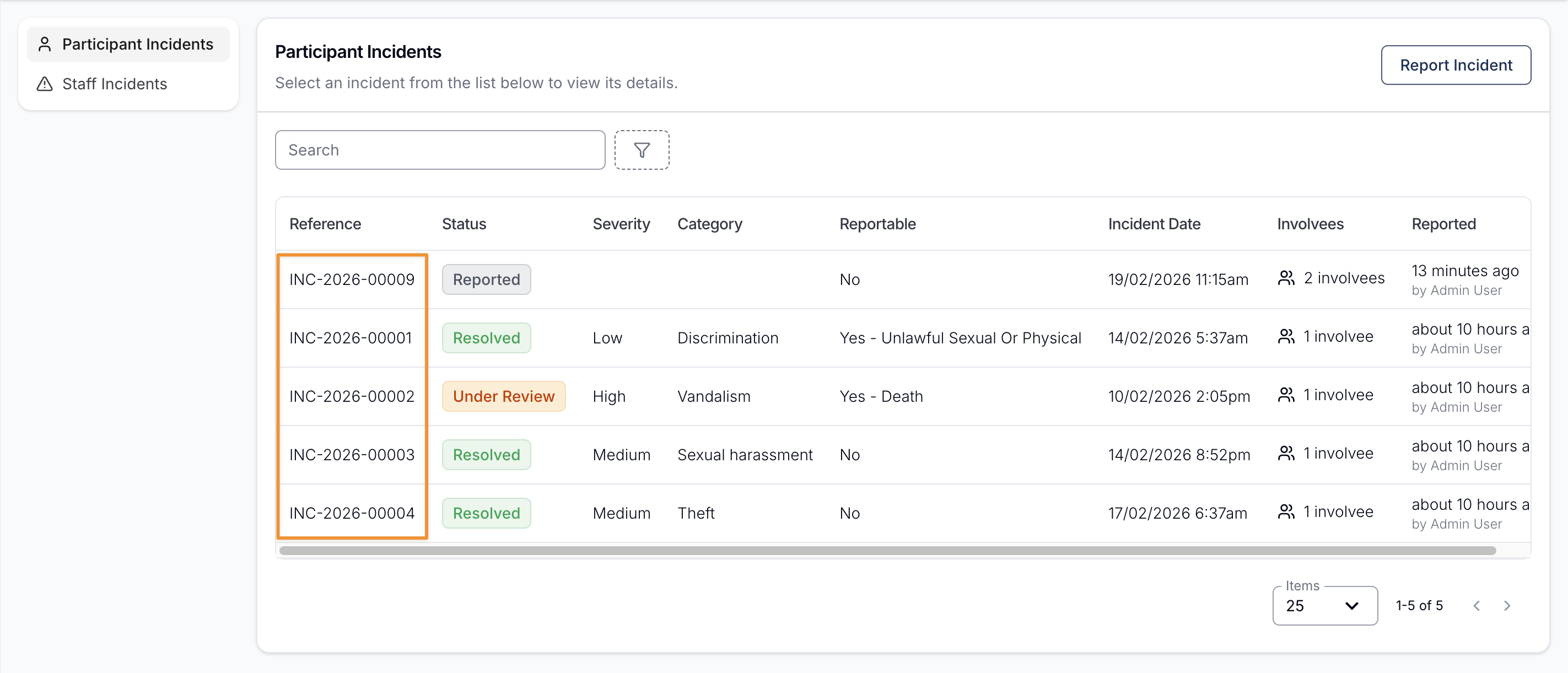
From now on, every Staff and Participant Incident form is automatically assigned a unique Incident Number at the time it’s created. This number is displayed directly within the Incidents Register and is fully searchable, making it easier than ever to locate and reference specific records.
This enhancement was introduced to support clearer, more efficient incident management - particularly for Participants who may have multiple or recurring incidents. Instead of relying solely on names, dates, or descriptions, teams can now quickly search and reference a precise Incident Number, reducing ambiguity and saving time.
The addition of unique Incident Numbers also strengthens communication across the organisation. Whether you’re documenting details in case notes, liaising with internal teams, engaging external stakeholders, or tracking follow-ups and related documentation, having a consistent reference point ensures everyone is aligned on the exact incident being discussed.
Overall, this update enhances record management, improves traceability, and provides greater oversight across all incidents - helping teams work more efficiently while maintaining clarity and accuracy in every interaction.
For more information, visit the following guides:
Other Improvements
- Utilisation Export Update
- Improved Navigation (Open in New Tab)
- Undo Clock Out
- Custom Invoice Prefix
- Improved Multi-Select Dropdown Experience
- My Payments Export Improvements
- Filter User Export By User Groups
- Notes for Shift Hours and Travel Approvals
- User Login History Export
Auto-Generated Incident Numbers
We’ve made a practical improvement to the way Incidents are managed in the system.
From now on, every Staff and Participant Incident form is automatically assigned a unique Incident Number at the time it’s created. This number is displayed directly within the Incidents Register and is fully searchable, making it easier than ever to locate and reference specific records.
This enhancement was introduced to support clearer, more efficient incident management - particularly for Participants who may have multiple or recurring incidents. Instead of relying solely on names, dates, or descriptions, teams can now quickly search and reference a precise Incident Number, reducing ambiguity and saving time.
The addition of unique Incident Numbers also strengthens communication across the organisation. Whether you’re documenting details in case notes, liaising with internal teams, engaging external stakeholders, or tracking follow-ups and related documentation, having a consistent reference point ensures everyone is aligned on the exact incident being discussed.
Overall, this update enhances record management, improves traceability, and provides greater oversight across all incidents - helping teams work more efficiently while maintaining clarity and accuracy in every interaction.
For more information, visit the following guides:
Utilisation Export Update
Following user feedback, two new columns have been added to the Utilisation Export to display the Total Units applied to a Service and the corresponding Unit Type (e.g. hours).
- Total Units
- Total Units Unit

For more information, visit the Utilisation Export guide.
Improved Navigation (Open in New Tab)
You can now open Participant profiles and related pages in a new tab, making it easier to navigate the system without losing your place. This update allows you to review information side-by-side, switch between pages more efficiently, and maintain your workflow.
Open Participant profiles in a new tab using:
- CMD + Click (Mac)
- CTRL + Click (Windows)
This functionality works system-wide, including within Participant profiles (e.g. opening the Financial page in a new tab).
This enhancement provides greater flexibility when navigating between Participants and their related records.
Undo Clock Out
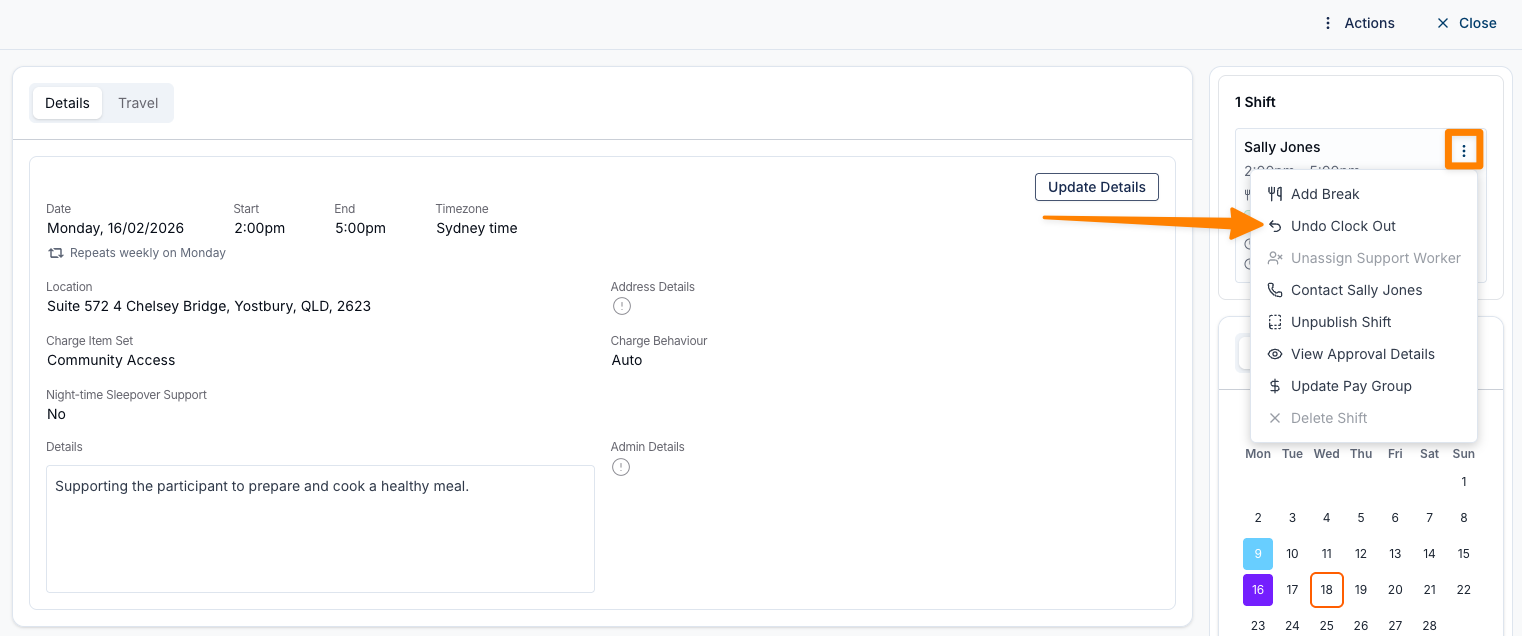
Following our recent update introducing the ability to undo a Clock In, we’ve expanded this functionality to provide even greater flexibility in managing shifts.
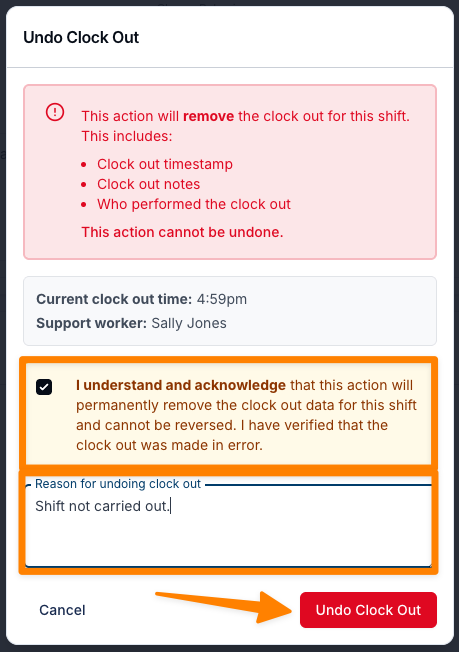
Schedulers can now undo a Clock Out, making it easier to correct shifts that did not proceed as planned — for example, where a Support Worker clocked in and out but the shift did not go ahead.
This enhancement provides greater control when managing attendance errors and ensures shift records can be accurately updated when circumstances change.
For more information, visit the Shift Alerts guide.
Custom Invoice Prefix
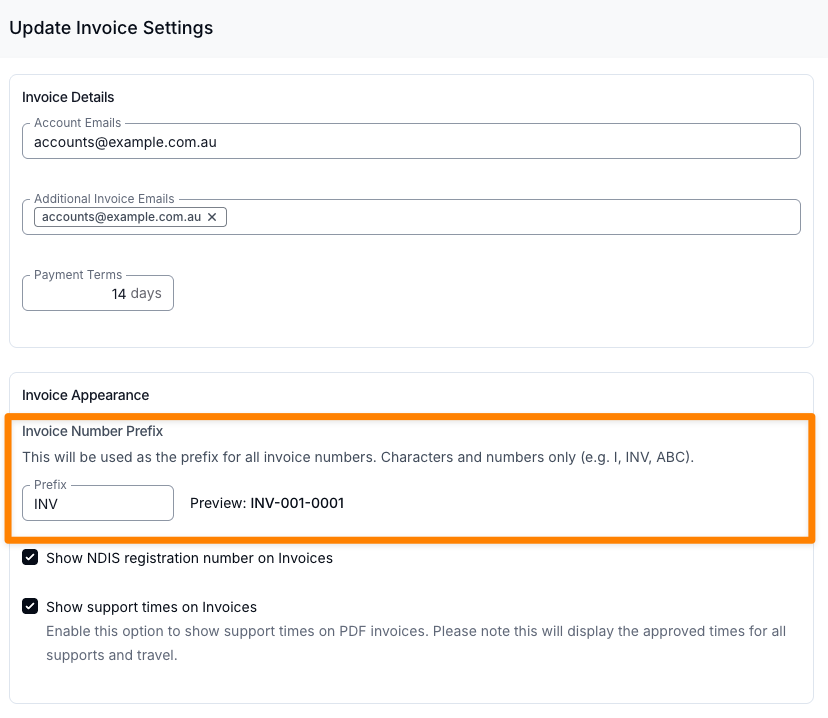
Users can now customise their invoice prefix to better align with organisational preferences and internal numbering conventions. This enhancement is especially useful for organisations operating multiple Astalty instances connected to the same Xero account, helping to clearly differentiate invoices across entities or locations.
For more information, visit the Invoices guide.
Improved Multi-Select Dropdown Experience
We’ve enhanced the multi-select dropdowns used when applying or deselecting users, user groups, and categories across the Astalty platform.
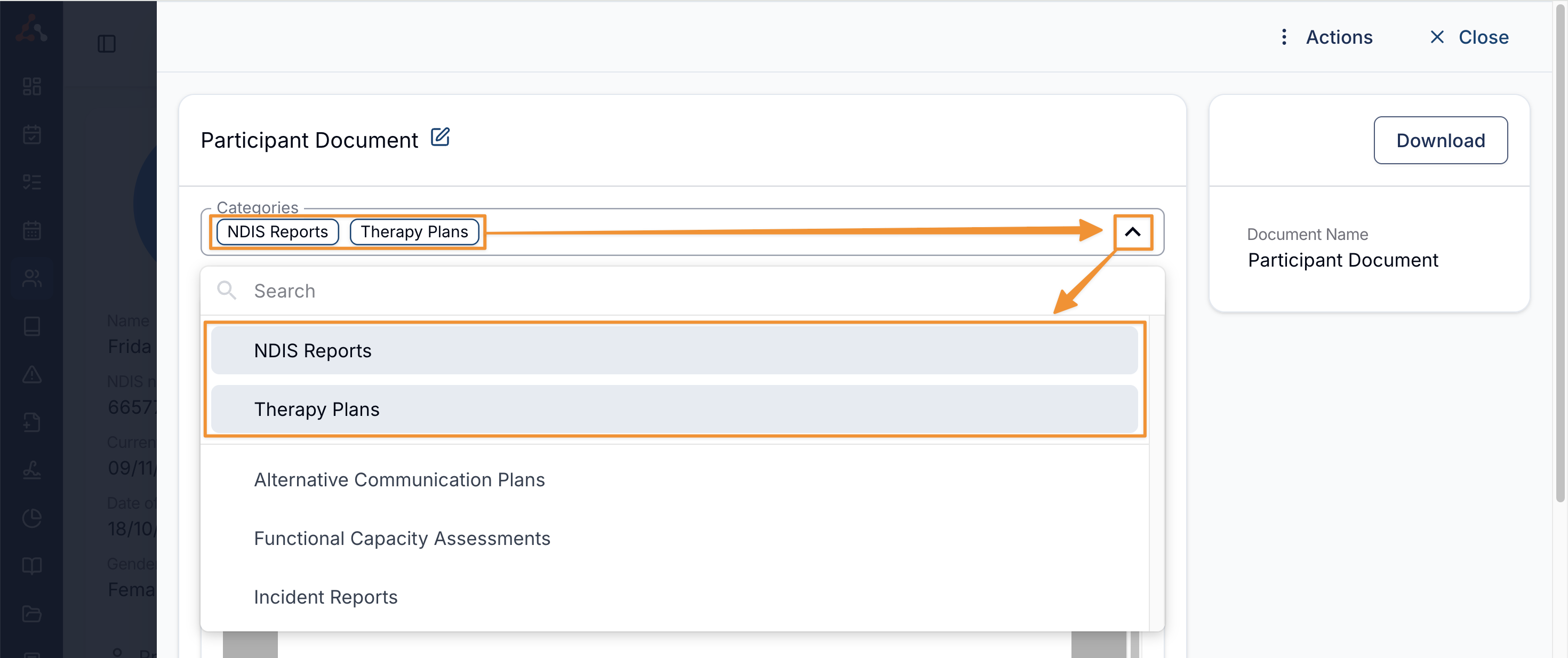
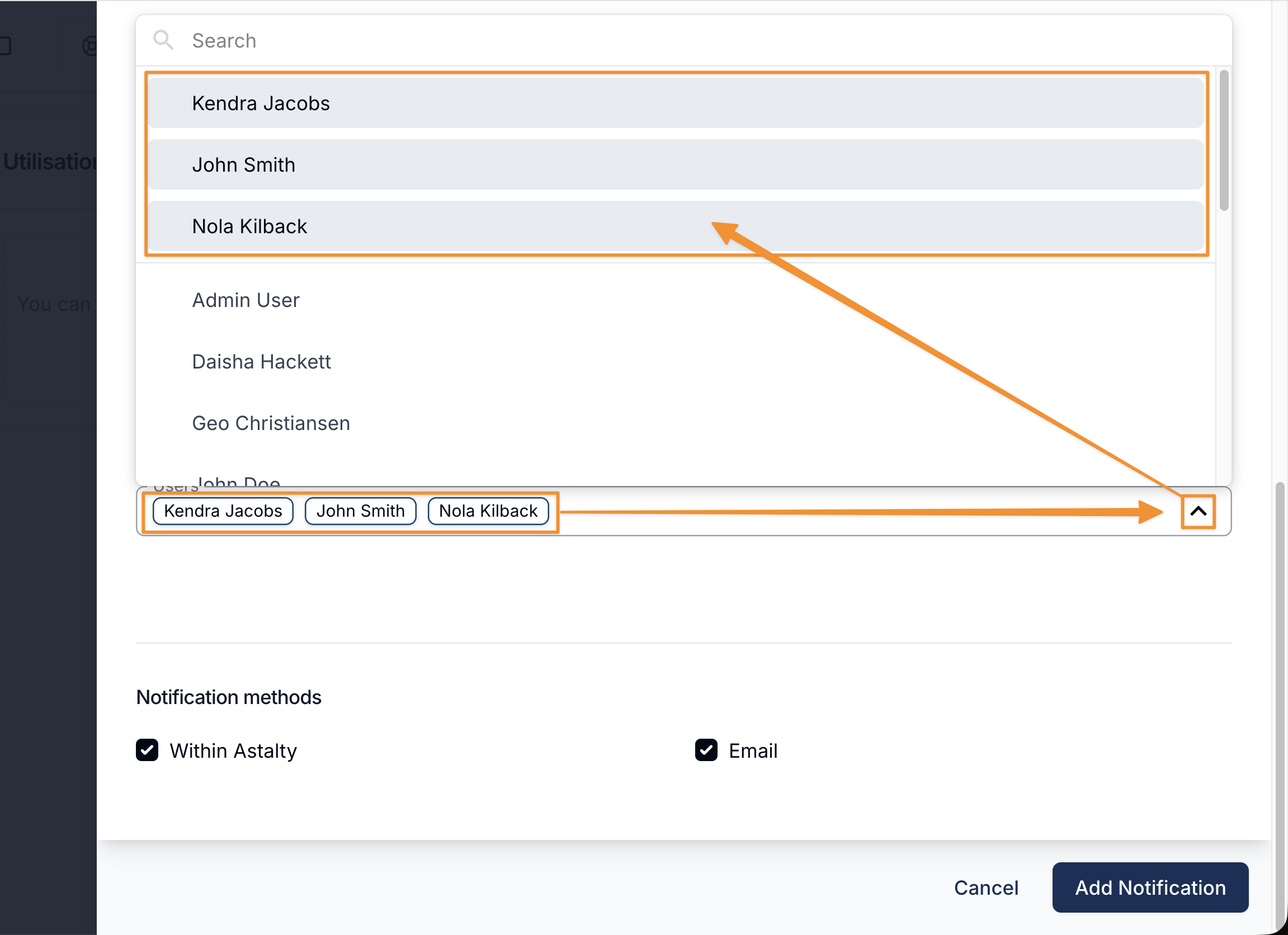
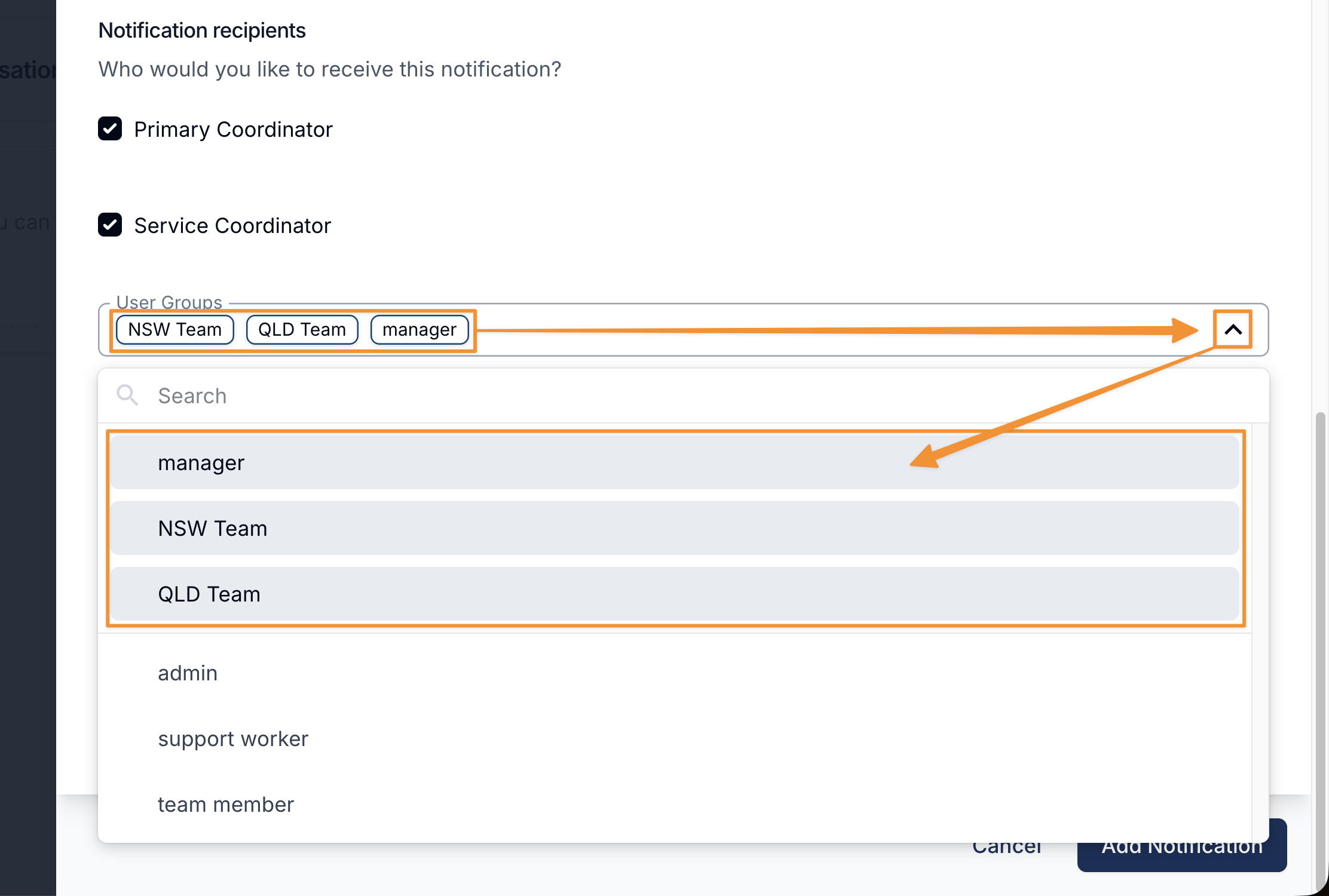
Previously these selections would remain in their original alphanumeric position within the list. Now, any selected items will automatically be grouped at the top of the dropdown. This makes it faster and easier to review your current selections and deselect items when needed.
We hope this update helps streamline your workflows and improves your overall experience.
Notable drop-downs where you'll find this improvement:
Document Categories
Specific Users and User Groups
You'll find these multi select drop-downs often in places like Notifications and Forms.
My Payments Export Improvements
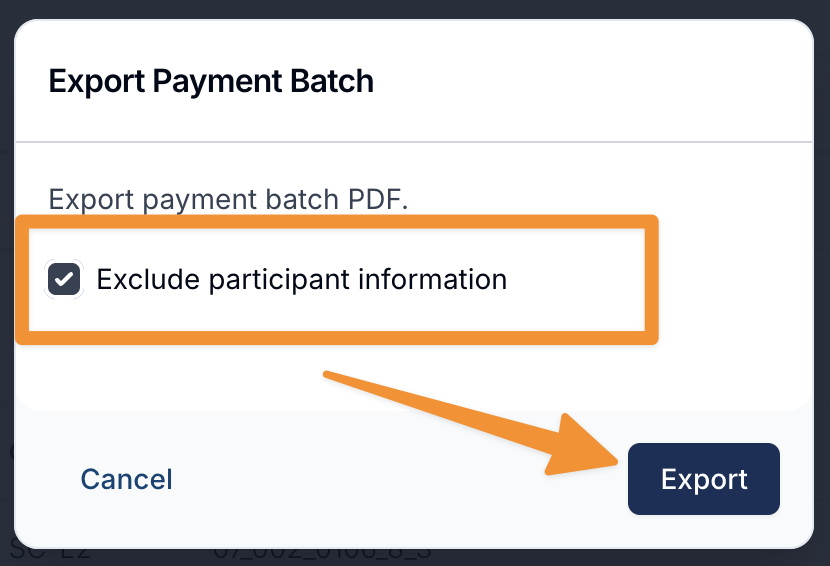
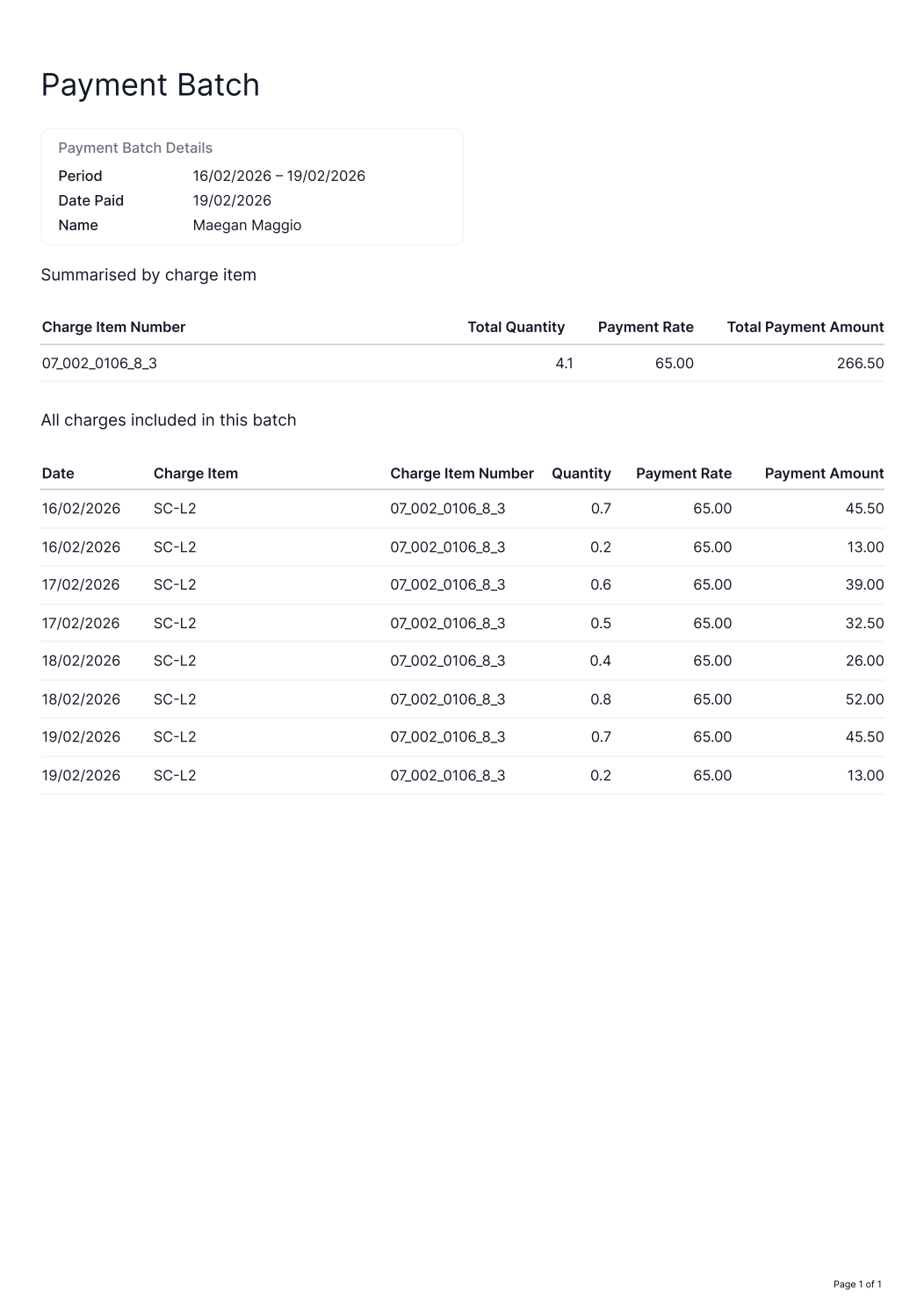
Users can now choose to exclude Participant information from both the My Payments Export and the Recipient Created Tax Invoice (RCTI).
This enhancement supports Contract users who may rely on these documents as evidence of income but are required to withhold Participant details for confidentiality.
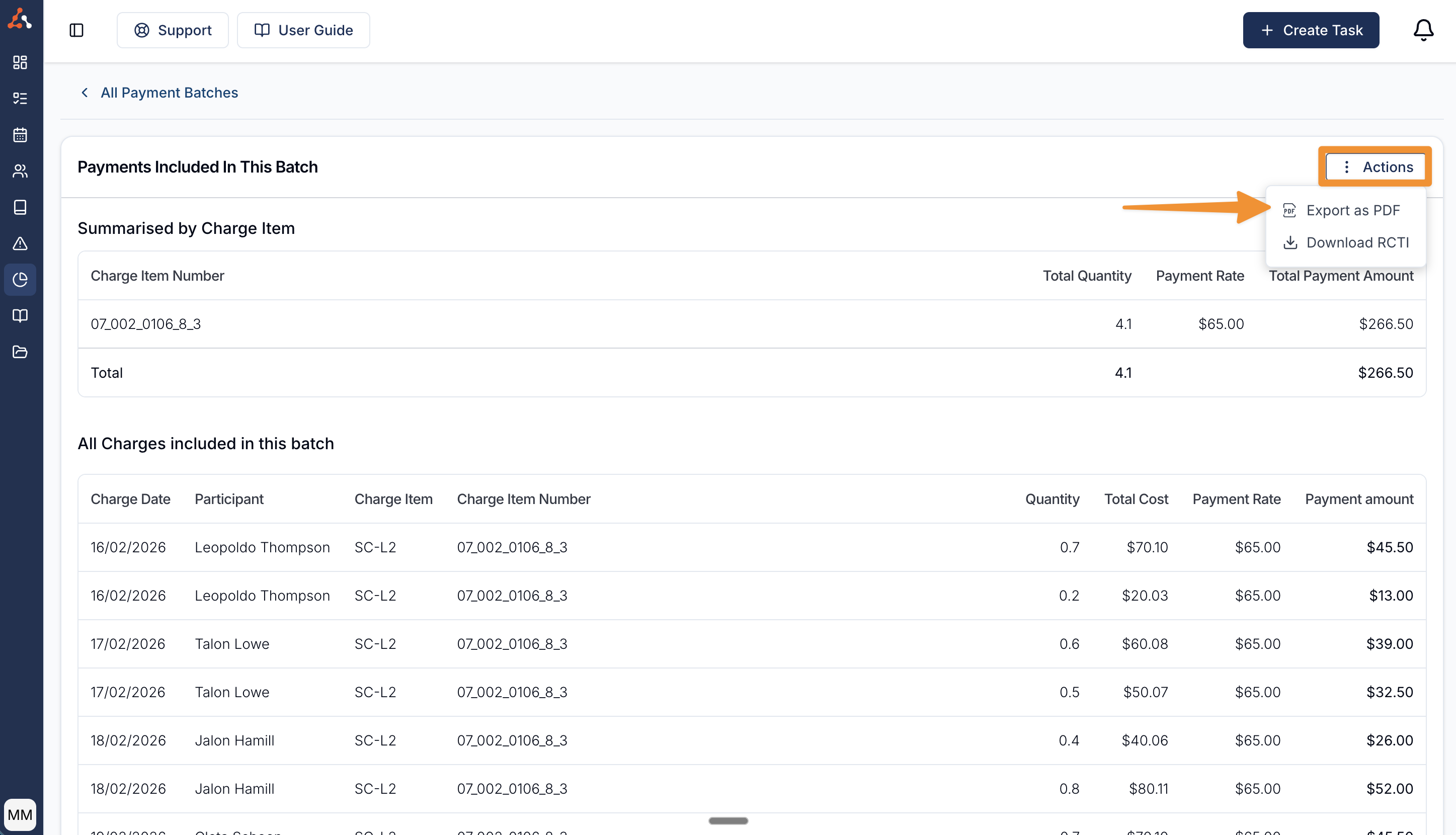
For more information, visit the Staff Payments - Reports & Exports guide.
Filter User Export By User Groups
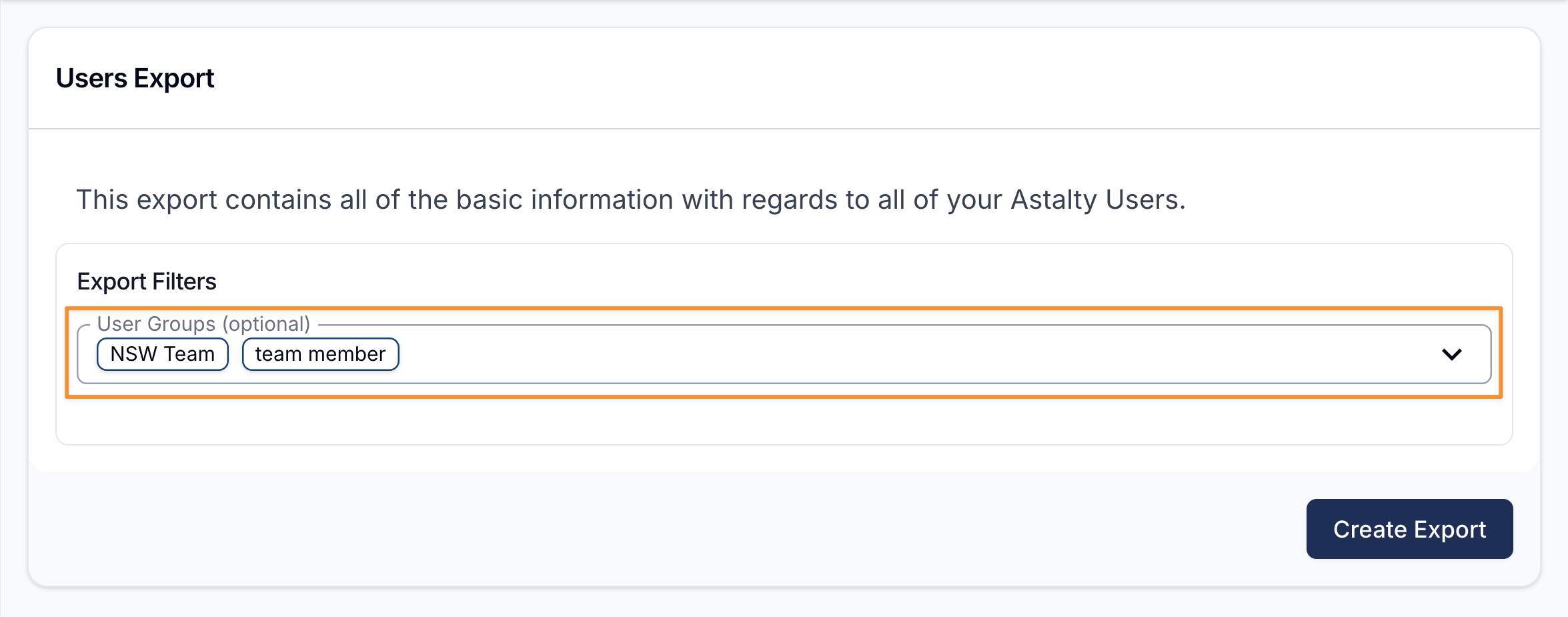
We’ve added more flexibility to User Exports in Astalty. You can now filter by User Groups when exporting user details, allowing you to generate targeted lists based on specific roles or group classifications. This means you’re no longer limited to exporting your entire user base and manually refining it afterward. You can select the relevant group upfront and export exactly what you need.
This update could be particularly helpful when preparing email communications for specific cohorts, such as Support Workers or other defined user groups. By filtering at the export stage, you’ll save time, reduce manual handling, and minimise the risk of including the wrong contacts.
It’s a simple enhancement, but one that makes extracting user data easier and more efficient.
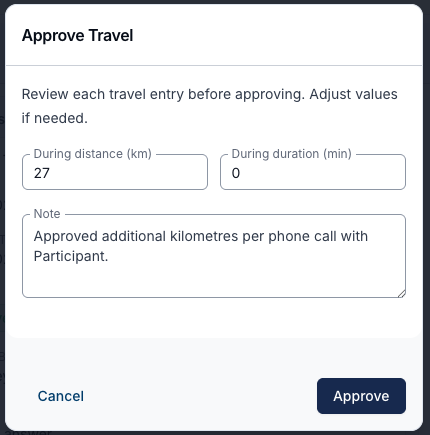
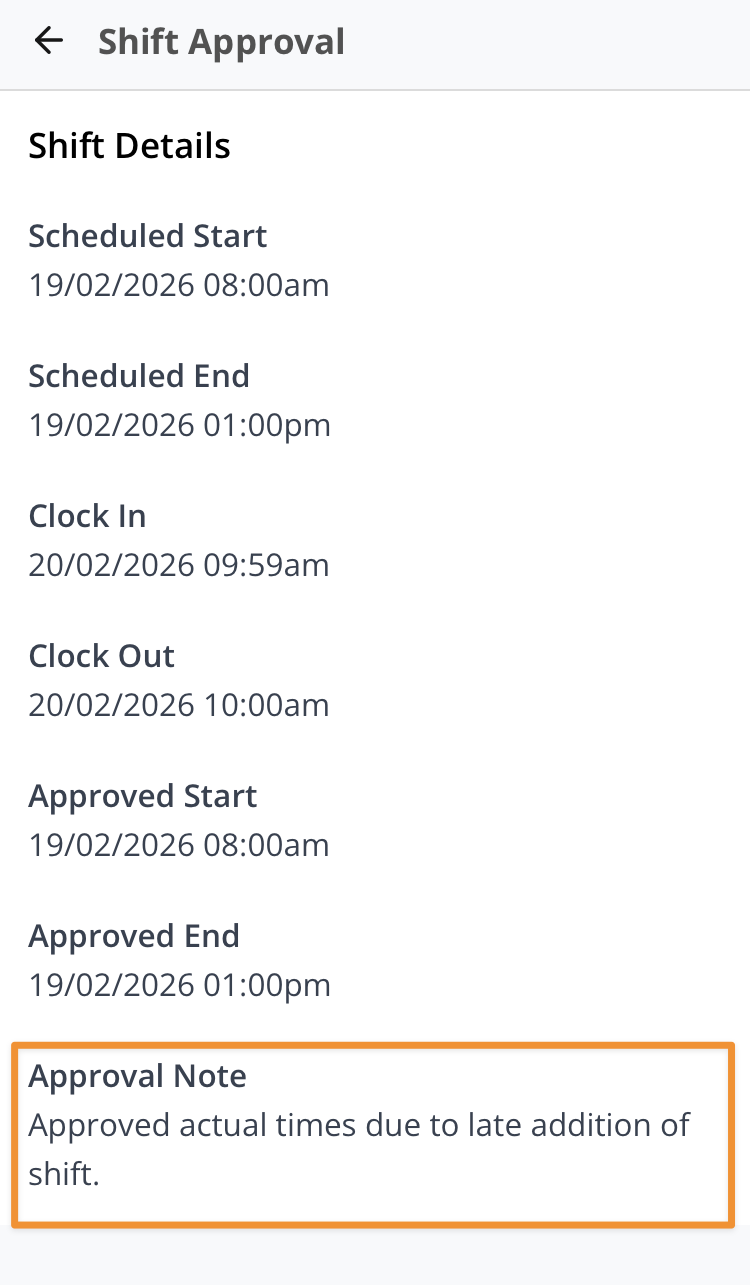
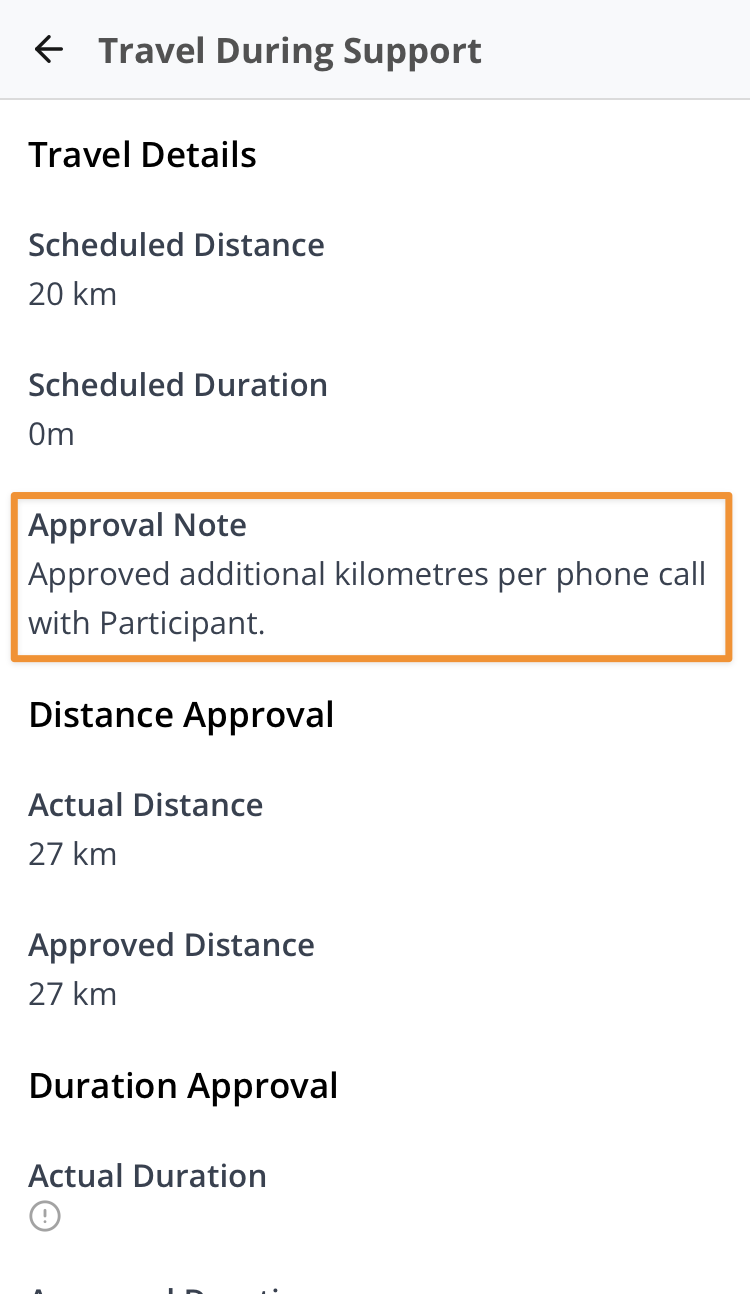
Notes for Shift Hours and Travel Approvals
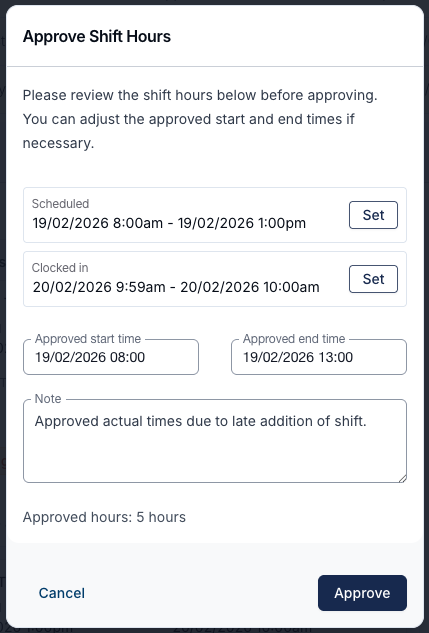
Users can now add and view notes within Shift Hours and Travel Approvals. This update improves transparency by allowing clear reasoning to be recorded and shared with relevant team members, helping reduce unnecessary back-and-forth communication and supporting a clearer approval process.
For more information, visit the following guides:
User Login History Export
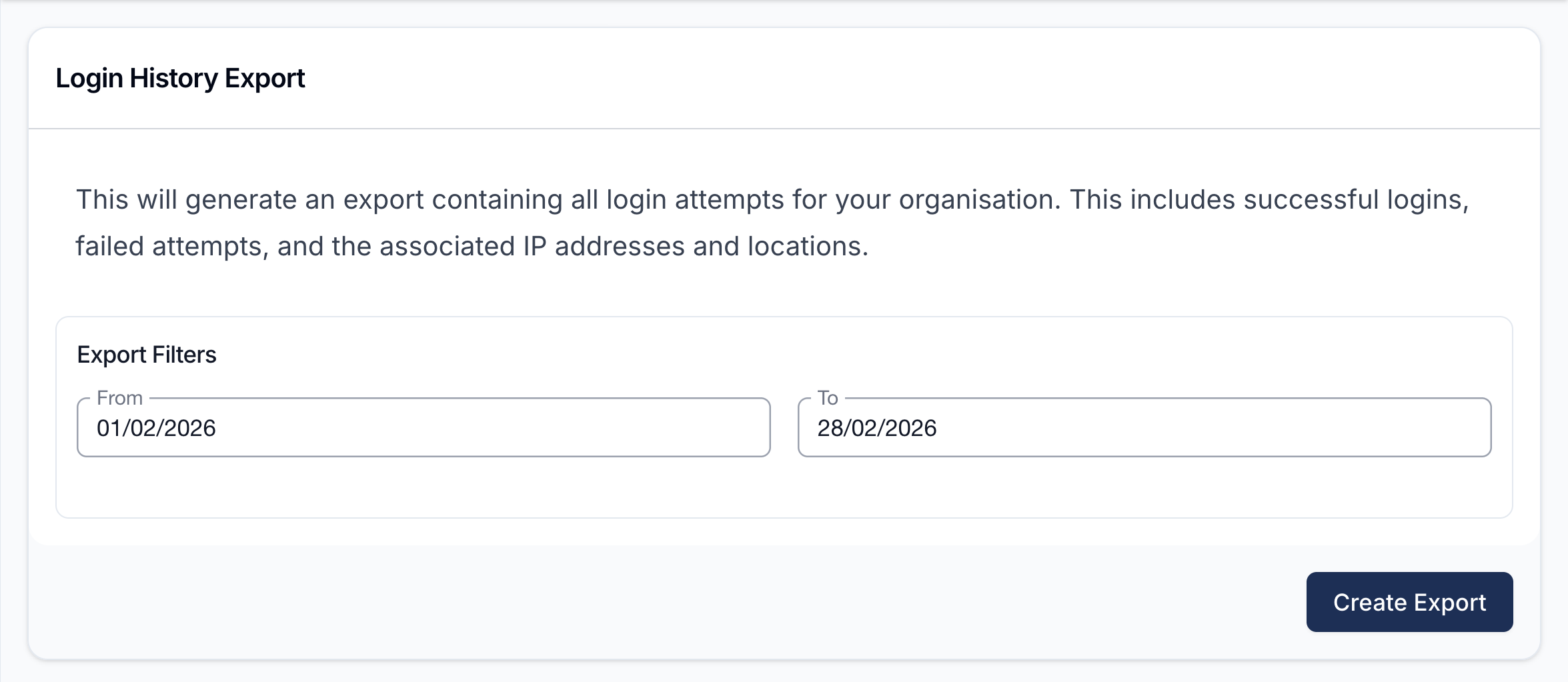
We’ve introduced a new Login History Export. Account Owners can now export a detailed list of user login history directly from Astalty. This provides greater visibility into account access activity, supporting oversight, auditing, and internal governance requirements.
This will generate an export containing all login attempts for your organisation, including successful logins and failed attempts - making it easier to review access patterns, monitor usage, and retain records where needed.
For security and privacy reasons, this functionality is available to the Account Owner only.
For more information, visit the Login History Export guide.