How Do I Charge for Travel in Company Vehicles?
Overview
When a Support Worker uses a company vehicle, your billing arrangement may charge the Participant for kilometres without paying a worker kilometre allowance. Astalty stores charge and pay behaviour separately so you can record that setup.
Charging kilometres requires the matching Travel Charge Item on the support's Charge Item Set.
Astalty stores charge behaviour for Participant billing separately from pay behaviour for worker payment.
Setting Up Travel in Company Vehicles
- Create the Support
- Go to Scheduling and set up the support as normal.
- Select the Participant(s).
- Add the Travel
- Scroll down to the Travel section (Group Travel on a group support) and expand it.
- Click Add Travel.
- Choose the type of travel (e.g., During Support, To Support, or From Support).
- Configure Pay and Charge Behaviours
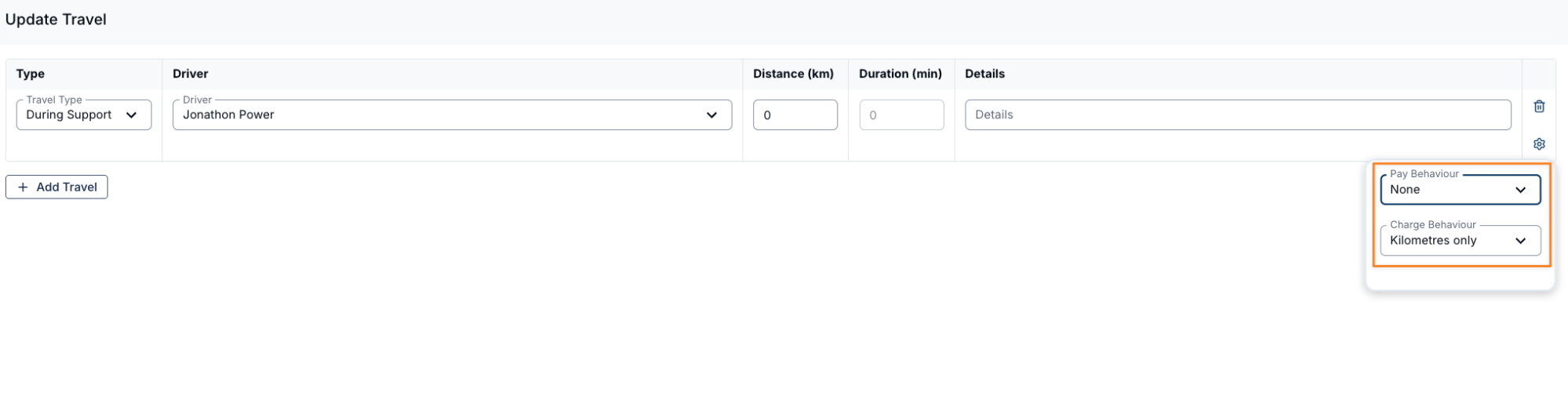
- For During Support travel, set Charge Behaviour to Kilometres only and Pay Behaviour to None.
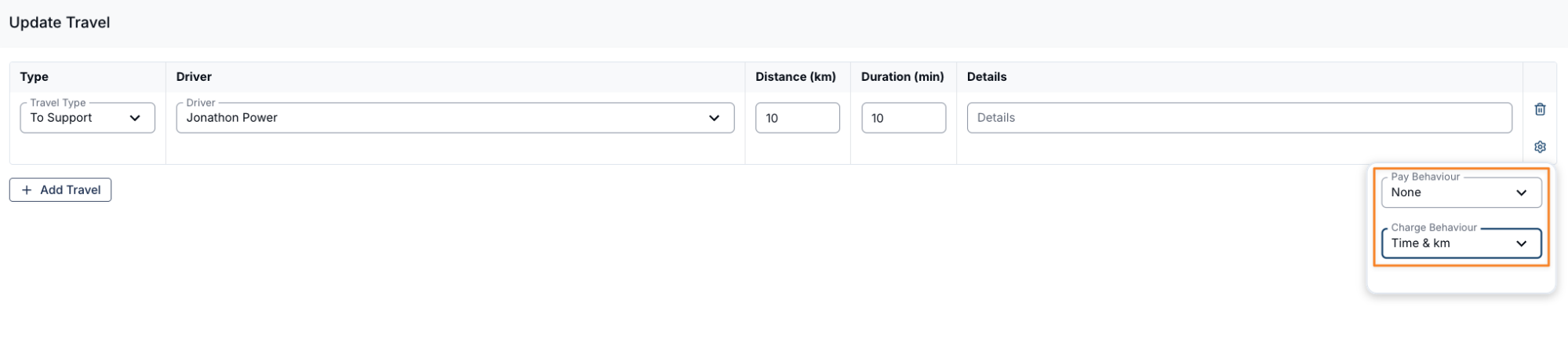
- For To Support or From Support travel, one example is Time & km for Charge Behaviour and Time only for Pay Behaviour.
- Select the combination that matches the Participant's service agreement, the worker's employment arrangement, and your organisation's policy.
- Save the Support
- Once your travel preferences are configured, scroll down and click Create.
- The saved behaviours are used when Astalty creates travel charges and payroll work records. Review the actual distance and duration during shift approval.
Video Overview
The following video walks through the various charging and paying behaviours.