- Scheduling
- Scheduling FAQ
- Excluding a User from Timesheet Exports
Excluding a User from Timesheet Exports
Overview
Astalty lets you include or exclude a user's shift lines from timesheet exports. The default is Include. You need permission to update the user's profile.
This setting applies when export rows are built. It does not remove the user's shifts from the Timesheet Batch or from the on-screen Award Interpretation.
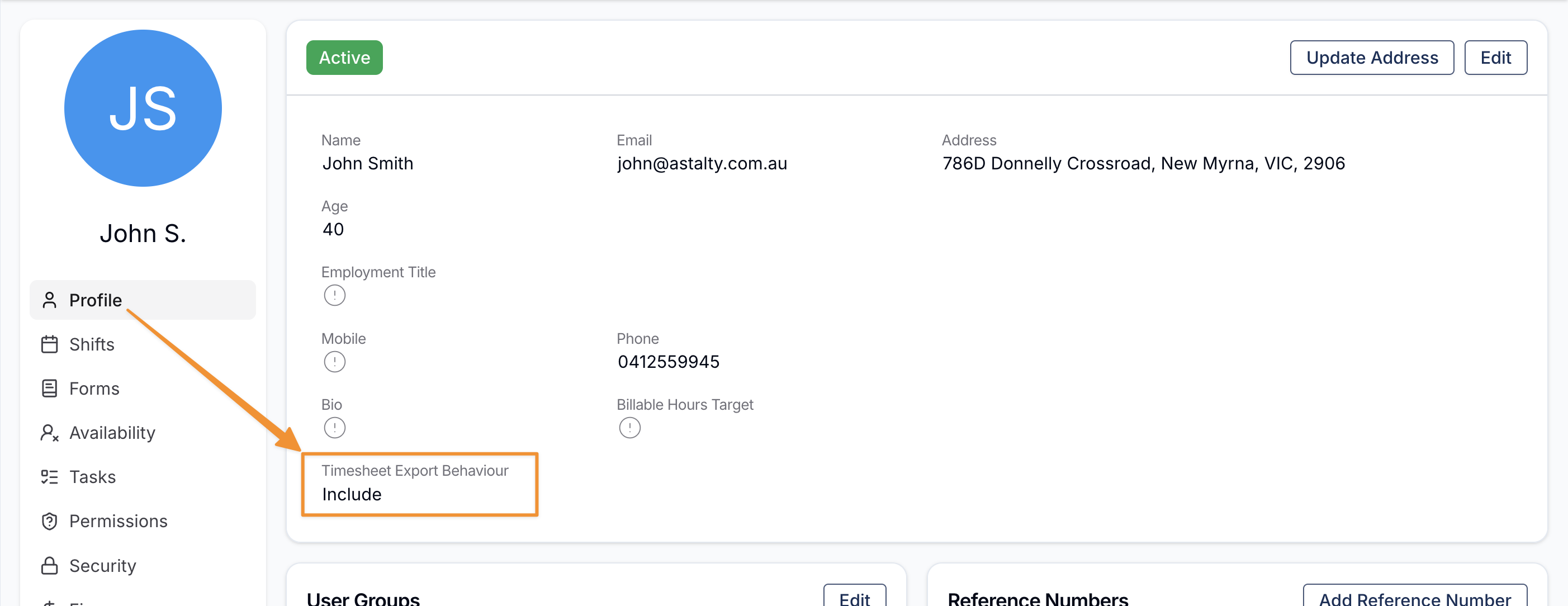
Updating Timesheet Export Behaviour
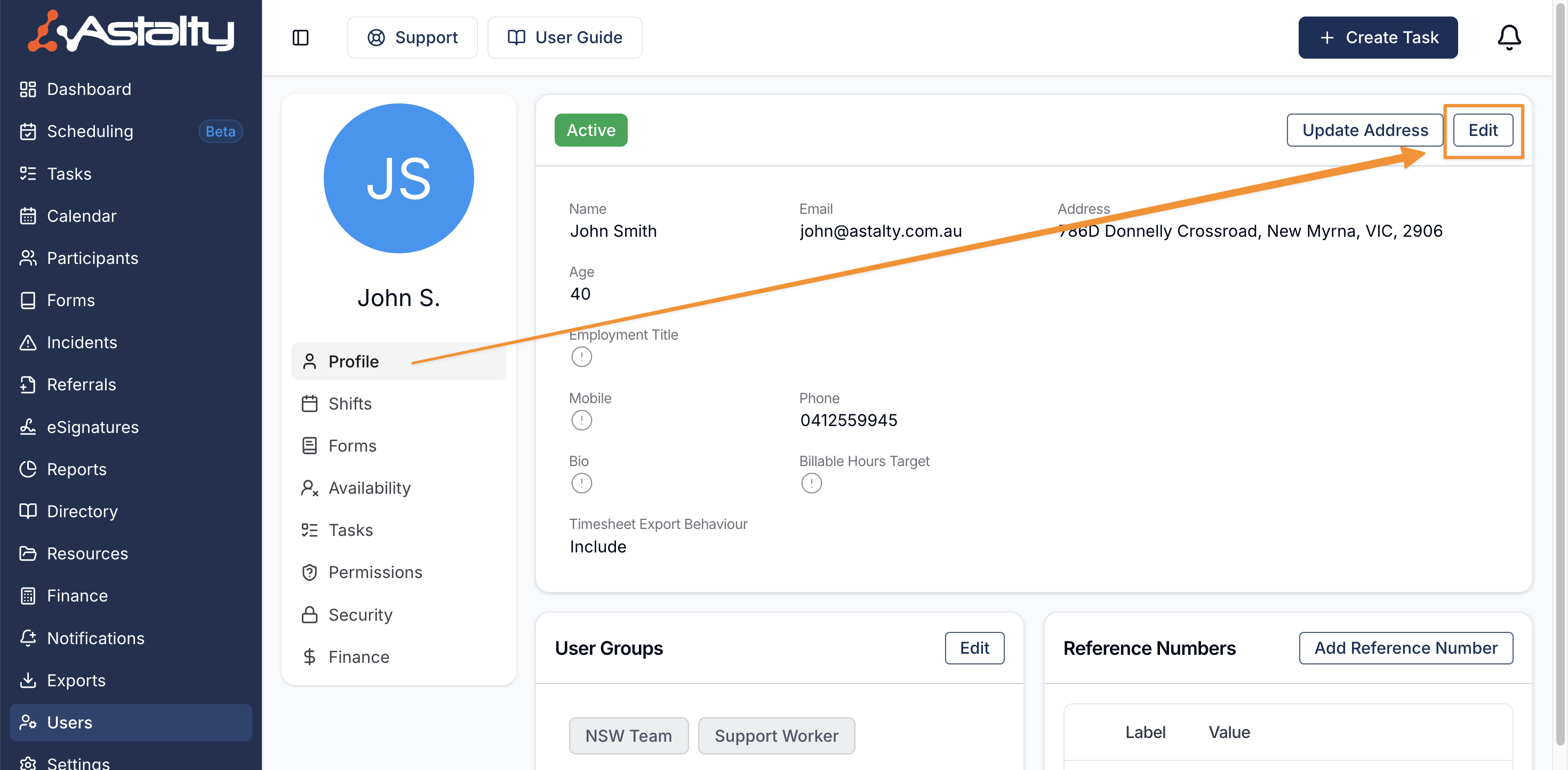
Open the user's profile from Users, then select Edit.
Under Other Details, set Timesheet Export Behaviour to:
- Include to add their eligible shift lines to exports, or
- Exclude to omit their shift lines from exports.
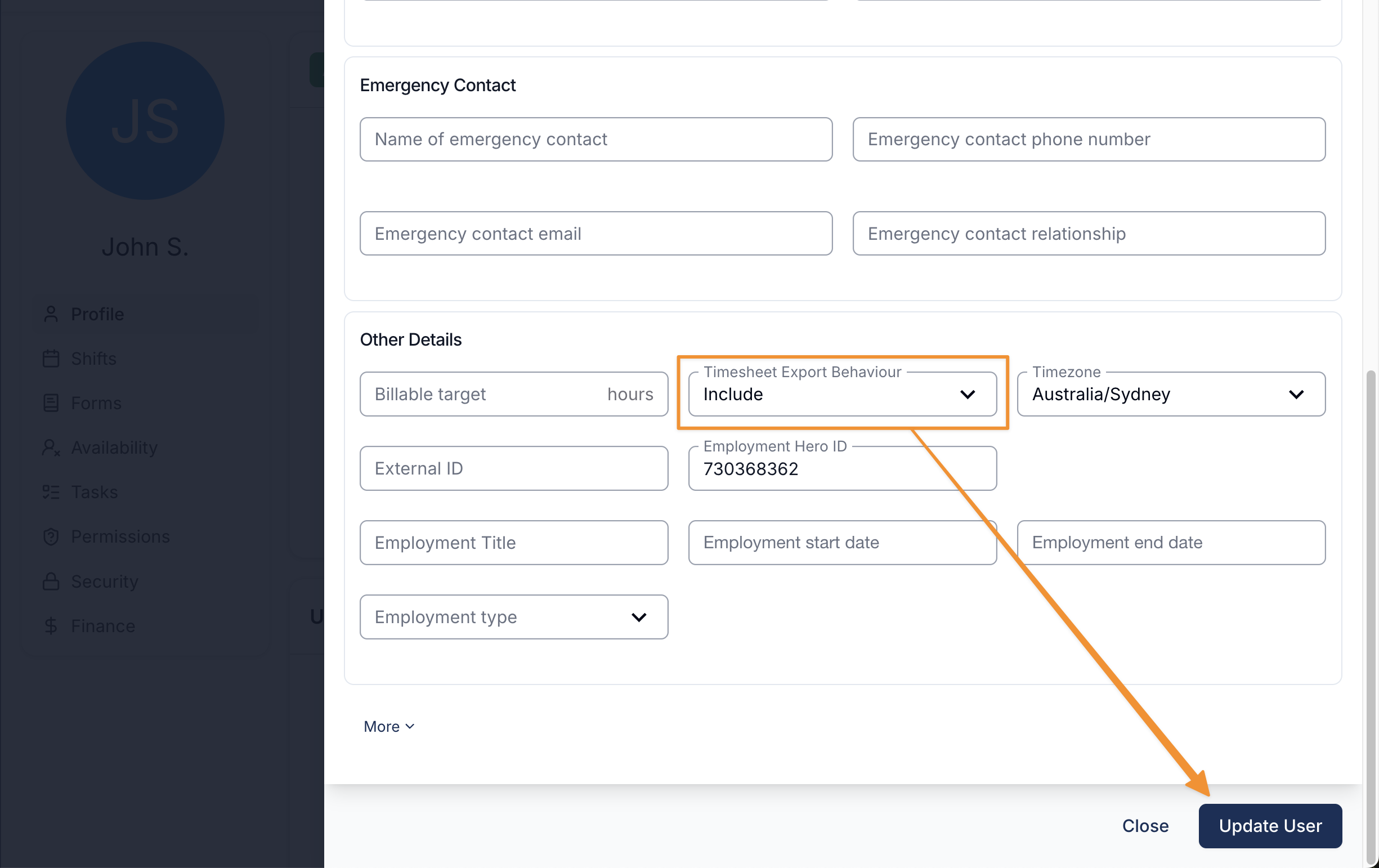
Save the profile, then rerun any export that should use the changed setting. For more on profile updates, see Updating Users.