Award Playground
The Award Playground is a safe sandbox for answering "what would this cost?" before it happens. Build a hypothetical set of work records for a worker - shifts, travel, breaks, sleepovers - and Astalty shows the pay lines, allowance quantities and rule traces produced by its current interpreter.
Nothing you do in the playground is saved or affects real rosters, shifts, or payroll - which also means a scenario is lost once you leave the page. It uses the same award interpretation engine that processes your real timesheet batches, but the result depends on the contract, settings, period and records supplied. Payroll can use different rates or its own interpretation; check which system calculates pay.
Common uses include:
- Checking how a proposed roster pattern will be paid before offering it to a worker.
- Understanding an unexpected interpretation result by reproducing it in isolation.
- Comparing the cost of covering the same hours with workers on different awards, classifications or employment types.
- Training payroll and rostering staff on how award rules behave.
Find it under Scheduling > SCHADS Playground in the main menu.
Works across every supported award
The playground is award-agnostic: it interprets under the award on the selected worker's employment contract. The same tool works for workers on the SCHADS Award, the Nurses Award, the Aged Care Award and the Health Professionals Award.
Select a different worker and the same work records are re-interpreted under that worker's award, classification rate and employment type - a quick way to compare how the identical hours pay out under different arrangements.
Building a scenario
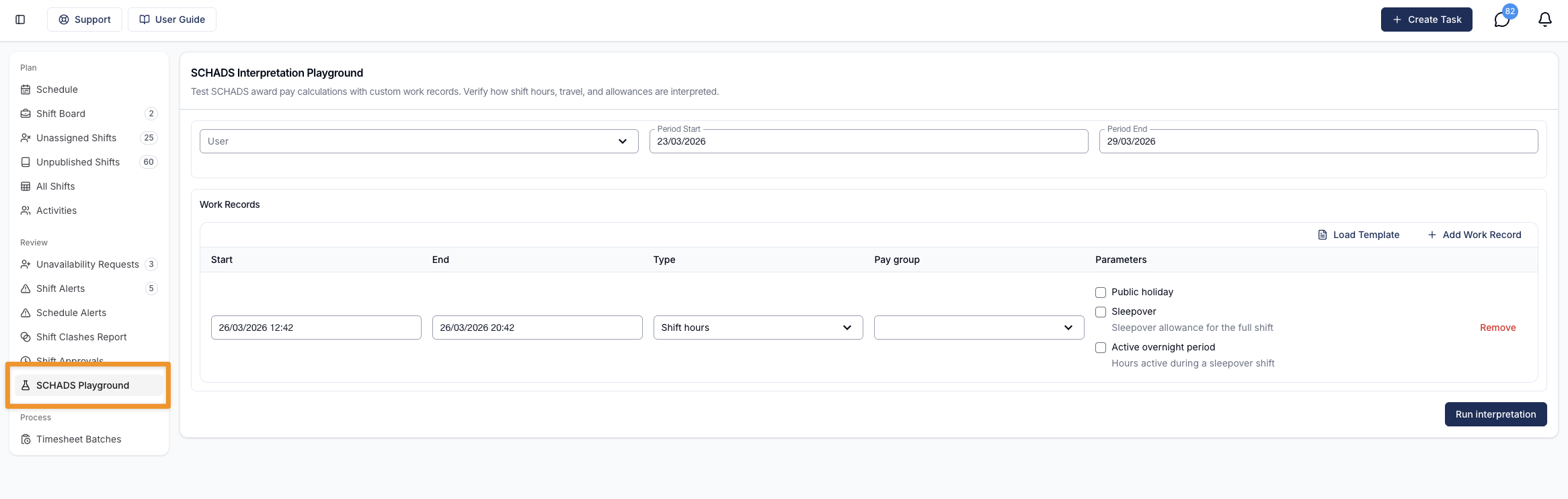
A scenario has three parts:
- Worker - determines the award, classification rate and employment type (full-time, part-time or casual) used for the interpretation, from their employment contract.
- Period - the date range the scenario runs over. Match your actual weekly or fortnightly payroll cycle when checking ordinary-hours caps. A custom modelling range is not evidence that a different averaging arrangement is supported.
- Work records - the hypothetical work itself.
Each work record has a start and end time and one of three types:
| Type | What it models |
|---|---|
| Shift hours | Time worked. The core record type - penalties, loadings, overtime and ordinary-hour caps all apply to these hours. |
| Travel | Travel time between engagements. Counted as work time, and an optional kilometre distance generates a kilometre allowance line. |
| Unpaid break | A recorded unpaid break, excluded from paid hours. It can sit within one engagement. A gap between separate work periods is assessed differently for broken-shift and minimum-payment rules; see Engagements. |
Work records also carry per-record settings:
- Public holiday - mark a record as falling on a public holiday to apply public-holiday rates. The playground applies whatever you set, so you can test public-holiday scenarios on any date.
- Sleepover and active overnight - model sleepover nights and disturbances, for workers on awards with sleepover provisions (see Sleepover scenarios).
- Pay group - each record defaults to the worker's pay group; use a pay group for the same award if modelling a different payroll mapping. This does not change the worker's classification or costing base rate.
Records can cross midnight, overlap weekends and public holidays, and span multiple days - the engine splits and classifies them exactly as it does for real shifts.
A four-week load preset does not implement four-week award averaging. The playground interprets only the records in the scenario and does not fetch the preceding pay period automatically. For a boundary case, include all adjoining records you need to model and compare the result with the real complete pay-period interpretation.
Reading the results
Run the interpretation and the playground shows, for the scenario as a whole:
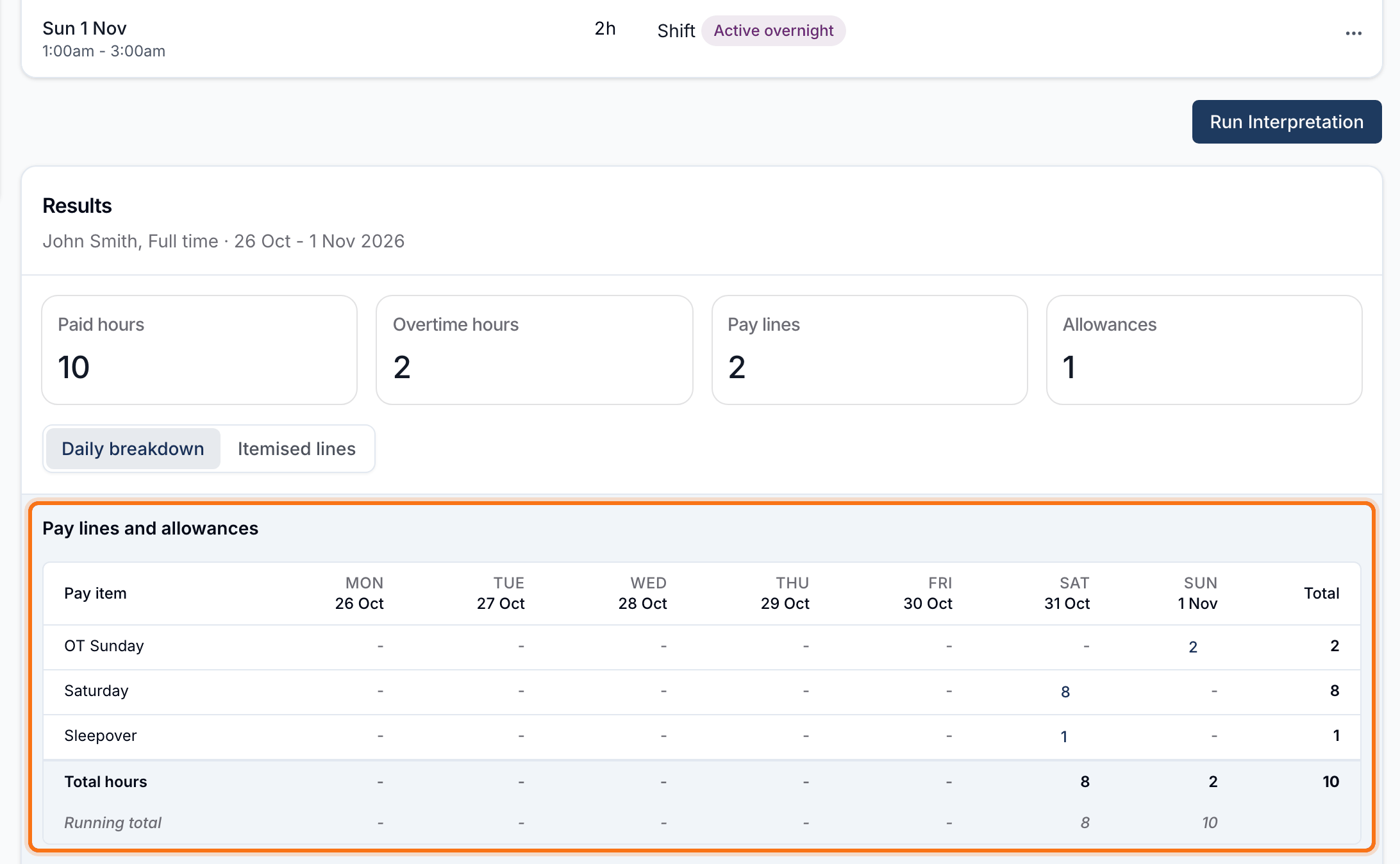
- Pay lines - hours at each pay rate (weekday daytime, night, Saturday, Sunday, public holiday, overtime bands and so on), by date.
- Allowances - sleepover, broken shift, kilometre, meal and other allowance lines generated by the scenario.
- Interpretation trace - a step-by-step record of the award rules applied, with clause references: which ordinary-hours cap was reached, which overtime band was used, when an allowance was added and why.
- Totals - pay hours by day and a running total across the period.
The interpretation trace is the fastest way to answer "why did it pay that?" - every decision the engine makes is listed against the record that caused it.
Scenario templates
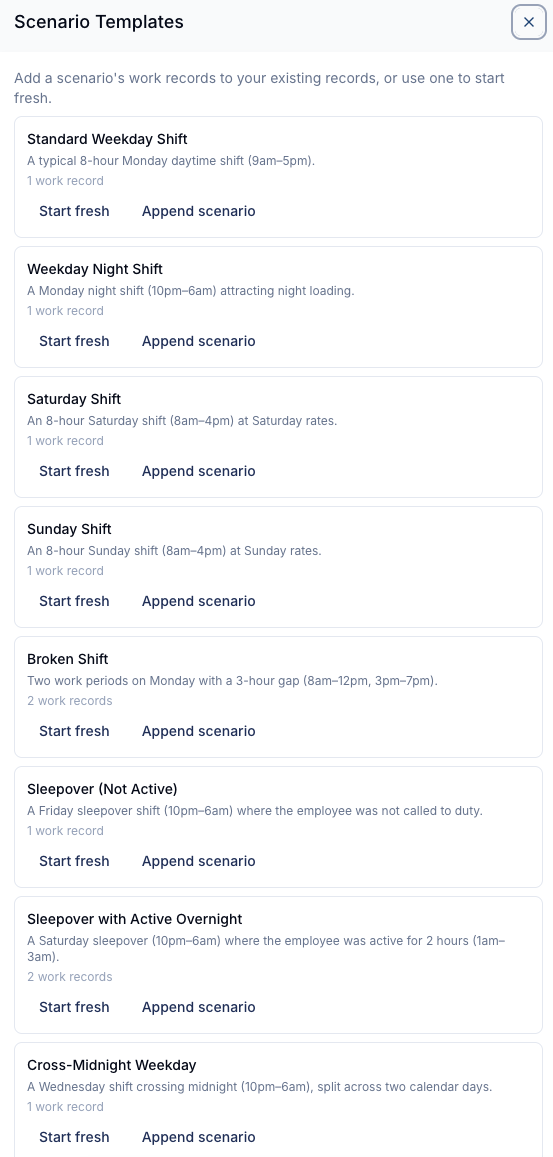
Templates give you a pre-built starting point so you don't have to enter records by hand. They cover the common cases: standard weekday shifts, weekday night shifts, Saturday and Sunday work, broken shifts, travel between shifts, cross-midnight shifts, and sleepover scenarios (including sleepovers with active overnight disturbances).
Load a template to replace what's in the playground or append it to your existing records, then adjust times and settings to match your scenario.
Templates are filtered to the selected worker's award - sleepover templates are hidden for workers on the Nurses or Health Professionals awards, since those awards have no sleepover provisions.
Pre-load an existing schedule
Instead of building a scenario from scratch, you can pull real rostered shifts into the playground and model changes on top - for example, "what does this worker's actual week cost if we add a Saturday shift?"
In the Work Records toolbar, select Actions > Load Schedule to open the drawer.
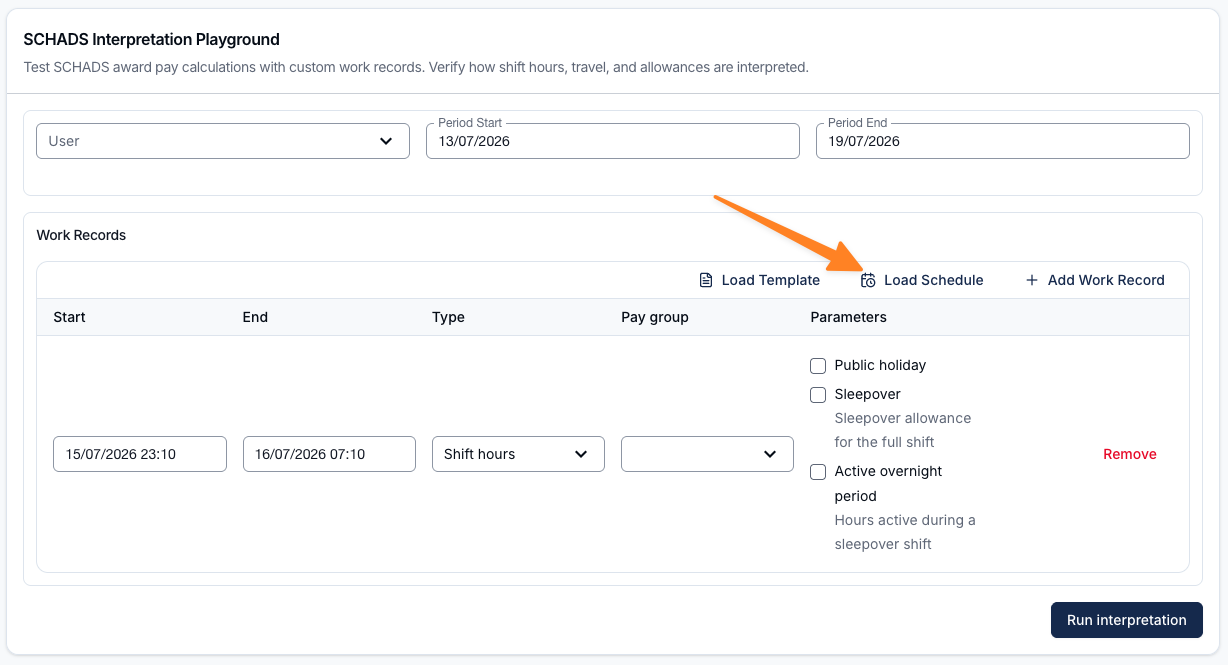
In the drawer:
- Choose to load By Support Worker or By Participant, then pick the worker or Participant.
- Set the Period Start and Period End. The presets make it quick to select a 1, 2, or 4 week window.
- Choose how to bring the shifts in:
- Start fresh - replaces everything currently in the playground with the loaded shifts and resets the period to the window you selected.
- Append - layers the loaded shifts on top of the work records already in the playground, widening the period if needed so nothing falls outside it.
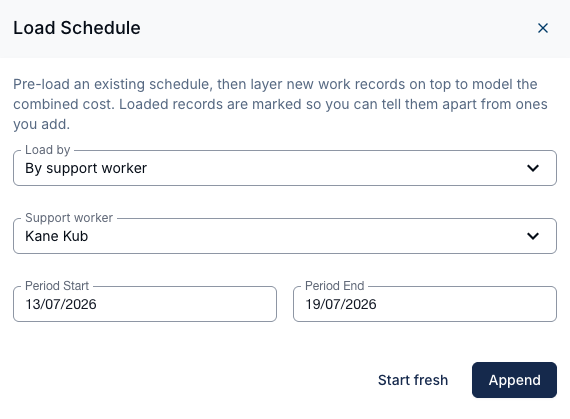
Only published shifts are loaded. If there are no published shifts for the selection, you'll see a No shifts found message and nothing is added.
Loaded shifts are marked with a Loaded tag so you can tell them apart from records you add manually. From there, add extra work records as normal and run the interpretation to see the combined cost.
Sleepover scenarios
The sleepover and active-overnight settings apply to workers on awards with sleepover provisions - the SCHADS and Aged Care awards. There are two key setups to understand:
1. Sleepover with disturbances
Use this setup when testing a scenario where a shift is intended to be a sleepover, but includes periods of unexpected active support.
- Keep the sleepover setting selected
- Add any active overnight periods in full
- The playground will show:
- The sleepover allowance, and
- Additional pay lines for active overnight hours
This helps demonstrate how even short or extended disturbances are interpreted within a sleepover context.
2. Scheduled active overnight support
Use this setup when testing a scenario where support is planned to be active for the entire overnight period.
- Deselect the sleepover setting
- Enter the shift as a standard overnight scenario
- The playground will show:
- Regular hourly pay lines, including any applicable penalties
- No sleepover allowance
Leaving the page with unsaved changes
A scenario only exists on screen. The playground never stores anything, so moving to another page clears whatever you've built. To stop an accidental click wiping out a scenario you've spent time setting up, Astalty checks before you go.
Once you've changed anything on the page - picked a worker, adjusted the period, edited, added or removed a work record, or loaded a template or schedule - navigating to another page in Astalty opens a confirmation:
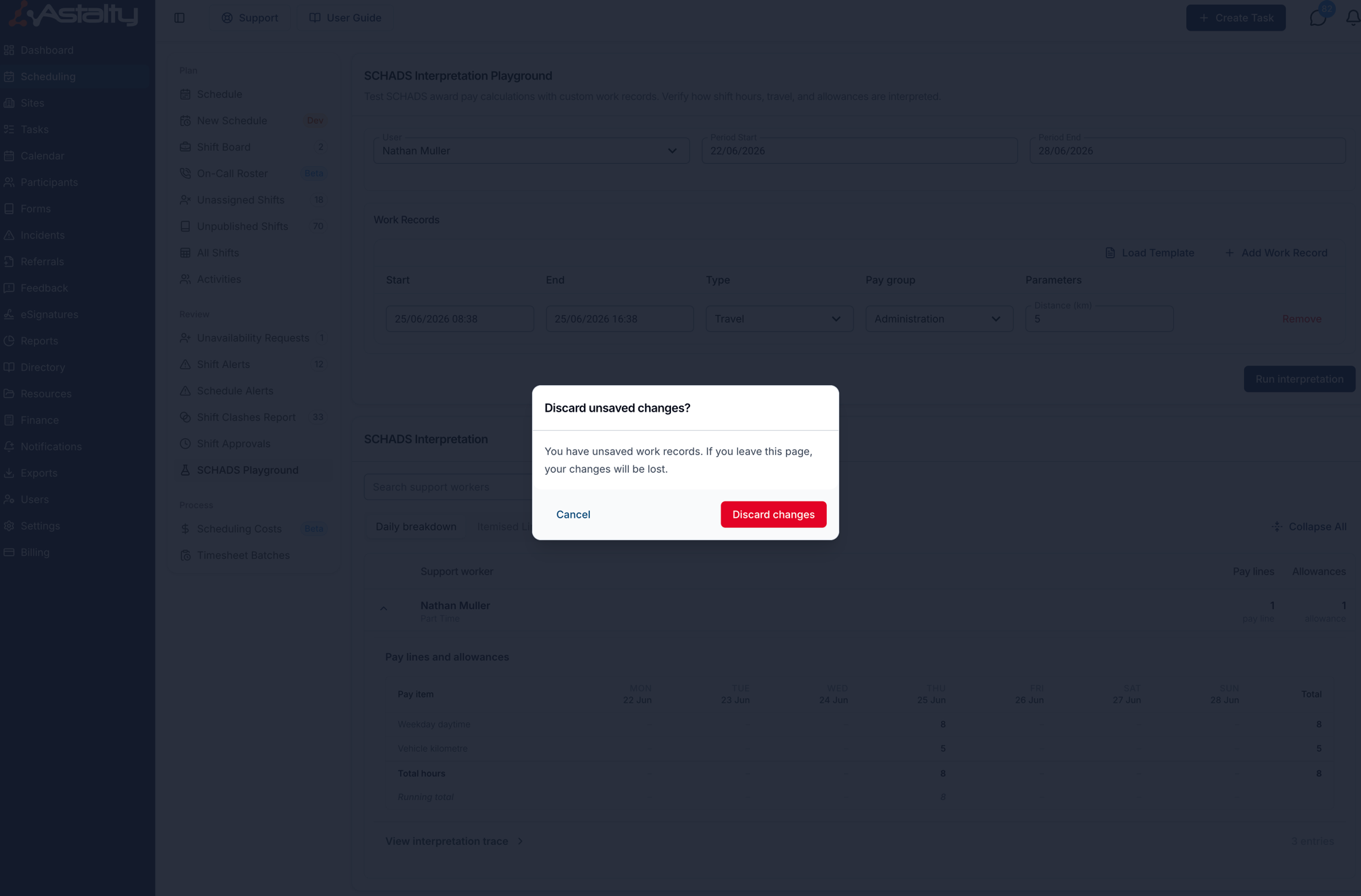
- Cancel - keeps you on the playground with the scenario exactly as you left it.
- Discard changes - leaves the page. The work records are lost and can't be recovered, because nothing in the playground is saved anywhere.
Running the interpretation doesn't clear the prompt. The results are a preview rather than a saved record, so the scenario still counts as unsaved for as long as you stay on the page.
Closing the browser tab, refreshing, or navigating to a site outside Astalty is handled by your browser instead. You'll get its own generic "leave site?" prompt rather than the Astalty dialog, but the effect is the same - leave and the scenario is gone.
Related pages
- Award rules by award: SCHADS, Nurses, Aged Care, Health Professionals
- Timesheet Batches - where real shifts are interpreted for payroll
- Award Pay Report - the same interpretation across a full pay period