- Changelog
- 5 March 2026
5 March 2026
Scheduling Award Alerts
We have recently introduced Scheduling Award Alerts — a significant enhancement designed to support SCHADS Award compliance at the point of rostering.
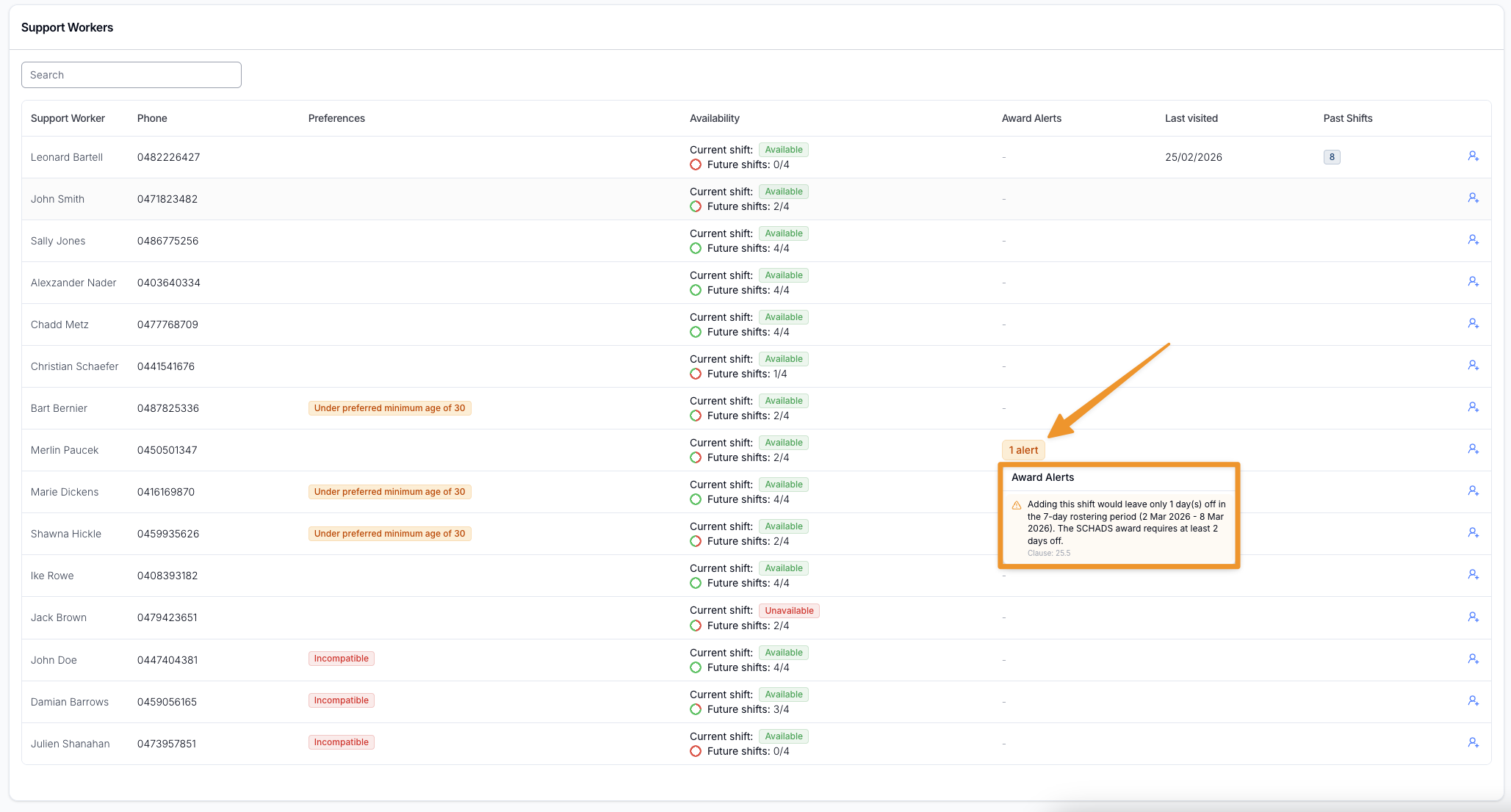
Scheduling Award Alerts automatically analyse a worker’s existing roster whenever a shift is created or assigned. The system proactively identifies potential Award breaches before a shift is confirmed, helping providers avoid unintended overtime costs, fatigue risks, and non-compliant broken shift arrangements.
What’s Included
Real-time Award Compliance Checks
- Automatic analysis when assigning shifts from the Unassigned Shifts page
- Automatic checks when creating new Direct Support shifts
- Alerts displayed directly within the Suggested Support Worker table
Configurable Alert Controls
Each alert category can now be independently configured in Settings > Scheduling:
- Disabled — No alerts shown
- Warn Only — Warning displayed, assignment still allowed
- Prevent Selection — Worker cannot be assigned
This allows providers to align system behaviour with internal rostering policies and risk tolerance.
Award Areas Covered
The new alert system includes coverage across key SCHADS Award requirements:
Overtime
- Daily ordinary hours cap
- Weekly (38 hours) and Fortnightly (76 hours) period caps
- Rostered ordinary hours exceeded
- Broken shift spread overtime
Fatigue Management
- Minimum break between shifts
- Maximum consecutive working days
- Minimum required days off per period
Shift Duration
- Exceeds ordinary hours per shift
- Exceeds maximum shift length
- Minimum engagement requirements
Broken Shifts
- Broken shift formation requiring employee agreement
- Maximum of 3 work periods per day
- Broken shift spread exceeding allowable limits (including double time triggers)
Pay Period Configuration Enhancements
To ensure accurate overtime and period cap calculations, Scheduling settings now include clearer Pay Period configuration:
- Support for Weekly (7-day) and Fortnightly (14-day) cycles
- Reference Date anchoring to correctly align payroll periods
- New “Detect from timesheets” option to automatically determine period type and reference date (where timesheet batches exist)
Correct pay period setup ensures accumulated hours are calculated accurately and prevents false overtime alerts.
Why This Matters
This release represents a major compliance and cost-control improvement. By surfacing Award risks before shifts are finalised, providers can:
- Reduce payroll surprises
- Prevent unintended overtime and penalty rates
- Support worker wellbeing and fatigue management
- Maintain stronger SCHADS Award compliance
- Make more informed, confident rostering decisions
Scheduling Award Alerts is now fully integrated into the rostering workflow and forms a core part of Astalty’s award-aware scheduling capability.
For more information, visit the Scheduling Award Alerts guide.
Other Improvements
- Added User Notes
- Xero Payroll Integration Update
- Improved Shift Cloning
- Improved Record Sorting
Scheduling Award Alerts
We have recently introduced Scheduling Award Alerts — a significant enhancement designed to support SCHADS Award compliance at the point of rostering.
Scheduling Award Alerts automatically analyse a worker’s existing roster whenever a shift is created or assigned. The system proactively identifies potential Award breaches before a shift is confirmed, helping providers avoid unintended overtime costs, fatigue risks, and non-compliant broken shift arrangements.
What’s Included
Real-time Award Compliance Checks
- Automatic analysis when assigning shifts from the Unassigned Shifts page
- Automatic checks when creating new Direct Support shifts
- Alerts displayed directly within the Suggested Support Worker table
Configurable Alert Controls
Each alert category can now be independently configured in Settings > Scheduling:
- Disabled — No alerts shown
- Warn Only — Warning displayed, assignment still allowed
- Prevent Selection — Worker cannot be assigned
This allows providers to align system behaviour with internal rostering policies and risk tolerance.
Award Areas Covered
The new alert system includes coverage across key SCHADS Award requirements:
Overtime
- Daily ordinary hours cap
- Weekly (38 hours) and Fortnightly (76 hours) period caps
- Rostered ordinary hours exceeded
- Broken shift spread overtime
Fatigue Management
- Minimum break between shifts
- Maximum consecutive working days
- Minimum required days off per period
Shift Duration
- Exceeds ordinary hours per shift
- Exceeds maximum shift length
- Minimum engagement requirements
Broken Shifts
- Broken shift formation requiring employee agreement
- Maximum of 3 work periods per day
- Broken shift spread exceeding allowable limits (including double time triggers)
Pay Period Configuration Enhancements
To ensure accurate overtime and period cap calculations, Scheduling settings now include clearer Pay Period configuration:
- Support for Weekly (7-day) and Fortnightly (14-day) cycles
- Reference Date anchoring to correctly align payroll periods
- New “Detect from timesheets” option to automatically determine period type and reference date (where timesheet batches exist)
Correct pay period setup ensures accumulated hours are calculated accurately and prevents false overtime alerts.
Why This Matters
This release represents a major compliance and cost-control improvement. By surfacing Award risks before shifts are finalised, providers can:
- Reduce payroll surprises
- Prevent unintended overtime and penalty rates
- Support worker wellbeing and fatigue management
- Maintain stronger SCHADS Award compliance
- Make more informed, confident rostering decisions
Scheduling Award Alerts is now fully integrated into the rostering workflow and forms a core part of Astalty’s award-aware scheduling capability.
For more information, visit the Scheduling Award Alerts guide.
New Feature – User Notes
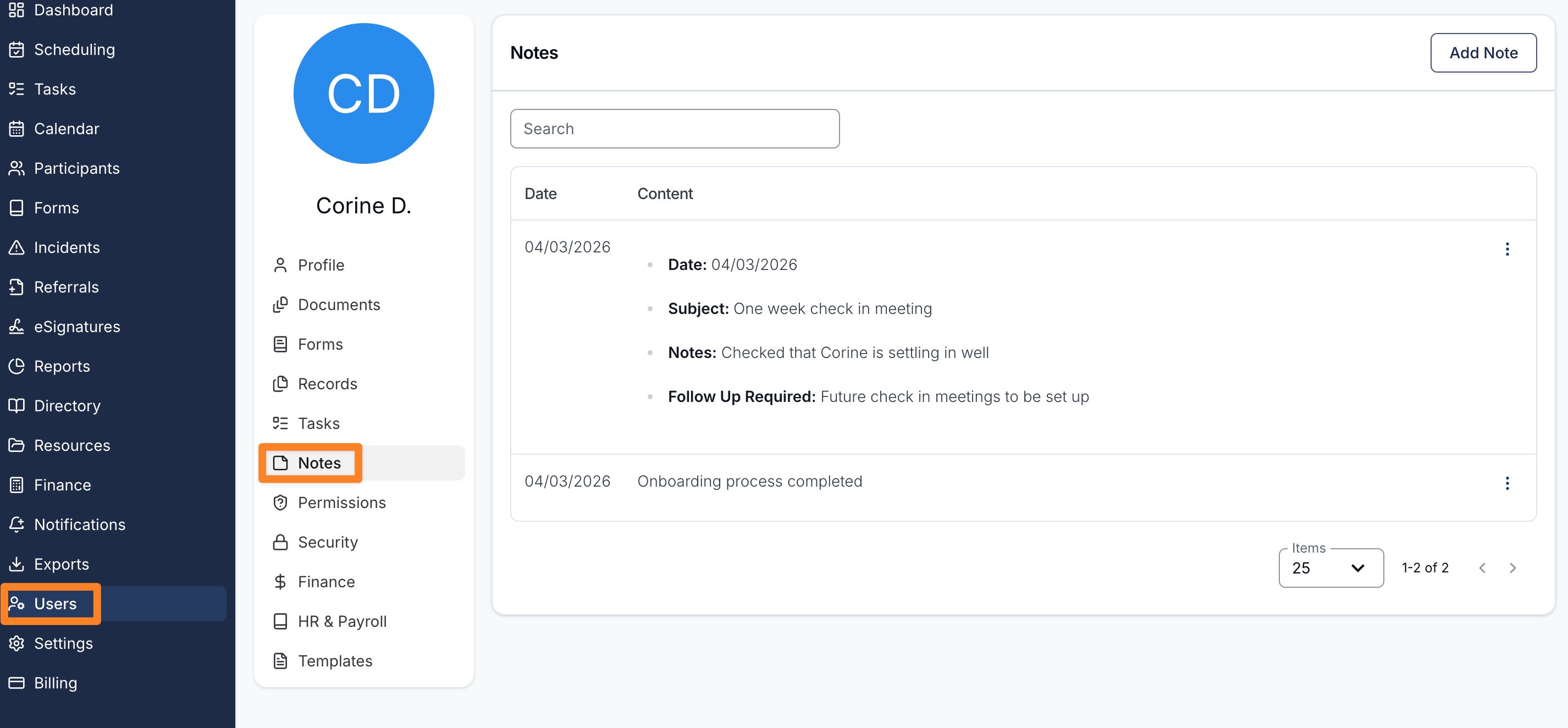
A new User Notes feature has been introduced to allow organisations to record and store important information relating to staff members directly within their user profiles.
User Notes are designed to centralise staff-related information, making it easier for authorised users to access relevant details when required.
To maintain confidentiality, access to User Notes is restricted to users with HR permissions, ensuring that sensitive information is only visible to authorised personnel.
The guide includes instructions on:
- Accessing User Notes within a staff member’s profile
- Adding new User Notes
- Using Note Templates to standardise captured information
This update provides organisations with a structured way to manage internal staff information while maintaining appropriate access controls.
For more information, visit the User Notes guide.
eSignature - Automatic Reminders
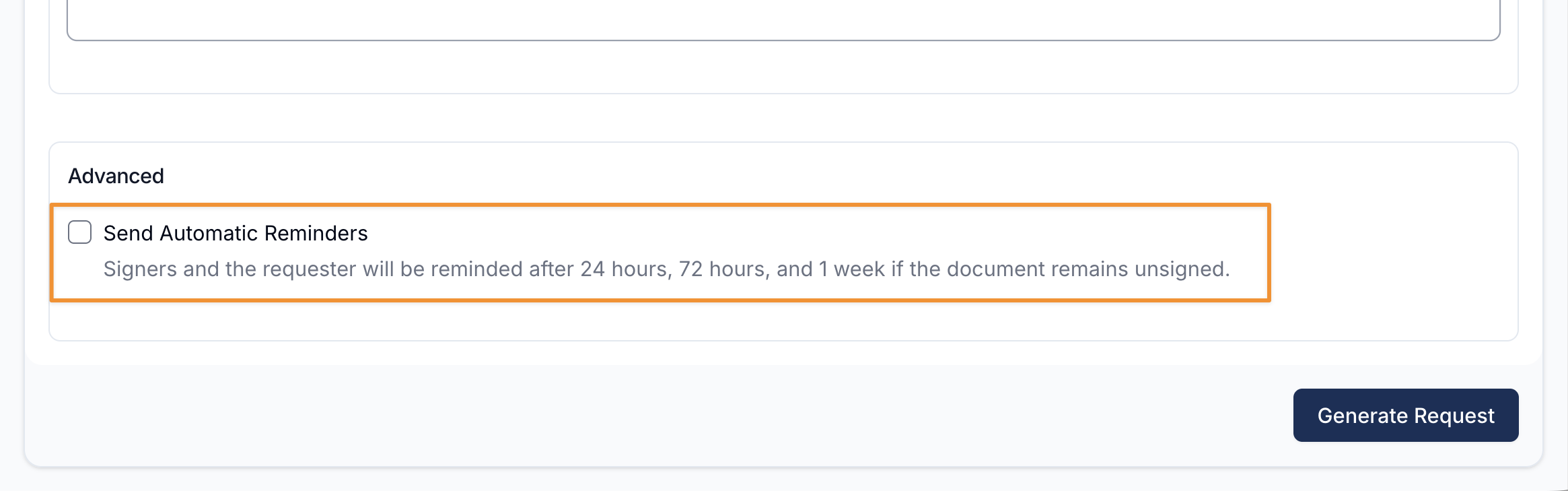
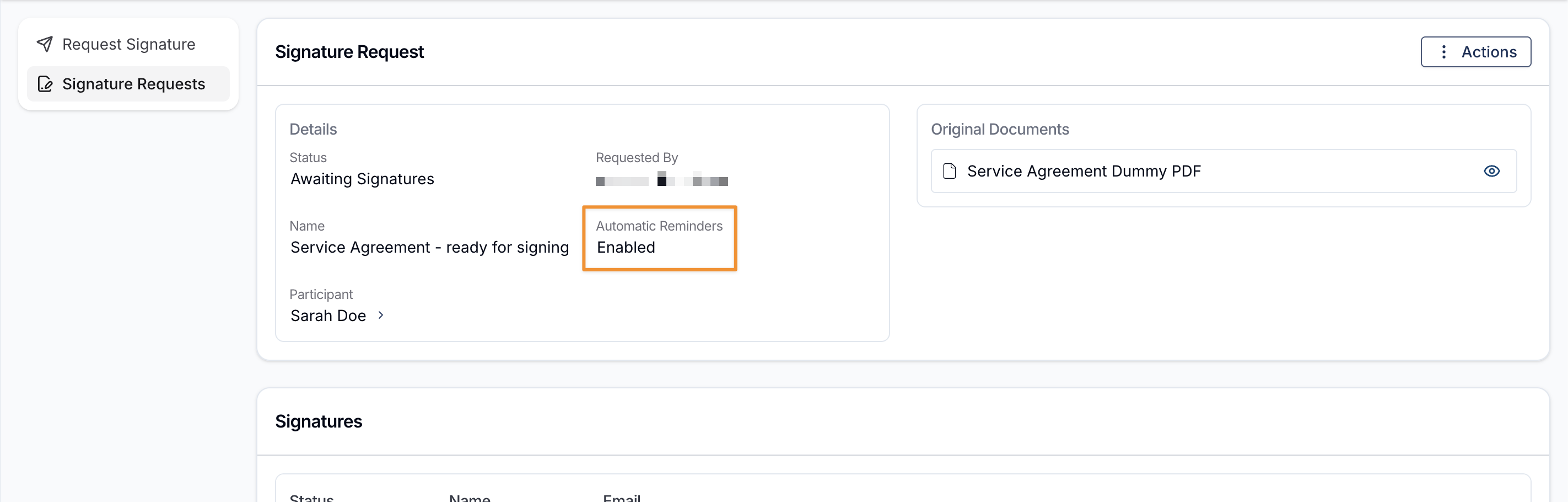
We have introduced a new Send Automatic Reminders option within the document signing menu to help streamline follow-ups for unsigned documents. When enabled, the system will automatically send reminder notifications to both the document signers and the original requester if the document remains unsigned. Reminders are issued at 24 hours, 72 hours, and one week after the initial request. Once the document has been signed, reminders will stop automatically. This enhancement reduces the need for manual follow-up, improves visibility of outstanding documents, and supports more timely completion of signature requests.
For more information, visit the Requesting Signatures guide.
Xero Payroll Integration Update
We’ve updated the way pay rates are calculated in the Xero Payroll Integration to improve accuracy and ensure alignment with the SCHADS Award.
Previously, pay rates were calculated using multipliers of an employee’s base rate. This approach could result in 4-decimal place calculations, which sometimes caused rounding discrepancies when payroll was processed in Xero.
To address this, we have moved to using Rate Per Unit Pay Items. This ensures that all pay rates are defined directly in Xero and processed to 2 decimal places, in line with SCHADS Award pay tables and standard payroll rounding practices.
This change helps ensure:
- More accurate payroll calculations
- Compliance with SCHADS Award pay rates
- Consistent 2-decimal place payroll processing in Xero
To support this update, we have also refreshed our user guides and recommendations for configuring Pay Items, Pay Groups, and Employees when using the Xero Payroll Integration.
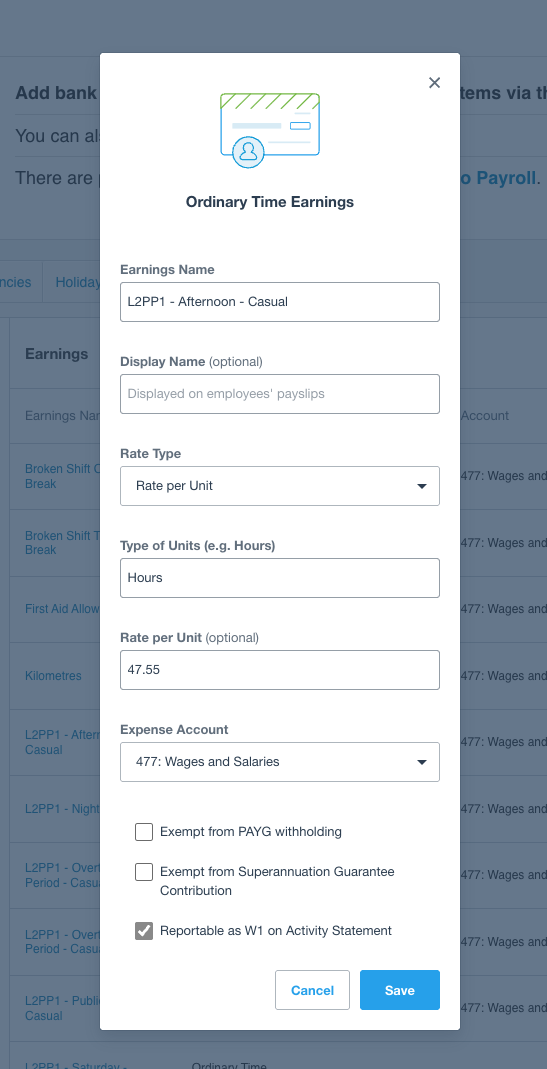
For more information, view the Xero Payroll Integration in Scheduling guide.
Improved Shift Cloning
Cloning a shift now also copies any documents uploaded to the original shift. When a shift is duplicated, all associated uploaded documents will automatically be carried across to the newly created shift.
This update helps reduce manual re-uploads and ensures important documentation remains attached when shifts are cloned.
For more information, visit the following guides:
Improved Record Sorting
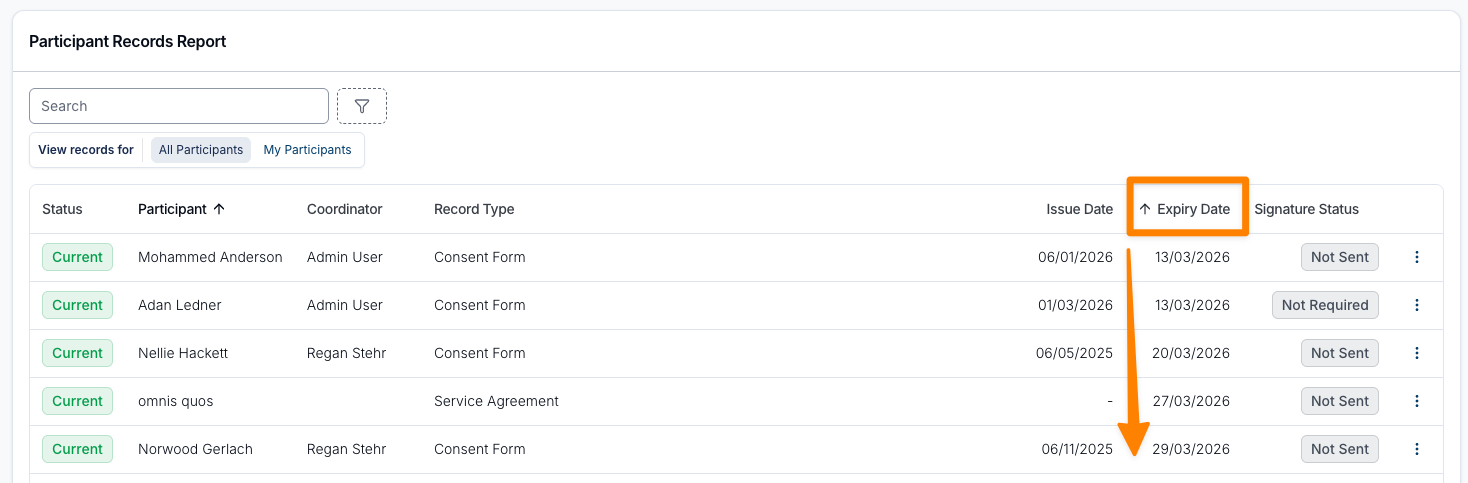
Sorting is now available across all column headers in both the Participant Records Report and User Records Report. Users can click any column header to reorder results, making it easier to organise and review record information based on the fields most relevant to them.
For more information, visit the following guides: