29 July 2024
Sync Xero Payments
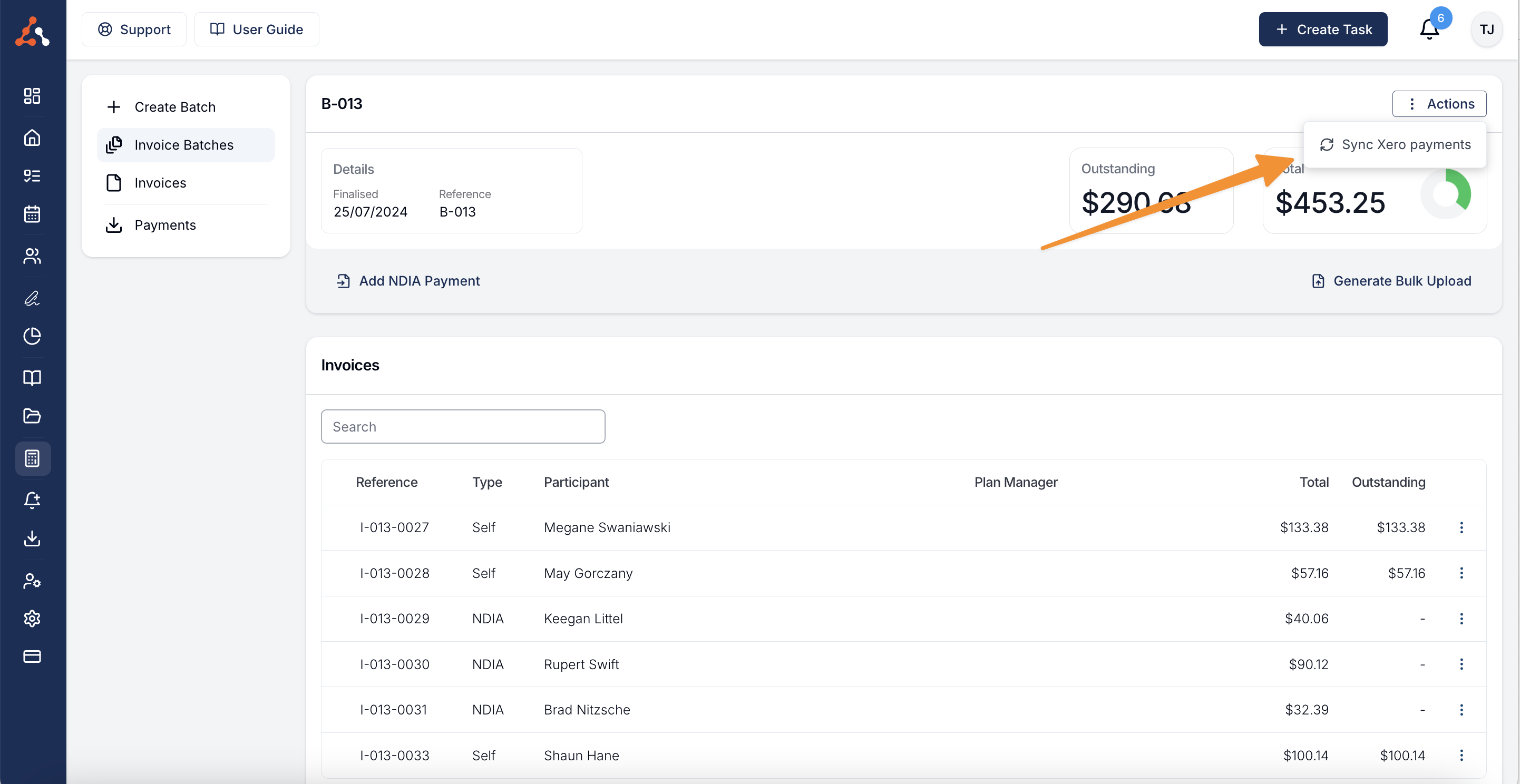
You can now Sync payments received in Xero with Astalty. To do this navigate to the Invoice Batch menu and click into the batch where the payment is still showing as outstanding.
Once in this screen, you now see an actions button in the top right of the screen. Click this and you will see a "Sync Xero Payments" option. Once you click this Astalty will communicate with Xero and gather any payment information. This process may take 5-10 minutes. After this time period you can return to the batch and the payment should show up.
Read Sync With Xero for more information.
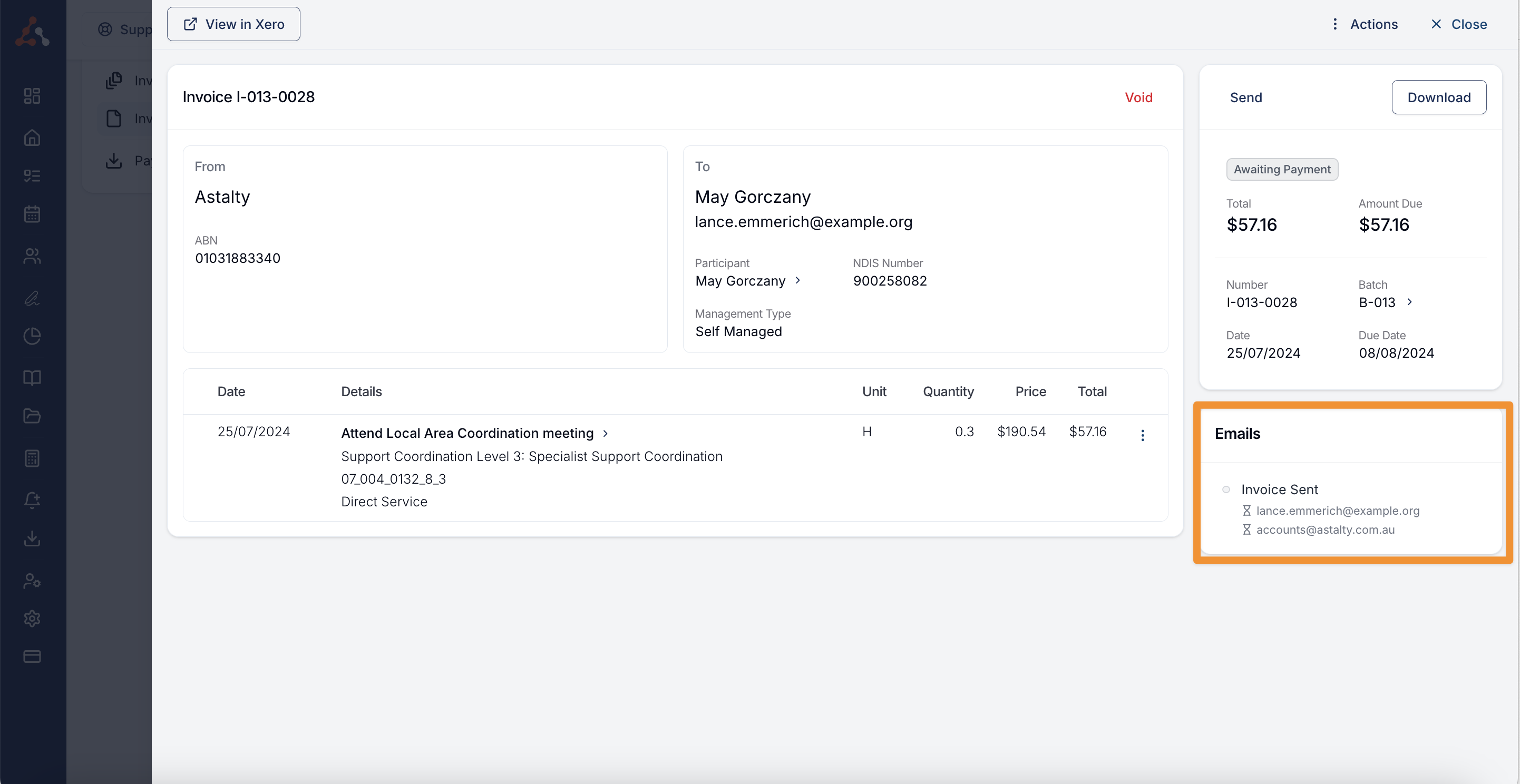
Invoice Reminder Log
Last week's changelog included the Invoice reminder update. You can now view the invoice email sent history. This view allows you to keep track of the invoice reminder email sending progress. If a reminder has successfully sent you will see a green check, if it is in process you will see an hourglass icon and if it has failed you will see a red 'X'. You can find this log within the invoice itself.
Additional Note Export Options
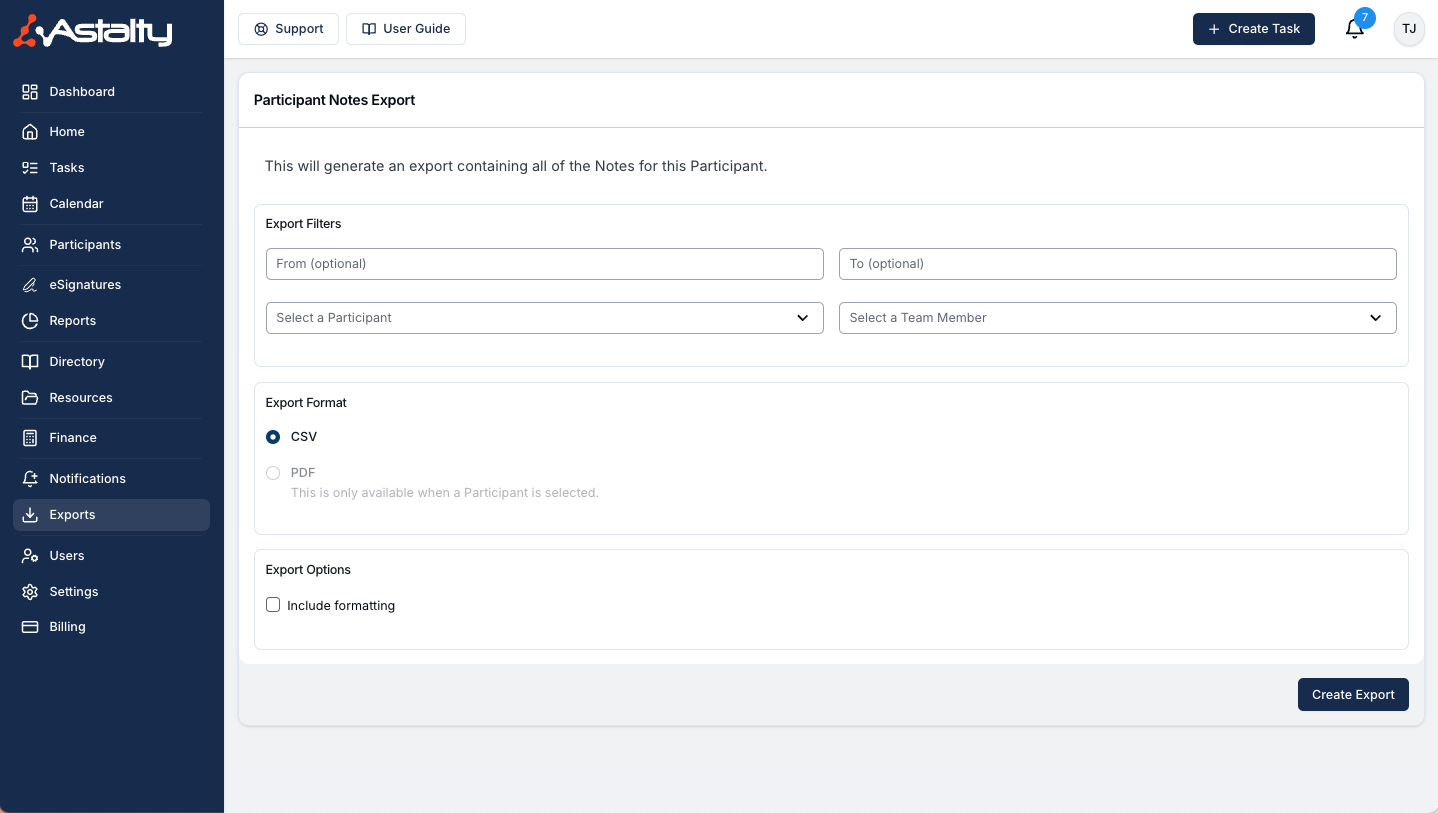
Our Participant Notes export feature has been enhanced with additional data columns. When exporting Participant notes, you will now see the following columns included in the file:
- NDIS Number
- Participant First Name
- Participant Last Name
Additionally, you can now specify a date range for the export. This allows you to select the specific period for which you want to export the Participant notes.
You also have the option to choose the file format for the export. The available formats are:
- CSV
Send User Records For Signing
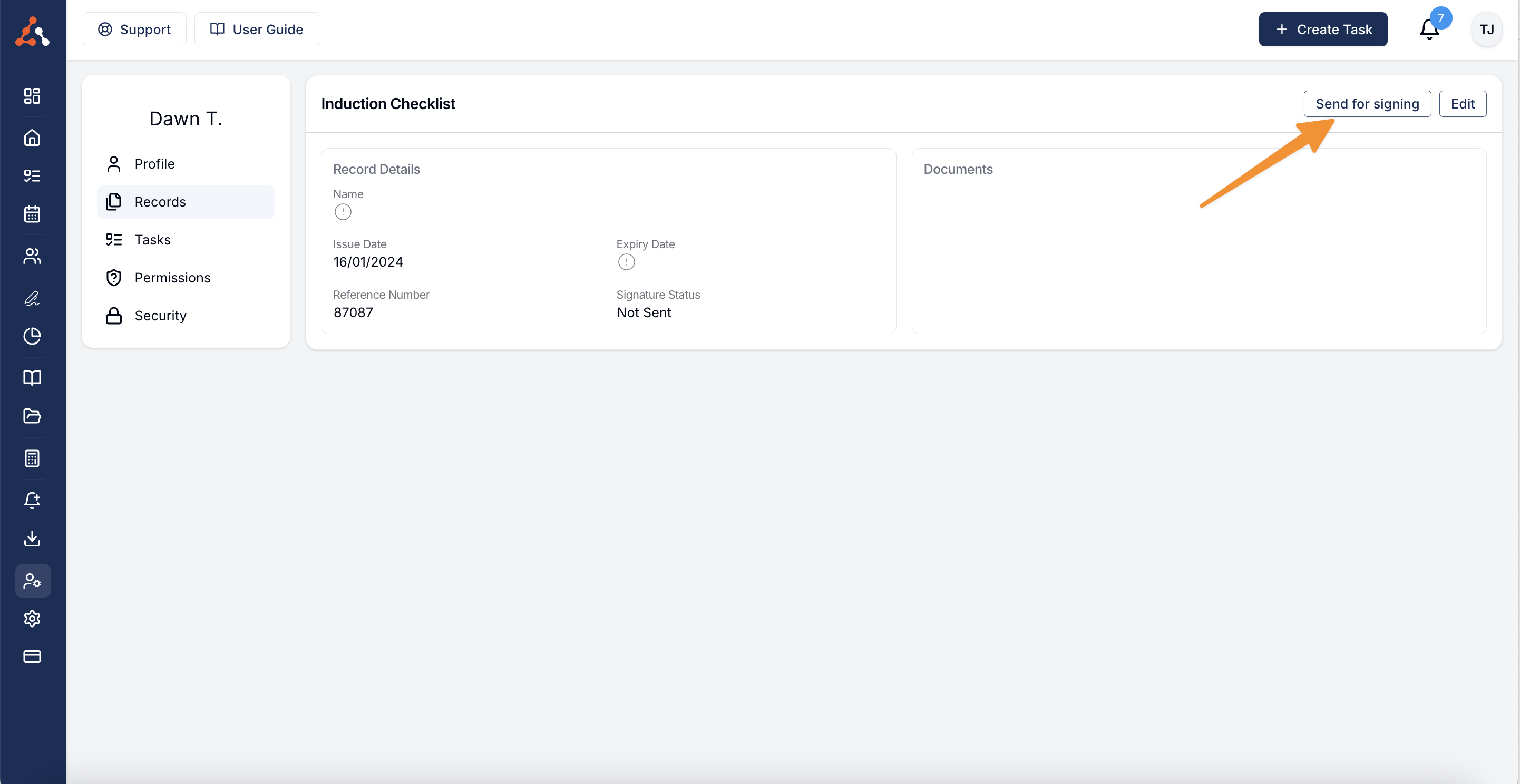
You can now send documents in User Records for signature. Open Users, choose the user, and open their records. Open a record with the signature status Not Sent, then select Send for Signing.
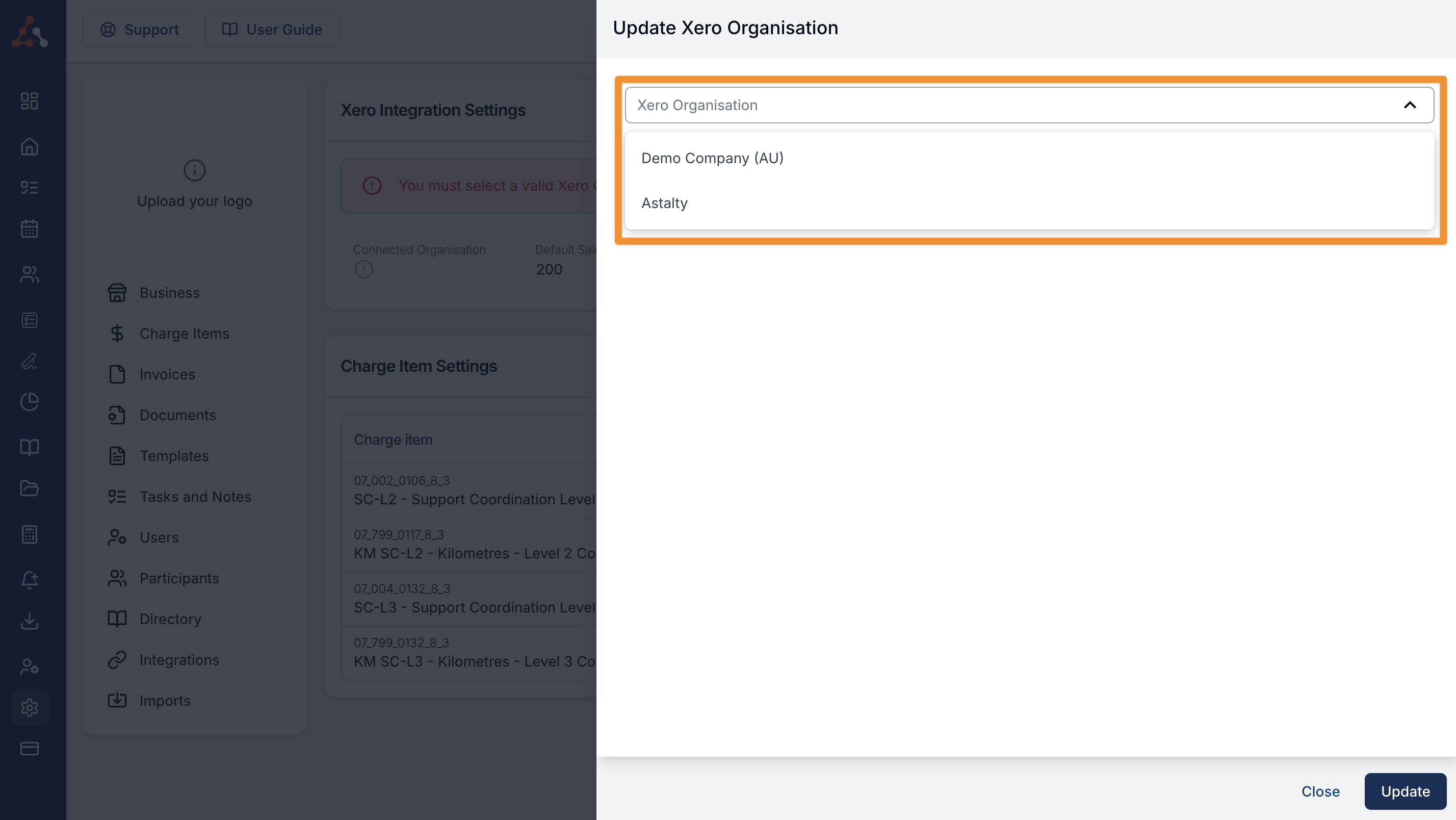
Ability to Select a Xero Organisation within your Xero Integration
You can now choose which organisation to use for your Xero integration. Open your Xero integration settings and select Select Organisation.
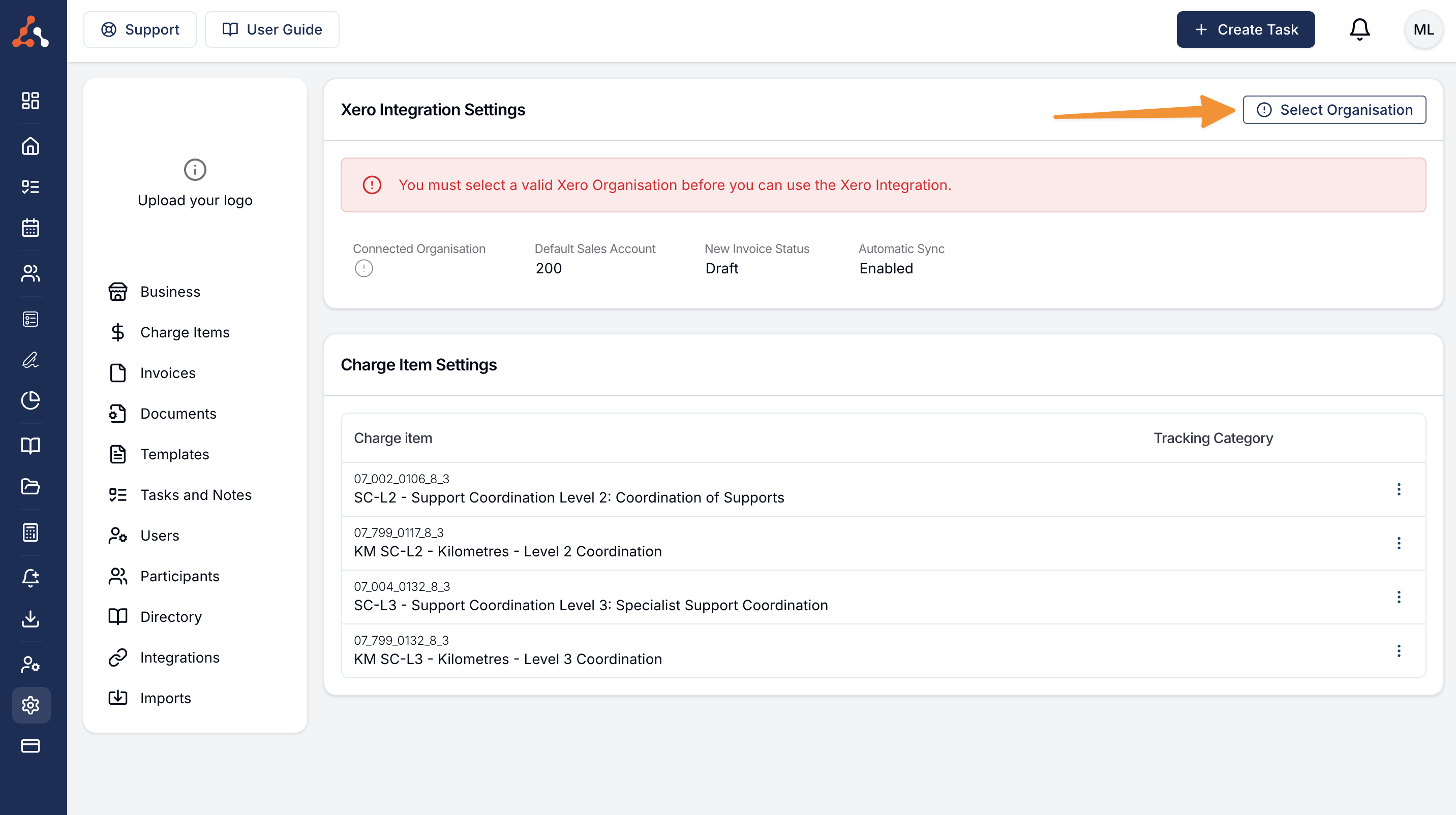
Choose the organisation from the dropdown.