- Changelog
- 22 October 2026
22 October 2026
Overriding a Signature Status Still Showing Signed
If some signers finish through eSignatures but someone else still needs to sign on paper, a Participant or User Record's Signature Status can now be set back to Awaiting Signatures even after Astalty marked it Signed. Choosing this shows a warning explaining the status won't update on its own anymore, and a Set manually note appears on the record as a reminder until it's set back to Signed by hand.

For more information, visit the Participant Records or User Records guide.
Working Out a Budget Item's Quantity From a Dollar Amount
When adding or editing a Budget Item, an Enter in switch now lets you type the total dollar amount instead of working out the quantity yourself. Astalty works out the matching hours or units from the item's unit price and other settings, rounding down so the total never goes over what you typed. If something needed for the calculation is missing - like a unit price - Astalty tells you what to fix instead of guessing.
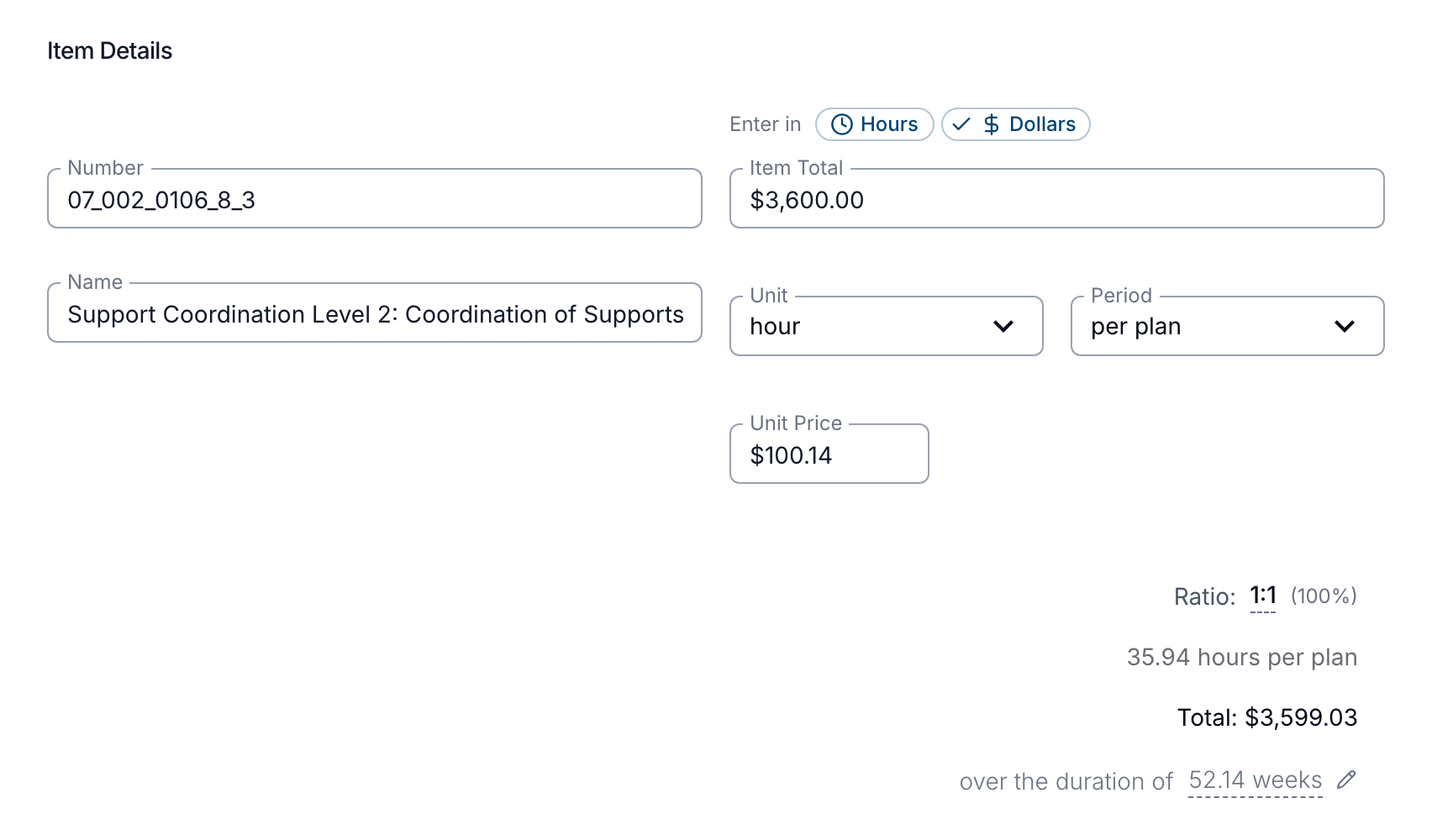
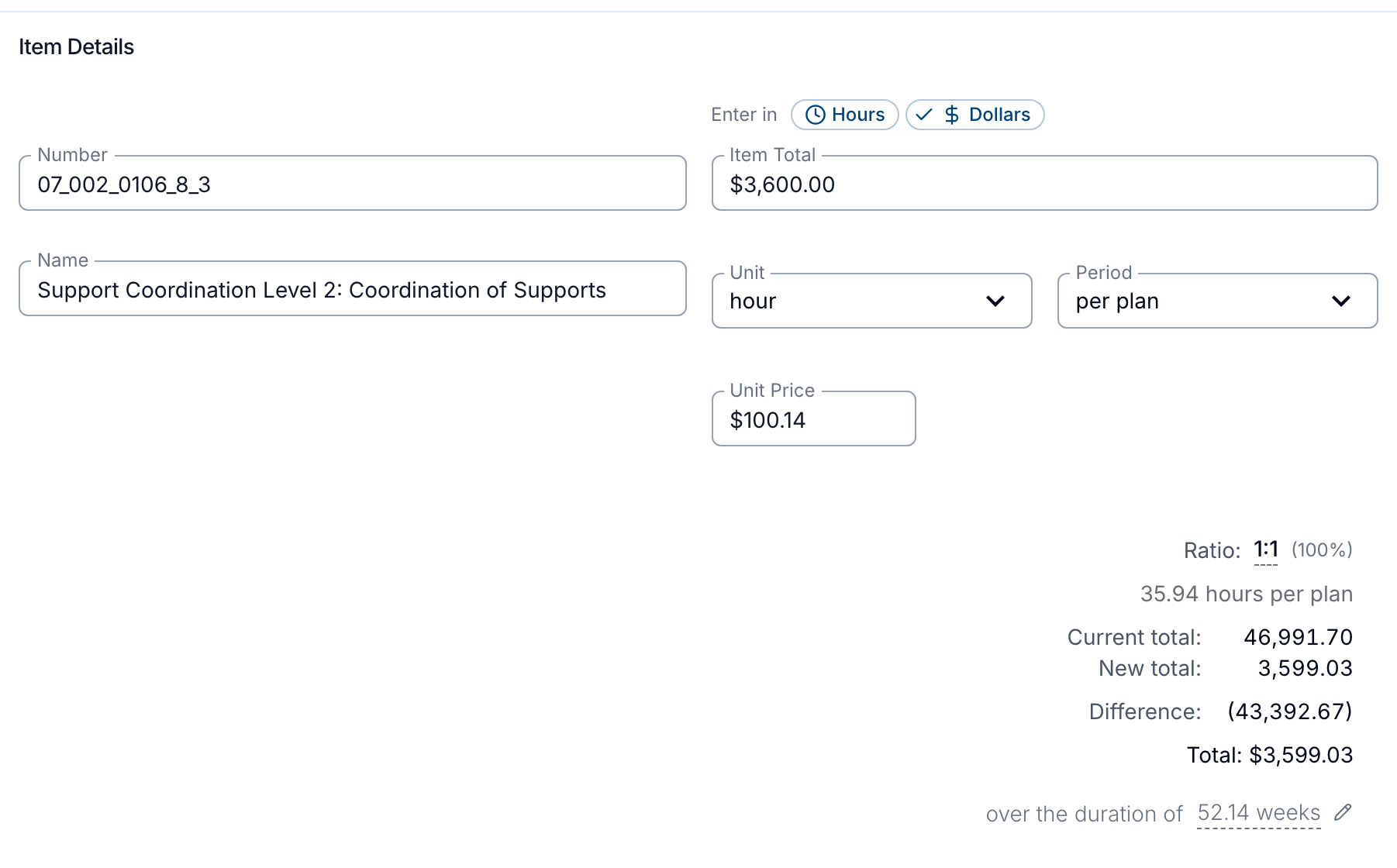
For more information, visit the Budget Functionality guide.
Custom Allowances
Admins can now create their own allowances - such as a working from home or remote area allowance - add them to a worker's shift, and send each one to Employment Hero, PayCat, QuickBooks Payroll or Xero as its own line on the timesheet, paid either per shift or per hour. Each allowance also has an On a shift cancelled with pay setting, so one that pays for the work - like higher duties - can still be paid on a cancelled shift, while one covering a cost the worker no longer has - like working from home - is left out. It's an optional beta feature; contact Astalty Support to have it enabled on your account.
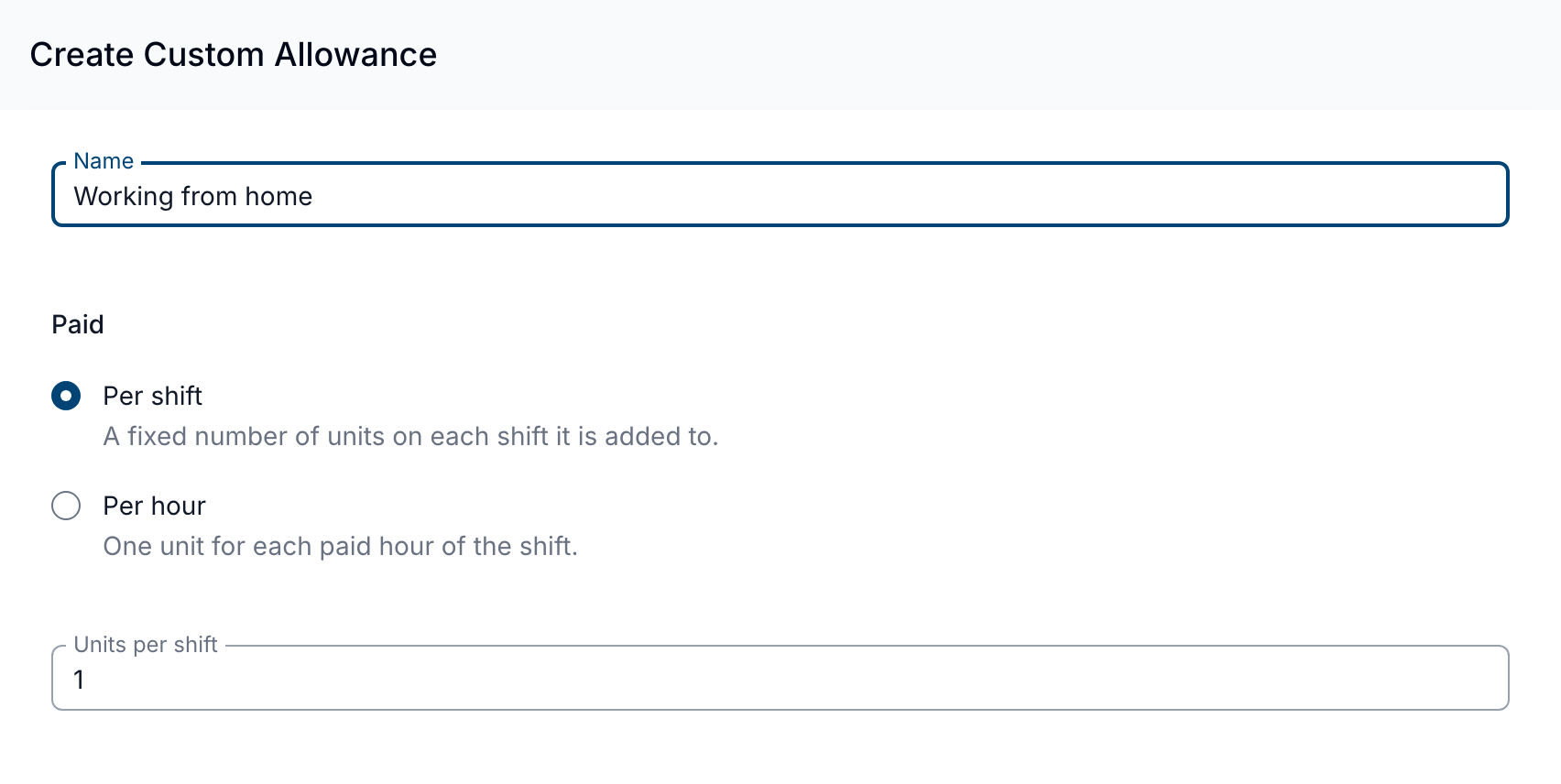
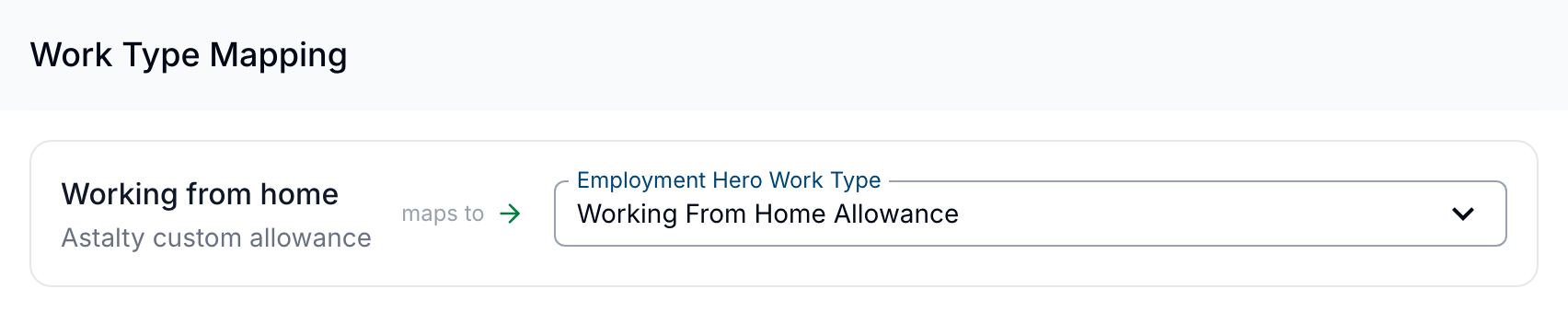
For more information, visit the Custom Allowances guide.
Login History Export: IP Address Column
The Login History export's CSV now includes an IP Address column, showing the address each login attempt came from alongside the existing Email, Status and Date/Time columns.
For more information, visit the Login History Export guide.
Funding Utilisation When Creating a Task
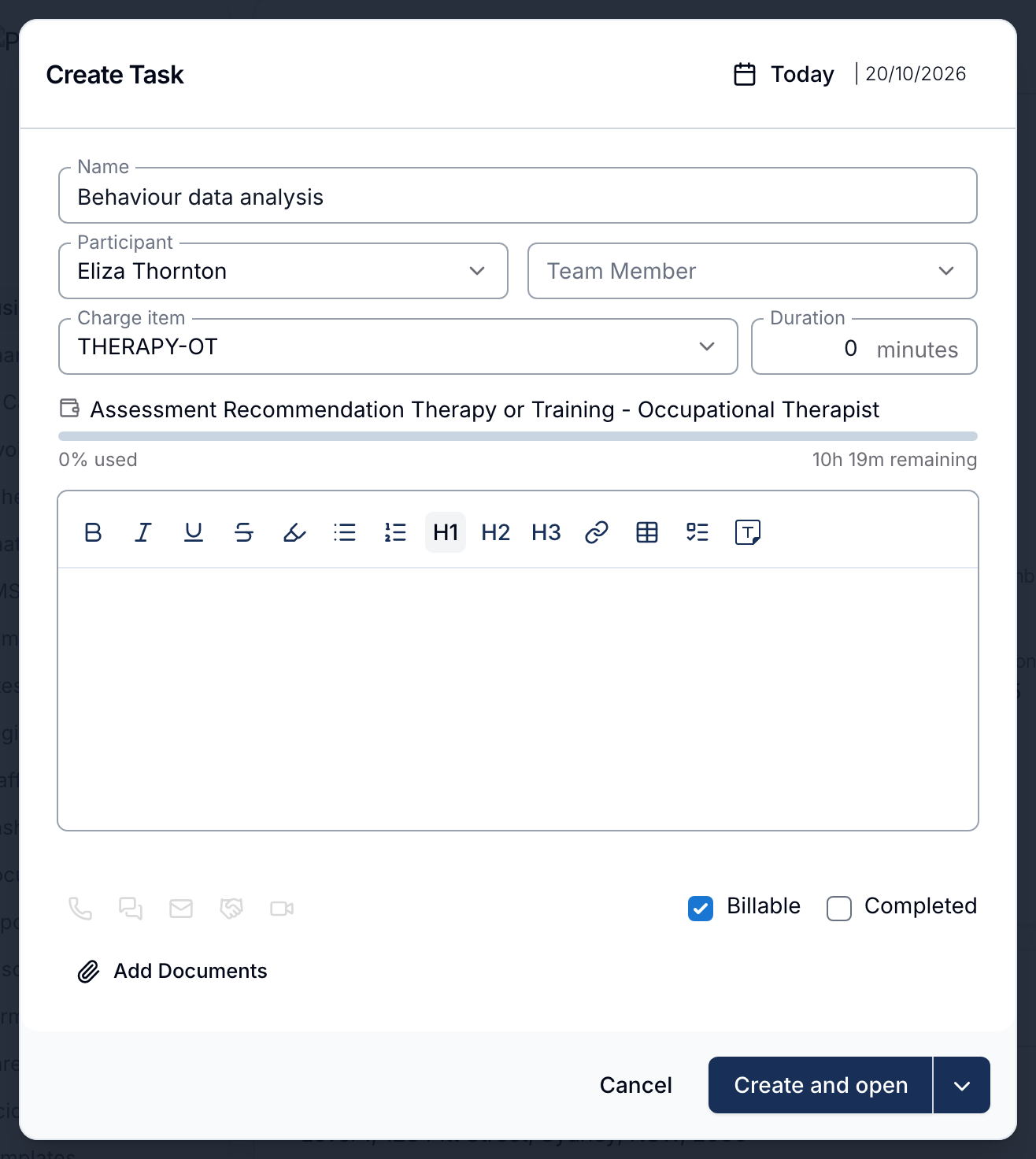
Once you've picked a Participant and a Charge Item on the Create Task form, Astalty now shows how much funding that Charge Item has left straight away - the service it draws on, a usage bar, and the hours or dollars remaining - instead of only after the task is saved. If the Charge Item isn't funded under any of the Participant's plans on that date, Astalty says so instead of showing a bar. This also shows when cloning a task or creating one linked to a calendar event, and is included on the Professional plan and above.
For more information, visit the Creating Tasks and Cloning Tasks guide.
Warning When Charging a Cancelled Support With No Worker
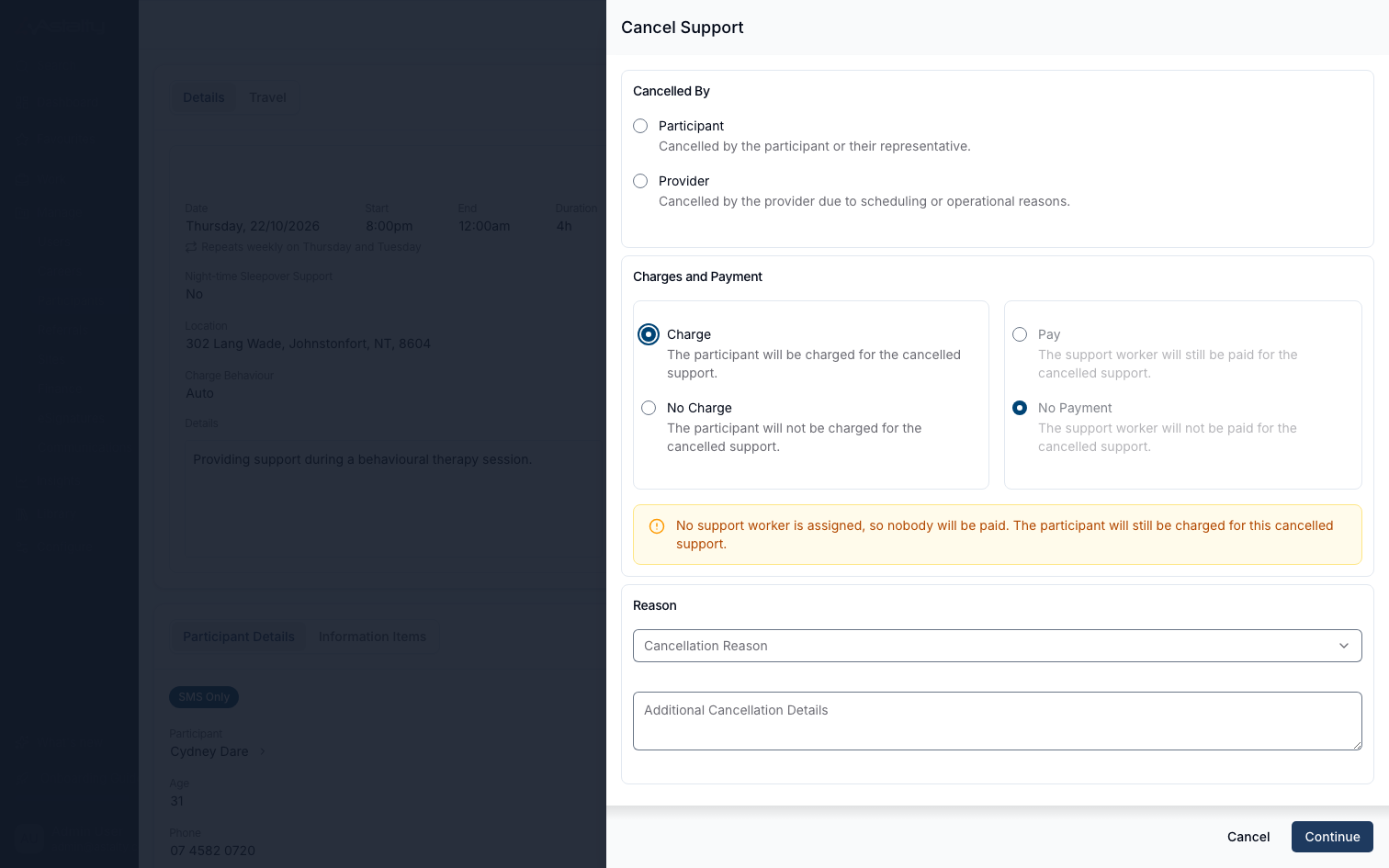
Cancelling a Support that has no Support Worker assigned and choosing to charge the Participant now shows a warning confirming nobody will be paid, even though the Participant is still charged. It's a warning only - Astalty doesn't stop you from going ahead.
For more information, visit the Support Cancellations guide.
Register Forms When Filling Out a Form for a Site
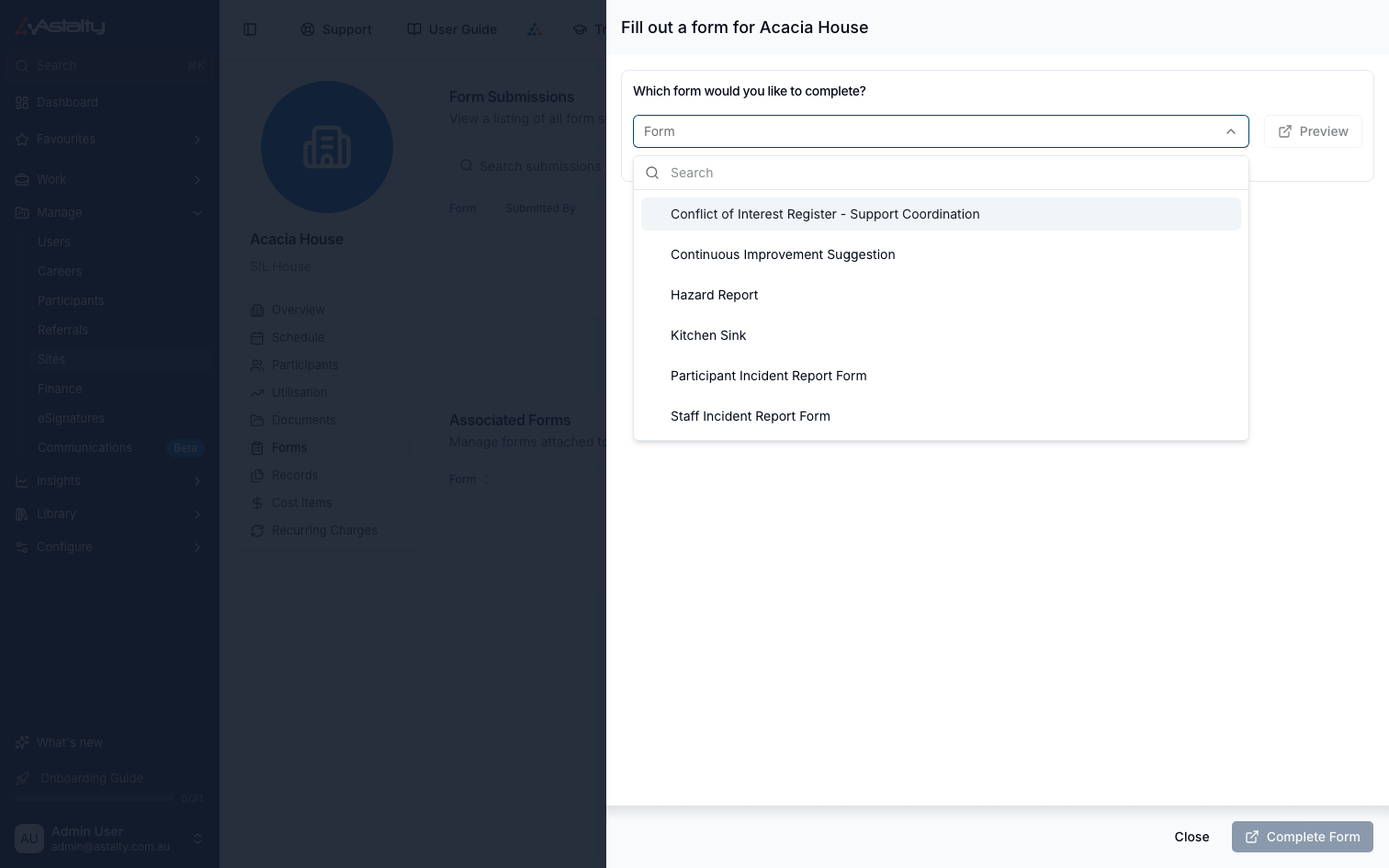
Selecting Fill out Form from a Site's Forms tab now also offers Register forms. Completing one from there creates the register entry automatically, and the submission shows up on the Site's Forms tab too - no need to go to the register itself to fill it out for that site.
For more information, visit the Site Information Items & Documents guide.
Key Contact Position Title Prefill on the NDIS Consent Form
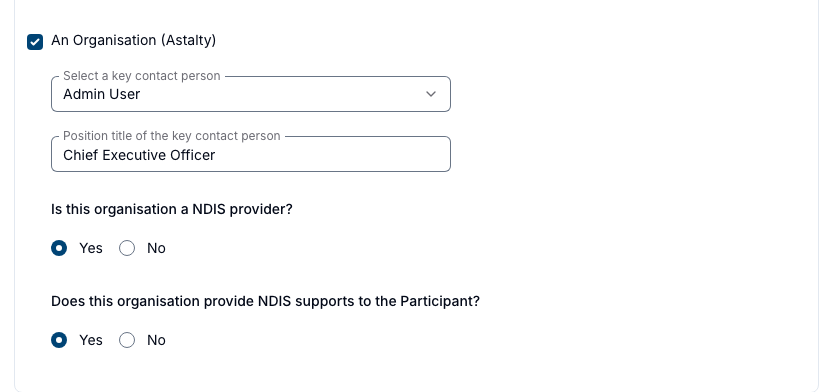
On the NDIS Consent Form, choosing An Organisation and picking a key contact person now fills in their position title automatically from that person's user profile. You can still edit the title by hand, it's left blank if that person has no title on file, and it's replaced if you pick a different contact.
For more information, visit the NDIA Templates guide.
Updating an Awaiting Signer's Email Address
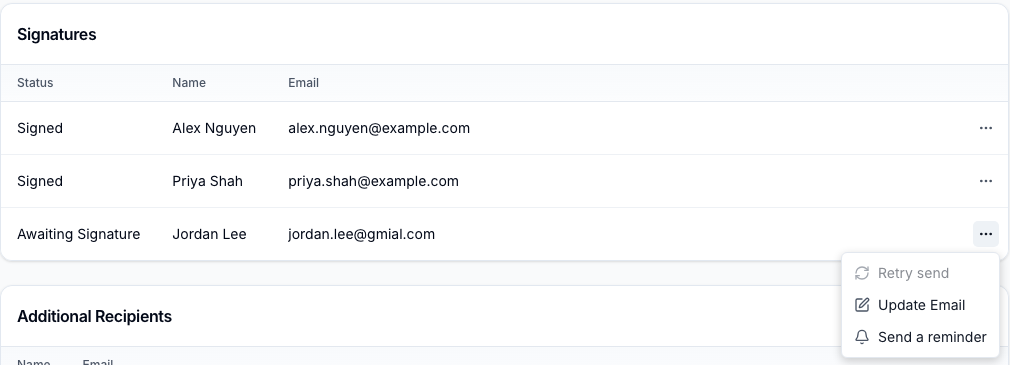
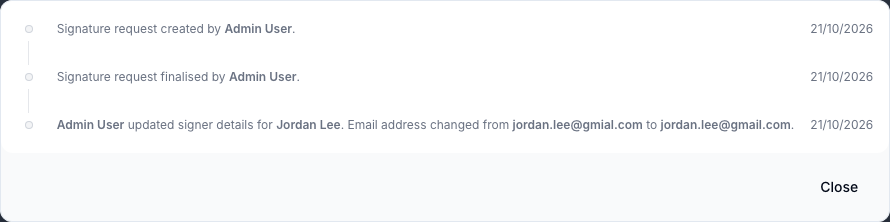
You can now correct a signer's email address for anyone still Awaiting Signature, not only someone whose invite failed to deliver - handy for fixing a typo before they've even opened the email. Updating the address sends a fresh invite and disables the old link straight away. The option disappears once the signer has viewed or signed the document, and the activity log records both the old and new address.
For more information, visit the Requesting Signatures guide.