- Changelog
- 1 October 2026
1 October 2026
Broken Shift Allowance No Longer Paid on the Social, Community & Crisis Accommodation Stream
The SCHADS Award's broken shift rules cover only disability services work and home care employees. Workers whose contract is on the Social, Community & Crisis Accommodation overtime stream no longer receive the Broken Shift Allowance or double time beyond a 12-hour span, keep the night loading on early-morning work, and raise no broken shift alerts. Part-time and casual workers on that stream have a 3-hour minimum engagement for each shift; with Pay Award Minimum Engagement turned on, a short shift is topped up to 3 hours on its own rather than the break between shifts being paid as time worked. Home care employees belong on the Disability services & home care stream, which is unchanged.
For more information, visit the SCHADS Interpretations in Astalty guide.
Pay Award Minimum Engagement
The guide now explains the scheduling setting that pays an engagement shorter than the award's minimum engagement up to that minimum. It is off by default, so pay covers the approved hours only, and it is not available with Employment Hero, PayCat or QuickBooks Payroll. The SCHADS, Aged Care, Nurses and Health Professionals award pages say what it does under each award.
See Pay Award Minimum Engagement.
SCHADS Home Care Classifications
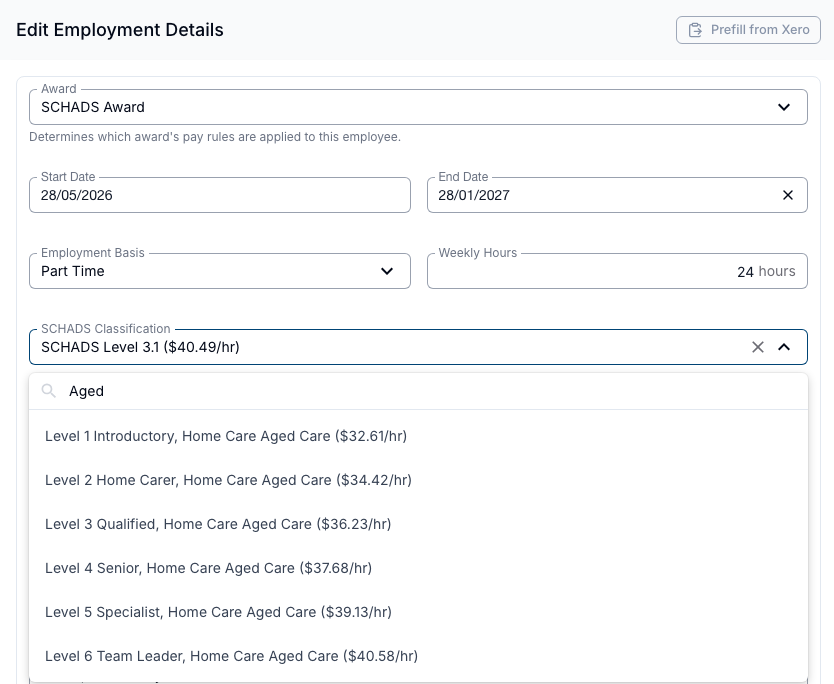
Home care workers under the SCHADS Award can now be given one of three specific classifications - social and community services, home care disability, or home care aged care - each with its own pay levels. Choosing a home care classification locks the worker's overtime stream to Disability services & home care.
For more information, visit the SCHADS Interpretations in Astalty guide.
SCHADS, Nurses and Health Professionals Overtime No Longer Resets at Midnight
For pay periods starting on or after 1 June 2026, a continuous shift that crosses midnight is now paid as one shift rather than two separate days, and its first overtime band carries across midnight instead of restarting. Back-to-back shifts, shifts joined by a short recorded meal break, and - for full-time Aged Care workers - adjoining doubles are now paid as one continuous shift instead of being split and reviewed manually.
For more information, visit the SCHADS Interpretations in Astalty guide.
Sleepover Overtime: Sunday Hours Now Count Toward the Shared First Band
During a sleepover, active work on a Sunday night now counts toward the shared first overtime band along with the rest of the night - the count no longer resets at midnight, under every version of the SCHADS rules. For example, with a 2-hour first band, active work from Sunday 10pm to Monday 2am is paid as 2 hours of Sunday overtime followed by 2 hours at double time.
For more information, visit the Creating a Sleepover or Active Overnight Support guide.
Duration Alerts Now Measure the Whole Continuous Shift
Roster duration alerts for Nurses, Health Professionals and full-time Aged Care shifts now look at the full continuous shift - including back-to-back shifts, travel that runs straight on, and work either side of a short meal break - instead of only the single shift being scheduled. The alert shows the combined length, so you're warned before pay treats a shift as longer than the roster suggested.
For more information, visit the Scheduling Award Alerts guide.
24-Hour Care Shifts for SCHADS Home Care Workers
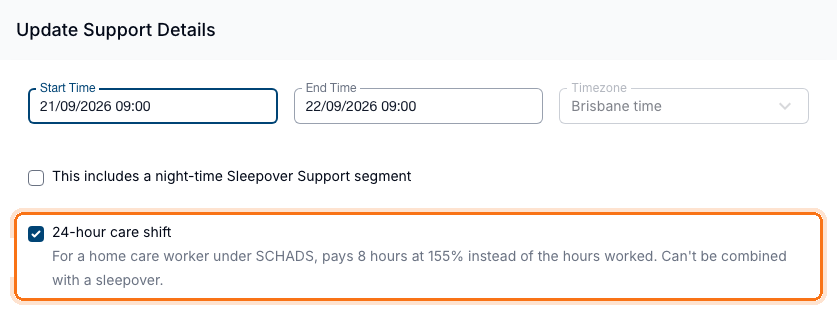
Providers with a SCHADS home care worker can now mark a 24-hour, one-to-one support as a 24-hour care shift, paid as 8 hours at 155% (180% for casuals) per 24-hour period instead of the usual hourly breakdown. It can't be combined with a sleepover.
For more information, visit the SCHADS Interpretations in Astalty guide.
Cleaner in a Private Medical Practice
Health Professionals Award employment details now include a Cleaner in a Private Medical Practice switch. Turn it on for a casual cleaner in a private medical practice to drop their minimum engagement from 3 hours to 2 hours. Leave it off for cleaners in dental and physiotherapy practices, whose minimum stays at 3 hours. It's off by default on every contract.
For more information, visit the Staff Contracted Hours guide.
Two-Factor Authentication in the Astalty App
The guide now explains why the app stays signed in and only asks for a code when you sign in, how to sign in with a recovery code, how to keep a Support Worker's phone safe (including what to do if it is lost), and that enforcing 2FA applies to the app too.
See Setting up 2FA on the Mobile App.
Registers and Action Items
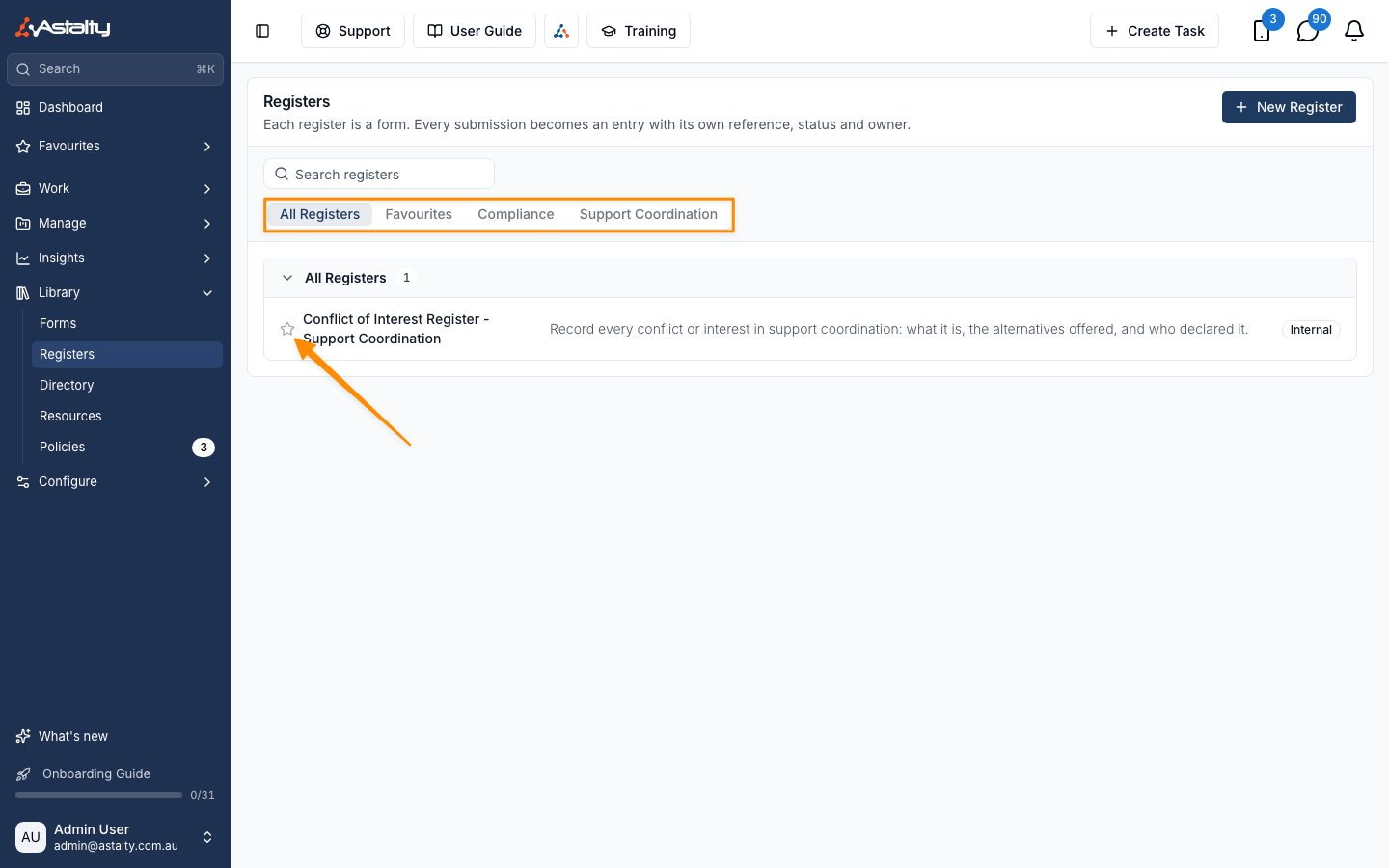
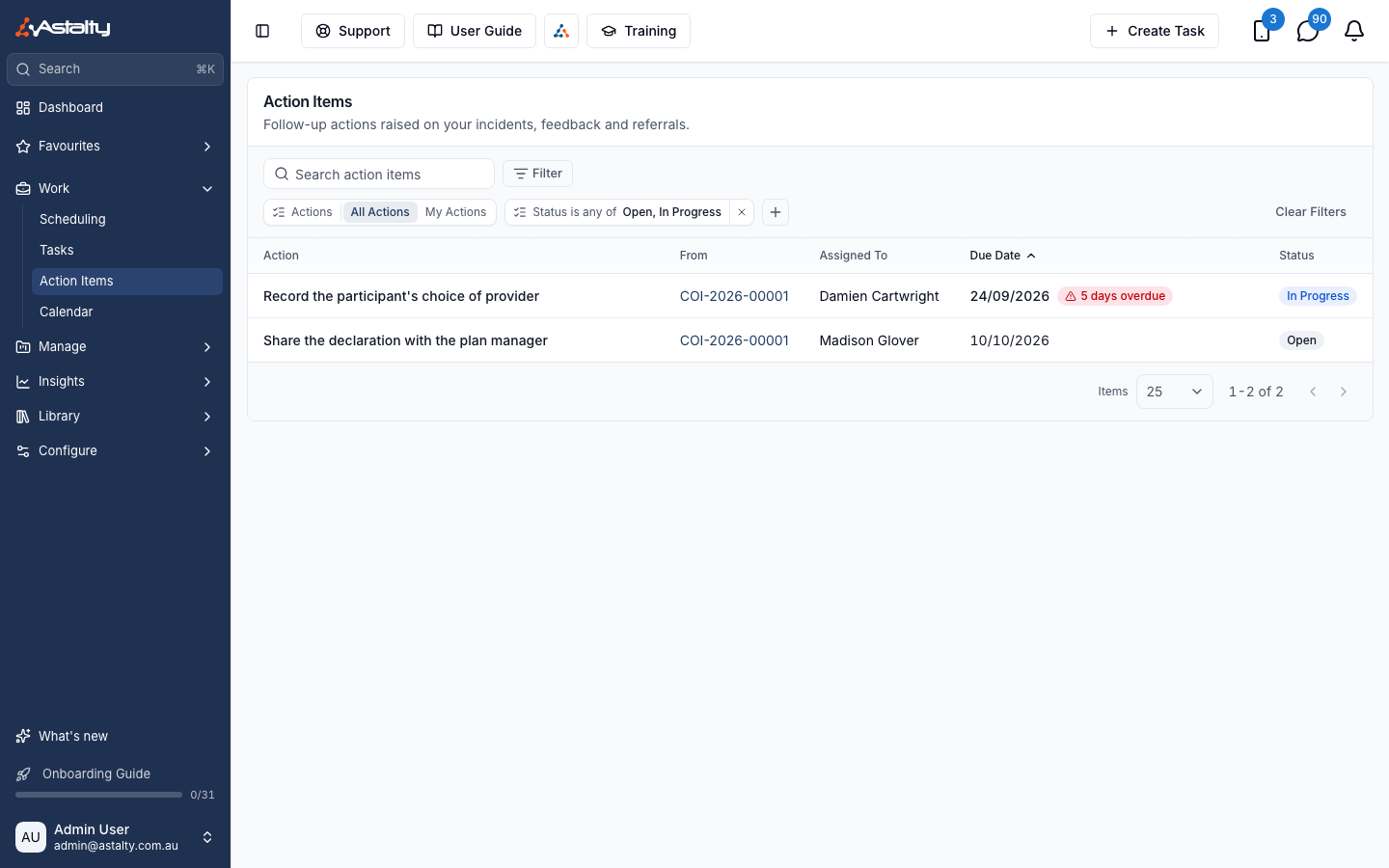
Astalty now offers Registers and Action Items, available in beta on request. Registers turn a form into a tracked, numbered list - such as a conflicts-of-interest or restrictive-practices register - with an owner, status and review schedule. Action Items let your team record follow-up tasks from incidents, feedback, referrals and register entries, and track each one to completion. Contact Astalty Support to have either feature enabled on your account.
For more information, visit the Registers and Action Items guides.
Clock In/Out Radius
Astalty can now stop a Support Worker from clocking in or out of a shift unless their device shows them within a set distance of the support's location. It's an optional beta feature your organisation can have enabled, and sits alongside the existing Require Location Data setting.
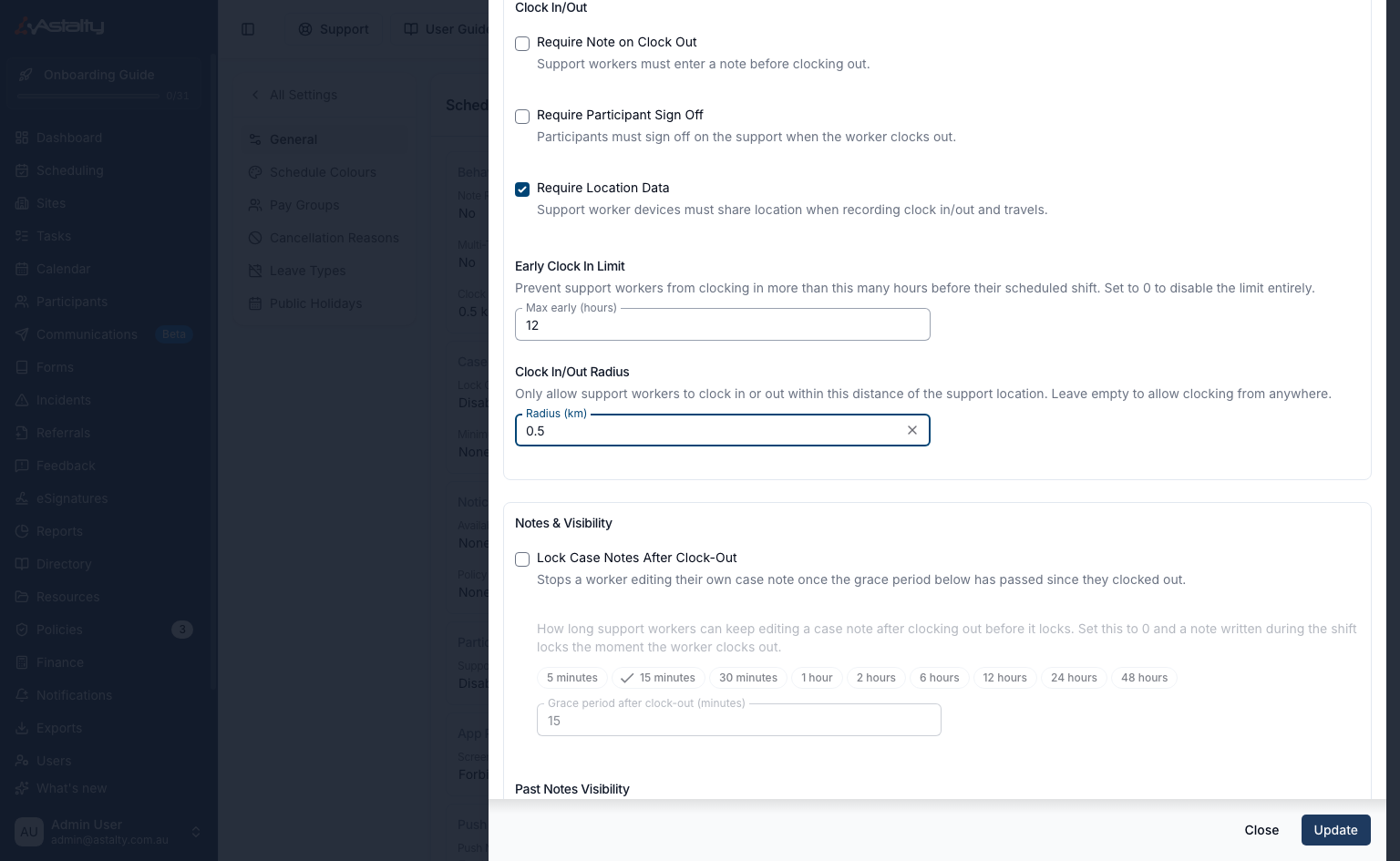
For more information, visit the Scheduling Settings guide.
Keeping Status Colours After an Event Ends
A finished event used to always show the grey "past" colour. You can now tick Keep status colours after an event ends so an event keeps its status colour - for example, a worker's response colour - after the shift has ended. It's a single organisation-wide setting that applies across the schedule, site schedules, Participant calendars and worker apps.
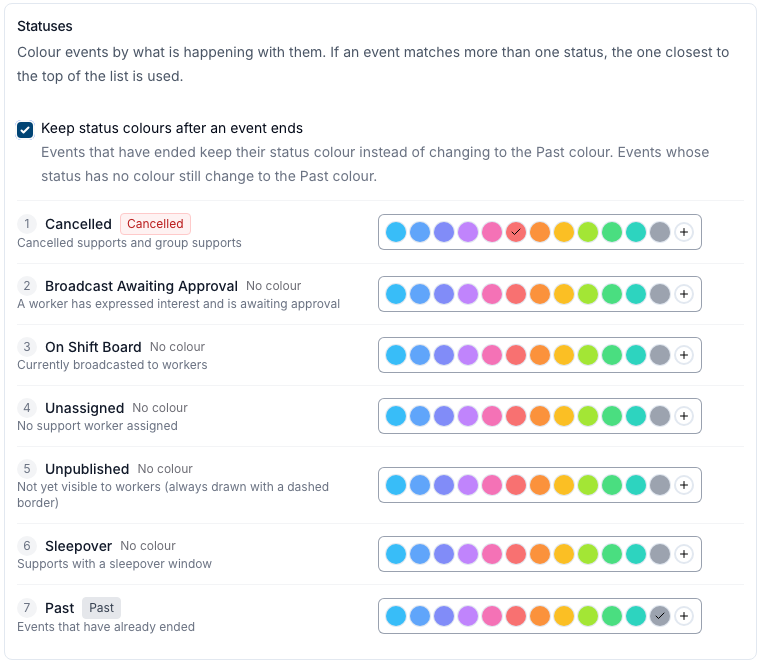
For more information, visit the Schedule Colours guide.
Exporting the Award Pay Report and Award Interpretation as a CSV
The Award Pay Report and an Award Interpretation batch can now be exported as CSV files. The Award Pay Report export includes employees hidden by the table's search or employment basis filter, but still applies the State and Region selections. The Award Interpretation batch export includes employees hidden by the table's search. Each file is prepared in the background and appears shortly afterwards on the Exports page to download.
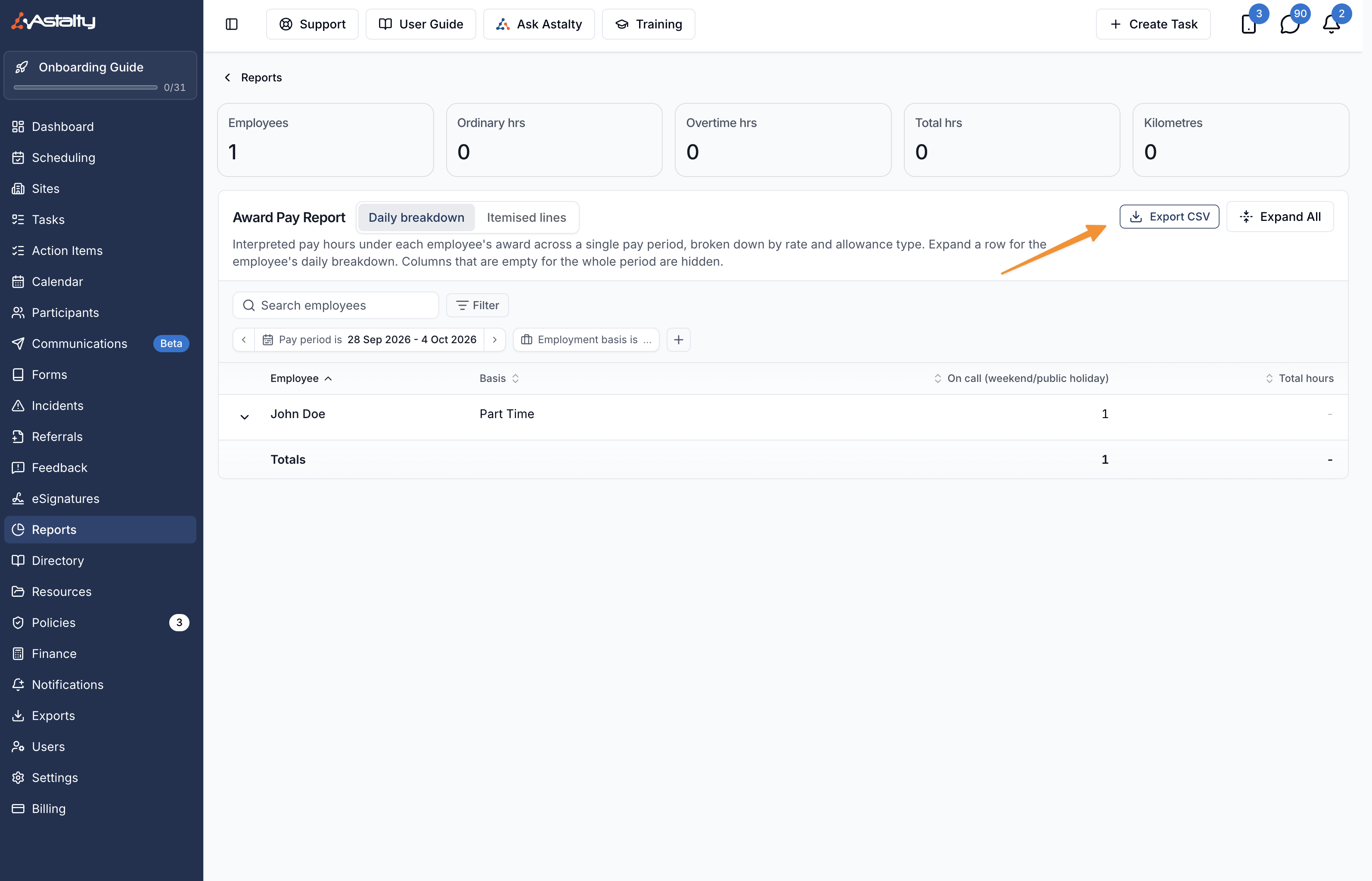
For more information, visit the Award Pay Report guide.
Commenting on Form Submissions
You can now leave internal comments on a form submission, visible only to your team - useful for noting a follow-up call or flagging something for a colleague. Comments support rich text, show the three most recent with an option to see earlier ones, and can be edited or deleted by whoever wrote them.
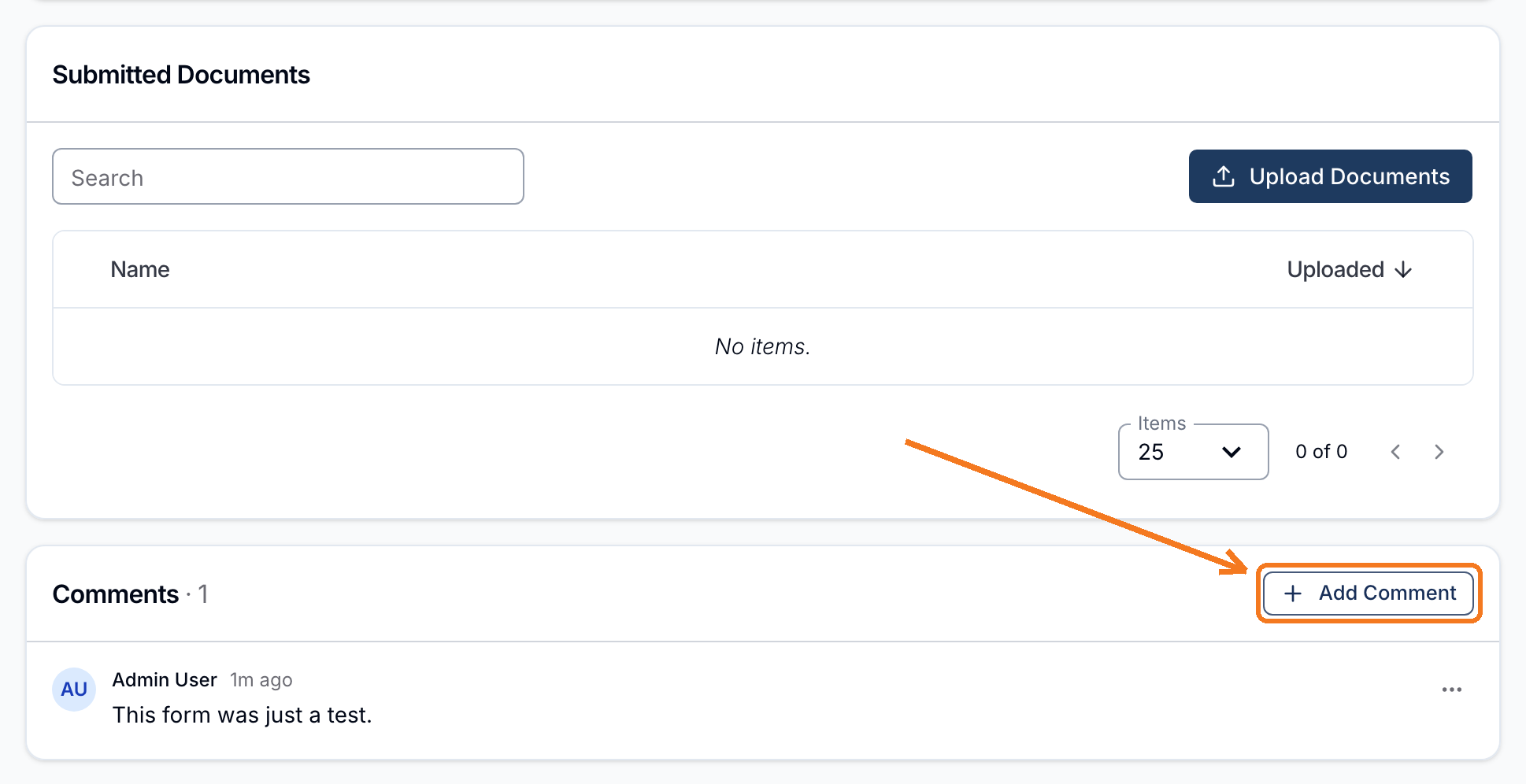
For more information, visit the Commenting on Form Submissions guide.
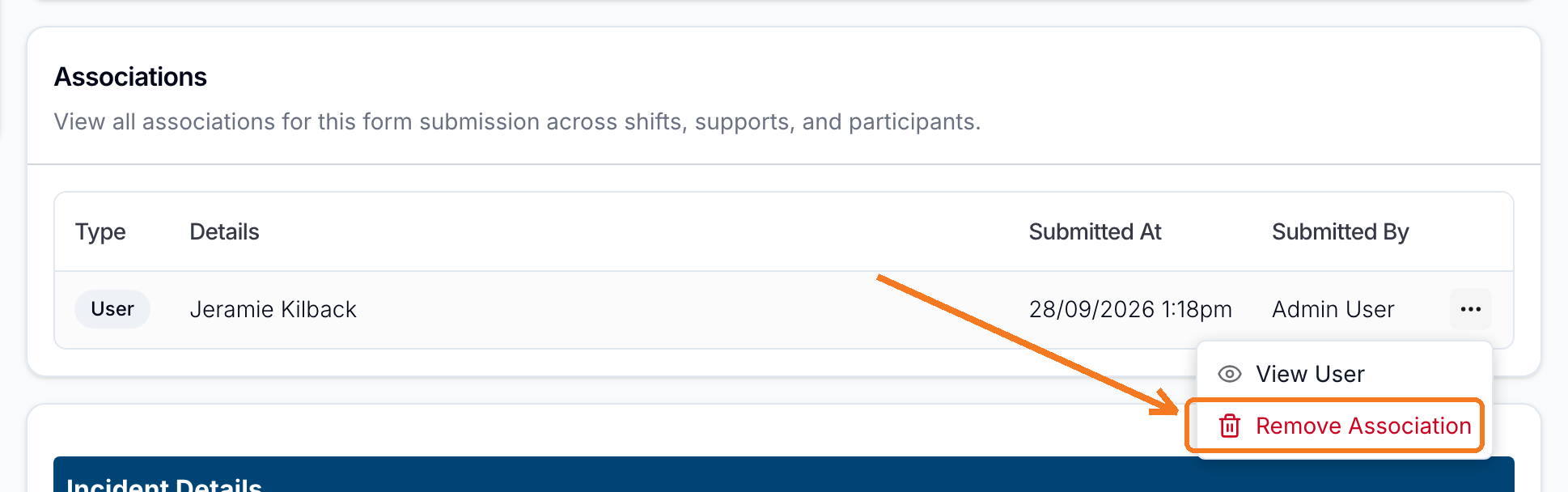
Removing a Participant or User Association from a Form Submission
If a form submission was linked to the wrong Participant or staff member, you can now remove that link without deleting the submission itself - its answers and attached files stay intact.
For more information, visit the Form Submissions guide.
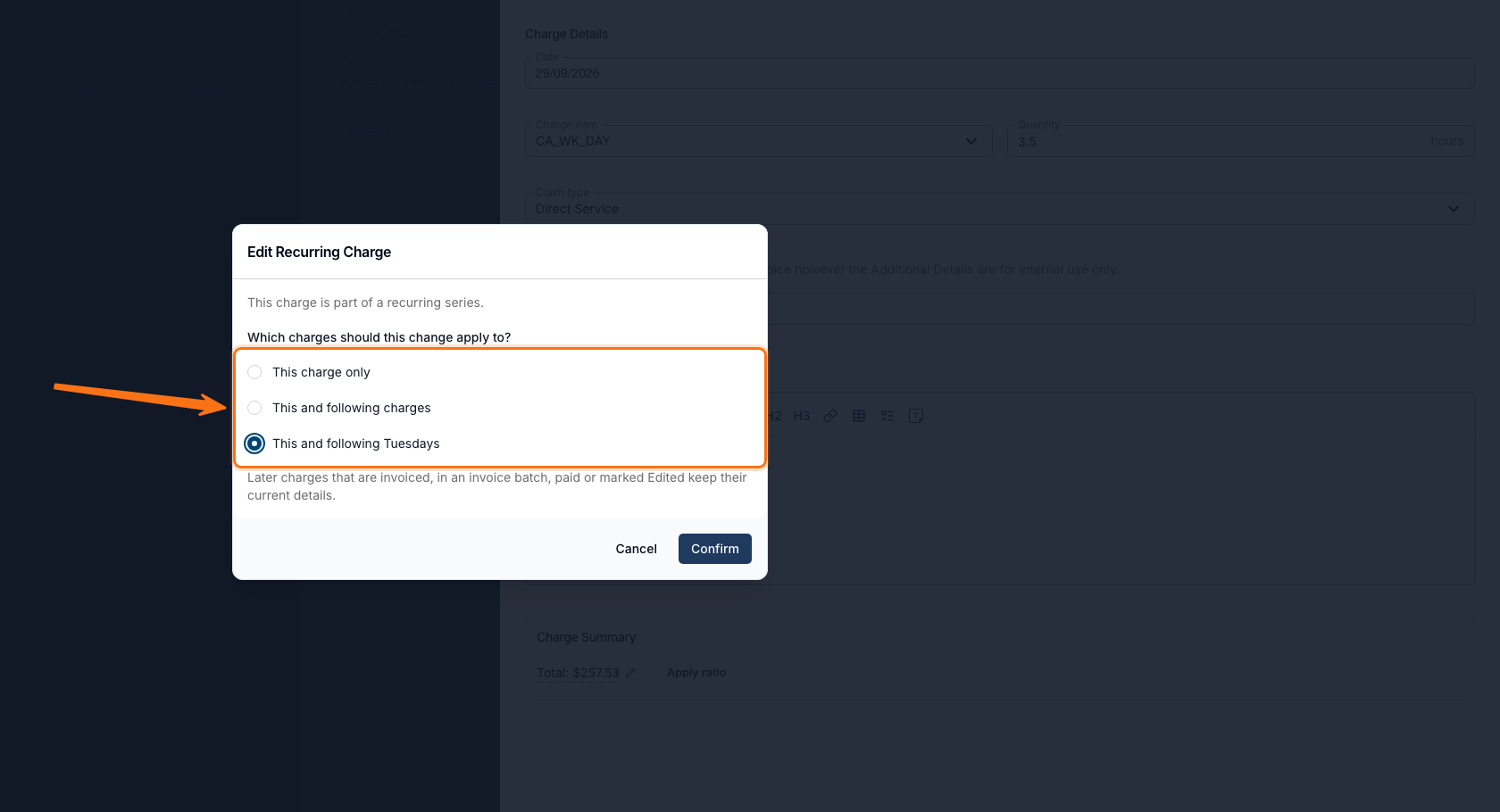
Choosing How Far an Edit to a Recurring Direct Charge Applies
Editing a direct charge that's part of a recurring series, before it's invoiced, now asks whether the change should apply to just that charge or to it and eligible future charges in the series. For certain repeat patterns, you can instead apply it to eligible future charges on the same weekday only. Later charges already invoiced, in an invoice batch, paid, or marked Edited keep their current details regardless.
For more information, visit the Direct Charges guide.
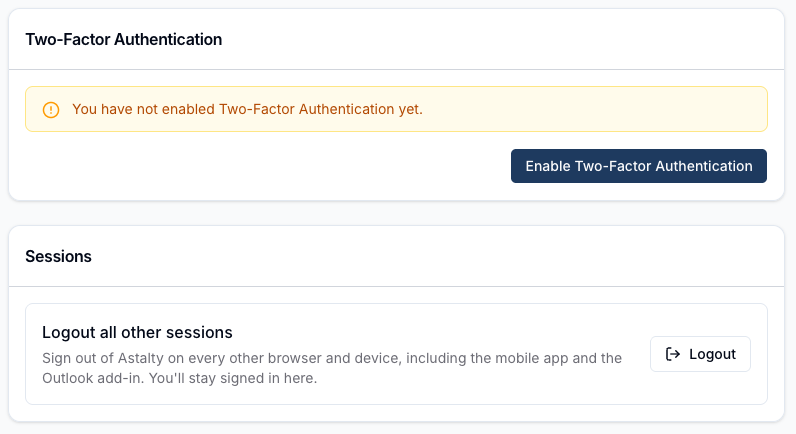
Simplified Sessions Card
The Security page's Active Sessions list, which never showed anything, has been replaced with a simpler Sessions card. Click Logout there to sign out of Astalty everywhere else - every other browser, the mobile app, and the Outlook add-in - while staying signed in on your current device.
For more information, visit the Passwords and Sessions guide.
Changing Your Password Now Signs the App Out Too
Changing your password, resetting it, or choosing Logout all other sessions now also signs you out of the Astalty app on every phone and the Outlook add-in, not just other browsers. A signed-out phone stops receiving notifications, including shift and clock-in reminders, until you sign back in.
For more information, visit the Passwords and Sessions guide.
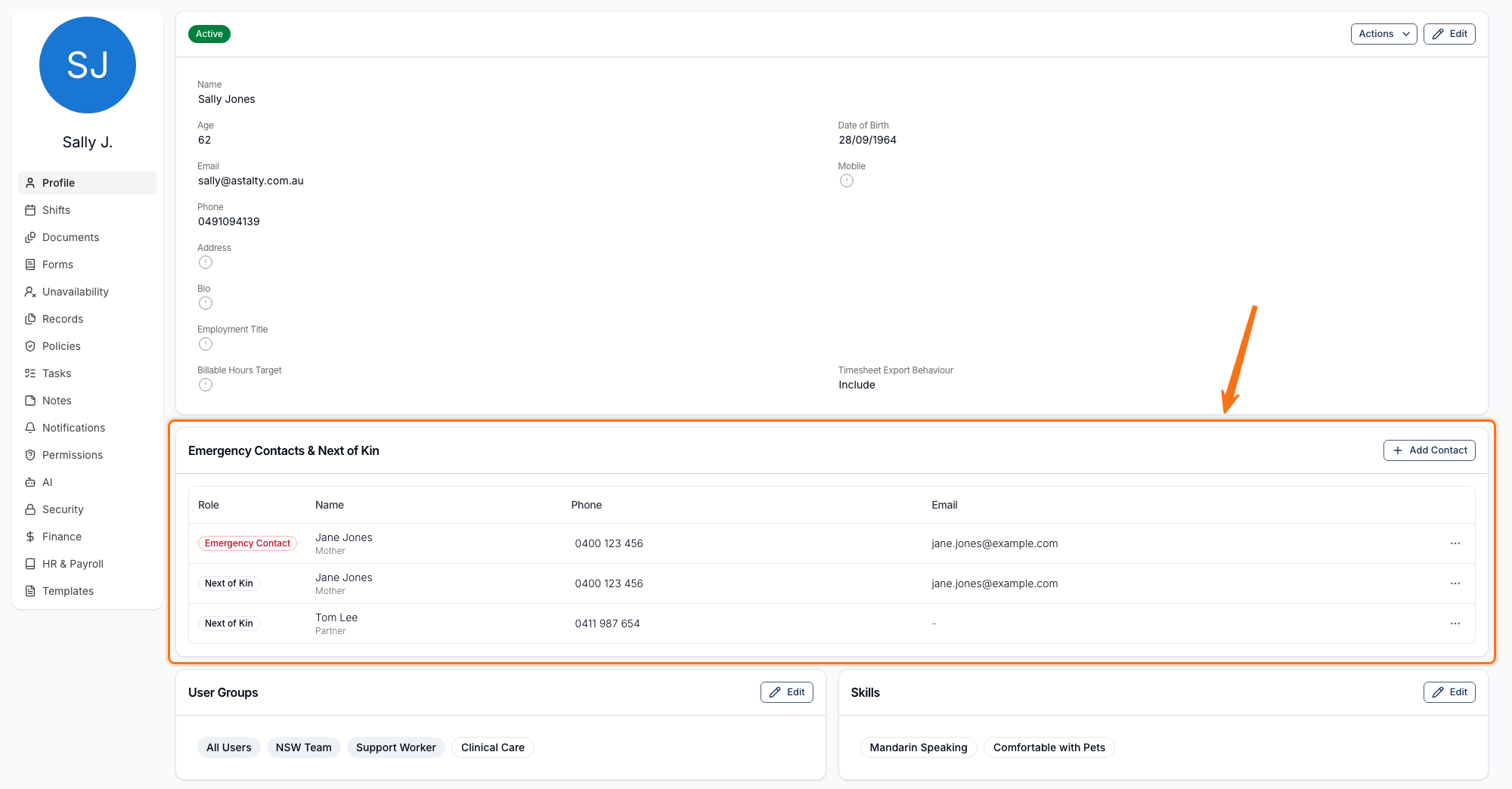
Emergency Contacts & Next of Kin
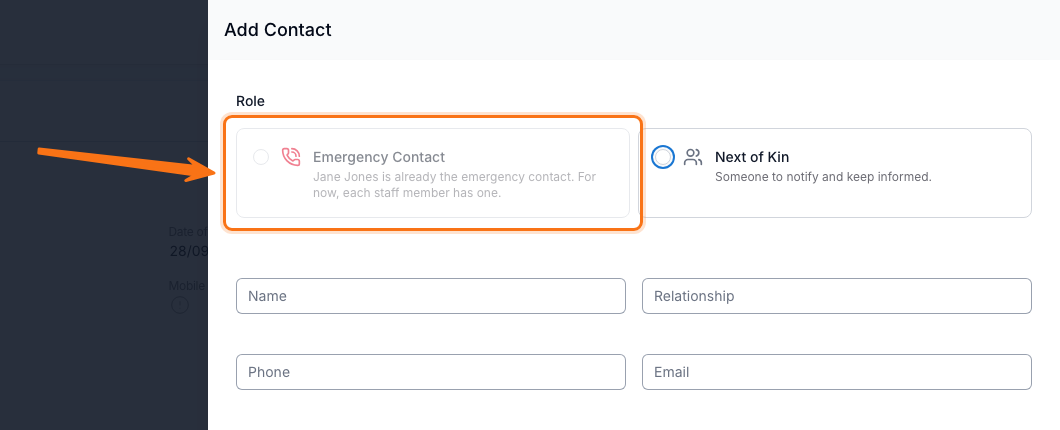
Every staff profile, except an Auditor's, now has an Emergency Contacts & Next of Kin card. You can record one Emergency Contact and multiple Next of Kin, with name, relationship and phone number required and email optional. Support Workers manage their own contacts from My Profile in the Astalty app.
For more information, visit the Updating Users guide.
Optional Records on Uploading User Records
In the Astalty app, the "Your Records" list now shows every optional document type you're able to upload, not just the required ones. Optional items appear with a grey "Optional" tag until you add one, and never count toward items needing your attention.
For more information, visit the Uploading User Records guide.