- Changelog
- 27 August 2024
27 August 2024
Tasks Reports
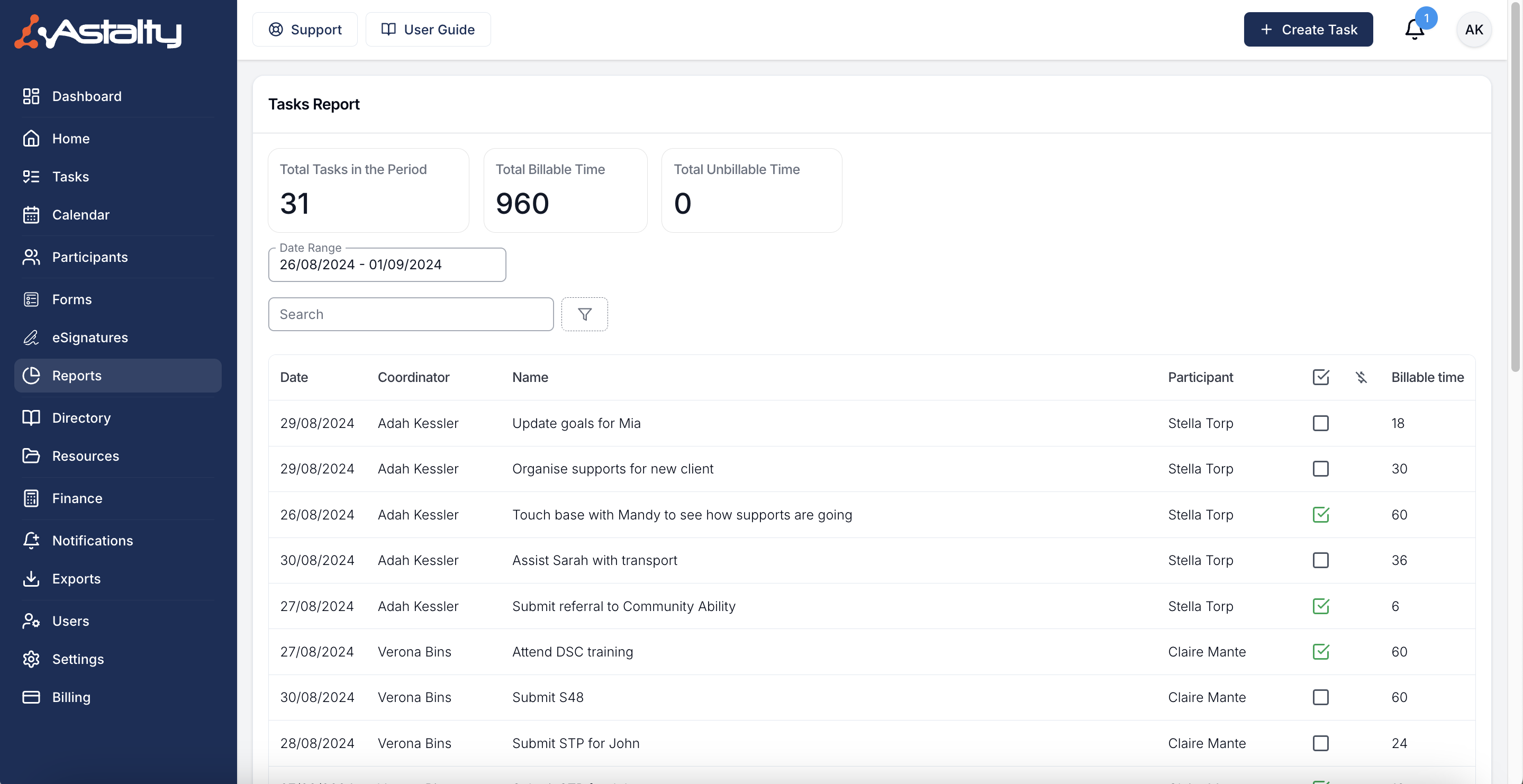
We are excited to introduce two new reports: the Task Report and the Tasks Without Notes Report. These reports provide valuable insights into your tasks.
Task Report
This report shows the number of tasks within a specific time period.
Tasks Without Notes Report
This report highlights tasks that do not have any notes attached to them.
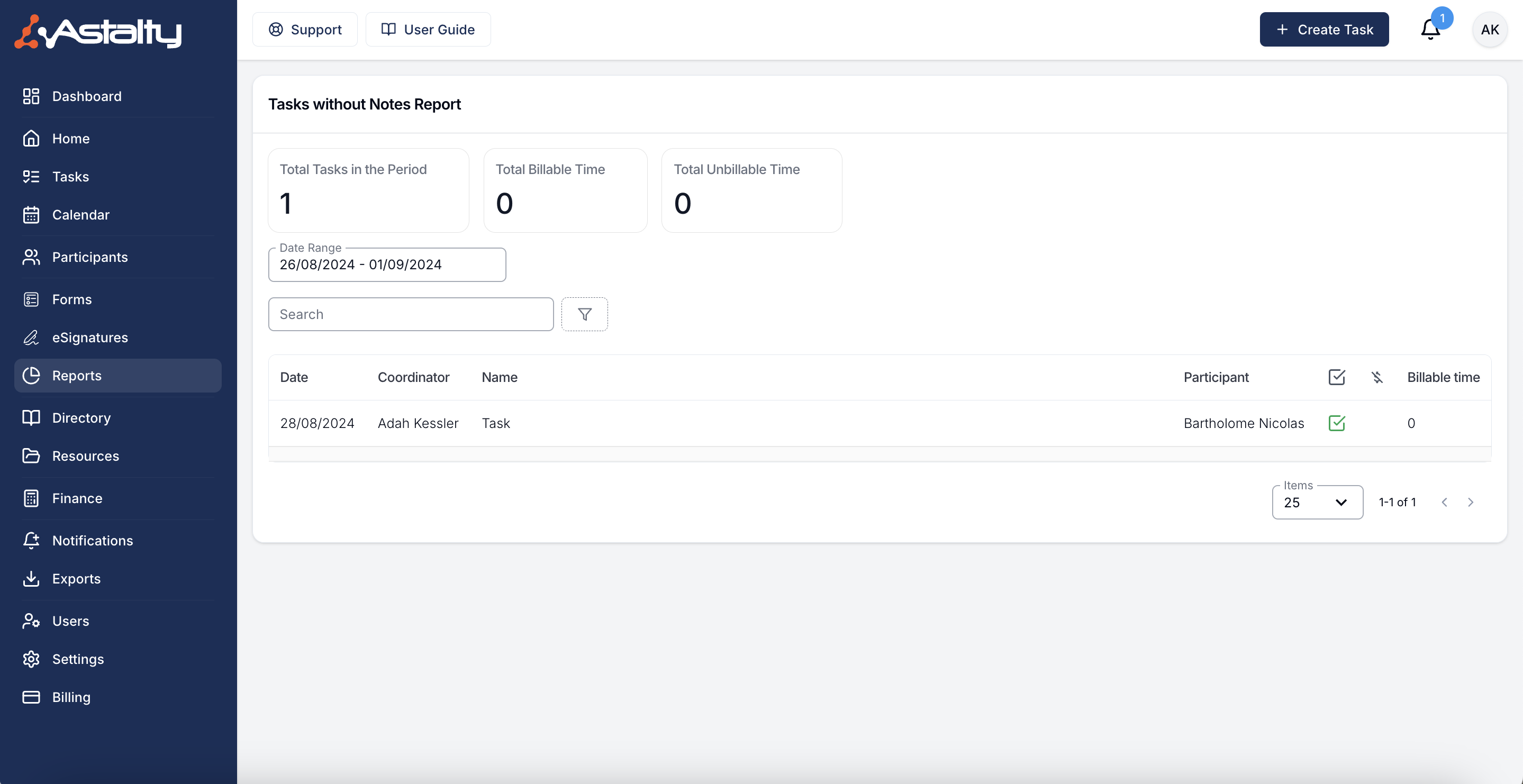
These tools will help you identify tasks lacking notes, ensuring better compliance within your organisation.
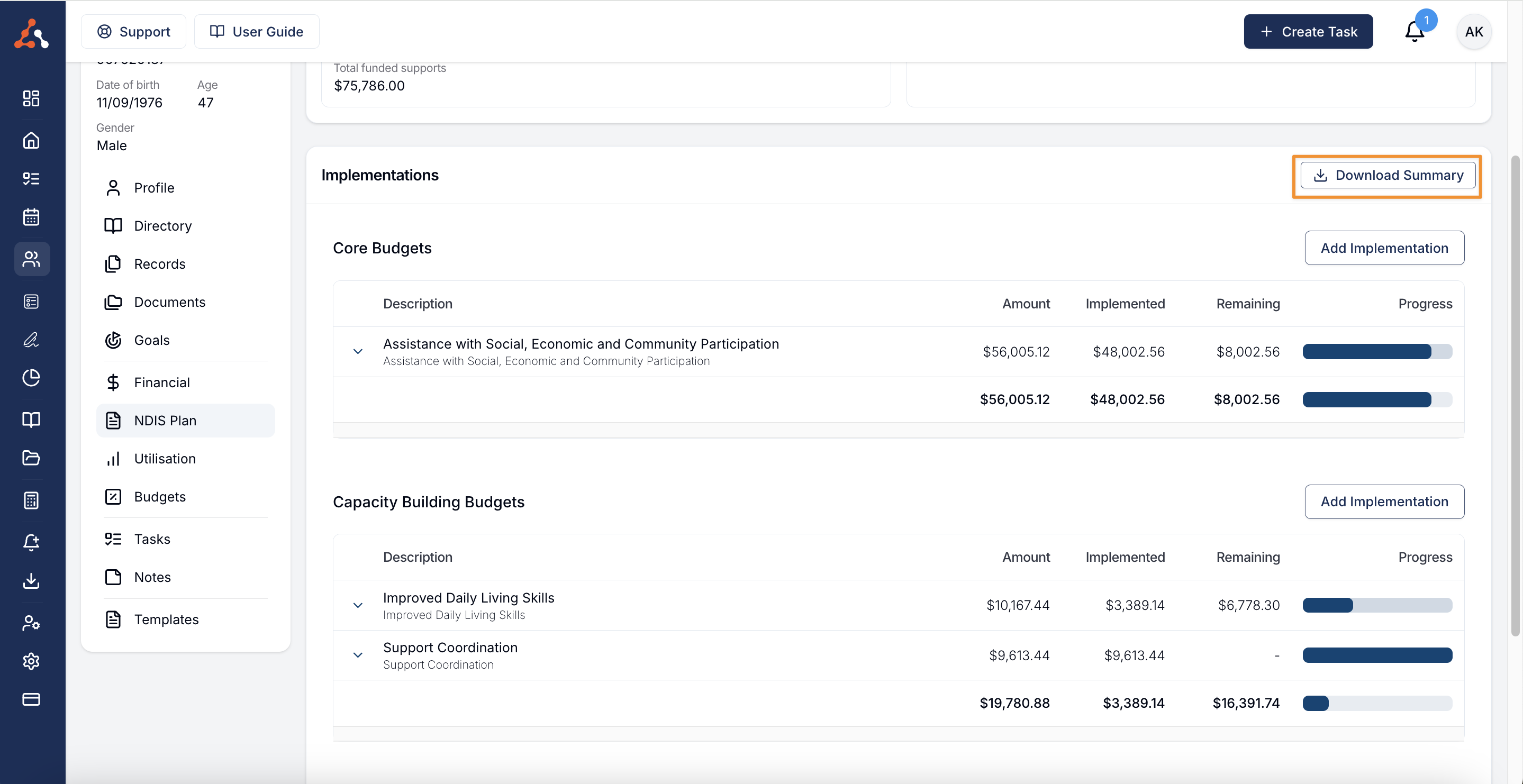
Implementation Export
Within the Implementations section, you can now download a PDF summary of the implemented supports. This feature simplifies the process of sharing this information with your participants.
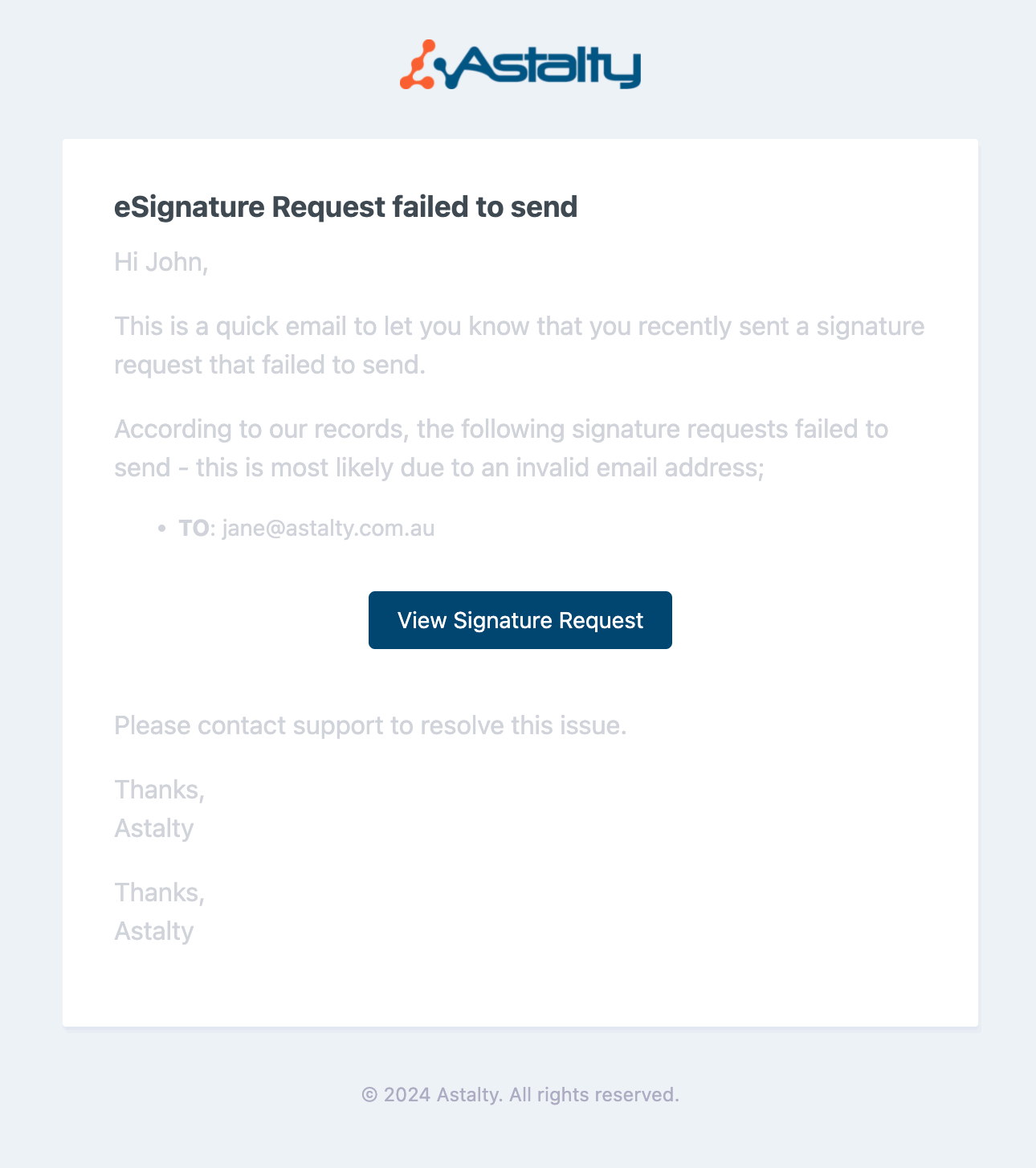
eSignature Failed Email - Button to eSignature Request
Within a failed eSignature request email we have now added a button that will take you to the request! Removing the need for you to click through your eSignature requests to try and find the failed request.
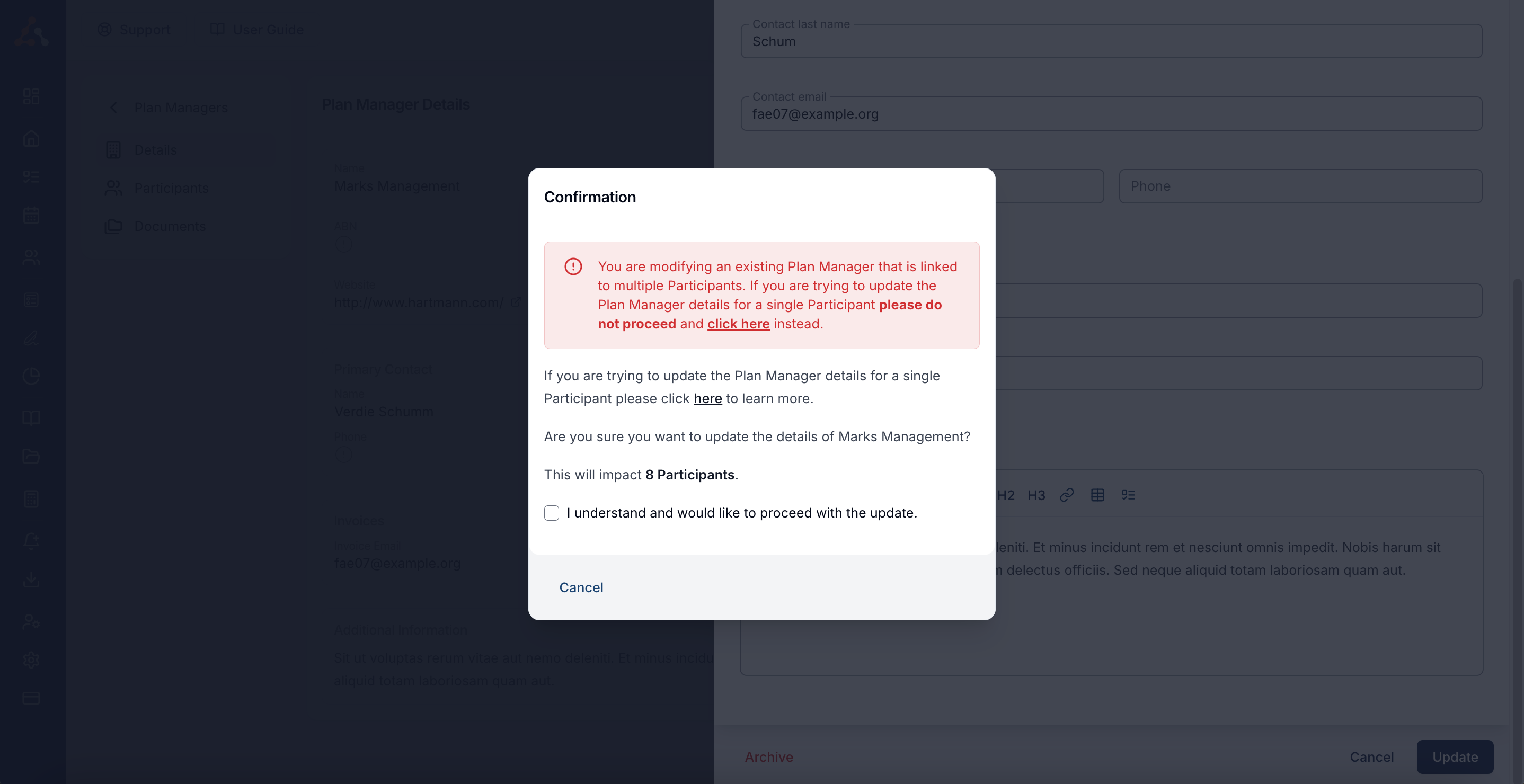
Confirmation of Plan Manager Details Changing when Updating PM Details
When changing a plan manager's details, you will now receive the prompt below confirming that you would like to continue with the change of details. We have introduced this due to users mistakenly updating the plan manager details rather than a participants plan manager.