15 October 2026
Emergency Contacts Without a Phone Number
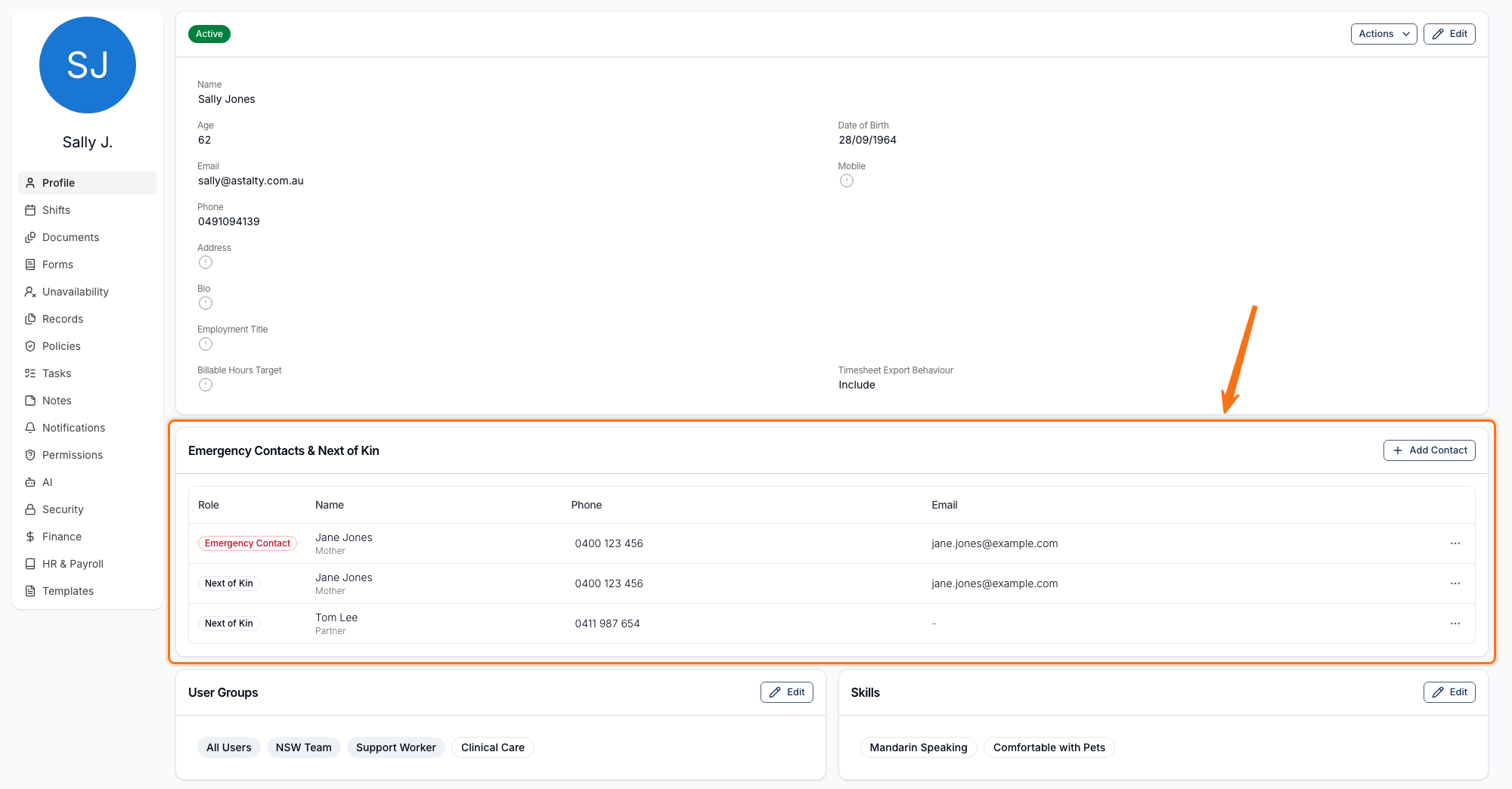
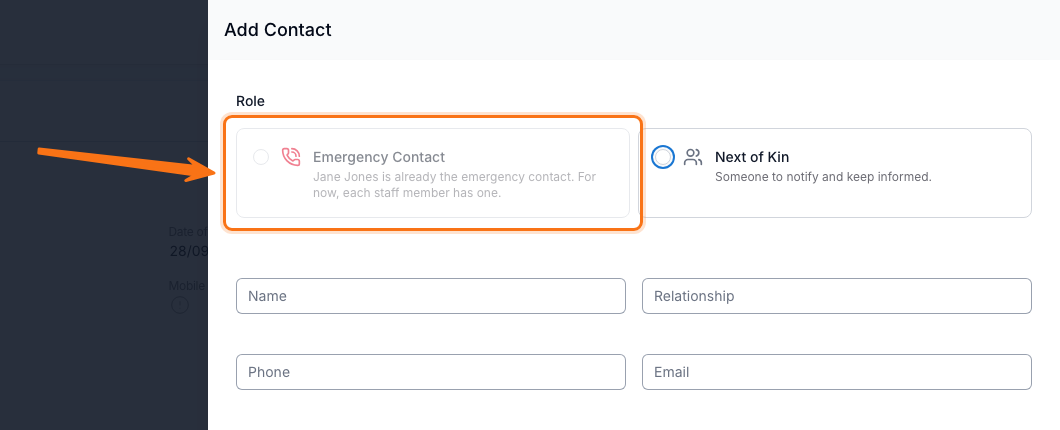
A staff member's Emergency Contact or Next of Kin can now be saved with a phone number, an email address, or both - a phone number is no longer mandatory. Up to 10 contacts are still allowed across both roles, and more than one contact can now hold each role.
For more information, visit the Updating User Profiles and Changing Passwords guide.
Budget Item Numbers
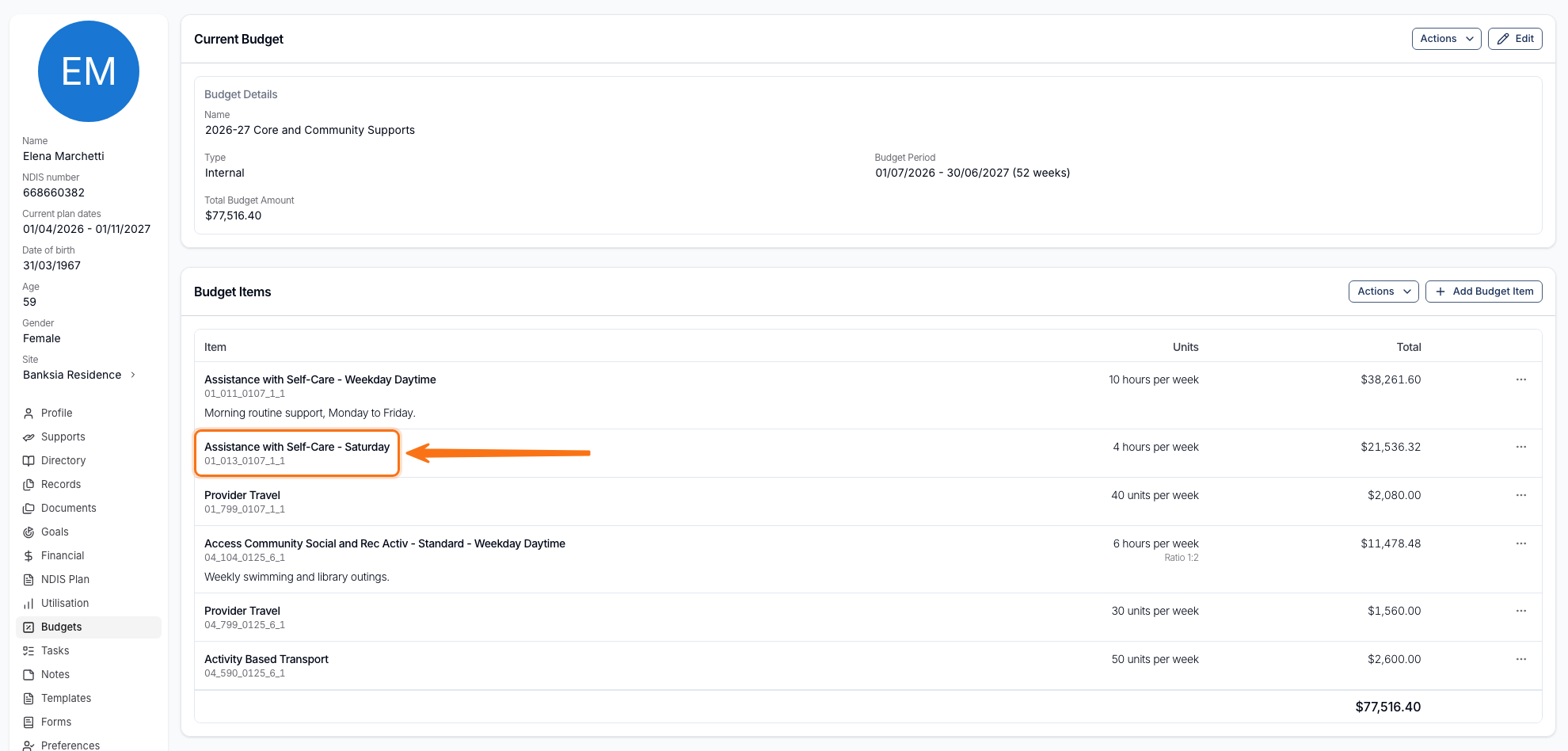
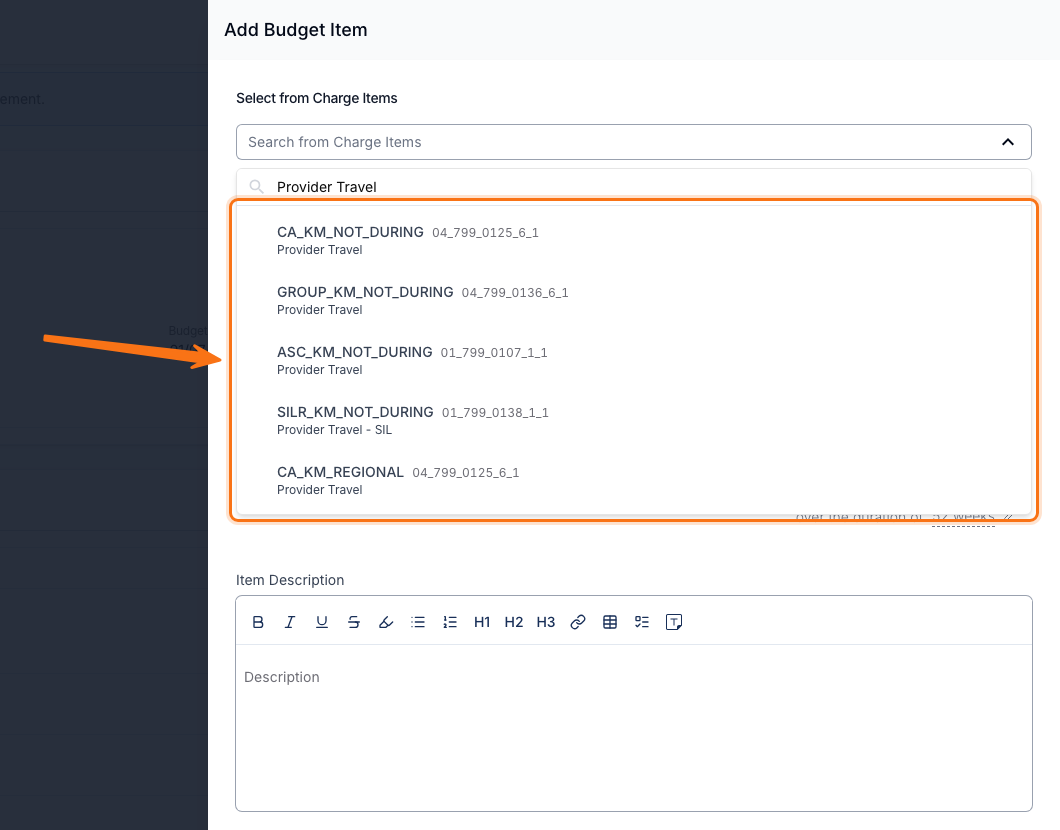
Each Budget Item's line item number now shows under its name in the Budget Items list. On an Internal Budget, searching Charge Items also shows the line item number beside the Reference, so items sharing a name can be told apart.
For more information, visit the Budget Functionality guide.
Weekly and Fortnightly Register Reviews
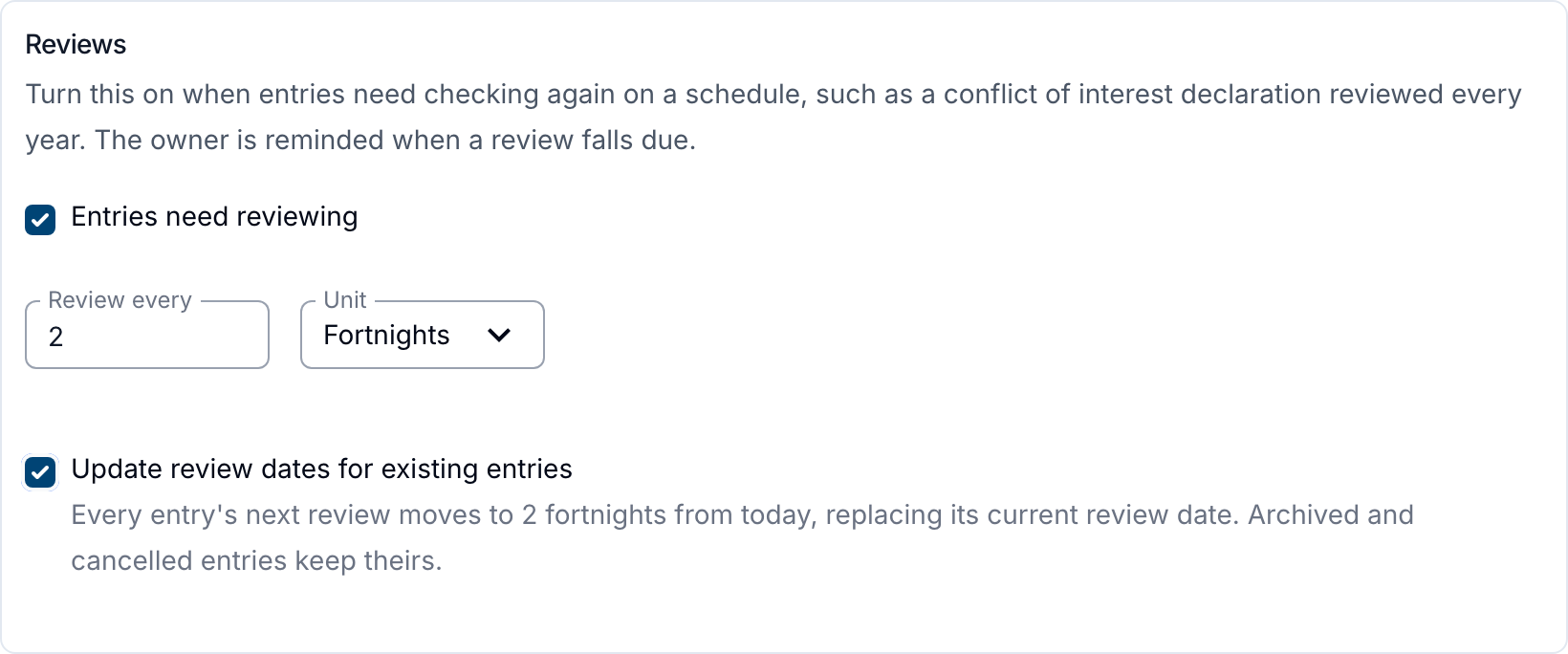
A custom register's Review every cadence can now be set in weeks or fortnights, not only months - up to 156 weeks, 78 fortnights or 36 months, all roughly 3 years. Changing the count or unit reveals Update review dates for existing entries: ticked, every entry's next review moves to the new cadence from today; left off, only future reviews pick it up. Archived and cancelled entries are never changed.
For more information, visit the Register Settings guide.
Flexible Group Supports
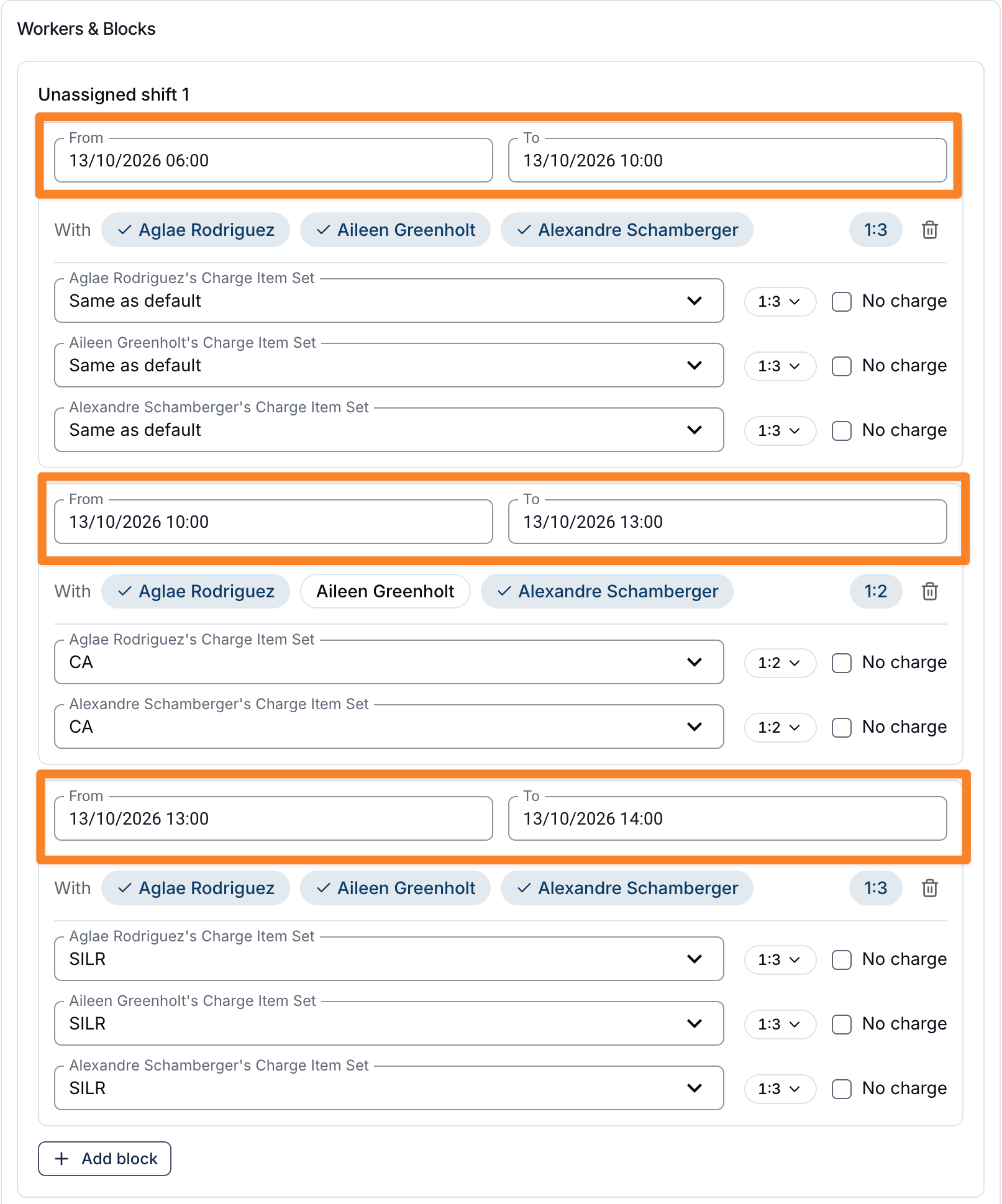
A new Flexible Group Support shift type bills each worker's time on a Group Support in separate blocks, rather than one ratio shared by everyone for the whole shift. Each block sets its own Participants, time window, Charge Item Set and ratio, so a worker's rate and the Participants they're covering can change partway through a shift - useful in Supported Independent Living and other shared-living arrangements. It's an optional beta feature; contact Astalty Support to have it enabled on your account.
For more information, visit the Adding a Flexible Group Shift guide.
Downloading a Participant Invoice Statement
A Participant's Financial page now has a Download Statement button above their invoices table, shown only to a reader with Finance module access. It opens a dialog to choose the invoice management type and a period - with preset ranges or a custom one, up to 366 days and not starting in the future - and generates a PDF with the opening and closing balance, an activity ledger, a still-owing table and bank details.
For more information, visit the Financial guide.
About This Record on User Record Types
A User Record Type's setup can now include an About this record field - formatted text explaining what the record is and where to get it. When set, it shows to a worker adding, editing or viewing a Record of that type, on the web and in the mobile app's Upload Record screen, above any Upload Instructions.
For more information, visit the User Records guide.
Download All Submission Documents
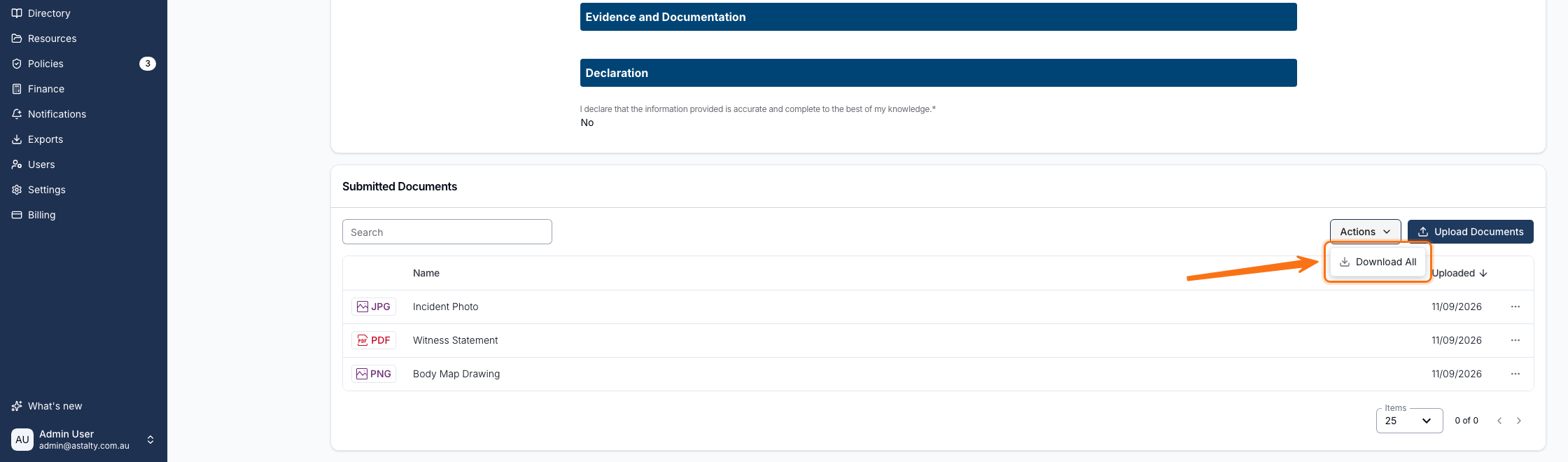
Form submissions with attached files now have a Download All option in the Submitted Documents panel, packaging every attachment into a single zip instead of downloading them one at a time.
For more information, visit the Viewing Submissions for a Form guide.
Participant Contacts Export
The Participant Contacts export's CSV now includes a Participant Status column, and its old Status column is renamed to Contact Status - so a Participant's own Active/Archived status can be told apart from whether their relationship with that contact is active.
For more information, visit the Participant Contacts Export guide.
Team Billable Hours Export
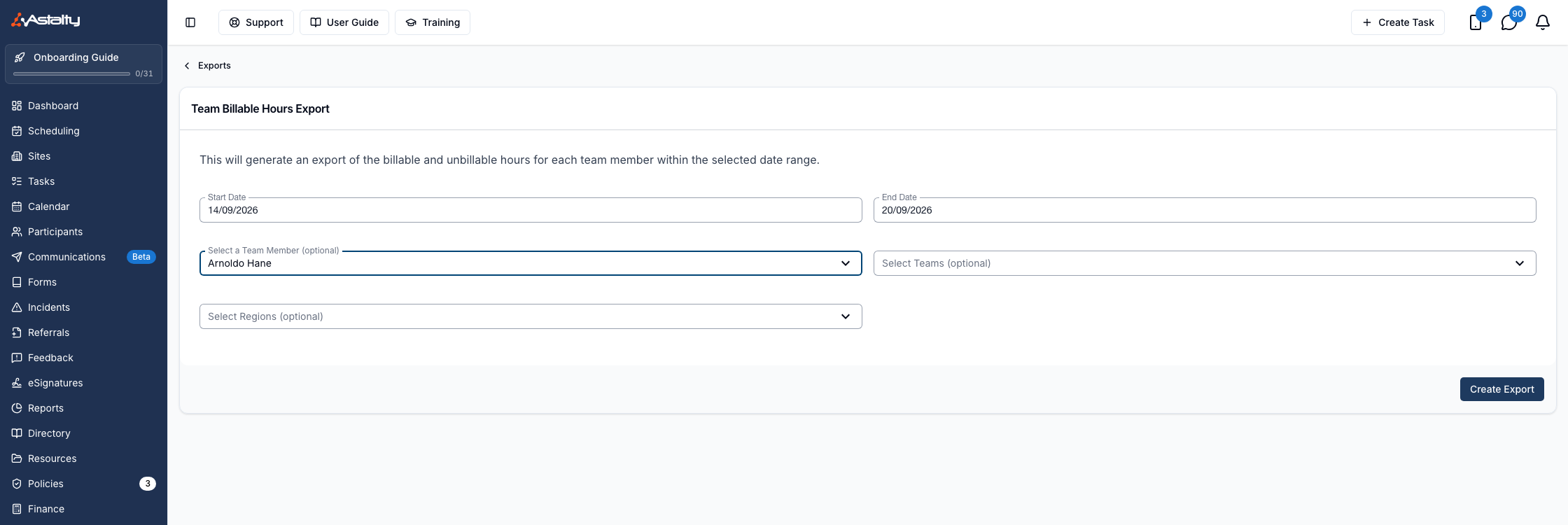
Selecting a deactivated team member in the Team Billable Hours export now includes their hours automatically. The Include deactivated users checkbox only shows when no team member is selected, since it no longer applies.
For more information, visit the Team Billable Hours Export guide.
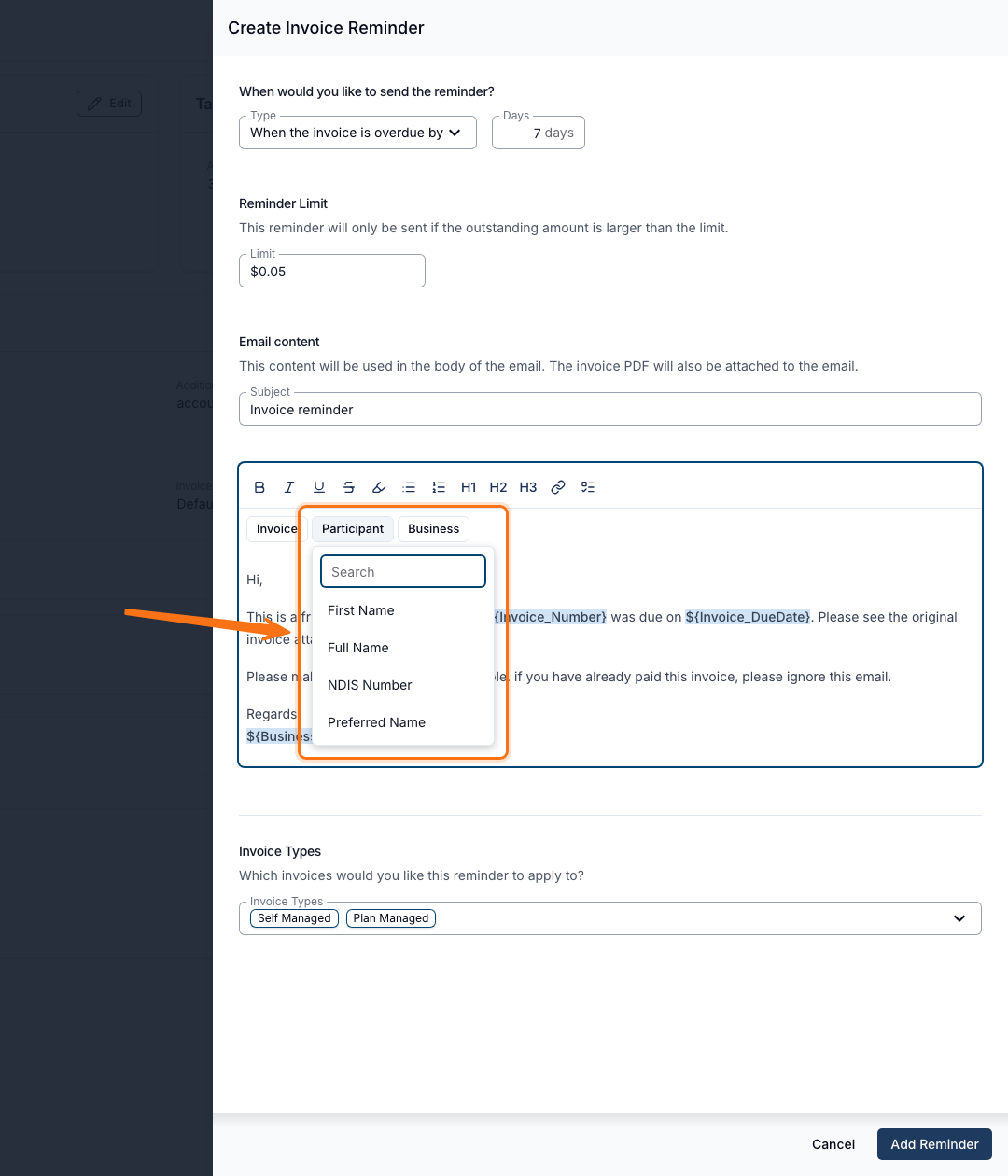
Participant Placeholders for Invoice Reminders
Invoice reminder emails can now include Participant placeholders - first name, full name, NDIS number and preferred name - so a reminder can greet the recipient by name instead of opening with a generic greeting.
For more information, visit the Invoice Reminders guide.
Team Billables Export: Unit Cost and Total Cost
The Team Billables export now includes Unit Cost and Total Cost columns, matching the Billable Charges Report. These columns only appear for roles with the Access Finance Module permission (Admin and Manager by default).
For more information, visit the Team Billables Export guide.
Exclude Team Member Names from Notes Export
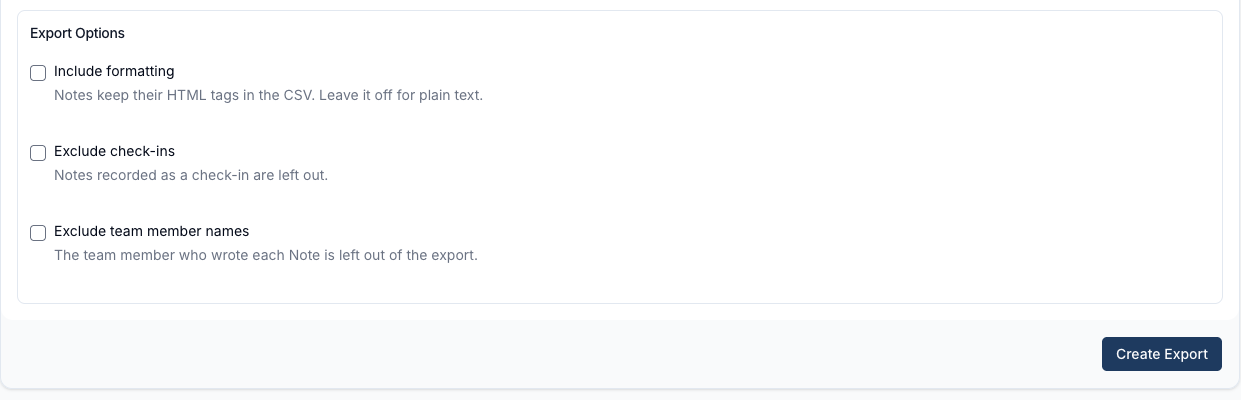
The Participant Notes Export now has an Exclude team member names option. Turning it on drops the author from the file - removing Created By from the CSV and Written By from each PDF note - making it easier to share the export with Participants or families.
For more information, visit the Participant Notes Export guide.
Group Channel Photos
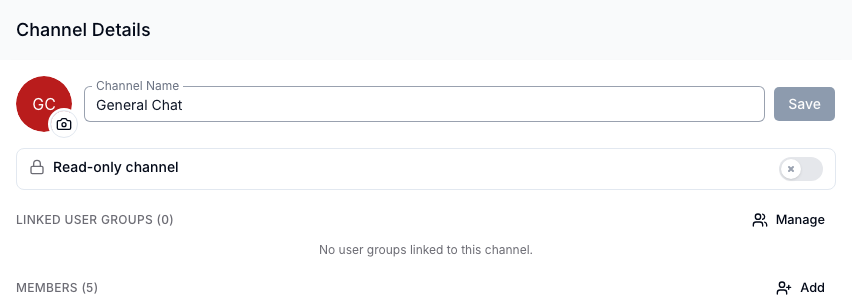
Group channels can now show a custom photo instead of coloured initials. Anyone who can rename the group - admins, by default - can set, change or remove it from Manage Channel, and it updates everywhere the channel appears: the chat list, the channel header and chat search.
For more information, visit the Group Channels guide.
Site Address Updates Now Sync to Scheduled Supports
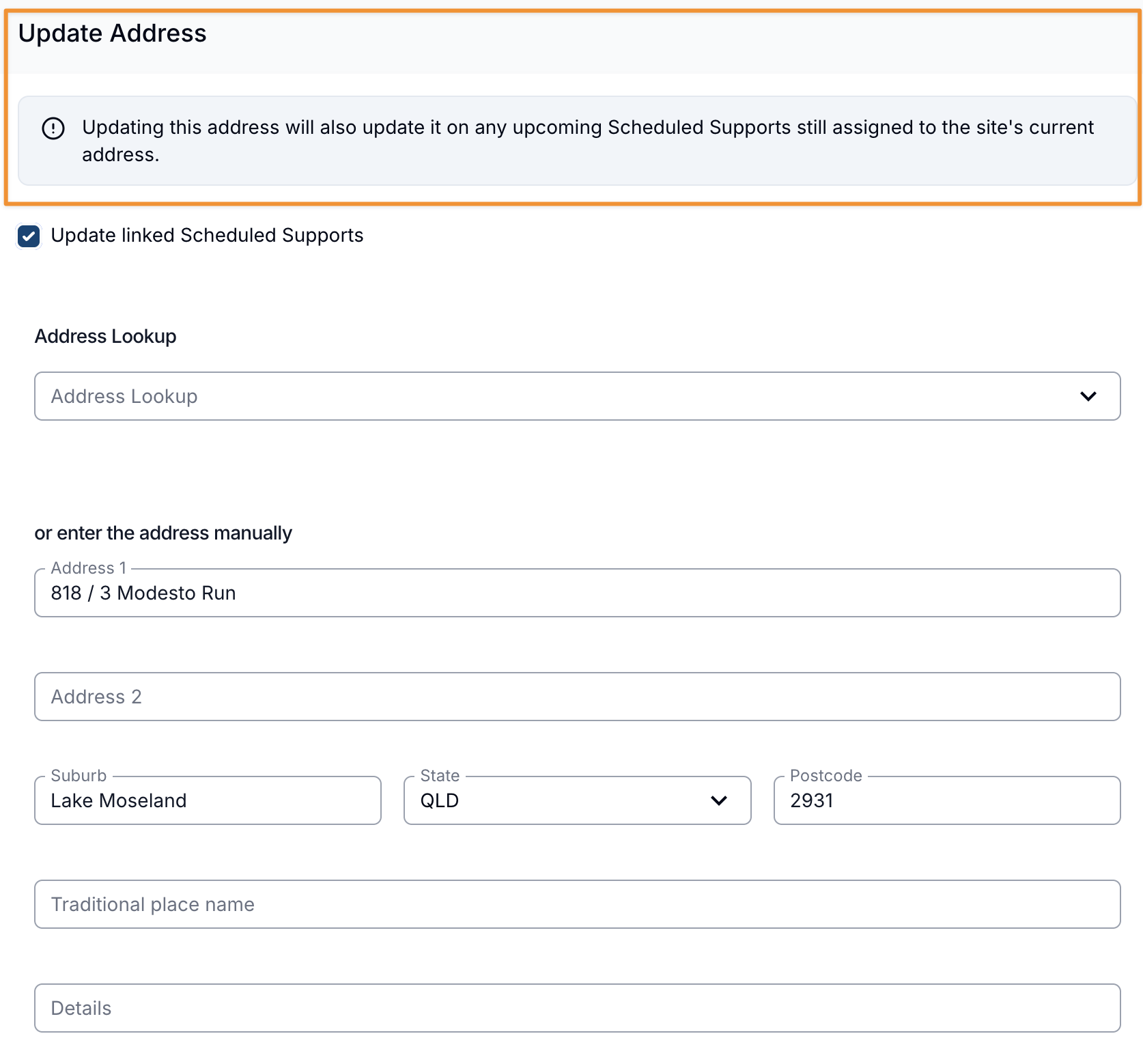
Updating a site's address now also updates any upcoming Scheduled Supports - 1:1 shifts and Group Supports - still linked to the site's previous address, so Support Workers see the new address in the mobile app. Untick Update linked Scheduled Supports, ticked by default, to change only the site's own address.
For more information, visit the Creating and Managing Sites guide.
Admin API Key and Webhook Access
The Account Owner can now grant an Admin Can manage API keys and webhooks, letting that Admin open the API Dashboard and manage the account's API keys and webhooks without being the owner. Only the Account Owner can grant or revoke this access.
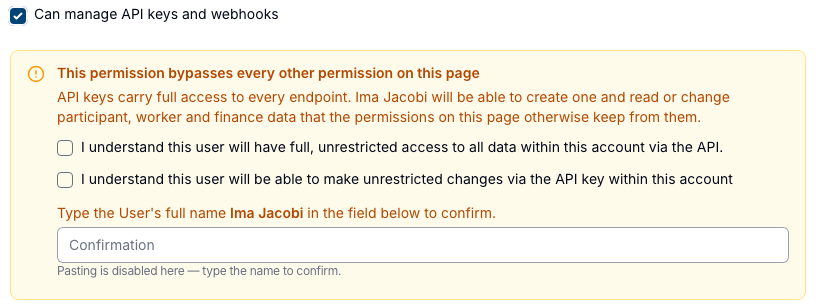
For more information, visit the Updating Roles and Permissions guide.
Outlook Add-In: Add Email to an Existing Task
The Astalty for Outlook add-in can now add an open email - plus an optional note and its attachments - to a task you already have, instead of always creating a new one. Use the new Existing task tab, or the ⋮ → Add this email shortcut on a linked task.
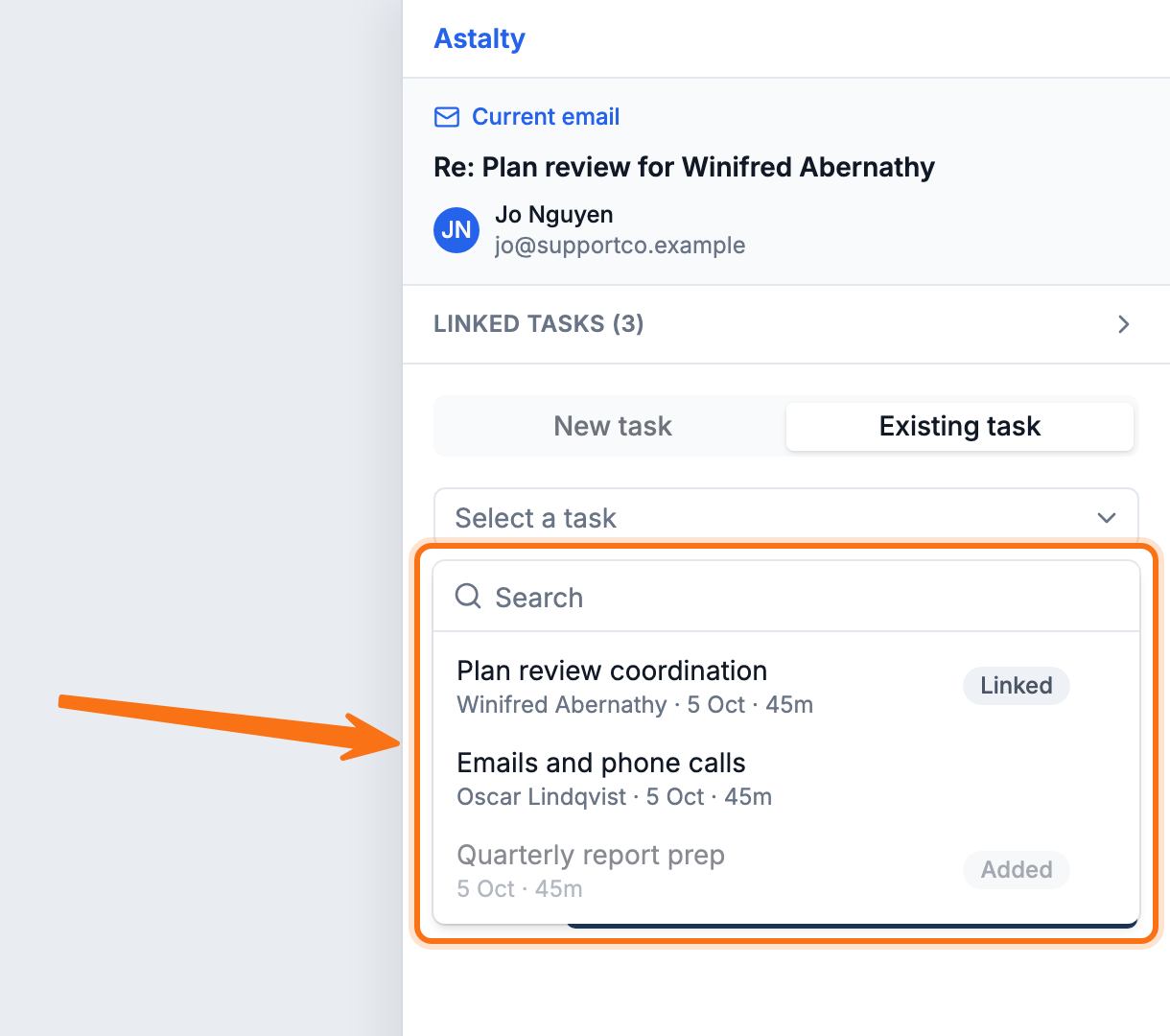
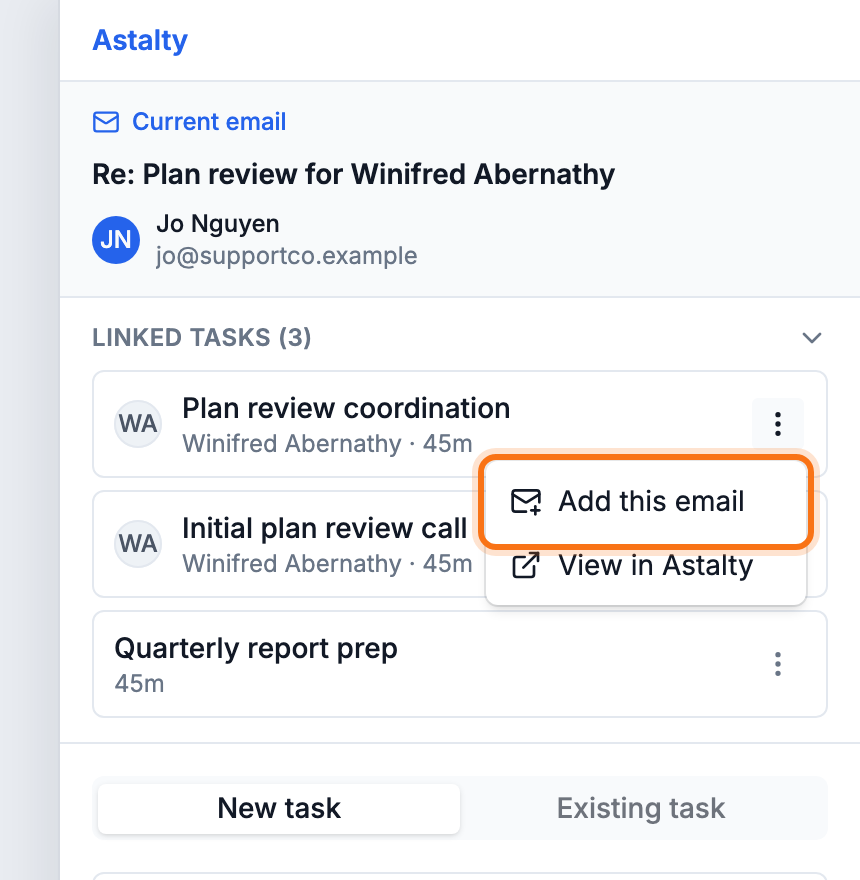
For more information, visit the Astalty for Outlook guide.
Incident Report PDFs
Incident report PDFs - from a single incident or a bulk Incidents Export - can now include an Action Plan listing the incident's action items, each with its assignee, due date and status. It's on by default once Action Items is enabled.
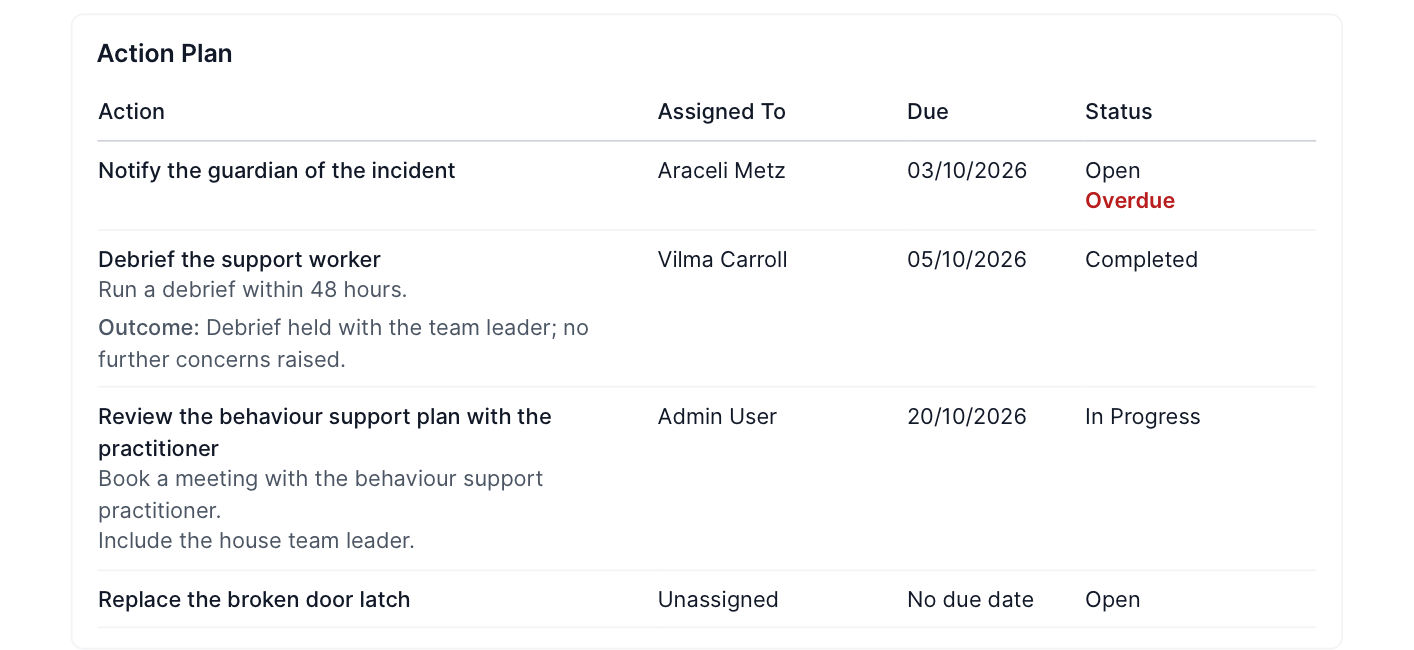
For more information, visit the Incident Follow Up guide.
Region Filter for Create Invoice Batch
Creating an invoice batch now lets you filter the charge list by Region before generating the draft, matching the Region filter already on the Invoices and Invoice Batches lists.
For more information, visit the Invoice Batches guide.
Outlook Add-In: Smarter Attachments and Dark Mode
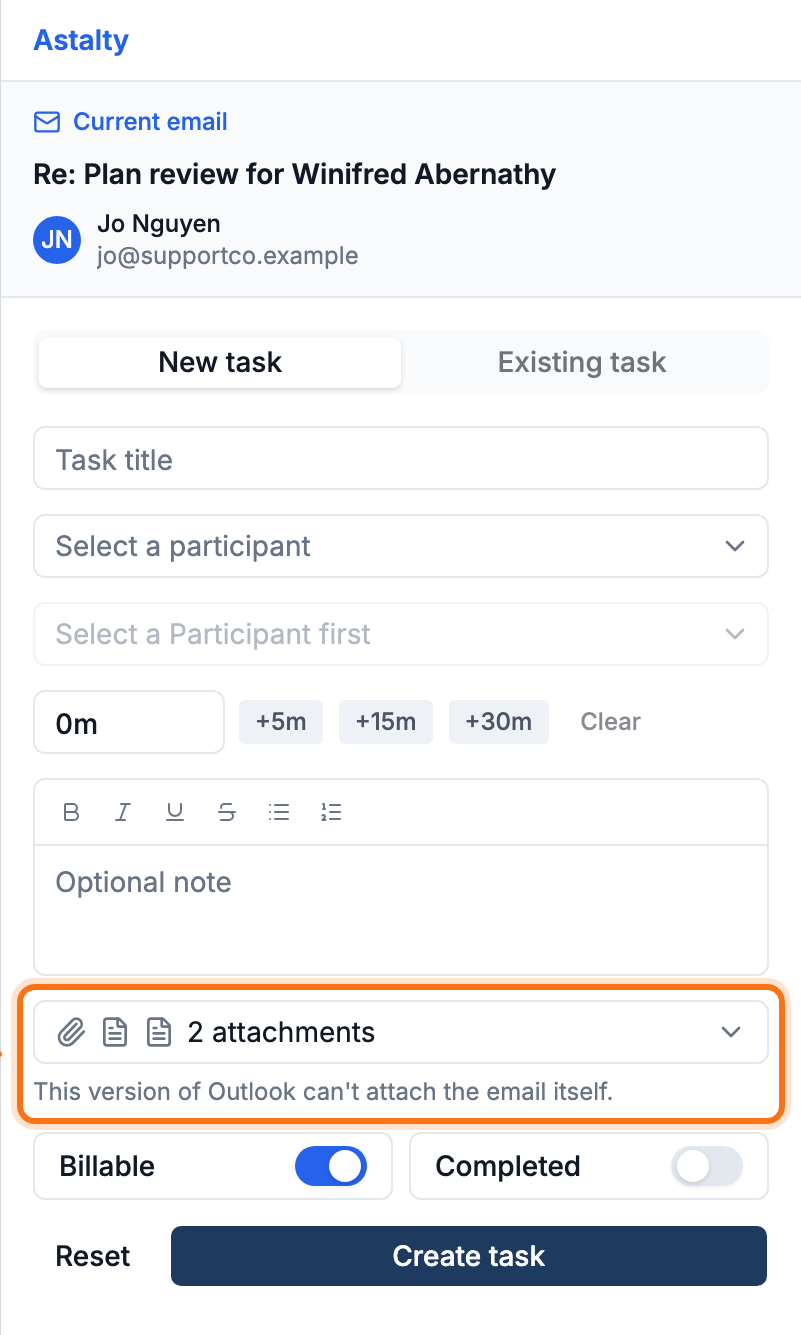
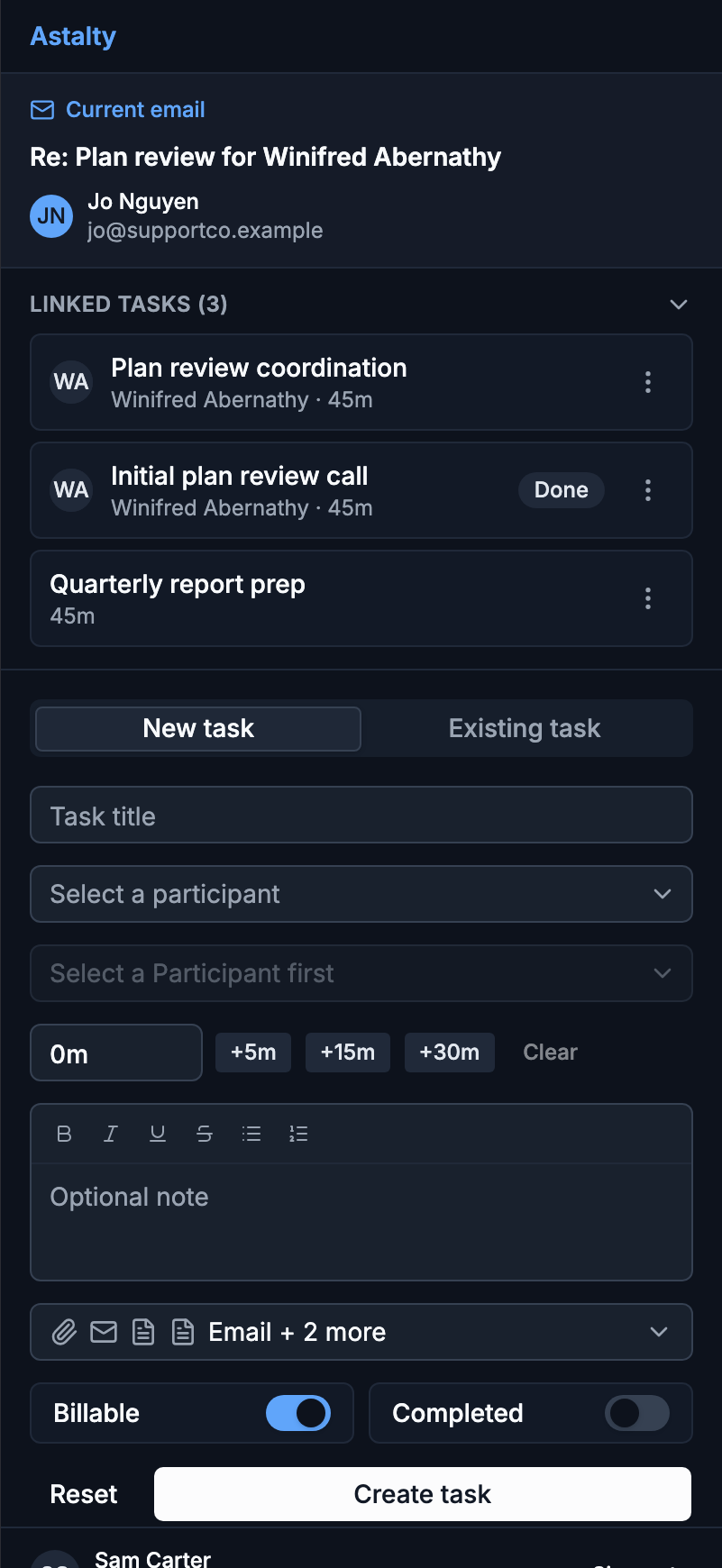
The Astalty for Outlook panel now checks upfront what your Outlook version can attach, showing a clear message instead of failing silently after the task is saved, and remembers your attach choices separately on each computer. The panel also now matches Outlook's light or dark theme automatically.
For more information, visit the Astalty for Outlook guide.
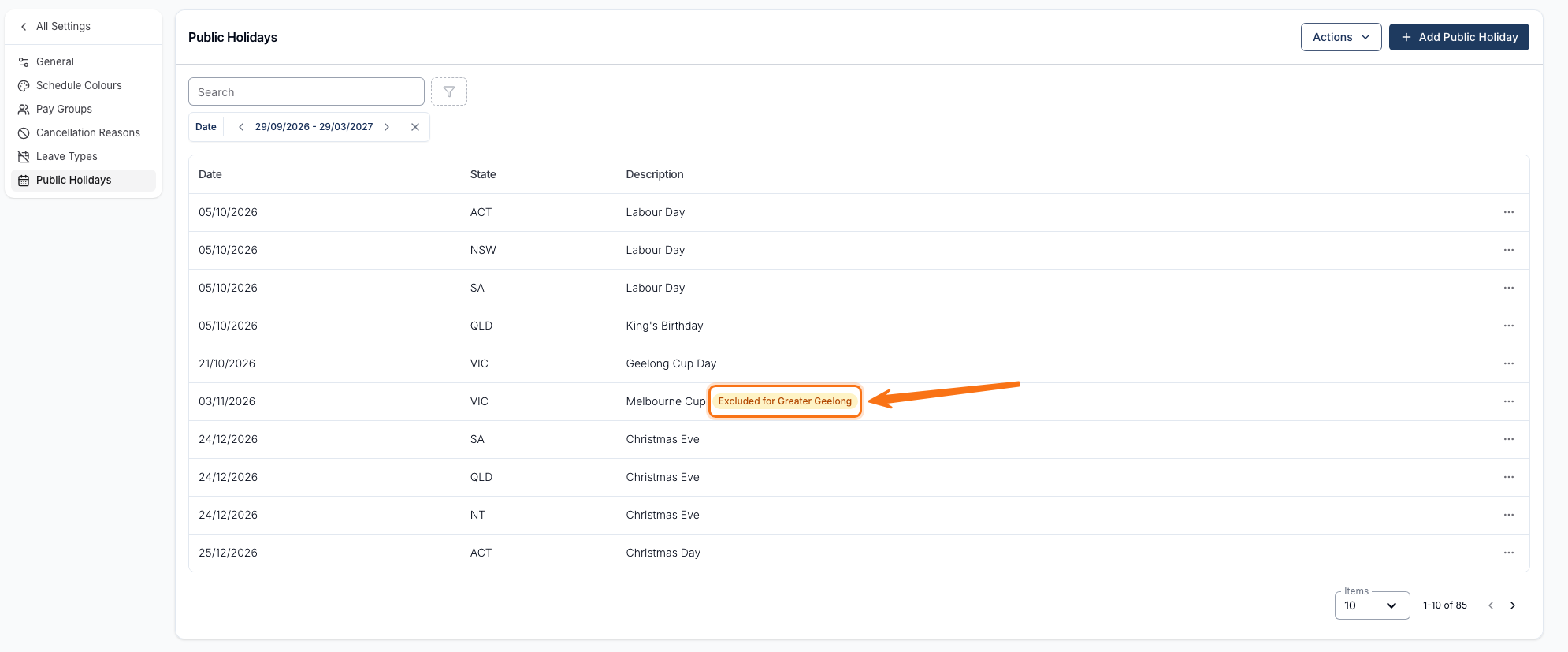
Excluding a State Public Holiday for a Group
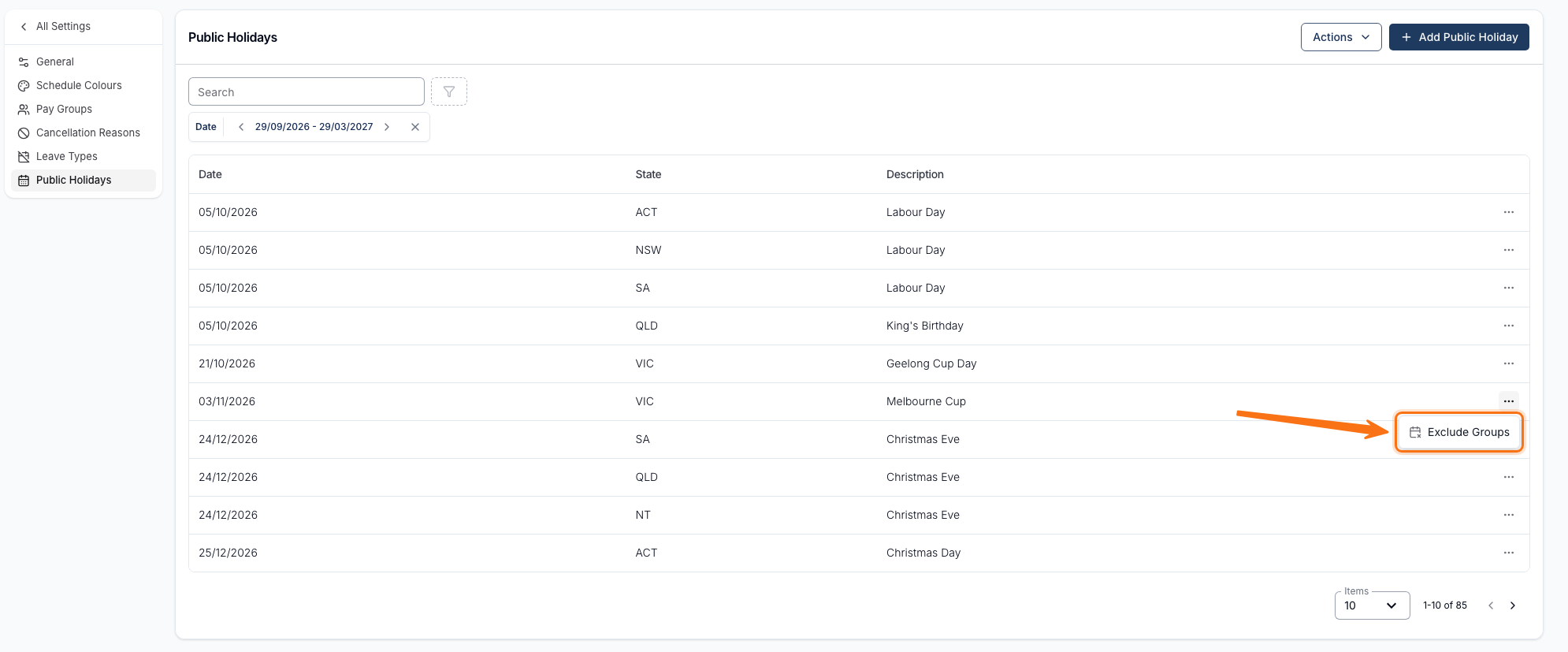
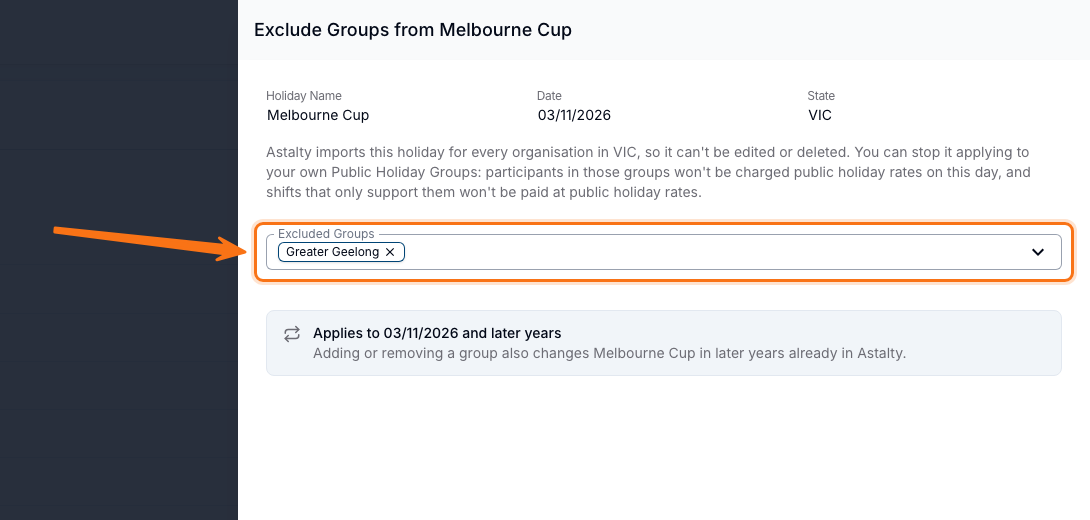
A state public holiday can now be excluded for specific Public Holiday Groups, so it still applies everywhere else in the state. Participants in an excluded group aren't charged public holiday rates that day, and a shift only supporting them isn't paid at public holiday rates either.
For more information, visit the Public Holidays guide.
Goals as a Table in Document Templates
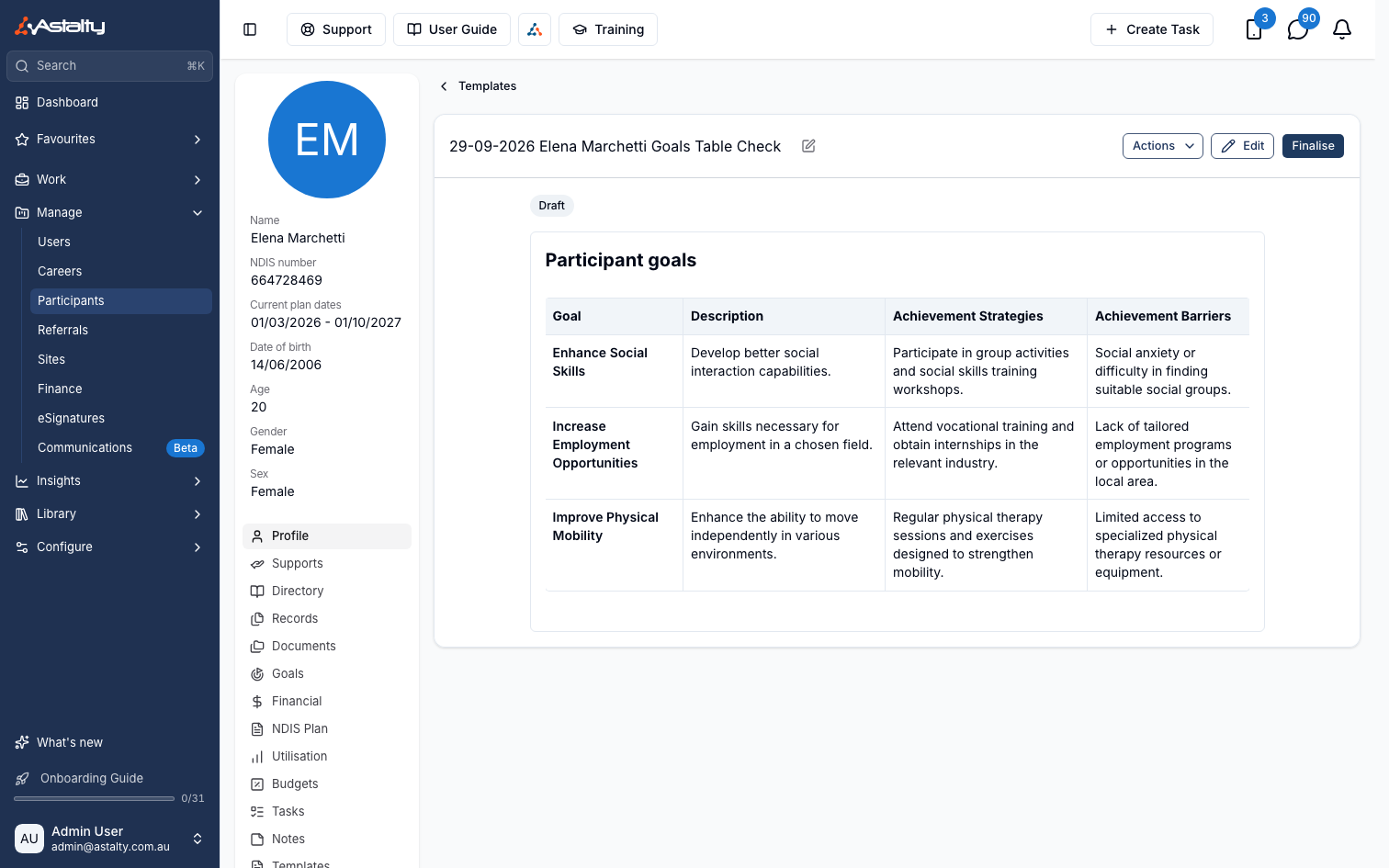
Document templates can now lay a Participant's Goals out as a table - one row per Goal, with Goal, Description, Achievement Strategies and Achievement Barriers columns - alongside the existing bulleted list.
For more information, visit the Goals guide.
Site Manager Alerts for Unread Participant Records
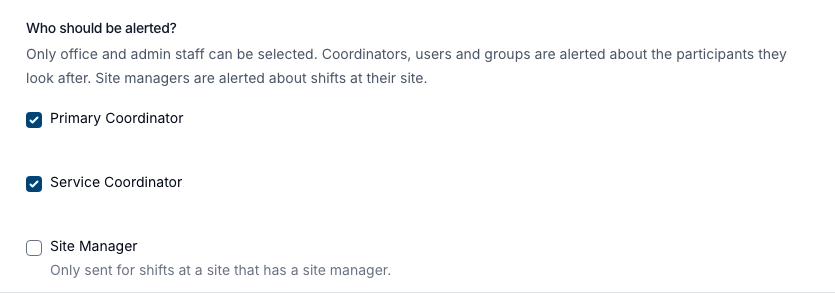
The Participant Record Acknowledgement Escalation Notification can now alert a Site Manager when a Support Worker hasn't read a Participant's records before a shift at that manager's site.
For more information, visit the Participant Record Acknowledgement Escalation Notification guide.
Aged Receivables Report CSV Export
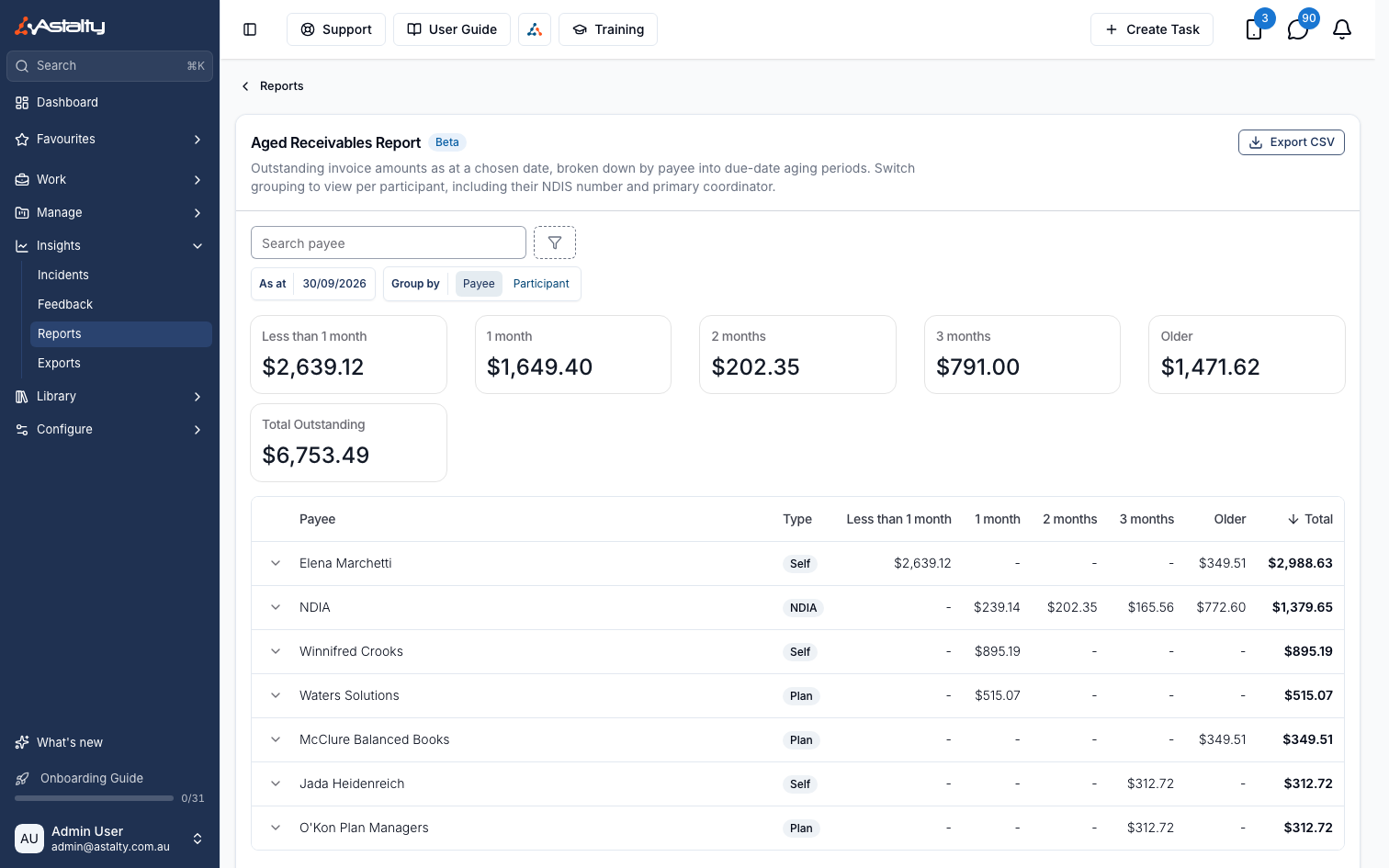
The Aged Receivables Report can now be exported to CSV, downloading the report's totals - for the chosen date, grouping and filters - instead of rebuilding them from another export.
For more information, visit the Aged Receivables Report guide.
Bulk Deleting Shifts
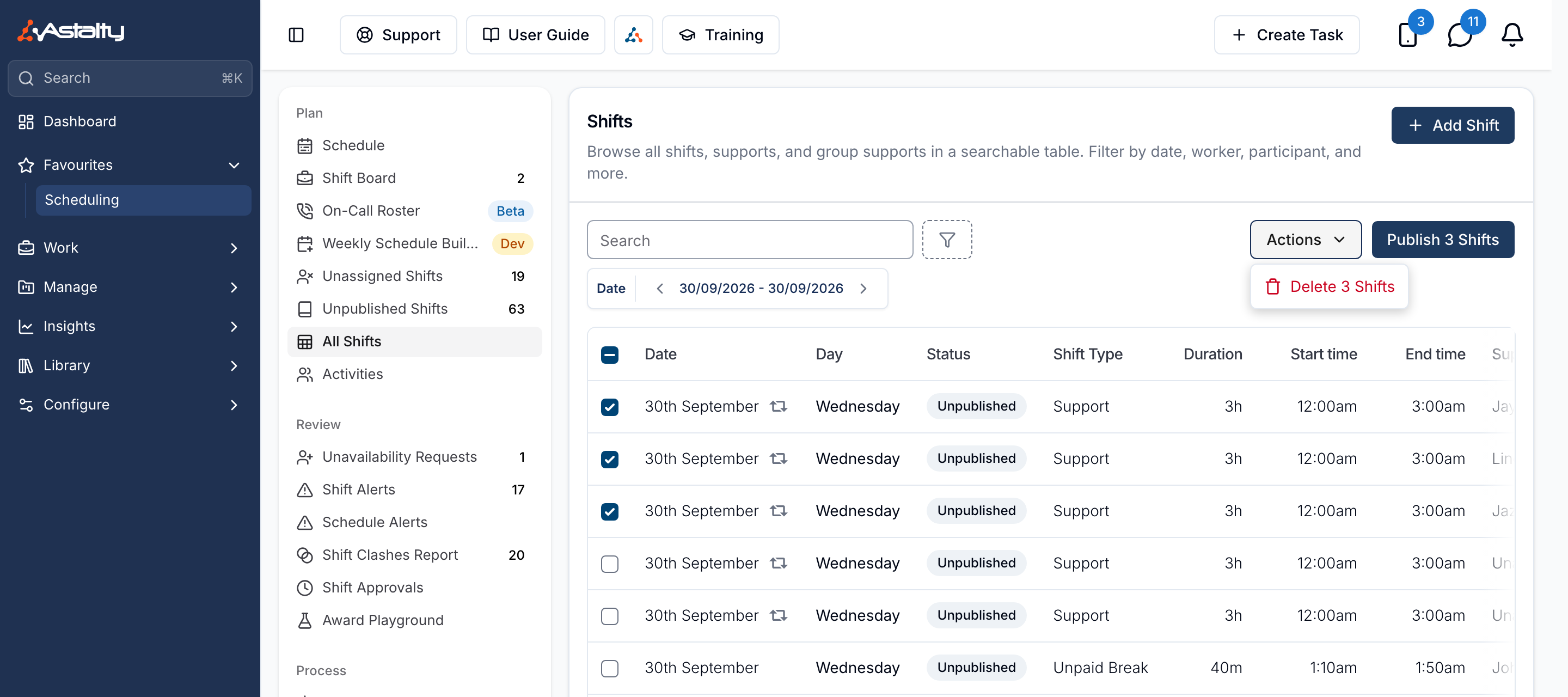
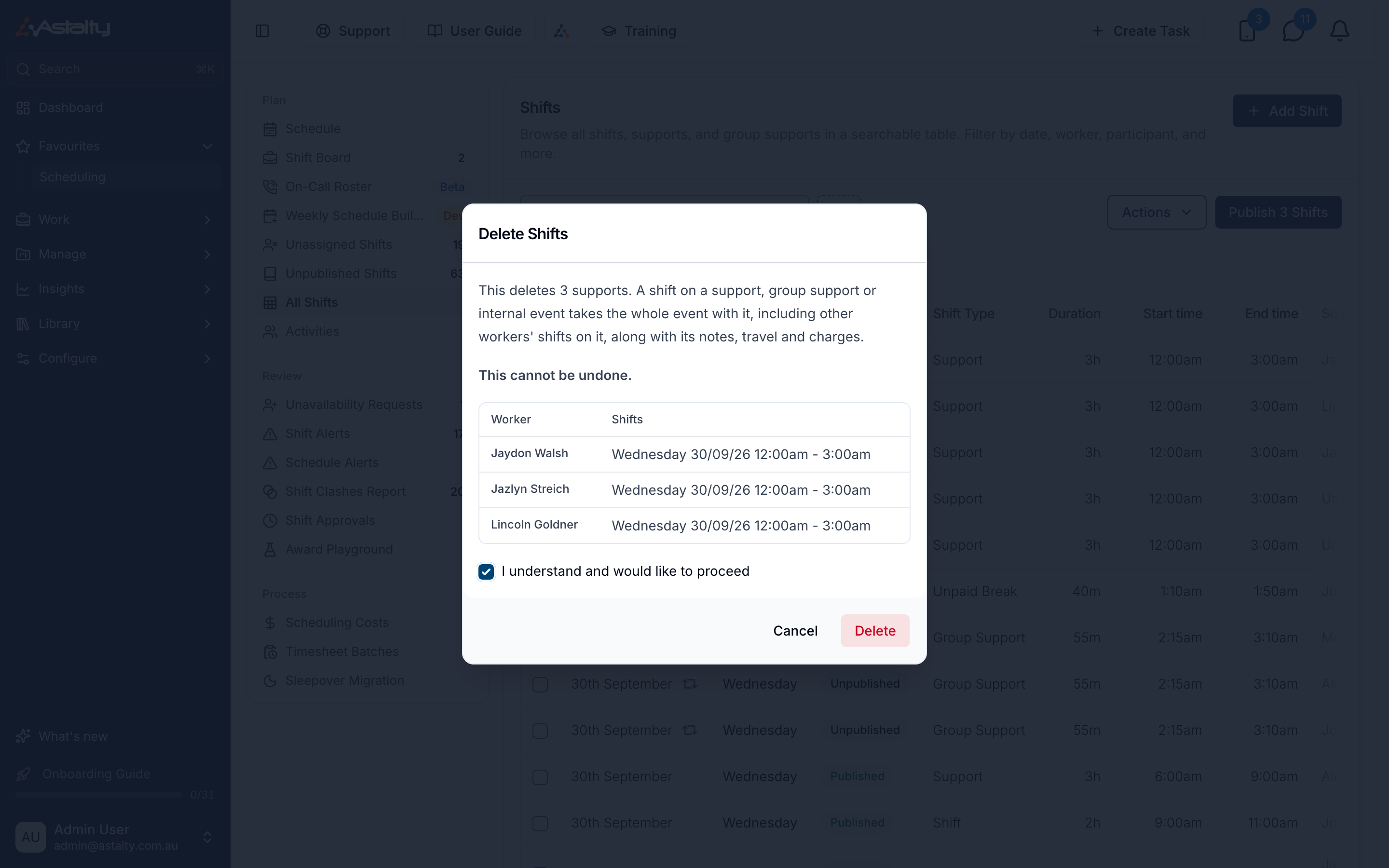
Admins and Managers with Scheduling access can now select shifts on the All Shifts page and delete them all at once via Actions → Delete, instead of removing them one at a time. Deleting a shift that's part of a Support, Group Support or Internal Event removes the entire event, and a confirmation dialog lists everyone affected before anything is removed.
For more information, visit the Published and Unpublished Shifts guide.
Hours Summary on the PDF Shifts Export
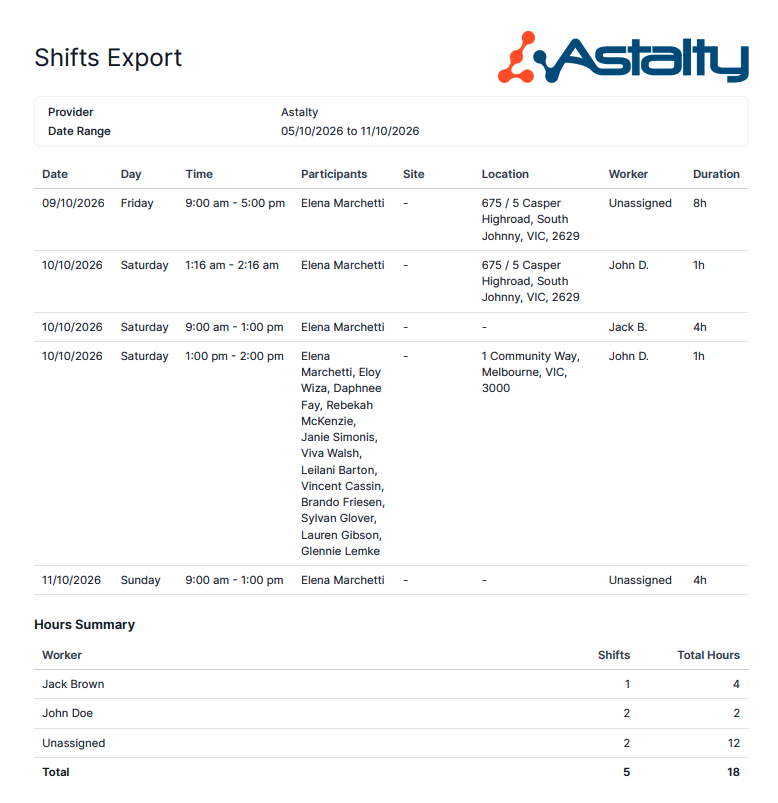
The PDF Shifts Export now ends with an Hours Summary: each worker's shift count and total scheduled hours for the date range, plus a grand Total row. Workers are listed by full name, sorted alphabetically with Unassigned last. Exports over 200 shifts are split into multiple PDFs, with the summary only on the final one.
For more information, visit the Shifts Export guide.
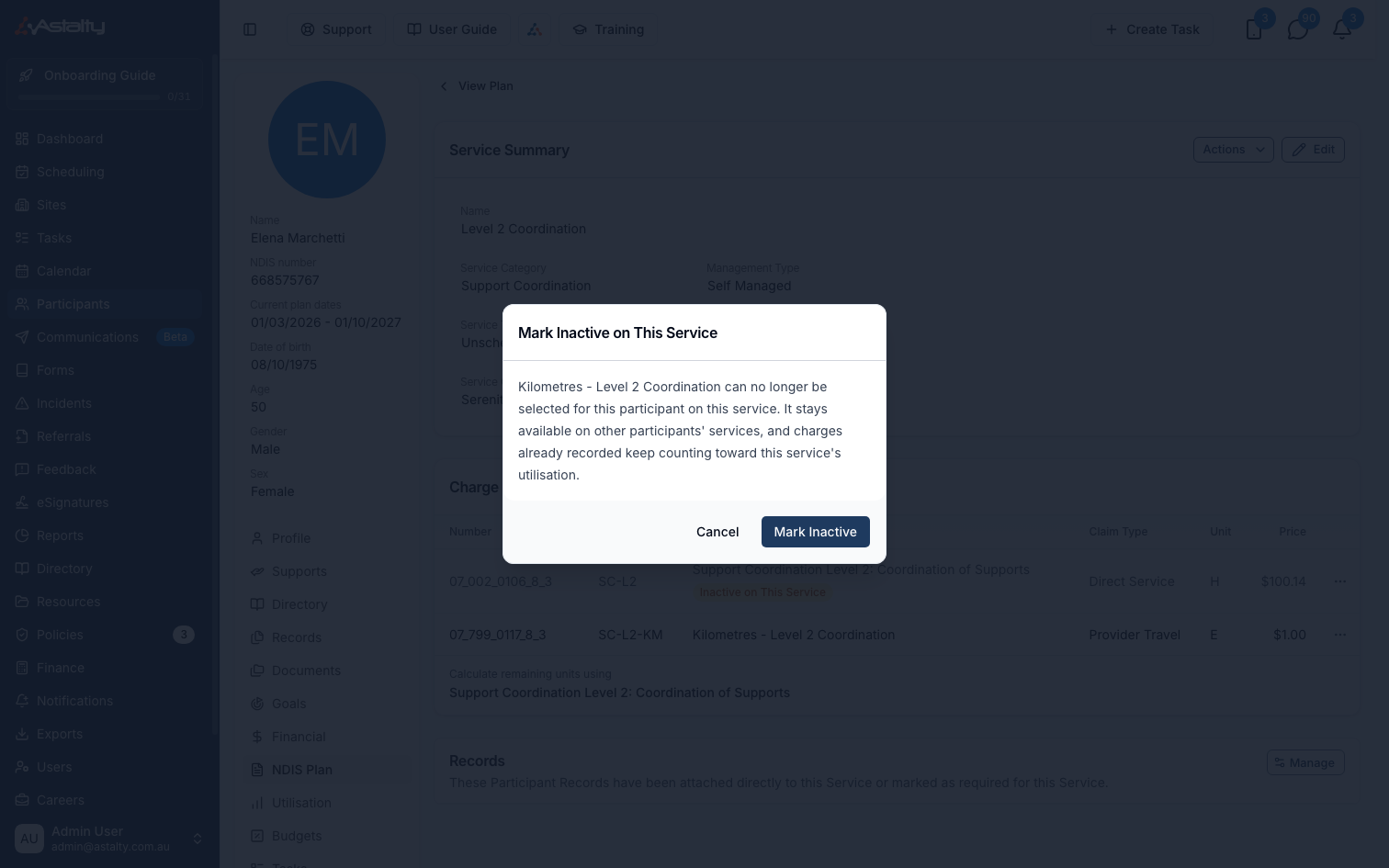
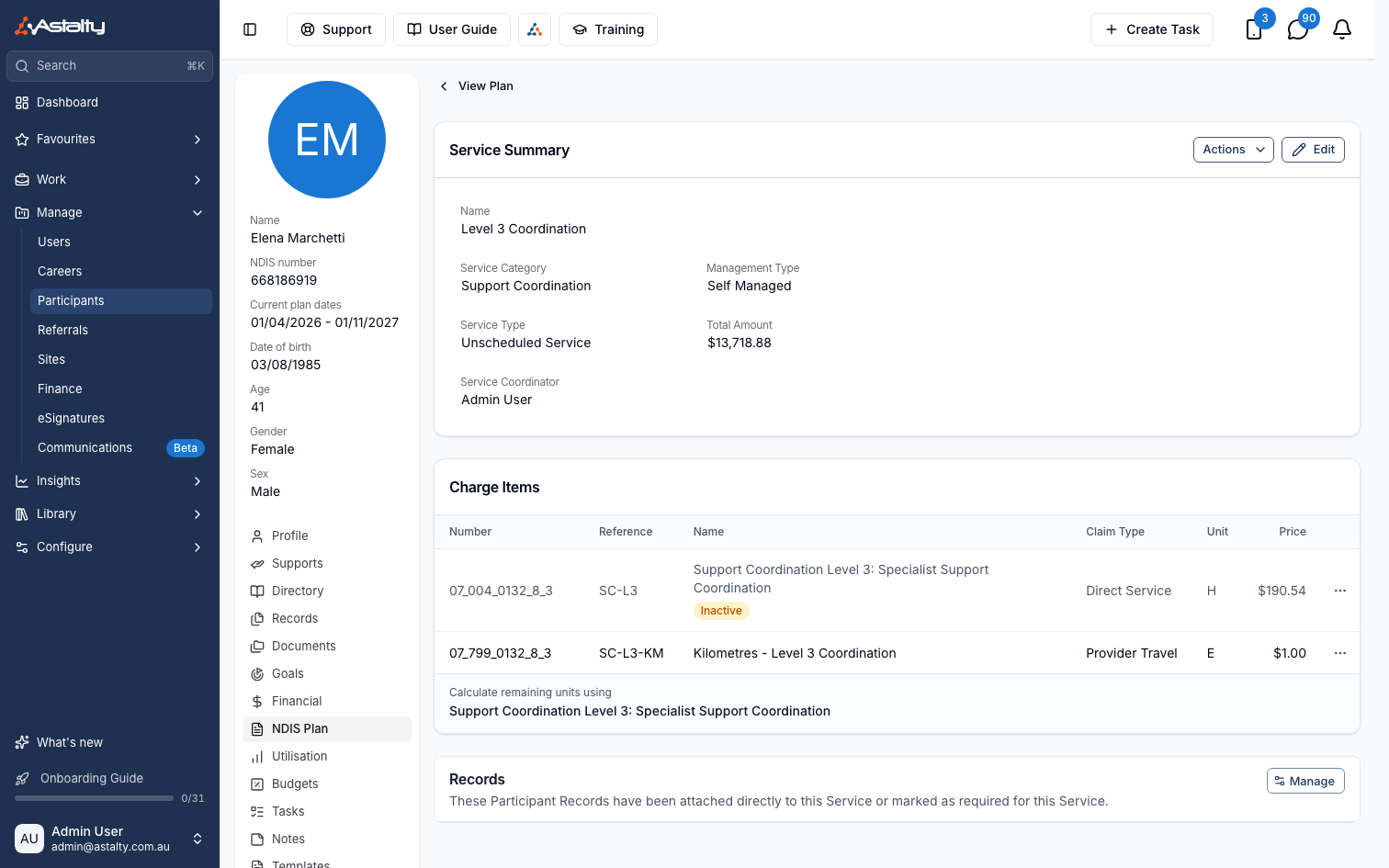
Marking a Charge Item or Charge Item Set Inactive on a Service
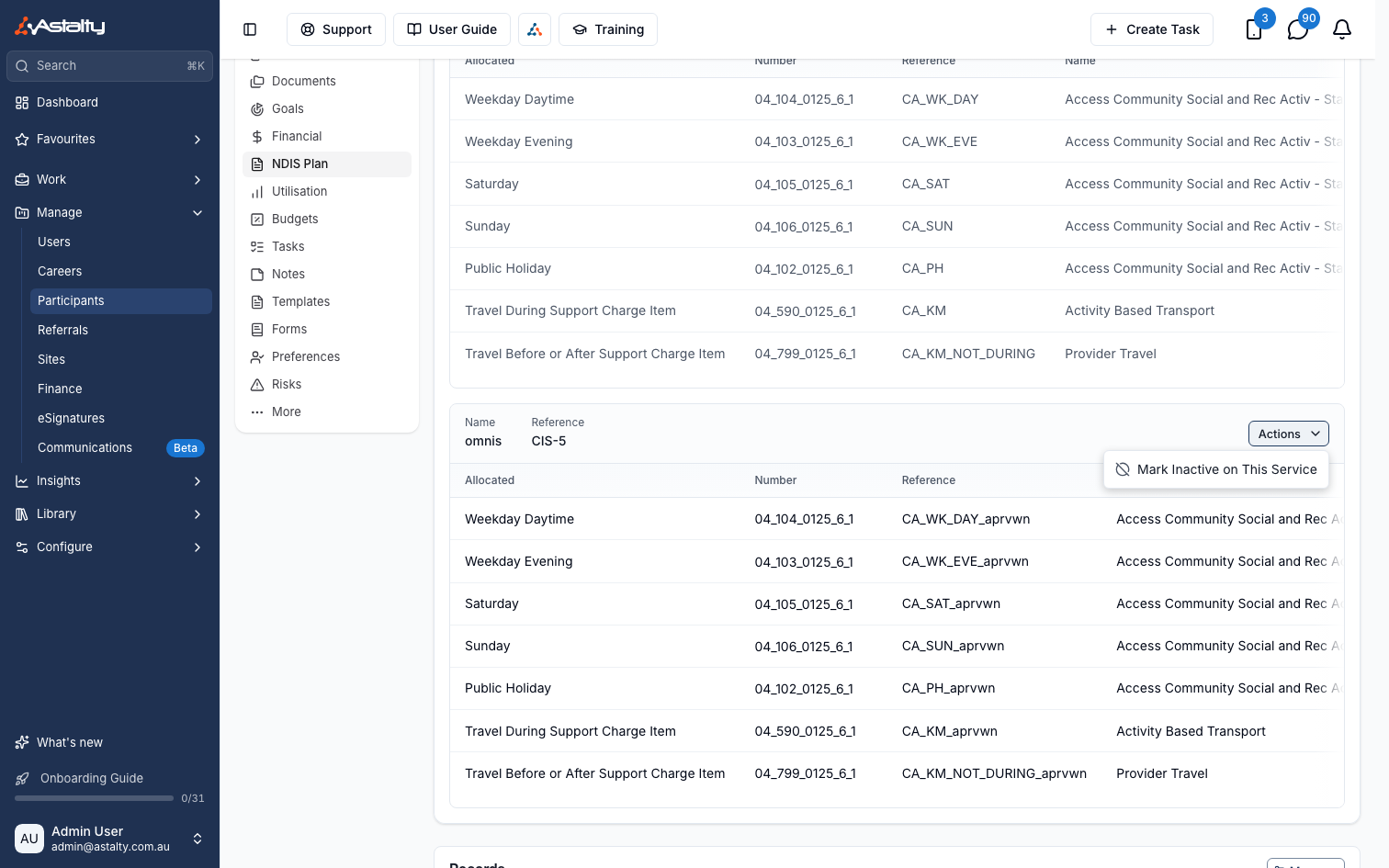
A Charge Item or Charge Item Set can now be marked inactive on a single Participant's Service, stopping it being used for that Participant while it stays available to everyone else and past charges keep counting towards Utilisation.
For more information, visit the Services guide.
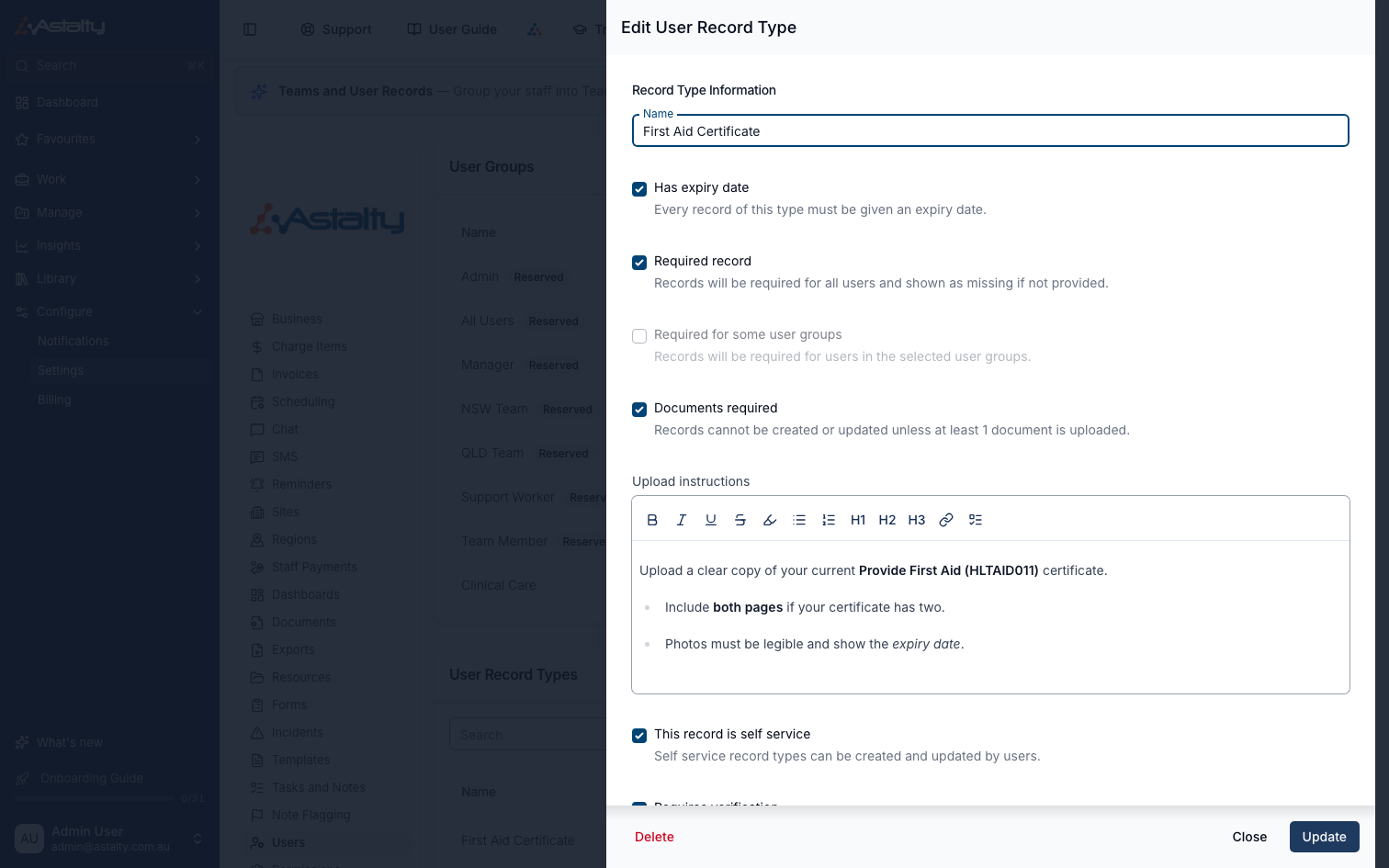
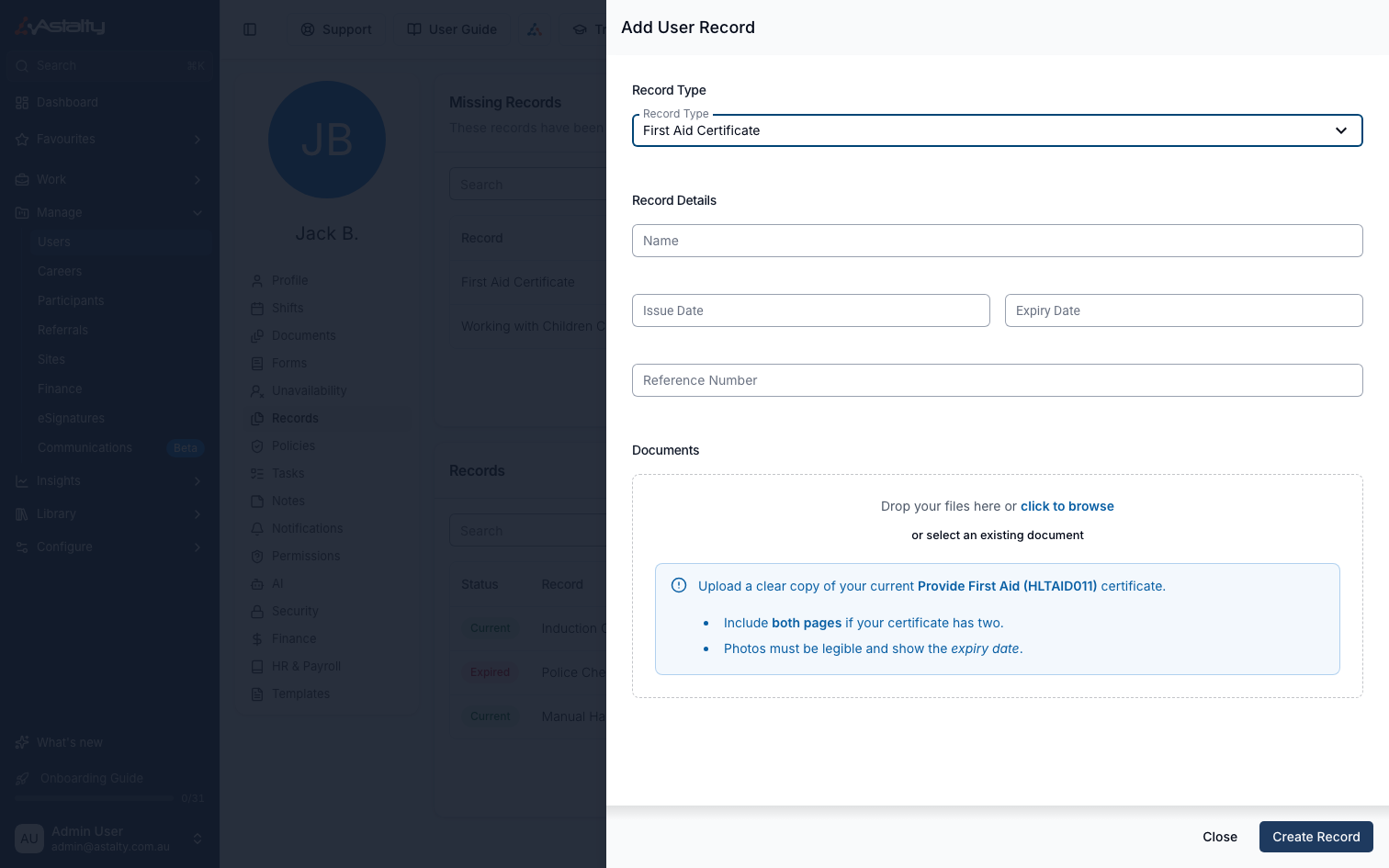
Upload Instructions on User Record Types
A User Record Type can now include formatted Upload Instructions. When set, they show as a note inside the document upload box whenever someone adds or edits a Record of that type, as long as the Record Type requires a document.
For more information, visit the User Records guide.
Capacity Report Export
The Capacity report can now be downloaded as a CSV, with one row per Service and the team member's Billable Target and Billable Capacity repeated on each row. Optional filters narrow it to specific Team Members, Teams or Regions, or apply the Fallback to Primary Coordinator setting.

For more information, visit the Capacity Export guide.
Role Settings Shown on a User's Permissions Tab
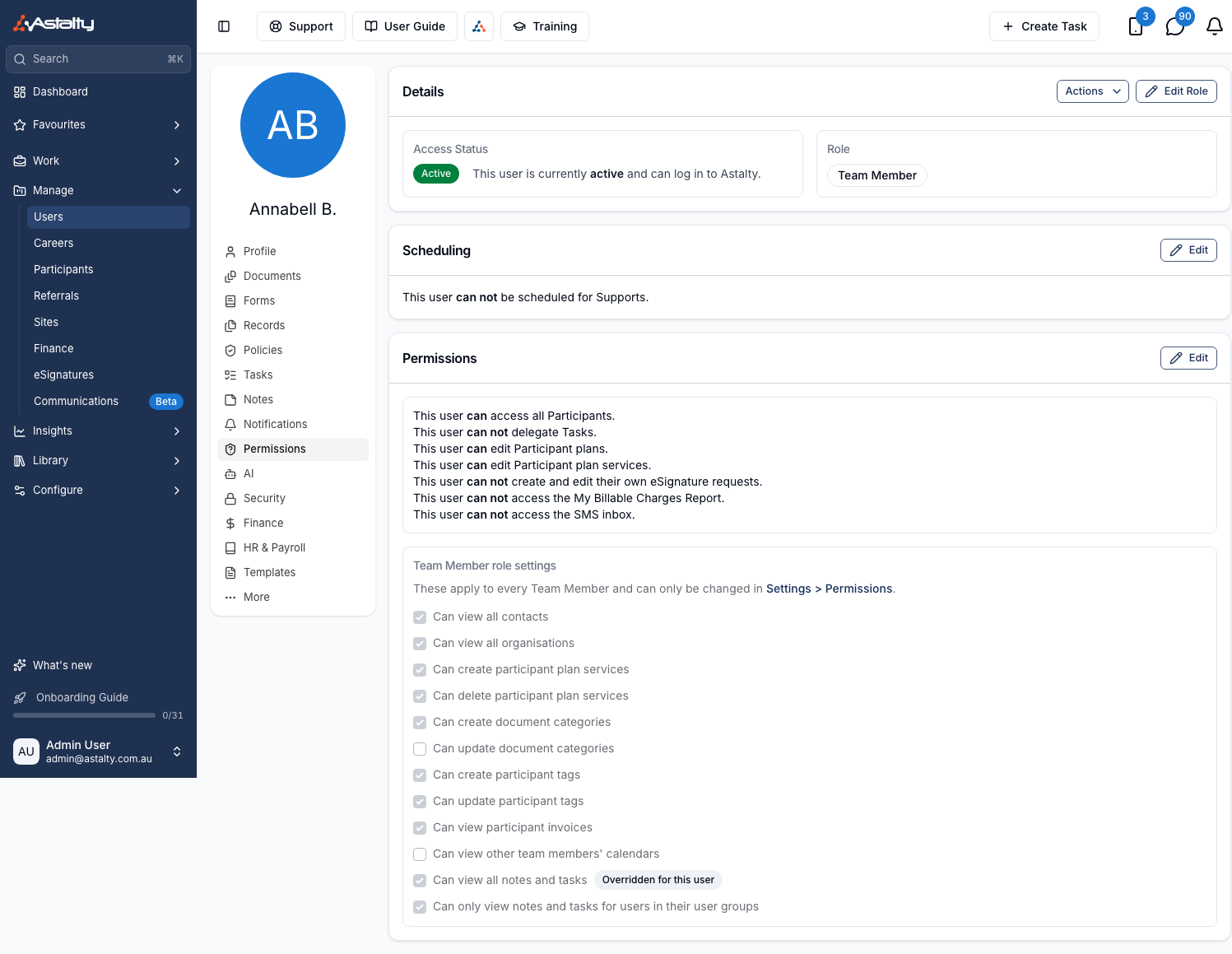
A user's Permissions tab now shows a read-only box listing their role's whole-role settings from Settings > Permissions, named for their role. Any row overridden just for that user carries an Overridden for this user chip, showing their actual permission instead of the role default.
For more information, visit the Updating Roles and Permissions guide.
Pricing Shown Before Enabling SMS
The Enable SMS screen now shows a Pricing section - the dedicated number's cost for your current billing period, and the per-segment cost for outbound messages - before you read and agree to the terms.
For more information, visit the Two-Way SMS guide.
Years of Experience Report
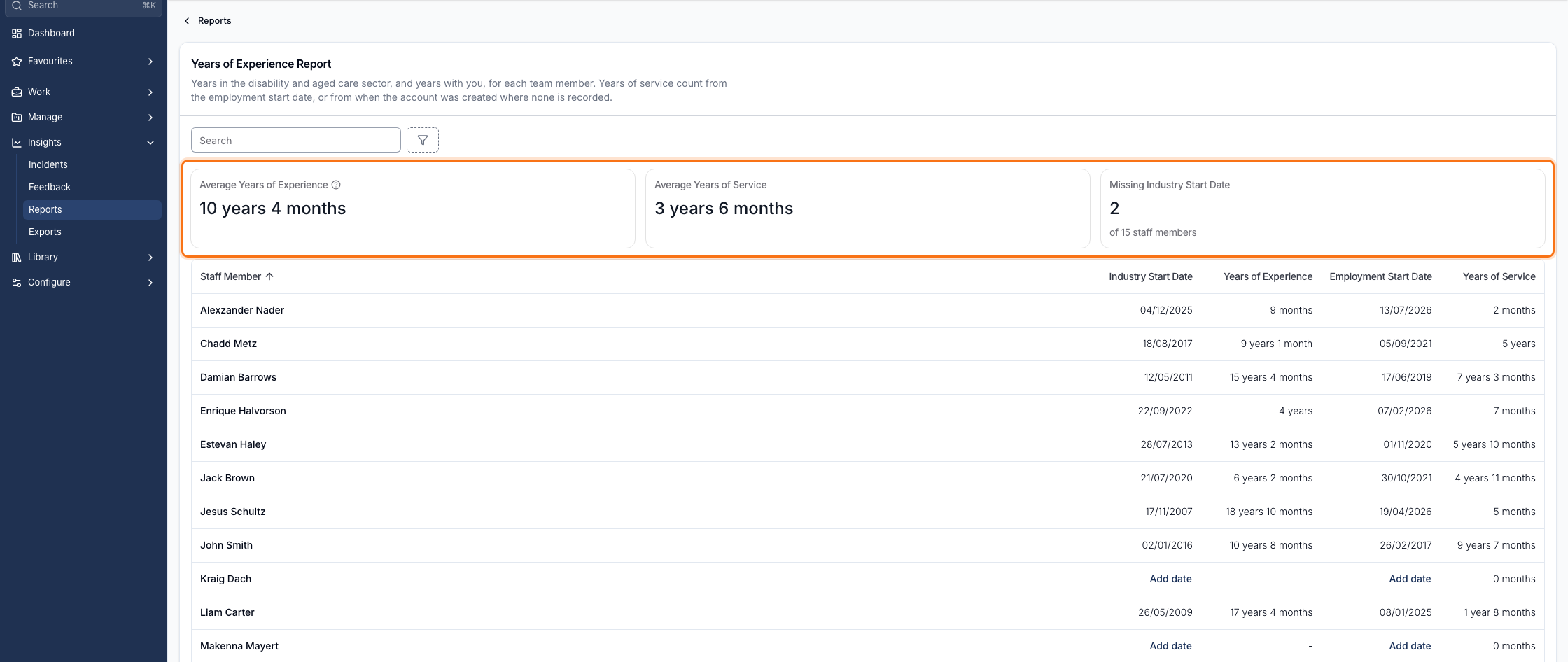
Where your account is subscribed to Premium, a new Years of Experience Report is available to Admins, showing each team member's years of experience in disability and aged care and years of service with you, with workforce averages useful for tenders. Set a team member's Industry Start Date on their profile to count it towards their figures.
For more information, visit the Years of Experience Report guide.
Exempting a Worker from Location Data
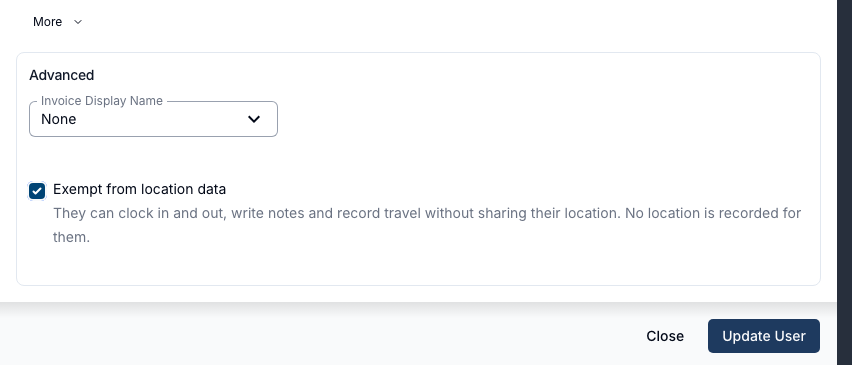
A single Support Worker can now be exempted from Require Location Data, so they can clock in and out, write notes, and record travel without sharing their location - even while the setting stays on for everyone else. Turn it on from More → Advanced on the worker's profile.
For more information, visit the Updating User Profiles guide.
Approved Kilometres on the Supports Report
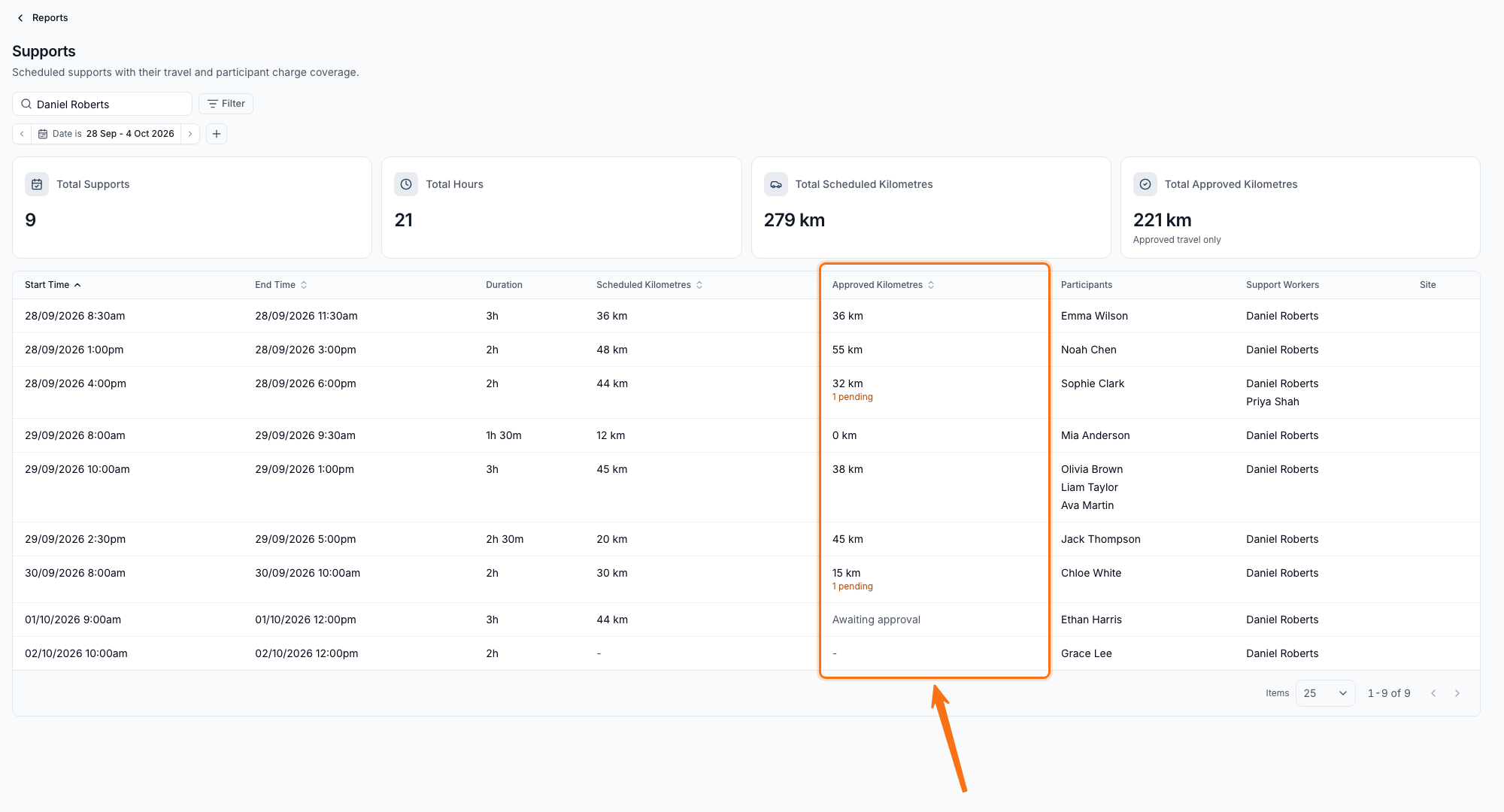
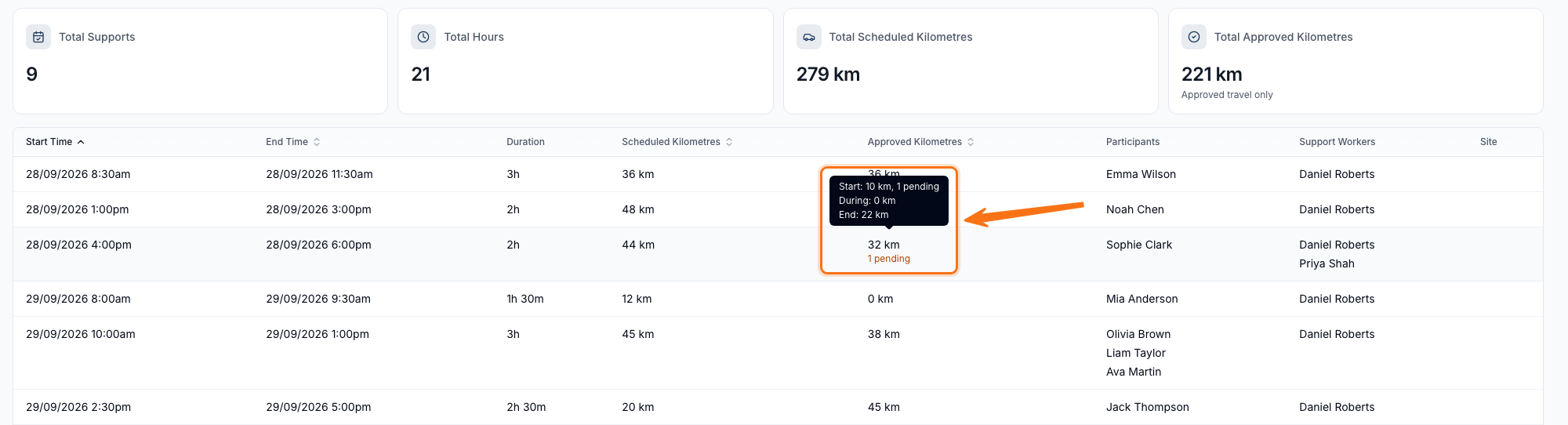
The Supports Report now shows an Approved Kilometres column alongside the renamed Scheduled Kilometres column, so you can compare what was scheduled against what was actually approved at shift review. Hovering over either figure breaks the total down by Start, During and End legs.
For more information, visit the Supports Report guide.
Referral Notification Email Details
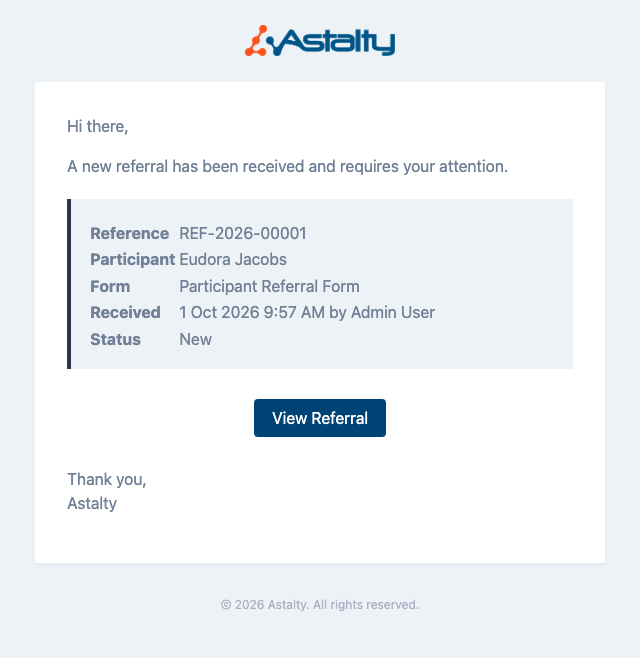
The referral notification email now leads with the referral reference number and includes a details panel summarising the Reference, Participant, Form, Received and Status, so staff can see what's needed without logging in.
For more information, visit the Referral Notifications guide.
Sleepover Bed Icon
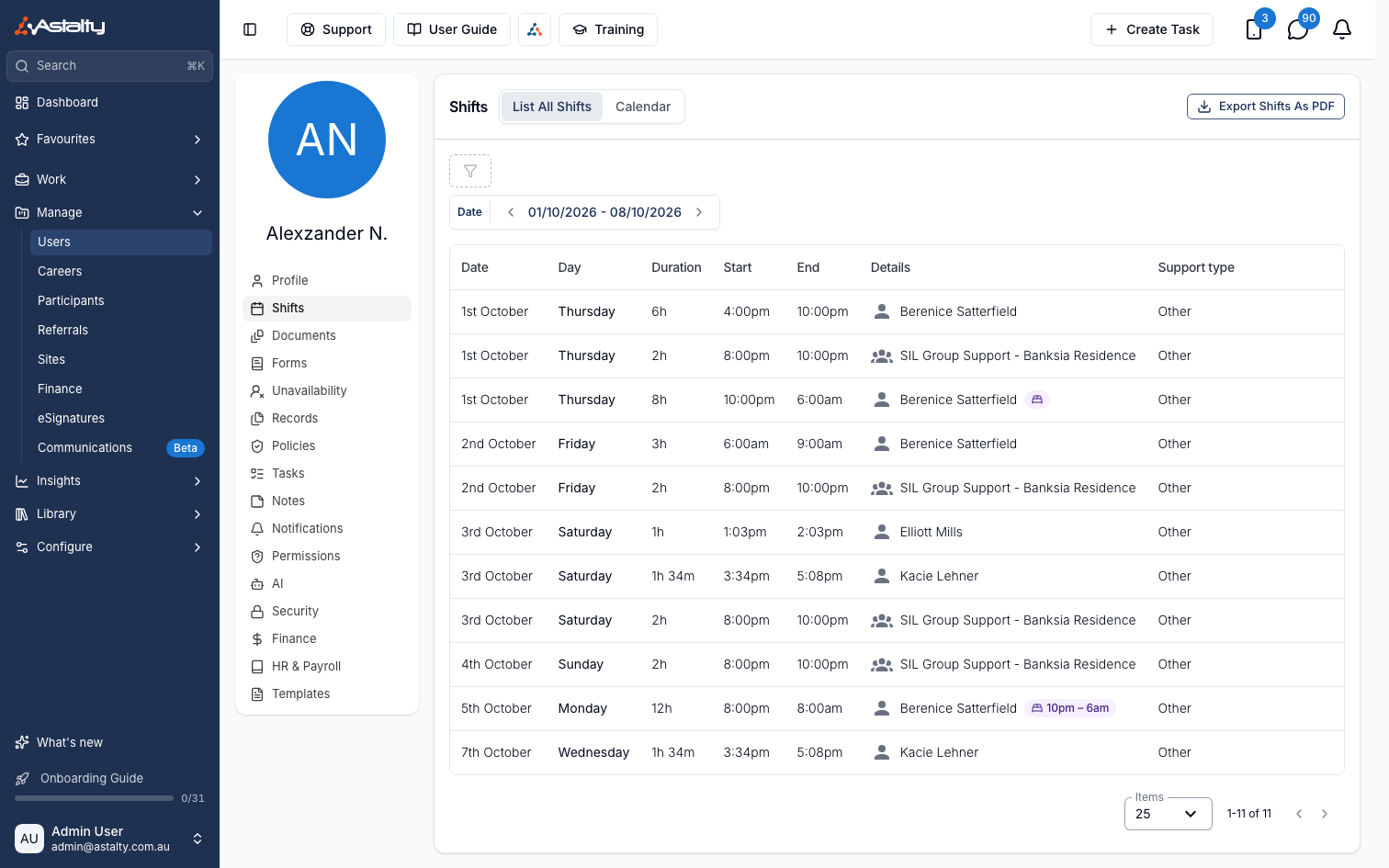
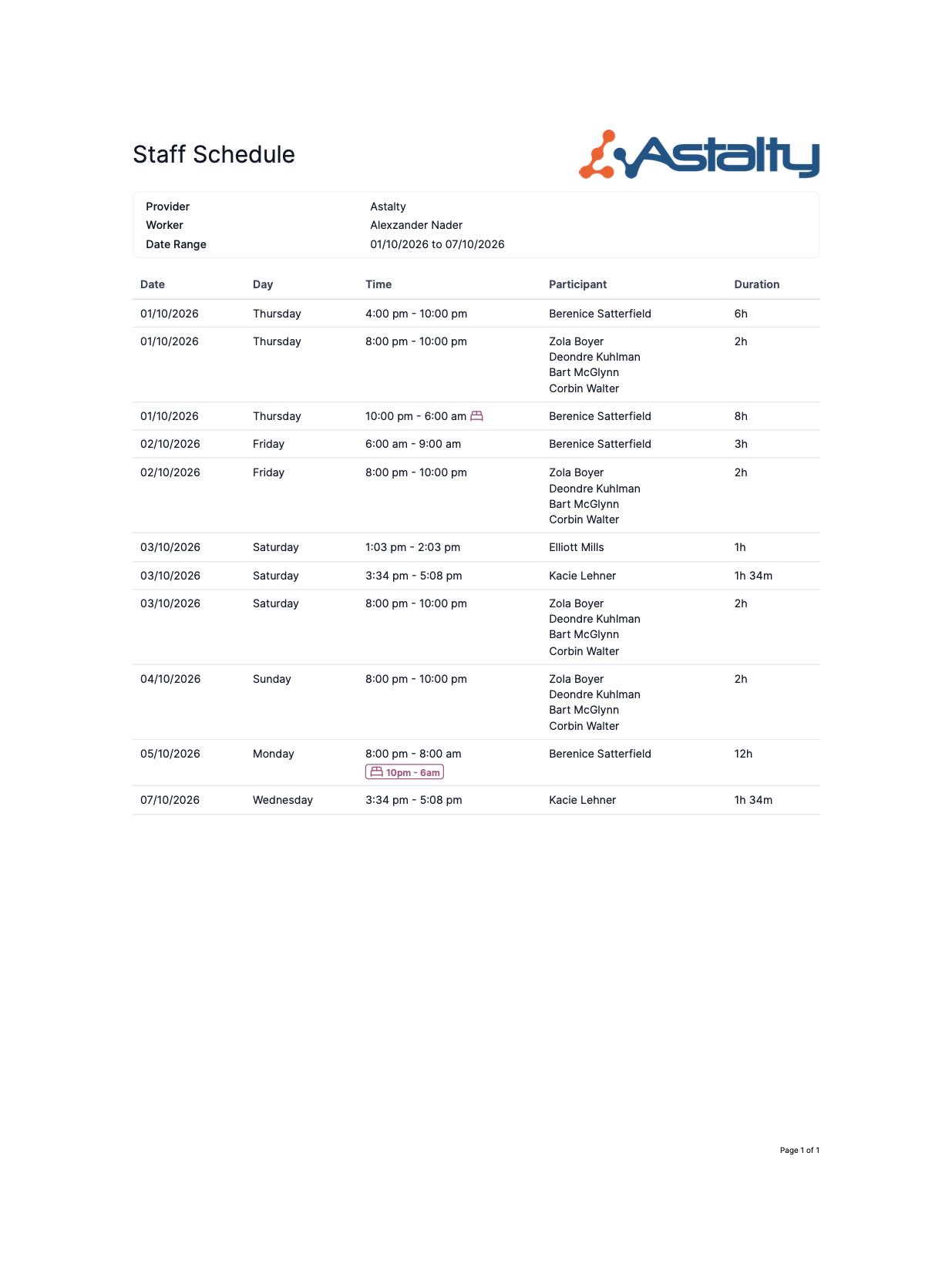
Sleepover shifts now show a bed icon on a worker's Shifts list and in the Shifts PDF export, so they no longer have to be checked against the calendar. If the sleepover window doesn't cover the whole shift, the icon also shows a short time range.
For more information, visit the Schedule Colours guide.
Commenting on a Shift
Approvers can now leave internal comments on a shift in Shift Approvals, hidden from Support Workers. A comment count shows next to the Support Worker's name, and you can edit or delete your own comments.
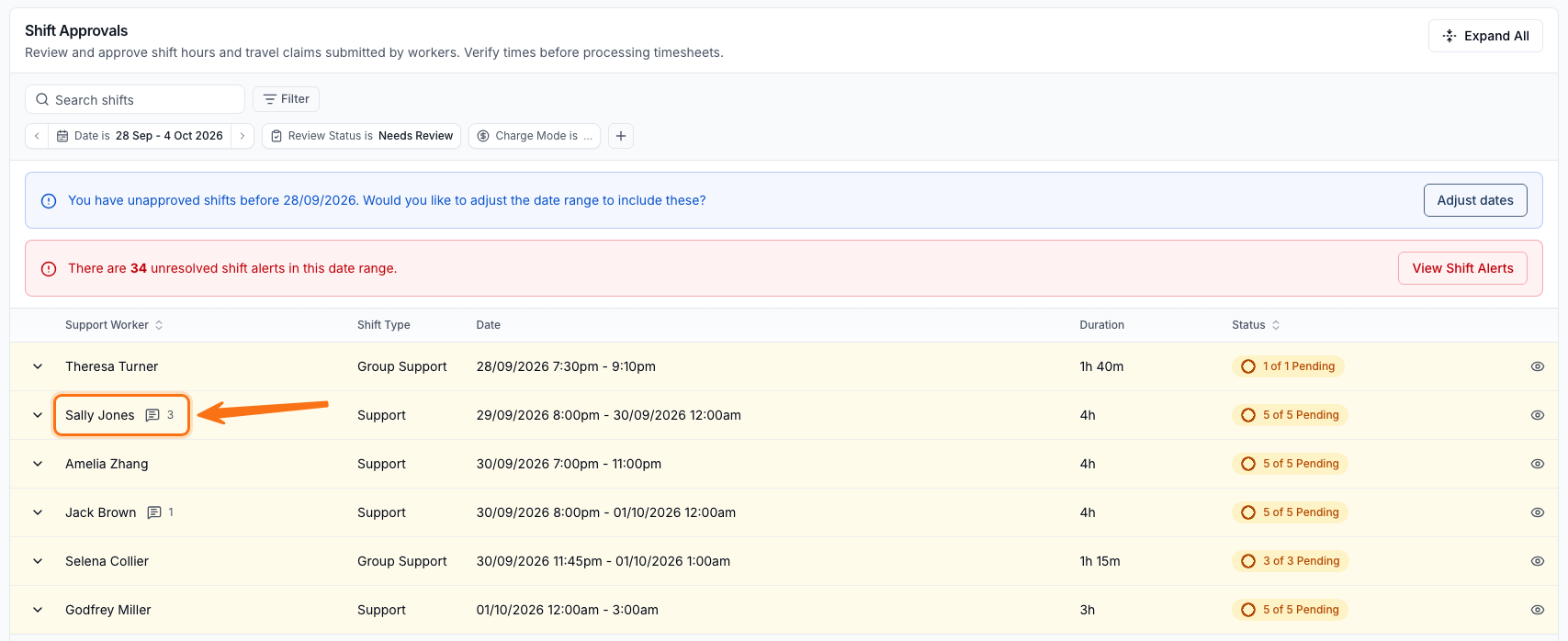
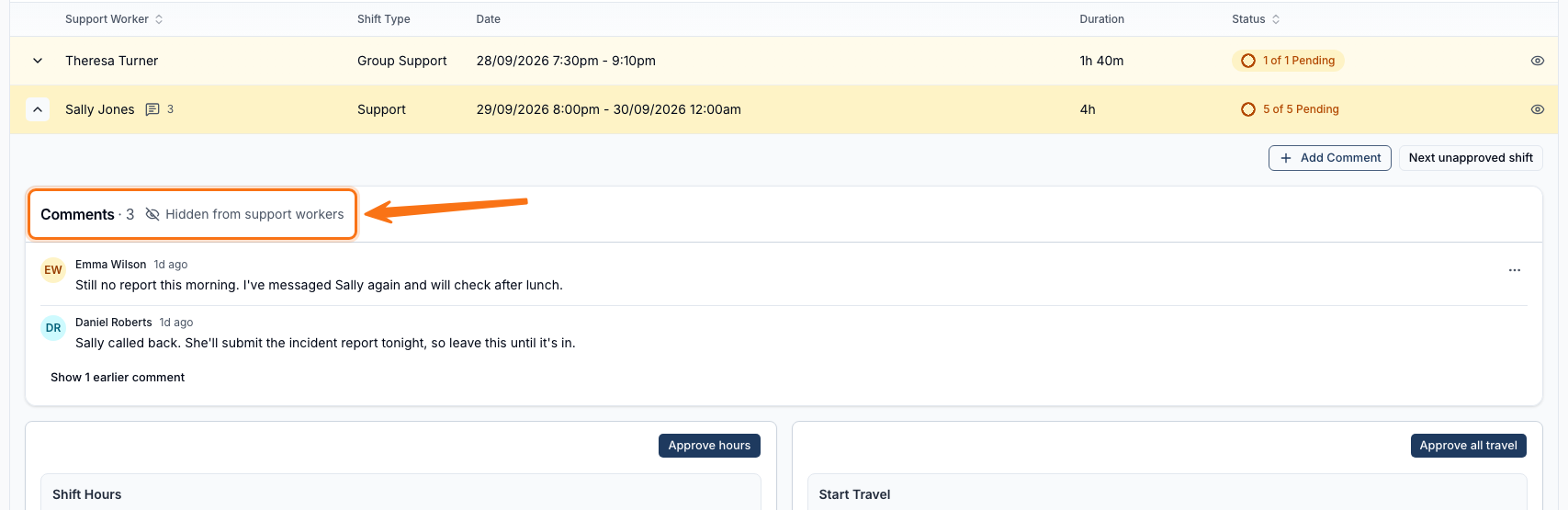
For more information, visit the Shift Approvals guide.
Editing an Answer Updates its Follow-Up Questions
Editing an answer on a submitted form now re-evaluates its conditional logic right away. Newly unlocked questions appear as "Not answered" ready to fill in, and answers that no longer apply move into a collapsed "Answers that no longer apply" section, restored if you change the answer back.
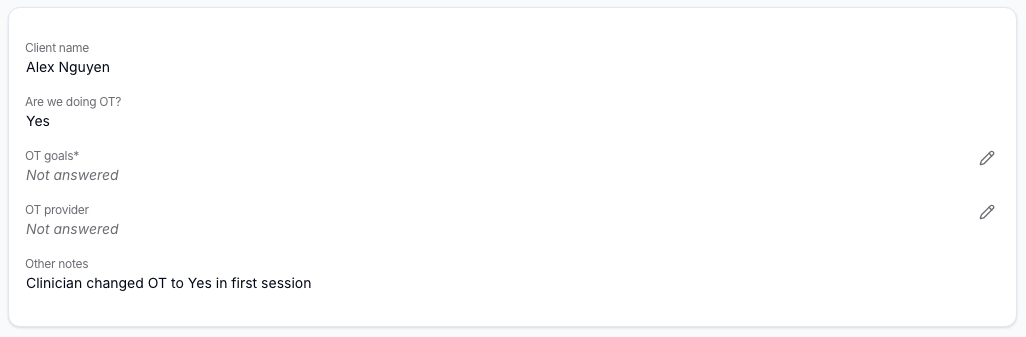
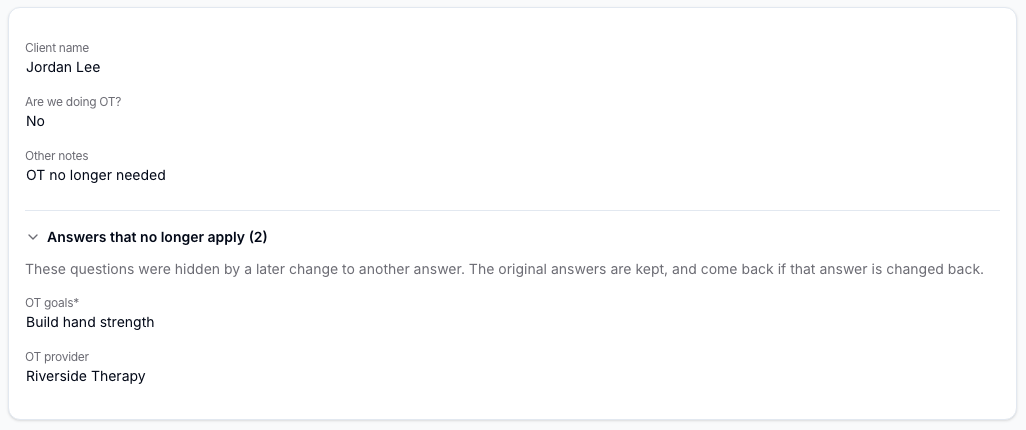
For more information, visit the Viewing Submissions for a Form guide.
Auditor Access to Forms and Templates
Where your account is subscribed to Premium, Auditors can now view every Form and the account's document and note templates, read-only and across the whole account rather than limited to the Participants or Users assigned to them. They can open a form's fields or preview and download templates, but can't create, edit, submit, or delete anything.
For more information, visit the Inviting NDIA Auditors to your Account guide.
Renaming a Calendar Event Also Renames its Task
Renaming a calendar event now renames the task linked to it, as long as the task still carries the event's previous name - a task renamed separately keeps its own name. On a recurring event, each occurrence is renamed based on whichever edit scope you choose.
For more information, visit the Calendar Events and Tasks guide.
Support Worker Hours Follows Your Pay Period
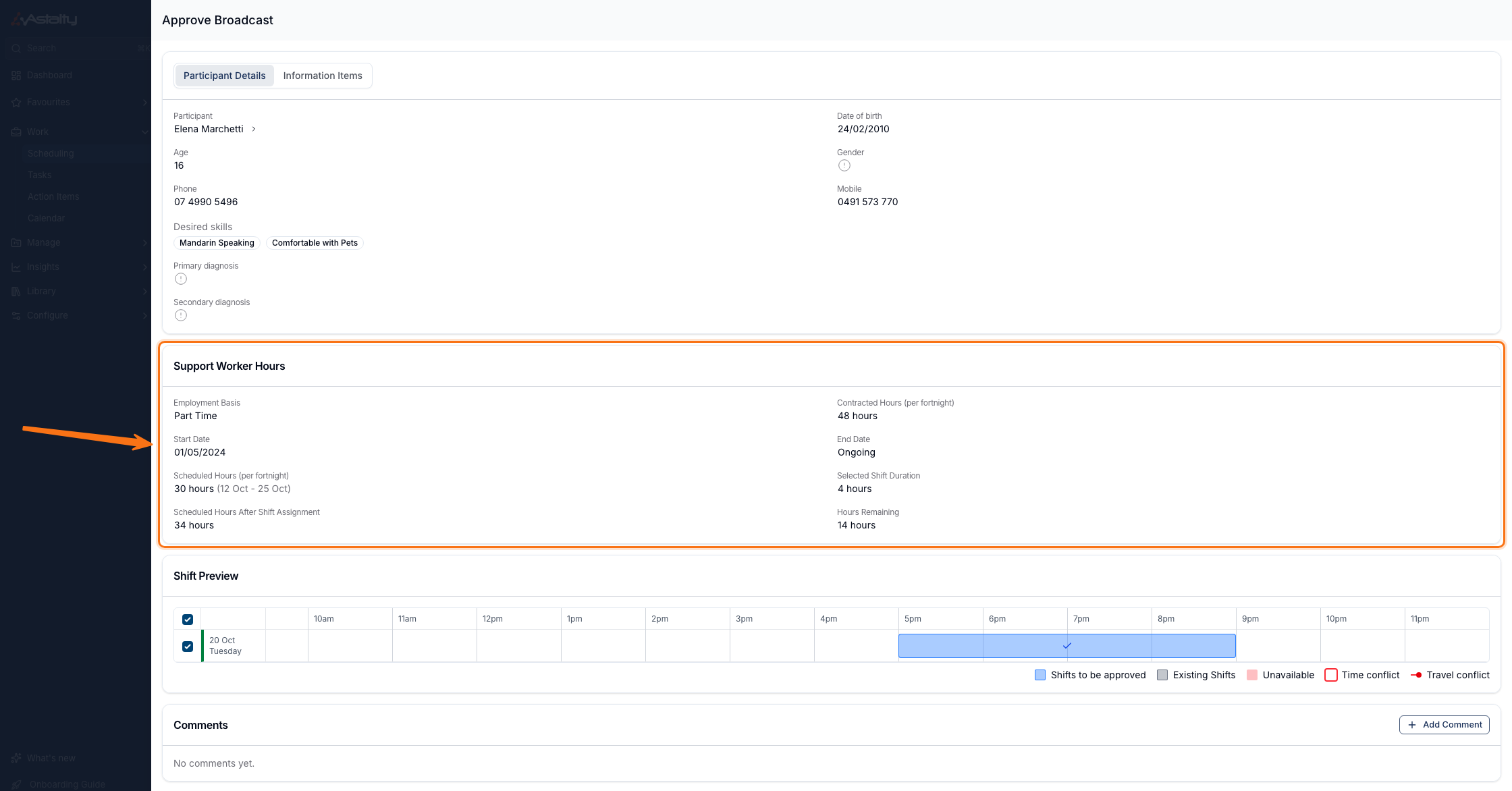
The Support Worker Hours panel on Approve Broadcast and Assign now compares a worker's scheduled and contracted hours against your organisation's Weekly or Fortnightly pay period, instead of always a calendar week.
For more information, visit the Shift Board Workflow guide.
Filtering Invoice Batches by Region
The Invoice Batches list now has a Regions filter, matching the one already on the Invoices list. A batch shows under a Region if any of its charged Participants falls within it, and Unassigned catches batches with any charged Participant that has no Region set.
For more information, visit the Invoice Batches guide.
Broadcasting Affected Shifts When Approving Leave
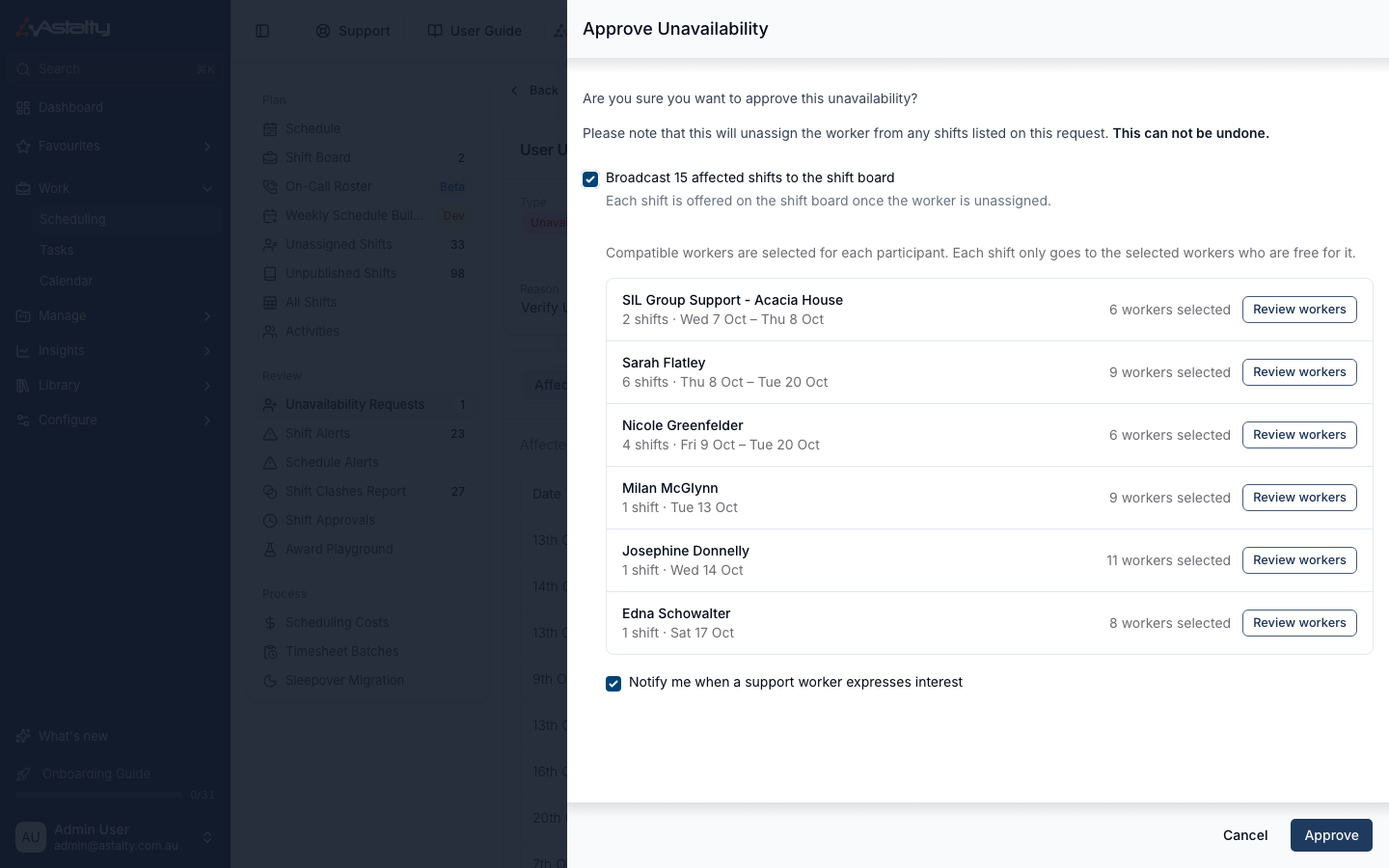
Approving a leave or unavailability request with Shift Board access now offers to broadcast the request's affected shifts to the shift board in the same step, instead of broadcasting each one separately afterwards.
For more information, visit the Managing Availability guide.
Acknowledgements Tab on User Profiles
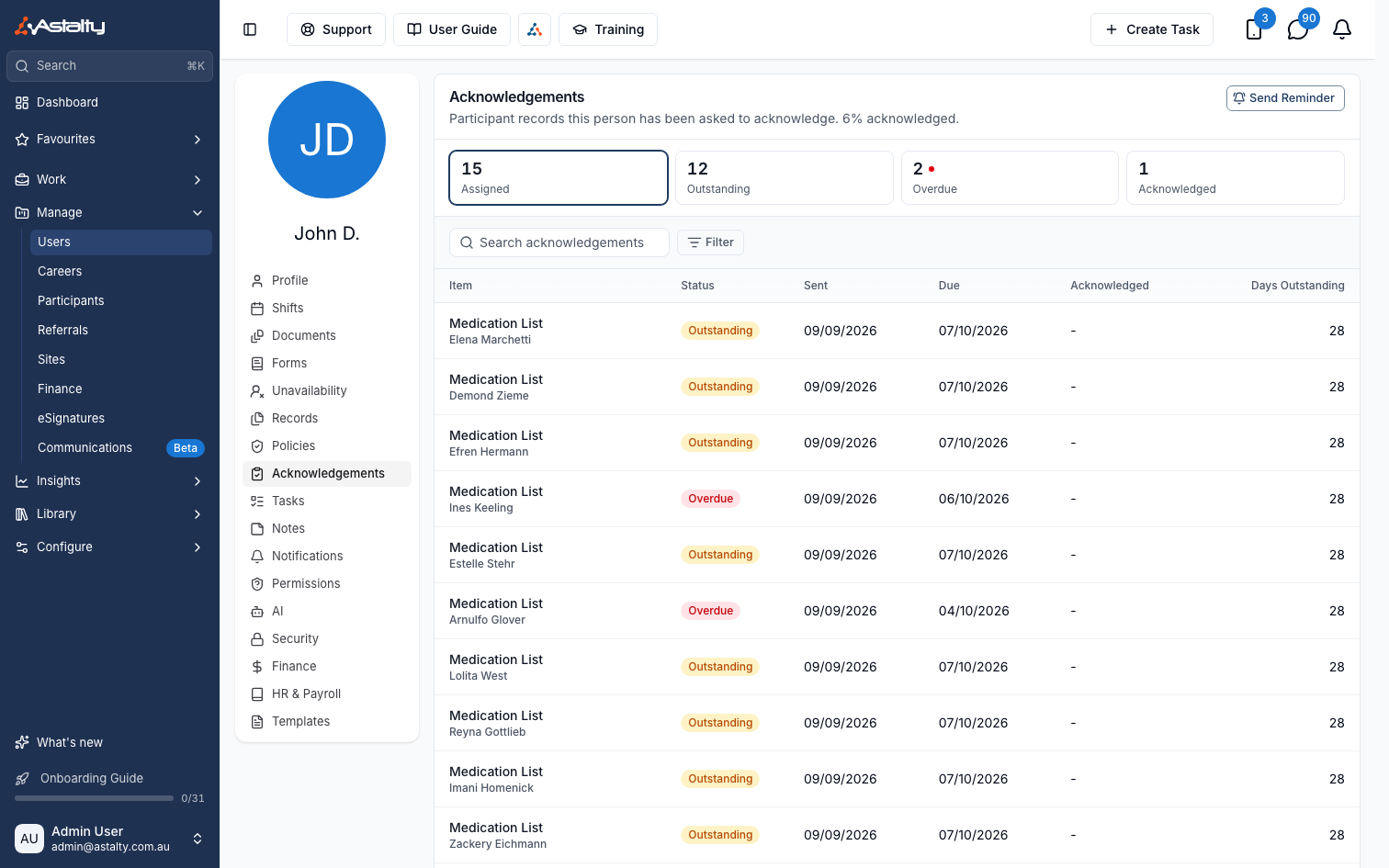
A staff member's User profile now has an Acknowledgements tab, listing the Participant Records they've been asked to acknowledge, with status and how long each has been outstanding. Send Reminder notifies them about everything still outstanding.
For more information, visit the User Acknowledgements guide.
Unpaid Breaks in Raw Shift Data Exports
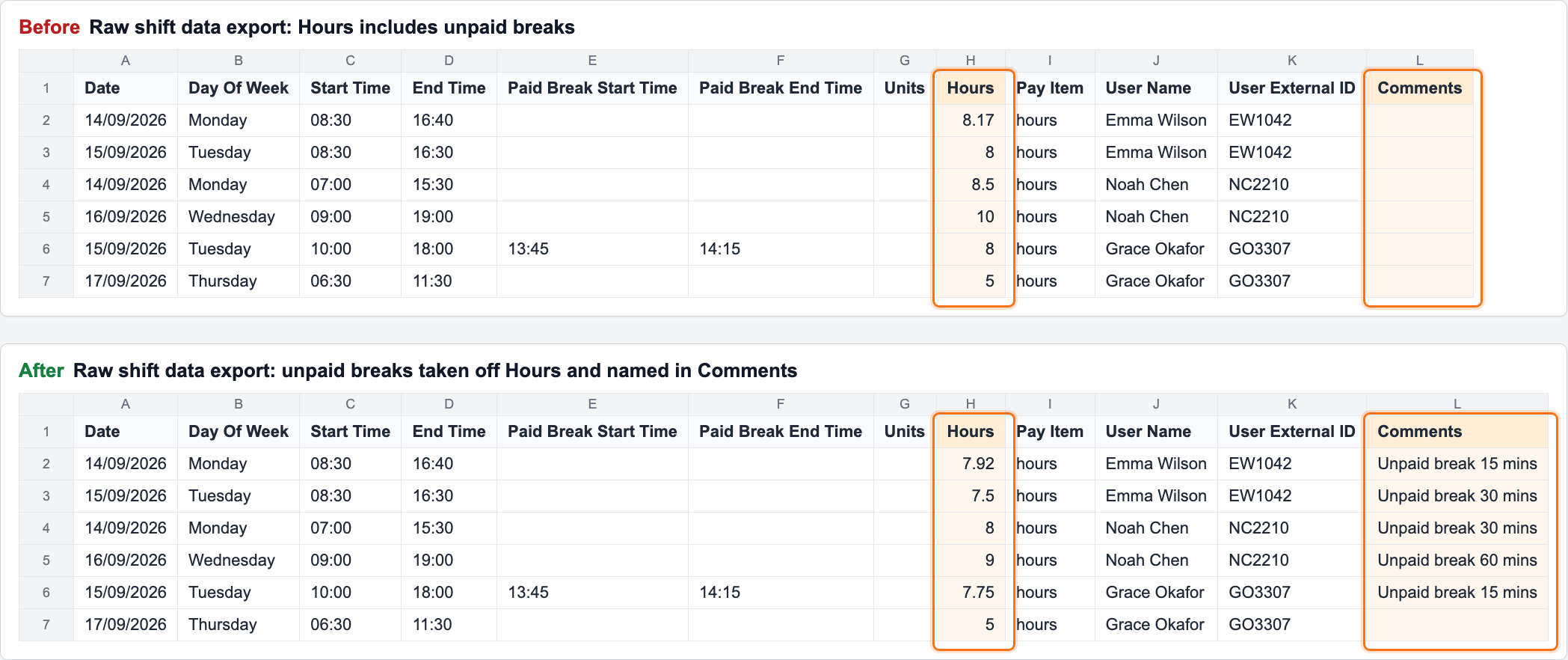
A Timesheet Batch's Raw shift data export now takes any unpaid breaks added to a shift off the Hours column, rather than showing the full approved span. The Comments column names the deduction, for example "Unpaid break 30 mins".
For more information, visit the Timesheet Batches guide.