5 November 2026
Cancelled Shifts and Supports Stay Visible on Lists
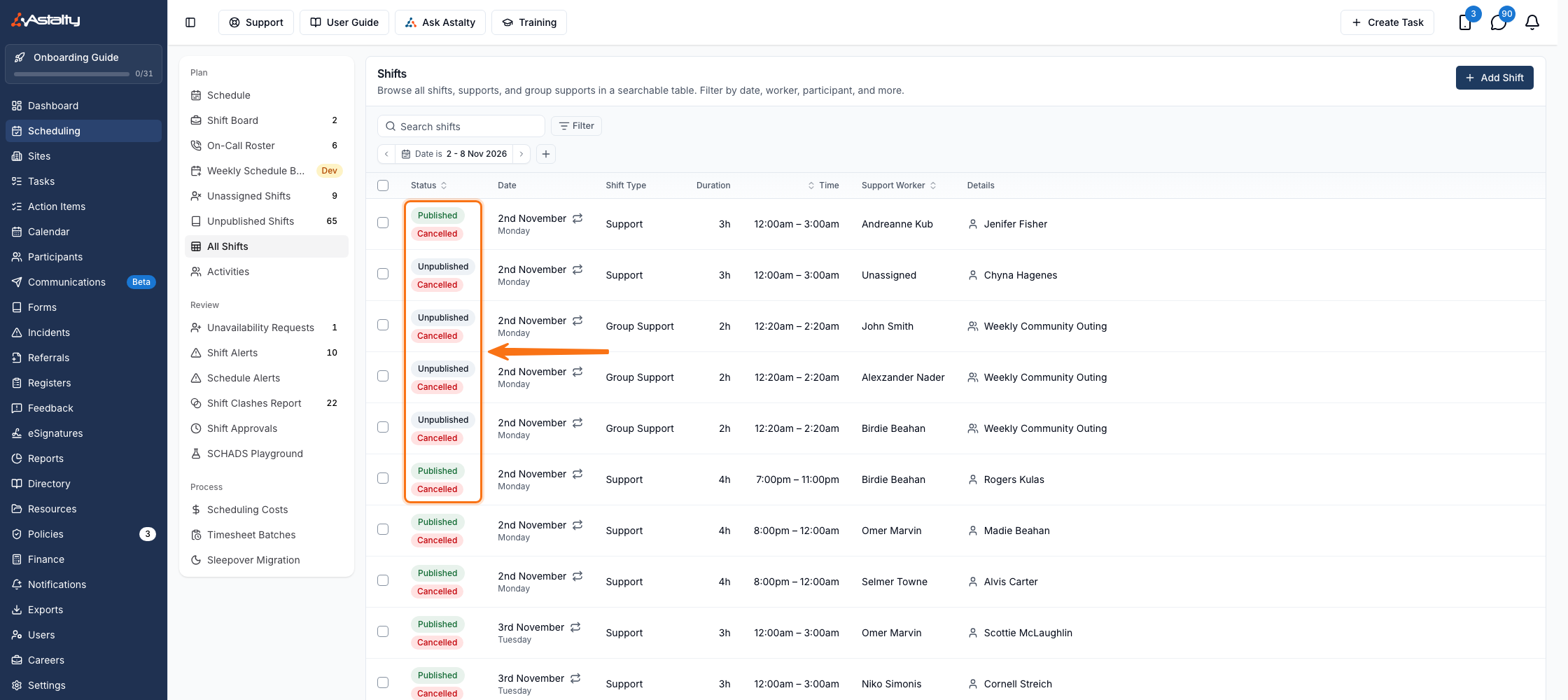
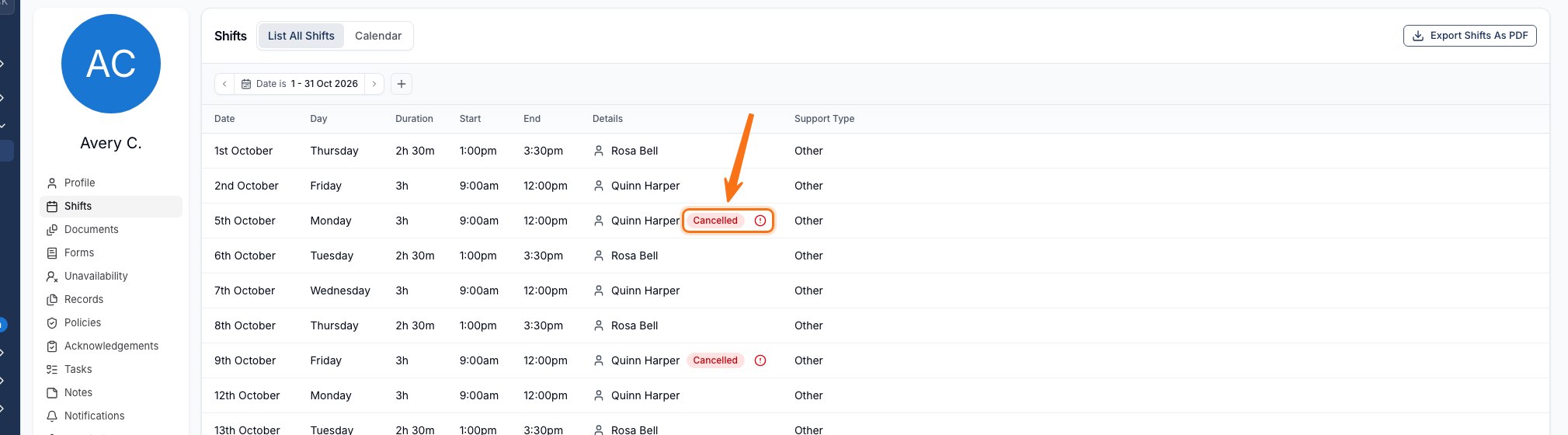
A cancelled support keeps its place in a Support Worker's Shifts list and a Participant's Supports list, marked with a red Cancelled label and an alert icon you can select to see whether it was charged and the worker was paid. The All Shifts page gets a matching red Cancelled badge under each shift's status. All three lists can now also be filtered by Cancellation Status to show only cancelled, or only active, entries.
For more information, visit the Support Cancellations guide.
Unscheduled Travel on Group Support Shifts
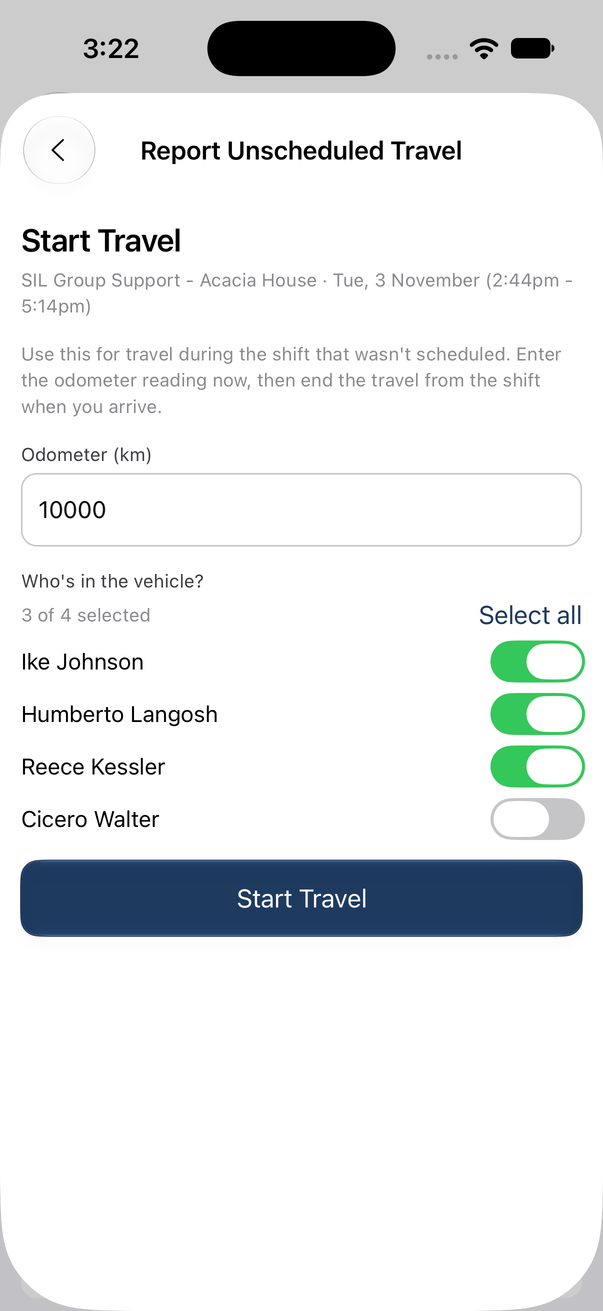
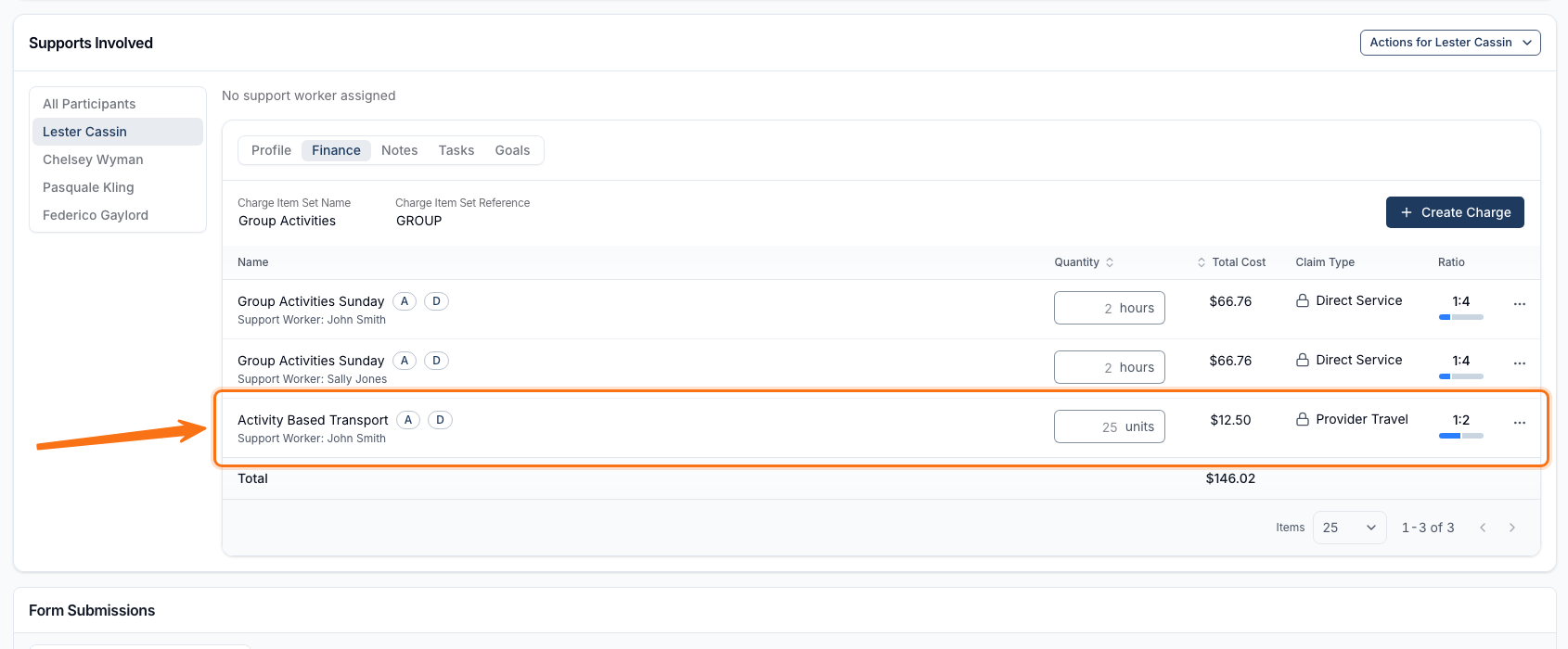
On a Group Support shift, Report Unscheduled Travel now also asks Who's in the vehicle? - tick each Participant travelling with you, or select Select all. Once a coordinator approves the trip's distance, it's split into an equal share charged to each ticked Participant, and a coordinator can correct who was ticked before approving. It's enabled per account while in beta; contact Astalty Support to turn it on.
For more information, visit the Recording Travel During a Shift guide.
Showing Each Support Charge's Billed Time Window
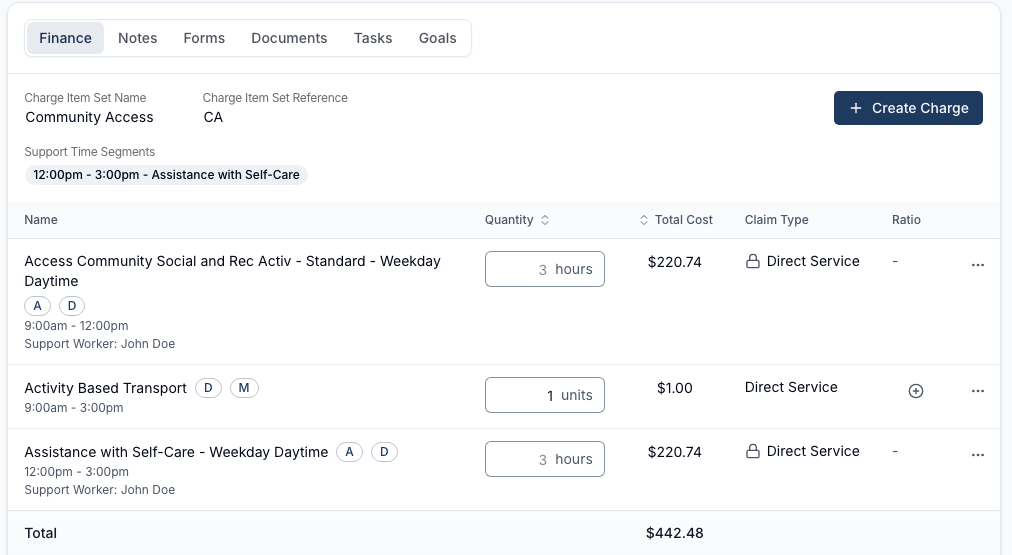
On a Participant's Finance tab, a charge that bills only part of a split support - through Support Time Segments, a Sleepover Window, or a Flexible Group Support - now shows the exact time range it covers underneath the charge name, so charges that would otherwise look identical no longer look like duplicates.
For more information, visit the Billed Time on Support Charges guide.
Finance Tab Shows a Charges Total
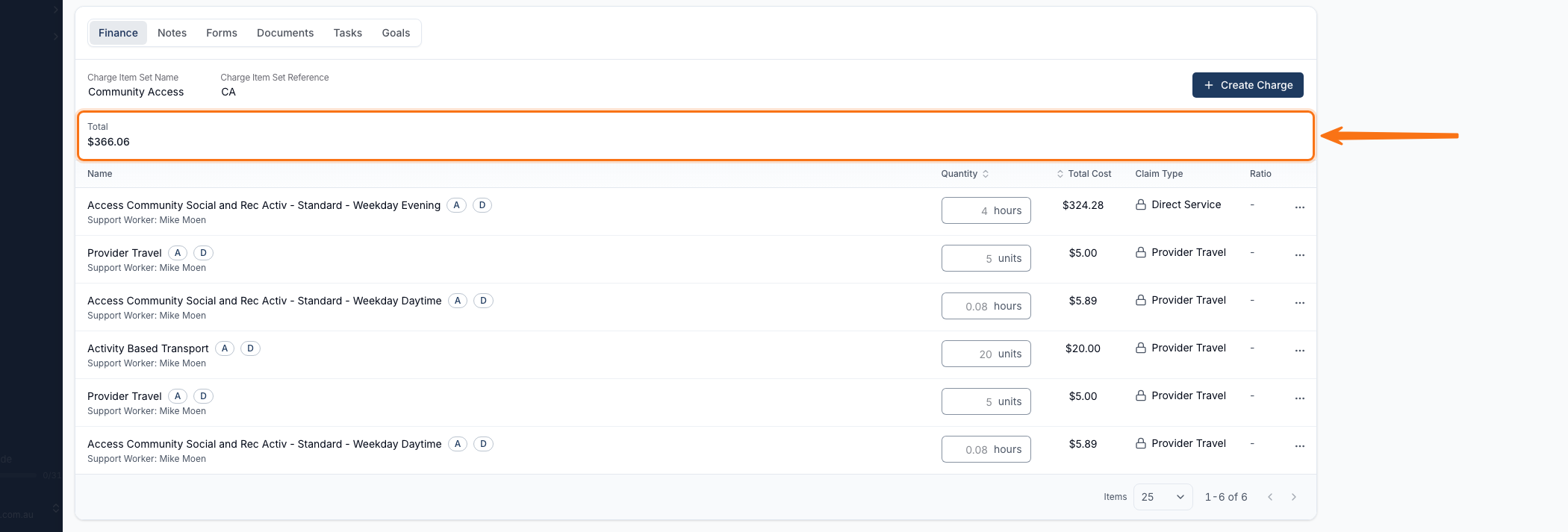
A support's Finance tab now shows a running Total of all its charges above the list, so you no longer need to add them up yourself.
For more information, visit the Additional Charges guide.
Filtering Invoice Batch Creation by Support Type
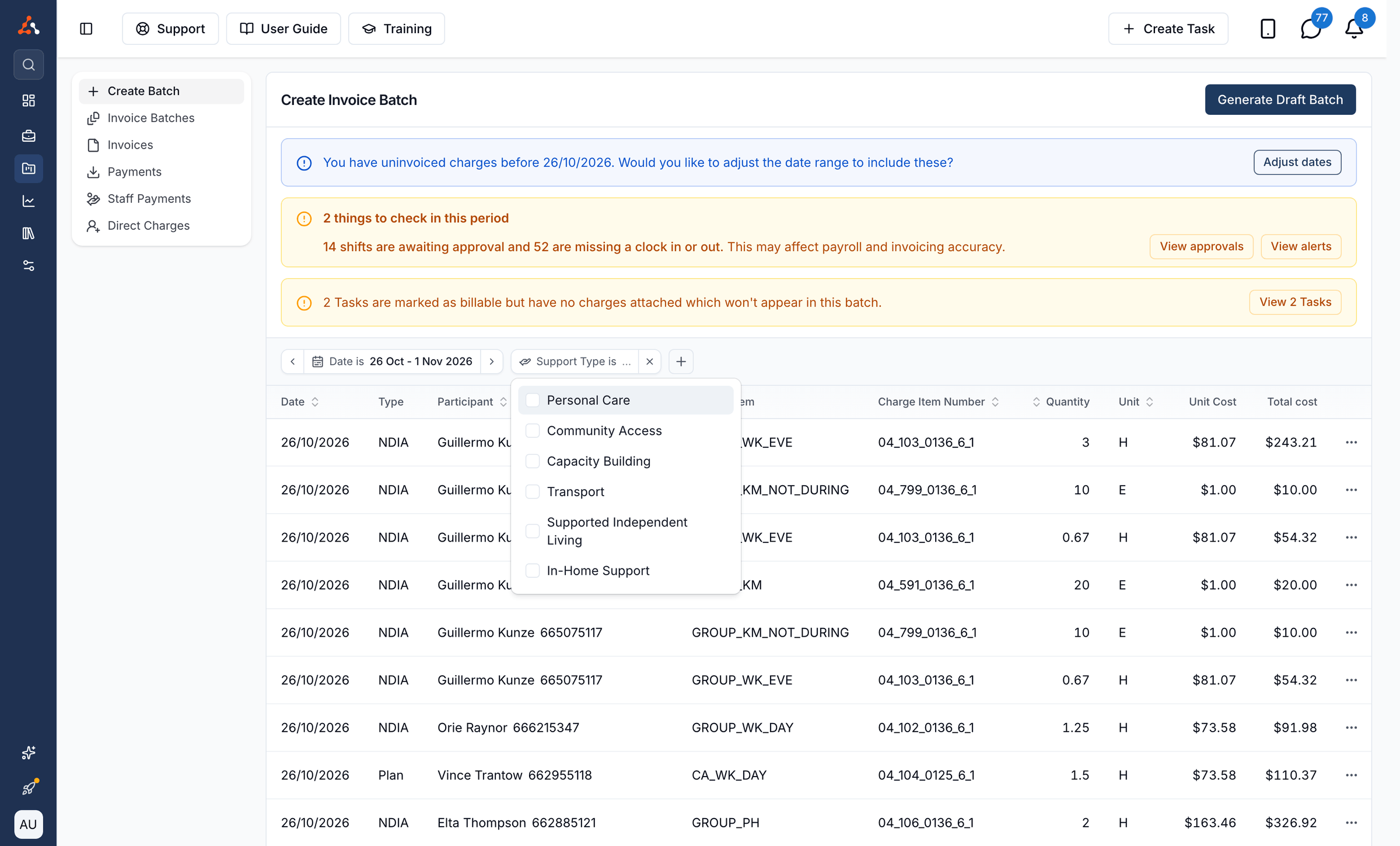
When creating an invoice batch, you can now filter charges down to one or more support types, such as Personal Care or Community Access, so the batch only includes charges for the kinds of support you choose. This matches charges linked to a Support, so Task and Direct Charges are left out whenever it's used, and it requires the Scheduling optional feature.
For more information, visit the Invoice Batches guide.
P1 Charge Item Prices Include GST
When a Charge Item's GST code is P1, the price you enter now includes GST instead of having GST added on top, and the app explains this under the Price field.
For more information, visit the Creating and Updating Charge Items guide.
Xero Validation Catches Pay Item Issues Before Export
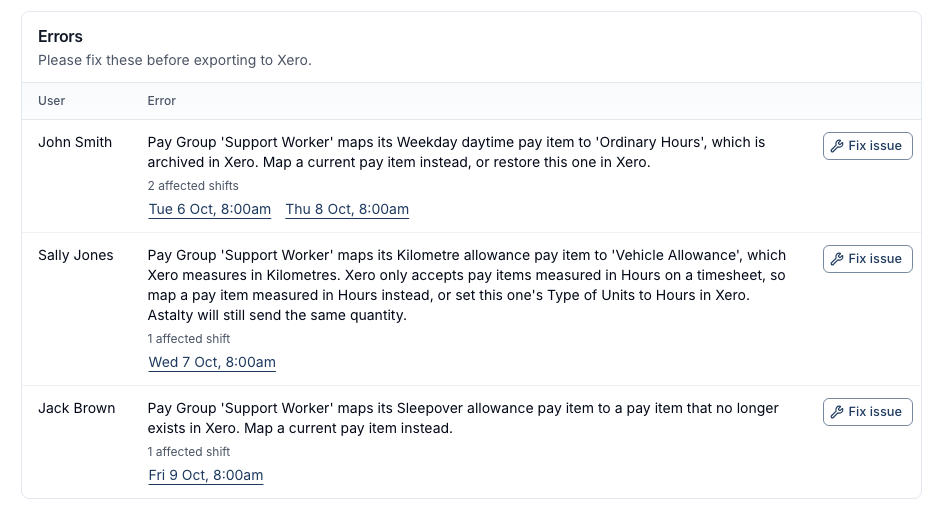
Before a timesheet batch is sent to Xero, Validate now checks every pay item the batch actually uses and stops the export if one has been deleted or archived in Xero, or isn't set up in hours there - instead of letting the export fail later in Xero.
For more information, visit the Timesheet Batches guide.
Custom Allowances Included with Premium
Custom Allowances is no longer a beta feature you need to ask Astalty Support to switch on - it's now available to every account subscribed to Premium with the Scheduling feature turned on.
For more information, visit the Custom Allowances guide.
Calendar Reminders Use Your Business's Timezone
Calendar appointment reminder texts, and the date and time shown inside them, now always use your business's own timezone, instead of whichever timezone the appointment happened to be created in.
For more information, visit the SMS Reminders guide.
Tables in Form Rich Text Blocks
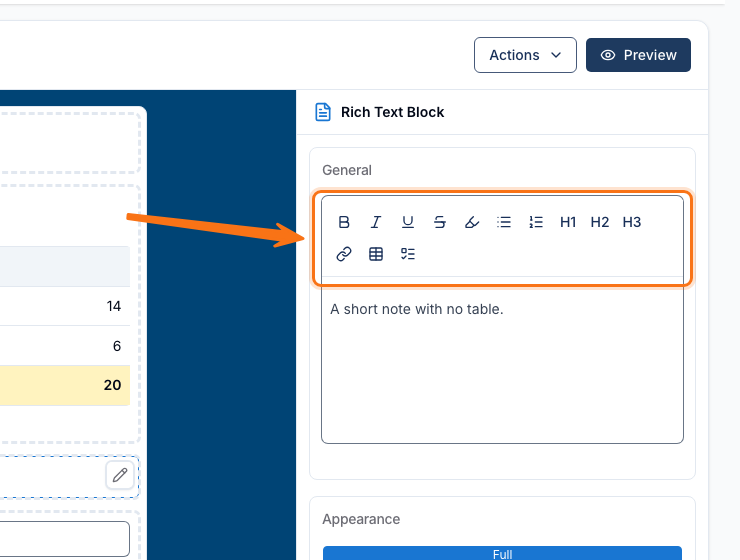
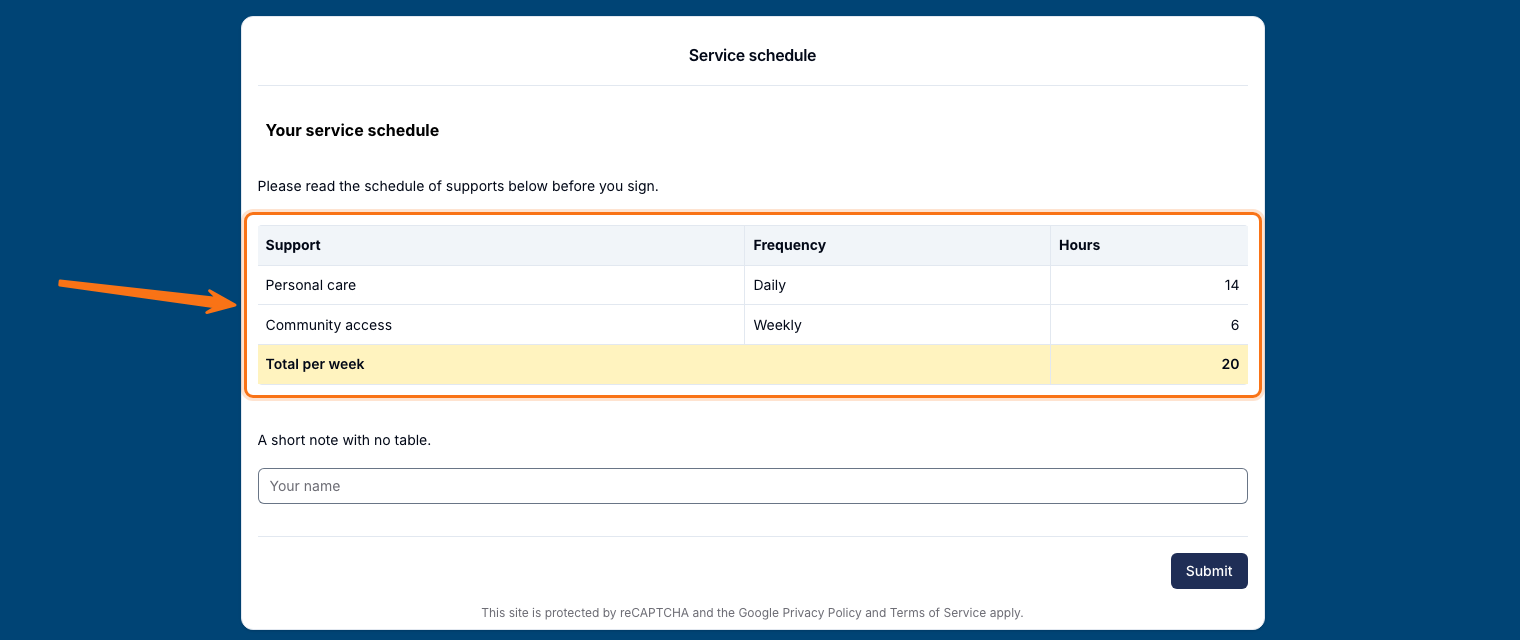
A Rich Text Block in a Form can now hold a table, the same way a Document Template or note already can - useful for laying out something like a service schedule in rows and columns directly inside a Form.
For more information, visit the Form Builder guide.
Matching Dropdown and Multi Select Questions to Diagnoses
When building a Referral form, a question that offers a dropdown or lets someone tick multiple options can now be matched to a Participant's Primary or Secondary Diagnosis, not just a plain text question.
For more information, visit the Referrals Overview guide.
Aged Care ID on Participant Profiles
Participant profiles now have an Aged Care ID field next to the NDIS Number, so you can record an aged care client's ID on their profile, and in CSV imports and exports.
For more information, visit the Creating Participants guide.
Renewed Records Show as Superseded
When you add a new, current record that replaces an expired one of the same type, the old record now shows as Superseded instead of Expired in the User and Participant Records reports and exports - so Expired only lists records that still need action.
For more information, visit the User Records Report guide.
Linking Existing Documents to Task Notes
You can now attach a document a Participant already has to a task note, instead of uploading another copy, using the new Link Existing Documents option. Removing a document from a note now also makes clear whether it will be deleted everywhere or just taken off that note, depending on whether a copy is kept elsewhere.
For more information, visit the Task Documents guide.
Duplicating a Document Template
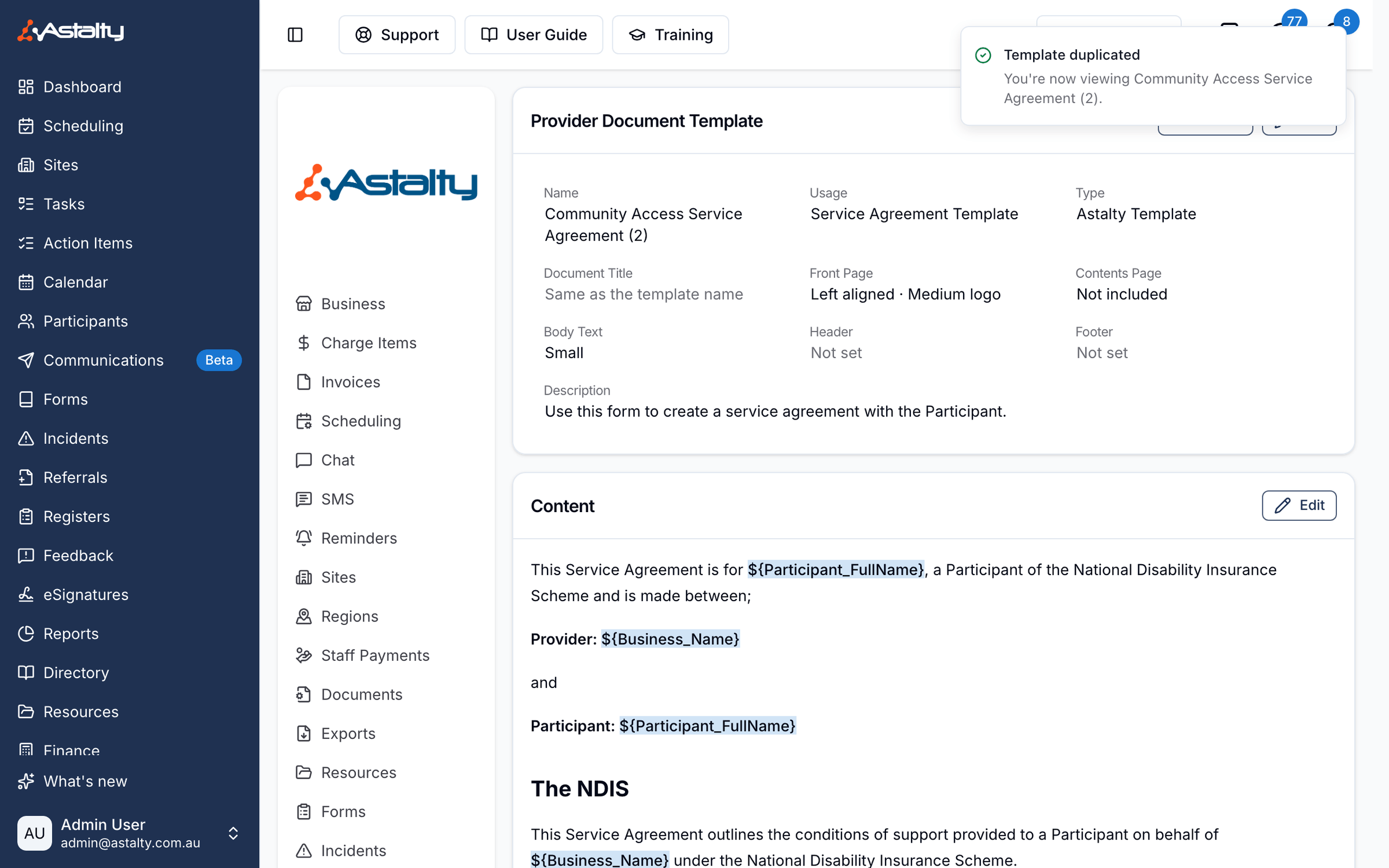
A custom document template can now be duplicated, creating an editable copy of its name, content and settings without changing the original.
For more information, visit the Template Settings guide.
Turning Off the Template Front Page
Every Astalty Template now has an Include a front page option, so you can turn off the usual logo-and-title cover page and have a short form print straight onto its content instead.
For more information, visit the Document Layout guide.
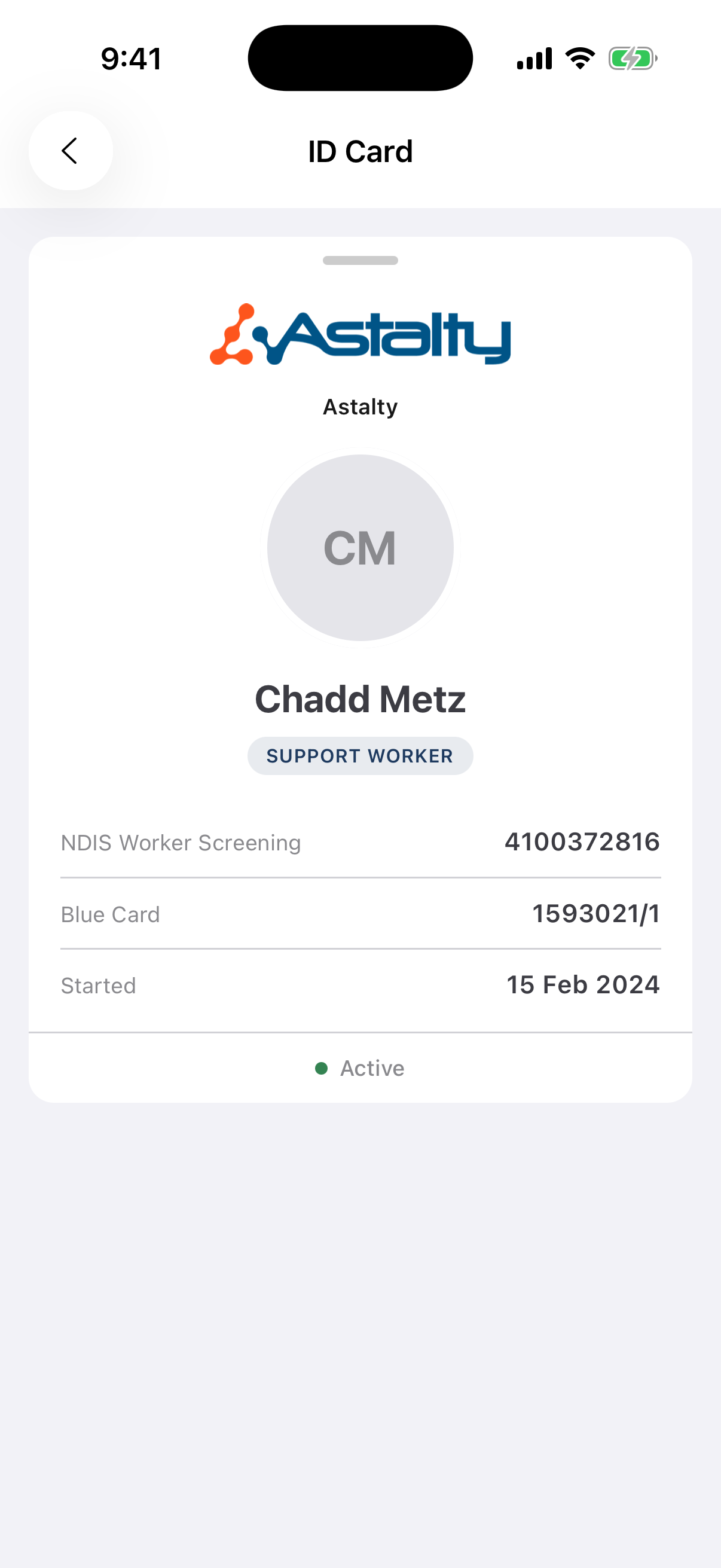
Digital Staff ID Card
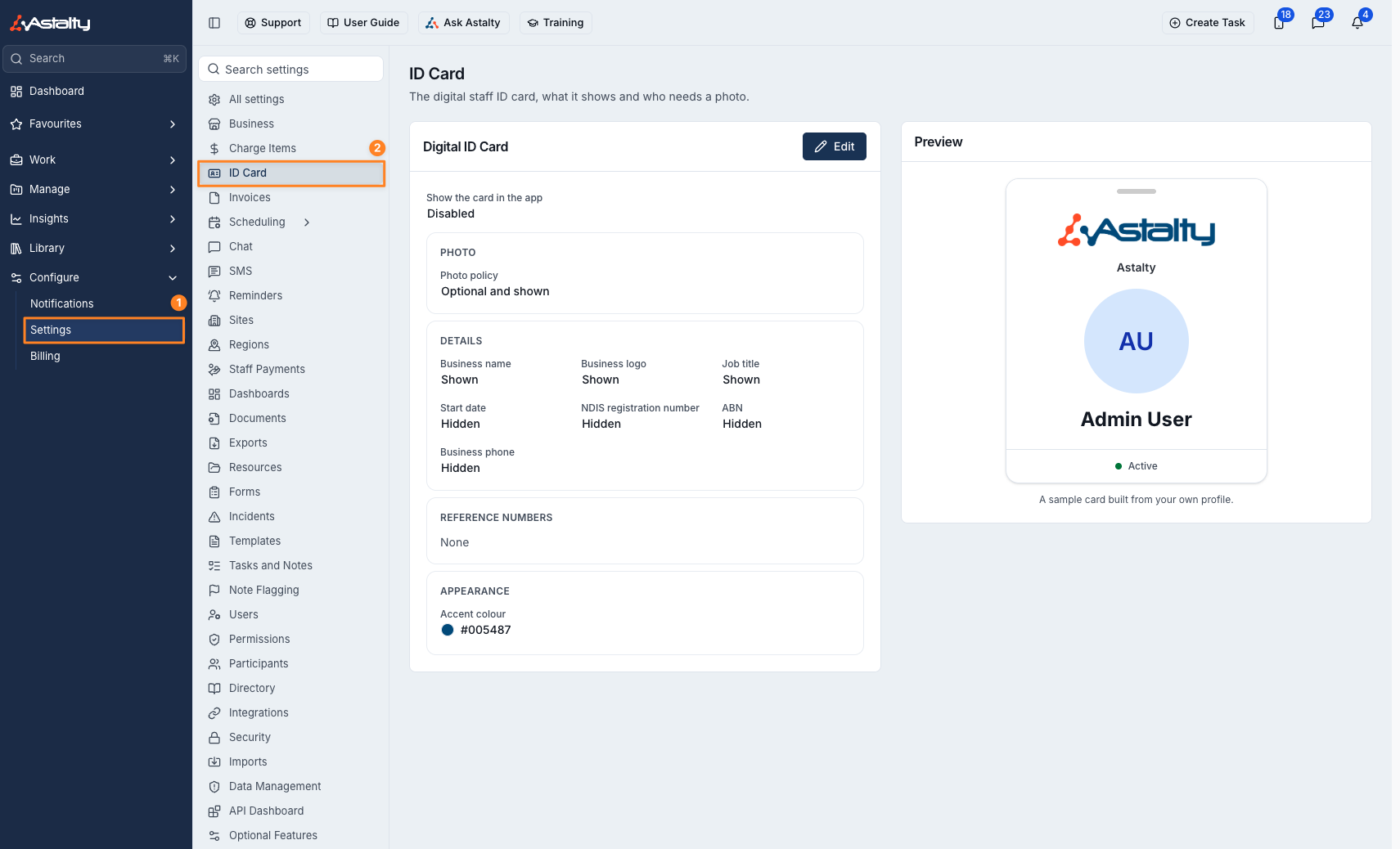
A digital staff ID card is now available as a beta - ask Astalty Support to switch it on for your organisation, then have an Admin set it up and turn on Show the card in the app. Your team can then open their own ID card from the Profile tab of the Astalty app to show who they work for, including while offline.
For more information, visit the ID Card Settings guide.
Import Pro-Rata Warning Counts Only Billed Users
Before you confirm a user import, the reminder about how many new users will be billed now only counts users who will actually take a paid seat - leaving out rows that update an existing user, import someone as deactivated, or add an auditor.
For more information, visit the User Import guide.
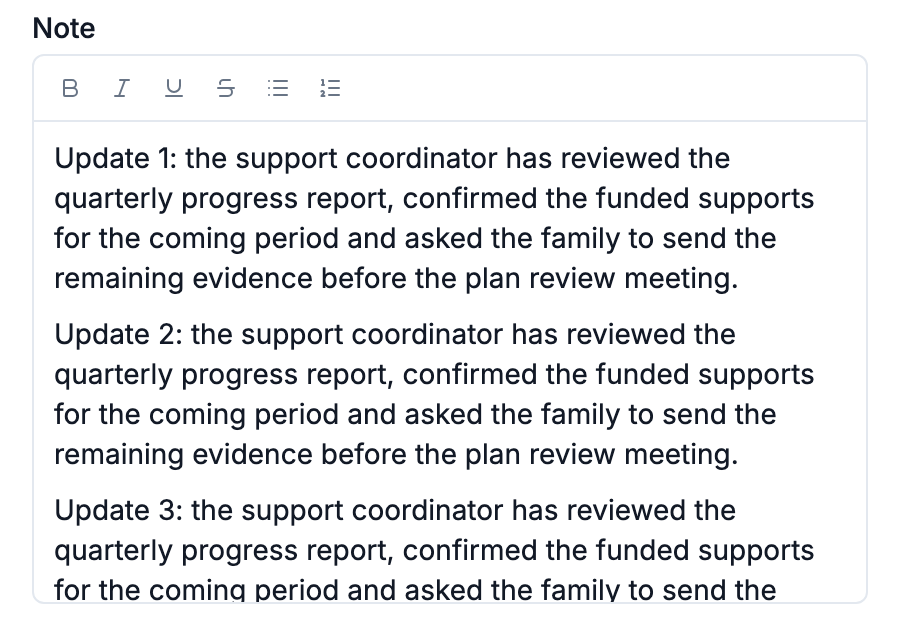
Outlook Add-In Keeps the Email's Line Breaks
When you log an email as a task with the Astalty for Outlook add-in, the note now keeps the email's paragraphs, line breaks and lists instead of running everything together as one block of text.
For more information, visit the Astalty for Outlook guide.