2 July 2026
KM Charge Item Override for Travel
You can now charge activity based transport against a Participant's transport funding line, even when the support itself falls under a different category such as Supported Independent Living (SIL) or Assistance with Self Care. This removes the workarounds and manual adjustments previously needed when a shift includes transport that should be billed to the Participant's transport funding.
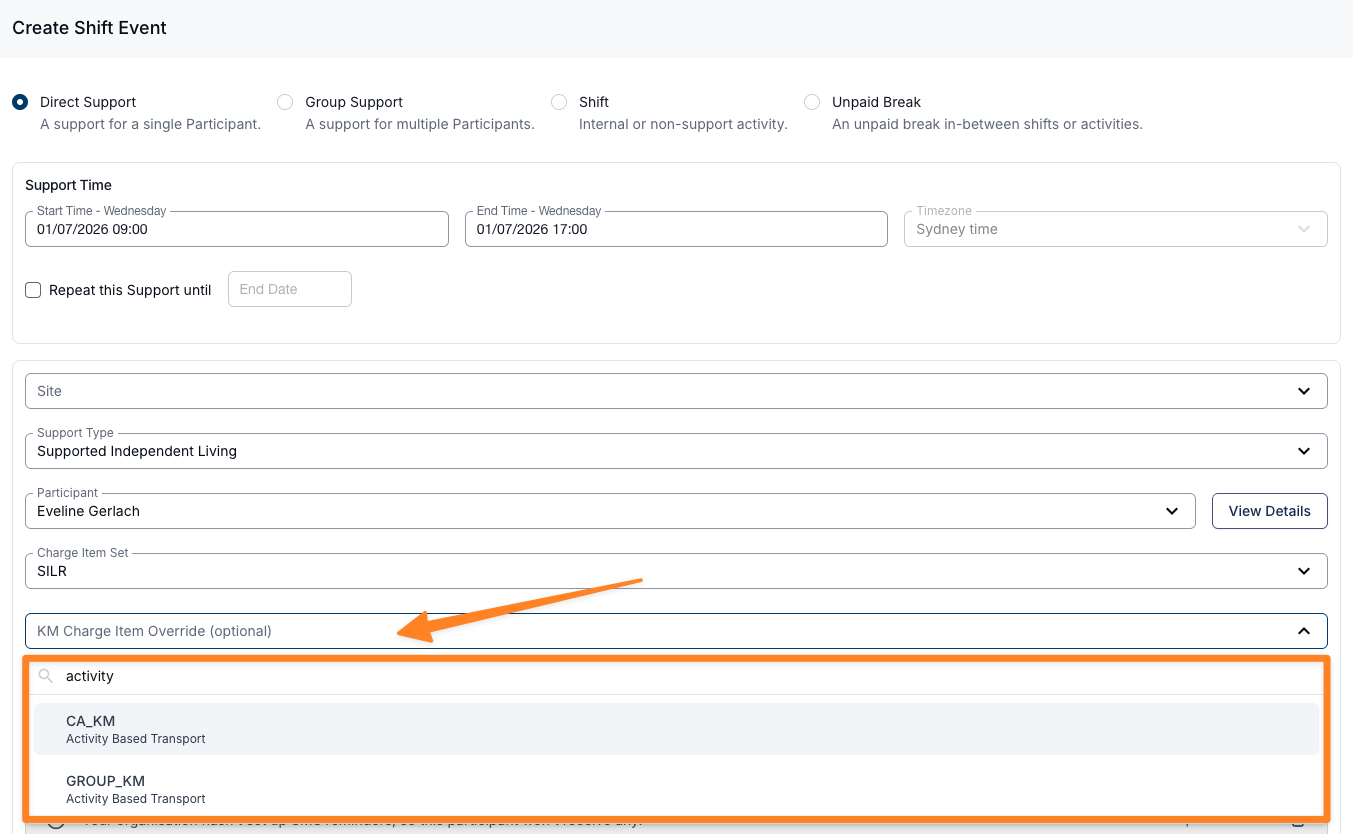
- Set the override from the Create Shift Event form - after selecting the Support Type, Participant and Charge Item Set, expand the KM Charge Item Override (optional) selector and choose the activity based transport Charge Item to bill kilometres against
- Only Charge Items available in the Participant's Services are listed in the override selector, so you can point kilometres at a specific line (for example
04_590_0125_6_1) without changing the rest of the support's charges - Before applying an activity based transport Charge Item, we recommend confirming the correct line item with the Participant's Local Area Coordinator or NDIA Planner - especially for SIL or Assistance with Self Care supports
For more information, visit the Travel To, During and From guide.
Archiving Chat Conversations
You can now archive conversations to keep your chat list tidy without deleting any messages. Archiving works for both direct messages and group channels, and you can bring a conversation back at any time.
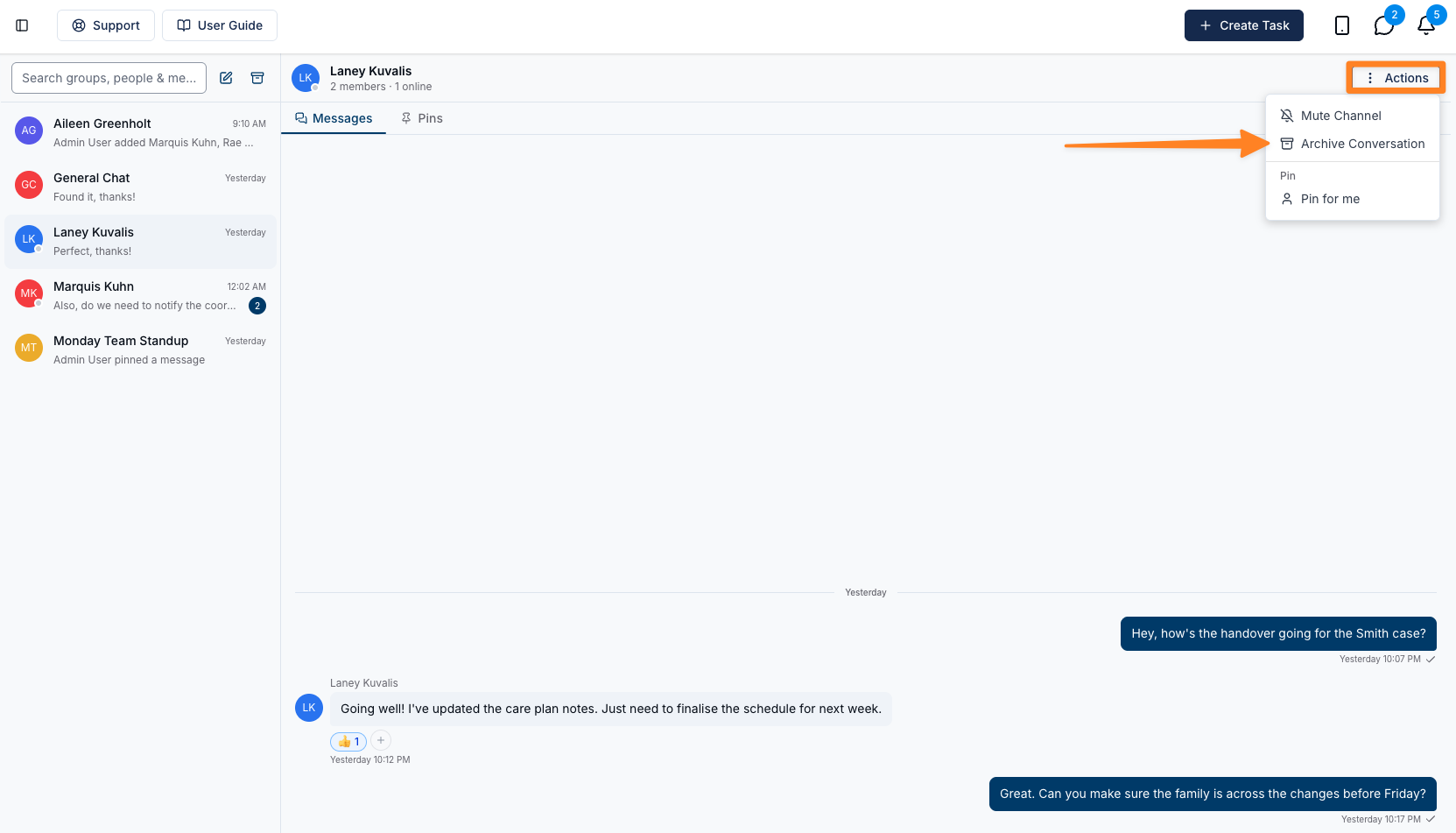
- Archive a conversation from the Actions menu in the conversation header by selecting Archive Conversation, then confirming
- Archiving is personal to your account - the conversation is hidden from your chat list only, while other members are unaffected and continue messaging as normal
- No messages are deleted, and archived conversations no longer count towards your unread message badge
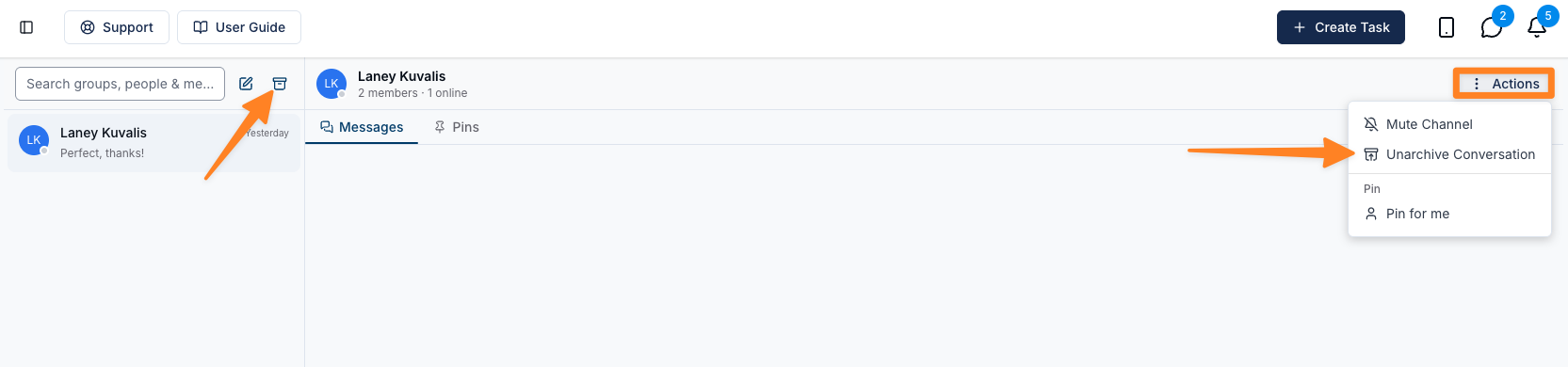
- Find archived conversations via the Archived chats icon at the top of the chat list, where you can read the full history and unarchive them
- Archived conversations reappear automatically when a new message is sent, so you never miss anything
For more information, visit the Archiving Conversations guide.