- Changelog
- 8 October 2026
8 October 2026
Emergency Contacts on the Users Export
The Users export now includes each user's Emergency Contact and Next of Kin - name, phone, email and relationship, separated by ; when there's more than one, blank if none recorded. Exporting them is Admin-only; Managers can still view a Team Member's contacts on their profile but can't bulk-export them.
For more information, visit the Users Export guide.
Participants by Diagnosis Report
A new report lists every active Participant with their Primary and Secondary Diagnosis in one table, so you can see diagnoses across your caseload without opening each profile. Rows sort by Primary Diagnosis by default; a Participant with none recorded sorts last.
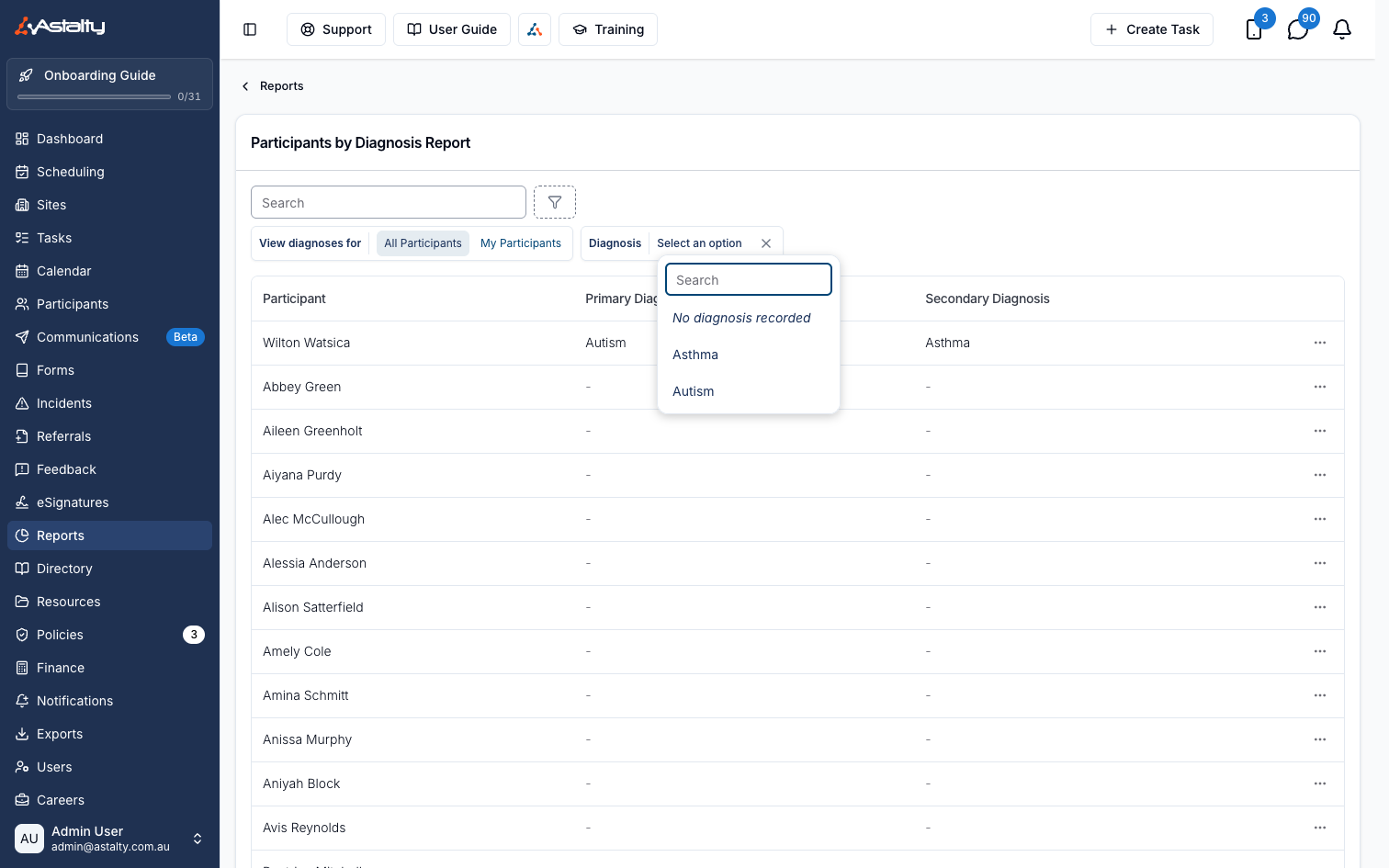
For more information, visit the Participants by Diagnosis guide.
Viewing a Goal's Linked Supports
A Goal's page now lists every Support linked to it - whether attached directly or tagged on a case note - with date, time, Support Worker and a count of that Support's notes tagging the Goal. The list is read-only; add or remove a link from the Support's Goals tab.
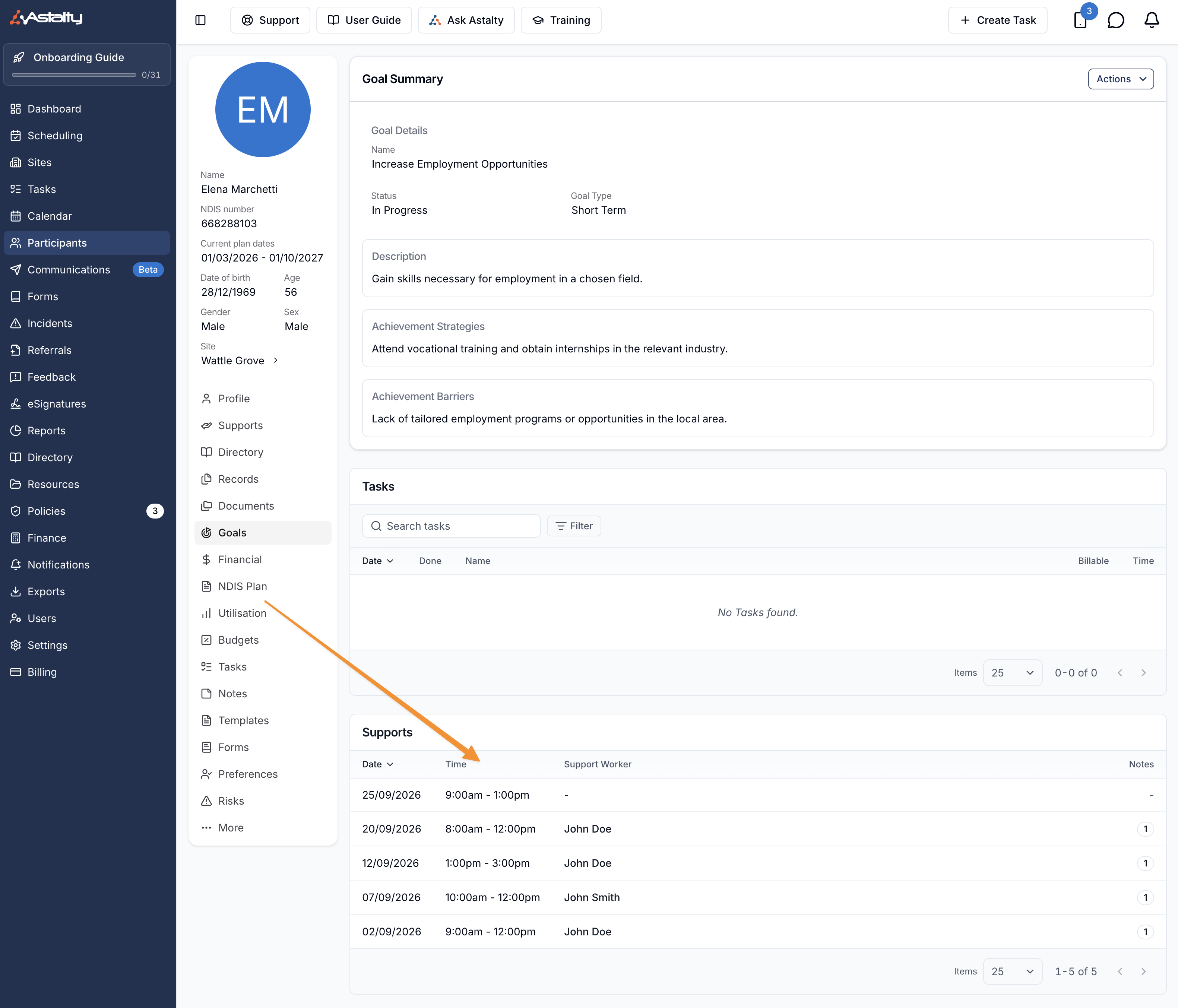
For more information, visit the Goals guide.
Permanently Deleting a Feedback Entry
Admins can now delete a Feedback entry and its source form submission for good, from Actions > Delete Permanently. Unlike archiving, this can't be undone.
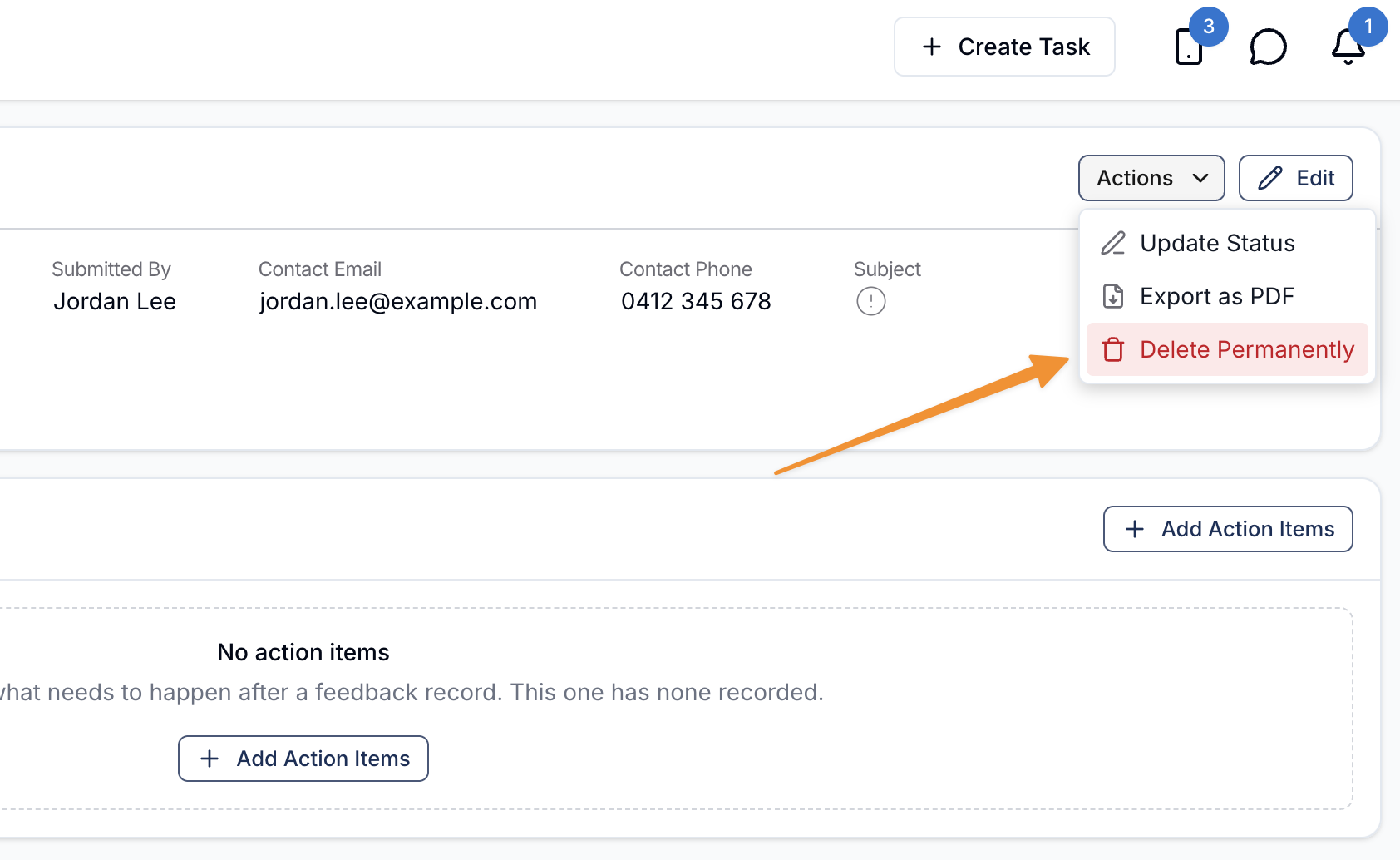
For more information, visit the Feedback & Complaints Follow Up guide.
Cloning a Charge Item
Charge Items now have a Clone row action. It opens a new Charge Item pre-filled from the original - Number, Unit, Price, GST Code, Default Claim Type and Notional unit price all carry over, along with the Name and Reference with (Copy) appended. The Reference must be unique; change the suggested Reference if it's already in use.
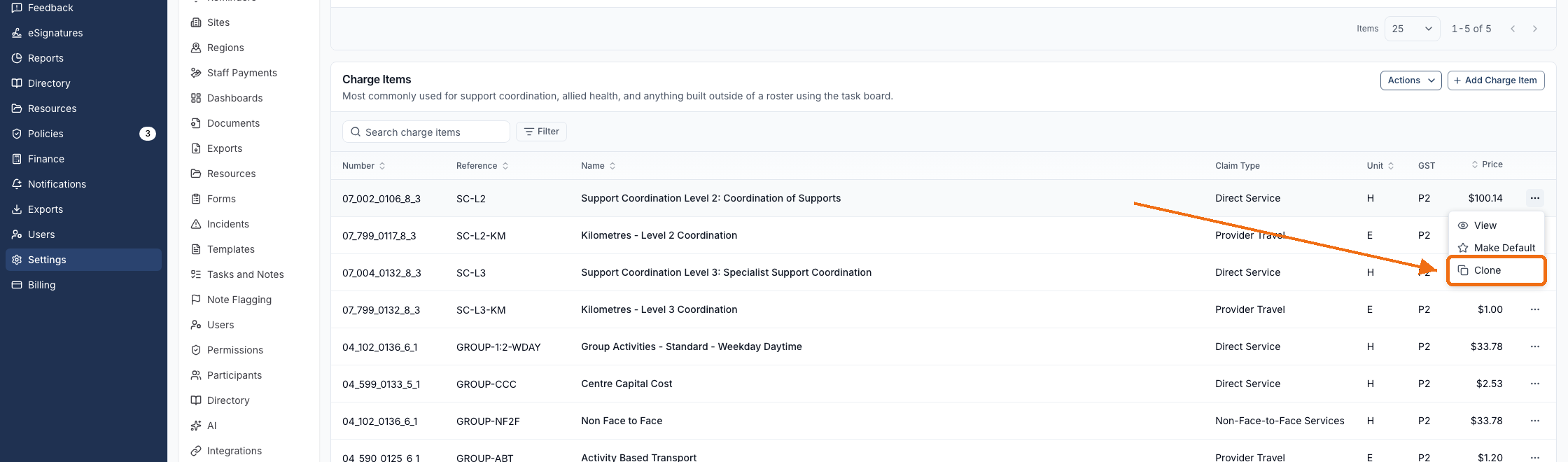
For more information, visit the Creating & Updating Charge Items guide.
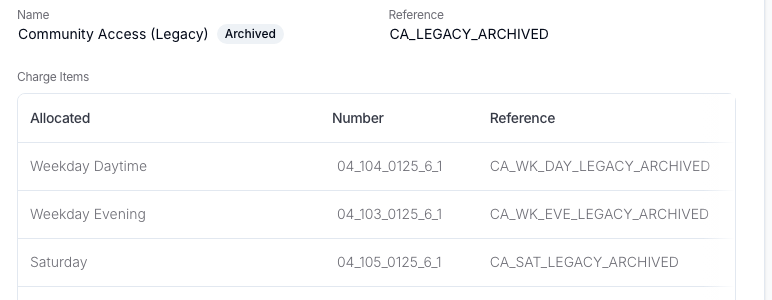
Archiving a Charge Item Set That's Still Attached to a Service
A Charge Item Set can now be archived while it's still attached to a Service, instead of needing to be removed from every Service first. Its past charges keep counting toward those Services' Utilisation, an Archived badge appears next to its name everywhere it's shown, and it can still be restored later from the Charge Items settings list.
For more information, visit the Archiving & Restoring Charge Item Sets guide.
Award Interpretation and the SCHADS Pay Report, Beyond Xero
The Award Interpretation tab and SCHADS Pay Report now show for every payroll platform, not only Xero. On Employment Hero, PayCat and QuickBooks Payroll, a note explains that platform calculates award pay itself from the timesheets Astalty sends, so what it pays can differ from these figures.
For more information, visit the SCHADS Interpretations in Astalty guide.
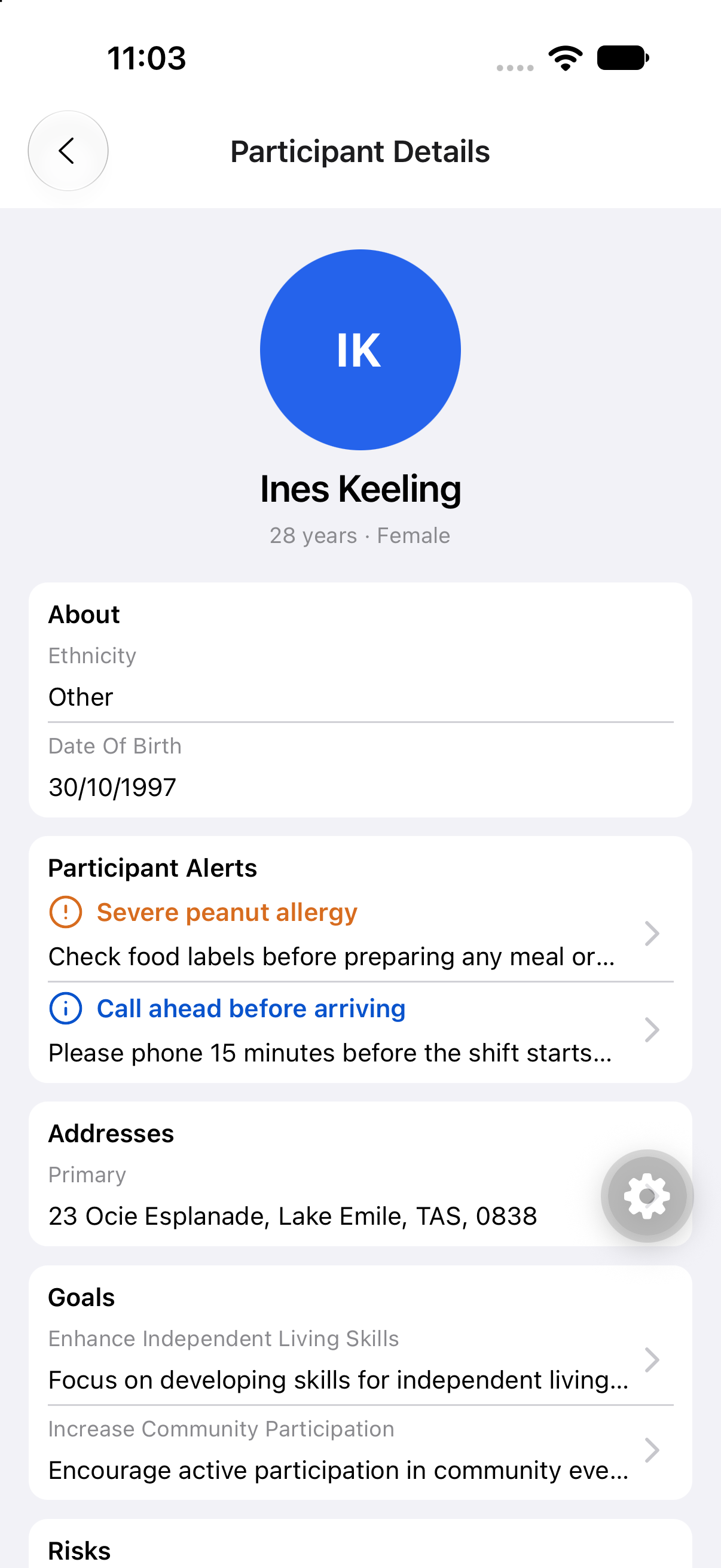
Participant Date of Birth on the Support Worker App
The Show Participant Date of Birth scheduling setting now shows a Participant's date of birth in the About section of their profile in the Support Worker app. It's off by default, and only shows for a Participant who has a date of birth recorded.
For more information, visit the Scheduling Settings guide.
Consent to Share Information as a Document Placeholder
Each Contact relationship's Consent To Share Information setting - Primary Contact, Emergency Contact, Plan Nominee and Child Representative - can now be inserted into a generated document as a placeholder, resolving to Yes, No or Not set.
For more information, visit the Document Template Placeholders guide.
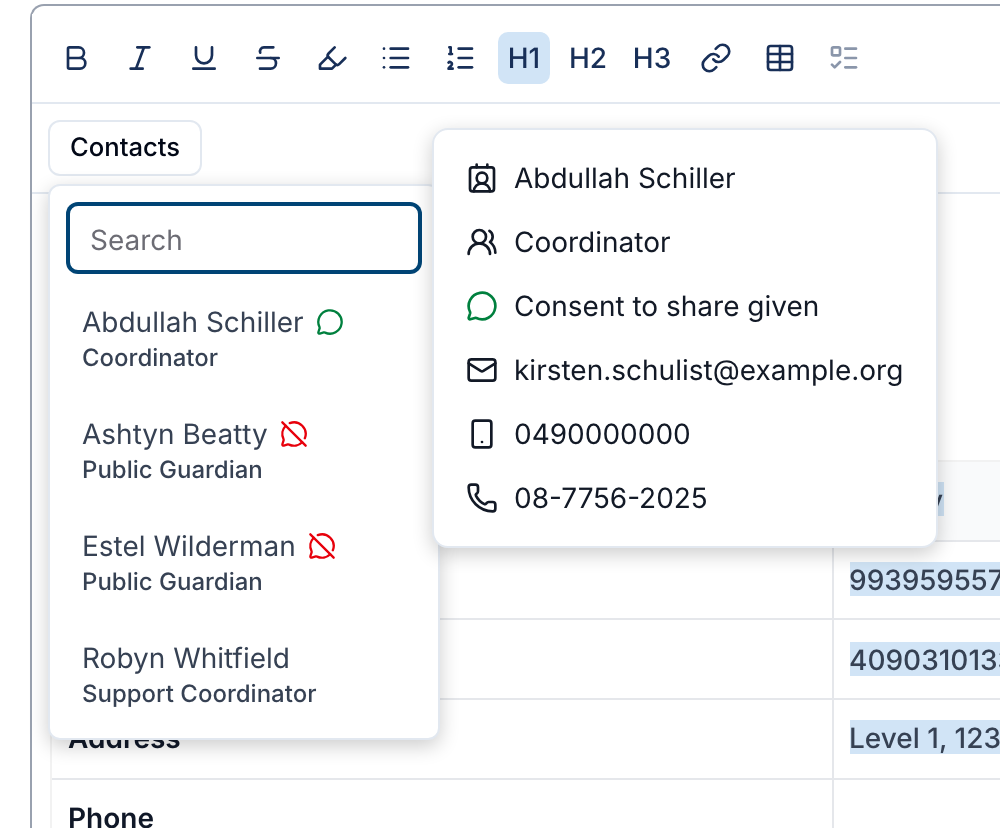
Contact Consent Shown in the Generated Document Contacts Menu
The Contacts menu used while editing a generated document now shows a consent icon beside each Contact's name - a green speech bubble when they've given consent to share information, a crossed-out bubble when they haven't, and no icon when it isn't set - and lets you insert a Consent to share given or Consent to share not given row when it's recorded.
For more information, visit the Custom Templates guide.
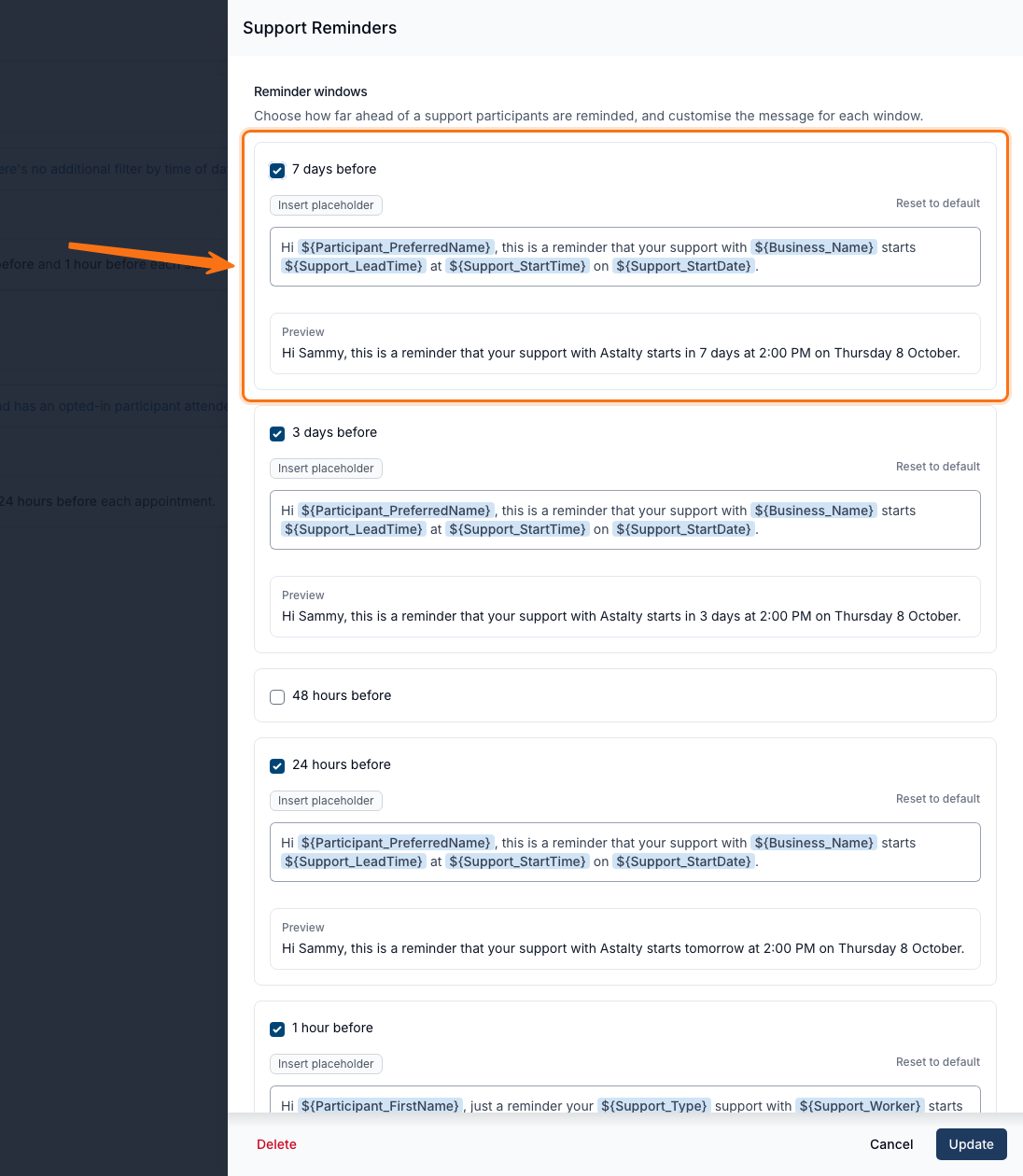
7-Day and 3-Day SMS Reminder Windows
Support Reminders and Calendar Appointment Reminders can now also be sent 7 days before and 3 days before a support or appointment, alongside the existing 48-hour, 24-hour and 1-hour windows.
For more information, visit the SMS Reminders guide.
Support Worker Name Format, Set Provider-Wide
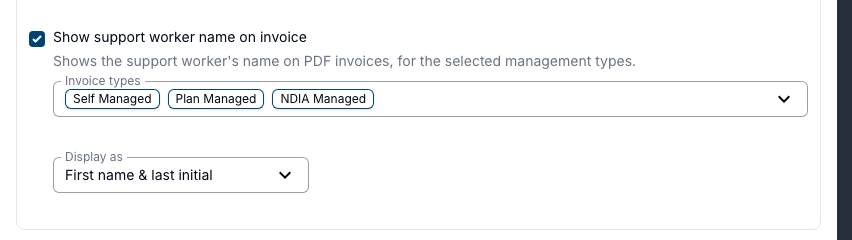
Show support worker name on invoice now has a Display as format - First name & last initial (the default) or Full name - that applies to every Support Worker whose own Invoice Display Name is left Not set, on their scheduled-support charges. A worker's own Do not display, Full Name or First Name & Last Initial choice always overrides it.
For more information, visit the User Name and Registration Number guide.
Default Duration and Pay for Breaks
Adding a break from within a Support now opens with a default duration and pay: a Meal Break starts at 30 minutes with Is paid break off, a Tea Break at 10 minutes with it on. Changing the break type resets both fields, so choose the type first - a break already saved on a shift keeps whatever duration and pay it was given.
For more information, visit the Meal & Unpaid Breaks guide.