Users Export
The Users Export creates a CSV of users and their basic employment and contact details.
Finding the Users export
Head to the Exports page, click Create Export, and select All Users under Users, or go directly to Create Users Export.
The export includes active, restricted, and deactivated users unless you apply a User Group filter.
Creating the export
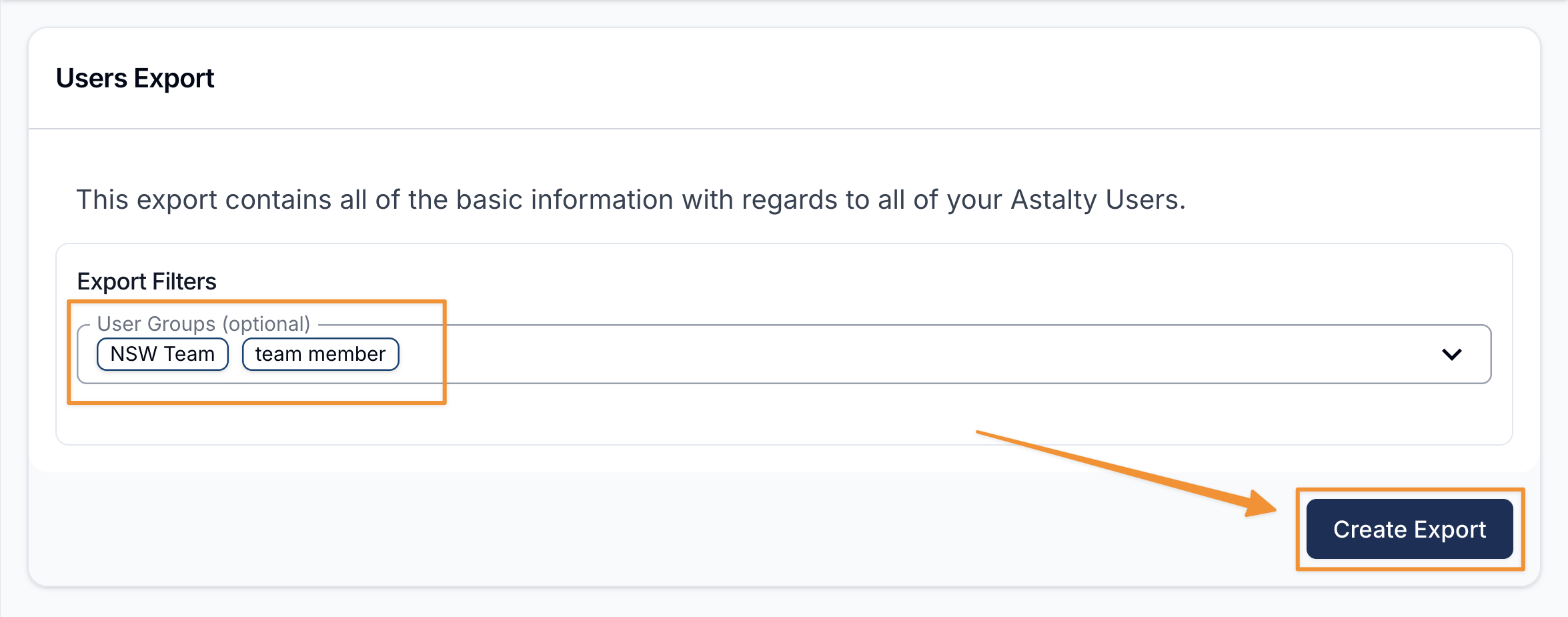
Select one or more User Groups to include users who belong to any selected group. Leave the filter blank to include every user.
When ready, select Create Export.
Downloading the Export
When the export is ready it will appear on the Exports page where you can click on Download to save it to your device.
Exported fields
The CSV includes First Name, Last Name, Email, Phone, Address, Role, Employment Title, External ID, Employment Start Date, and Employment End Date (plus Employment Type, if Staff Payments is enabled), followed by each user's emergency contacts:
- Emergency Contact Name / Phone / Email / Relationship
- Next of Kin Name / Phone / Email / Relationship
These read from the same contacts as the Emergency Contacts & Next of Kin card on each user's profile. A user with more than one contact for a role has them listed in one cell, separated by ;. A user with none has blank cells.