Shift Approvals Variance Report
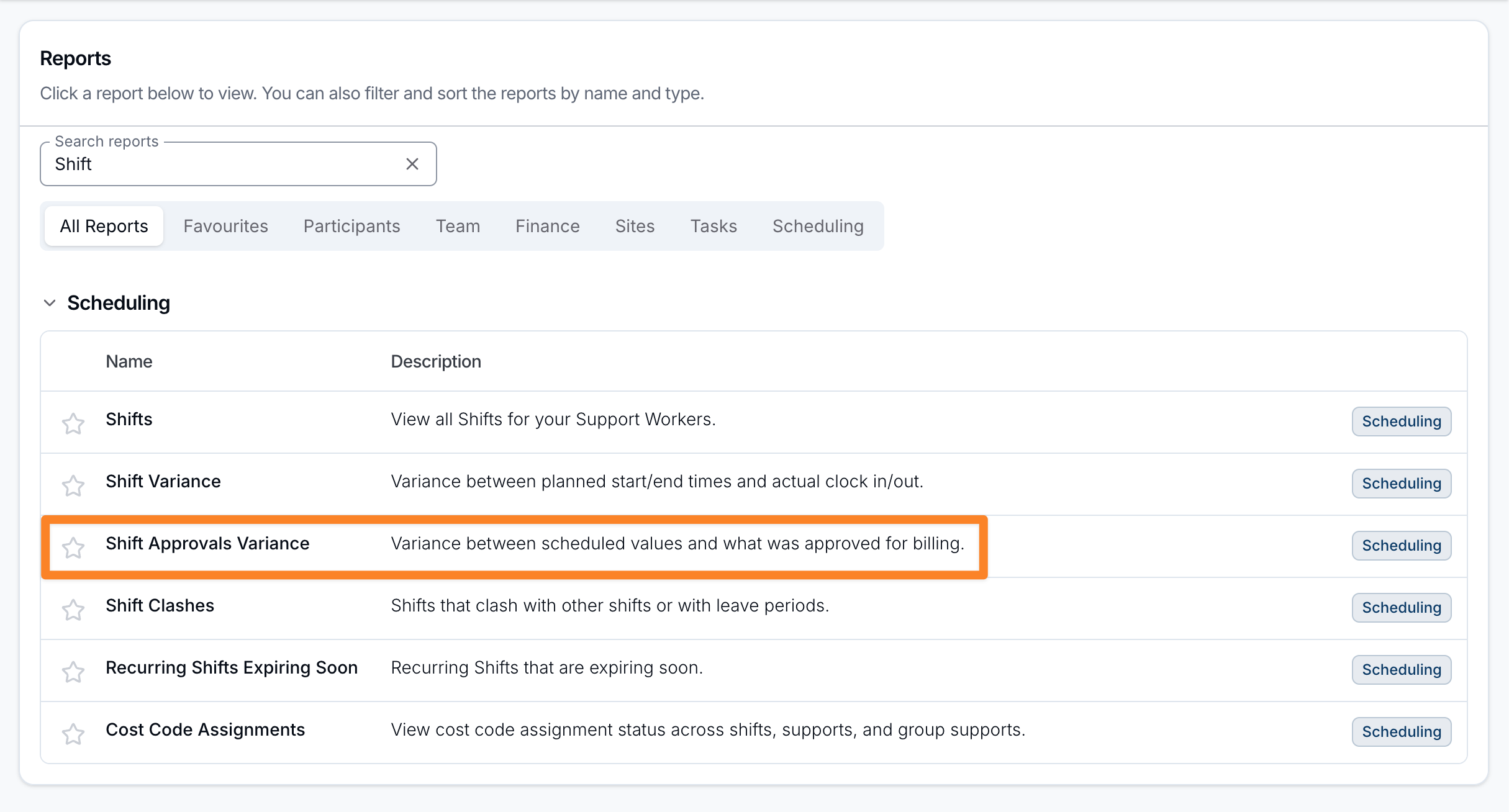
Open Reports > Scheduling > Shift Approvals Variance.
Report Overview
The Shift Approvals Variance report compares the scheduled times for a shift against the times that were ultimately approved for billing. It highlights where approvals moved away from what was originally scheduled, so you can review approval decisions and keep billing accurate.
This is different from the Shift Variance Report, which compares scheduled times against the Support Worker's actual clock in and out.
A shift appears once it has an approved start and end time and a Support Worker assigned. Shifts not yet approved in Shift Approvals are left out. Every matching shift loads on one page, sorted by scheduled start time, and you can sort by any of the time or variance columns.
To download the same comparison, use the Shift Approvals Variance Export.
Summary statistics
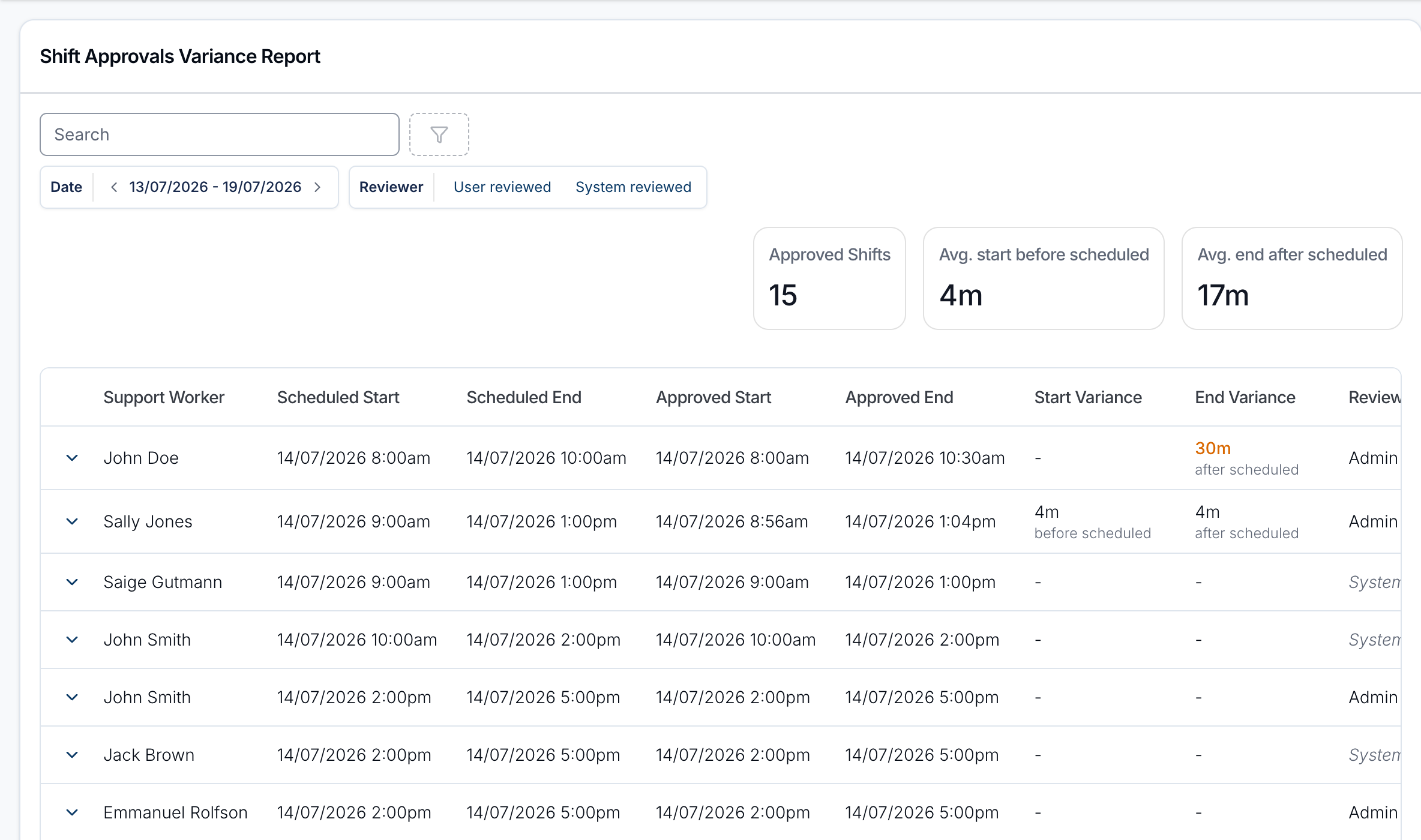
When there are approved shifts in the period, the top of the report shows:
- Approved Shifts - the number of approved shifts included.
- Avg. start before scheduled / Avg. start after scheduled - how much earlier or later approved start times were, on average.
- Avg. end before scheduled / Avg. end after scheduled - how much earlier or later approved end times were, on average.
Each average only counts the shifts that moved in that direction, and is hidden when there are none. A shift approved at exactly its scheduled time is counted in Approved Shifts but in none of the averages.
Report columns
- Support Worker - the Support Worker for the shift.
- Scheduled Start / Scheduled End - the originally scheduled times.
- Approved Start / Approved End - the times approved for billing.
- Start Variance / End Variance - the approved time minus the scheduled time, labelled before scheduled or after scheduled. A variance of more than 15 minutes is highlighted in amber, and more than 30 minutes in red. A dash means the approved time matches the schedule.
- Reviewed By - who approved the shift. This shows the reviewer's name, or System when the shift was approved automatically.
Filtering
Use the Search box to find a Support Worker by name, and the filters above the table to narrow the results:
- Date - matched against each shift's scheduled start time. Defaults to the current week (Monday to Sunday) and includes the whole of the end date.
- Reviewer - User reviewed shows shifts whose hours a person approved; System reviewed shows shifts Astalty approved automatically. Leave it unset to see both.
Expanding a row
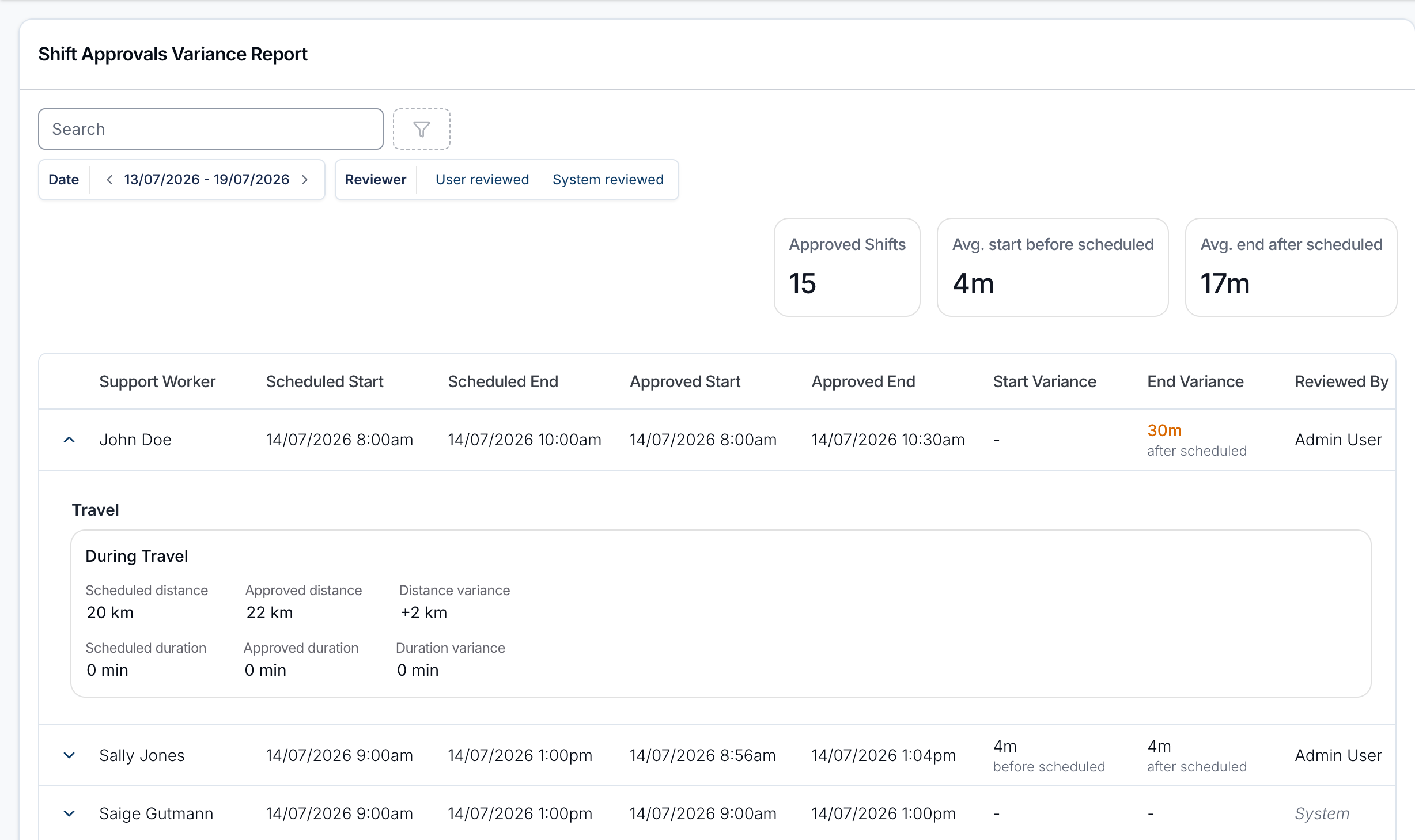
Select the arrow on a row to see approval variances for any travel and active overnight periods attached to the shift. Select the row itself to open the shift.
- Travel - one card per trip for this shift's Support Worker that has an approved distance or duration, labelled by when it happened (start, during or end travel). Each shows scheduled versus approved distance (km) and duration (minutes), with the variance for each.
- Active Overnight Periods - one card per approved period, showing recorded versus approved start and end times, with the variance for each.
Trips and periods still awaiting approval are not shown.
If a shift has no travel or active overnight periods, the expanded row notes that there's nothing further to show.