My Capacity Report
Open Reports > Team > My Capacity.
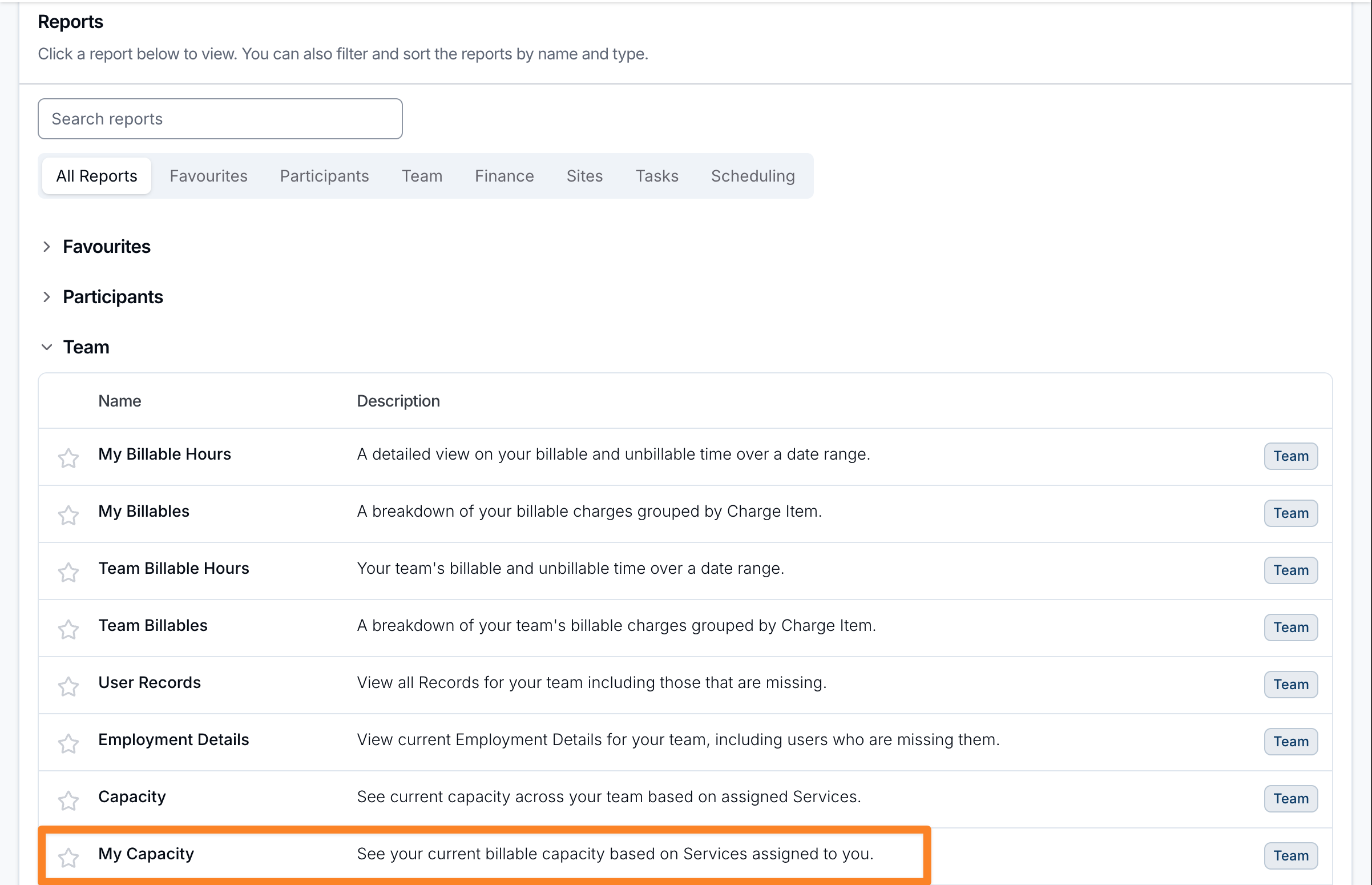
Report Overview
My Capacity estimates how many hours you could bill each week from the funding and time remaining in the Services you coordinate. It uses the same calculation as the Capacity Report.
A Service appears when you are its Service Coordinator. If it has no Service Coordinator, it also appears when you are the Participant's Primary Coordinator. My Capacity always applies this rule, regardless of the setting in the team Capacity report.
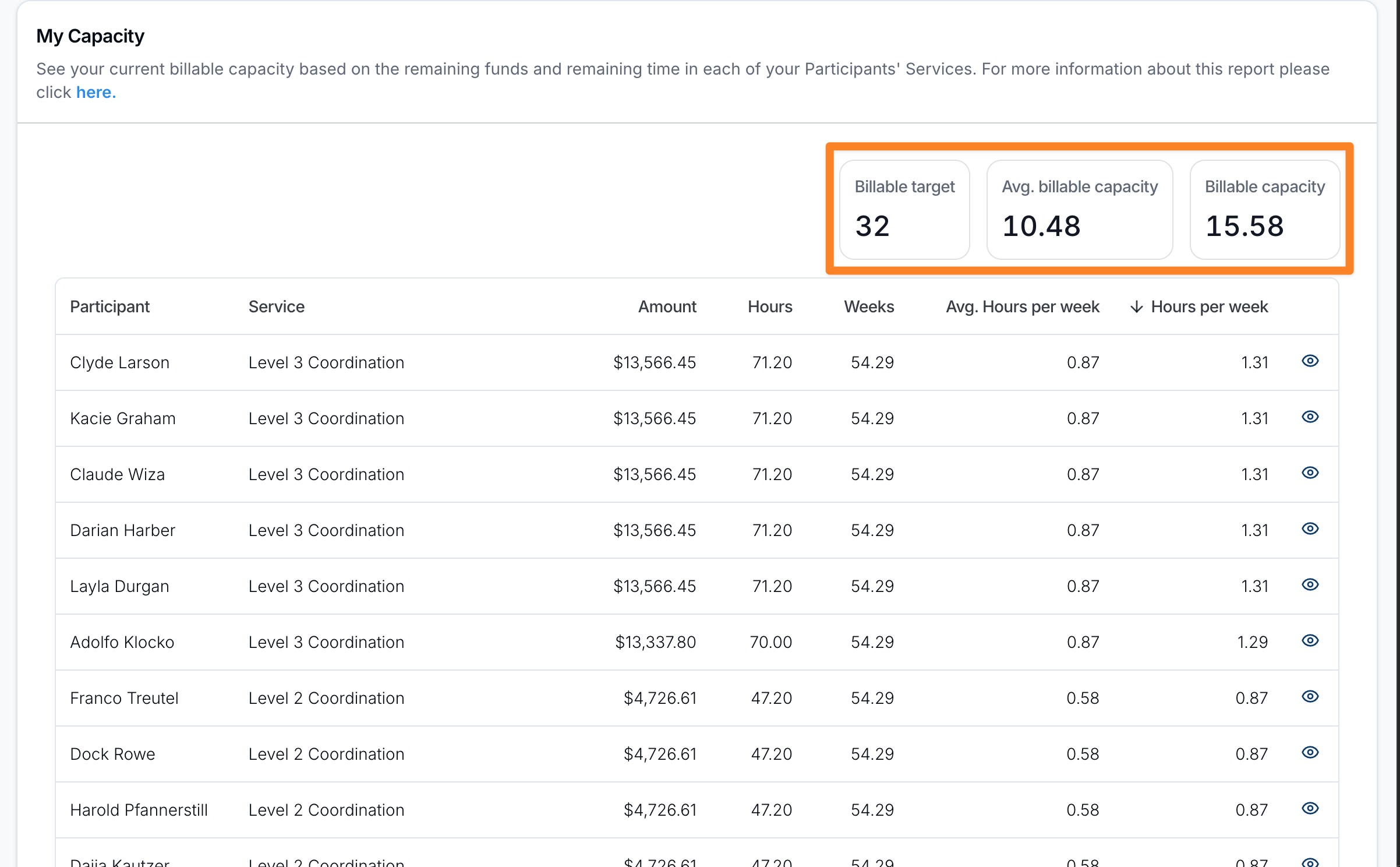
Summary statistics
Across the top of the report you'll see:
- Billable target - your weekly billable target, in hours.
- Billable capacity - the total of Hours per week across your Services.
Participant breakdown
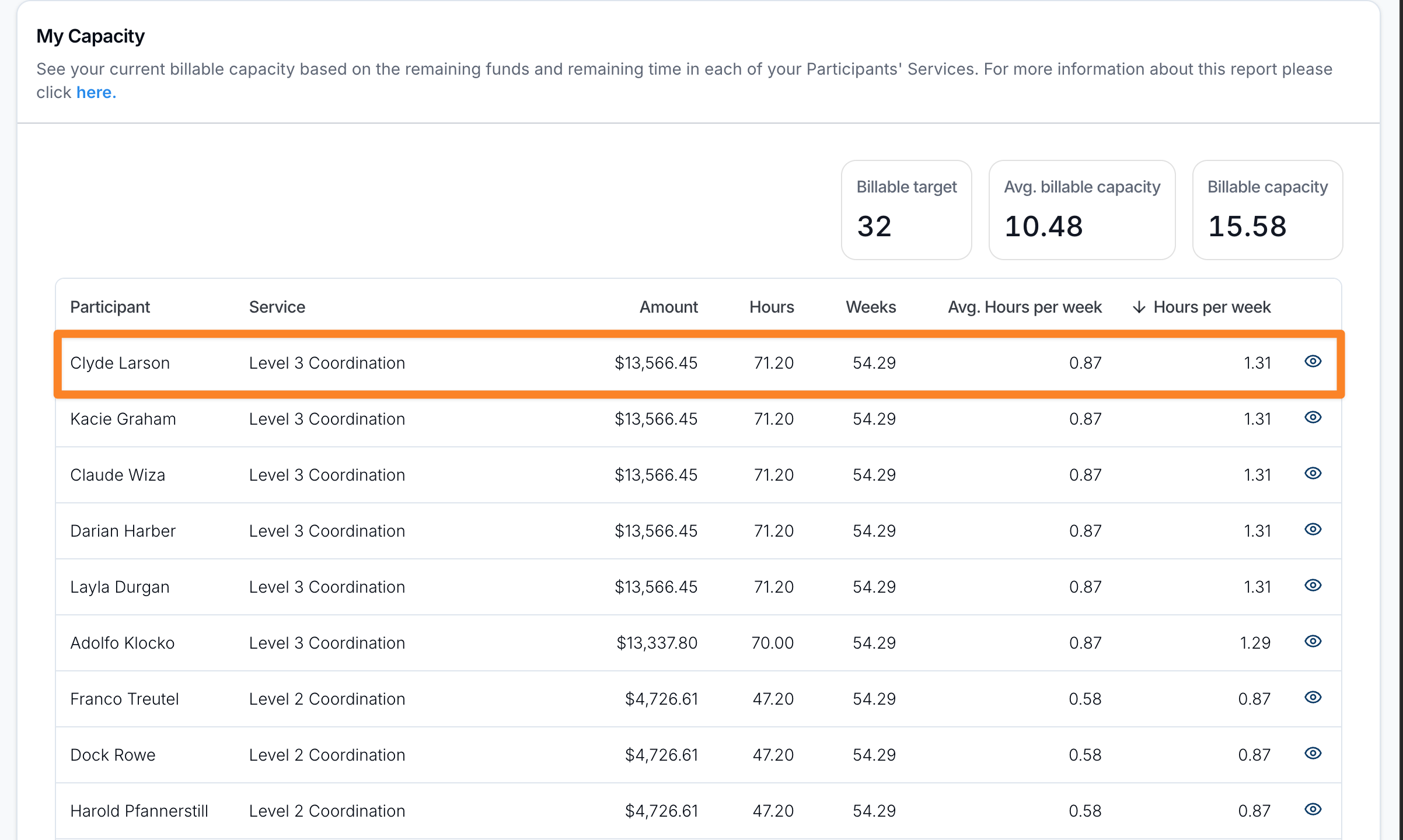
Below the summary, the report lists each of your Participants and their Services, with a totals row for Amount, Hours and Hours per week:
- Participant / Service - the Participant and the Service the capacity is calculated for.
- Amount - the funding remaining in the Service, including funding periods not yet released.
- Hours - the hours that funding buys at the hourly price of the Service's Calculate remaining units using Charge Item.
- Weeks - the days until the Service's end date, divided by 7.
- Hours per week - the hours remaining divided by the weeks remaining. When 1 to 6 days remain, it is capped at Hours. On the Service's end date, Weeks and Hours per week are 0.
The table is sorted by Hours per week (highest first) by default, and every column can be sorted. For a full explanation of how each figure is calculated, see the Capacity Report guide.
Which Services Are Included
Every Service listed counts towards your billable capacity. A Service is listed only when it is current today, its Participant is not archived, and its Calculate remaining units using Charge Item is priced per hour. See Which Services Count.
To stop a Service counting towards your capacity, change its Service Coordinator to the person managing it.