Action Items Export
You can bulk export every action item raised across your registers as a single CSV file, with the register each one came from, its assignee, due date, status and completion date.
Finding the Action Items Export
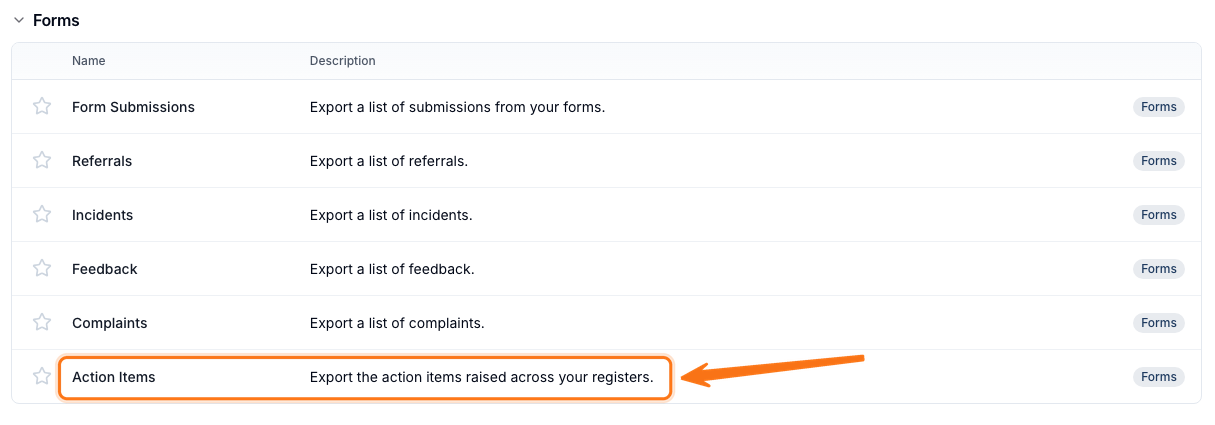
Open Exports, select Create Export, then select Action Items under Forms.
Creating the Export
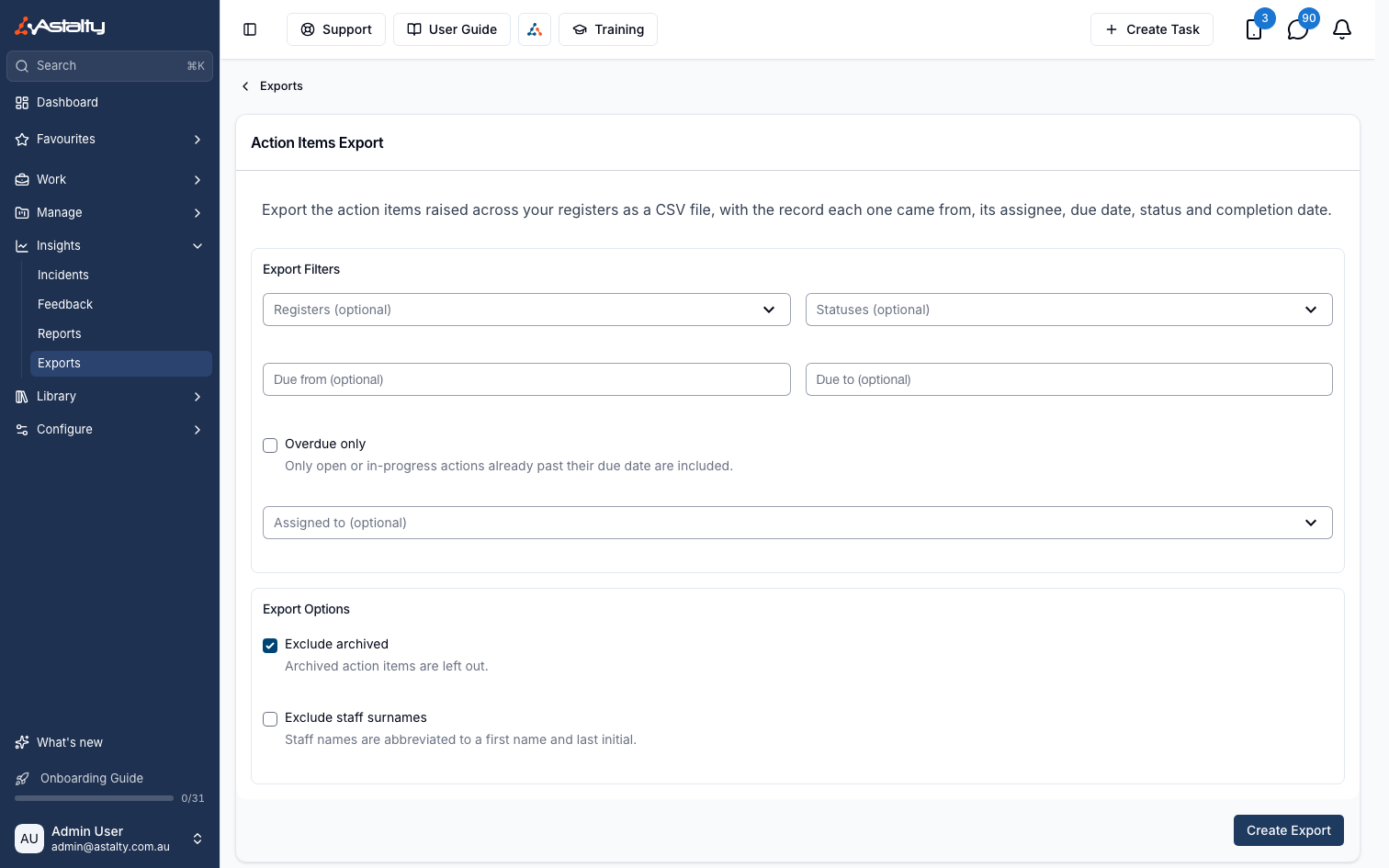
Use Export Filters to narrow what's included. All filters are optional, so leave them blank to export every action item.
- Registers limits the export to one or more registers. The choices depend on which registers your account has turned on: Participant Incident, Staff Incident, Feedback, Referral and Custom Register.
- Statuses limits the export to one or more of Open, In Progress, Completed and Closed - Not Actioned.
- Due from and Due to limit the export to action items due in a date range. Use the presets next to Due from - This month, Next month, Last month or Last quarter - to set both dates at once.
- Overdue only includes only open or in-progress action items already past their due date.
- Assigned to limits the export to one or more assignees, including deactivated users.
Under Export Options:
- Exclude archived is on by default, so archived action items are left out.
- Exclude staff surnames is off by default. When selected, staff names are abbreviated to a first name and last initial.
If your organisation requires an export reason, complete Reason, then select Create Export.
Downloading the Export
When the export is ready it will appear on the Exports page where you can click Download to save it to your device.
Understanding the CSV
The CSV has one row per action item, across every register it covers:
- Register - the register the action item came from, for example Participant Incident or the name of the custom register form.
- Record - the reference number of the record the action item belongs to.
- Action - the action item's title.
- Description
- Assigned To
- Due Date
- Status
- Overdue - Yes or No, based on the due date and status at the time of export.
- Completed - the date and time the action item was marked complete, if it has been.
- Outcome - the outcome recorded when the action item was closed.
- Created - the date and time the action item was added.
Dates and times use your provider timezone.