- Insights
- Support Cancellations Report
Support Cancellations Report
Overview
The Support Cancellations Report lists cancelled supports and their reasons, so you can review cancellation patterns.
Each row is one cancelled support. A cancelled group support appears once for each Participant in it, because each Participant's support is cancelled separately.
By default, only Admins can open this report. A Manager can open it once Can access Scheduling is turned on for them. See Roles & Permissions.
Accessing the Support Cancellations Report
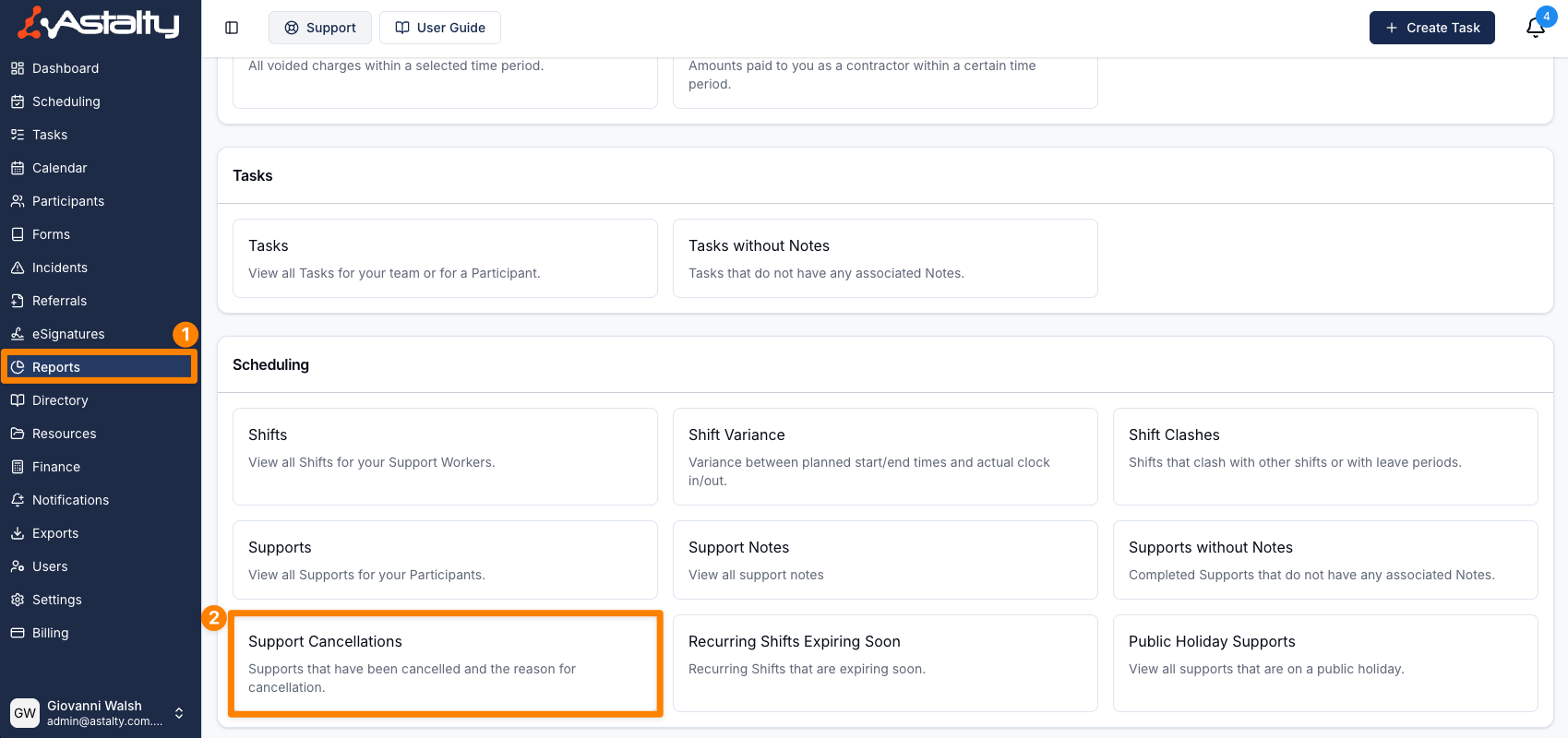
- From the left-hand side menu, click Reports.
- Scroll down to the Scheduling section.
- Select Support Cancellations.
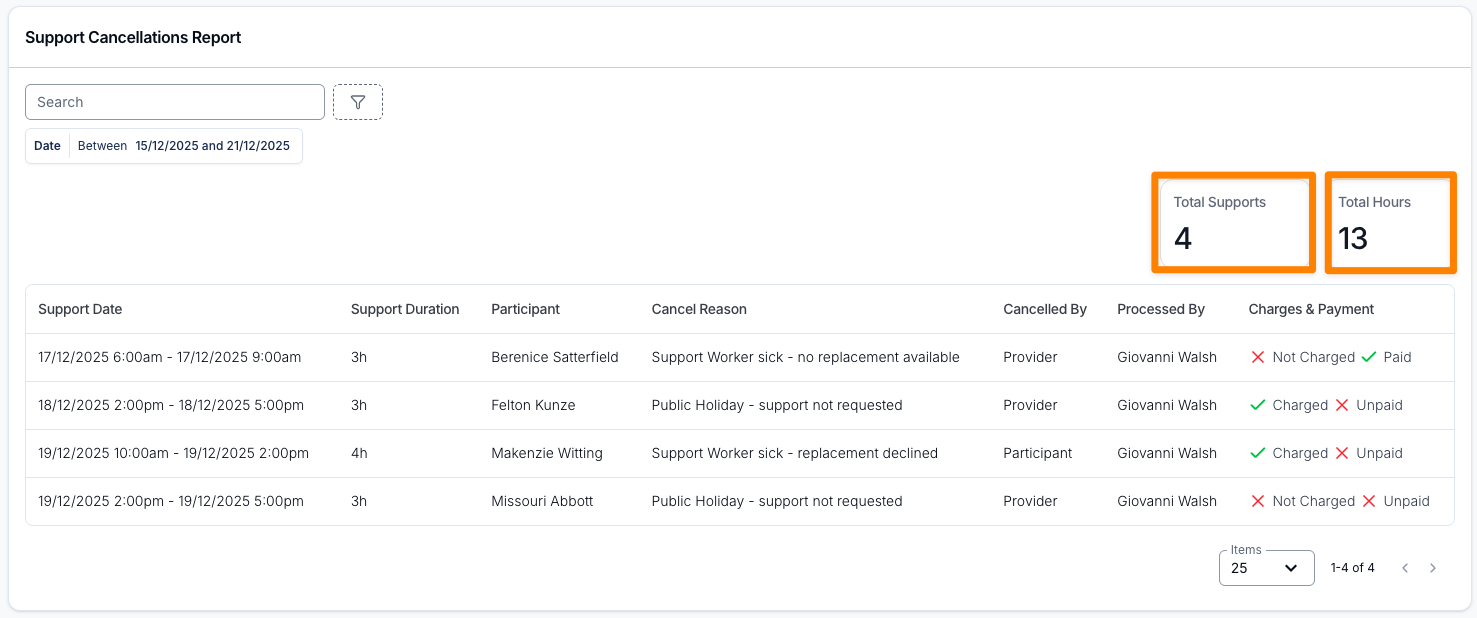
Depending on the date range and filters applied, a summary showing Total Supports and Total Hours will appear above the table. Total Supports counts each cancelled session once. Total Hours counts the scheduled duration once for each cancelled Participant, so a group session with three cancelled Participants contributes three times its duration.
The report displays key details for each cancelled support:
- Support Date - the scheduled start and end date and time of the support.
- Support Duration - Duration format: h = hours, m = minutes.
- Participant
- Support Worker - The Support Worker who was on the cancelled support, including workers pulled from group supports. Cancelled supports with no worker assigned show a dash.
- Cancel Reason - As selected from the preset cancellation reasons available during the cancellation process.
- Cancelled By - Whether the Participant or the Provider cancelled.
- Processed By - The user who recorded the cancellation in Astalty.
- Charges & Payment - Two badges: Charged or Not Charged, and Paid or Unpaid.
Rows are sorted by Support Date, earliest first. You can also sort by Support Duration, Participant, Cancel Reason, Cancelled By or Processed By. Select a row to open the support.
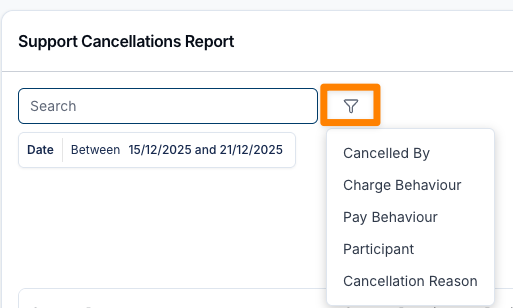
You can filter cancellations by:
- Date - matched against the support's scheduled start, not the date it was cancelled. Defaults to the current week (Monday to Sunday) and includes the whole of the end date.
- Cancelled By - Participant or Provider
- Charge Behaviour - Charged or Not Charged
- Pay Behaviour - Paid or Not Paid
- Participant - View cancellations for one or more Participants
- Support Worker - Narrow the report to cancellations for one or more Support Workers, including workers on a cancelled group support
- Cancellation Reason - Filter by one or more of your organisation's cancellation reasons.
- Search - matches the Participant's name or the cancellation reason.