- Insights
- Notifications
- Recurring Shifts Ending Soon Notification
Recurring Shifts Ending Soon Notification
Overview
The Recurring Shifts Ending Soon notification alerts you when a recurring shift, support or group support in the schedule is nearing the end of its recurrence. This reminder helps you set up future supports before the cycle finishes, ensuring there is no gap in service delivery. It also provides an opportunity to touch base with the Participant at the end of the period (for example, when a service agreement ends) to confirm whether they wish to continue receiving supports.
Only Admins can manage these notifications. This can't be changed per user.
Setting Up the Notification
- Go to Notifications from the left-hand menu.
- Scroll to the Scheduling section.
- Select Recurring Shifts Ending Soon.
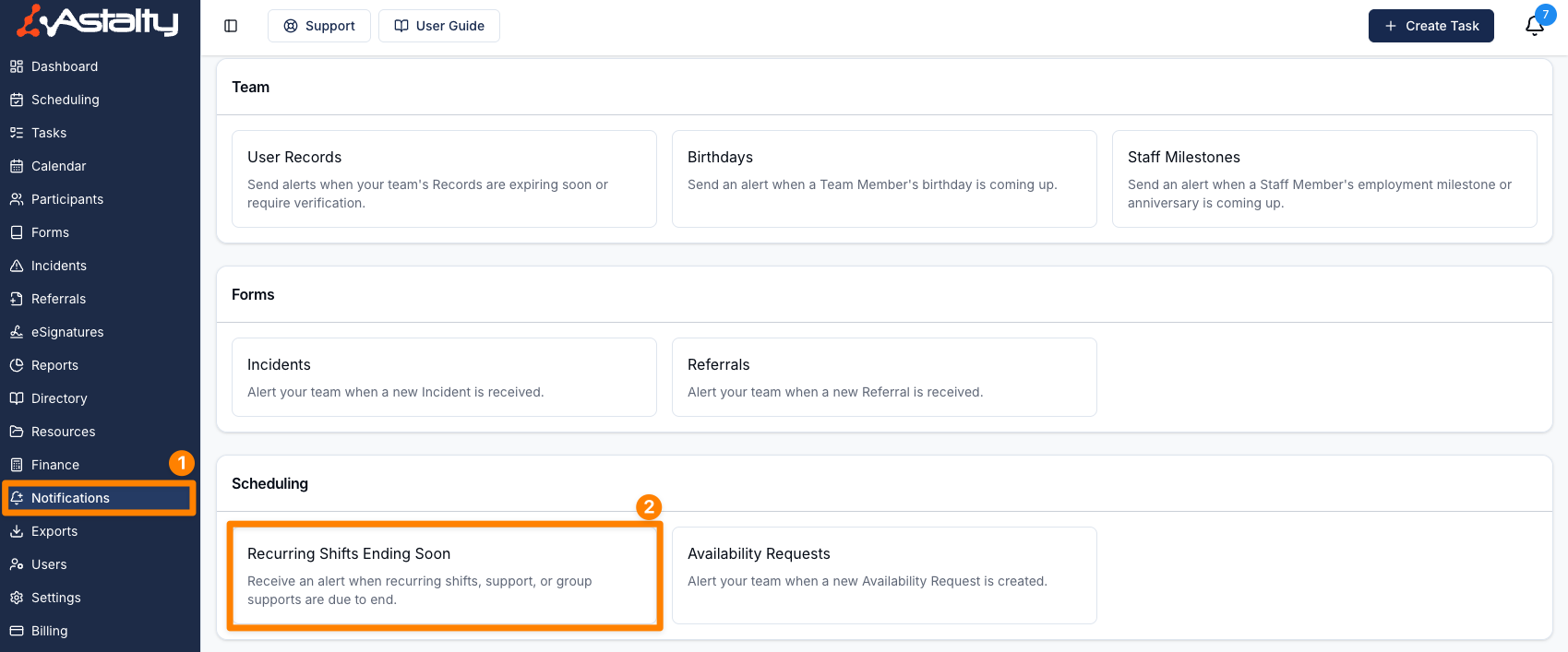
- Click Create Notification.
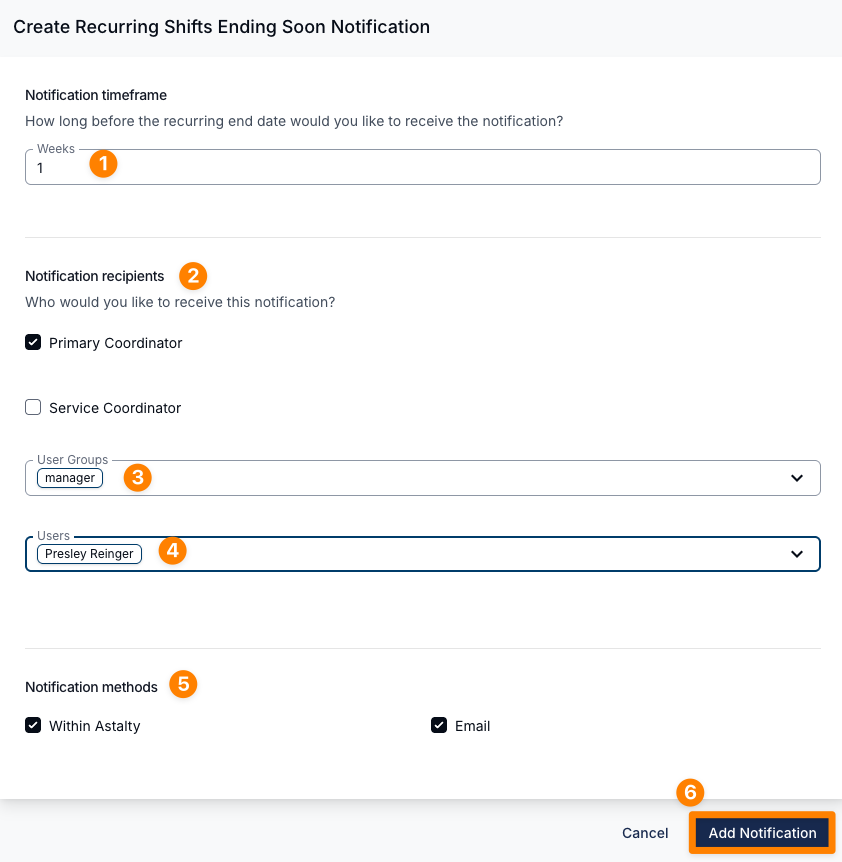
- Under Notification timeframe, set the Period (1 to 365) and choose a Period unit of Days or Weeks. This is how far ahead of the recurrence end date the alert is sent. A new notification starts at 1 week.
- Choose the recipients. Primary Coordinator and Service Coordinator notify the coordinators of the Participants on the support or group support; they don't apply to a shift with no Participant. You can also add User Groups (the Support Worker and All Users groups aren't offered) or individual Users. At least one recipient is required.
- Select the notification method: Within Astalty, Email, or both. Both are ticked on a new notification.
- Click Add Notification to save.
Astalty checks once a day, at about 9am Brisbane time, and alerts once for each recurrence whose end date is exactly the set period away. A recurrence with no end date never triggers it, and supports for archived Participants are skipped.
The alert is titled Recurring Shift Ending Soon, Recurring Support Ending Soon or Recurring Group Support Ending Soon, and names the Participant, group support or worker along with the end date. The email has an Update Roster button. There is no custom email content for this notification.
The list shows each notification's timing under When, its Delivery methods and its Recipients. Click a row to edit it, or use its actions menu to Edit, Clone or Delete it.
Extending Recurring Supports
You can extend recurring supports by cloning the existing support. See Recurring Shifts for how to do this.