Participant Risk Added Notification
Create a Participant Risk Added Notification to alert selected people as soon as a new Risk is added to a Participant's profile.
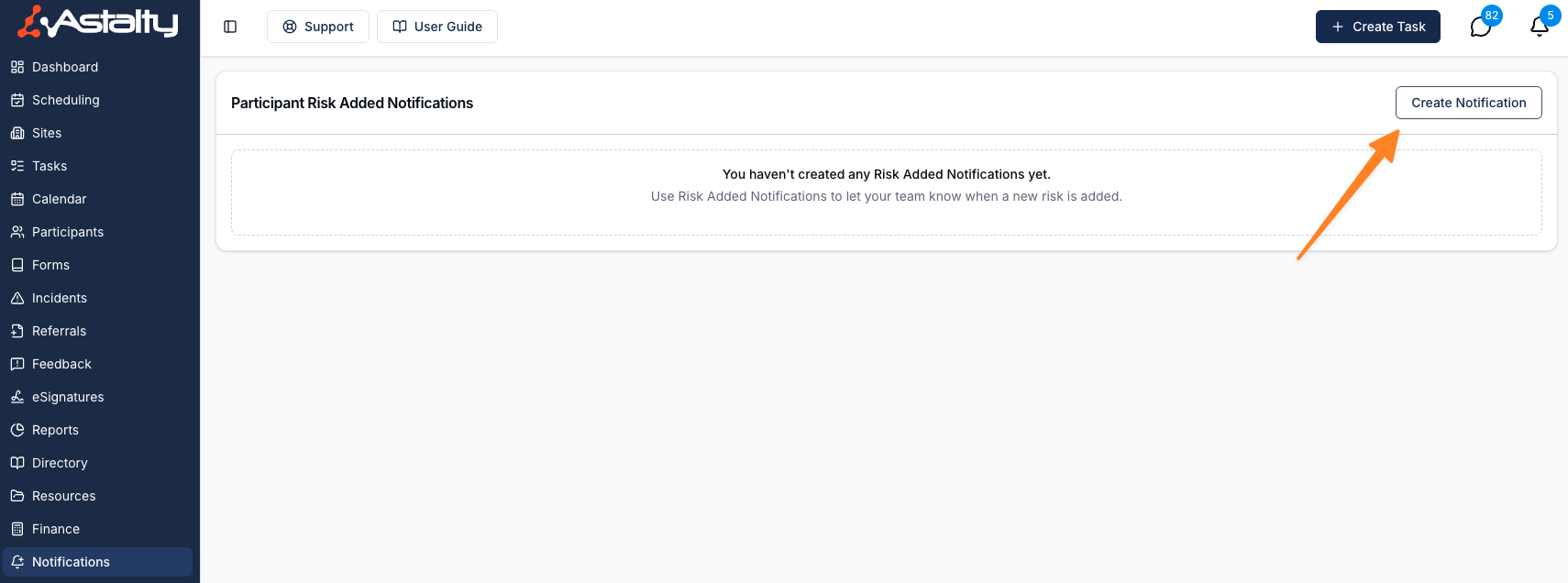
To manage Participant Risk Added Notifications, head to the Notifications page in the main menu, find the Participants group and select Participant Risk Added.
Only Admins can manage these notifications. This can't be changed per user.
Creating a Participant Risk Added Notification
Click Create Notification. A new notification starts with Primary Coordinator, Service Coordinator, Within Astalty and Email all ticked.
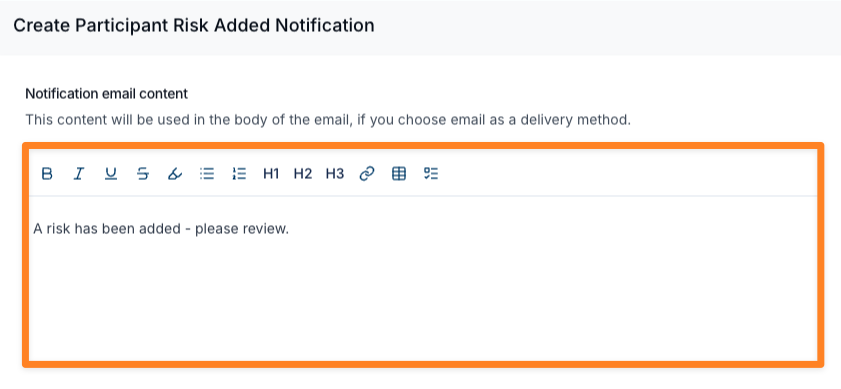
Notification Email Content
Optional. Add your own instructions to the email, such as what your organisation does when a new Participant risk is identified and the next steps. This content appears in the email only, not in the in-app notification.
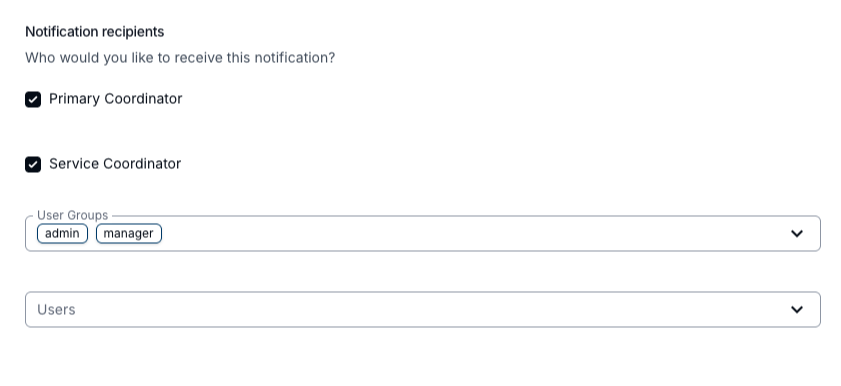
Notification Recipients
Select at least one recipient.
Primary Coordinator
Select this option to notify the Participant's assigned Primary Coordinator.
Service Coordinator
Select this option to notify the Service Coordinator of each Service on the Participant's current plan.
User Groups
Select one or more User Groups. Support Worker and All Users are not available here. Team Member includes only people with the Team Member role, so also select Admin and Manager if they should receive the alert.
Users
Select individual users who should receive the notification.
Notification Methods
Select at least one method.
Within Astalty
Recipients get an in-app notification.
Recipients get an email.
Select both methods to send an in-app alert and an email.

Finalising Your Notification
Select Add Notification to save it.
Each saved notification is listed with its Delivery methods and Recipients. Click a row, or use its actions menu, to Edit it. The actions menu also has Clone, to start a new notification from an existing one, and Delete.
What Happens After Setup
Once saved, the notification runs automatically. Each time a new risk is added to a Participant, Astalty sends the alert to the matching recipients straight away. Risks added for your organisation rather than a Participant don't trigger it.
The email subject is New Risk Added: followed by the risk title. The email names the risk and the Participant, includes your custom content, and has a View Risk button. The in-app notification is titled New Risk Added and links to the Participant's risks.
Related Notifications
- This notification applies to newly added Participant Risks only. Use Participant Risk Review Notifications for scheduled review reminders.
- You can create more than one notification configuration if needed. Each one sends separately.
- If the same person is included more than once across your recipient selections, they will only receive one notification.
- Deactivated users will not be notified.
- If no valid recipients are available when a risk is created, nothing will be sent.