Participant Birthdays Report
Open Reports > Participants > Participant Birthdays.
Report Overview
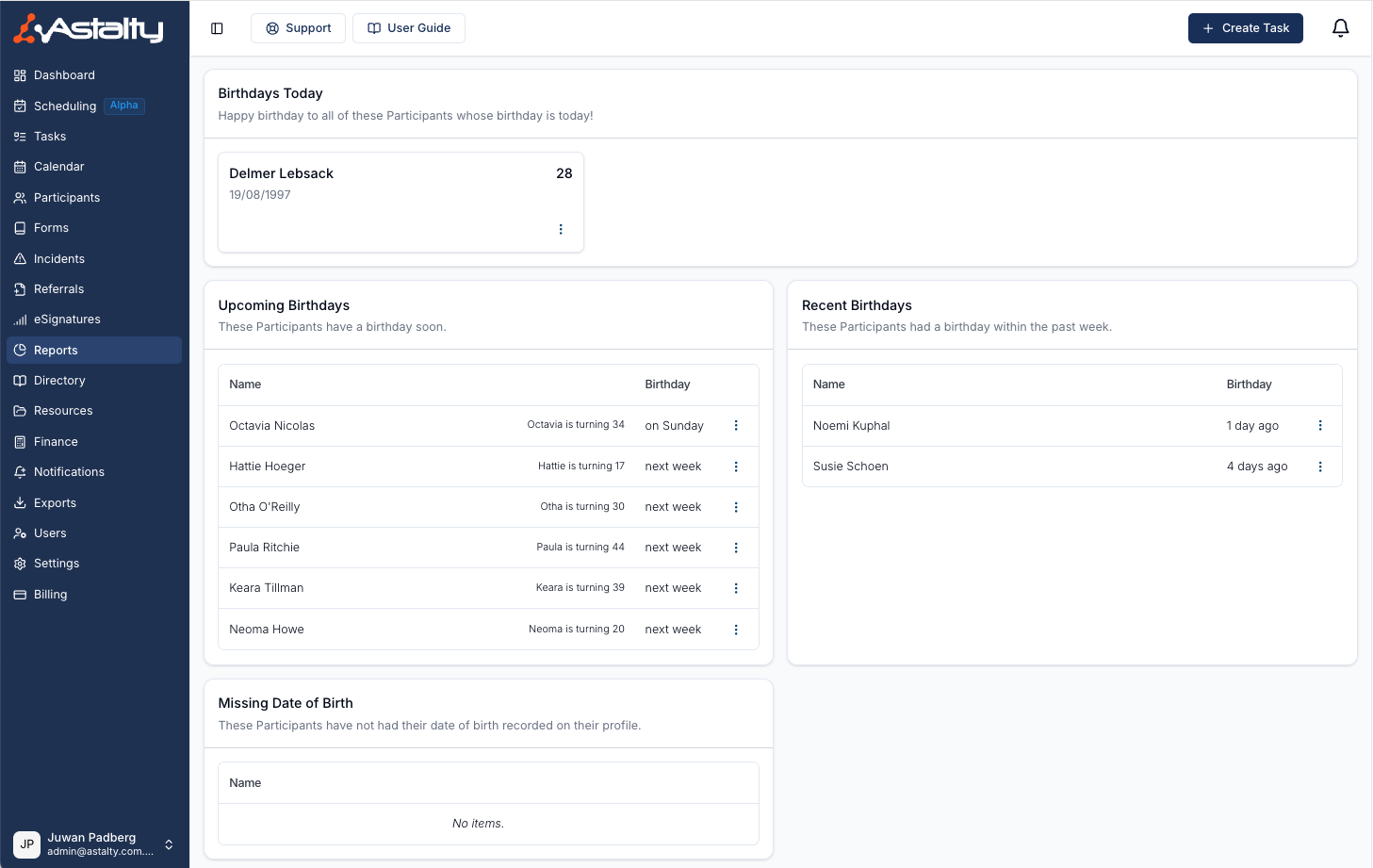
This report shows whose birthday is today, who had a birthday in the past week, who has one in the next two weeks, and who has no date of birth recorded. A separate card lists everyone with a birthday in a month you choose.
Archived Participants are never included.
"Today" and the current month follow your organisation's timezone.
Report Sections
Select a Participant's name anywhere in the report to open their profile.
Birthdays Today
The card at the top of the report lists every Participant whose birthday is today, with their date of birth and the age they turn. When nobody has a birthday today, it names the next Participant with a birthday in the coming two weeks.
Upcoming Birthdays
The Coming up section of the Birthday timeline card lists Participants with a birthday from tomorrow to 14 days ahead. They are grouped under Later this week, Next week and In two weeks, and each shows the age they are turning.
Recent Birthdays
The Past 7 days section of the Birthday timeline card lists Participants whose birthday fell in the 7 days before today, with the age they turned.
Missing Date of Birth
The Missing date of birth card lists Participants with no date of birth on their profile. They cannot appear anywhere else in the report until one is added. Click Add birthday to open the Participant's profile and add it.
Birthdays by Month
The Birthdays by Month card lists every Participant with a birthday in the month you select, so you aren't limited to the next 2 weeks.
Use the month dropdown in the top right of the card to pick any month of the year. The card opens on the current month, and the list updates as soon as you choose a different one.
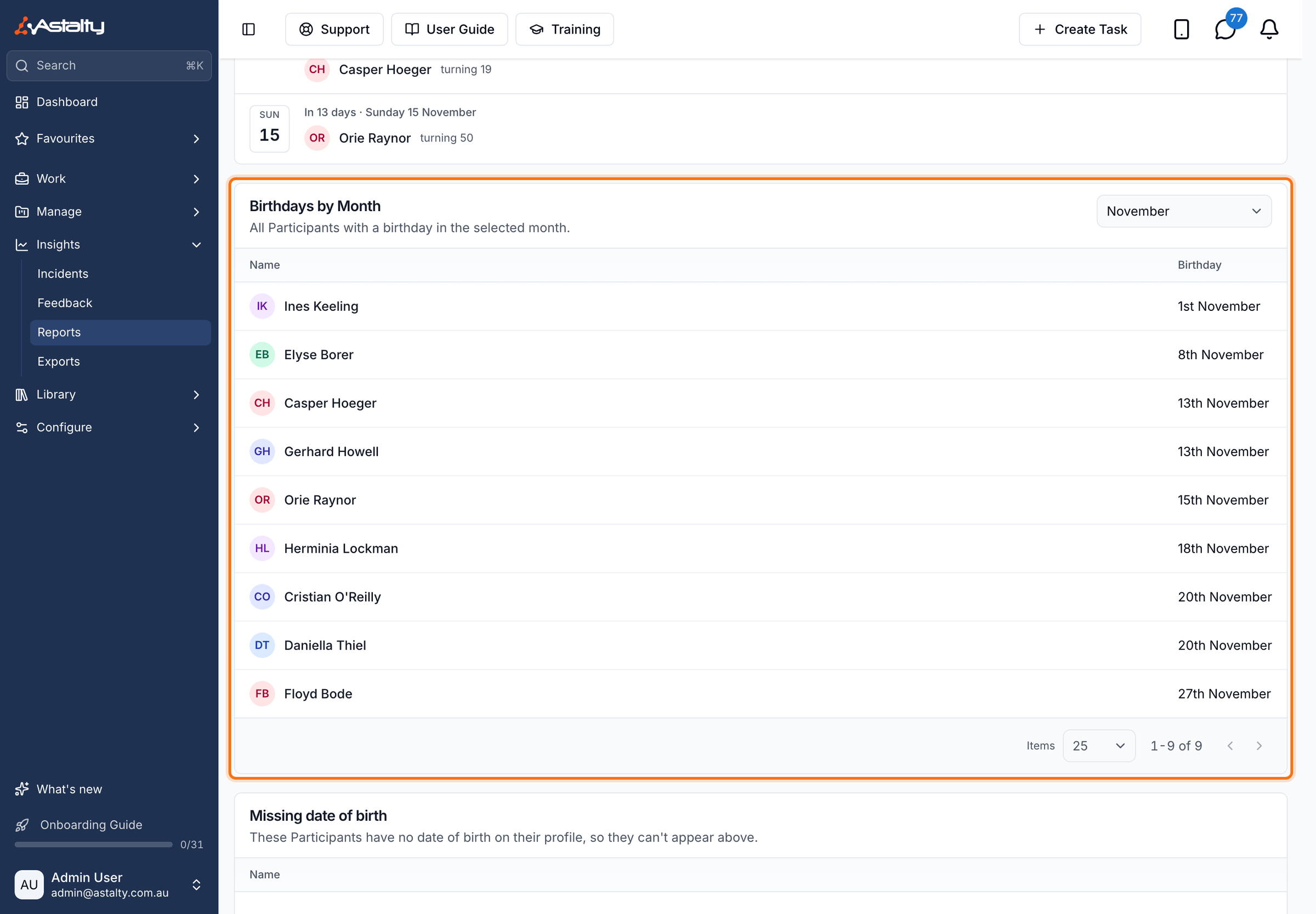
Results are ordered by the day of the month, then alphabetically by name, and show the day and month of the birthday (for example, 3rd January) rather than the year or age. Select a Participant's name to open their profile.