Participant Risks Report
The Participant Risks Report lists the active risks recorded against your Participants, with their controls, Inherent and Residual Risk, and review dates, and counts how many risks sit at each level of your risk matrix.
Overview
Each row is one risk. Expand a row to see the controls recorded for it. To learn how to record risks for a Participant, see Risks.
The report leaves out:
- archived risks
- risks belonging to archived Participants
Where to Find It
- From the left-hand menu, select Reports.
- Under Participants, select Participant Risks.
Who Can See It
| Role | All Participants | My Participants |
|---|---|---|
| Admin | Yes | Yes |
| Manager | Yes | Yes |
| Team Member | Yes, unless Can access all Participants is turned off for them | Yes |
| Support Worker | No | No |
My Participants means the Participants you are the Primary Coordinator for, plus those where you are the Service Coordinator on a Service that is current today. If you can only see your own Participants, the report shows only them and the All Participants option doesn't appear.
Risks Matrix
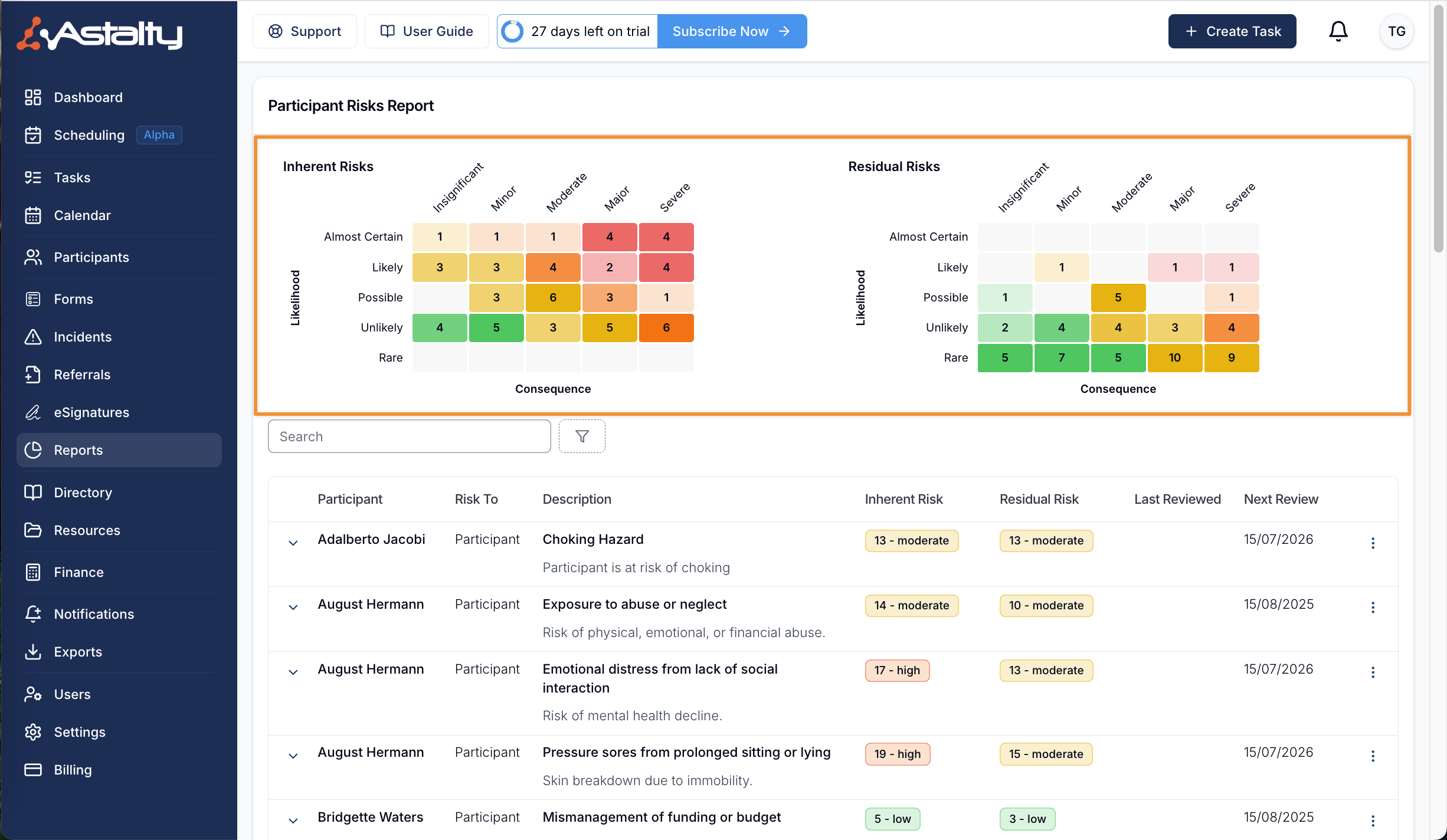
The Inherent Risks and Residual Risks matrices plot each risk by consequence (Insignificant, Minor, Moderate, Major or Severe) against likelihood (Rare, Unlikely, Possible, Likely or Almost Certain). Each cell shows how many risks sit at that level, so you can see the spread of risk across your organisation.
The matrices count every active risk in the view you have chosen, All Participants or My Participants. The search and the other filters narrow the table only, not the matrices.
Filter Options
| Filter | What it does |
|---|---|
| Participants | Choose All Participants or My Participants. Shown only when you can see all Participants, and starts on All Participants. |
| Search | Matches the Participant's name. |
| Residual Risk | Shows risks whose residual score falls in one or more levels: Low (1 to 6), Moderate (7 to 15), High (16 to 21) or Catastrophic (22 to 25). |
| Review Status | Overdue, Due this month or Due next month, based on the Next Review date. |
| Primary Coordinator | Shows Participants with the chosen Primary Coordinator, or Unassigned for those with none. Offered only when you can see all Participants. |
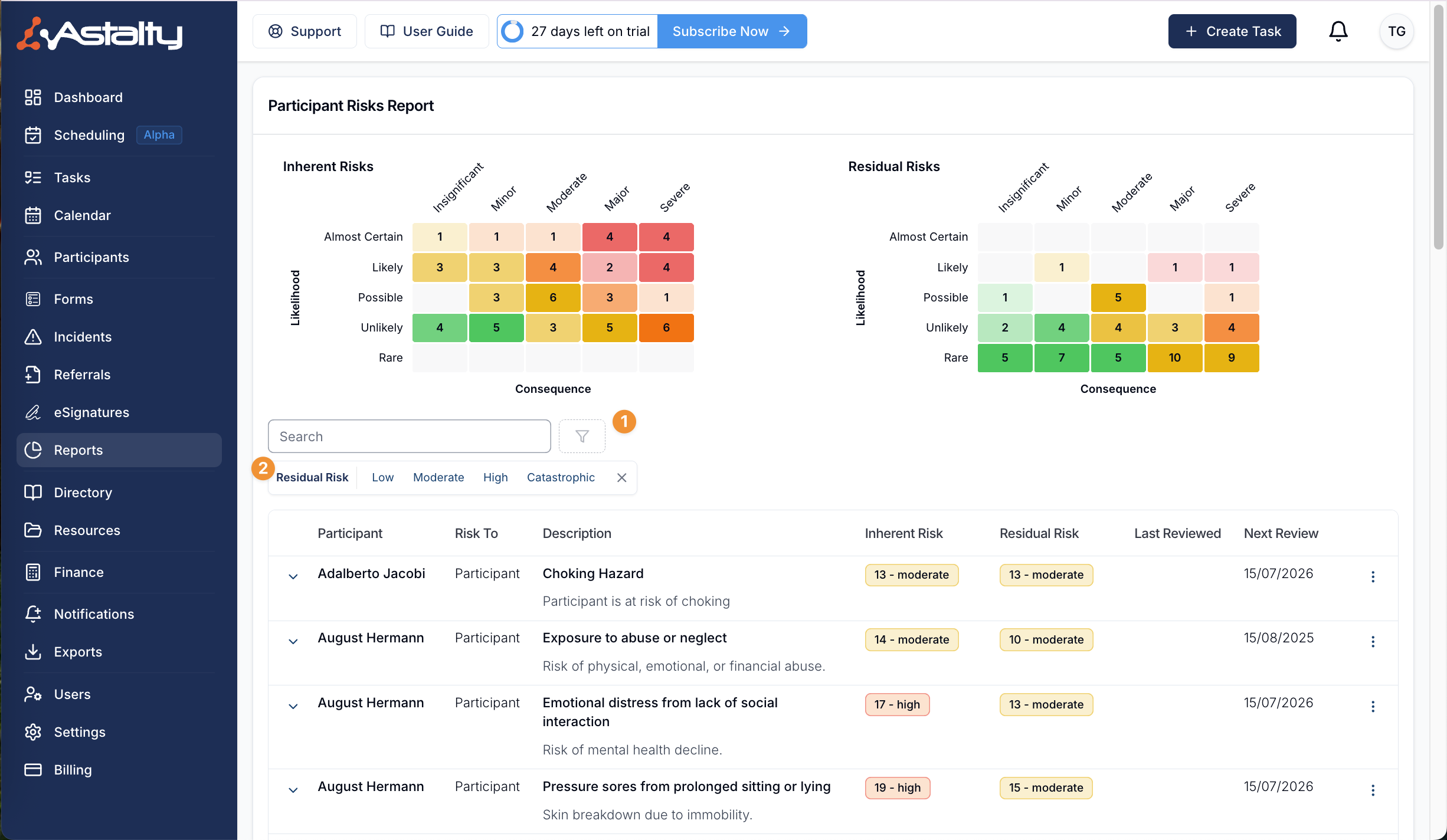
Understanding the Results
| Column | What it shows |
|---|---|
| Participant | The Participant the risk belongs to |
| Risk To | Who the risk is to: Participant, Staff, Business or Others |
| Description | The risk's title and description |
| Inherent Risk | The risk score before controls |
| Residual Risk | The risk score after controls |
| Last Reviewed | The date the risk was last reviewed |
| Next Review | The last review date, or the date the risk was created if it has never been reviewed, plus the risk's review frequency. Blank when the risk has no review frequency. |
The report opens sorted by Participant name, A to Z. You can also sort by Inherent Risk, Residual Risk and Next Review.
Risk Entry Options
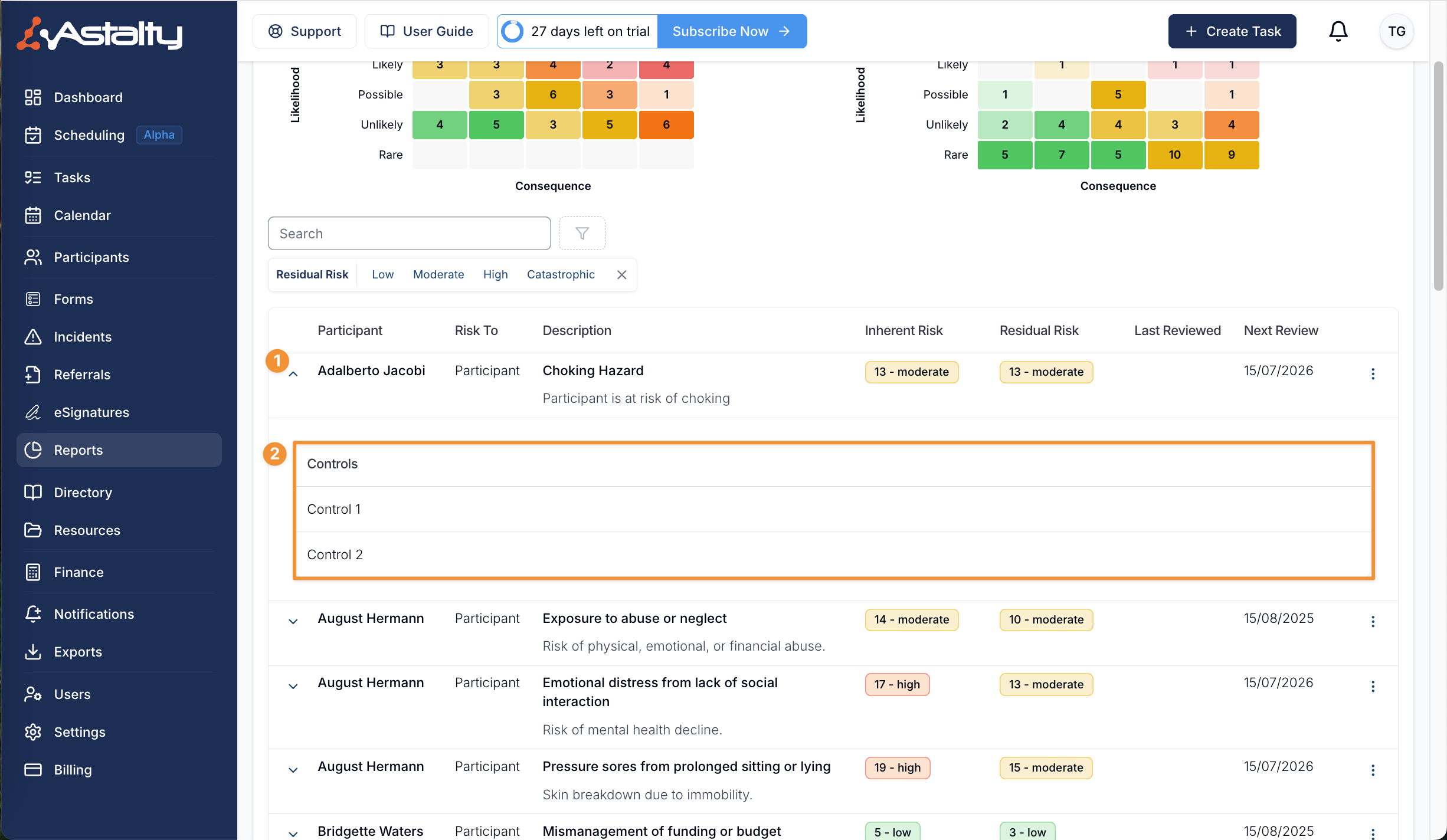
As on a Participant's risks page, expand a row to see the controls entered for that risk.
Each row's action menu has View Risk and View Participant Risks.
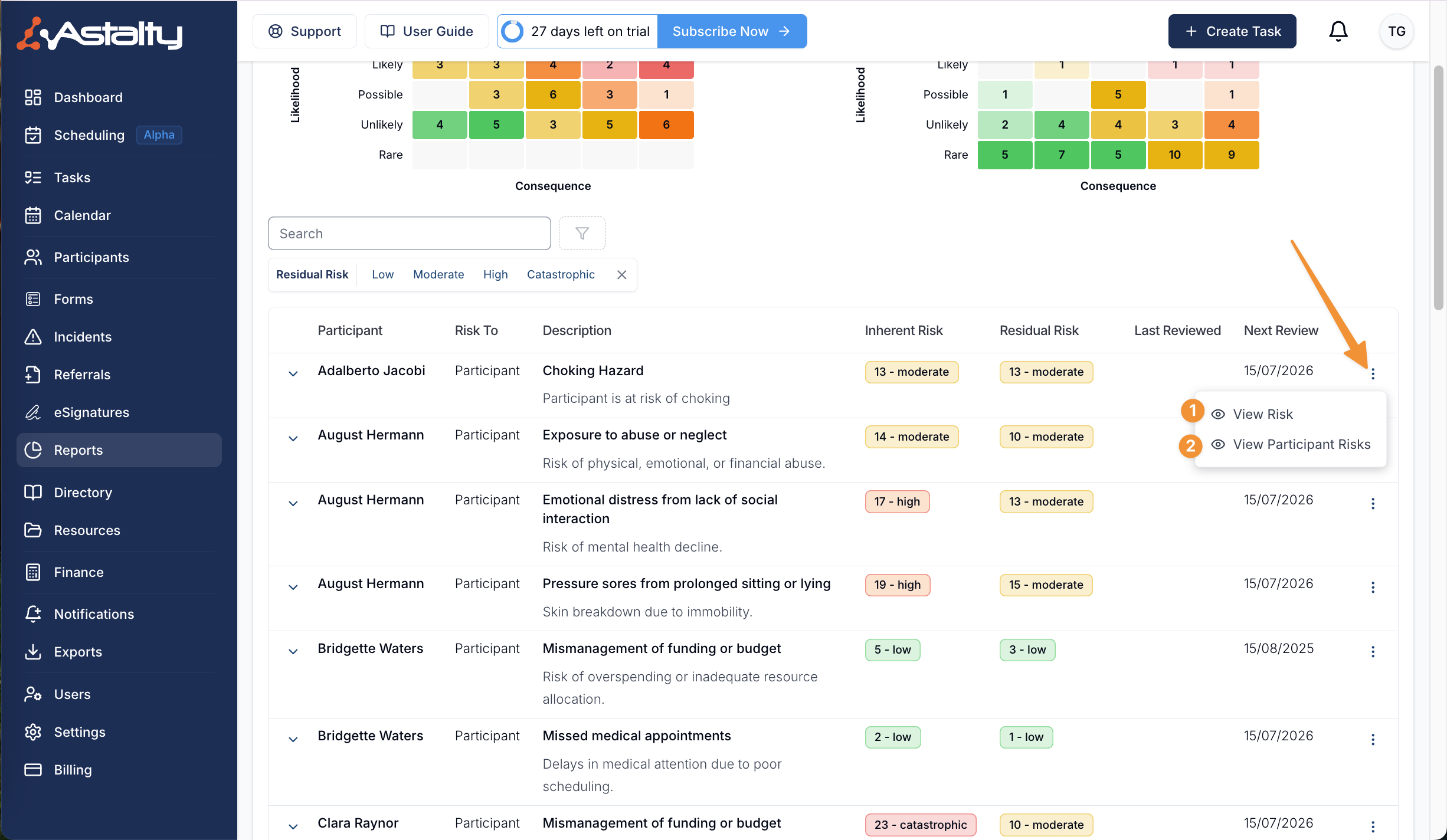
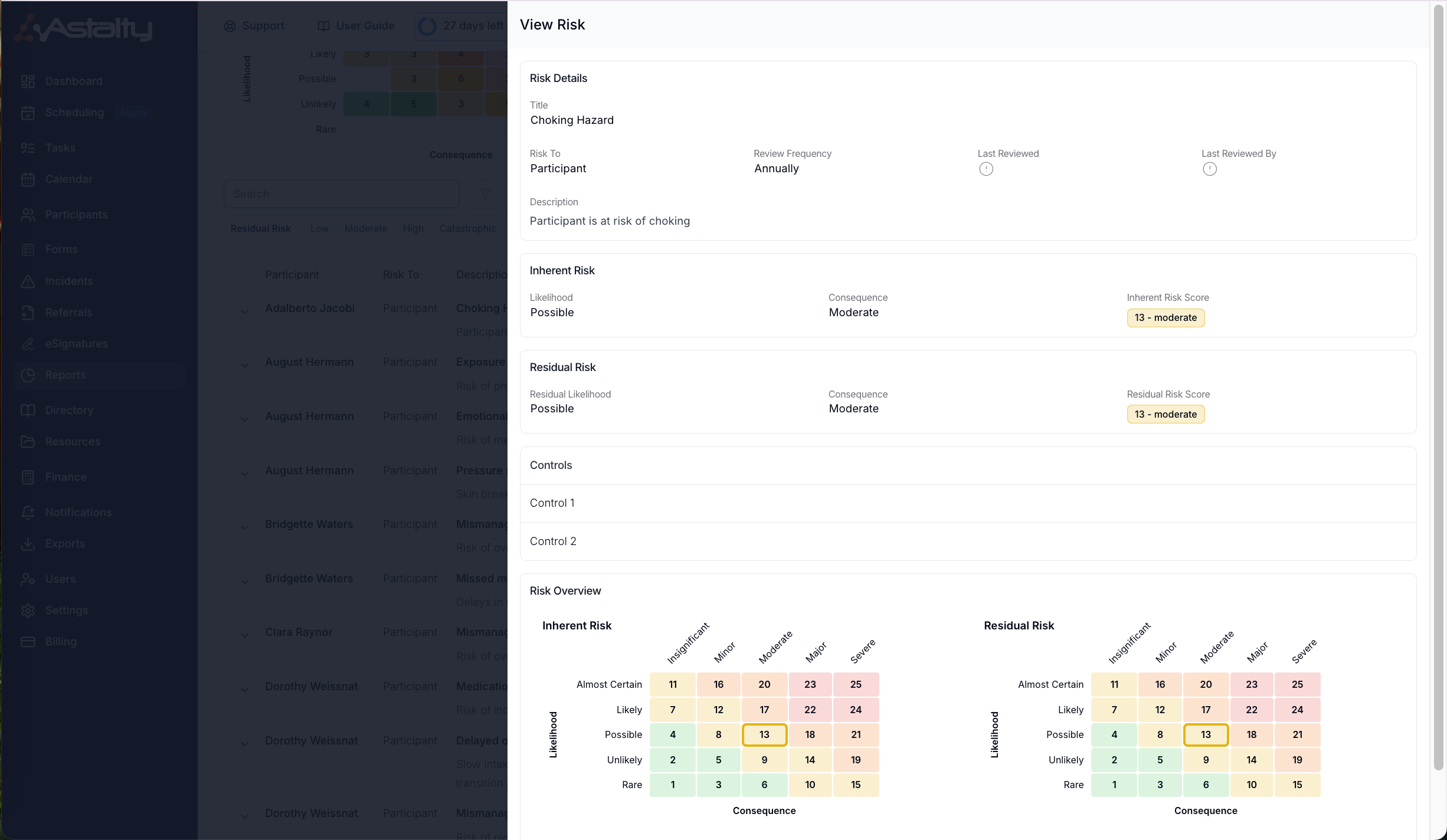
View Risk
View Risk opens the risk's full details without leaving the report. To edit the risk, open it from the Participant's risks page.
View Participant Risks
View Participant Risks takes you to that Participant's risks page, where you can see and manage all of their risks.
Things to Keep in Mind
- The report has no download. To get risks in a spreadsheet, use the Risks Export.
- To find Participants with no risks recorded at all, use the Participants Without Risks Report.