Qualifications Compliance Export
The Qualifications Compliance export produces a CSV of every worker who doesn't currently hold a qualification their role requires. It's the downloadable version of the Qualifications Compliance Report. Only the Account Owner, and Admins who have Can manage User Records for all Users turned on, can create it. That toggle is off by default for other Admins.
Finding the Qualifications Compliance export
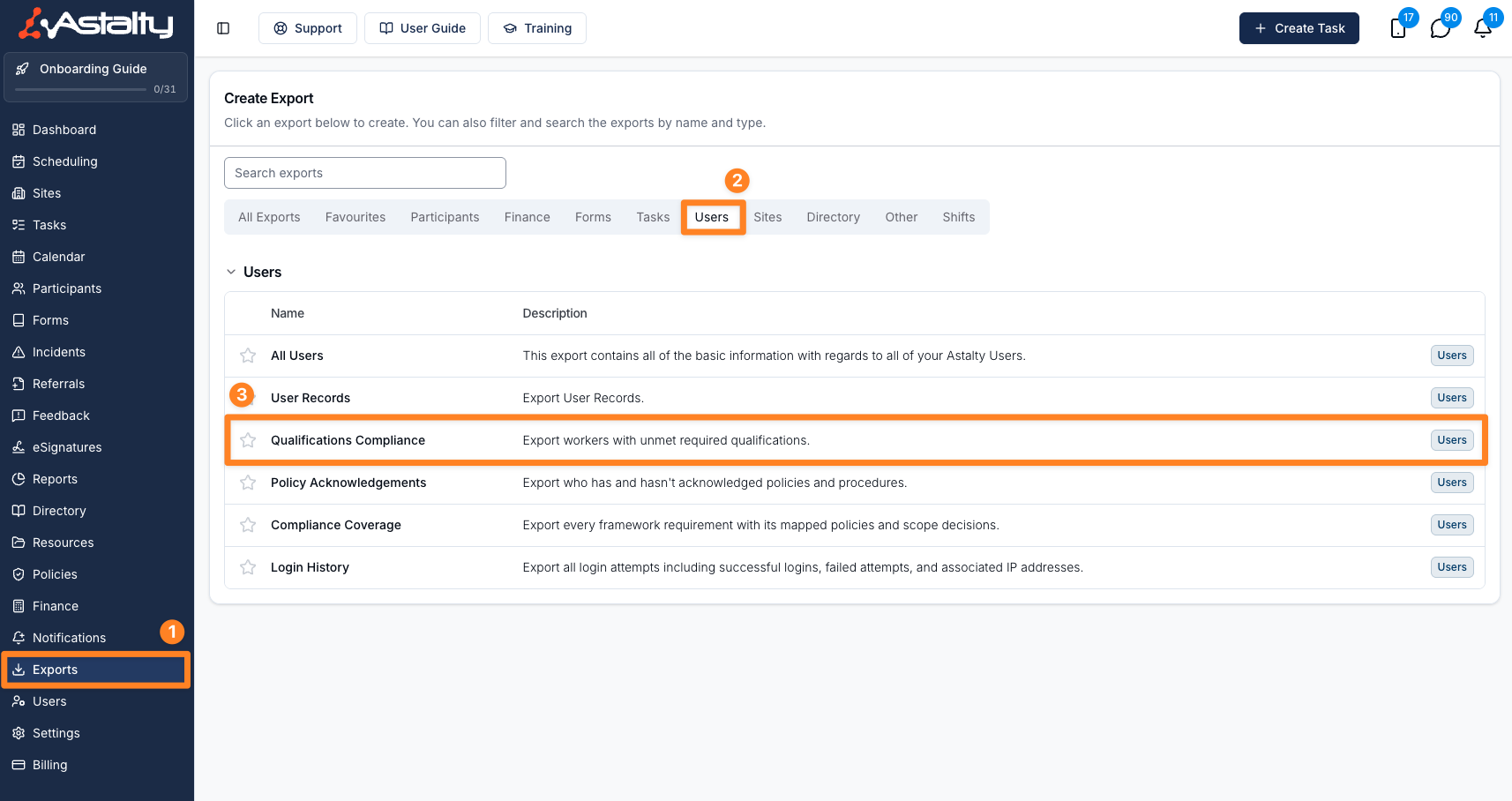
Head to the Exports page in Astalty. Click Create Export and select Qualifications Compliance under the Users group, or go straight to Create Qualifications Compliance export.
Creating the export
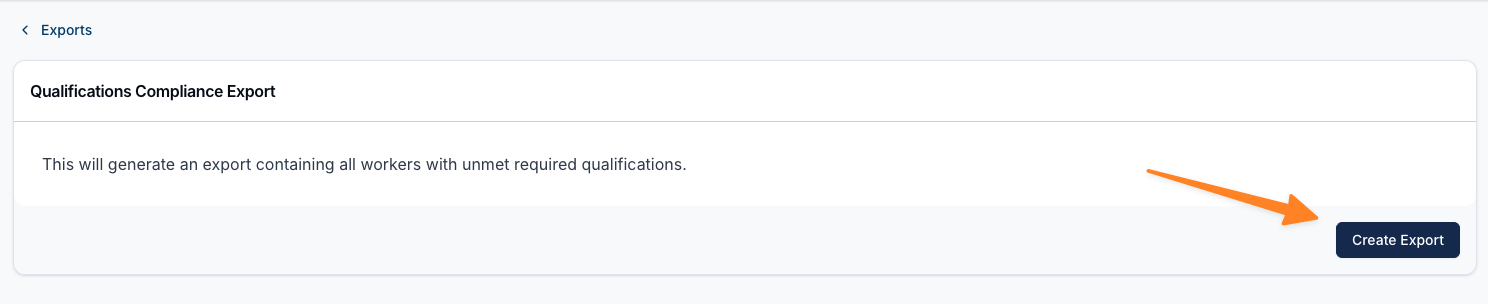
On the Qualifications Compliance Export page, enter a Reason for the export if your account requires one, then click Create Export. The page confirms what you're about to generate:
This will generate an export containing all workers with unmet required qualifications.
Downloading the export
You'll be taken to the Exports list, where you can click Download to save the file once it's ready. If the export takes longer than about 20 seconds to process, Astalty emails you once the file is ready.
Exported fields
| Column | Contents |
|---|---|
| Worker | The worker's name. |
| Qualification | The qualification they don't hold. |
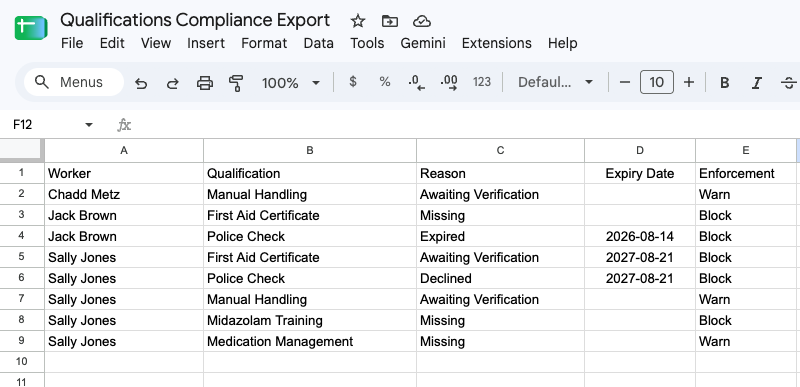
| Reason | Missing, Expired, Awaiting Verification or Declined. |
| Expiry Date | The relevant expiry date in your organisation's timezone, or blank where there isn't one. |
| Enforcement | Block or Warn. |
One row appears per rosterable worker per unmet role-based qualification. Restricted and deactivated users are excluded. When several groups require the same qualification, the strictest applicable enforcement is used.
Limits shared with the report
Because the export is built from the same report, the same two limits apply:
- Role-based requirements only. Requirements set on an individual Participant's profile are not included, so a worker who fails only a Participant requirement never appears in the CSV.
- Checked as at right now. Rows reflect the current moment, not any future shift date. A worker whose record expires next month is absent from the export while already being blocked from shifts after that date. See Qualification Checks When Rostering for more on this difference.
Related guides
- Qualifications Compliance Report - the on-screen version, with filters and sorting.
- User Records Export - export all staff records, not just those required for rostering.
- Required Qualifications in Settings - set up which records are required.