- Insights
- Supports Report
Supports Report
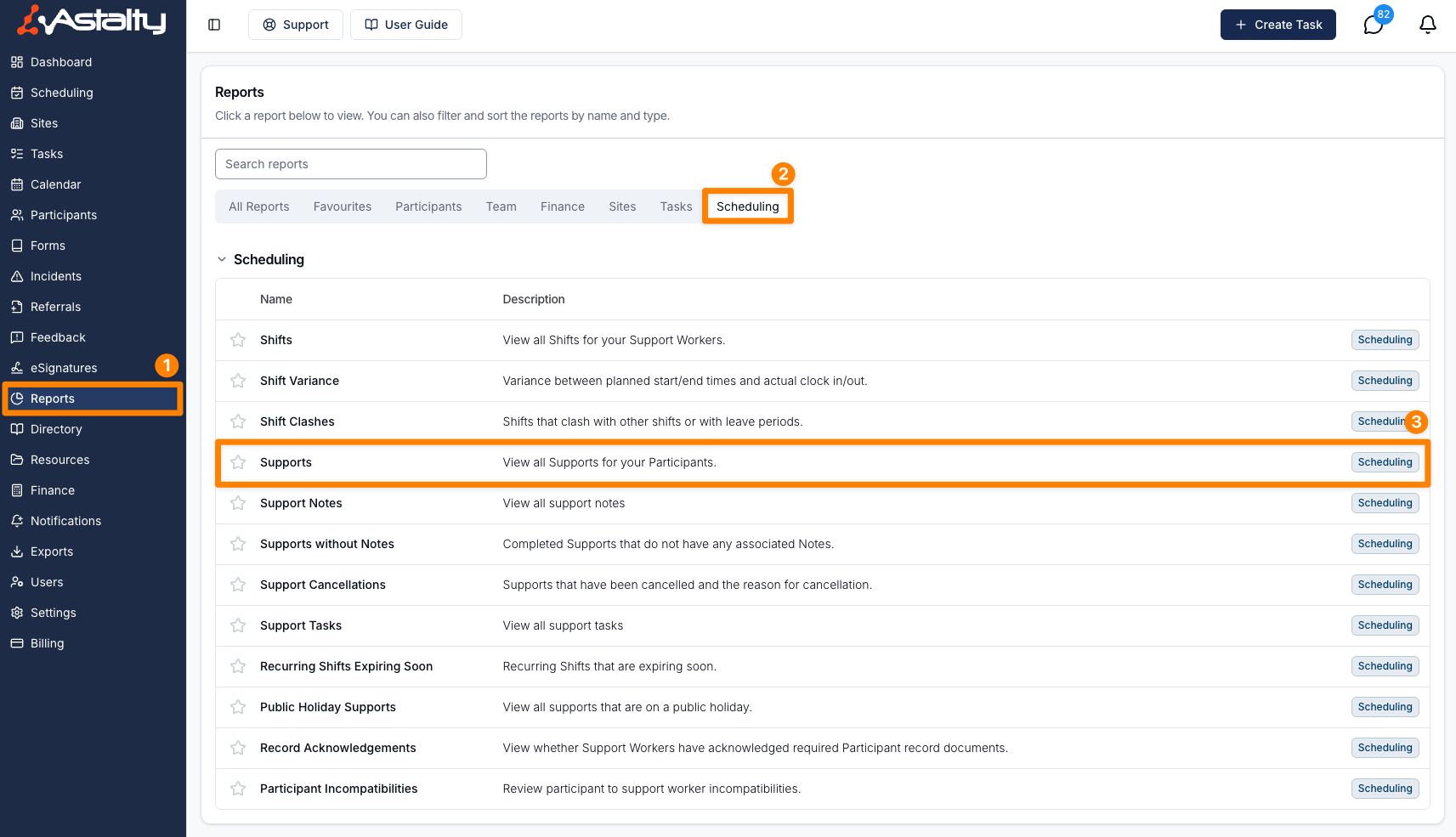
Open Reports > Scheduling > Supports.
Report Overview
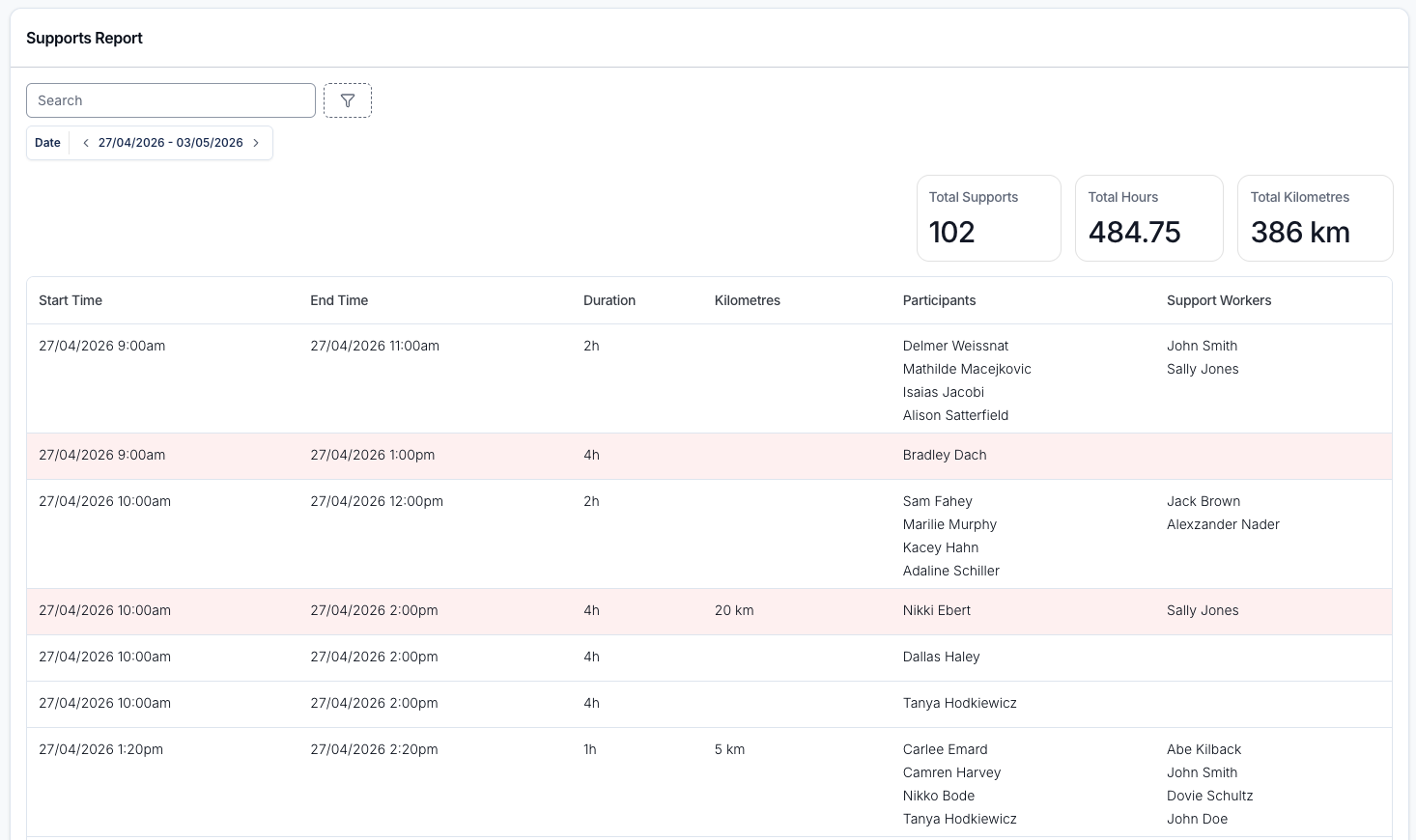
The Supports Report lists every support whose scheduled start falls in the selected dates, including cancelled supports, with its Participants, Support Workers, travel and charges. Based on the supports displayed, this report shows Total Supports, Total Hours (scheduled), Total Scheduled Kilometres and Total Approved Kilometres.
A group support appears as a single row, with every Participant in the group listed in the Participants column.
By default, only Admins can open this report. A Manager can open it once Can access Scheduling is turned on for them. See Roles & Permissions.
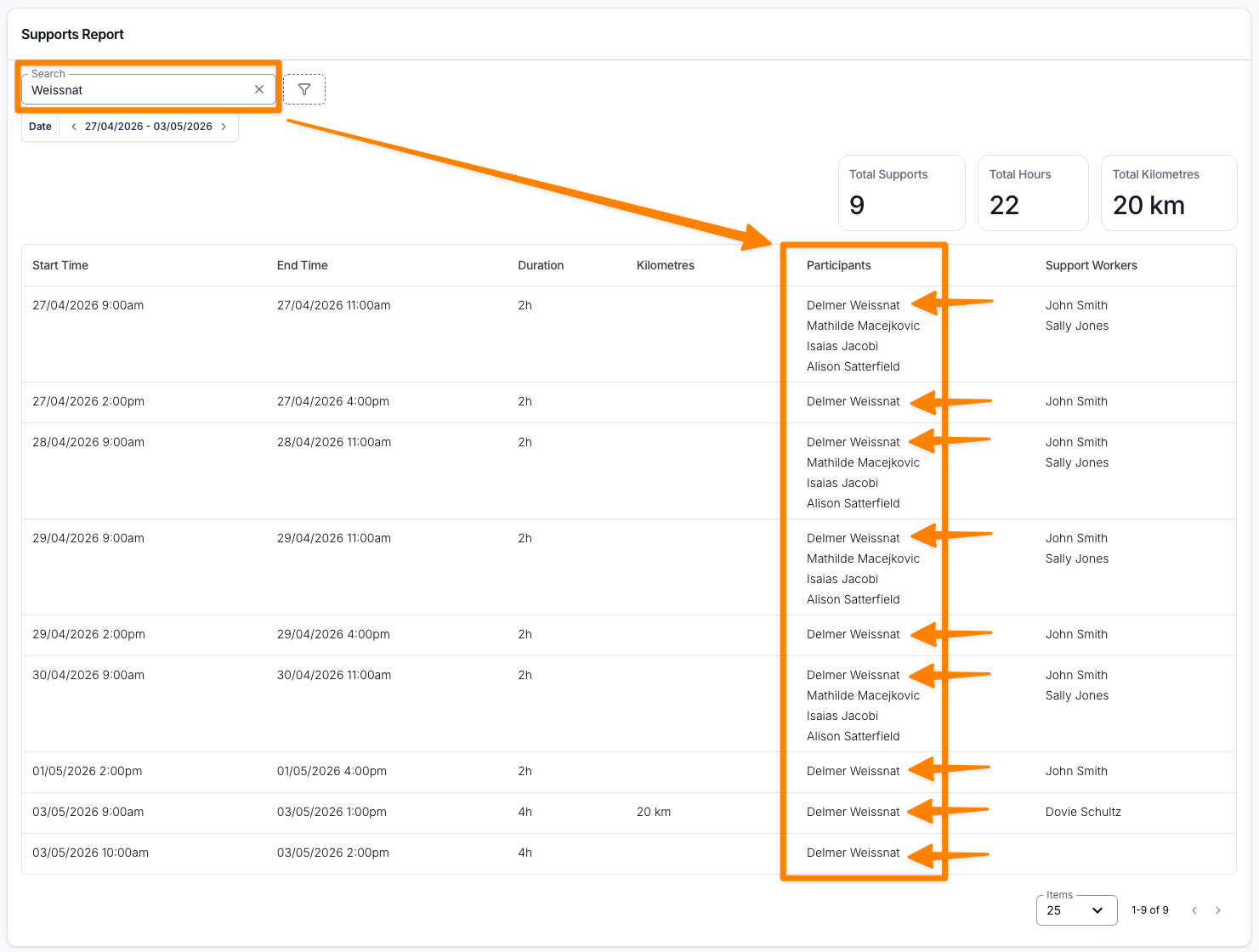
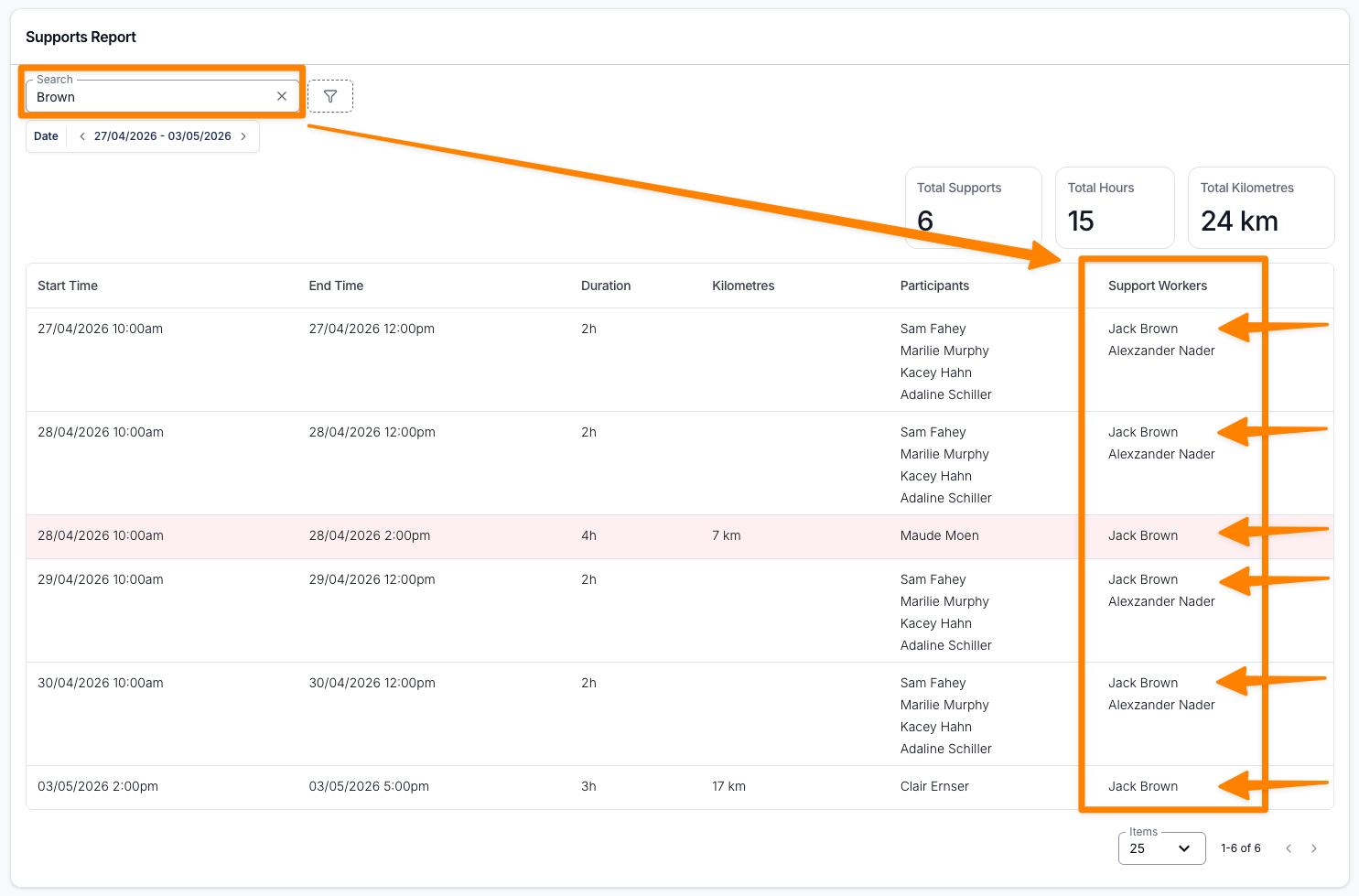
Search
Search by Participant name, Support Worker name or group support name.
Filters
Choose a Date range, then apply any of these filters.
Date is matched against each support's scheduled start. It defaults to the current week (Monday to Sunday) and includes the whole of the end date. The other filters are off until you add them, so by default the report includes cancelled and not-cancelled supports, sleepovers and supports with or without charges.
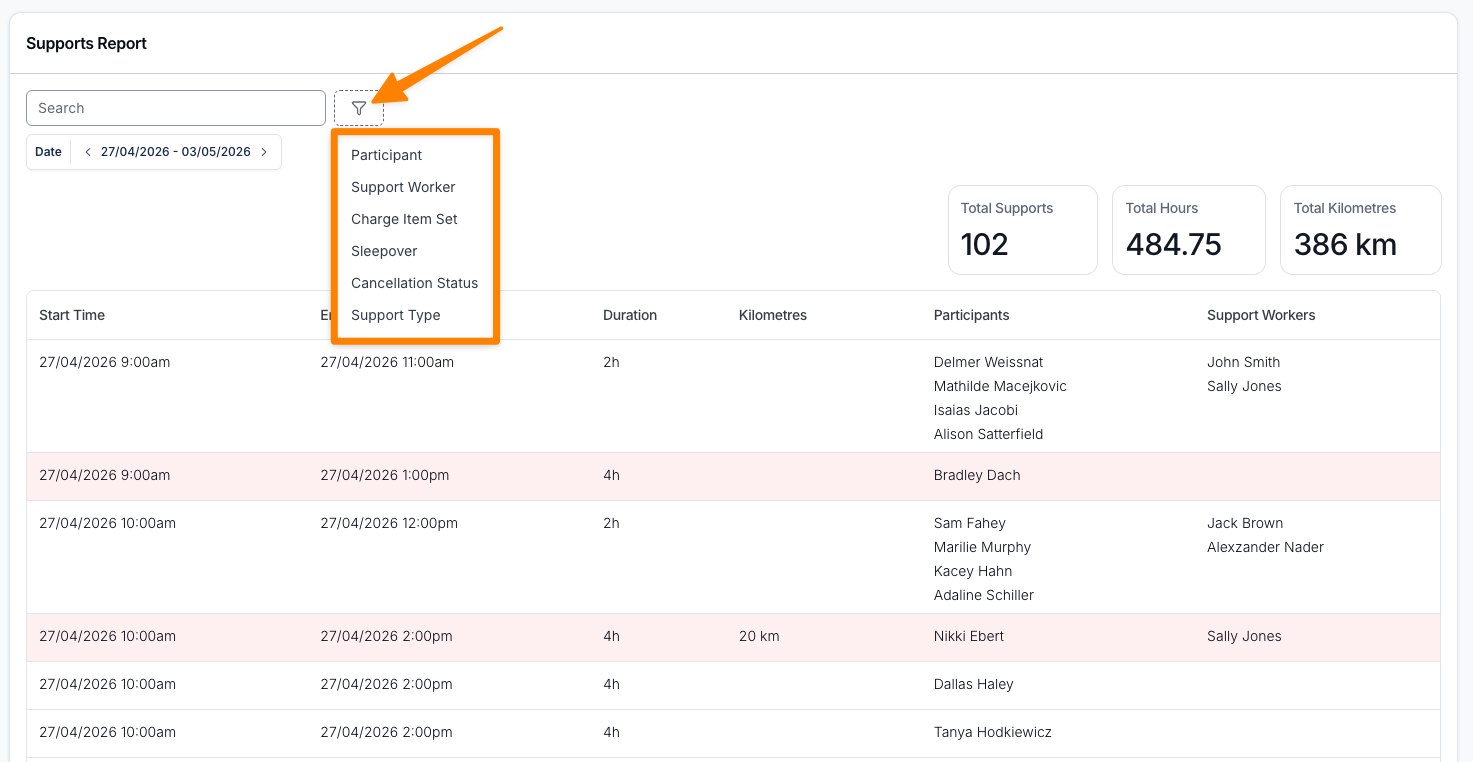
Participant
Filter by one or more Participants assigned to the supports.
Support Worker
Filter by one or more Support Workers assigned to the supports. The list includes deactivated users.
When this filter is set, the kilometre columns and totals count only the travel recorded for the selected Support Workers.
Charge Item Set
Charge Item Set shows supports using the selected Charge Item Sets.
Sleepover
Filter the results by whether the support is a Sleepover (Yes) or not (No).
Cancellation Status
Filter the results by whether the support has been Cancelled or is Not Cancelled.
Support Type
Filter the results by one or more Support Types.
Has Charges
Filter the results by whether the support has charges attached - Yes for supports that have charges, No for supports that are missing them.
This is purely a check for whether any charges exist on the support. It takes no account of what state those charges are in, or whether they have been invoiced.
For a group support, this looks across every Participant in the group. A group support where only some Participants have charges will therefore appear under both Yes and No - use the highlighting in the Participants column to see exactly who is missing charges.
Site
Filter the results by one or more Sites. This matches the Site assigned to the support, or the Site assigned to the group support.
Supports are also shown with their Site in the Site column of the report.
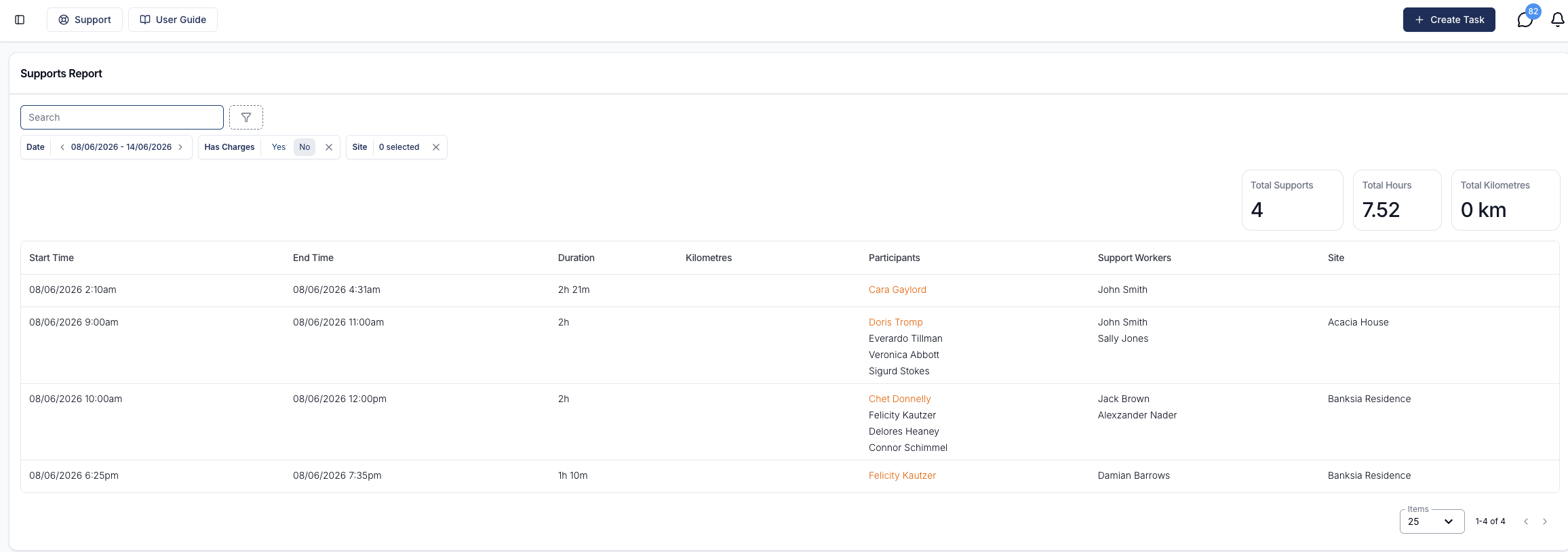
Supports Missing Charges
Any Participant in a support with no charges attached is highlighted in orange in the Participants column. Hovering over the name shows the tooltip "No charges attached to this participant's support".
Because the highlight is applied per Participant, in a group support only the Participants who are actually missing charges are highlighted - the rest appear as normal.
Kilometres
The report shows two kilometre columns, both sortable.
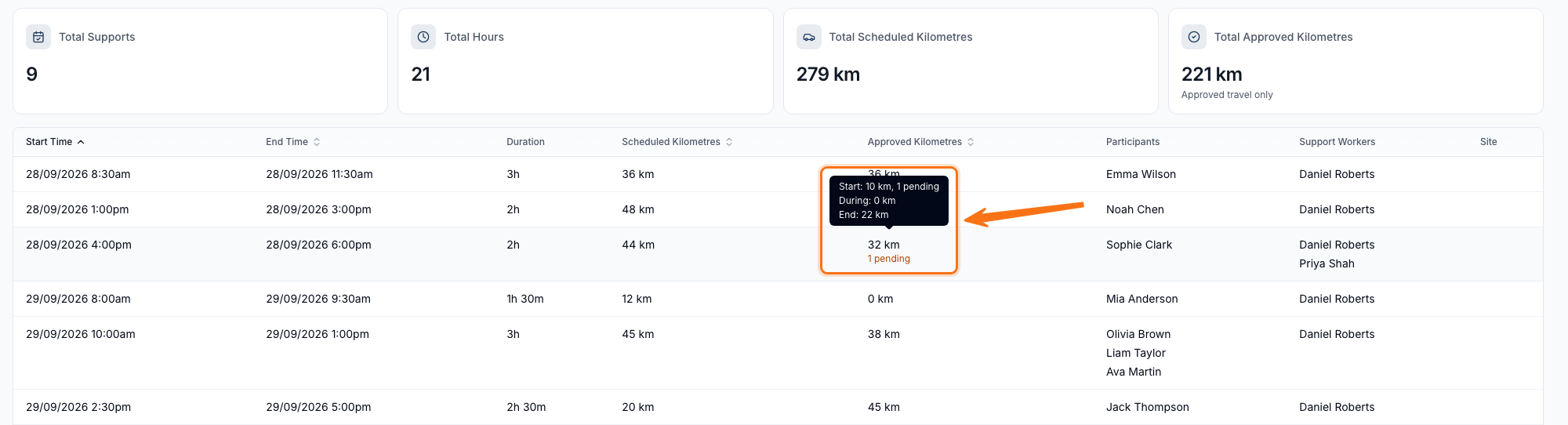
Scheduled Kilometres totals the travel scheduled against the support. It excludes unscheduled travel - travel a Support Worker starts themselves in the app - to match the Completed Shifts Export. Hovering over the figure breaks it down into Start, During and End legs.
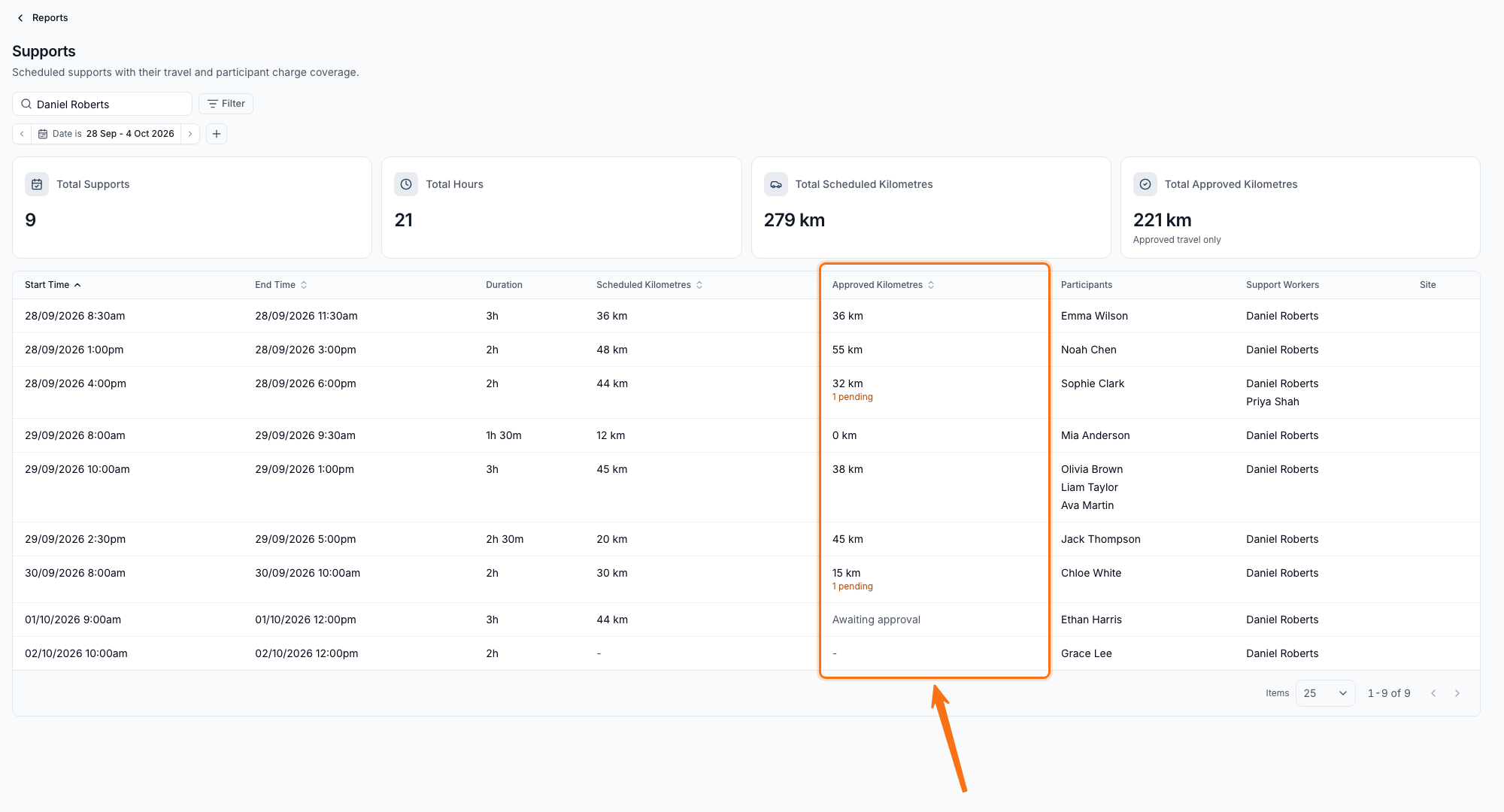
Approved Kilometres shows the travel approved at shift review, next to what was scheduled. It includes unscheduled travel once that travel is approved. For a group support, this is the session's travel counted once, not per Participant.
| What you see | What it means |
|---|---|
36 km | Every leg is settled - approved, or marked not travelled. |
32 km with an orange 1 pending label | Some legs are settled; the rest are still awaiting review. |
0 km | Every leg was marked not travelled, with nothing approved. |
| Awaiting approval | No leg has been reviewed yet. |
- | No travel was scheduled on this support. |
Hovering over the figure breaks it down the same way, by Start, During and End leg, e.g. "Start: 10 km, 1 pending".
Sort
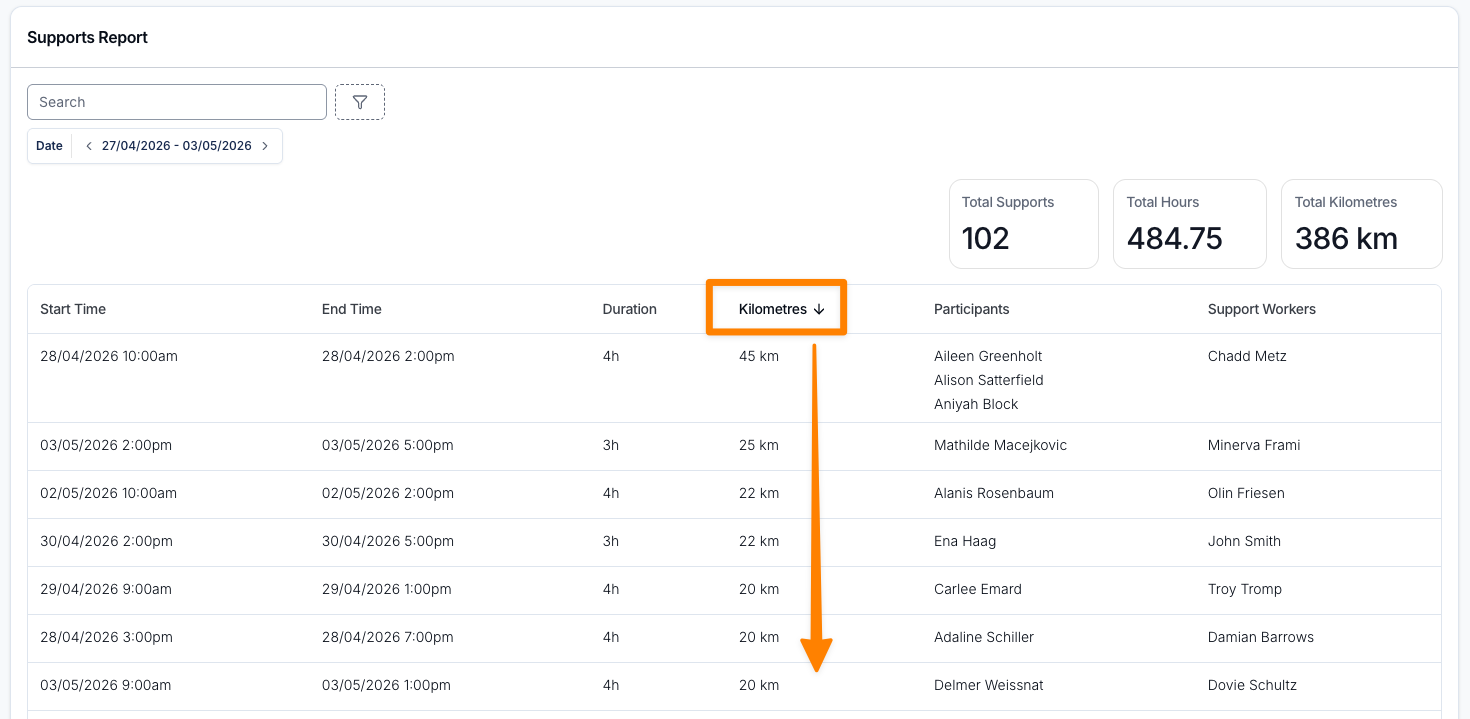
Rows are sorted by Start Time, earliest first. Select any of these column headings to change the sort:
- Start Time
- End Time
- Scheduled Kilometres
- Approved Kilometres
Cancelled Supports
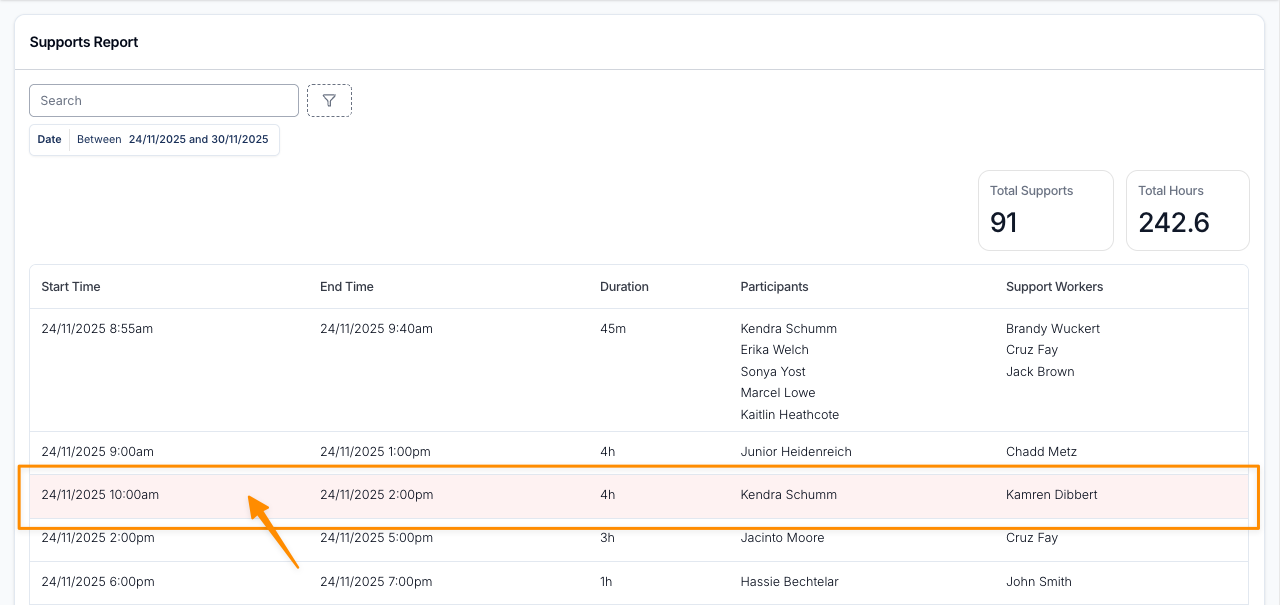
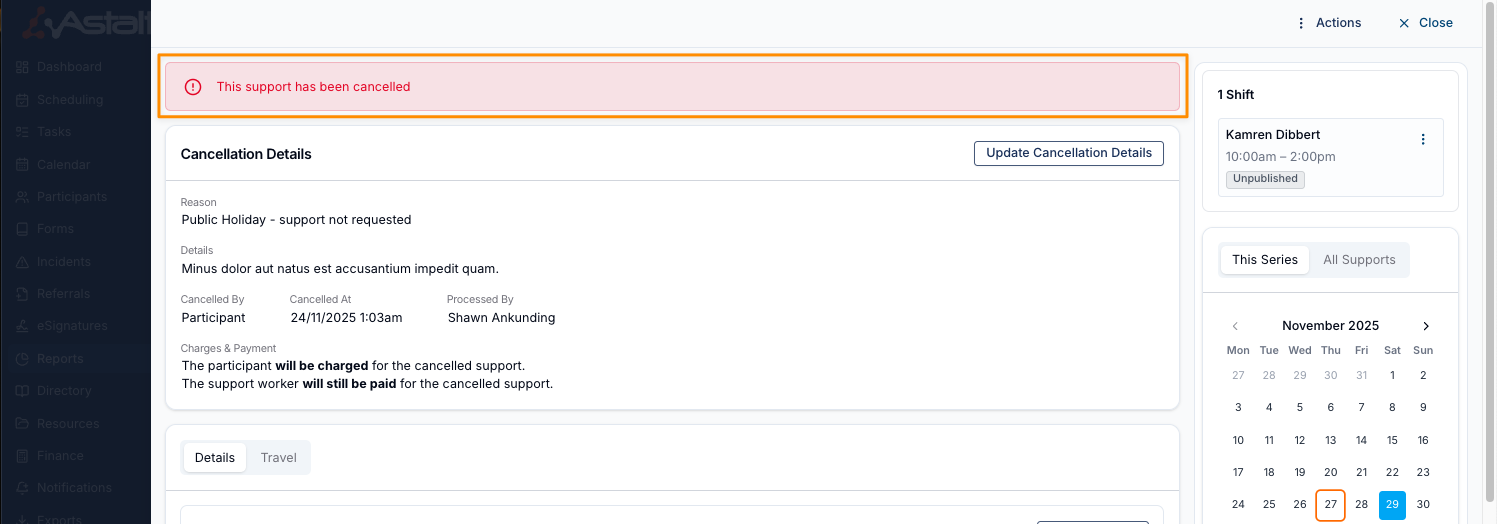
A cancelled support shows a red Cancelled badge next to its Start Time. Selecting the row opens the support, or the group support for a group support row.
A group support shows the Cancelled badge, and matches Cancellation Status: Cancelled, when the whole group support was cancelled or every Participant's support was cancelled. A group support with at least one active Participant matches Not Cancelled. Open the group support to review each Participant's cancellation status.
On a cancelled support, Approved Kilometres only ever shows a total or a dash - nothing is left pending or Awaiting approval, since a cancelled leg can no longer be reviewed.