- Insights
- Notifications
- Missing Support Notes Reminder Notifications
Missing Support Notes Reminder Notifications
Overview
The Missing Support Notes Reminder sends each Support Worker a push notification in the Astalty app when they have supports with no support notes.
It runs every Monday at 10am Brisbane time (AEST) and covers supports from the previous 7 days that:
- were clocked in and clocked out,
- are published, and not cancelled,
- still have no notes.
Unpaid breaks are not included. Each Support Worker gets one reminder that says how many of their supports are missing notes. Deactivated workers are skipped.
Setting Up the Notification
- Go to Notifications from the left-hand menu.
- Under the Scheduling group, select Missing Support Notes Reminder.
- Click Create Notification.
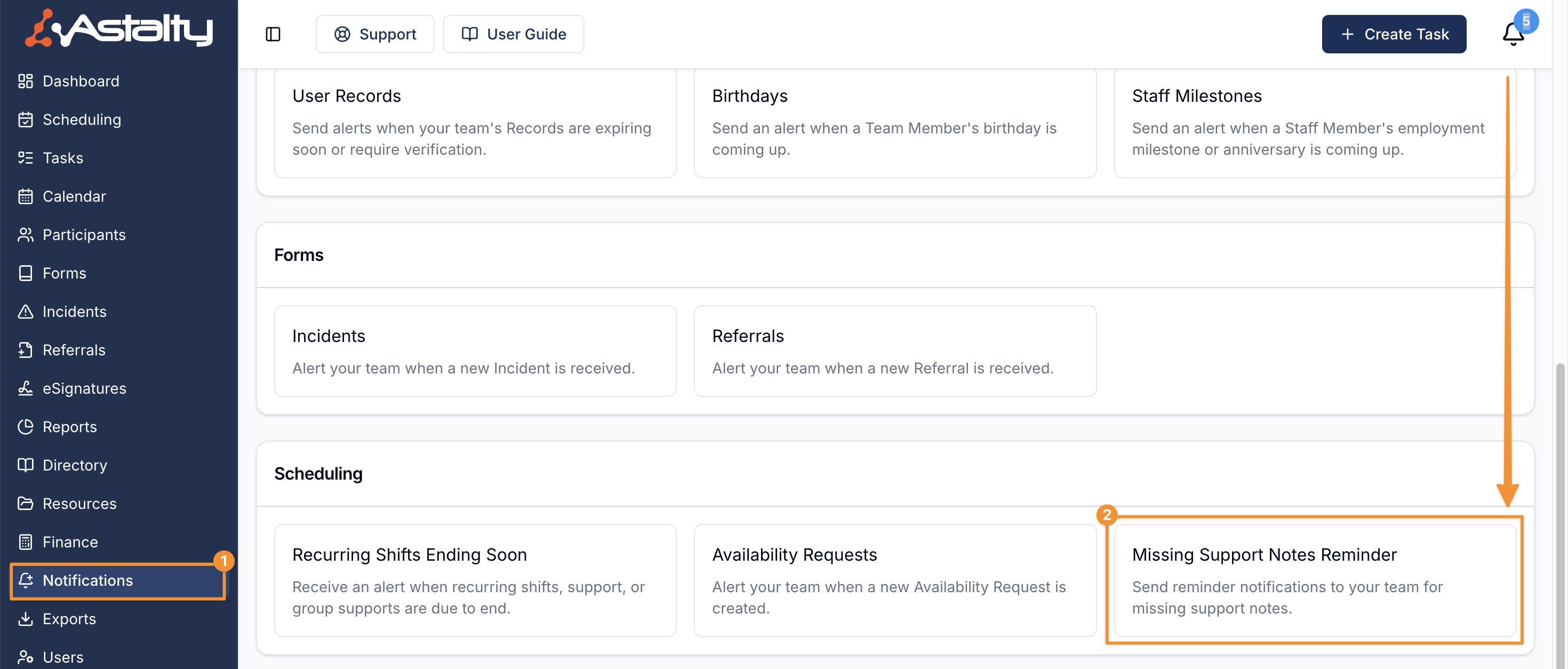
The reminder has no settings. It always goes to the Support Worker who owes the notes, as a push notification, on the Monday schedule above. You can only have one, so Create Notification is disabled once it exists. The list shows it as Enabled with Push delivery.
To stop the reminders, use the actions menu on the notification and select Delete.
Only Admins can manage this notification. This can't be changed per user.

How Support Workers Receive Notifications
- Notifications are delivered as push alerts to the Support Worker's Astalty app, titled You have incomplete case notes.
- Push Notifications must be turned on in your Scheduling Settings. While it is off, no reminders are sent.
- Support Workers must have app notifications enabled on their device to receive reminders.
- Selecting the notification takes the Support Worker directly to their shifts with missing notes.
For more on the push notifications Support Workers receive, see App Notifications.