- Administration
- Process Timesheet Batches for Xero Payroll Integration
Process Timesheet Batches for Xero Payroll Integration
Overview
Once scheduling is complete and employee shifts have been reviewed, create a Timesheet Batch and export it to Xero Payroll. Astalty creates draft Xero timesheets containing the mapped earnings-rate IDs and daily units. Review those drafts in Xero before processing the pay run.
You need permission to create and view Timesheet Batches. Updating the Xero integration and managing draft Xero timesheets require the relevant Settings update access.
Process Timesheet Batches
To create a batch for payroll export:
- Navigate to Scheduling and check that all Shift Alerts and Shift Approvals have been processed for the Pay Period. You can learn more on these processes by checking the following guides:
- Navigate to Timesheet Batches in Scheduling
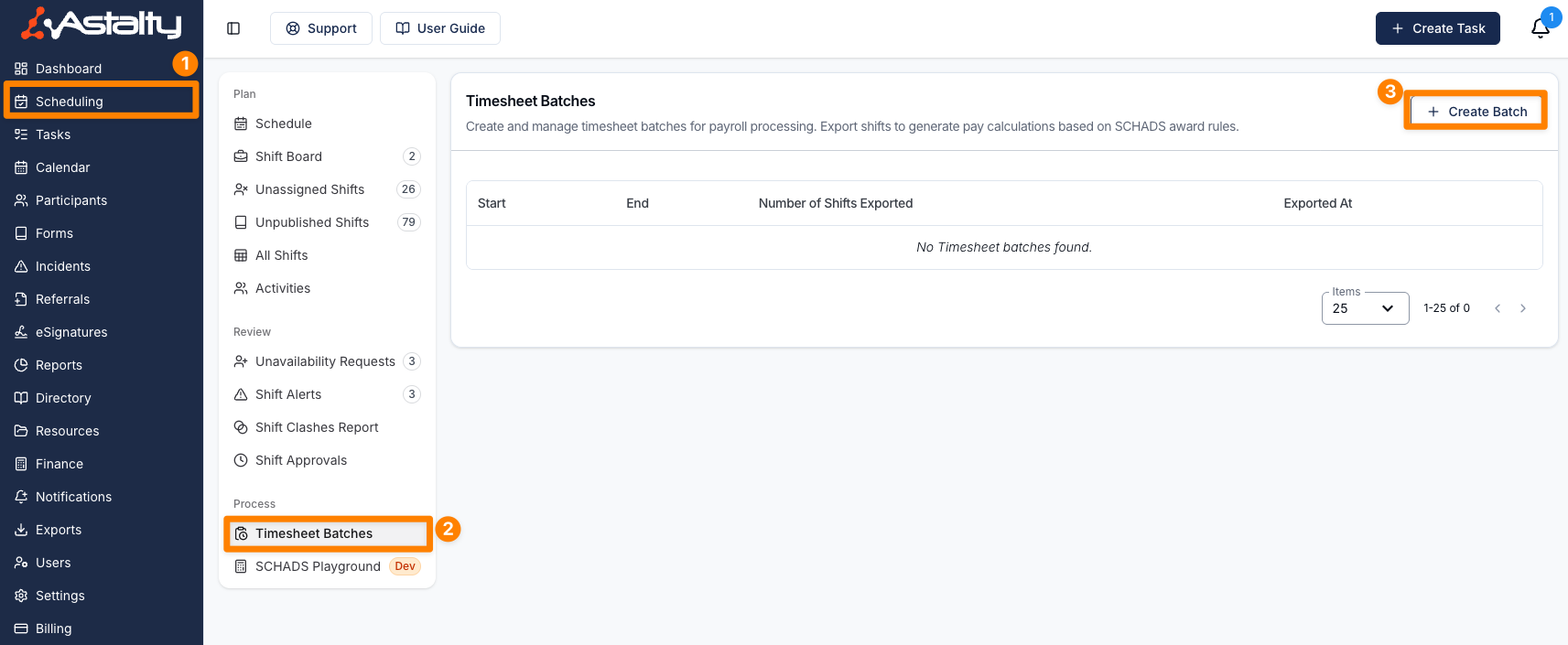
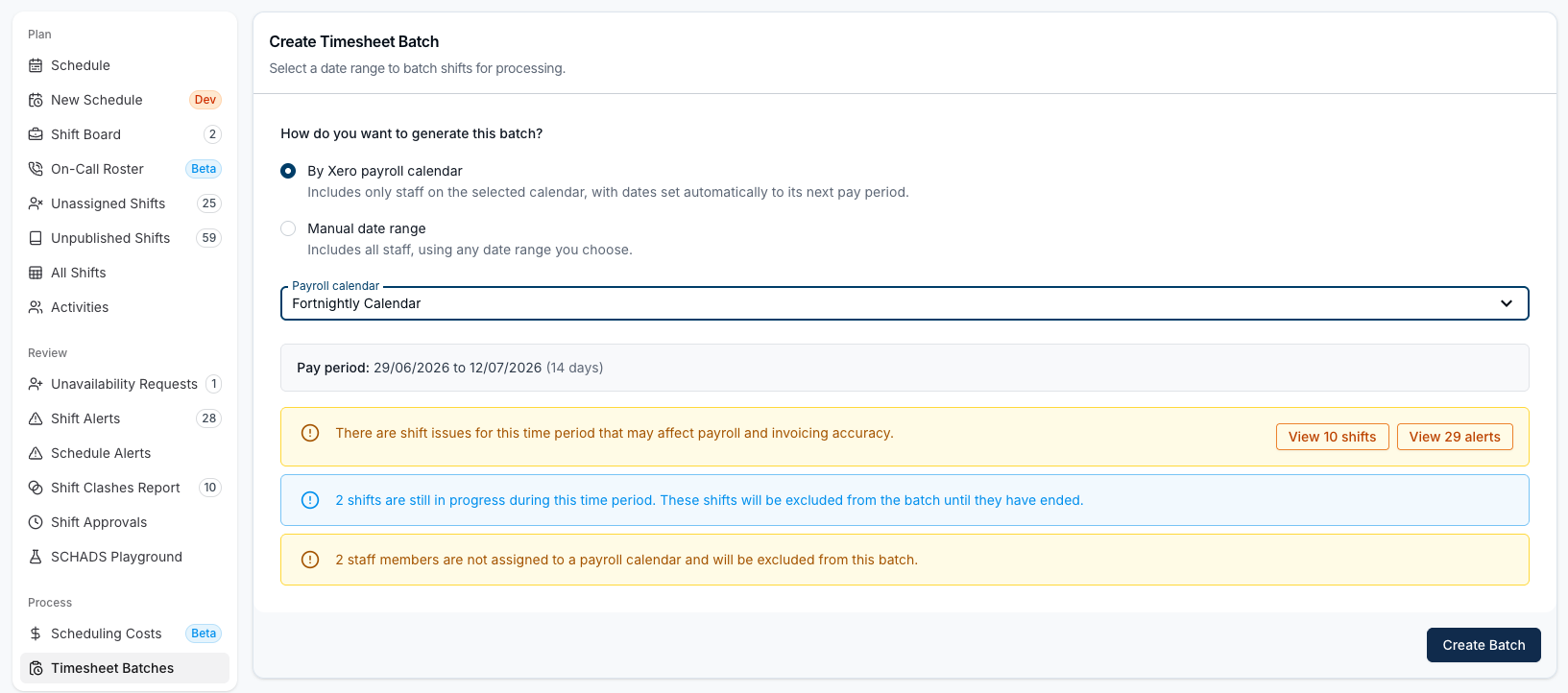
- Click on Create Batch and choose how to generate it:
- By Xero payroll calendar - pick the Payroll calendar you're paying. The dates are set automatically to that calendar's next pay period, and only staff assigned to the calendar in Xero are included. This choice only appears once you have payroll calendars synced from Xero.
- Manual date range - set the From and To dates yourself. All staff with eligible shifts in the range are included. Xero export validation compares these dates with the next period for the default payroll calendar in your Xero settings, so the range must match that period exactly.
Review any warnings shown for the period, including unapproved shifts or shift alerts, shifts still in progress and staff with no payroll calendar. Then click Create Batch. See Creating Timesheet Batches for the full detail on both options.
Validate and Export the Batch
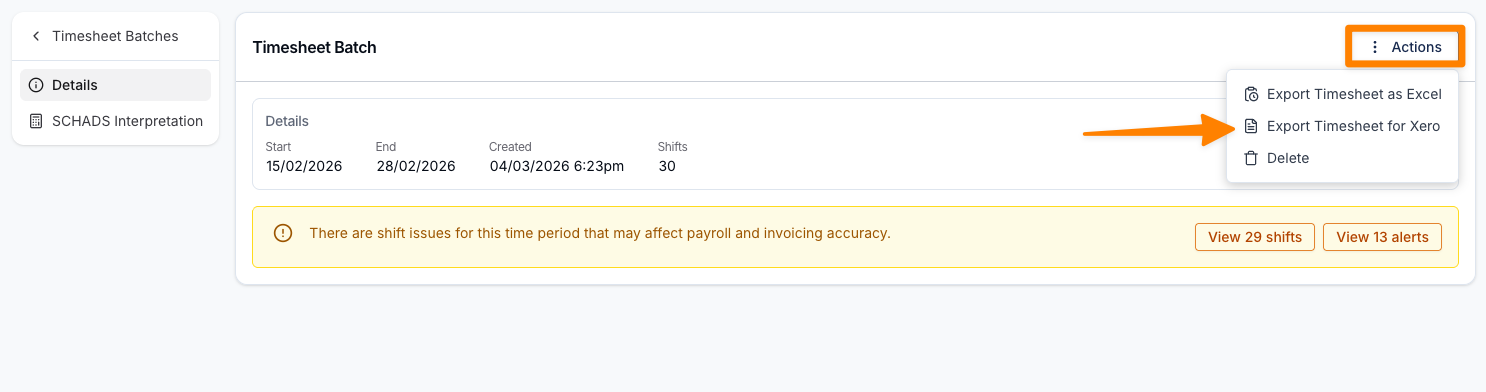
- Select the Batch from the Timesheet Batches page, and click Actions > Export Xero Timesheet (API).
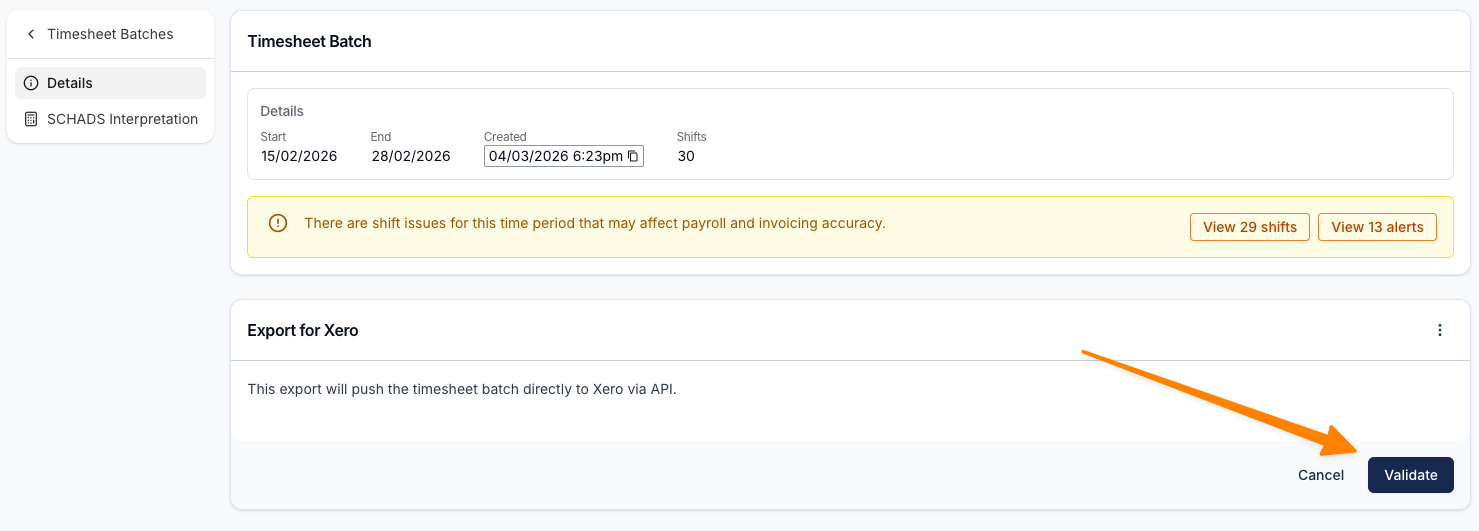
- Select employees to export, or leave the selection empty to include every eligible employee in the batch. Click Validate. Blocking errors must be fixed before export. A warning can be accepted with Continue anyway after you review it. Most errors include a Fix issue button (wrench icon) that opens the relevant screen. See Resolving Timesheet Batch Validation Errors for the full list.
- Review and accept the required agreements before clicking on Create Export.
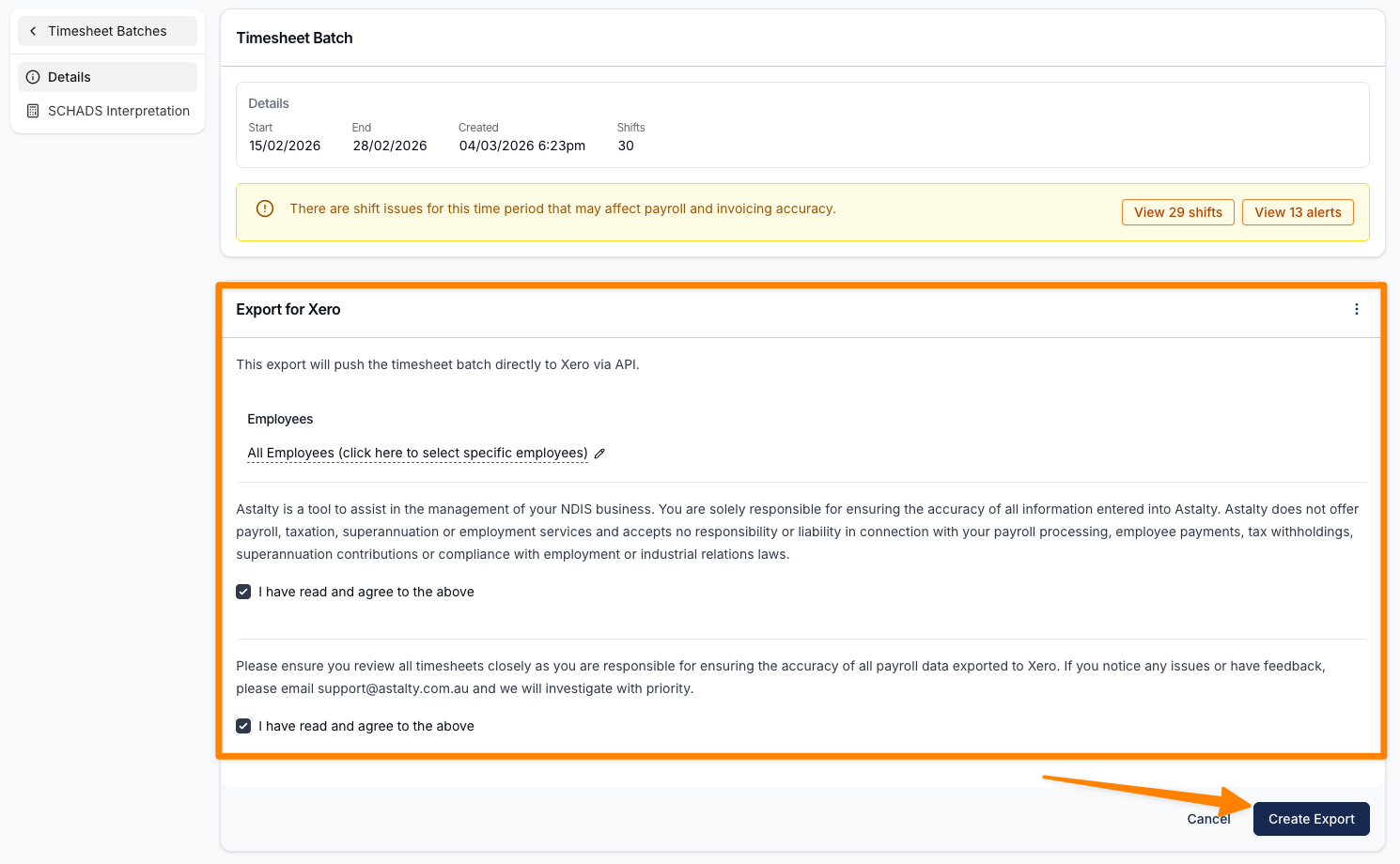
The export runs in the background and moves through queued and processing states. Only one active export can run for a batch. Successful rows create Draft timesheets in Xero, where your payroll administrator can review and approve them before processing the pay run. The accounting integration's New Invoice Status setting does not change payroll timesheet status.
You can start another export after the previous export reaches Completed or Failed. Do not resend employees whose timesheets already succeeded. Select only employees still needing export, or first delete their existing draft through Actions > Manage Xero Timesheets. Astalty blocks an employee when Xero already has a timesheet for that pay period, and Astalty can delete only draft timesheets.
Payslip Preview
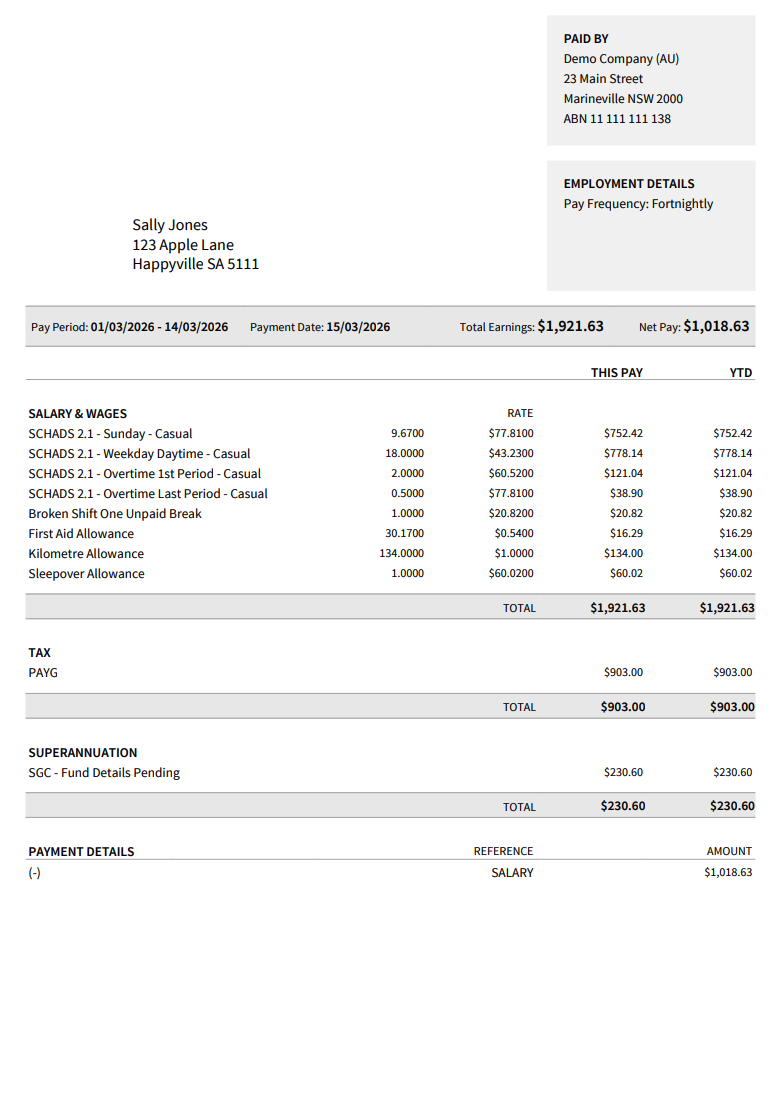
After Xero processes payroll, the payslip reflects the pay items and rates configured in Xero. Astalty's export sends mapped earnings-rate IDs and daily units, not calculated dollar totals. Check the Xero pay run against the interpreted batch before posting it.
Processing Timesheet Batches Video Walk-Through
In this video, we walk through how to prepare and submit Timesheet Batches from Astalty to Xero.