- Administration
- Xero Payroll Integration for Scheduling
Xero Payroll Integration for Scheduling
Overview
This guide explains how to set up Xero Payroll Integration for Scheduling between Astalty and Xero.
Astalty allows you to integrate with your Xero account so that Timesheet Batches created from Scheduling can be sent directly to Xero for payroll processing. This integration reduces manual payroll entry and ensures that employee hours recorded in Astalty are accurately transferred to Xero.
The accounting and payroll workflows use the same Xero connection but have different setup requirements. Accounting invoice sync needs the Xero accounting connection and invoice settings such as a default sales account. Payroll export additionally needs the Scheduling tier, Xero selected as the payroll platform, payroll authorisation scopes, employee and Pay Item mappings, employment details and payroll calendars. A connection configured only for accounting is not enough for payroll export.
Once configured, you will be able to:
- Map Pay Items from Xero to Astalty
- Export reviewed Timesheet Batches from Astalty to Xero as draft timesheets
- Process payroll in Xero using the hours recorded in Astalty
Prerequisites
Before setting up the integration, ensure the following requirements are met:
- You can view Settings in Astalty. Connecting Xero, changing its settings and maintaining mappings require Settings update access.
- You have the relevant HR-details permissions for employee employment records, plus permission to create and view Timesheet Batches.
- The authorising Xero user can grant the accounting and Australian payroll scopes requested by Astalty, including access to employees, payroll calendars, Pay Items and timesheets. Confirm current Xero access requirements with your Xero administrator.
- Your Xero organisation uses Xero Payroll AU and has the employees and Pay Items required for the export.
- Employees exist in both Astalty and Xero.
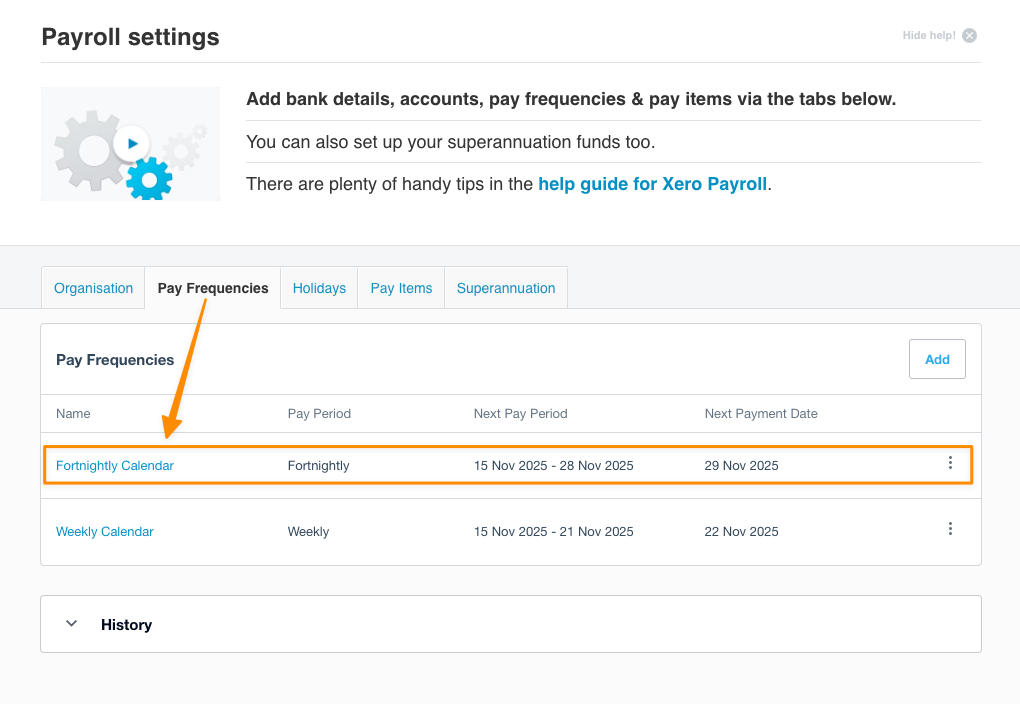
- You have a Payroll Calendar set up in Xero and assigned to each employee. Xero controls the current screens and available calendar types.
- You have selected Xero as the payroll platform and synced the required payroll calendars. If you create manually dated batches, also select a default payroll calendar in Astalty's Xero settings. A manually dated batch uses that default for validation; a batch generated from a synced calendar uses the calendar selected for that batch.
Getting Setup
Complete these guides in order: