- Administration
- Xero
Xero
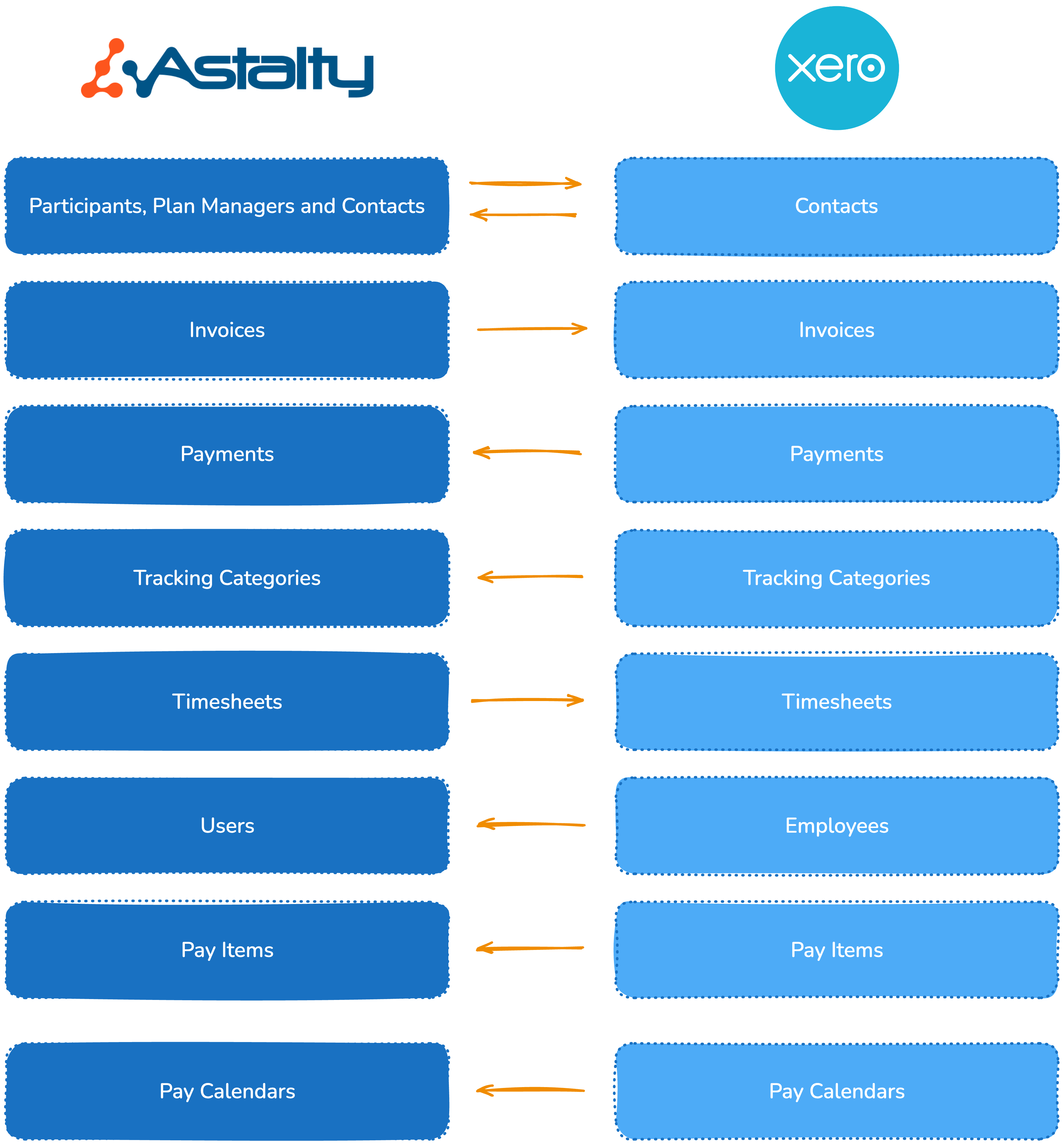
The Xero integration sends eligible invoices from Astalty to Xero and reads payments on those Xero invoices back into Astalty. It can also create payroll timesheets when Xero is selected as the Scheduling payroll platform.
Data Flow
The diagram below shows the direction of flow of data between Astalty and Xero.
What can it do?
Syncing Invoices
With Sync invoices automatically enabled, finalising an invoice batch queues eligible invoices for Xero. Turn the setting off if you want to start the sync manually from the finalised batch. NDIA invoices are excluded unless Send NDIA invoices is enabled.
Syncing Payments
When Xero reports a payment on a linked plan or self managed invoice, Astalty creates the matching payment allocation. Payments flow from Xero to Astalty only. NDIA invoices are always excluded from this payment flow. Learn more in Reconciling Payments in Xero.
Syncing Invoice Comments
Optionally, comments on individual invoices can be pushed to Xero as history notes. Invoice batch comments stay in Astalty. Learn how to turn this on in Syncing Invoice Comments to Xero.
Connecting and disconnecting your Xero account
You can learn how to connect and disconnect your Xero account to Astalty here.
Configuring the integration
Once connected, you'll need a valid configuration for the integration to work properly. Learn how to set this up here.
Integration Flow
Once the integration is connected and configured, the normal plan or self managed flow is:
- You finalise an Invoice Batch in Astalty.
- Astalty queues any enabled automatic email delivery and Xero sync as separate background work.
- The invoice is created in Xero automatically, or after you choose Actions > Sync with accounting if automatic sync is off.
- If the invoice was created as Draft or Awaiting Approval, approve it in Xero. If New Invoice Status is Approved, it is created in the approved state.
- The recipient pays into your bank account.
- You reconcile the invoice in Xero.
- The payment is created back in Astalty automatically.
Why invoices are sent from Astalty
Astalty can email the invoice while Xero holds the accounting copy used for reconciliation. The email and Xero sync are separate background actions, so do not rely on one completing before the other.
- You can see whether it arrived. Astalty records a delivery status against every recipient on the invoice, so a failed or bounced invoice shows up instead of going unnoticed. See Invoices for how to read it.
- The configured recipients get the Astalty copy. Recipient rules depend on the invoice management type and your Invoice Settings. NDIA managed invoices are not emailed.
Payment reconciliation is separate from invoice email delivery. The invoice must have a Xero identifier, and Astalty must still have room to allocate a new payment. NDIA managed invoices never take payments from Xero. See Reconciling Payments in Xero.
If you would rather send invoices yourself, turn off automatic sending first so Astalty does not email them as well. See Turning off automatic invoice sending.
.png)
Video Walkthrough
This video will talk you through the Xero Integration process.