- Administration
- Your Subscription
- eSignatures
eSignatures
eSignatures are an Astalty Premium feature. The Account Owner can manage the account's eSignature terms, per-request price and usage from Billing > Add-ons > eSignatures. If Billing shows eSignatures as its own menu item, open that instead.
Terms and Conditions
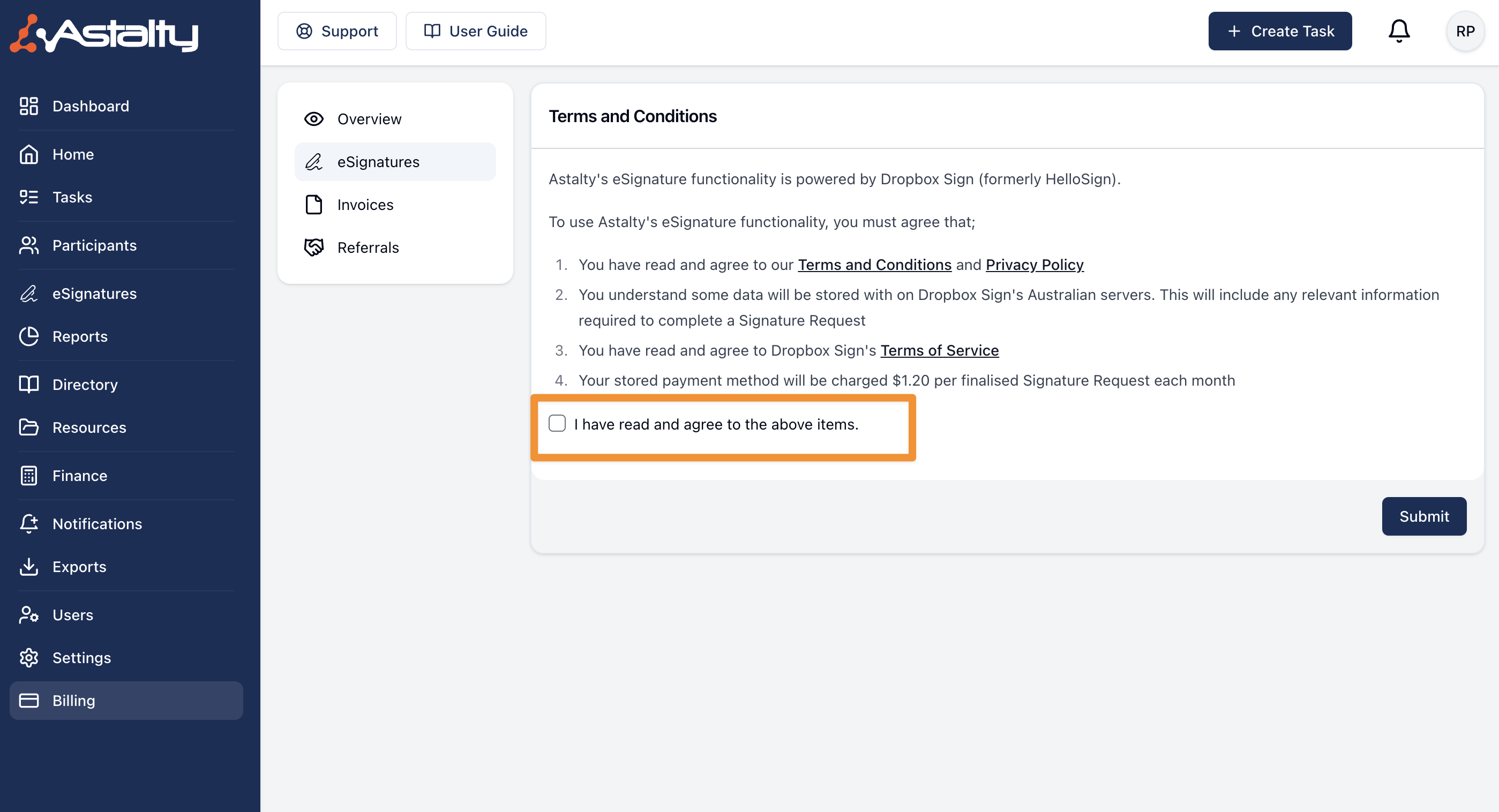
Before any permitted user can send a Signature Request, the Account Owner must accept the eSignature terms:
- Open Billing > Add-ons > eSignatures.
- Select Turn On.
- Read the Astalty and DocuSign terms and privacy information, then select Agree and Turn On.
If Billing shows eSignatures as its own menu item, open it, tick I have read and agree to the above items, then select Submit.
The acceptance explains that DocuSign powers the feature, describes how Signature Request data is handled, and states that the saved payment method is charged for each finalised Signature Request during monthly usage billing. Review the displayed rate before accepting it rather than relying on an older quoted price.
eSignature Transactions
After the terms are accepted, the eSignature Transactions table lists the date, transaction type, reason and quantity for eSignature usage adjustments. Where a transaction is linked to a Signature Request, open its actions menu and select View Signature Request.
The table is a usage ledger. Subscription invoices and payment status remain under Billing > Invoices.