Submission Request
Overview
The Submission Requests page lists every form submission request made by anyone in your organisation - not just the ones you sent. From here you can see at a glance which requests are still outstanding, click into a request for its full detail, create a new request, and chase everyone who hasn't submitted yet. By default, only Admins can open this page.
To report an incident, use Incidents. See the Incidents guide for the reporting and follow-up workflow.
Each row shows the Form, the Status, the request Title, who it was Requested For, and when it was Created.
Requests can be Awaiting Completion, On Hold, Completed, or Cancelled. A request is On Hold while its form is unpublished. The recipient cannot open or submit it, and reminders are disabled. Publishing the form again makes an On Hold request available.
Archiving a form cancels all outstanding requests. A Cancelled request cannot be restored or submitted, even after the form is unarchived and published. Create new requests if they are still needed.
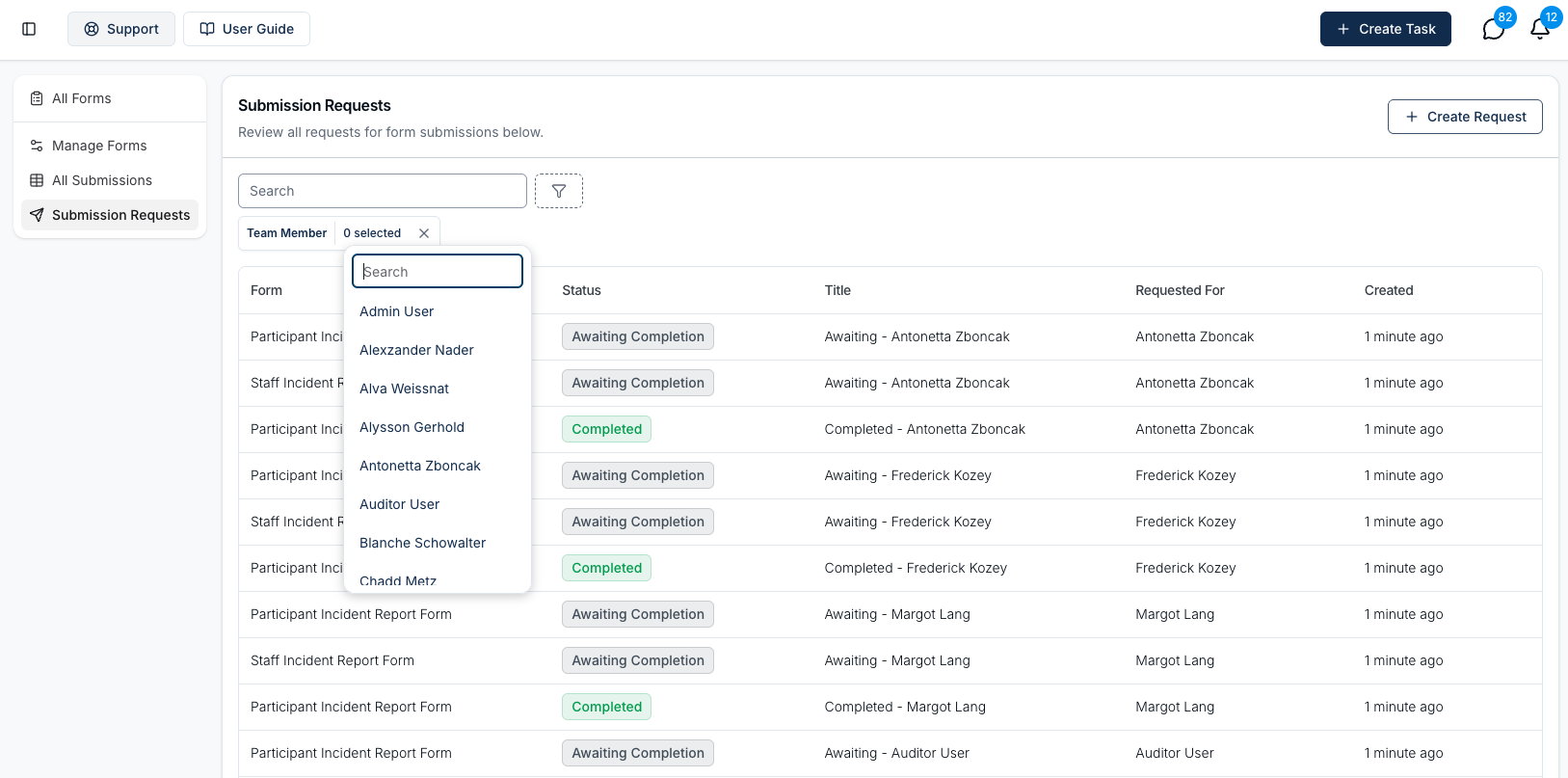
Search and filter options
Use the Search box to find a request, or click Filter to narrow the list by:
- Status - Awaiting Completion, On Hold, or Completed.
- Team Member - show only the requests sent to particular people.
- Forms - show only requests for the forms you choose.
You can select more than one option in each filter, and combine filters together.
Create a request
To create a submission request, click Create Request in the top right corner. A single request can go to several people at once. See Create a Form Submission Request for the full process.
Send reminders
The Actions menu at the top right holds Send Reminders, which lets you chase several outstanding requests in one go. See Sending Submission Request Reminders.