- Forms & Quality
- Waitlist
Waitlist
Overview
Use the Waitlist to hold a Referral that is still under review when you cannot take on the Participant yet. See Setting Up Referrals for the form and intake workflow.
How to Add a Referral to Your Waitlist
When reviewing your referrals, if you determine that you don't currently have capacity but want to keep a referral for future consideration, follow these steps:
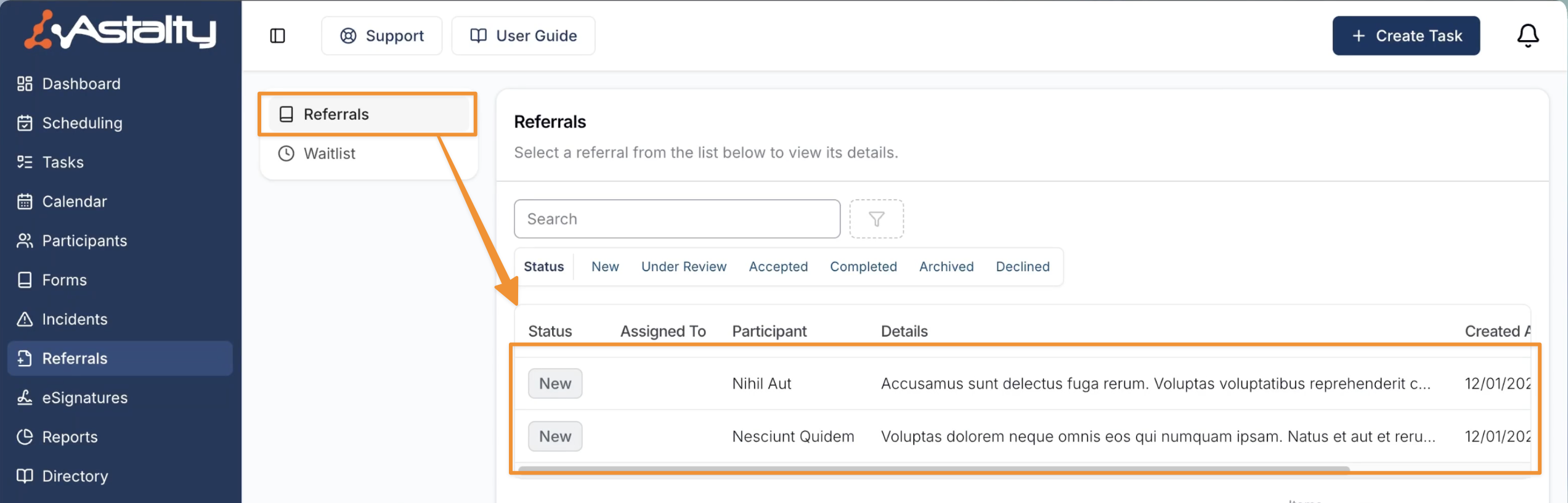
- Within Referrals, open the referral.
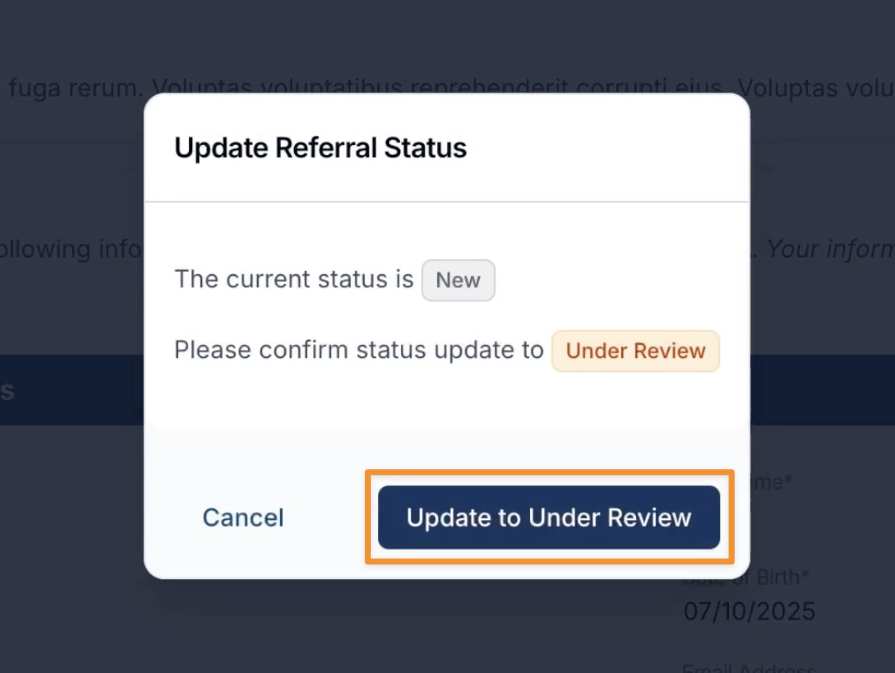
- Select Update Status and then Update to Under Review to commence your review (jump to step 3 if the referral is already Under Review).
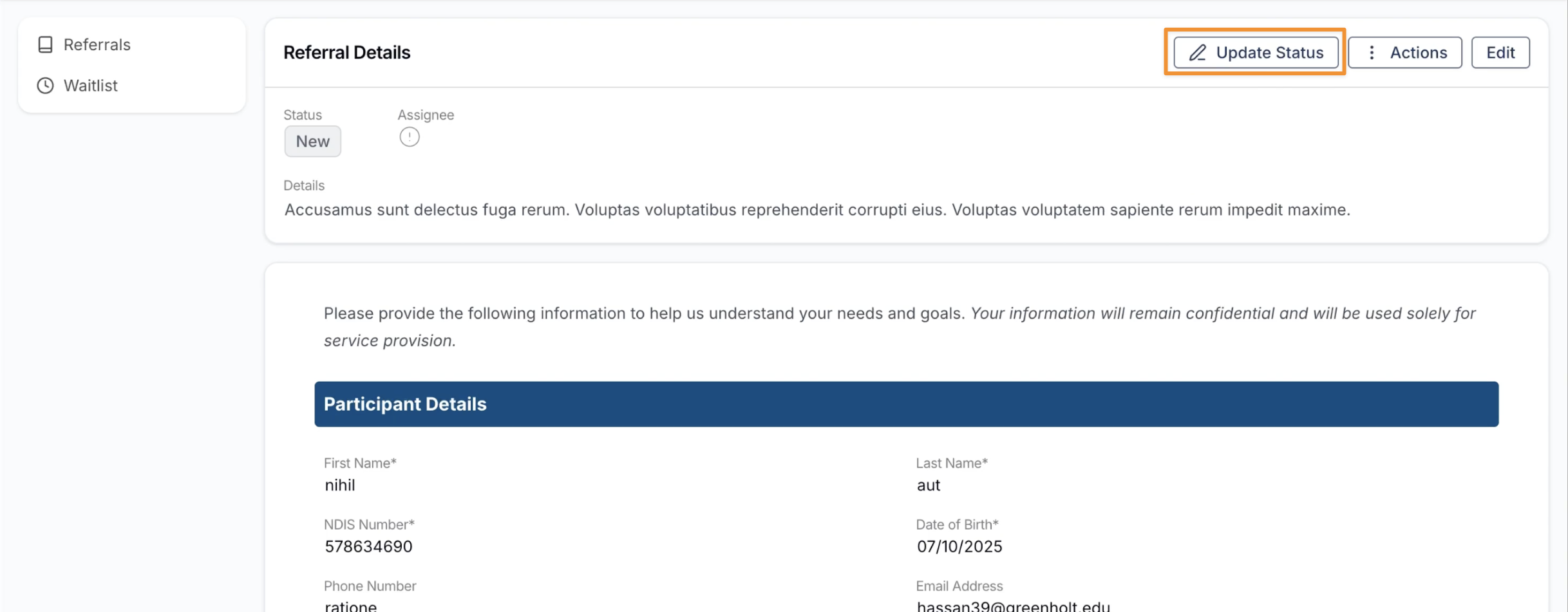
- If you decide to waitlist the referral, select Update Status again, and select Add to Waitlist.
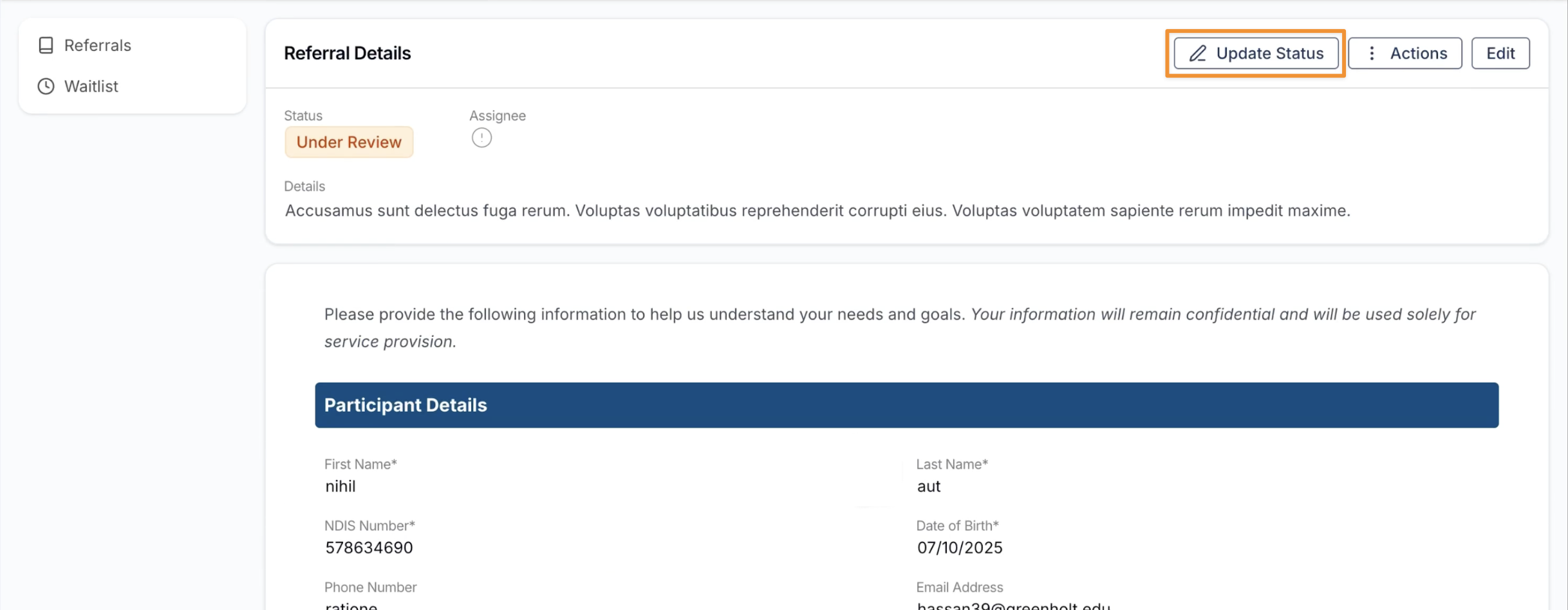
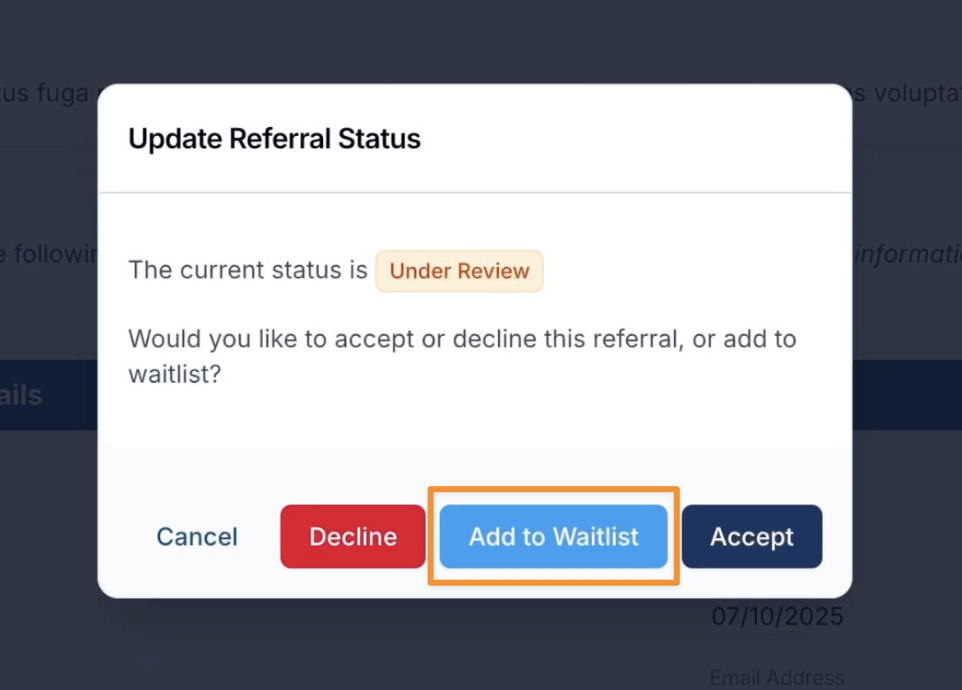
- This referral will now appear in the Waitlist for future action
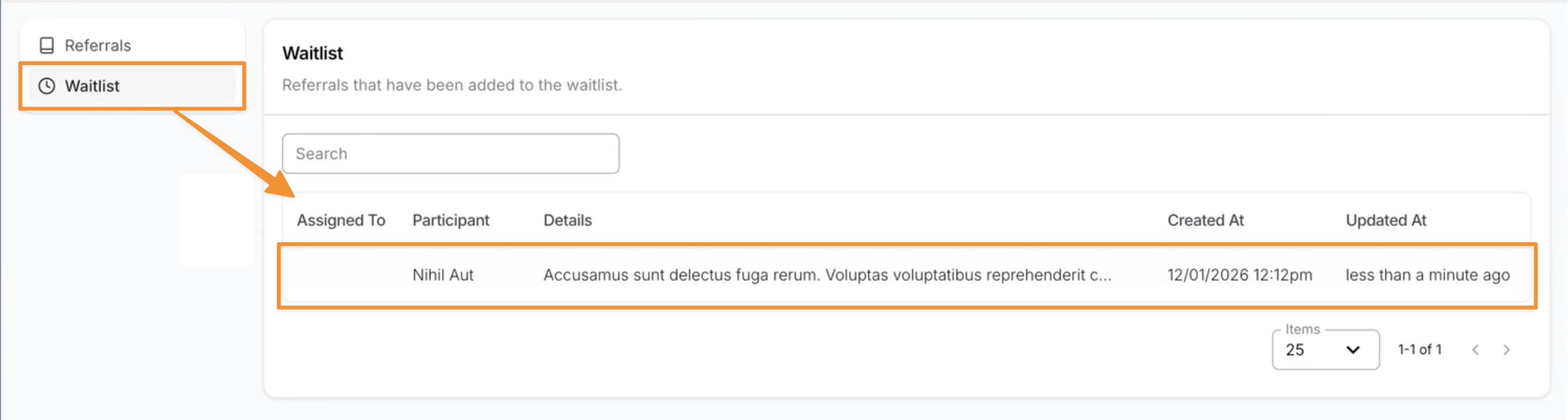
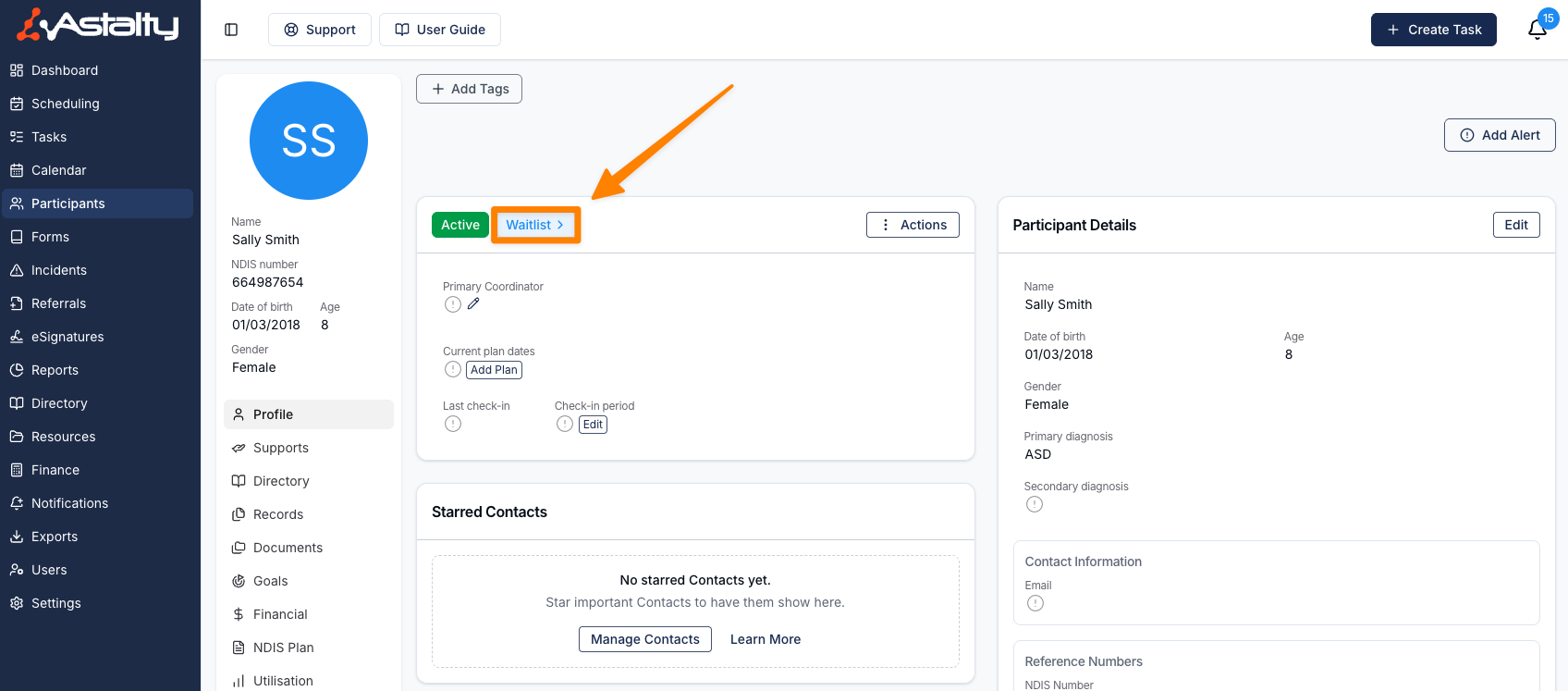
If the referral is for a New Participant, you can create a Participant Profile directly from the Referral. When this is done, a Waitlist icon will appear on the Participant's profile to clearly indicate their referral status.
How to Update a Waitlisted Referral
When you are ready to take on a Participant from your Waitlist:
-
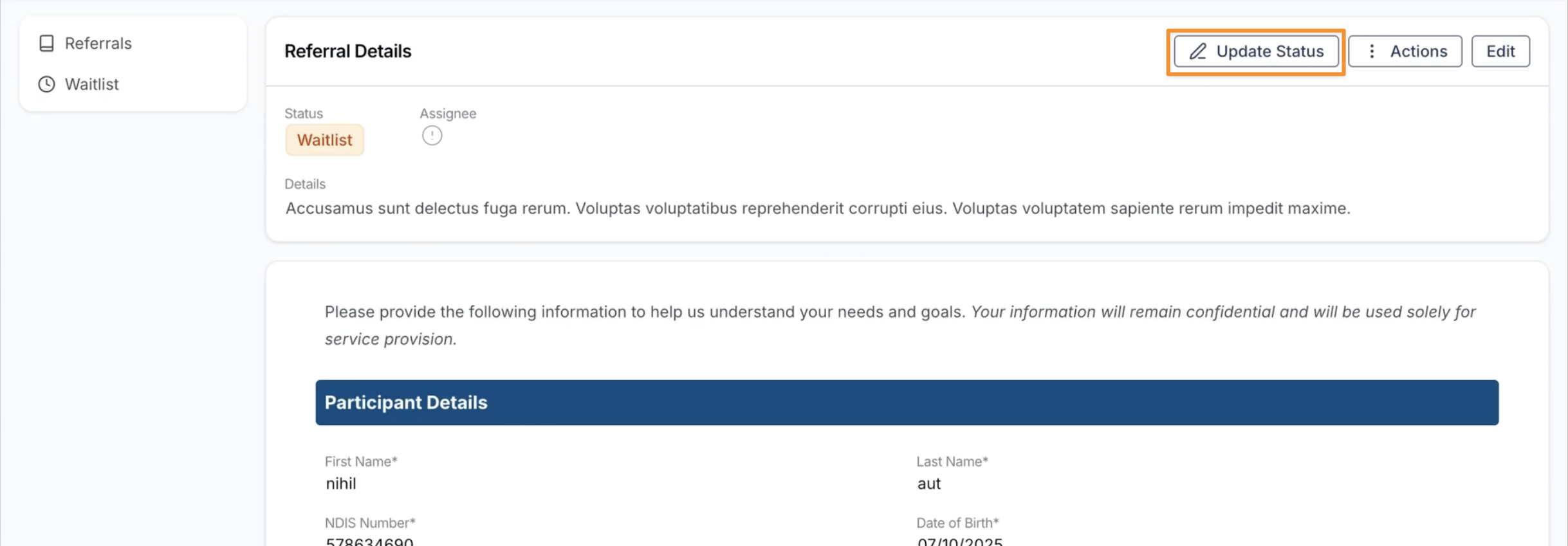
Select the referral within the Waitlist.
-
Select Update Status, and
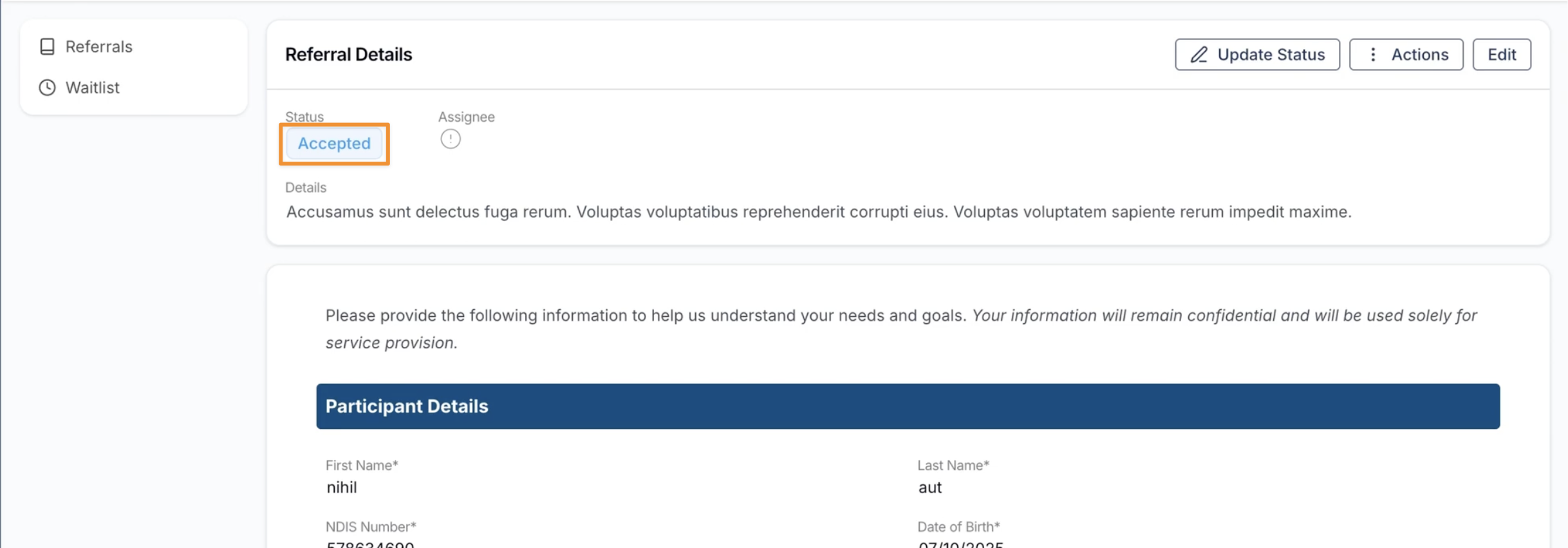
- Choose whether you want to Accept or Decline the referral.
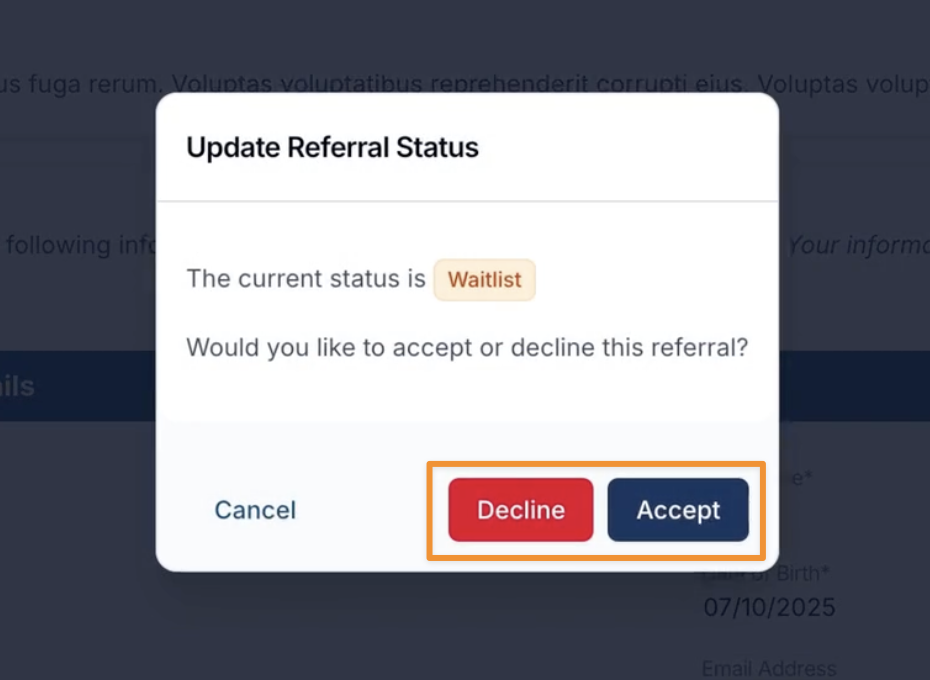
Once the referral has been accepted or declined, this status will be updated accordingly and it will be automatically removed from the Waitlist.