- Forms & Quality
- Overview
Overview
A register is a form whose submissions become tracked entries, such as a Conflict of Interest register, an emergency drill log, a restrictive practice log or a Continuous Improvement register.
Overview
Every submission of the register's form becomes an entry with:
| Detail | Meaning |
|---|---|
| Reference | The register's prefix, the year and a running number, e.g. COI-2026-00001. The number keeps counting from one year to the next rather than restarting. |
| Status | Where the entry is up to. Each register has its own statuses. |
| Owner | The person responsible for the entry. New entries go to the register's default owner. |
| Collaborators | Other staff working on the entry. |
| Next Review | When the entry is next due for review, if the register uses reviews. |
Entries can also carry Action Items for the follow-up work they need.
Where to Find It
From the left-hand menu, select Registers (under Library when your menu is grouped into sections). The list shows registers you have access to, including those where you own or collaborate on an entry. Admins see a register only if they are on its access list, directly or through a group such as the Admin group. Star a register to add it to Favourites, pick a tag tab to narrow the list, or open Archived for archived registers.
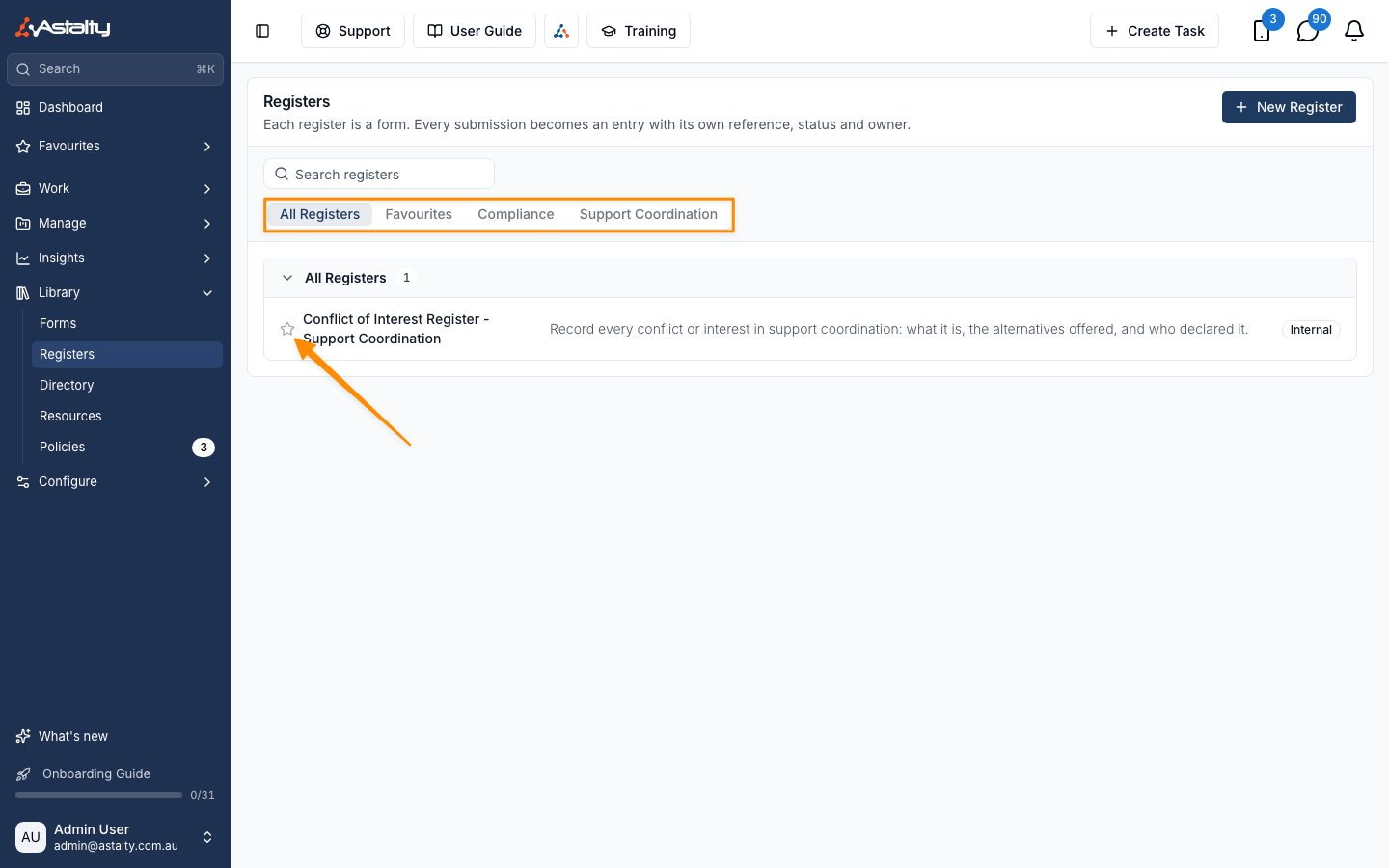
Open a register to see its Entries.
Creating a Register
A register is created as a form, so only Admins can create one. Click New Register, or go to Forms and create a form, then:
- Under Form Usage, select Register.
- Enter a Reference Prefix: 2 to 10 capital letters or digits, e.g.
DRILL. Entries are numberedDRILL-2026-00001,DRILL-2026-00002and so on. Each register needs its own prefix, andINC,FBandREFare reserved for incidents, feedback and referrals. - Build the form's fields as usual. See Create a Form.
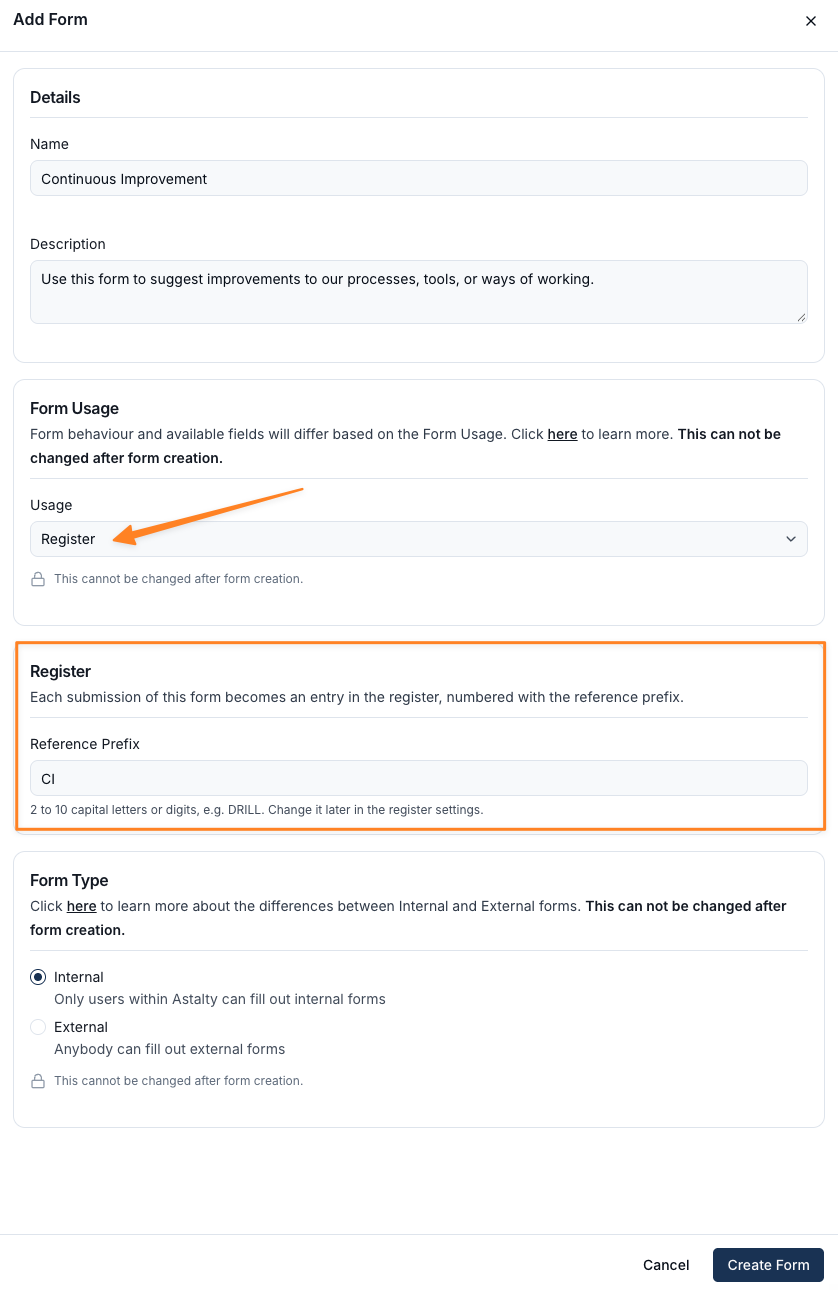
The register starts with four statuses: New, In Progress, Completed and Cancelled. You are its default owner. Change these in Register Settings.
Converting an Existing Form
A General form that is already collecting submissions can become a register without losing its history.
- Open the form and click Actions, then Convert to Register.
- Enter a Reference Prefix.
- Under Existing Submissions, choose the status past submissions start in: Completed, In Progress or New.
- Click Convert to Register.
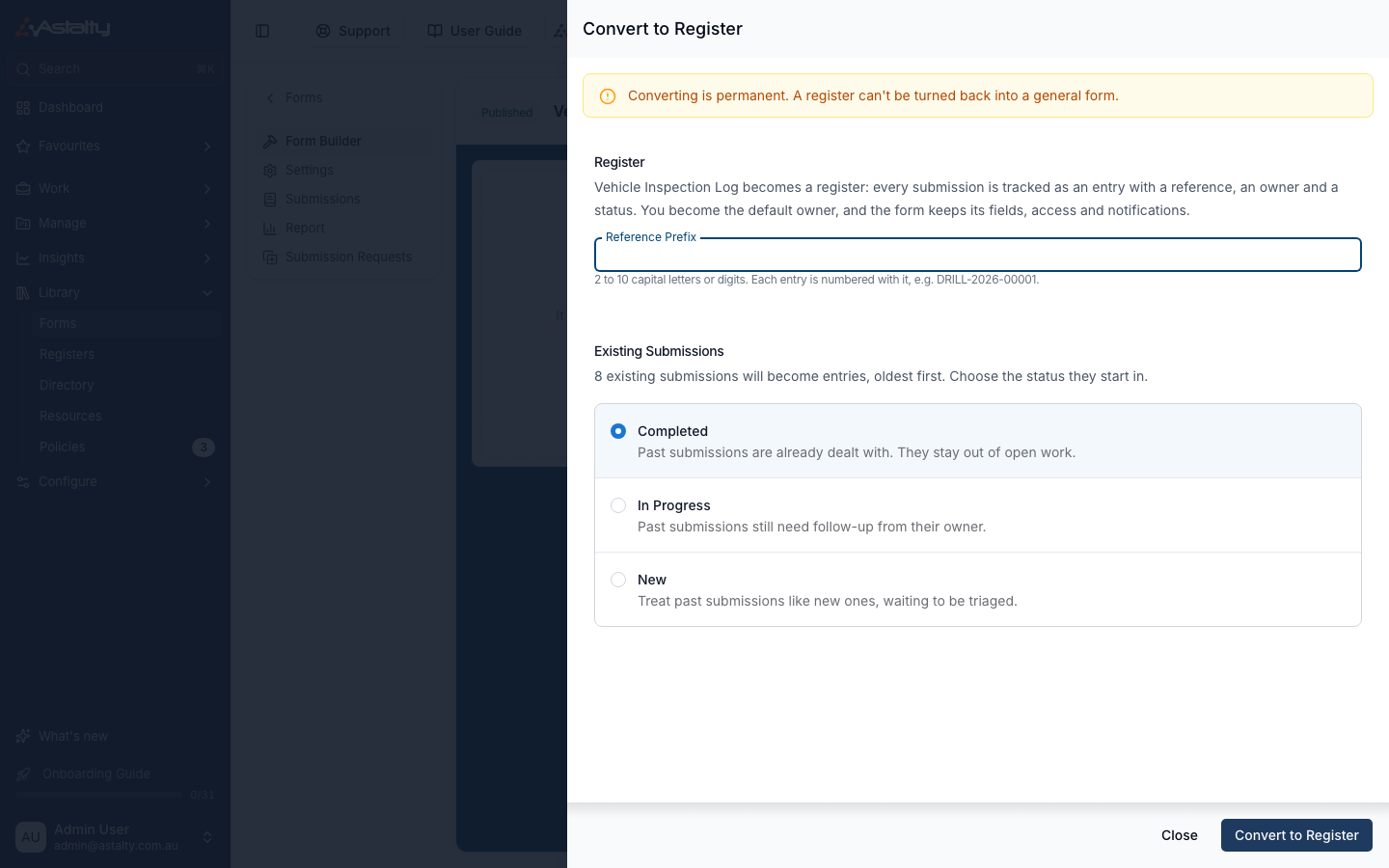
Astalty then opens the new register and adds an entry for each existing submission, oldest first, in the background.
Things to Keep in Mind
- Only General forms that aren't archived can be converted. Incident, Referral and Feedback forms already have their own registers.
- Only Admins can convert a form. You become the register's default owner.
- Converted entries keep the date of their original submission, and their reference uses that year. For example, a 2025 submission becomes
DRILL-2025-00001. - The form keeps its fields, access and notifications. Converted entries send no notifications.
- If no one has Can Update access yet, converting gives it to the Admin user group. See Access.
- A register can't be deleted. To retire one, archive it from its settings. See Archiving a Register.