- Forms & Quality
- Register Entries
Register Entries
Each submission of a register's form becomes an entry. Open a register to see its Entries.
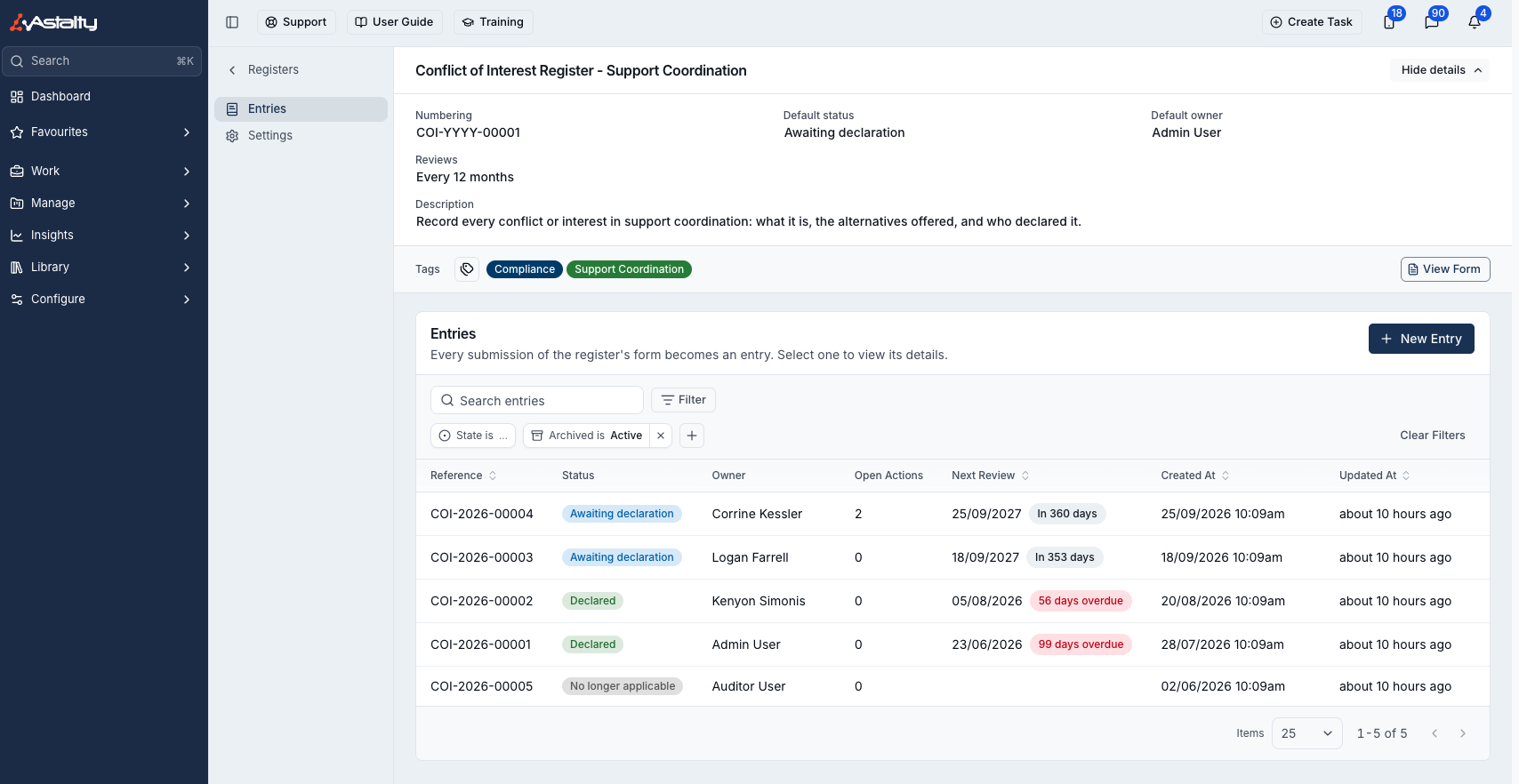
Filter by State (open or closed), Review (due or overdue) and Archived, or search by reference or notes.
Tags
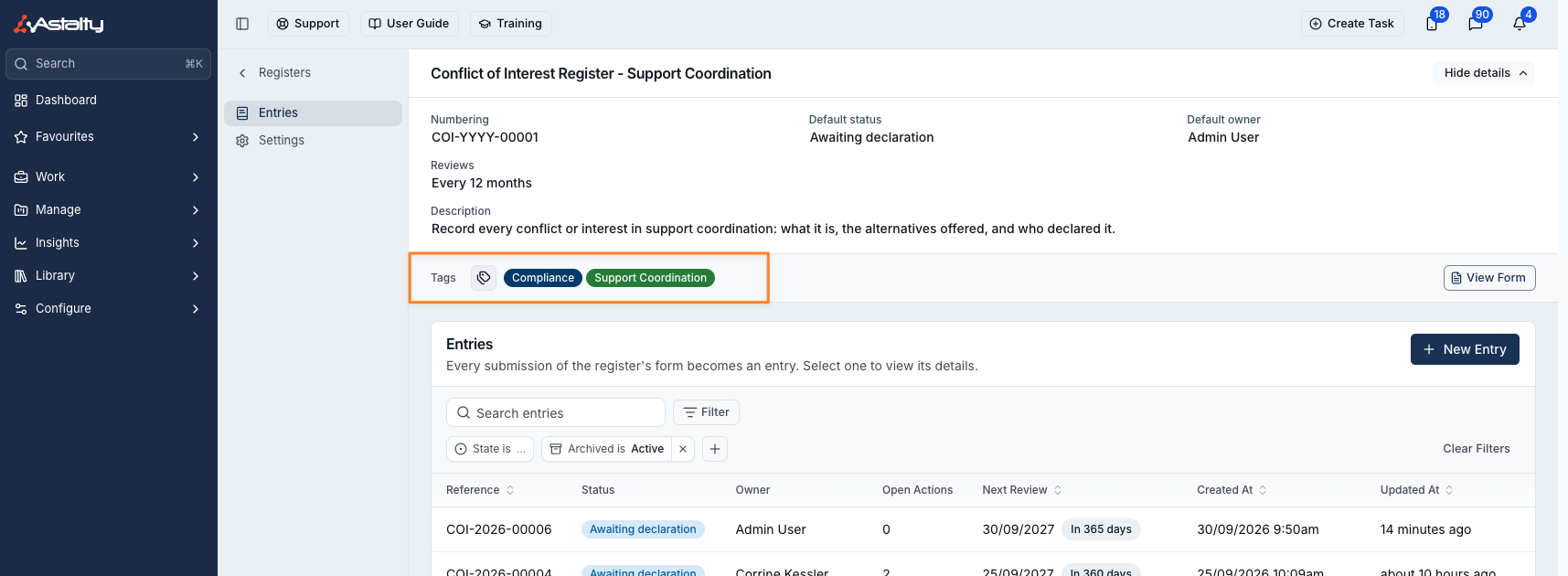
Tags group registers on the Registers page. A register appears under every tag it has. Admins can change them: click Show details at the top of the register, then the tag icon beside Tags. Changes save straight away.
Adding an Entry
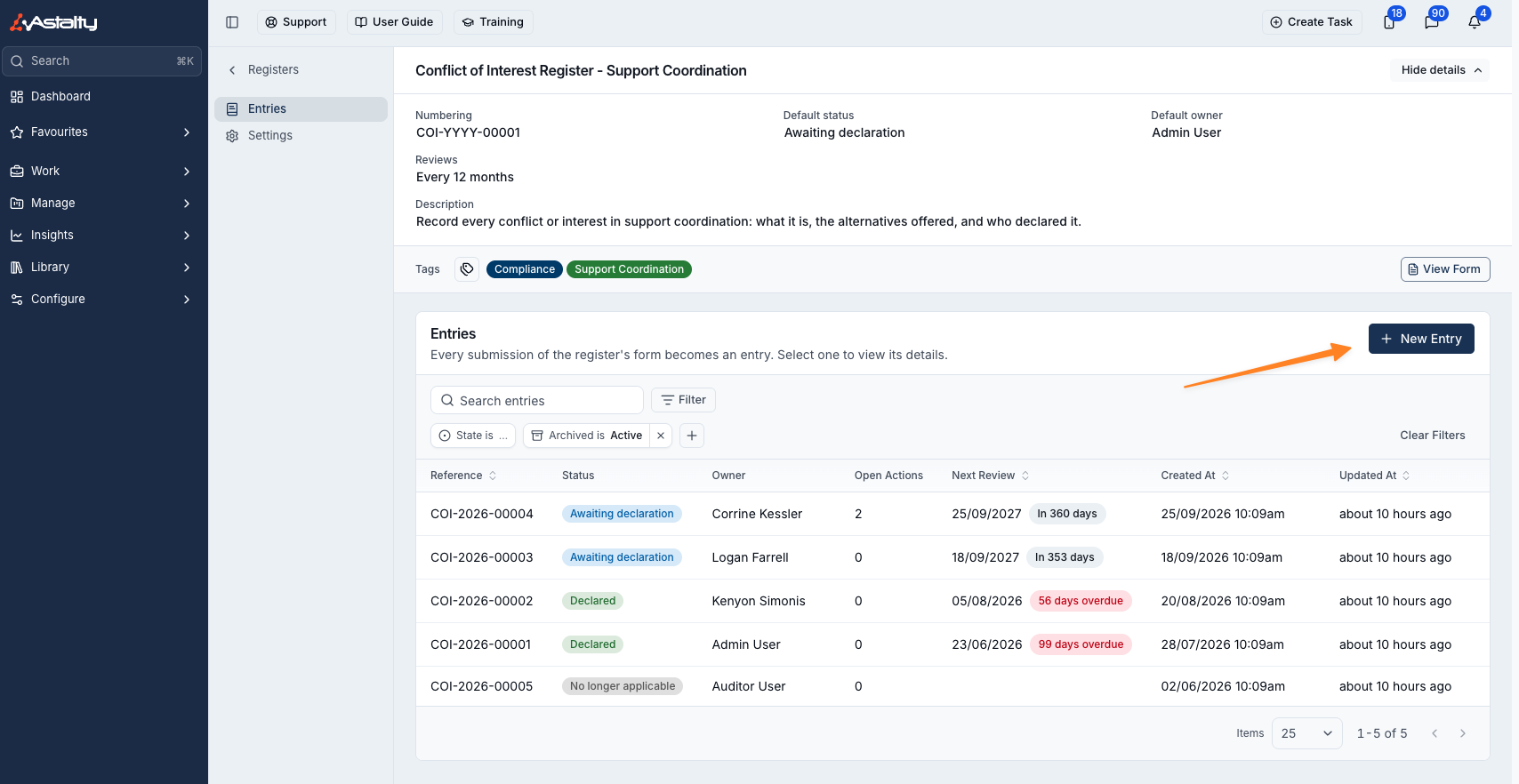
Entries are created whenever someone submits the register's form. New Entry appears for anyone the form's access lets submit it, while the form is published. To add one from the register:
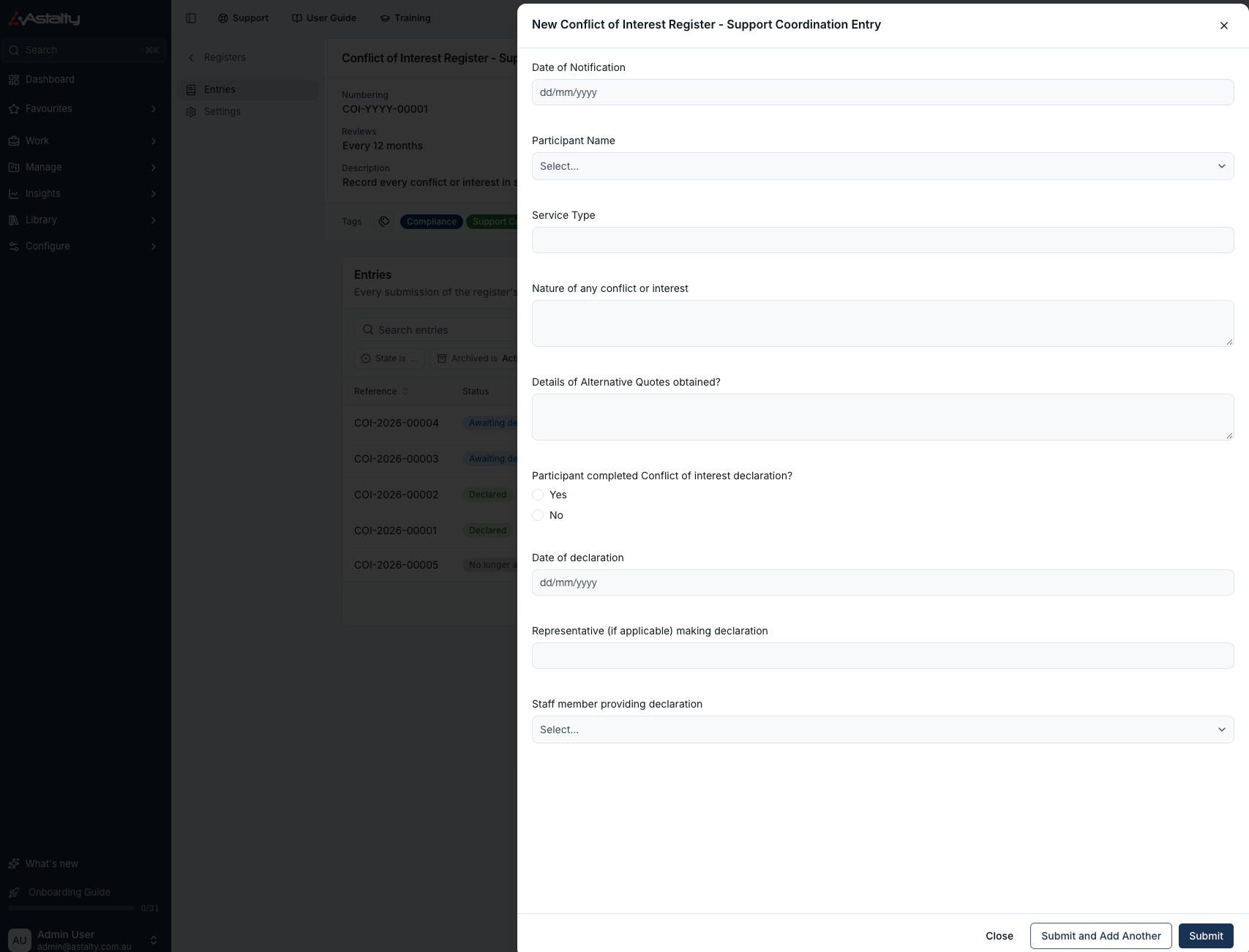
- Click New Entry. The form opens in a drawer.
- Fill it in, then click Submit, or Submit and Add Another to clear the form for the next entry.
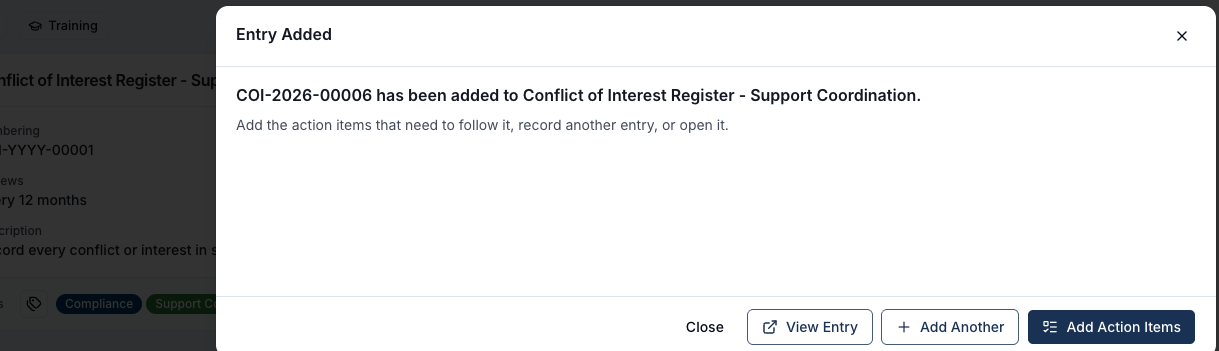
After Submit, you can View Entry, Add Another, or Add Action Items, which opens the new entry with its action items ready to add.
Viewing an Entry
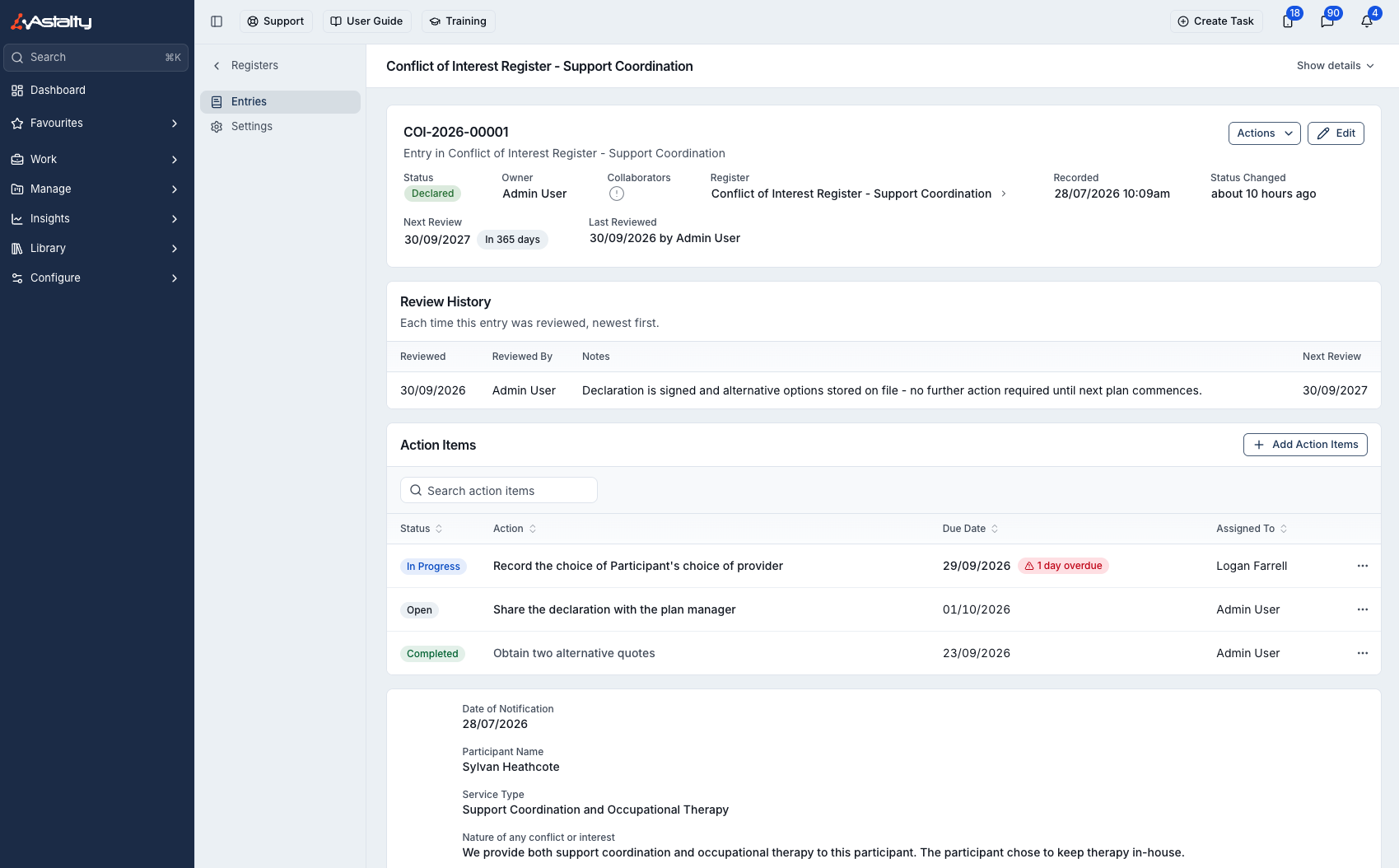
Select an entry to open it. It shows the status, owner, collaborators, review dates and notes, followed by its Review History, Action Items and the original form submission.
Updating an Entry
Click Edit to change the Status, Owner, Collaborators, Next Review date or Notes, then click Update Entry.
| Who | Can change |
|---|---|
| Admins with access, and people with Can Update on the register | Everything |
| The entry's owner | Everything |
| Collaborators | Status, Next Review and Notes, but not the owner or collaborators |
Auditors can't change entries.
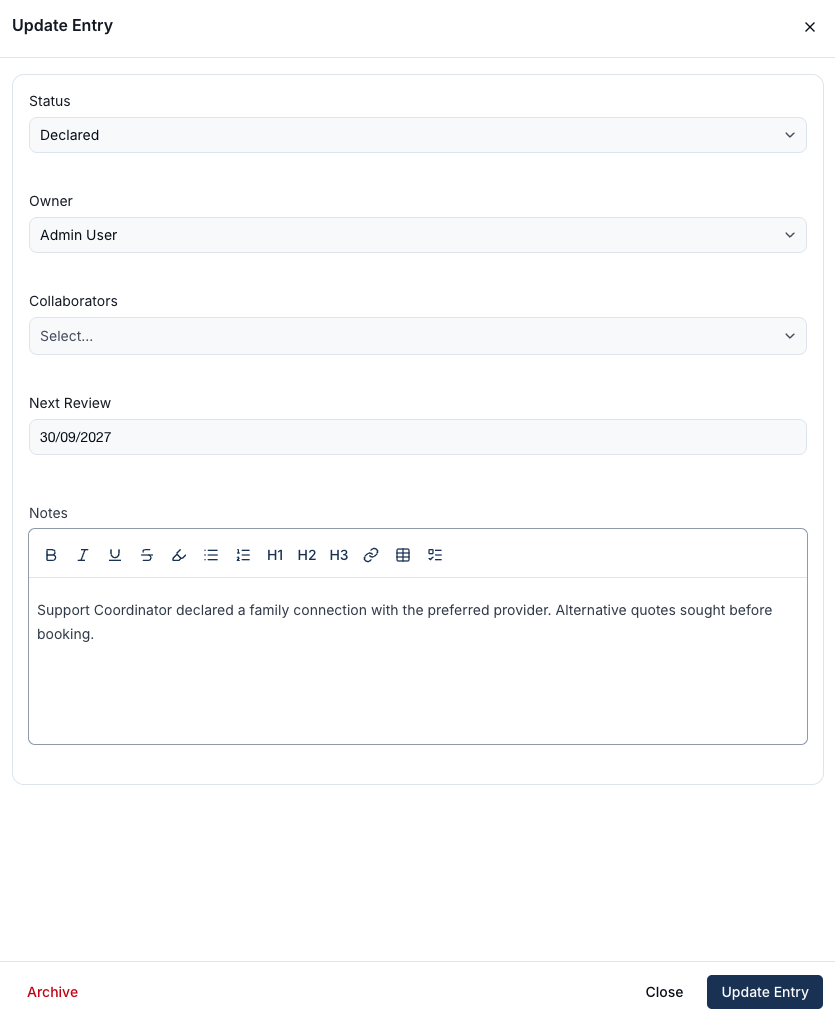
Only Admins can archive an entry. Click Archive in the same drawer. Archived entries leave the list; set the Archived filter to find them, and click Unarchive in the same drawer to restore one.
Reviewing Entries
When the register uses reviews, anyone who can change the entry can record a review against it:
- Click Actions, then Mark Reviewed.
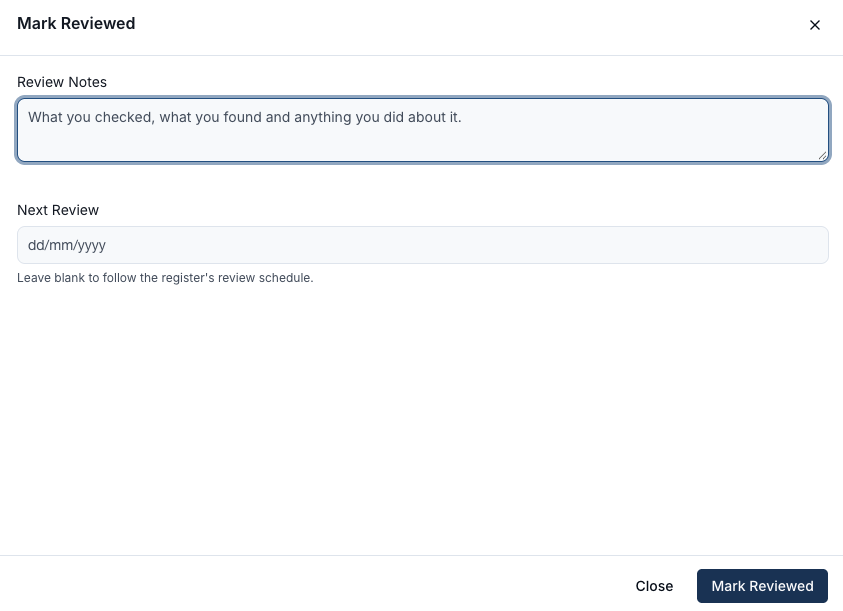
- Enter Review Notes: what you checked, what you found and what you did about it.
- Leave Next Review blank to follow the register's schedule, or pick a date to override it.
- Click Mark Reviewed.
Each review is added to the entry's Review History, newest first. Cancelled entries aren't reviewed.
Notifications
Astalty sends these in-app and by email:
| When | Who is notified |
|---|---|
| An entry's owner is changed | The new owner, unless they made the change themselves |
| Someone is added as a collaborator | That person |
| An entry moves from an open status to one in the Completed or Cancelled stage | The owner and collaborators, except whoever made the change |
| A review falls due | The owner, on the due date, then weekly while overdue |
Review reminders skip archived and cancelled entries, entries in archived registers, and deactivated owners. Deactivated users get none of these notifications.