Overview
Astalty turns submissions from Participant Incident and Staff Incident forms into incident records you can assign, investigate, and resolve.
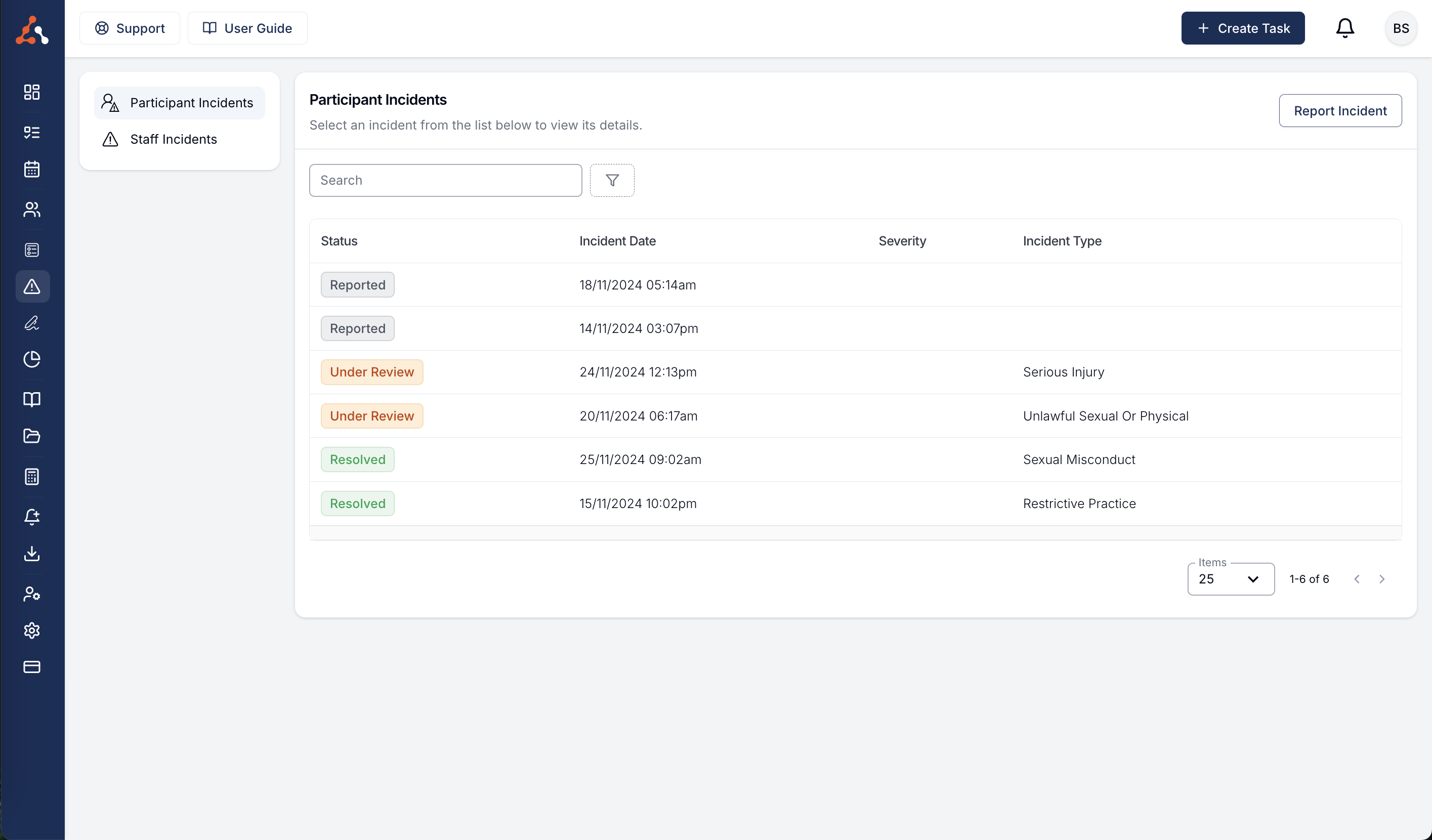
Create an Incident Form
Start with the Participant Incident or Staff Incident template, or create a Form from scratch and choose the matching usage type. See Creating a Form.
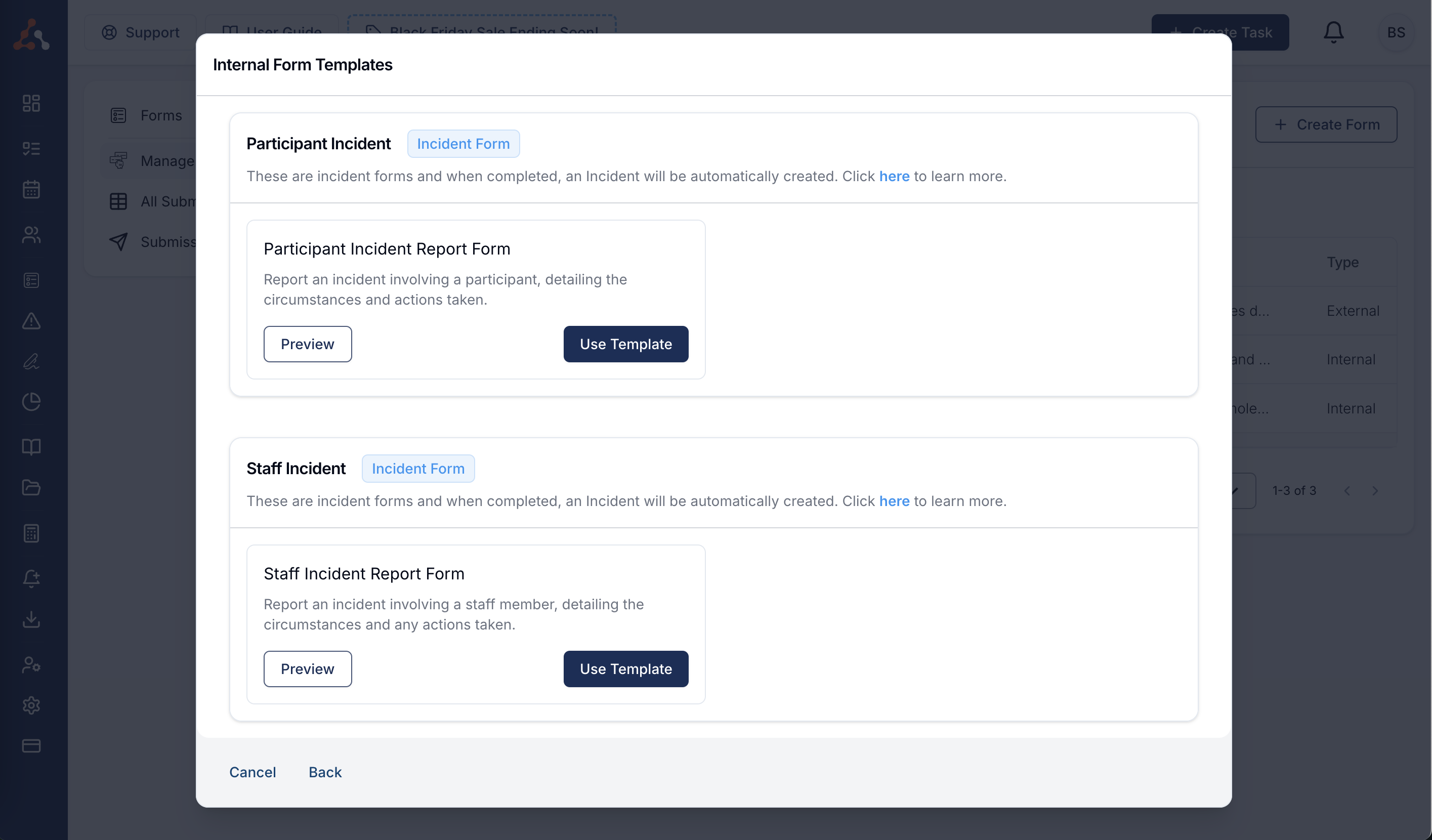
Report an Incident
- Participant Incidents covers incidents involving a Participant.
- Staff Incidents covers incidents involving staff.
Incident Collaborators
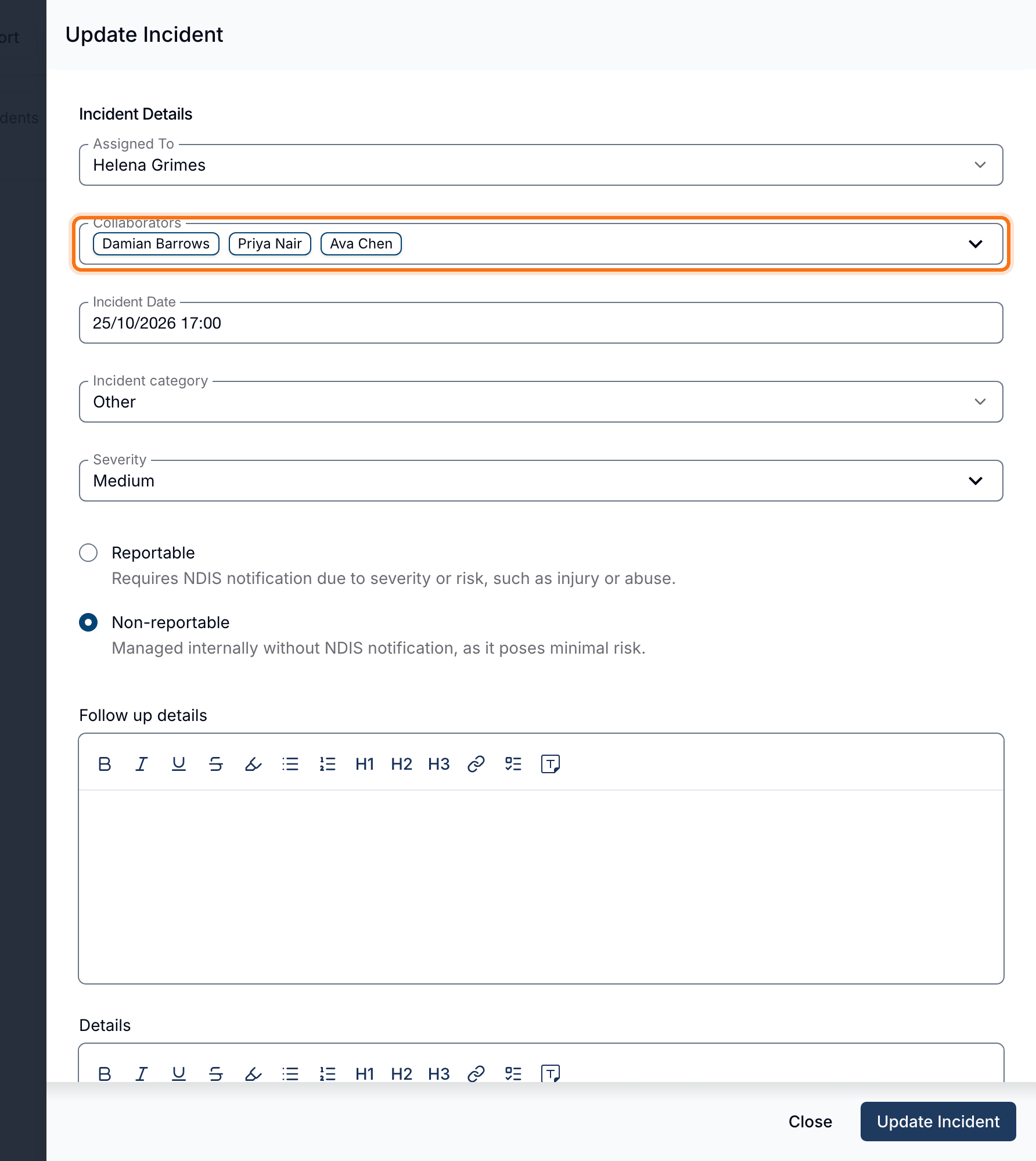
Add Collaborators when people other than the assignee need to view and update an incident. This works for Participant and staff incidents.
Adding a Collaborator
- Open the incident from the relevant Incidents register.
- Click Edit.
- Select one or more users in Collaborators.
- Click Update Incident.
Collaborators can view and update the incident, change its status, and manage involvees. A collaborator cannot change the assignee or collaborator list unless they are also the assignee or have permission to update that incident type.
Permissions
Anyone who can submit an incident form can report an incident. By default, Admins can view and update every incident, Managers can view and update Participant Incidents but cannot see Staff Incidents, and Team Members can only view Participant Incidents for the Participants assigned to them.
An incident's assignee can view it if they are an Admin, Manager or Team Member, the same rule a collaborator follows, on both Participant and Staff Incidents. Being listed as involved in an incident never gives someone access to it. An assignee who can see an incident can also update it.