- Insights
- Recurring Shifts Expiring Soon Report
Recurring Shifts Expiring Soon Report
Overview
The Recurring Shifts Expiring Soon Report lists recurring supports, group supports and internal shifts whose repeat ends within the dates you choose. This helps you identify supports that are coming to an end and determine whether they need to be reinstated.
Each recurring series appears once, however many occurrences it has. A series set to repeat with no end date never appears.
By default, only Admins can open this report. A Manager can open it once Can access Scheduling is turned on for them. See Roles & Permissions.
Accessing the Recurring Shifts Expiring Soon Report
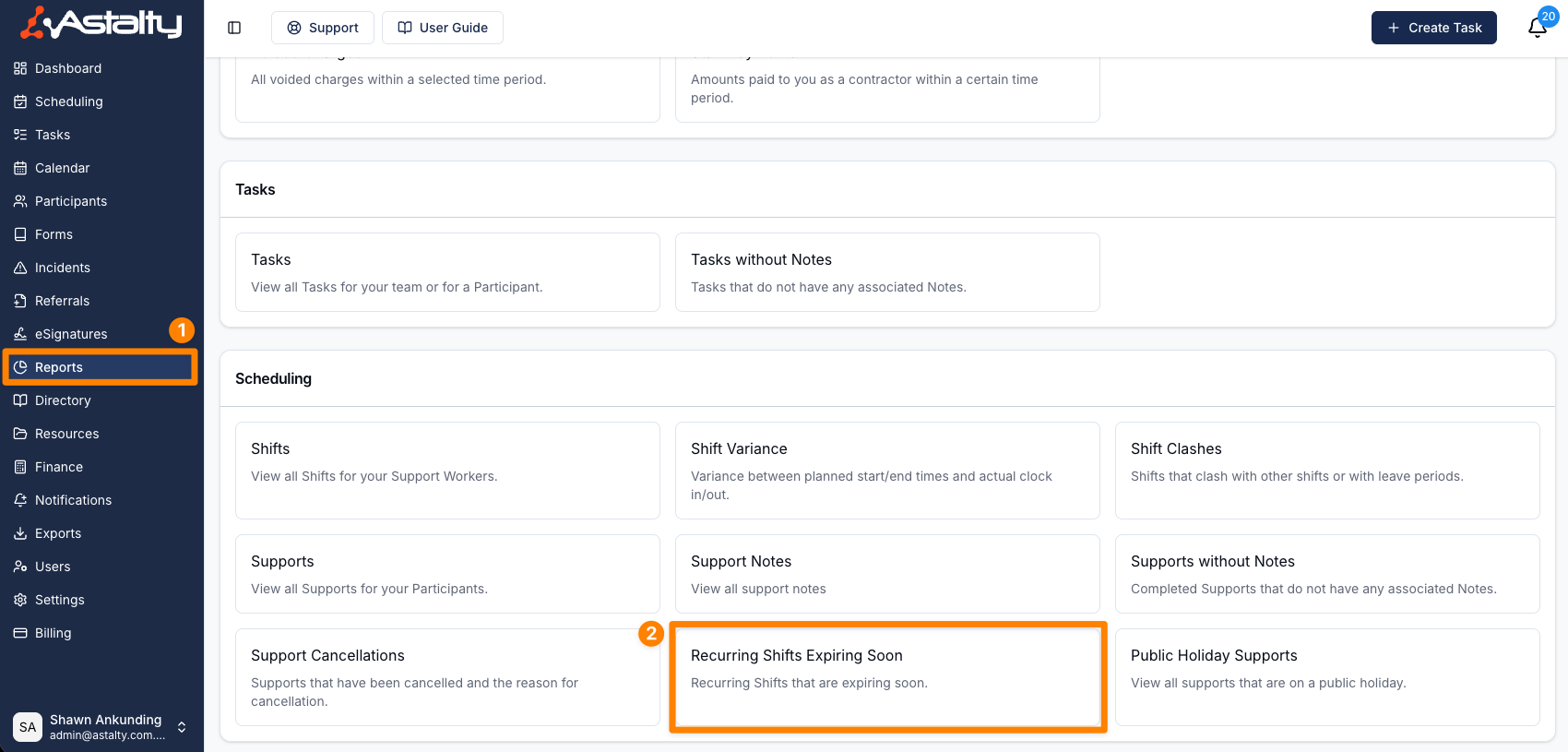
- From the left-hand side menu, click Reports.
- Scroll down to the Scheduling section.
- Select Recurring Shifts Expiring Soon.
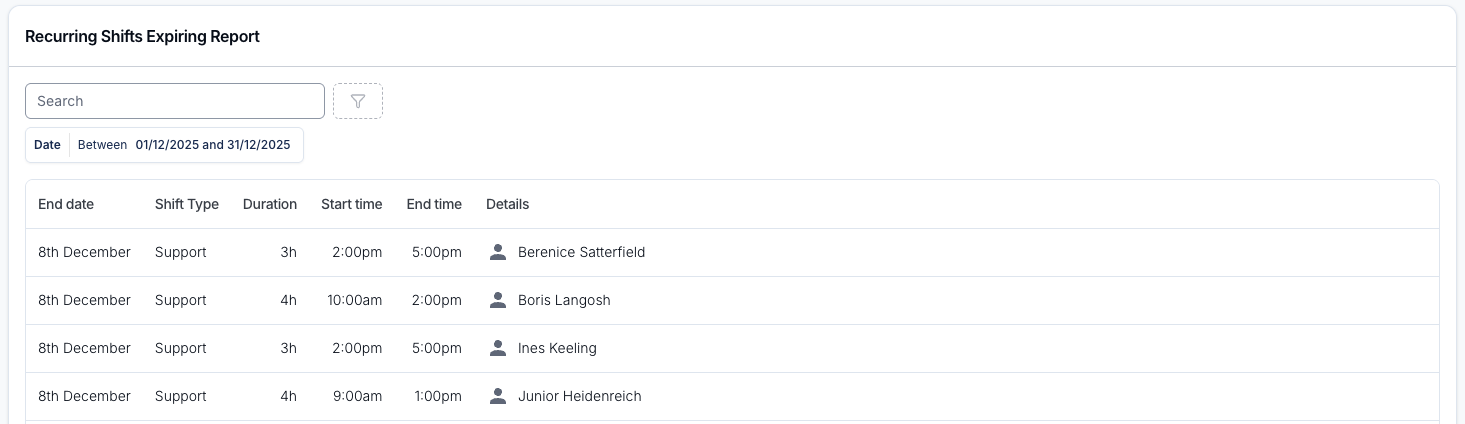
The report displays key details for each recurring series, sorted by expiry date, earliest first:
| Column | What it shows |
|---|---|
| Expires | The date the series stops repeating. |
| Shift Type | Support, Group Support, Shift (an internal shift) or Unpaid Break. |
| Duration | How long each occurrence runs. |
| Start / End | The time of day each occurrence starts and ends. |
| Details | The Participant's name for a support, the group support's name, or the internal shift's name. |
Select a row to open the series' last occurrence.
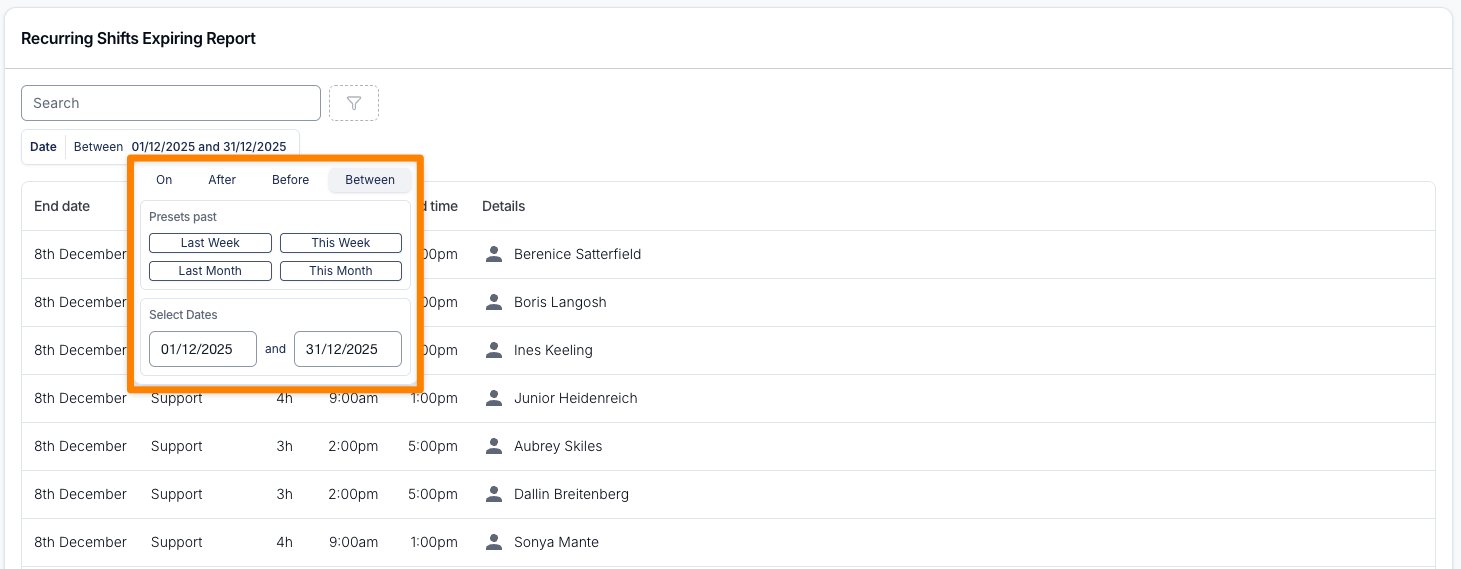
The report has these filters:
- Date - matched against the date each series stops repeating, including the whole of the end date. It defaults to the current week (Monday to Sunday). The presets look back (Last) or cover the current period (This); to see series ending further ahead, pick your own dates.
- Unpaid breaks - Exclude (the default) leaves out recurring unpaid breaks. Choose Include to list them too.
- Search - matches the Participant's name on a support, a group support's name, or an internal shift's name.
Extending Recurring Supports
You can extend a recurring support by cloning the existing support. See Recurring Shifts for the steps.