Staff Birthdays Report
Open Reports > Team > Staff Birthdays.
Report Overview
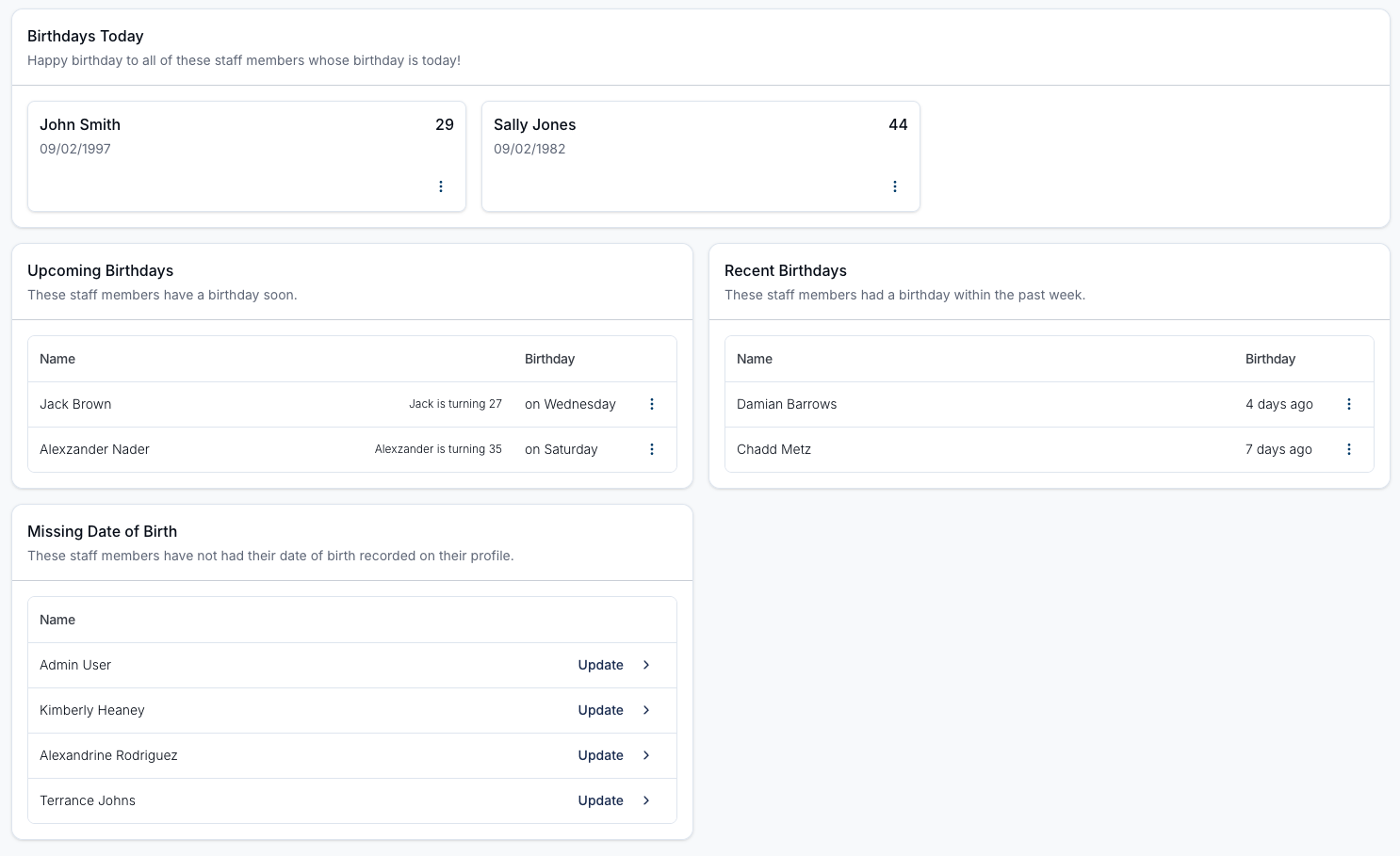
This report shows today's, recent and upcoming birthdays for your staff, and who has no date of birth recorded.
Only Admins can view this report, and it can't be given to other roles or to individual users.
Every section lists active and invited users of any role. Restricted and deactivated users are left out. Today's date is worked out in your account's time zone.
Report Sections
Click a staff member's name in any section to open their profile.
Birthdays Today
The band at the top lists every staff member whose birthday is today. When nobody has a birthday today, it names the next staff member with a birthday coming up.
Upcoming Birthdays
The Coming up part of the Birthday timeline card lists staff with a birthday from tomorrow to 14 days from today, grouped under Later this week, Next week and In two weeks.
Recent Birthdays
The Past 7 days part of the Birthday timeline card lists staff whose birthday fell in the 7 days before today.
Birthdays by Month
The Birthdays by Month card lists every staff member with a birthday in the month you select, so you aren't limited to the next 2 weeks.
Use the month dropdown in the top right of the card to pick any month of the year. The card opens on the current month, and the list updates as soon as you choose a different one.
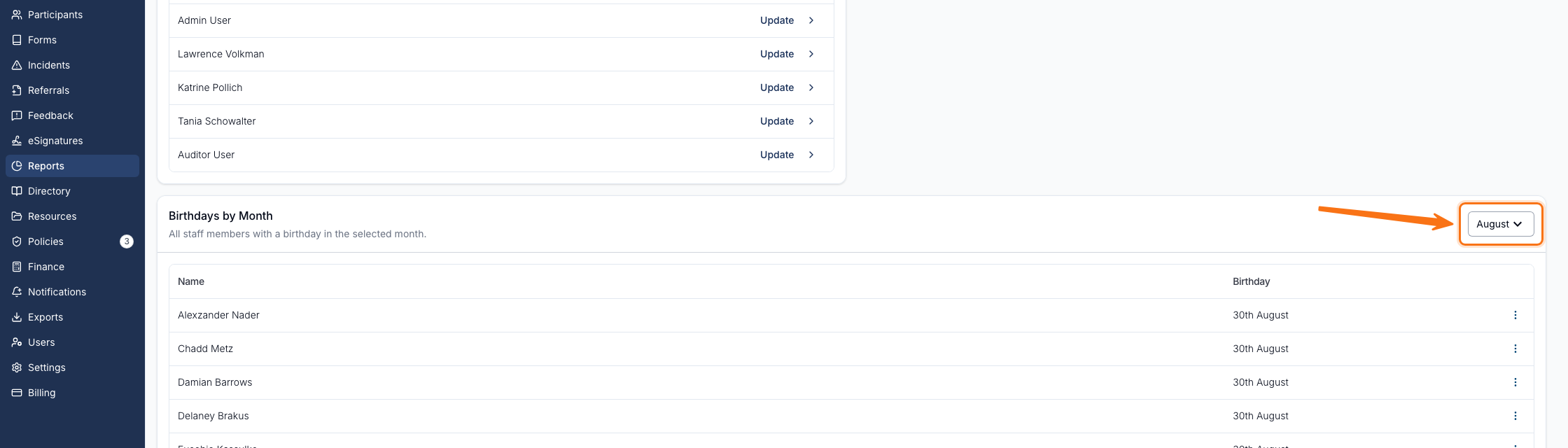
Results are ordered by the day of the month, then alphabetically by name, and show the day and month of the birthday (for example, 30th August) rather than the year or age.
Missing Date of Birth
The Missing date of birth card lists staff with no date of birth on their profile, with a count. They can't appear in any other section until one is added. Click Add birthday on a row to open that staff member's profile and add it.