Support Notes Export
The Support Notes Export lets you export support notes with optional shift details, so each note can be matched back to the shift it was written during. This is useful when you need more context than the note content alone, particularly when reviewing support delivery across a date range.
Overview
This export always includes the core details of each note: who wrote it, when it was created, the date of the support it relates to, which Participant it relates to, the Site and Location, and the note content. You can also choose to include support details and shift details to give each note more context.
The selected date range is matched against Created At, not Support Date, and includes the whole To day. Support Date can differ when a note is added after the support happened.
What's included
The Support Notes export always includes the following columns:
- Created By - the Support Worker who wrote the note
- Created At - the date and time the note was created
- Support Date - the date the support took place, shown in the support's own timezone
- Participants - the Participants the note relates to
- Site - the Site assigned to the support
- Location - the support address
- Content - the plain text of the support note
You can also choose to include additional columns:
Support details
- Group support name
- Support start time
- Support end time
Shift details
- Clock in at
- Clock out at
How to Export Support Notes
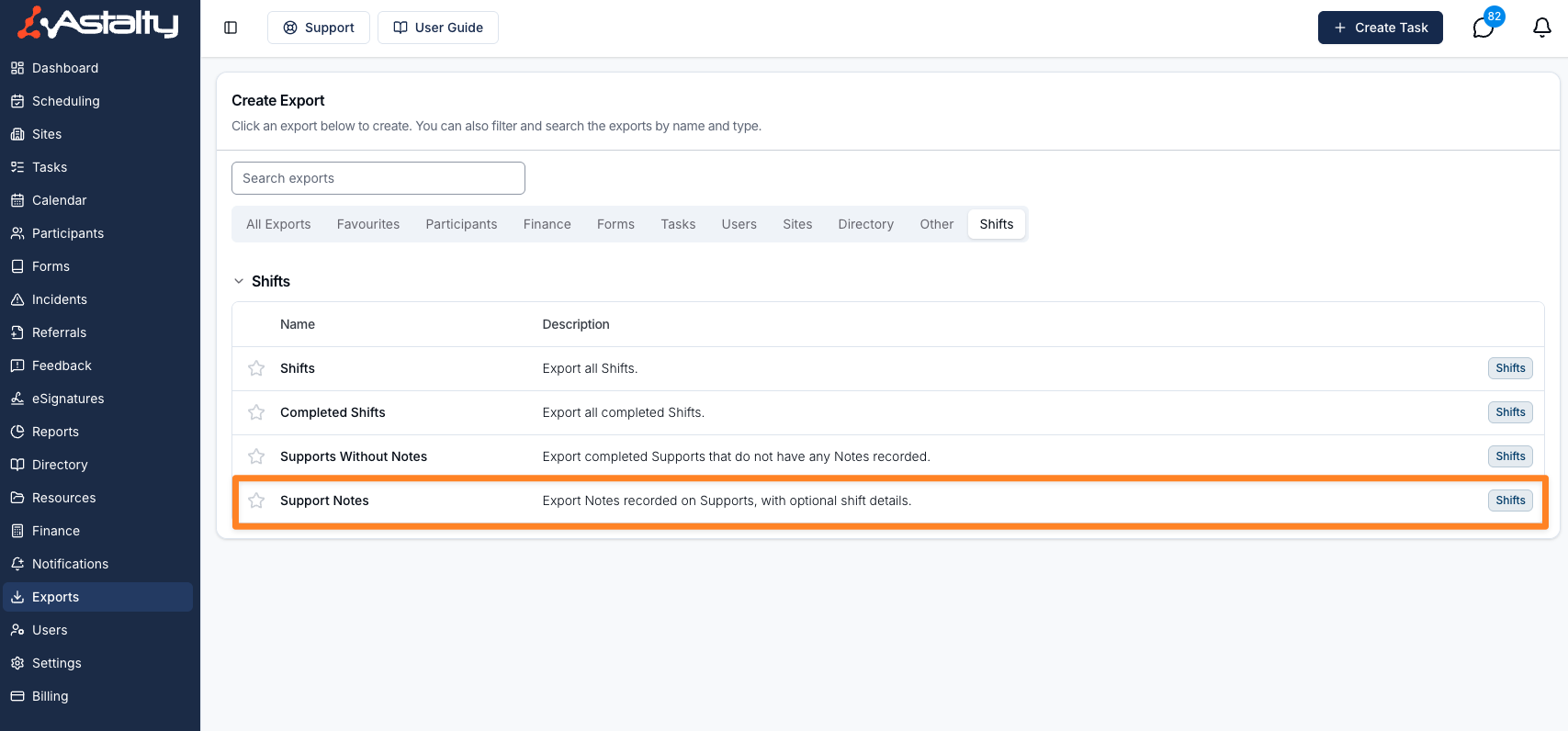
- Open Exports and select Create Export.
- Go to the Shifts section.
- Select Support Notes.
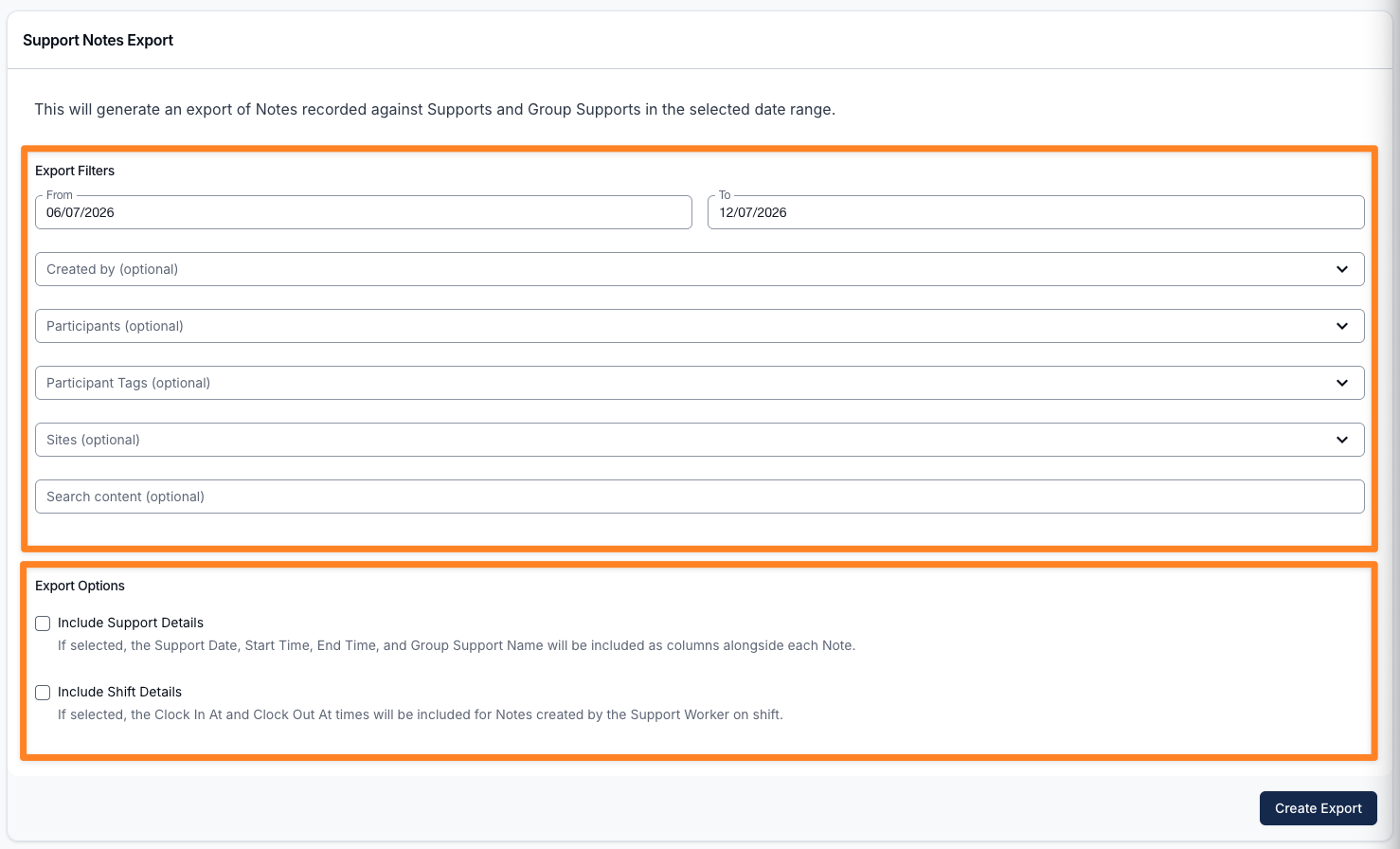
- Choose the date range you want to export.
- Optionally filter the results by:
- Participants
- Participant Tags - select one or more tags to include notes for all Participants who carry any of the selected tags. You can combine tags with individually selected Participants.
- Sites - select one or more Sites to include notes recorded on supports or group supports scheduled at those Sites.
- Created by - the Support Workers who created the notes, including deactivated users.
- Contains text - include notes whose content contains the entered text.
- Choose Newest to oldest or Oldest to newest under Sort order. Newest to oldest is the default.
- Turn on Include Support Details to add Group Support Name, Support Start Time, and Support End Time.
- Turn on Include Shift Details to add Clock In At and Clock Out At for the note author's matching shift.
Generating the Export
Click on the Create Export button.
Downloading the Export
When the export is ready it will appear on the Exports page where you can click on Download to save it to your device.
Things to know
- Only notes recorded on supports and group supports are included. Task notes are not included.
- Note content only - any photos or files attached to a note are not included in the export. See Notes for how attachments work.
- The Sites filter matches a note to the Site its support or group support was scheduled at, so notes on supports with no Site set won't be included when a Site is selected. It combines with the other filters (date range, Participants, tags, Created by, and Contains text).
- Created At uses your organisation's timezone. Support Date uses the support's own timezone.
- If clock-in or clock-out times were not recorded for a shift, those fields are empty.
When to use this export
This export is most useful when you need to:
- Review support notes alongside the shift they relate to
- Confirm when a note was written during service delivery
- Produce clearer reporting for internal review or compliance processes