- Insights
- On-Call Report
On-Call Report
Use the On-Call report to check, per worker, how much on-call was rostered, how much standby has been claimed, and which calls, meetings and training still need approval or a timesheet batch. It is available on accounts using the On-Call Roster beta.
Open Reports > Scheduling > On-Call.
Reading the Report
Choose the Date range and, if needed, a Worker. The report opens on the current week.
The summary tiles show:
- Workers - workers with on-call in the period.
- Occurrences - on-call occurrences rostered, and how many are not yet in a timesheet batch.
- Standby Units - standby allowance units claimed by timesheet batches.
- Calls and Remote Work - activations and remote work records logged, and how many are pending approval.
- Awaiting Batch - approved records that a timesheet batch has held back or left out.
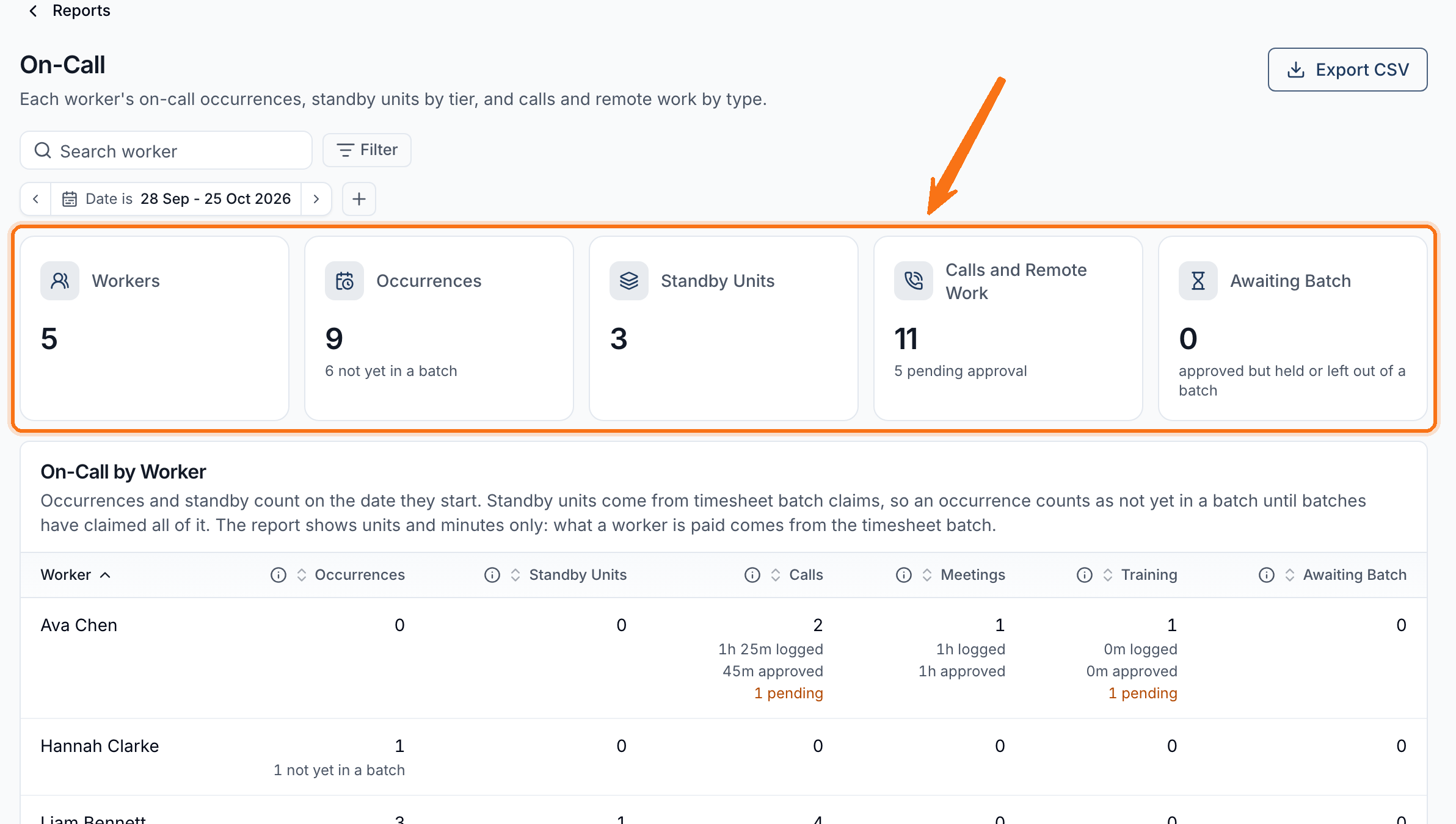
The On-Call by Worker table breaks this down per worker:
| Column | Shows |
|---|---|
| Occurrences | On-call occurrences rostered, and how many are not yet in a batch. |
| Standby Units | Units claimed, split by the award's tier, such as weekday and weekend or public holiday. |
| Calls, Meetings, Training | Minutes logged and approved, and records still pending approval. |
| Awaiting Batch | Approved records waiting for a timesheet batch. |
The report shows units and minutes, not pay amounts. Open the worker's timesheet batch for what payroll receives.
Resolving What Is Outstanding
- Pending approval: open the On-Call Roster and approve the activations or remote work.
- Not yet in a batch: create a timesheet batch for those dates.
- Awaiting Batch: check the batch warnings. An approved call can be held until an overlapping shift is batched, or left out of a batch that already covered its date. See Timesheet Batch Warnings.
Exporting the Report
Select Export CSV to download the filtered report. Only Admins can use Exports, so a Manager can open the report but does not see the button. The file has one row per worker and a Total row, with minutes logged and approved for each type of activation.