Years of Experience Report
The Years of Experience Report shows how long each team member has worked in the disability and aged care sector, and how long they've worked with you, with workforce averages that are useful evidence for tenders.
It's available to Admins. For team starts, exits and retention trends, see the Staff Retention Report.
Where to Find It
- From the left-hand menu, select Reports.
- Under Team, select Years of Experience.
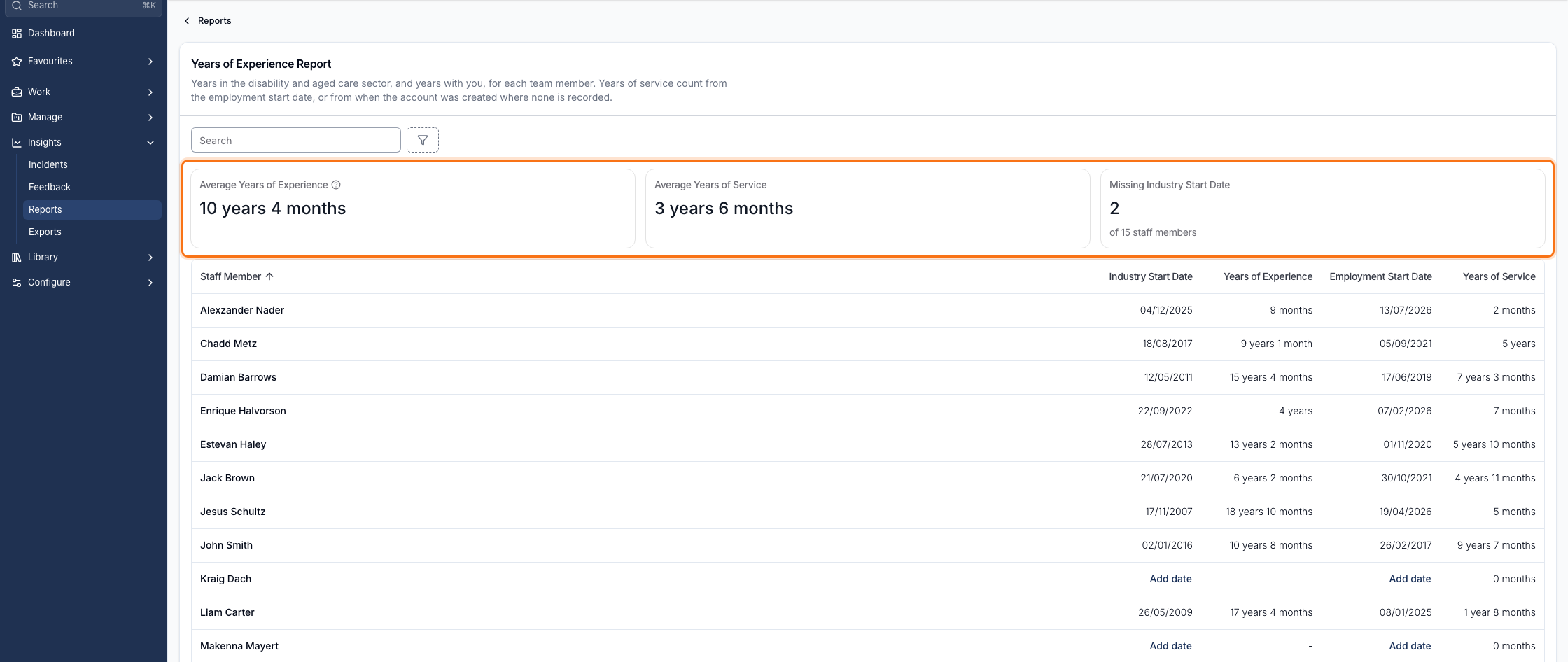
The Summary Figures
Three figures sit across the top:
| Figure | What it means |
|---|---|
| Average Years of Experience | Averaged over staff in the report with an Industry Start Date recorded |
| Average Years of Service | Averaged over every staff member in the report |
| Missing Industry Start Date | How many staff have no Industry Start Date, out of the total staff in the report |
The figures are worked out from the staff the report is currently showing, so they change with your search and filters. Averages are rounded to the nearest whole month.
Recording Industry Start Date
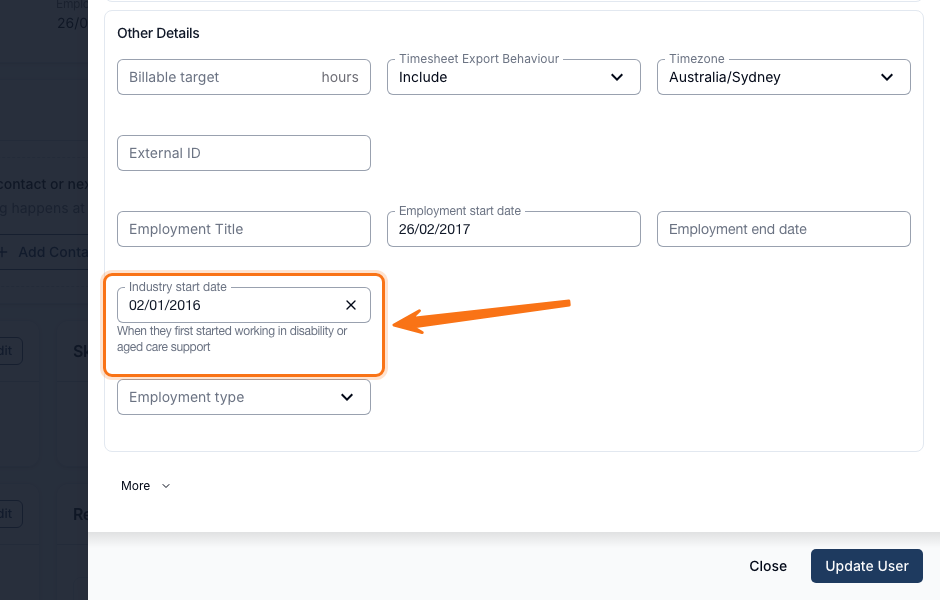
Set each team member's Industry Start Date - when they first started working in disability or aged care support - from their user profile, under Other Details.
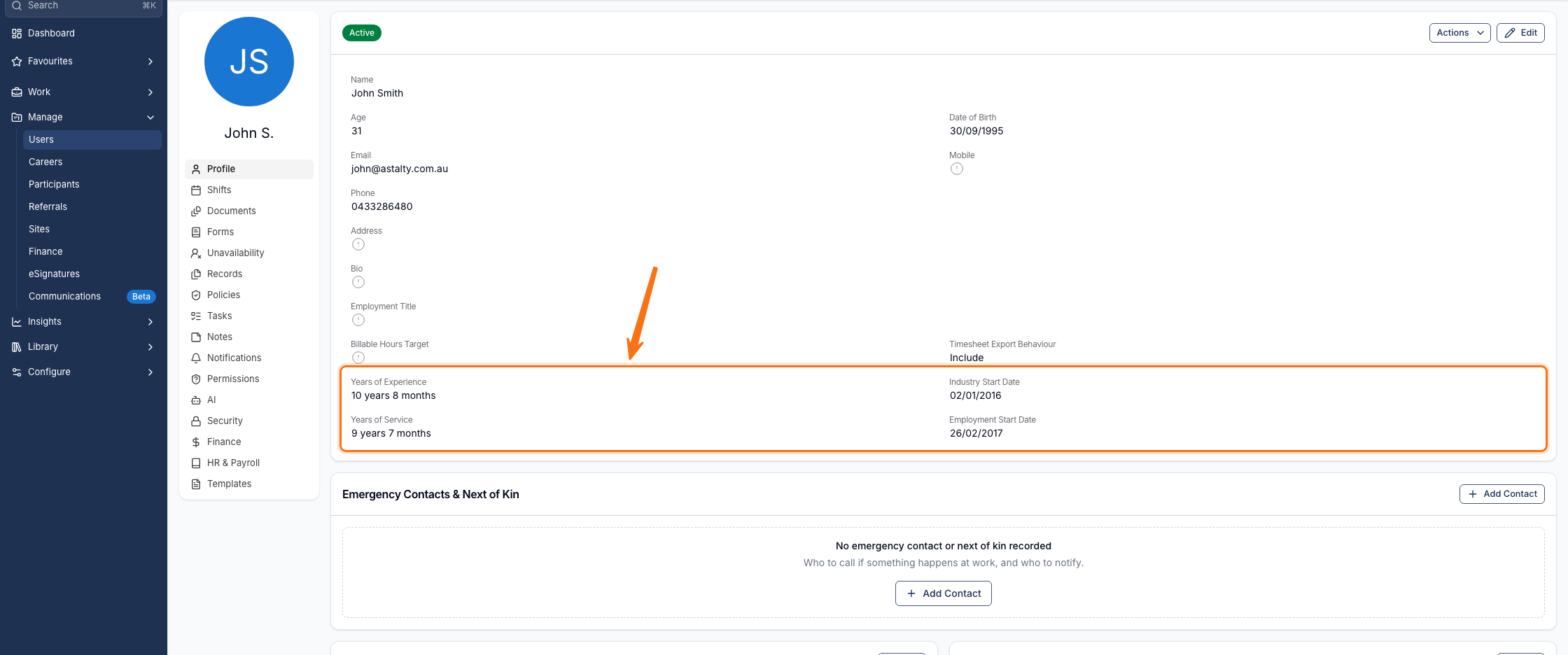
Once set, it appears on the user's profile alongside Years of Experience, Employment Start Date and Years of Service.
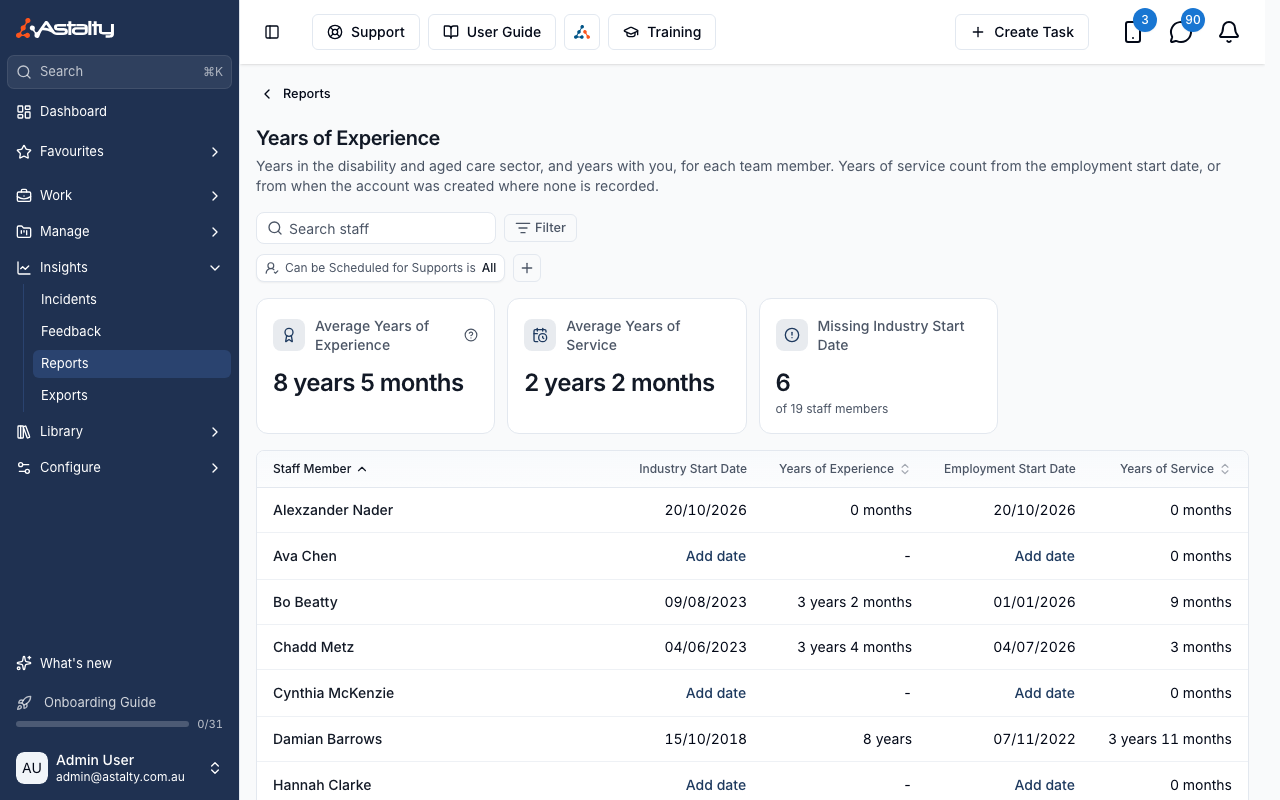
Where a row's Industry Start Date or Employment Start Date is blank, the table shows an Add date link. It opens the user's edit form at that field without leaving the report, and the report refreshes when you close it.
The Table
| Column | What it shows |
|---|---|
| Staff Member | Name, linked to their profile |
| Industry Start Date | When they started working in disability or aged care, if recorded |
| Years of Experience | Time since Industry Start Date, in completed years and months |
| Employment Start Date | When they started with you |
| Years of Service | Time since Employment Start Date, in completed years and months |
The table is sorted by Staff Member by default. Staff Member, Years of Experience and Years of Service can each be sorted. Sorting by Years of Experience puts staff with no Industry Start Date last.
Search by name, and filter by User Group, whether an Industry Start Date is Recorded or Missing, or by Can be Scheduled for Supports. Every staff member is on one page.
Including Staff Who Aren't Rostered
By default, the report only counts staff with Can be Scheduled for Supports turned on. To also count staff who are never rostered - such as support coordinators - change the Can be Scheduled for Supports filter to No to see only staff who can't be scheduled, or All to see everyone together.
Things to Keep in Mind
- Restricted and deactivated users are left out regardless of the Can be Scheduled for Supports filter, and invited users are included.
- Years of Experience and Years of Service are both shown in completed years and months, counted to today in your account's time zone. A start date in the future shows as 0 months.