- Insights
- Participants Without Risks Report
Participants Without Risks Report
Report Overview
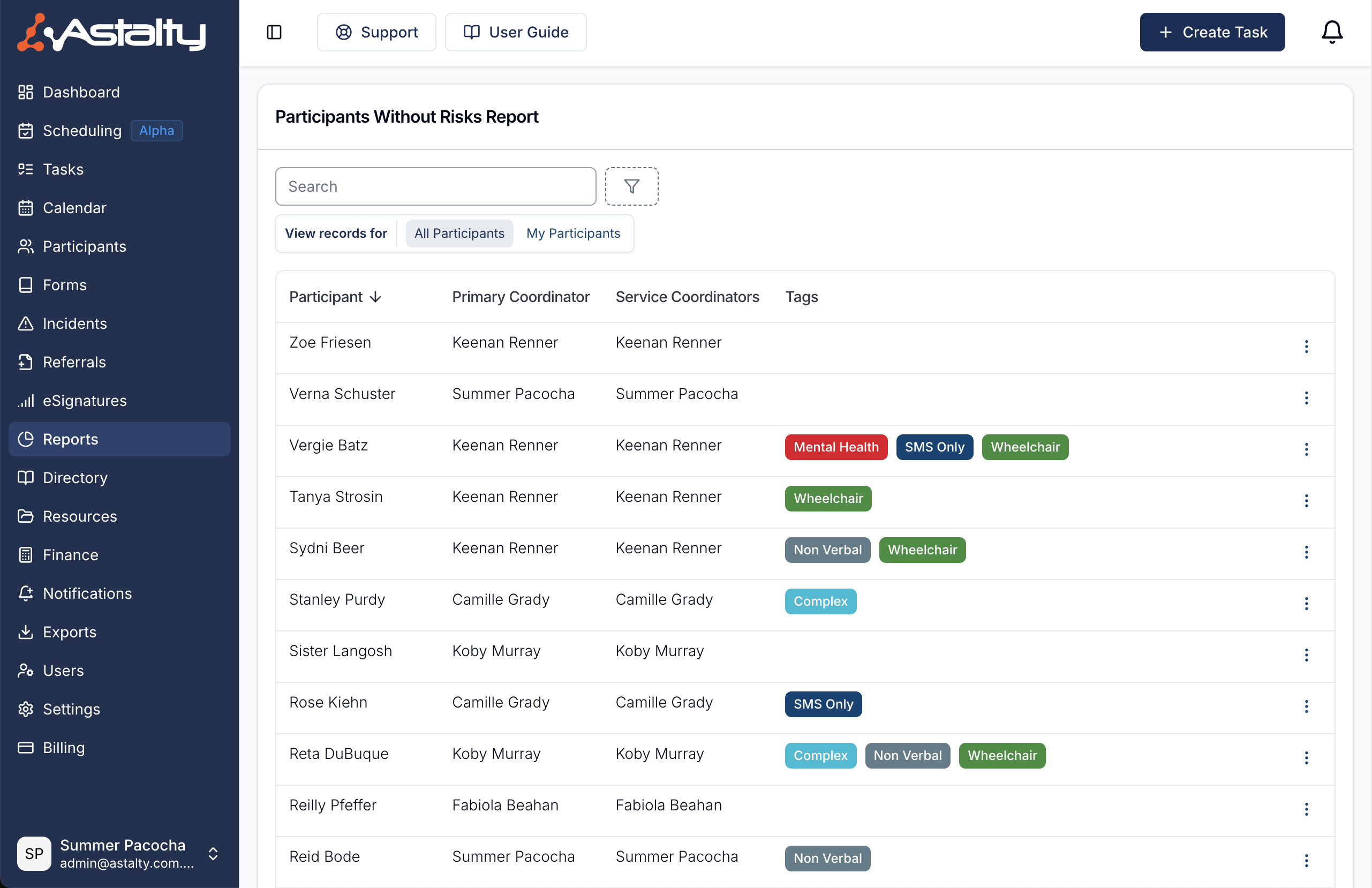
The Participants Without Risks Report lists every active Participant who has no active risk recorded. Use it when auditing for risk compliance, instead of opening each Participant's profile. You can search, filter by Participant Tags, sort by Participant name, and jump straight to a Participant's risks page.
To find it, select Reports from the left-hand menu, then Participants Without Risks under Participants.
Archived Participants are never listed.
Who Can See It
| Role | All Participants | My Participants |
|---|---|---|
| Admin | Yes | Yes |
| Manager | Yes | Yes |
| Team Member | Yes, unless Can access all Participants is turned off for them | Yes |
| Support Worker | No | No |
My Participants means the Participants you are the Primary Coordinator for, plus those where you are the Service Coordinator on a Service that is current today.
Report Columns
Participant
The Participant who has no active risk.
Primary Coordinator
The Participant's Primary Coordinator.
Service Coordinators
The Service Coordinators on the Participant's Services that are current today.
Tags
Any Participant Tags assigned to the Participant.
Record Menu (3 Dots)
Each row's action menu has View Participant Risks, which opens the Participant's risks page. Click Add a Risk there to record one.
Report Filters
Search
Matches the Participant's first name, last name or full name.
Tags
Shows only Participants carrying the selected tags. Choose Match any for Participants with at least one of them (the default), or Match all for Participants with every one. The filter appears when Participant Tags are enabled for your account.
View Participants Without Risks for
The Participants filter switches between All Participants and My Participants. It appears only when you can see all Participants, and starts on All Participants. Otherwise the report shows only your own Participants.