Participants Without Plan Manager
Report Overview
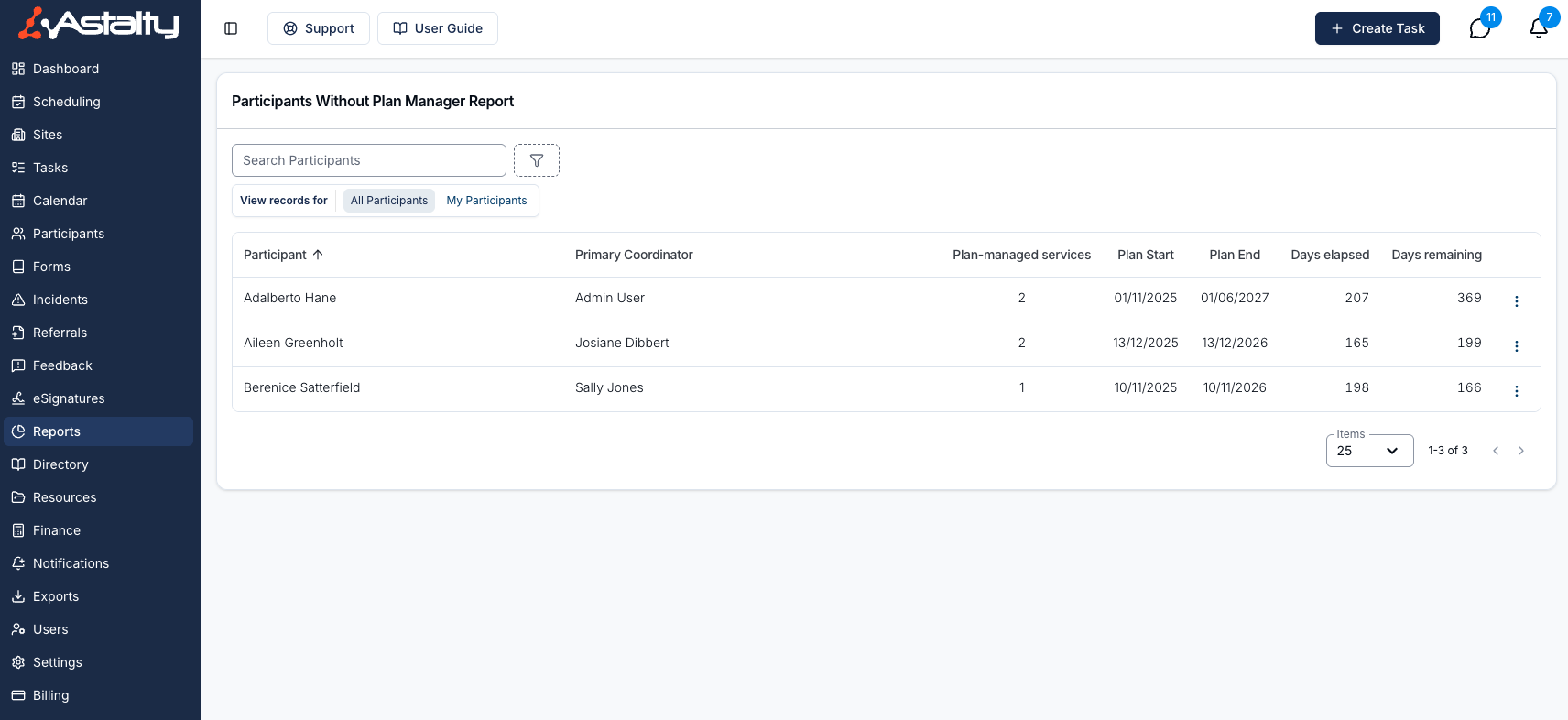
The Participants Without Plan Manager Report lists Participants whose current plan has a plan-managed Service but who have no Plan Manager recorded. Use it to find missing setup before it causes billing or coordination issues. You can filter it by coordinator, region or team, and open a Participant or their current plan to fix the details.
To open it, select Reports from the left-hand menu, then Participants Without Plan Manager under Participants.
A Participant is listed when all of these are true:
- They are not archived.
- They have a current plan, meaning a plan whose start and end dates cover today.
- At least one Service on that plan has the management type Plan Managed.
- No Plan Manager is recorded on the Participant.
A Participant with no current plan doesn't appear, even if an expired or future plan is plan-managed.
Who Can See It
| Role | All Participants | My Participants |
|---|---|---|
| Admin | Yes | Yes |
| Manager | Yes | Yes |
| Team Member | No | Yes |
| Support Worker | No | No |
My Participants means the Participants you are the Primary Coordinator for, plus those where you are the Service Coordinator on a Service that is current today.
Report Columns
Participant
The Participant's name. Click it to open the Participant's profile.
Primary Coordinator
The Primary Coordinator assigned to the Participant. This column appears in the All Participants view only.
Plan-managed services
The number of Services on the current plan with the management type Plan Managed.
Plan Start
The start date of the Participant's current NDIS Plan.
Plan End
The end date of the Participant's current NDIS Plan.
Days elapsed
How many days have passed since the current plan started.
Days remaining
How many days are left until the current plan ends.
The report opens sorted by Participant name, A to Z. You can also sort by Primary Coordinator.
Report Filters
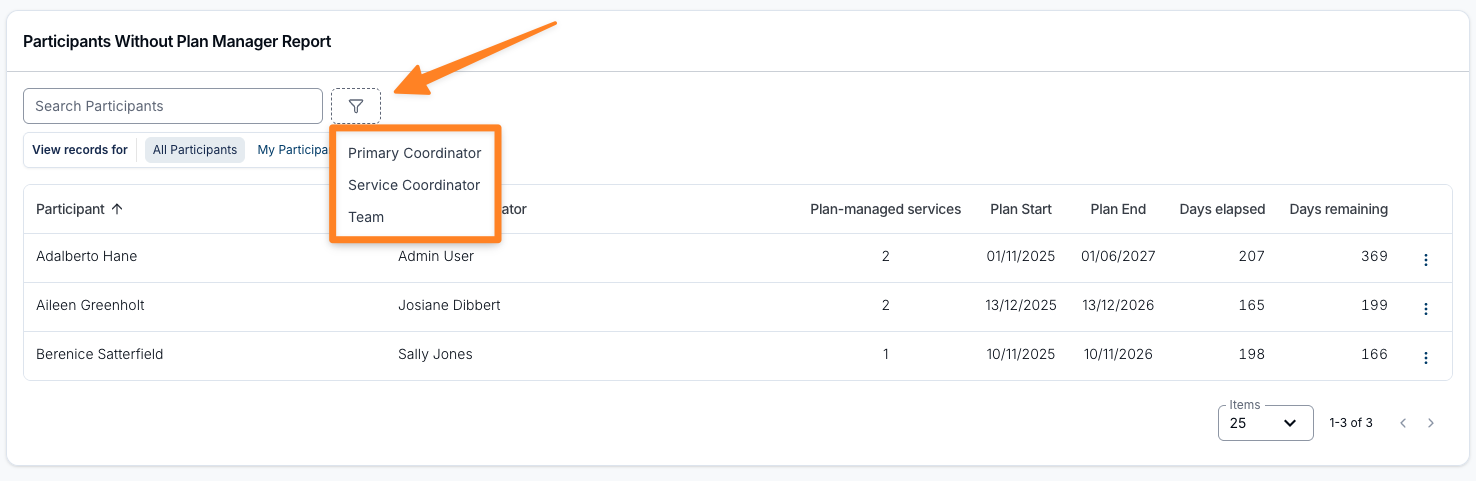
All Participants / My Participants
The Participants filter switches between all Participants in your organisation and only your own. It appears only when you can see all Participants, and starts on All Participants. Team Members always see only their own Participants.
Search Participants
Search for a specific Participant by name.
Primary Coordinator
Show Participants with the chosen Primary Coordinator, or Unassigned for those with none.
Service Coordinator
Show Participants whose current plan has a Service coordinated by the chosen person, or Unassigned where no Service on the current plan has a Service Coordinator.
Region
Show Participants in the chosen regions, or Unassigned. Appears when Regions are enabled for your account.
Team
Show Participants whose Primary Coordinator, or a Service Coordinator on their current plan, belongs to the chosen team. Appears when Teams are enabled for your account.
Primary Coordinator, Service Coordinator and Team appear only when you can see all Participants.
Report Actions
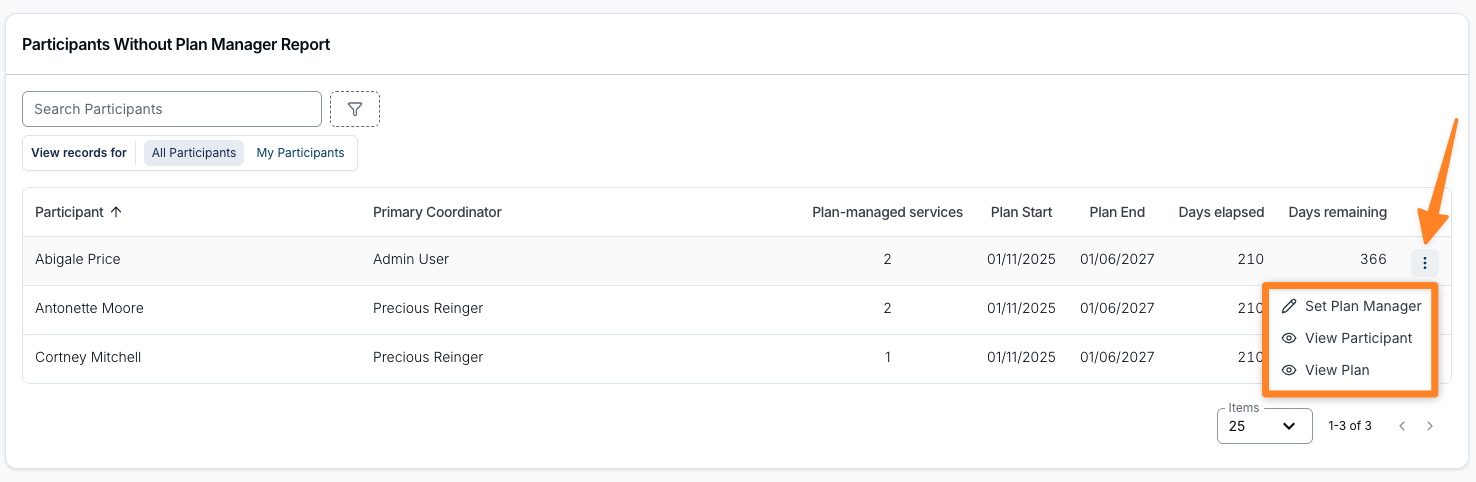
Use the three-dot menu at the end of any row to act on a Participant from the report.
Set Plan Manager
Opens the Participant's invoice details so you can record their Plan Manager. Shown only when you can edit Participants. Once saved, the Participant moves to the Participants With Plan Manager report.
View Participant
Opens the Participant's profile page.
View Plan
Opens the Participant's current NDIS Plan.