- Insights
- Notifications
- Recurring Unavailability Ending Soon Notifications
Recurring Unavailability Ending Soon Notifications
Overview
The Recurring Unavailability Ending Soon notification alerts your team before a Support Worker's recurring unavailability comes to an end.
Recurring unavailability blocks a worker out of the roster on a repeating pattern - a standing university class, or a regular caring commitment. When that pattern ends, the worker becomes available again, and it is easy to miss. This notification tells you it is coming so you can either roster them back on or extend the unavailability if it is continuing.
Only Admins can manage these notifications. This can't be changed per user.
Setting Up the Notification
- Go to Notifications from the left-hand menu.
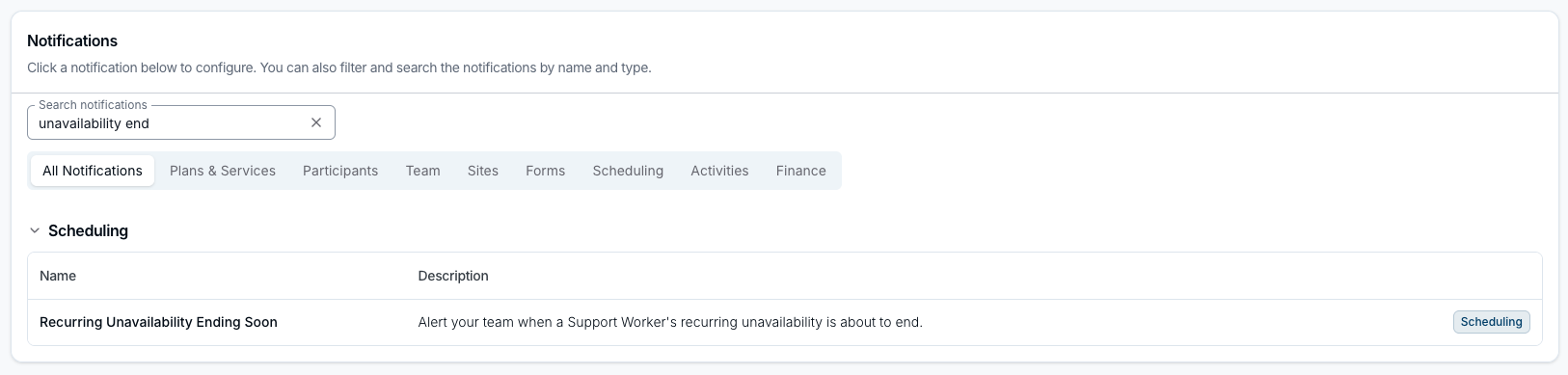
- Search for the notification by name, or select the Scheduling category, then select Recurring Unavailability Ending Soon.
- Click Create Notification.
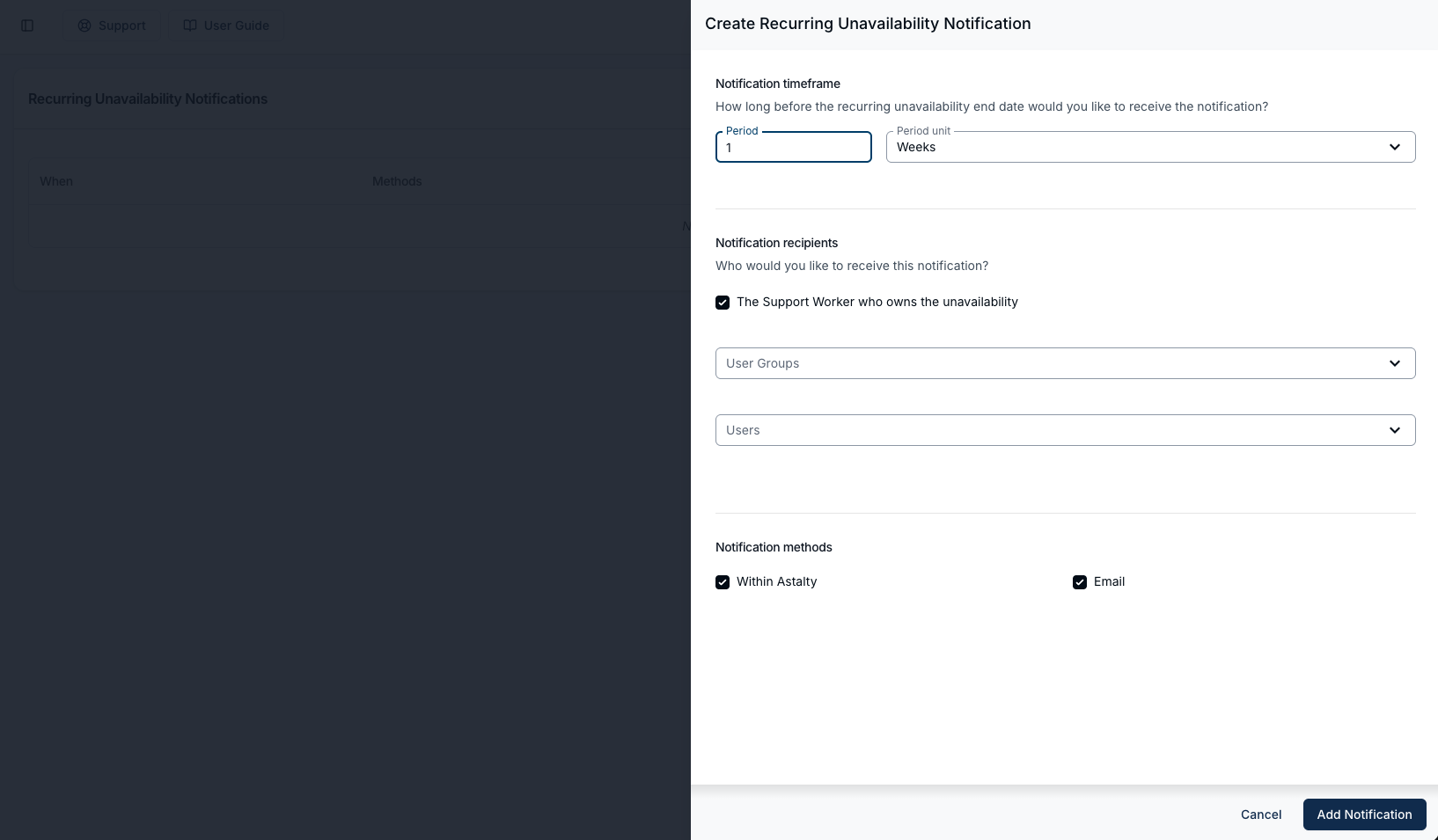
- Under Notification timeframe, set the Period and choose a Period unit - Days, Weeks or Months. This is how far ahead of the end date the alert is sent, and a new notification starts at 1 week.
- Under Notification recipients, choose who is told. You can tick The Support Worker who owns the unavailability, and add User Groups or individual Users. The Support Worker and All Users groups aren't offered. At least one recipient is required.
- Under Notification methods, choose Within Astalty, Email, or both. At least one method is required.
- Click Add Notification to save.
You can set up more than one of these notifications, each with its own timeframe and recipients. Use Clone on an existing row to add a second reminder - a month ahead for the roster team, and a week ahead for the worker, for example.
What the Notification Says
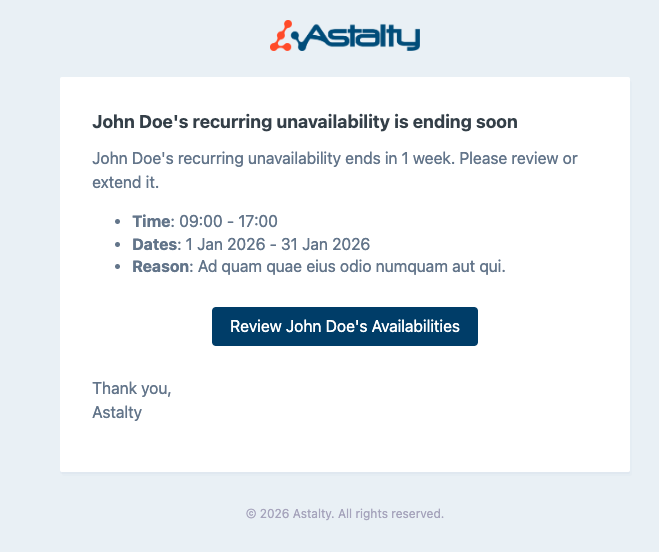
Managers and other team members get the Support Worker's name, how long until the unavailability ends, and the times, dates and reason recorded against it. Review [worker name]'s Availabilities opens that worker's unavailability so you can extend it or leave it to lapse.
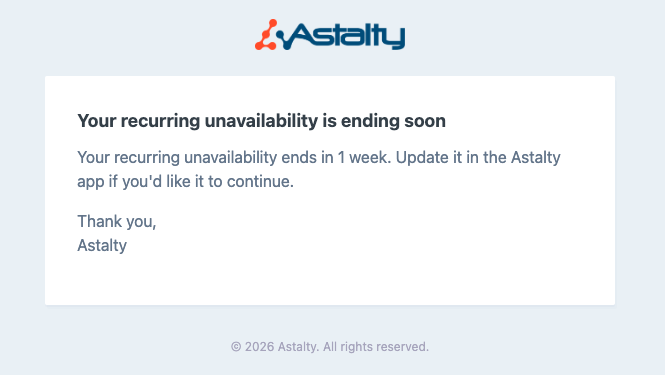
The Support Worker gets a shorter version that asks them to update the unavailability if it is continuing. It carries no button, so point workers to Manage Availability in the app when you introduce this notification.
Things to keep in mind
- The alert is about the recurrence ending, not a single unavailability. A one-off unavailability does not trigger it.
- An ongoing recurrence never triggers it. The alert is worked out from the recurrence end date, so unavailability saved with no end date is never picked up. Only a recurrence with a defined end date is.
- Only unavailability counts, not leave. A request submitted with a Type of Leave is excluded, even when it recurs and has an end date.
- The unavailability has to be approved. One still awaiting a decision, or one that has been cancelled, is skipped silently - as is any belonging to a deactivated user. If an alert you expected never arrived, check the request's status first.
- The Support Worker is never sent the manager version, even when they belong to a selected group or are picked under Users. They hear about it only when The Support Worker who owns the unavailability is ticked.
- Astalty checks once a day, at about 9am Brisbane time, and alerts once, on the day the end date is exactly the set period away. The end date is read in the timezone the unavailability was saved in.
- Nothing changes on the roster automatically. The worker becomes available for rostering once the pattern ends.
- To review or extend the unavailability itself, see Managing Availability. Workers extend their own from Availability Requests.