Site Record Notifications
Overview
Site Record Notifications provide timely alerts when a Site Record is due to expire, helping ensure compliance documents such as fire safety certificates and insurance stay current.
To manage Site Record Notifications, head to the Notifications page in the main menu, open the Sites tab, and click "Site Records".
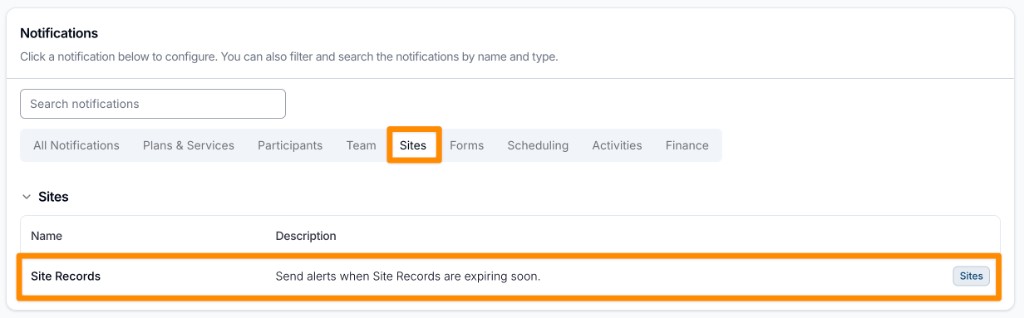
Only Admins can manage these notifications. This can't be changed per user.
Creating a Site Record Notification
Creating a notification for a Site Record is a simple process. Start the process by clicking Create Notification.

Selecting the Record Types
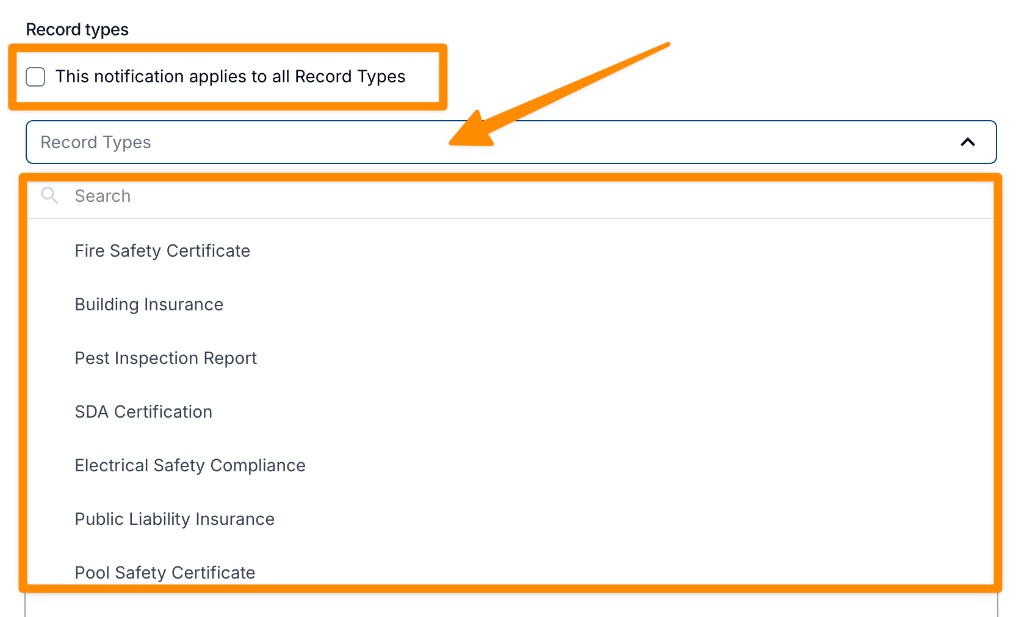
By default, notifications are set up for all Site Record Types. To limit a notification to particular Record Types, turn off Applies to all record types and pick one or more types under Record types.
Setting the Notification Timing
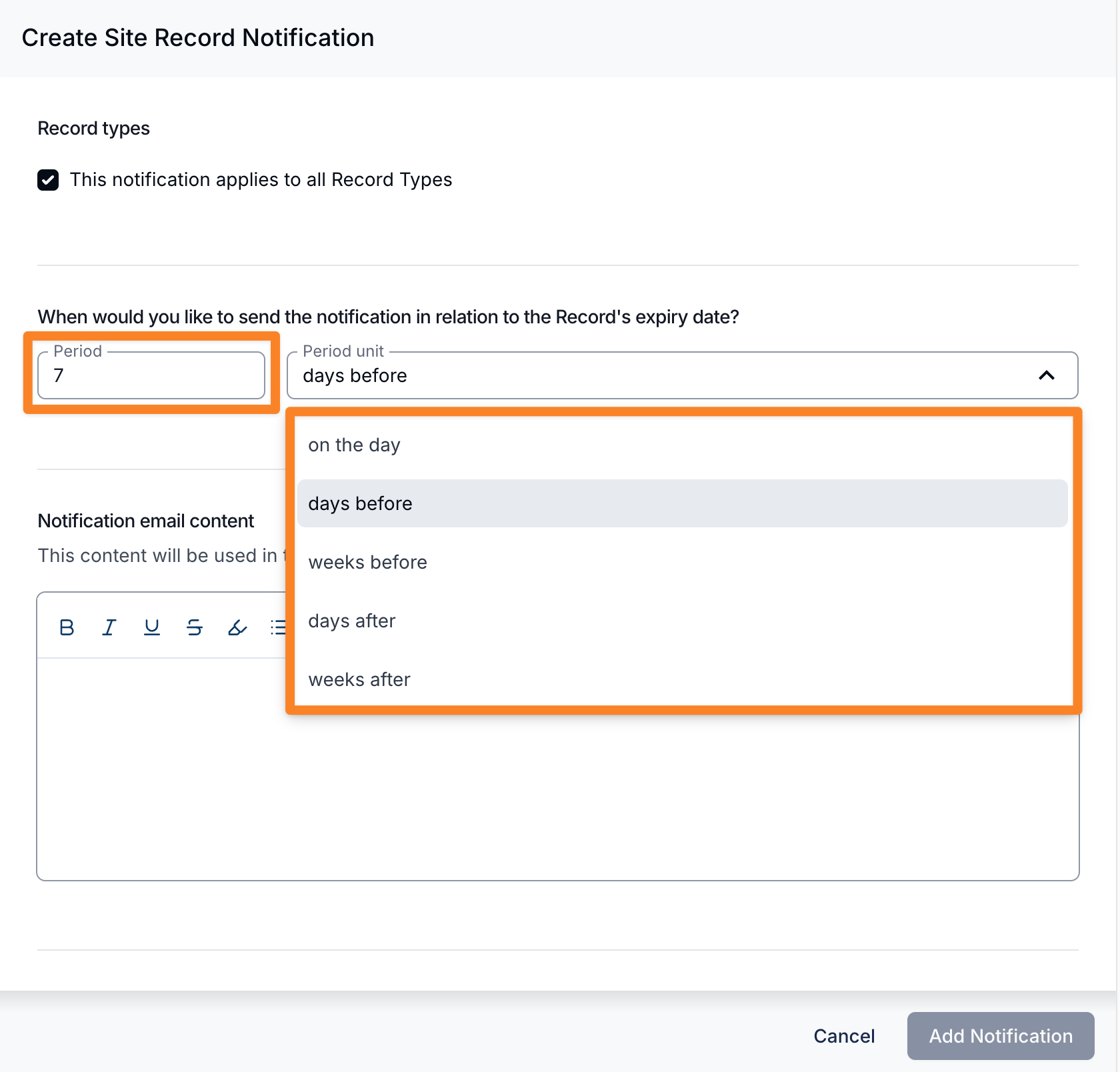
Set the Period (1 to 365) and pick a timing option for when you would like to be notified about Records expiring. A new notification starts at 7 days before. The following timing options are available:
- on the day: notifies you on the day the Record expires. The number field is not used for this option.
- days before: notifies you the entered number of days before the expiry date.
- weeks before: notifies you the entered number of weeks before the expiry date.
- days after: notifies you the entered number of days after the expiry date.
- weeks after: notifies you the entered number of weeks after the expiry date.
The days after and weeks after options let you chase up Site Records that have already expired, alongside the existing "before" reminders. For example, you could send one reminder 1 week before a Record expires, and another 3 days after it expires if it still hasn't been renewed.
Astalty checks once a day, at about 9am Brisbane time, and sends each reminder once, on the day that matches your timing. Archived Site Records are skipped.
Notification Email Content
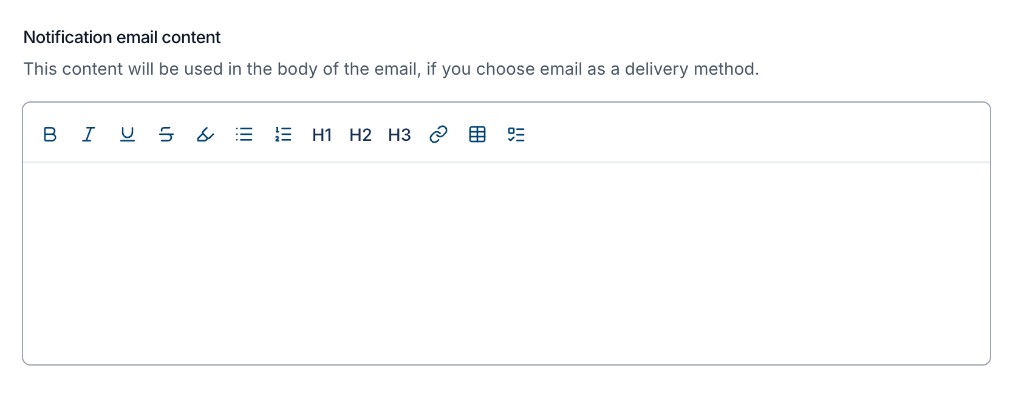
Add optional instructions for what recipients should do when a Site Record is expiring. This content appears in the email only.
Notification Recipients
Choose who should receive the notification. Select at least one recipient.
Site Manager
Tick this option if you would like to notify the site's Site Manager. It is not ticked on a new notification.
User Groups
Select one or more User Groups. Support Worker and All Users are not available here.
Users
Select individual users who should receive the notification.
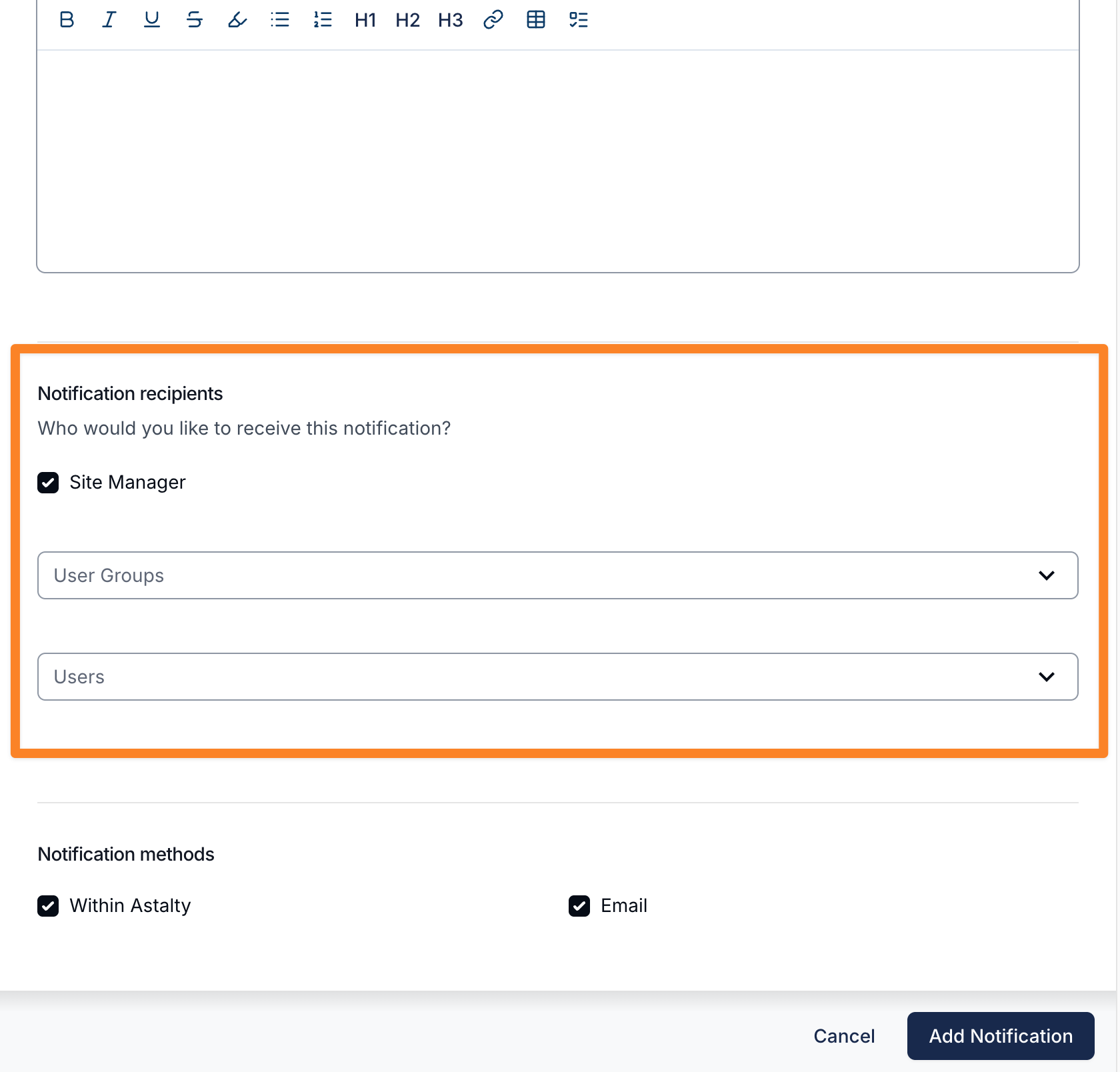
Notification Methods
Select at least one method. Both are ticked on a new notification.
Within Astalty
Recipients get an in-app notification.
Recipients get an email.
Finalising Your Notification
Select Add Notification to save it.
The list shows each notification's timing under When, its Record Types, Delivery methods and Recipients. Click a row to edit it, or use its actions menu to Edit, Clone or Delete it.
Multiple Notifications
You can add multiple notifications with different timing options to build up a reminder schedule that suits your team.
For example, you may want to send a notification 1 week before a Record expires, and another one 3 days after it expires to chase up any Records that still haven't been renewed.