- Insights
- Record Acknowledgement Report
Record Acknowledgement Report
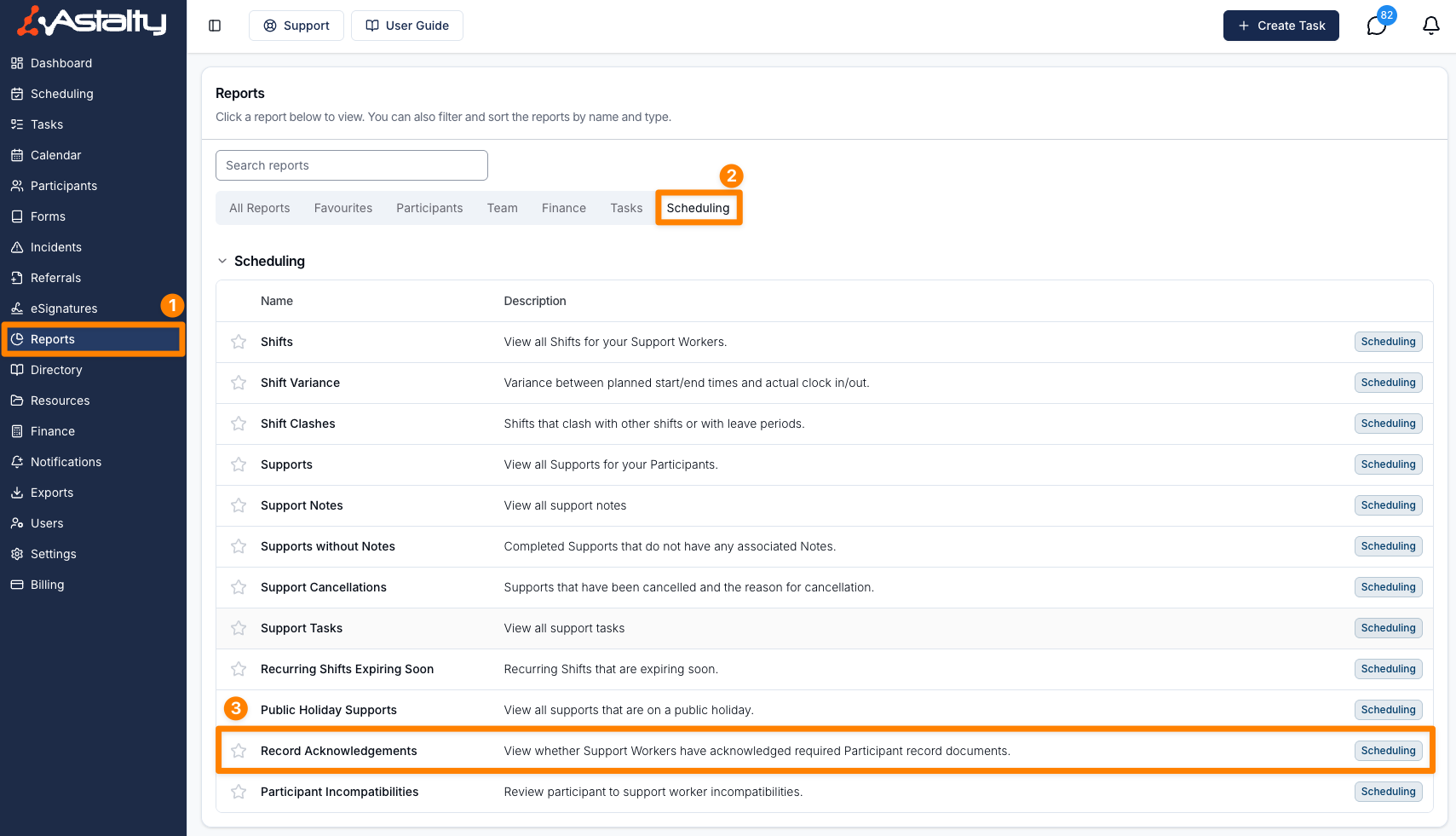
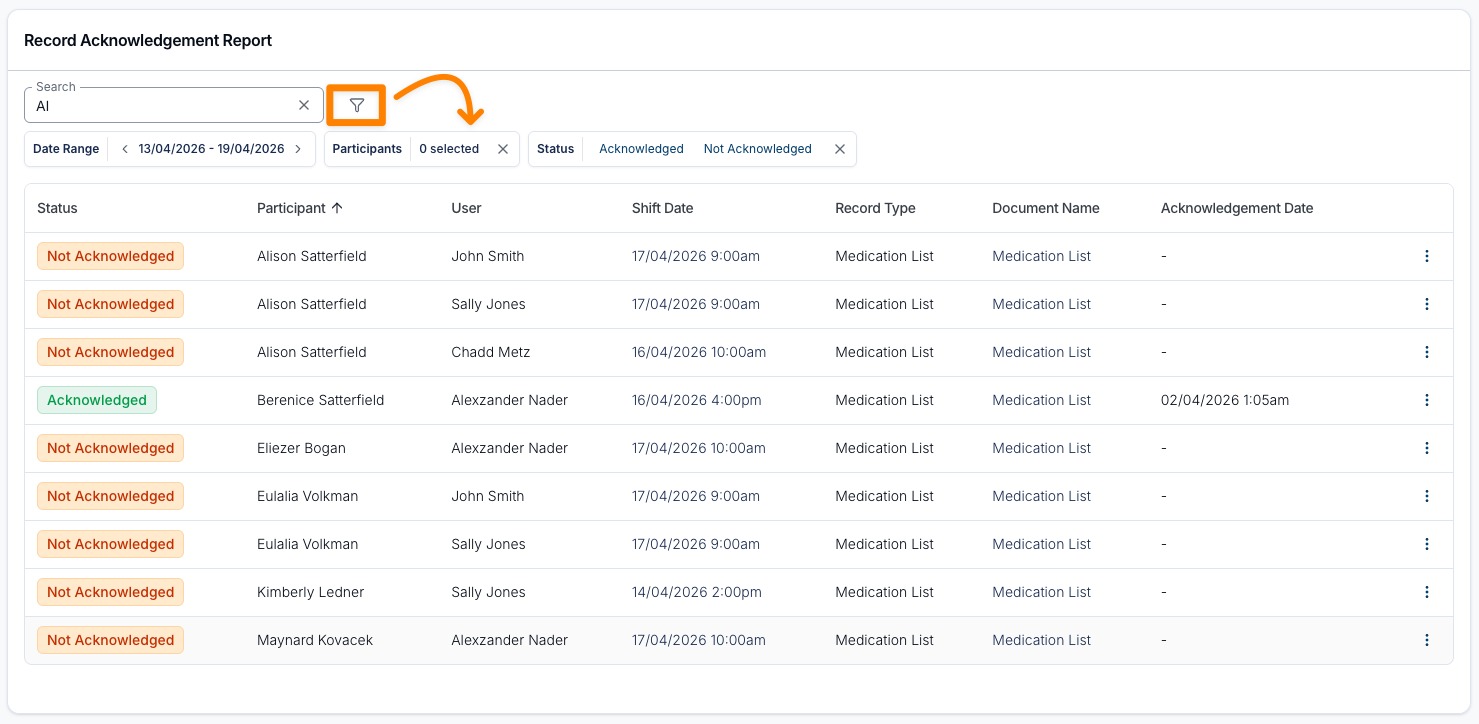
You can find the Record Acknowledgement Report by navigating to the Scheduling section of the Reports page in Astalty, and clicking on Record Acknowledgements, or by opening the Record Acknowledgements report directly.
Overview
The Record Acknowledgement Report shows, for each Participant record that requires Support Worker acknowledgement, whether each worker rostered with that Participant has acknowledged it. Filter by date range, Participant, Support Worker and status to see who has and hasn't acknowledged their records.
Who Can See It
The report is available to users who can access Scheduling: the Admin role, and Managers who have Can access Scheduling turned on. Team Members and Support Workers can't open it.
Which Records Appear
The report builds its rows from shifts and records:
- It finds published shifts that start within the date range, have a Support Worker assigned, and whose support isn't cancelled. Group shifts count for every Participant in the group.
- For each of those Participants, it takes every record marked as requiring Support Worker acknowledgement. Archived records and archived documents are left out.
- It lists each document on those records once for each Support Worker rostered with the Participant in the range.
A worker with several shifts with the same Participant in the range appears once per document. The Shift Date shown is their next upcoming shift in the range, or their first shift in the range when all of them have passed.
Acknowledgement is recorded per document and per worker, not per shift. Once a worker acknowledges a document, it shows as Acknowledged on every shift for that Participant.
Columns
The report displays key details for each record, including:
- Status - Acknowledged or Not Acknowledged
- Participant
- User - the Support Worker rostered on the shift
- Shift Date - click it to open the shift
- Record Type
- Document Name - click it to preview the document
- Acknowledgement Date - blank until the worker acknowledges the document
You can also sort the following columns:
- Status
- Participant
- User
- Shift Date
- Acknowledgement Date
The report opens sorted by Participant name, A to Z. Each row's action menu has View Participant and View Participant Records.
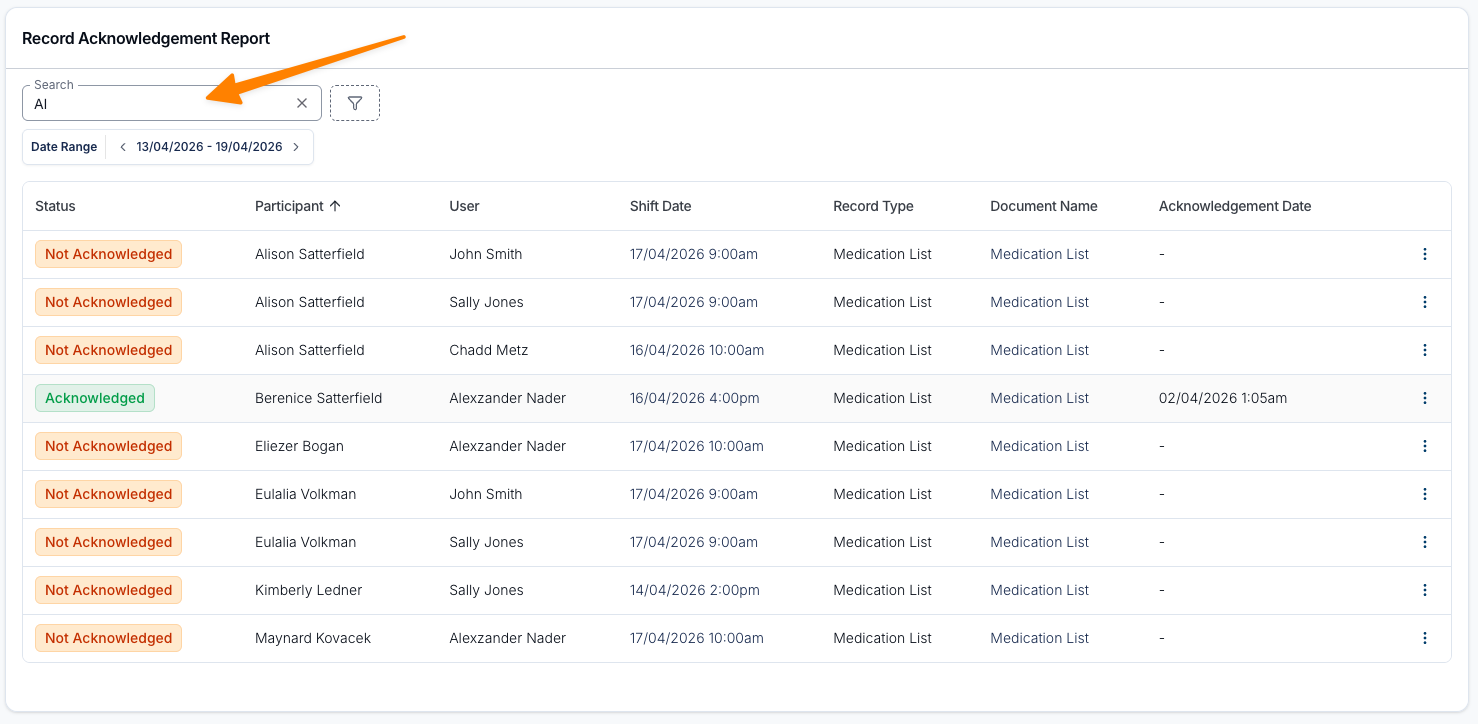
Search
Search by Participant or User (Support Worker) name.
Filters
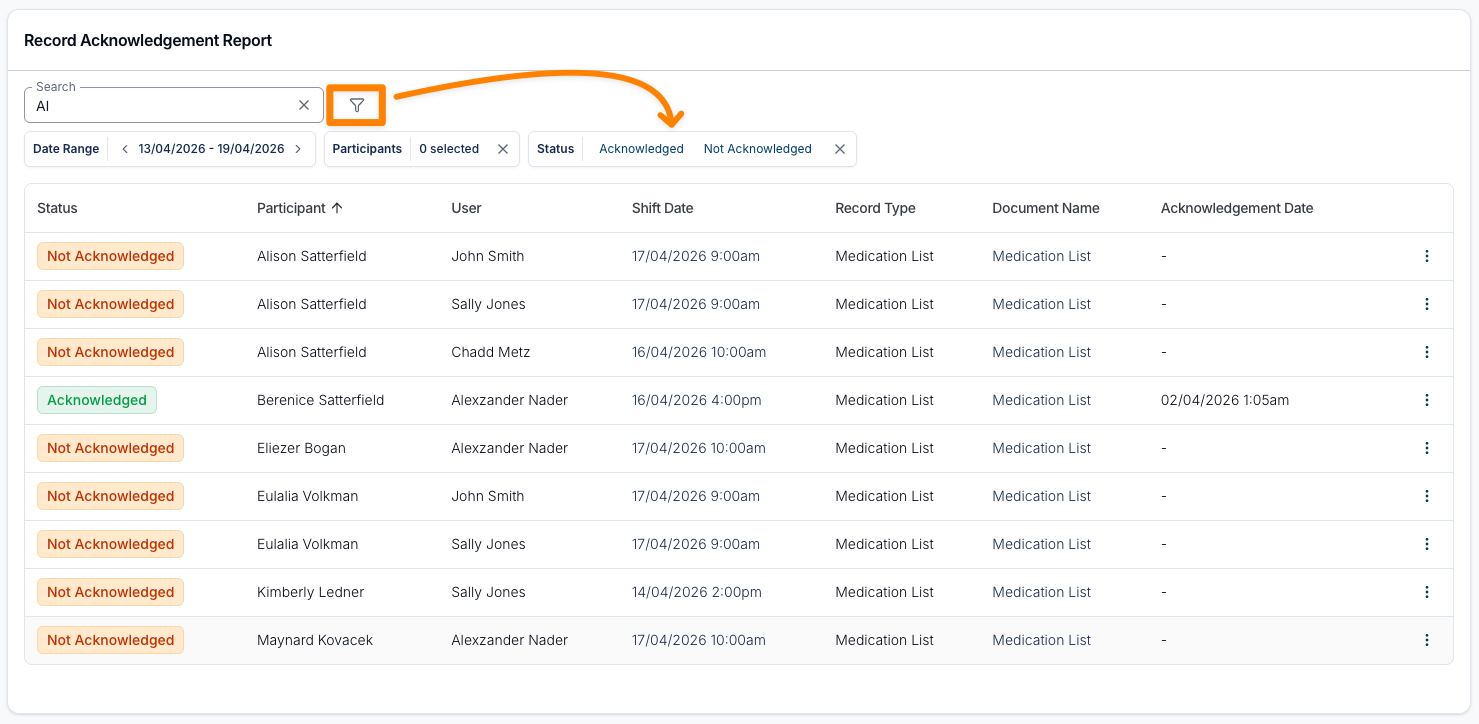
You can also filter the results by date range, Participants, Support Workers or status.
The report opens on the current week and shows both acknowledged and not acknowledged rows.
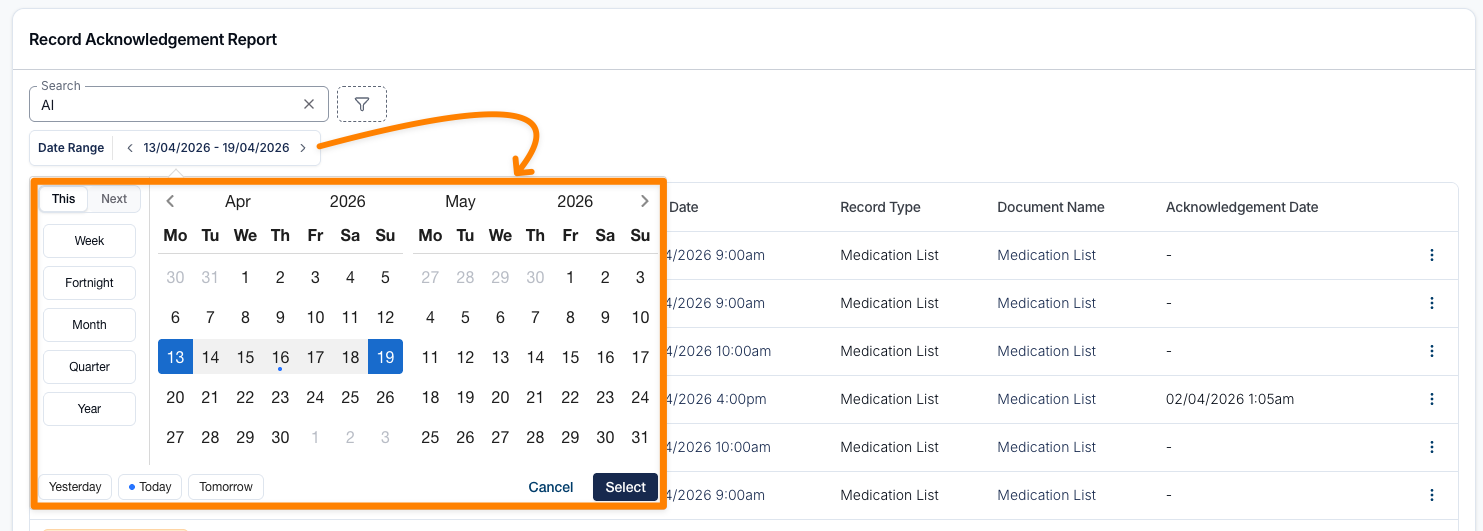
Date Range
The date range is matched against each shift's start date, and includes the whole of the end date. It opens on the current week, Monday to Sunday, and isn't remembered between visits.
Choose a date range, or use one of the presets:
- Yesterday
- Today
- Tomorrow
You can also choose Last, This or Next with one of these periods:
- Week
- Fortnight
- Month
- Quarter
- Year
Participant
Filter by one or more Participants to review their records.
Support Worker
The Support Workers filter narrows the report to the shifts of one or more workers.
Status
Filter by Acknowledged, Not Acknowledged, or both. When you add the filter it starts with Acknowledged selected, so switch it to Not Acknowledged to find workers who still need to acknowledge. This is a helpful way to review Support Worker compliance.