Flagged Notes Report
The Flagged Notes report lists the notes a note checker has flagged, why each was flagged, who is following it up, and whether it has been resolved.
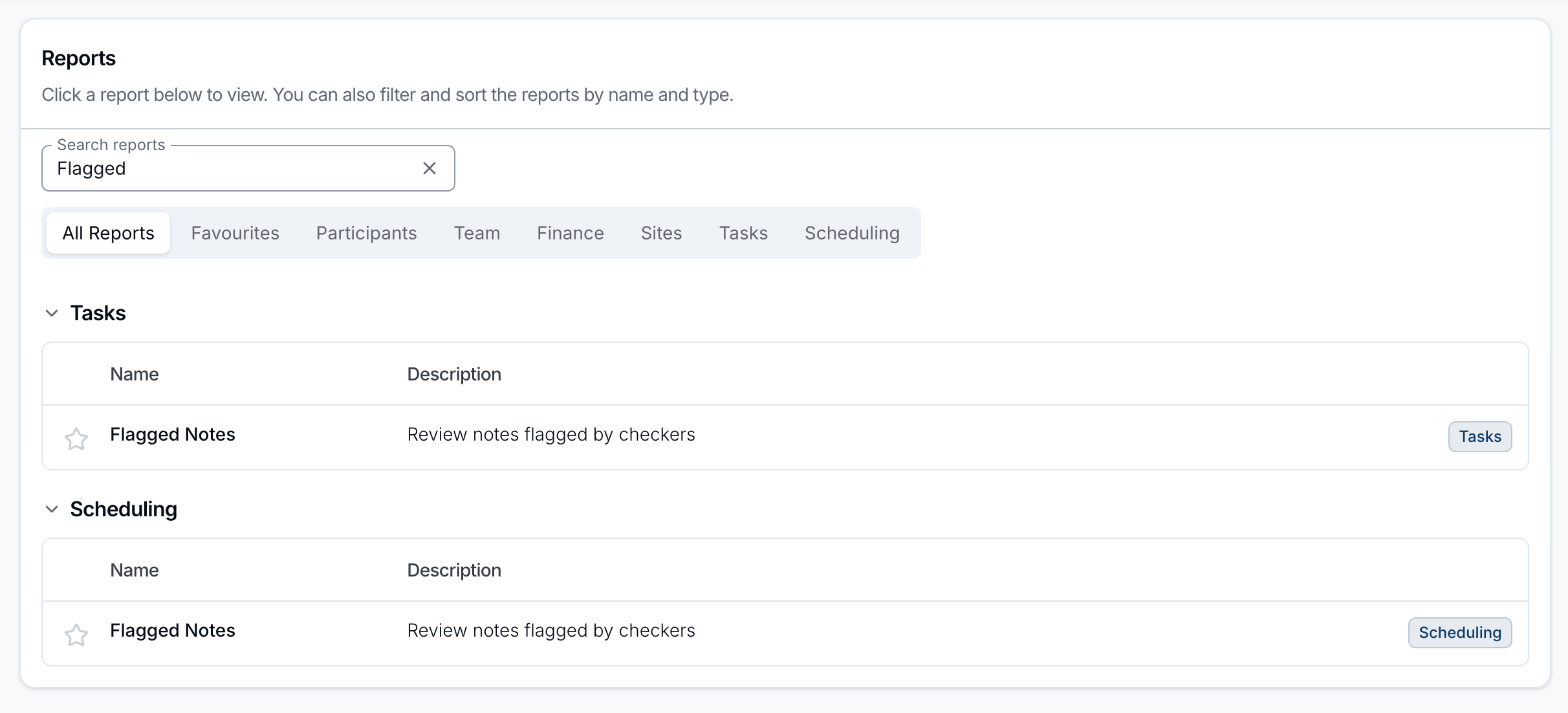
The report appears under two headings on the Reports page. Both open the same report and differ only in the Note source filter they start with:
| Menu location | Starts with Note source set to | Shown when |
|---|---|---|
| Reports → Scheduling → Flagged Notes | Support (notes on supports and group supports) | Your organisation has the Scheduling add-on |
| Reports → Tasks → Flagged Notes | Task | Always |
Remove the Note source filter to see flags from both sources in one list.
Who Can See Flagged Notes
Admins see every flag. Managers see only the flags assigned to them. No other role can open the report, and none of this can be changed for an individual user.
Report Overview
Each row is one flag raised on one note. The report tracks the flag from when it was raised through to its resolution. To set up the checkers that flag these notes, see Note Flagging.
A flag stays on the report only while its note exists. If the note is deleted, the flag no longer appears.
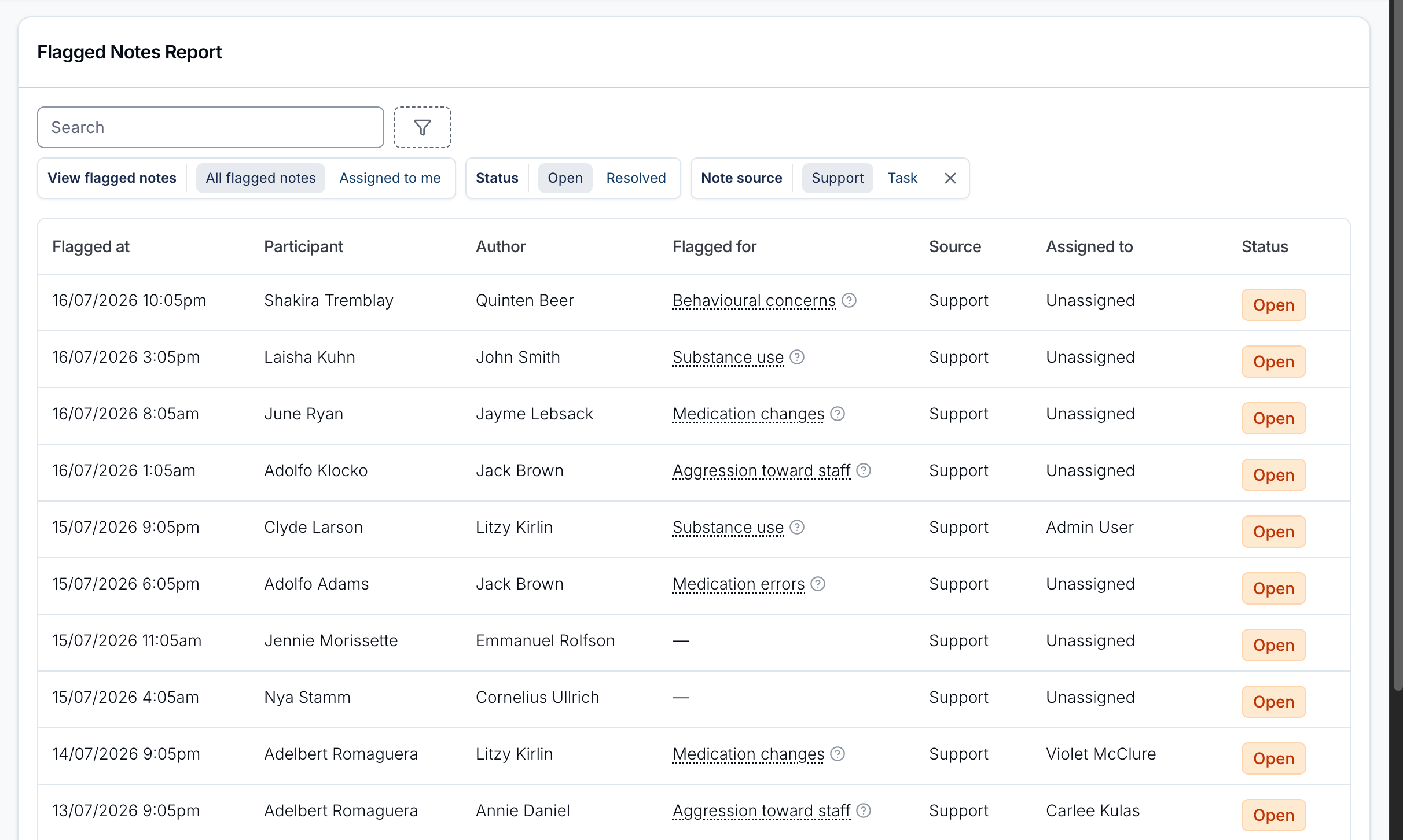
Report columns
| Column | What it shows |
|---|---|
| Flagged at | When the note was flagged. |
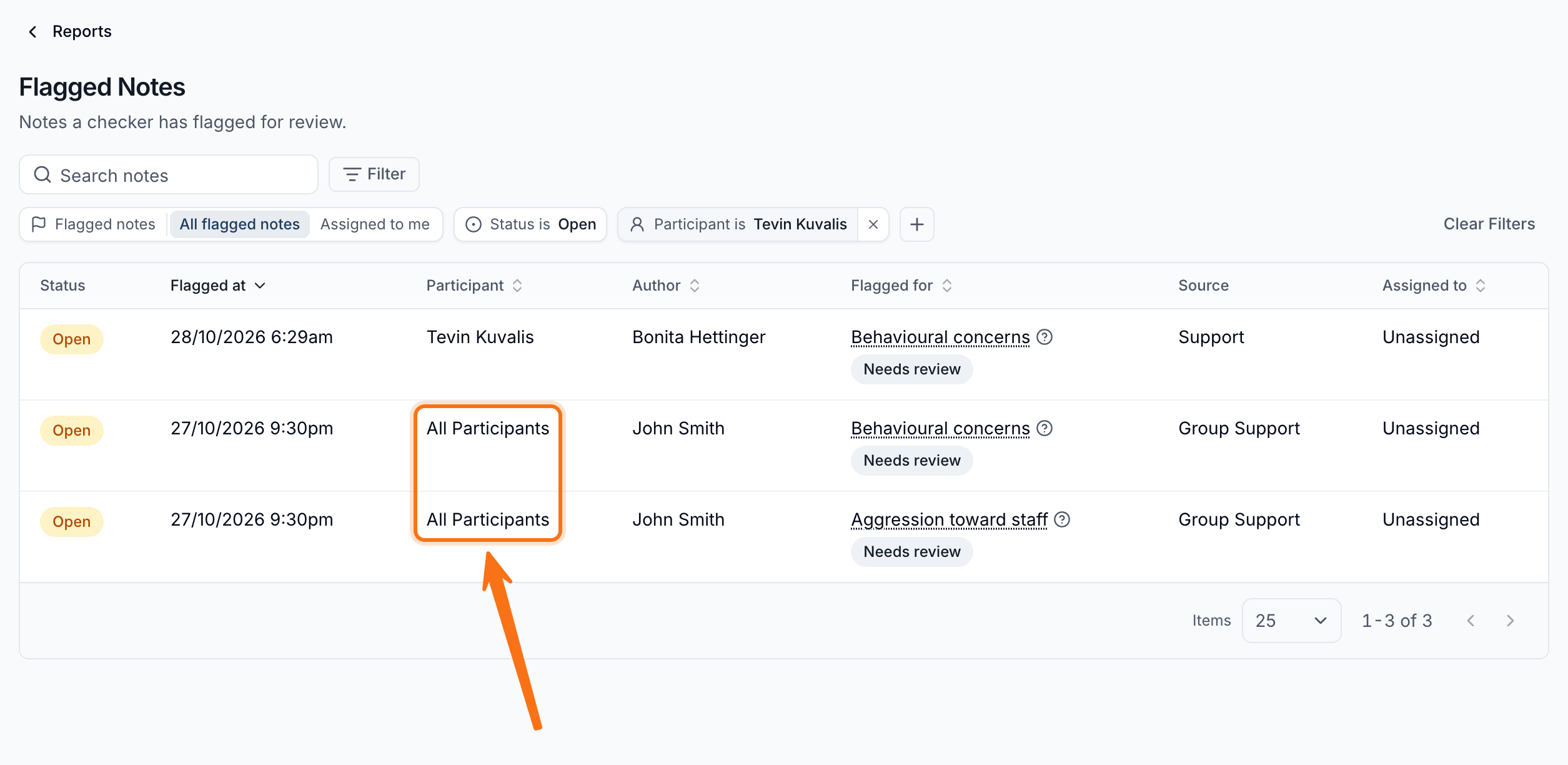
| Participant | The Participant the note relates to, or All Participants for a note written on a group support. |
| Author | The person who wrote the note. |
| Flagged for | The checker that raised the flag, with the flag's type beneath it. Hover the ? next to the checker to see the reason: the matched keyword, Manually flagged, or for an Incomplete flag the expected phrases the note mentions none of. |
| Source | What the note is attached to: Support, Group Support or Task. |
| Assigned to | Who is responsible for following up the flag, or Unassigned. |
| Status | Open or Resolved. |
The report opens with the newest flags first. Click the Flagged at, Participant, Author, Flagged for or Assigned to heading to sort by that column.
Flag types
Every flag carries a type that says why it was raised, so a completeness queue can be worked separately from a safeguarding one:
- Needs review - the note contains something a checker was watching for, such as a behaviour of concern or a medication issue.
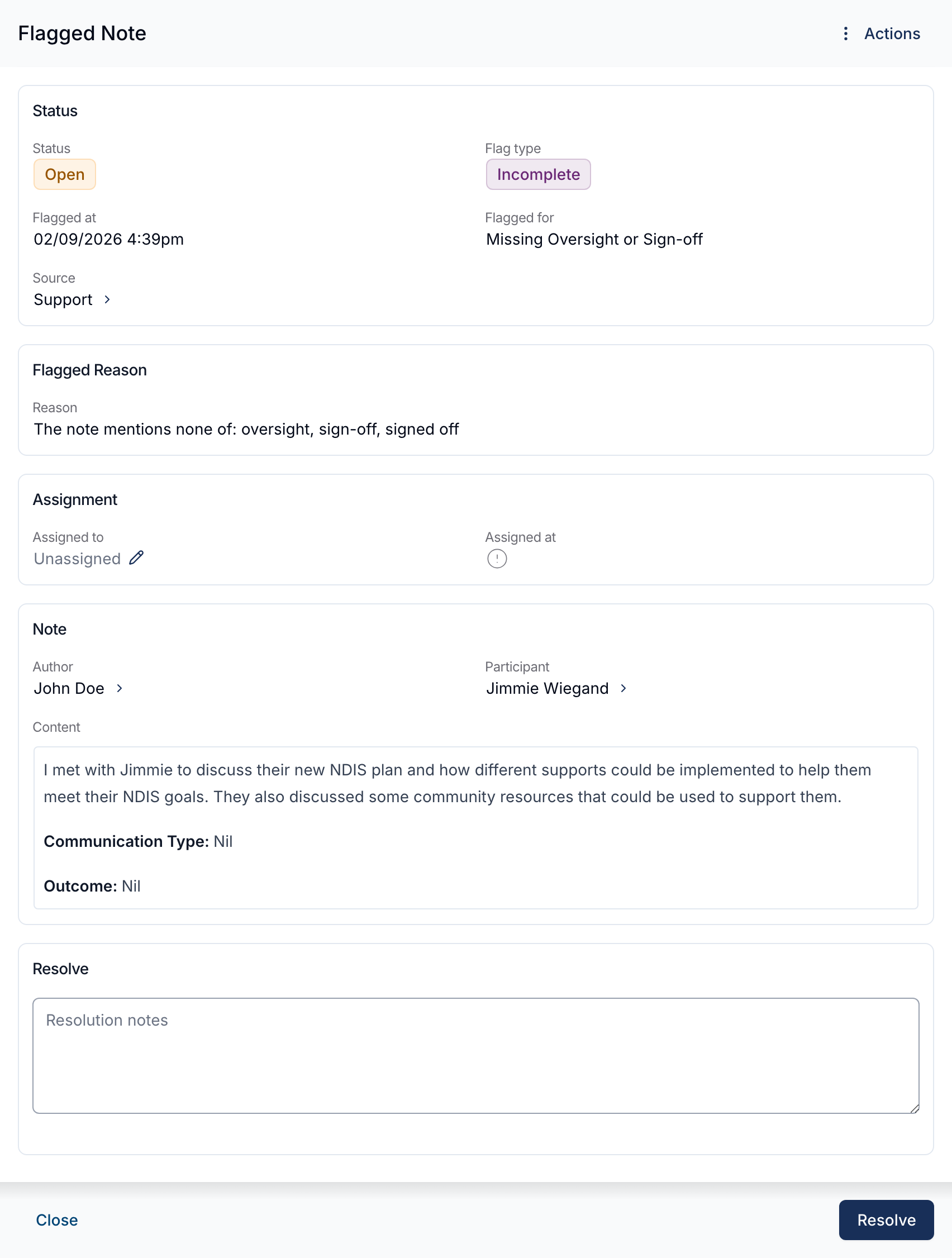
- Incomplete - the note is missing content a checker expected, such as an oversight or sign-off section that was never added.
Which type a flag gets follows from the checker that raised it, and is set when the checker is created. See Note Flagging for how the two kinds of checker are set up.
Reviewing a flagged note
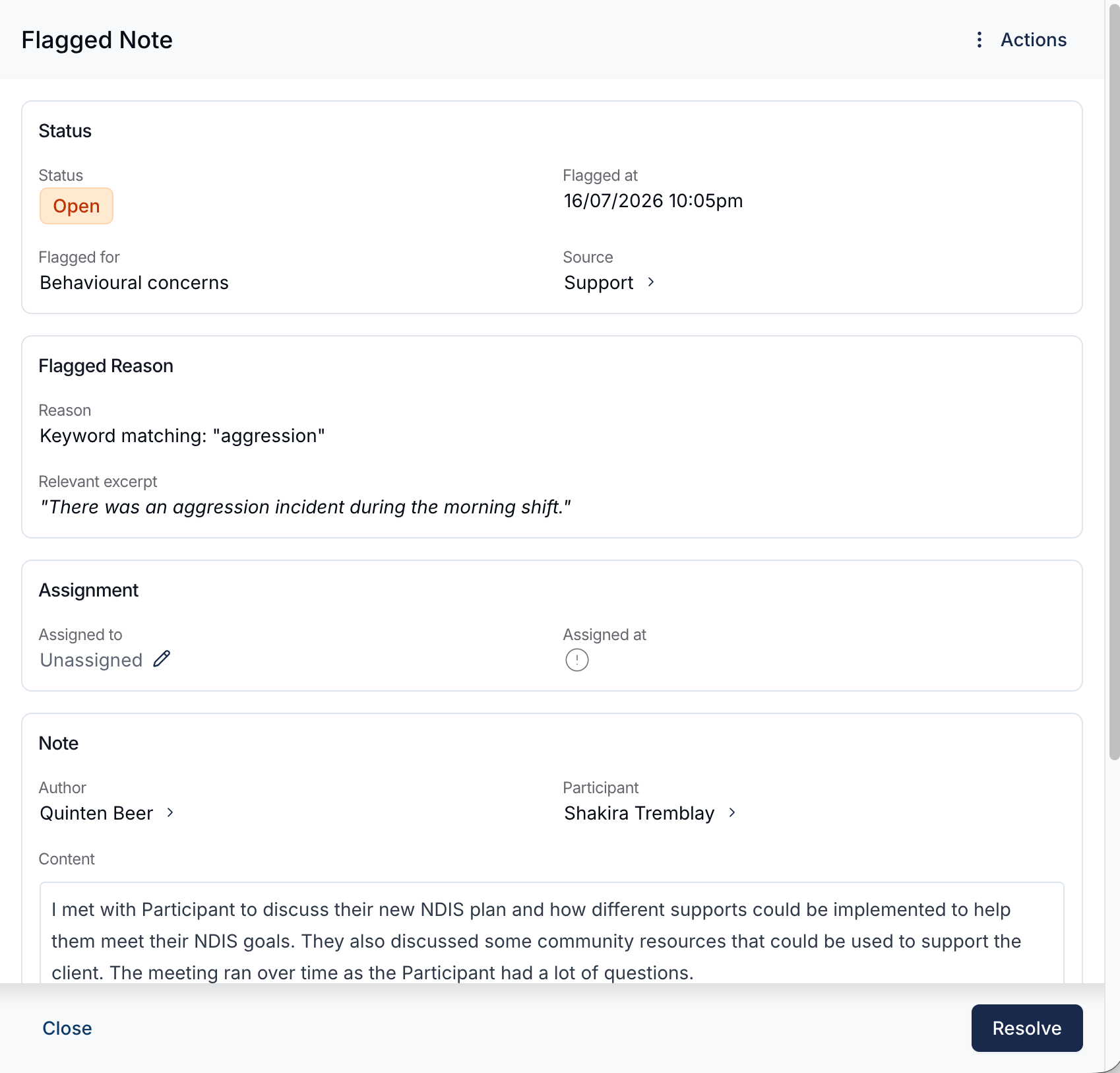
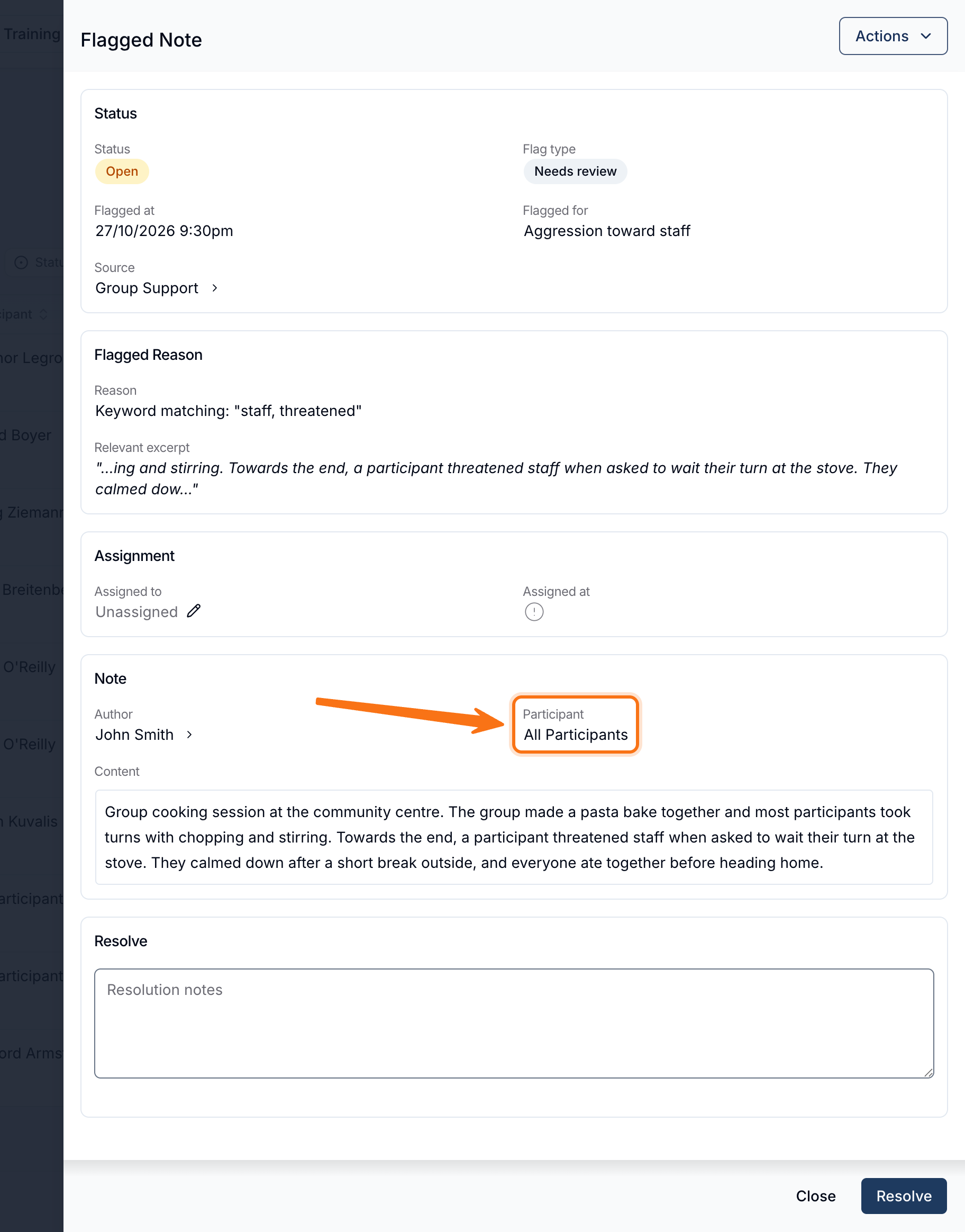
Click any row to open the Flagged Note panel:
- Status - the flag's Status, Flag type, Flagged at, Flagged for (the checker, or Manually flagged) and Source. Click the arrow next to the source to open the support, group support or task the note belongs to.
- Flagged Reason - how the note was matched and, where the flag is for content the note contains, the Relevant excerpt. An Incomplete flag names the phrases it looked for instead, since there is no excerpt to show for content that isn't there.
- Assignment - who the flag is assigned to and when. While the flag is open, Admins can select the pencil next to Assigned to to change who is following it up.
- Note - the author, the Participant, and the full note content. A note written on a group support shows All Participants instead of a name, since the note isn't about one person.
- Resolution - on a resolved flag, who resolved it, when, and the resolution notes.
To resolve an open flag, enter Resolution notes and click Resolve. Resolution notes are required.
Only Admins can Reopen a resolved flag. Reopening clears the resolution notes and returns the flag to Open.
The Actions menu in the top right opens the flag's audit trail.
Flags That Resolve Themselves
An Incomplete flag follows the note it was raised on. Once the expected content is added, the flag resolves without anyone closing it, and Resolved by reads Resolved automatically rather than naming a person.
If the content is later removed again, a flag that resolved automatically reopens. A flag that a person resolved stays resolved.
Every other flag stays Open until somebody reviews the note and resolves it.
Filtering
The Search box matches the matched keyword and the names of the Participant, the author and the assignee. It does not search the note's content, and it won't find a group support note by a Participant's name - use the Participant filter below to see those.
These filters are in place when the report opens:
- Flagged notes - Admins only. Switch between All flagged notes and Assigned to me. It starts on All flagged notes.
- Status - Open or Resolved. The report always applies one of the two and starts on Open, so resolved flags are hidden until you switch to Resolved.
- Note source - Support (including group supports) or Task. It starts on the source for the menu entry you opened, and you can remove it to see both.
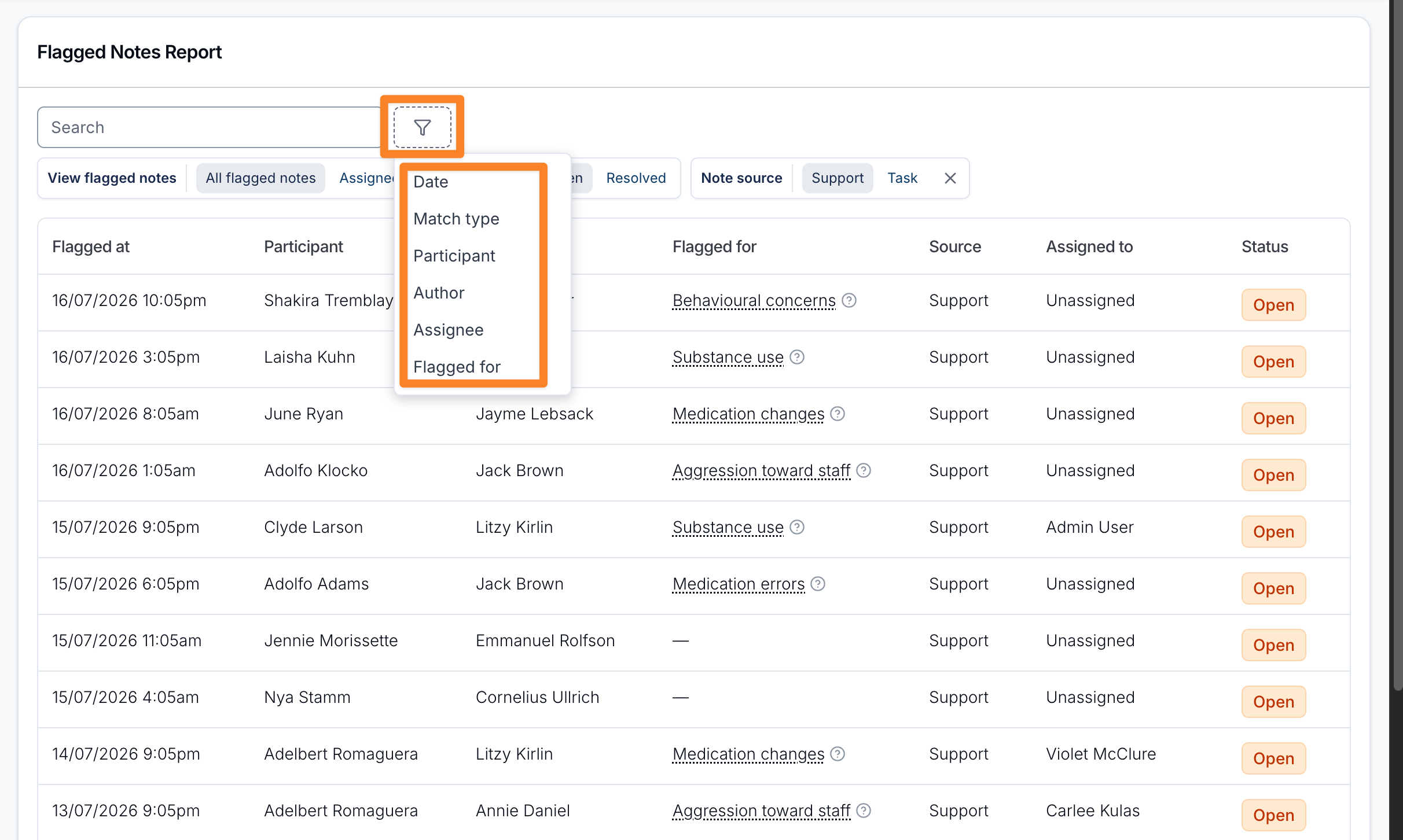
Click Filter next to the search box to add more:
- Date - the date the note was flagged. Both the start and end dates are included in full.
- Match type - Keyword or Manual.
- Flag type - Needs review or Incomplete.
- Participant - the Participant the note relates to. This also includes flags on notes written on any group support that Participant attended, shown with All Participants in place of their name.
- Author - the person who wrote the note.
- Assignee - who the flag is assigned to.
- Flagged for - the checker that raised the flag.
Filtering by Participant also surfaces notes on group supports they attended: