- Users
- Inviting NDIA Auditors to your Account
Inviting NDIA Auditors to your Account
Overview
The Auditor access feature allows organisations to grant NDIA auditors temporary, read-only access to specific Participants within their account.
This enables auditors to review Participant information and Reports without making any changes to data.
Key points:
- Auditor accounts provide read-only access only.
- Access can be limited to specific Participants.
- Auditor accounts do not count toward your user limit and do not incur any charges.
- Auditor access is automatically deactivated after 14 days.
- When Astalty deactivates the Auditor, it replaces the email address on that account so the original address is no longer attached to it.
Inviting an Auditor
Follow these steps to invite an NDIA auditor to your account.
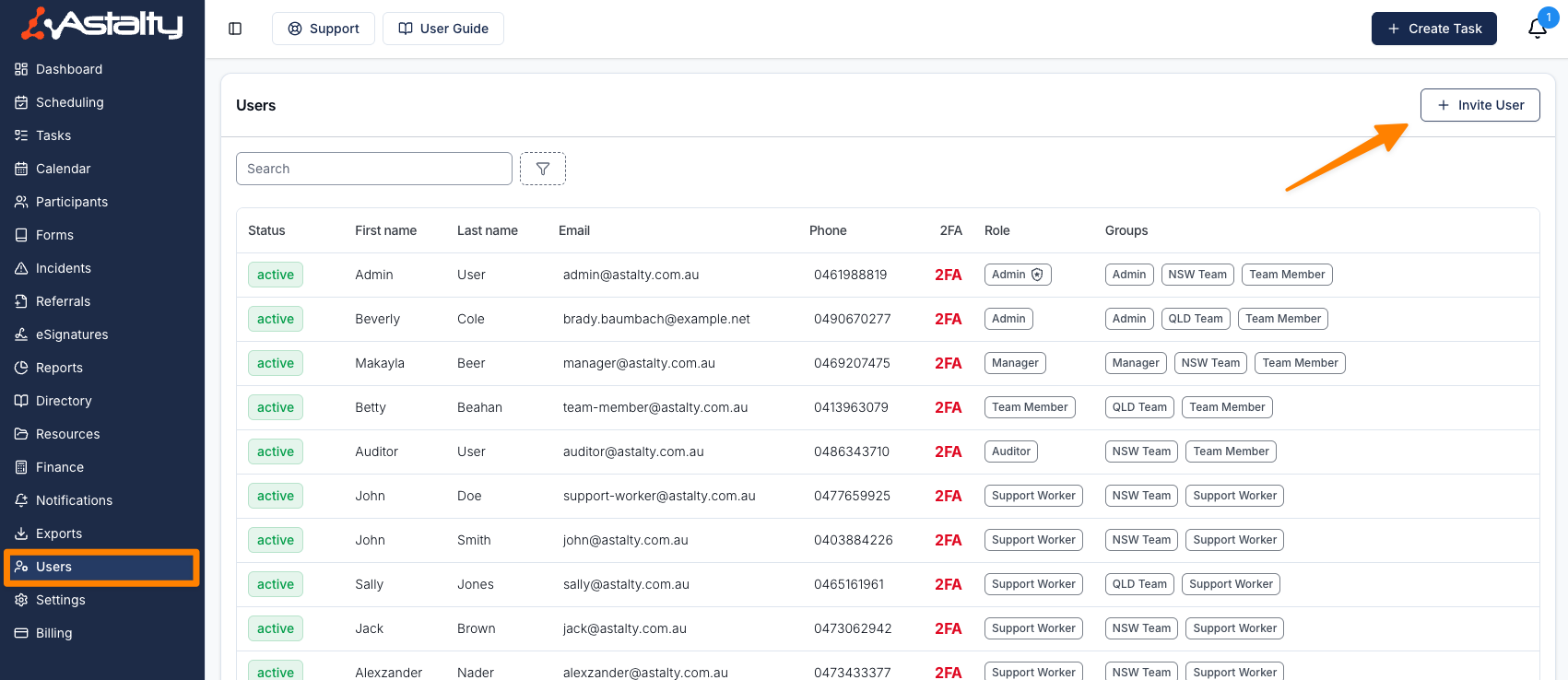
- Navigate to Users in the main menu.
- Click Invite User.
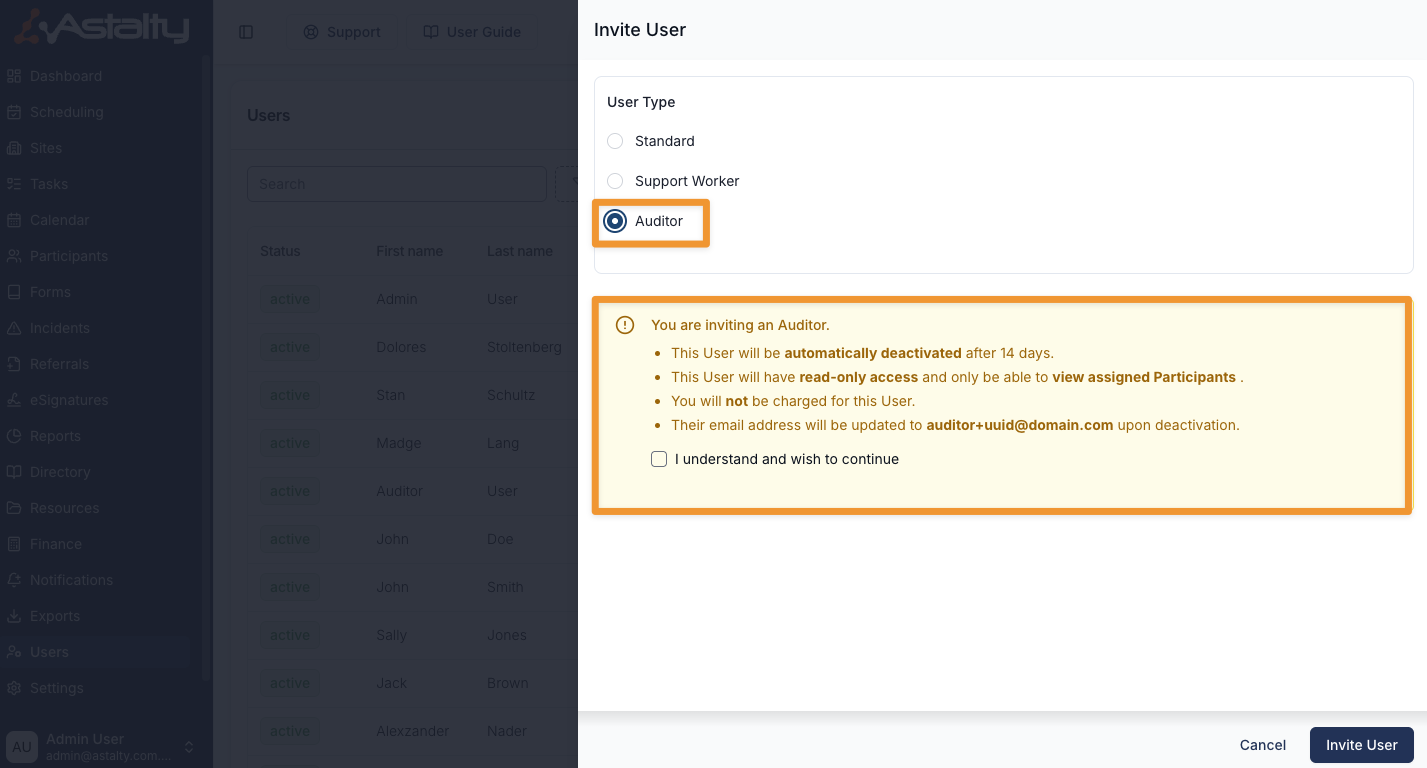
- Under User Type, select the Auditor card.
- Read the acknowledgement that appears, then tick I understand and wish to continue. The rest of the form only appears once you have done this.
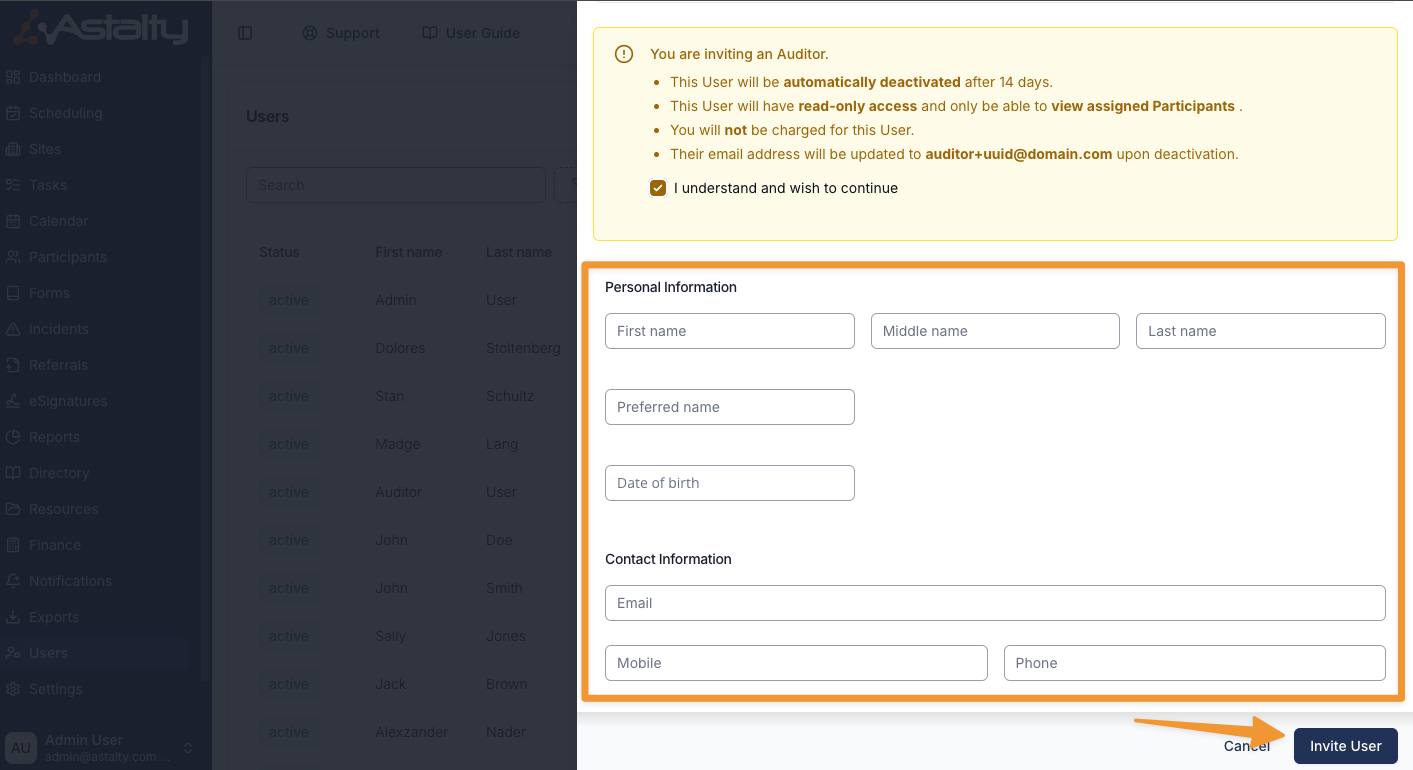
- Enter the auditor's information, ensuring that a valid email address is provided.
- Click Invite User.
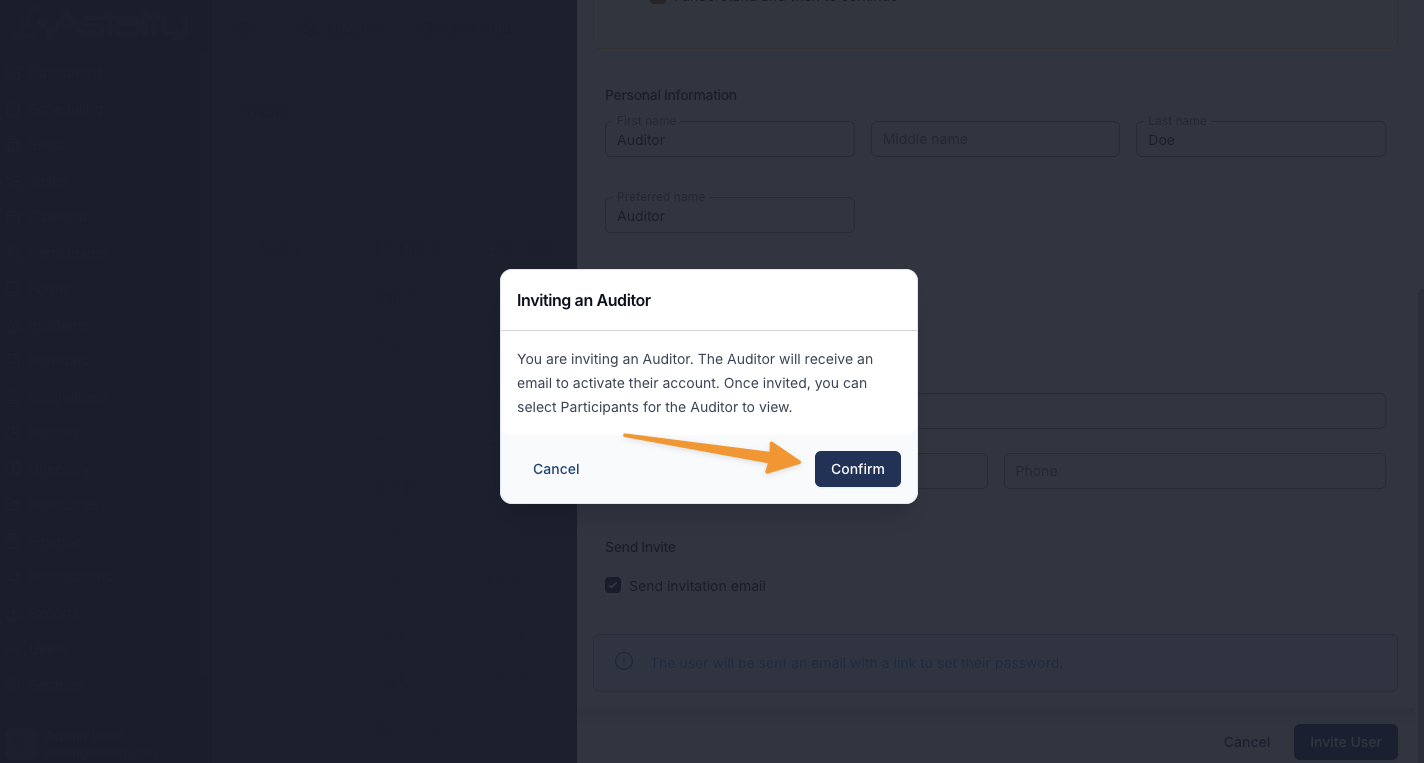
A notification will appear confirming that:
- You are inviting an Auditor.
- The auditor will receive an email with instructions to activate their account.
- Click Confirm to proceed.
Assigning Participants to an Auditor
Once the auditor has been invited, you can assign which Participants they are allowed to view.
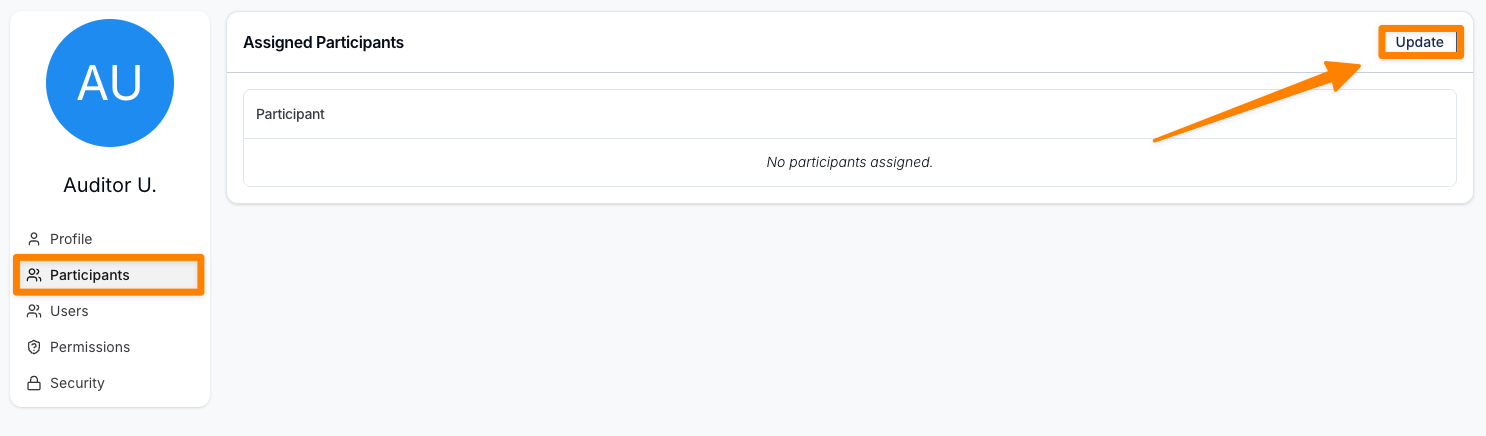
- Navigate to the Auditor's user profile.
- Select Participants from the profile menu.
- Click Update in the top-right corner.
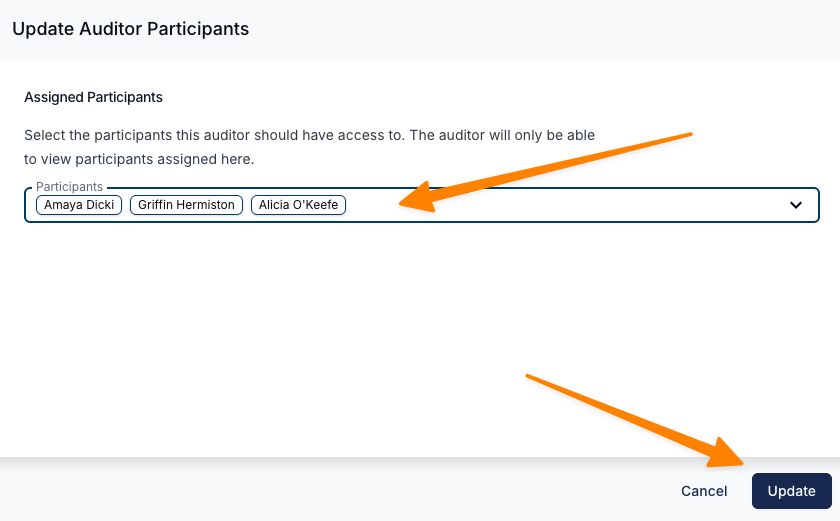
- Choose the Participants from the drop-down list that the auditor will access.
- You can select multiple Participants if required.
- Click Update to save the changes.
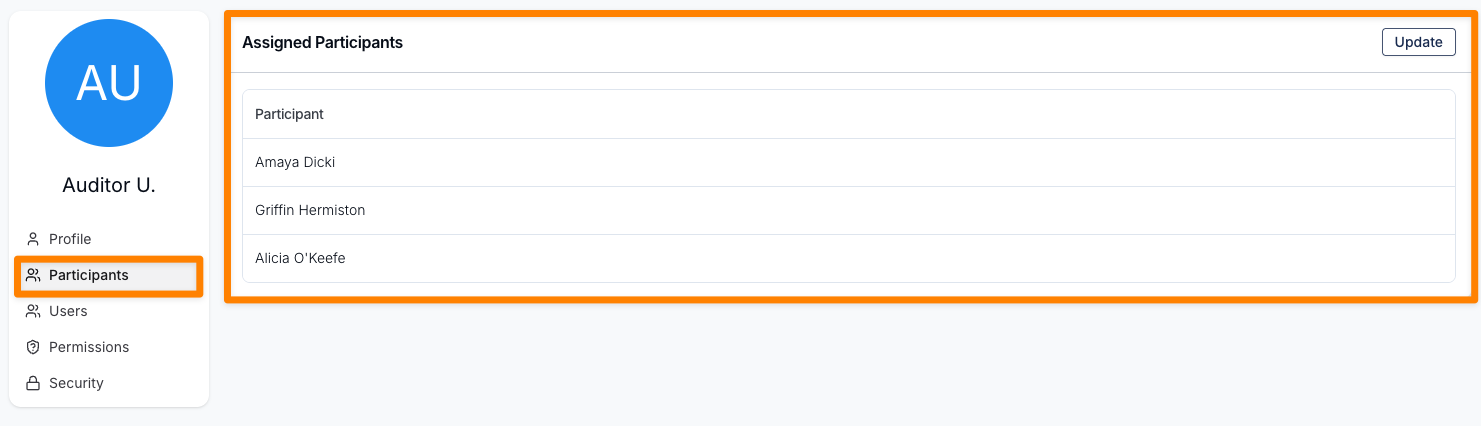
The selected Participants will now appear in the Participants tab of the auditor's profile.
Assigning Users to an Auditor
Once the auditor has been invited, you can assign which Users they are allowed to view.
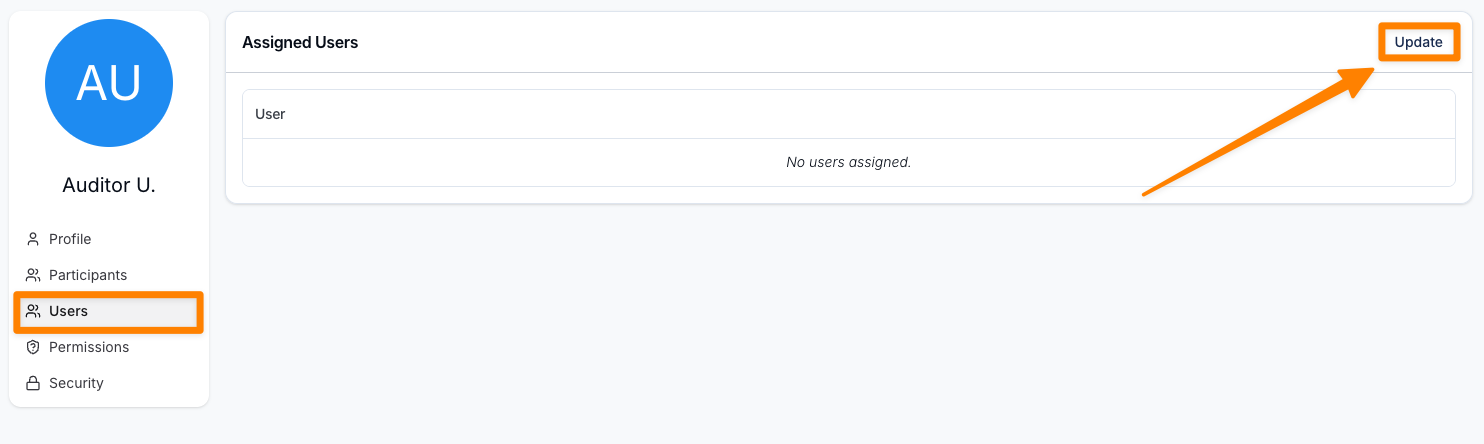
- Navigate to the Auditor's user profile.
- Select Users from the profile menu.
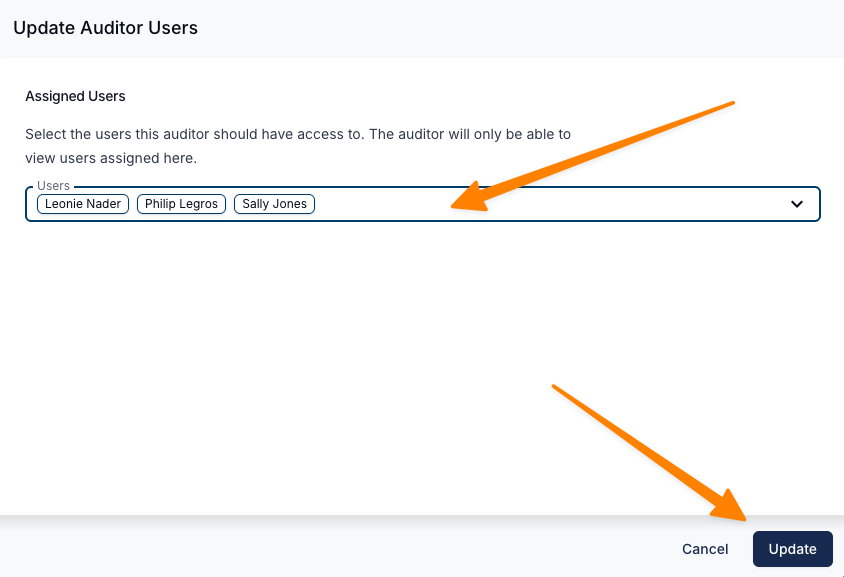
- Click Update in the top-right corner.
- Choose the Users from the drop-down list that the auditor will access.
- You can select multiple Users if required.
- Click Update to save the changes.
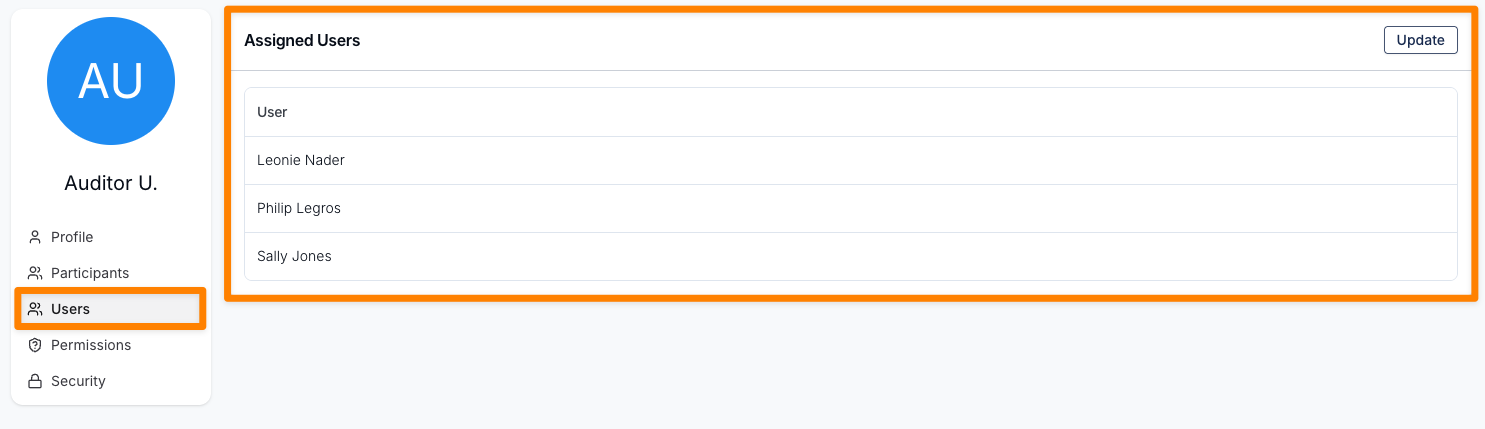
The selected Users will now appear in the Users tab of the auditor's profile.
What Auditors Can Access
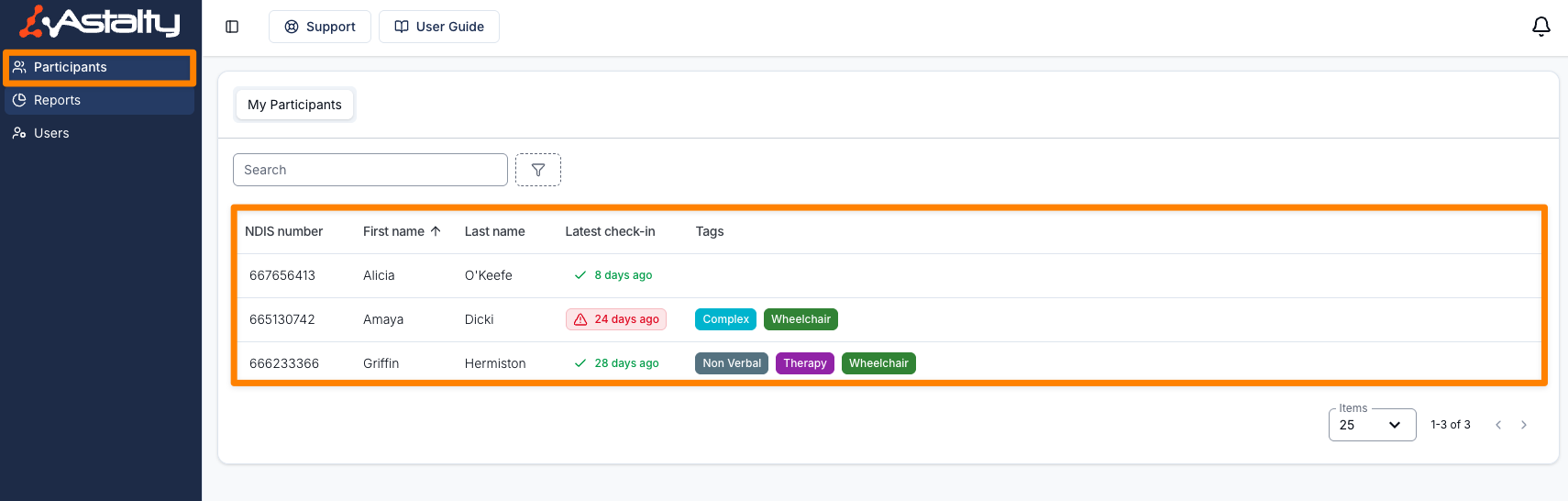
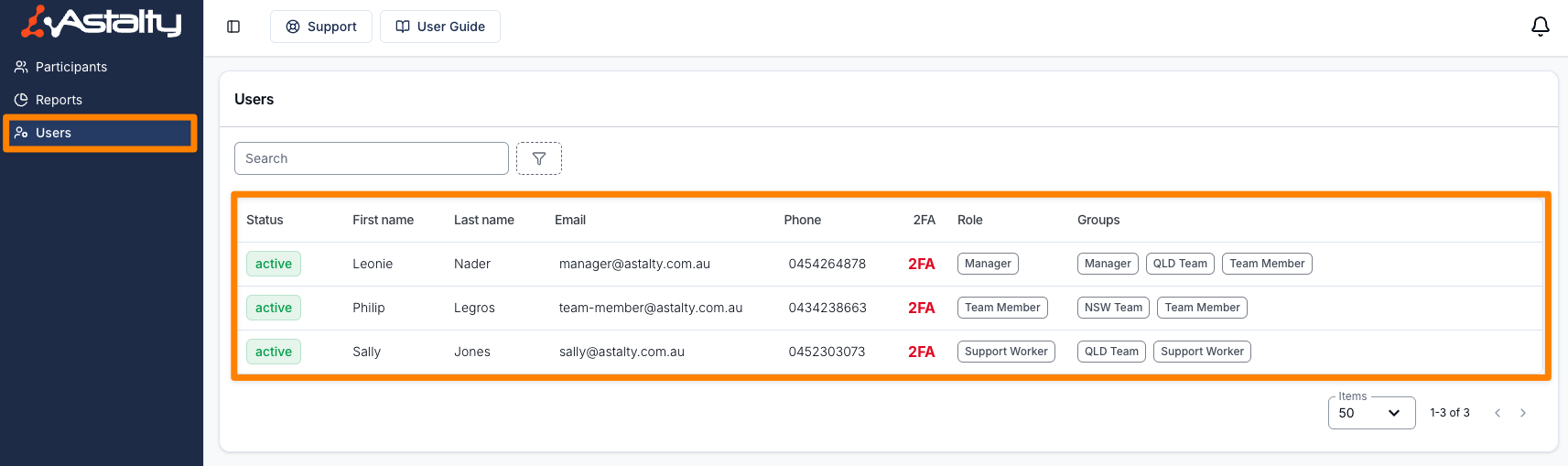
Auditors will be able to view information related only to the Participants and Users assigned to them.
They will have access to:
- Participants
- Users
- Reports
All access is read-only, ensuring auditors can review information without modifying any records.
Forms and Templates
Where a provider is subscribed to Premium, Auditors will also be able to view all of the account's Forms and its document and note templates. Unlike Participants and Users, this isn't limited to what's assigned to them, and there's no setting to turn it on.
- Forms (not displayed to Auditors for providers not subscribed to Premium): opens on Manage Forms (All Forms, the submission list, is hidden). An auditor can open any form to review its fields in the Form Builder - including Preview and Download Blank Form - but can't create, edit, publish, duplicate or submit it, and can't see its submissions, submission requests or notifications.
- Settings > Templates (not displayed to Auditors for providers not subscribed to Premium): auditors can browse, preview and download document templates and note templates, but can't create, edit or delete them.