- Changelog
- 19 June 2024
19 June 2024
Price Guide Automatic Update
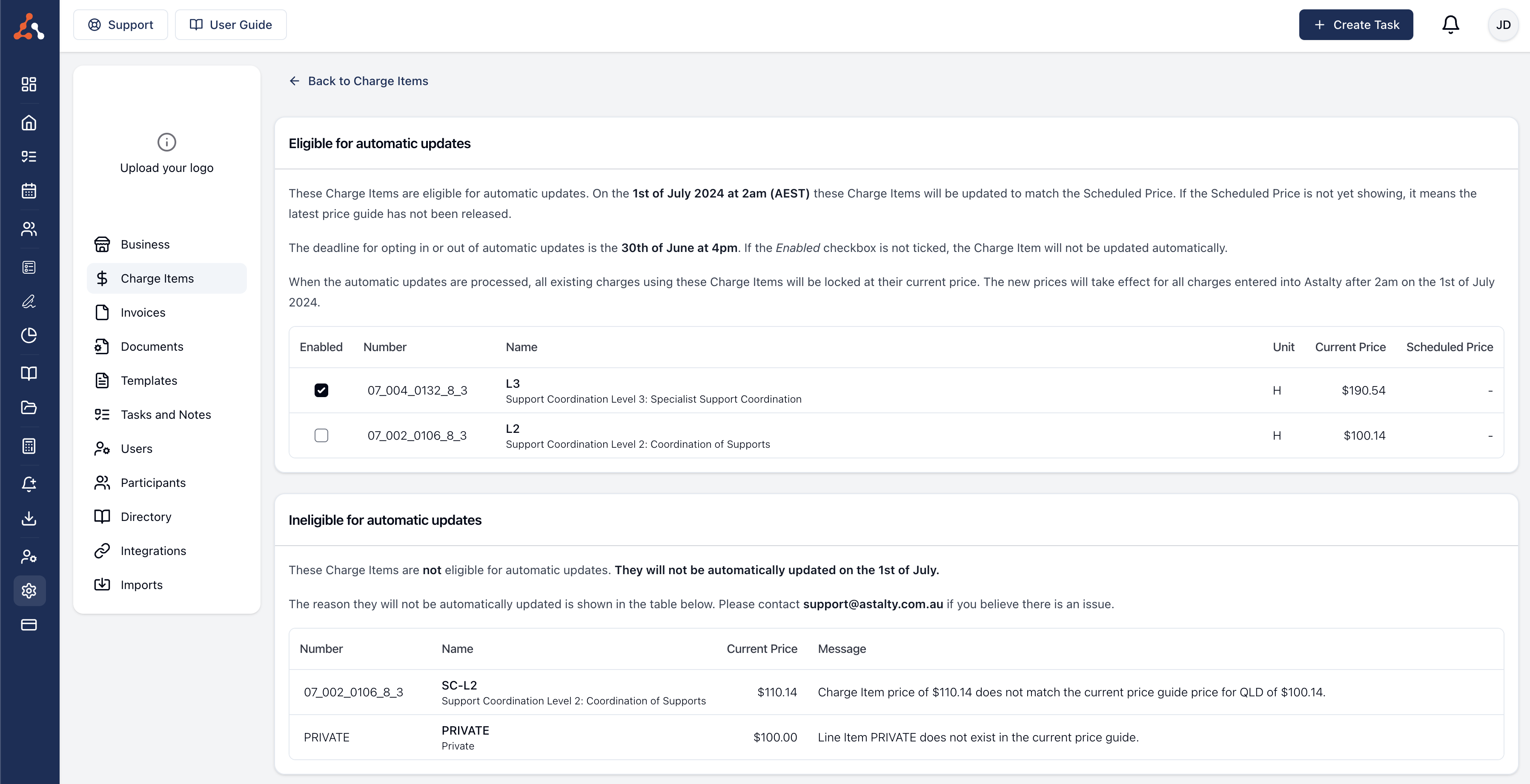
The NDIS is set to update its price guide on July 1, 2024. Astalty offers an option to automatically update all charge items in your account to match these changes. This update is optional but enabled by default; you can disable it if you prefer. To manage these updates, follow the instructions in our user guide article Automatic Updates.
Price Guide Update
The NDIS is expected to make updates to the price guide come July 1st 2024. Astalty has got you covered! We have created an option that will automatically update all of the charge items within your Astalty account to reflect the price guide changes. This is a fully optional update and is not mandatory across all accounts, however by default it has been set as update so if you would not like to opt in you can toggle this off.
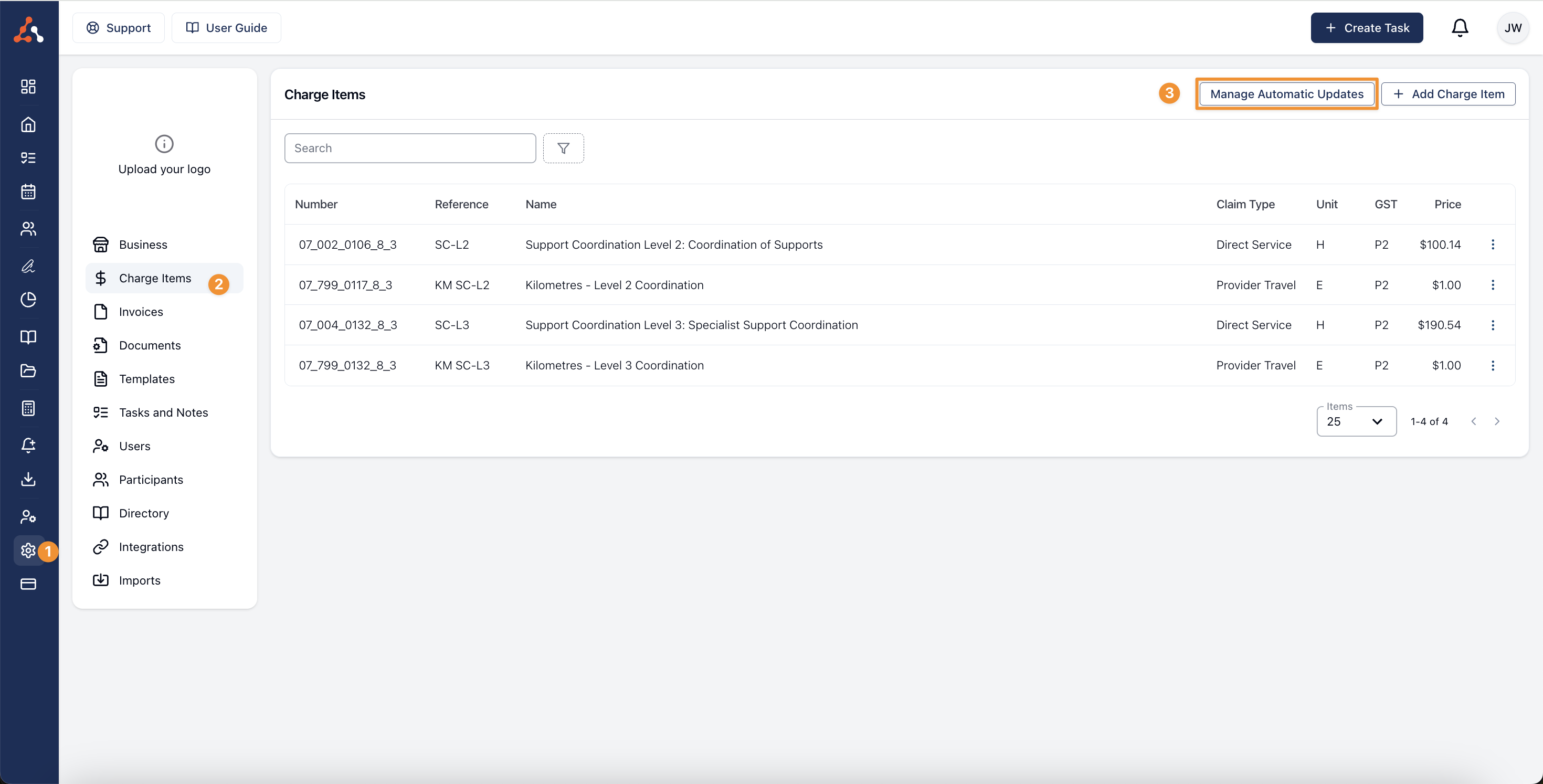
To navigate to the price guide update page you can follow the steps in this image below or go click this link Automatic Updates to go to the page.
Some of the key takeaways from the user guide article are that;
- Not all charges are eligible for automatic updates
- This is a completely opt-in opt-out update
- Any tasks entered prior to the update will stay at the previous price
- You can perform a price override if you ever need to backdate charges (more on that process here)
We have created a dedicated user guide article for the Price Guide Automatic update that goes into detail about the above processes you can find that here.
Placeholder Update
We have added additional placeholders within the Astalty Template settings. Now you can add the following placeholders to your templates!
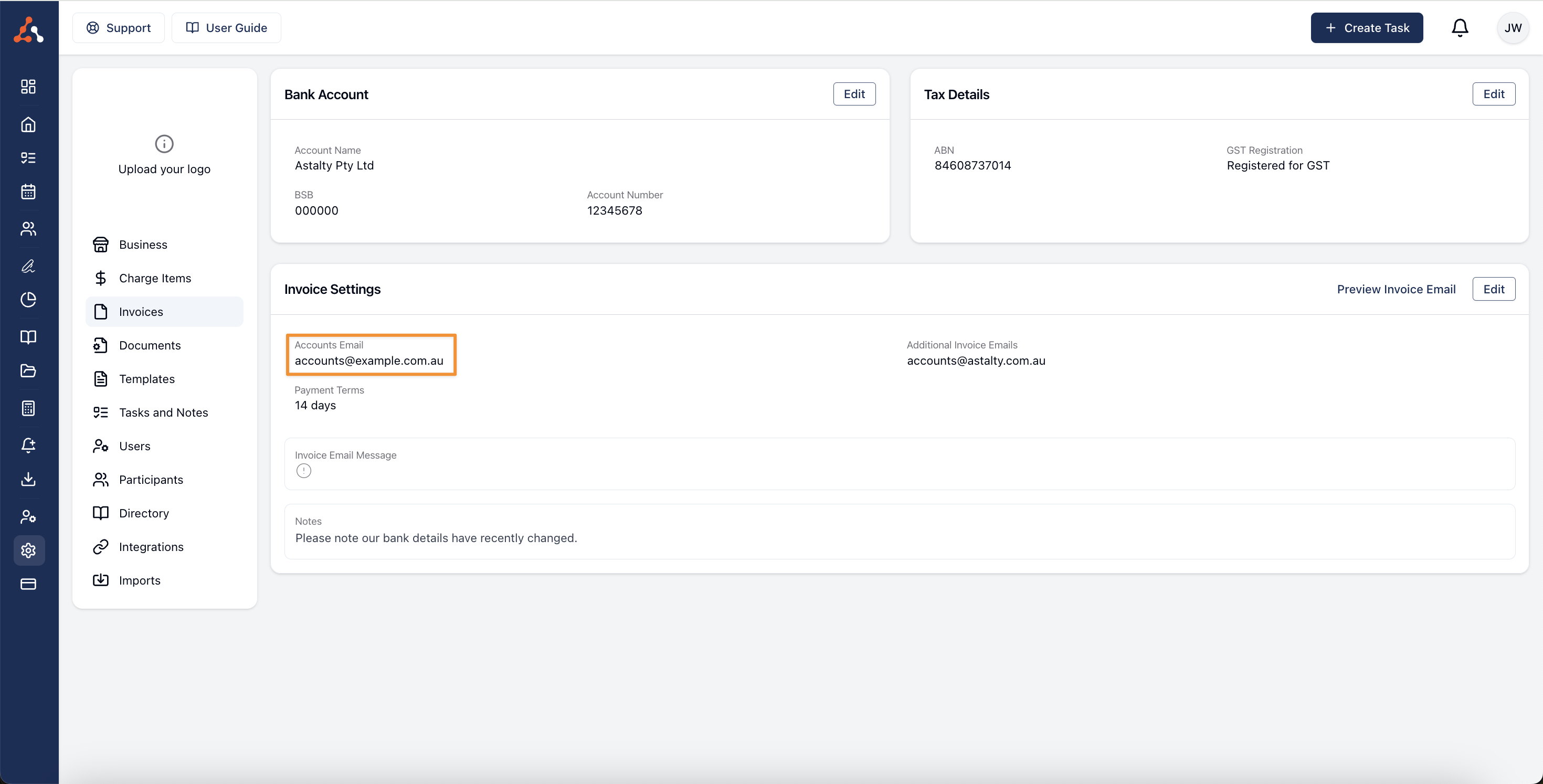
- Business Accounts Email Address - No longer will you have to use your Account Owner email address you can now input the *Business Accounts Email Address *placeholder. This will input the email address found in the Invoice settings
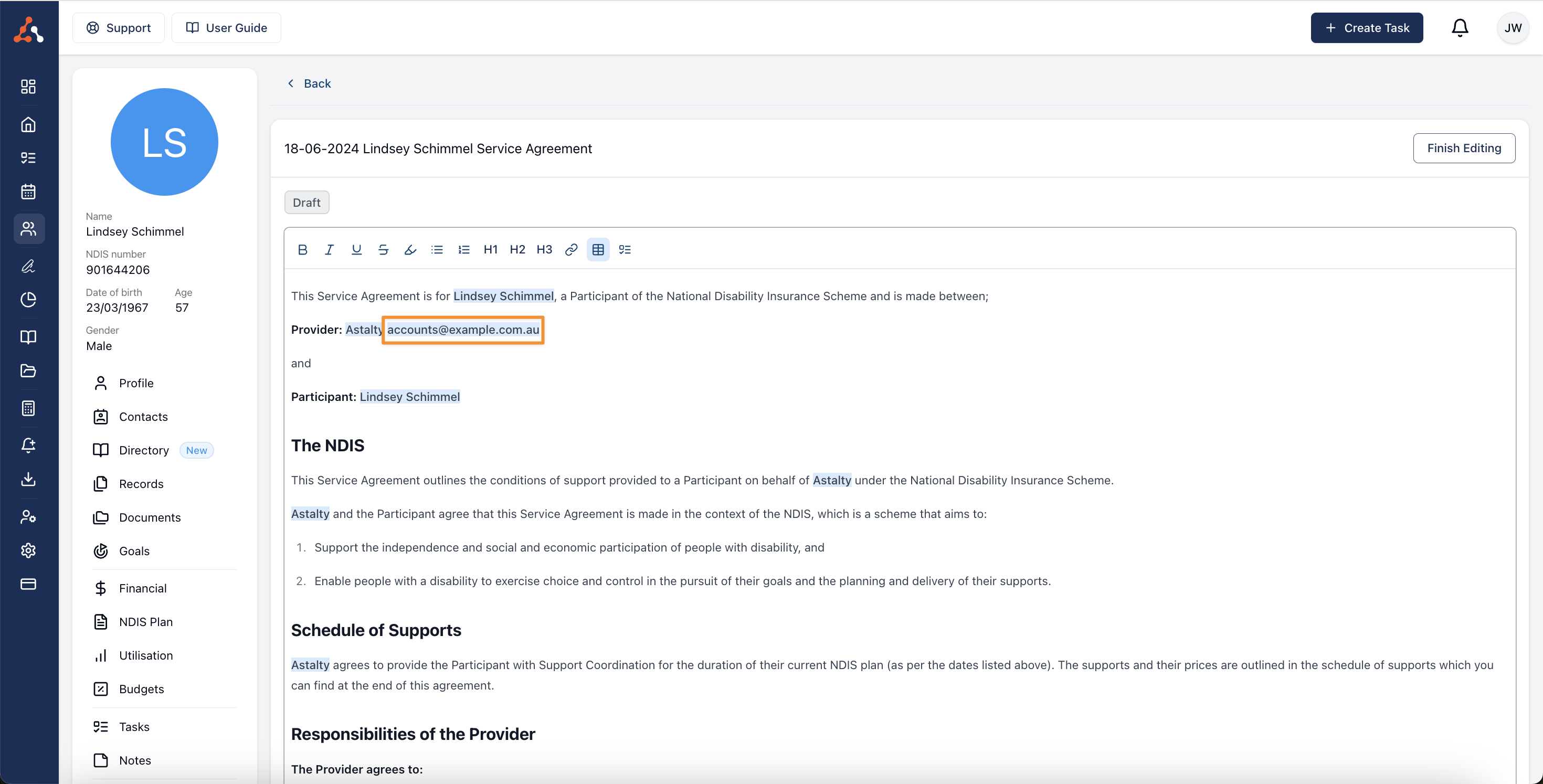
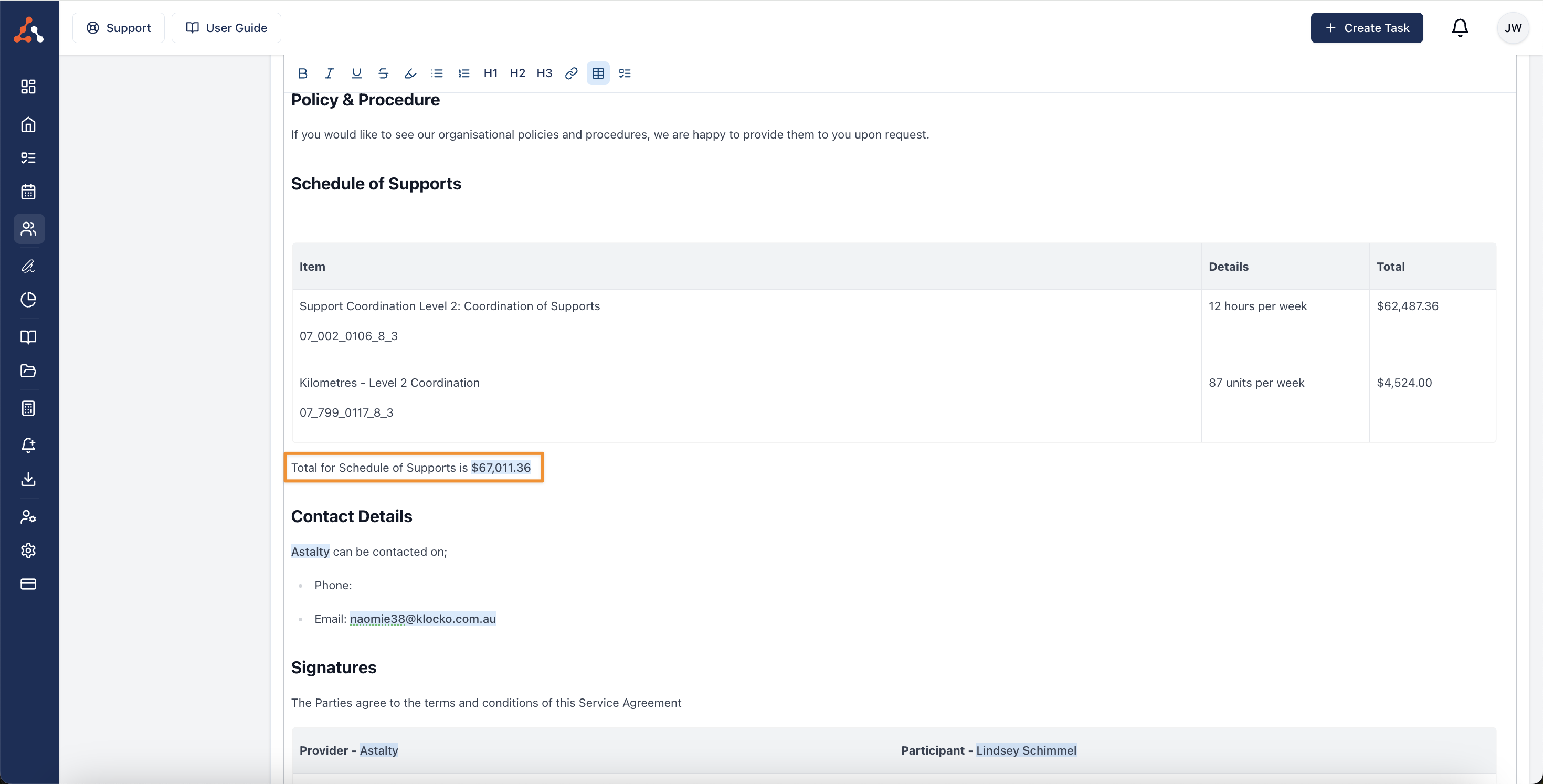
- Total for the Schedule of Supports - Previously the schedule of supports placeholder did not show a total for the combines supports displayed. Now you can add a Total for the Schedule of Supports placeholder to display this amount.