- Changelog
- 9 July 2024
9 July 2024
Updated Time Remaining Display for Participants' Plans
Previously, the time remaining on a participant's plan was shown in days, making it challenging to determine the number of weeks left. We have updated this feature for better clarity. Now, in the NDIS plan section of a participant's profile, the remaining time is displayed in weeks by default.
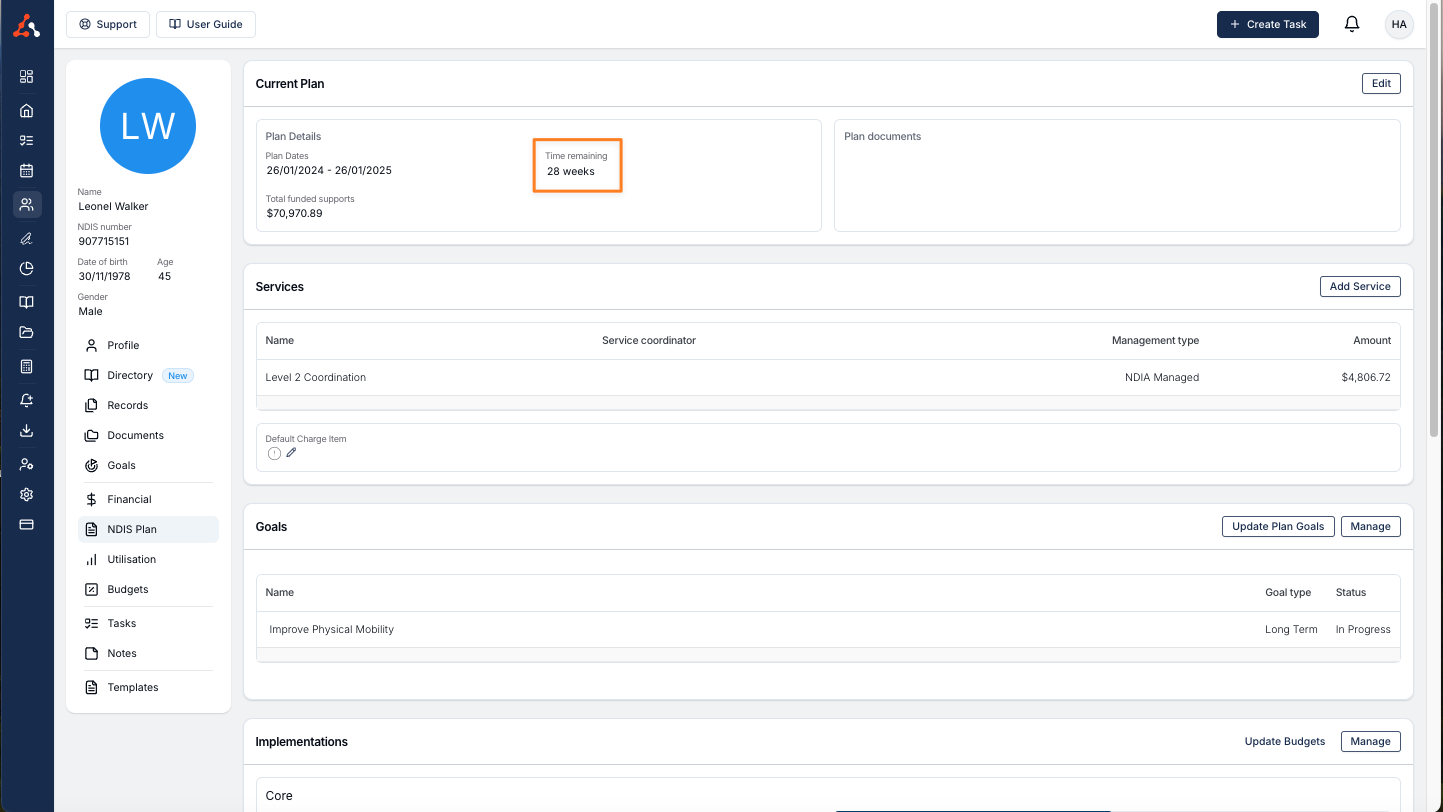
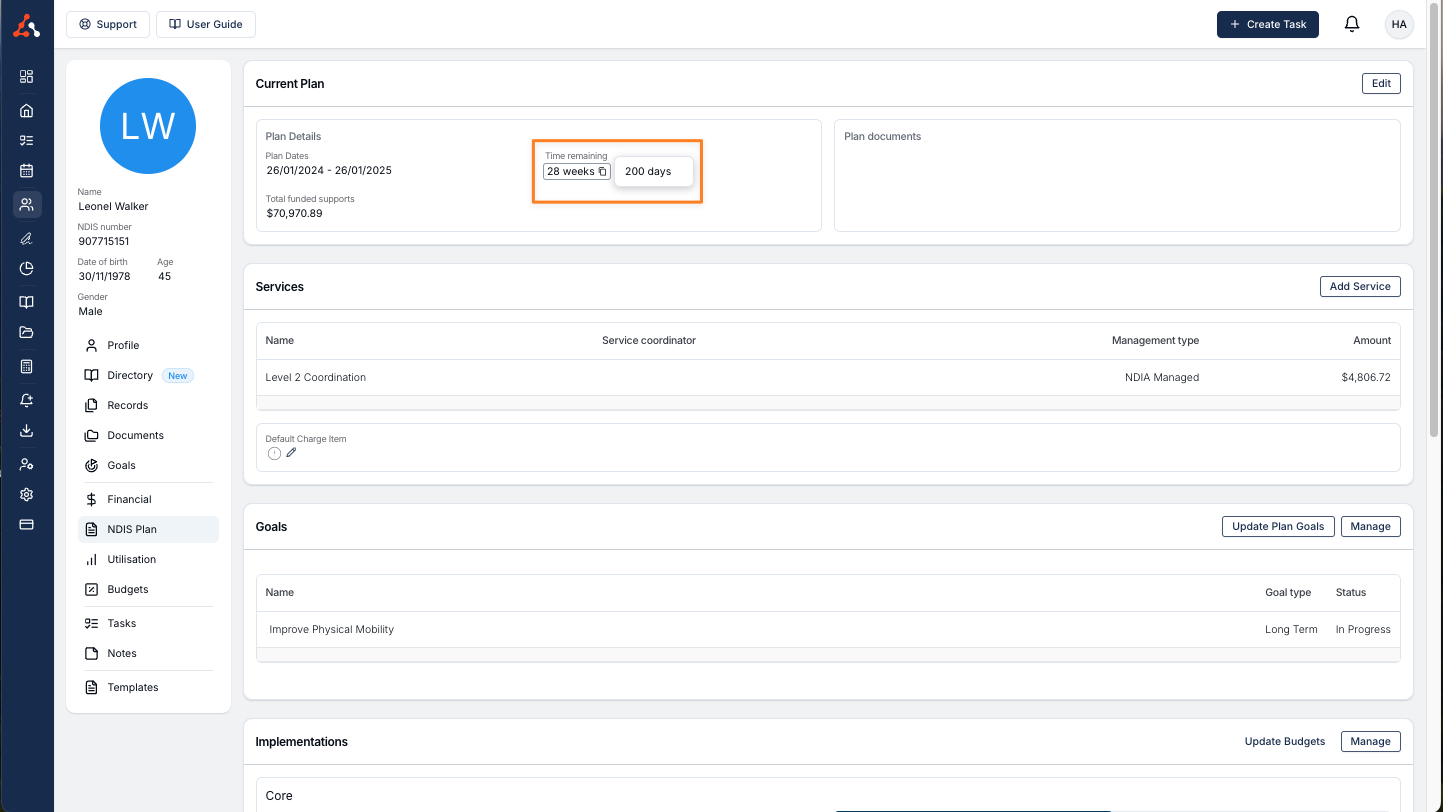
Additionally, when you hover over the weeks remaining, the exact number of days left will be shown. This improvement eliminates the guesswork, making it easier to understand how much time remains in the plan.
Task Document Counter
In the past, when working within a task, you couldn't immediately tell if a document was attached until you navigated to the 'Documents' tab. For users reviewing tasks, this made the process time-consuming and inefficient.
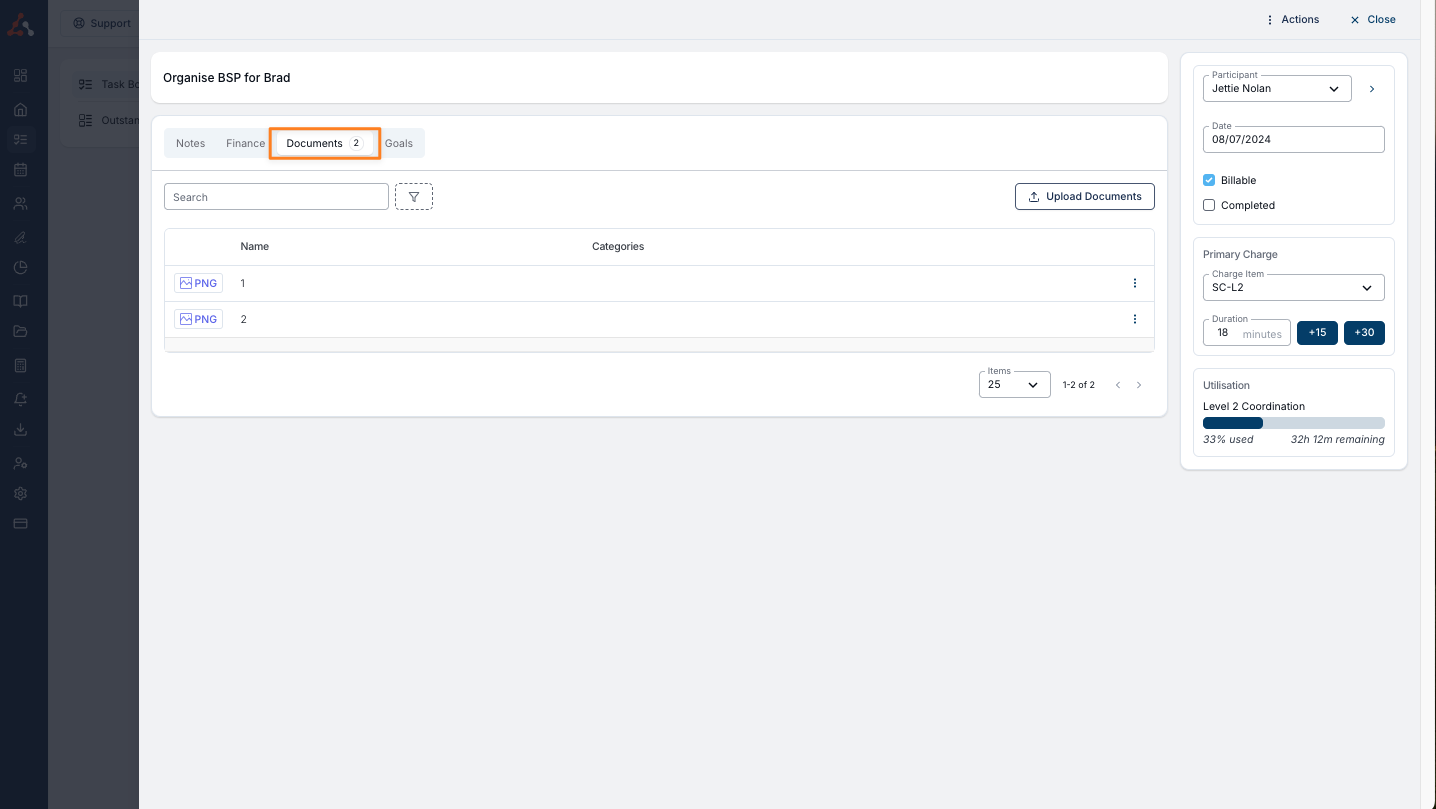
To streamline this, we have introduced a new visual prompt. Now, you will see a bubble indicating the number of documents uploaded to a task. This bubble appears directly within the task interface, eliminating the need to navigate to the 'Documents' tab.
This helps you quickly identify the number of uploaded documents, making task management more efficient. The bubble displaying the document count is shown below.
Improved Address Display for Participants
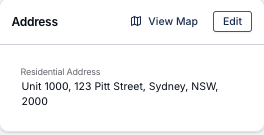
Previously, participant addresses would sometimes extend beyond the display area, especially if they were particularly long or when viewed on different browser sizes. This caused formatting issues and made it difficult to read the full address.
Now, addresses will automatically wrap to a new line when necessary. This ensures that the entire address is visible and properly formatted, regardless of its length or the browser size.
Firefox Font Update
We have updated the Firefox font to be consistent with the intended Astalty font. Previously it displayed as Times New Roman.