- Changelog
- 18 December 2025
18 December 2025
Archiving Goals
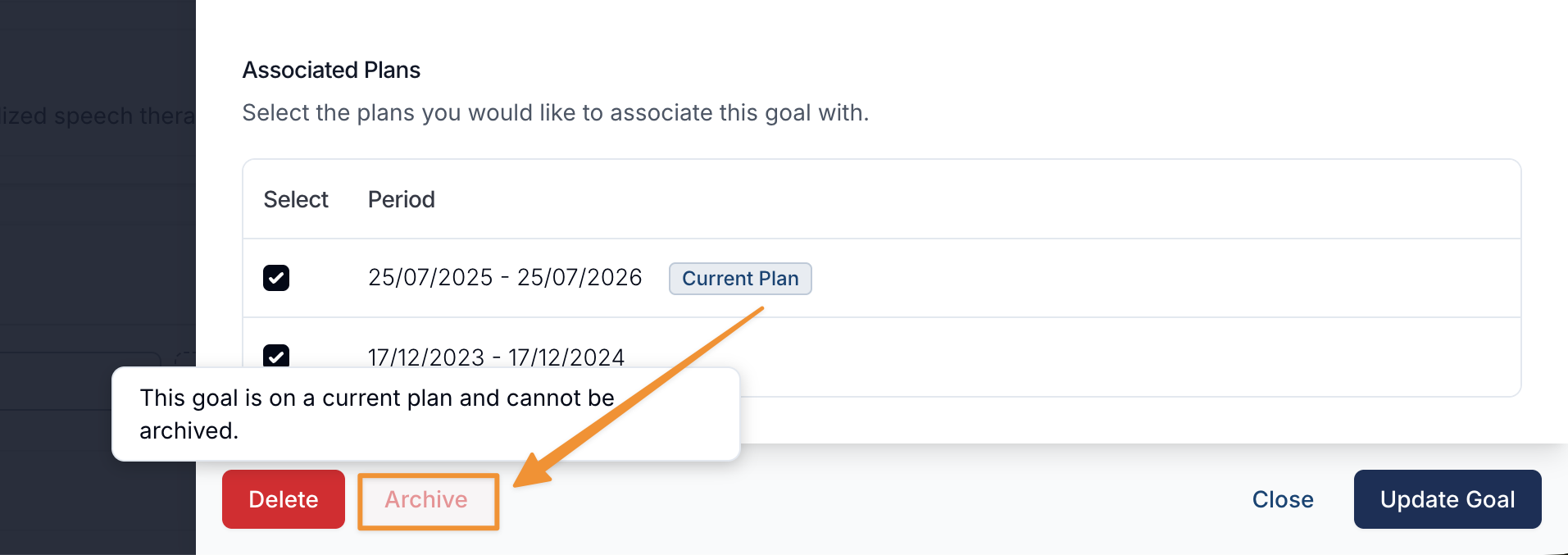
We’ve introduced the ability to Archive Goals to help users keep their goal lists focused and clutter-free. Many of our customers may be tracking multiple years' worth of goals per participant, which can easily lead to long lists of goals. This function can only be actioned if the goal doesn't sit within a current Associated Plan and can be accessed via the Edit Participant Goal page. Being able to archive any goal now that’s no longer active or relevant, will result in smoother workflows for anyone managing the goals and utilising them in Tasks.
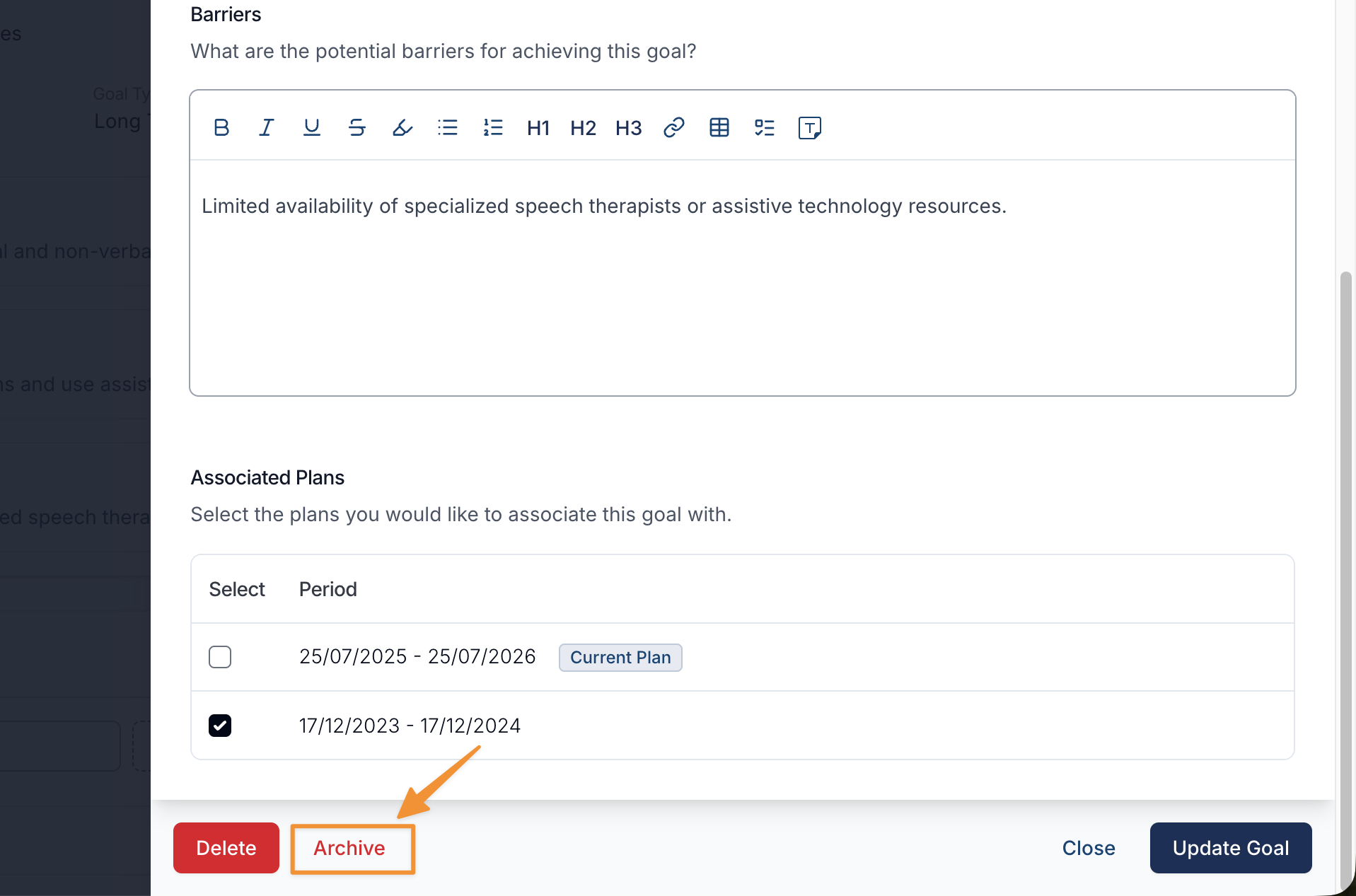
Example of a Goal which is associate to a current plan - Only goals from past plans can be archived.
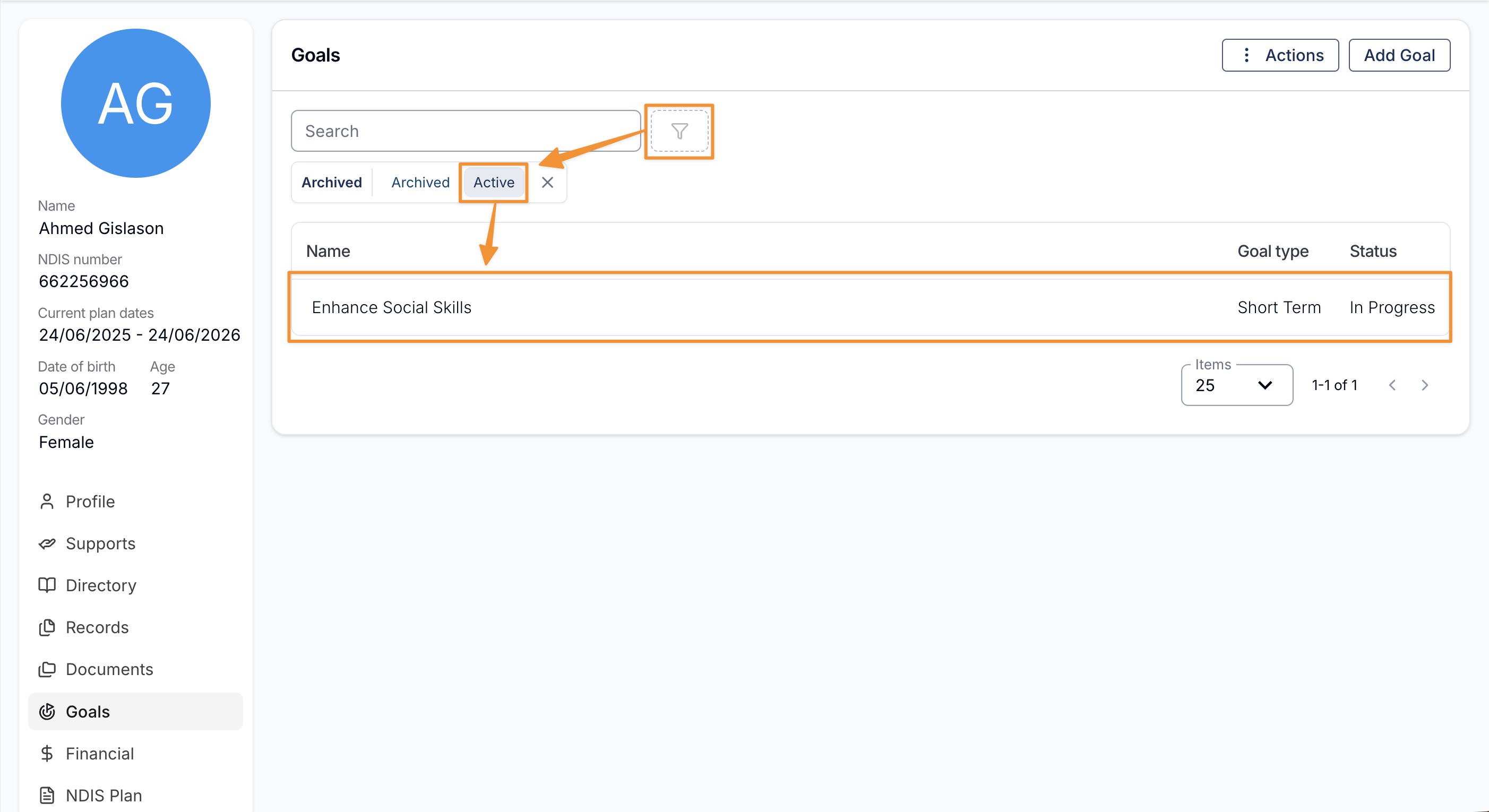
When viewing the Participant's goals, you can toggle between viewing Active, Archived, and all goals by using the Archived Filter.
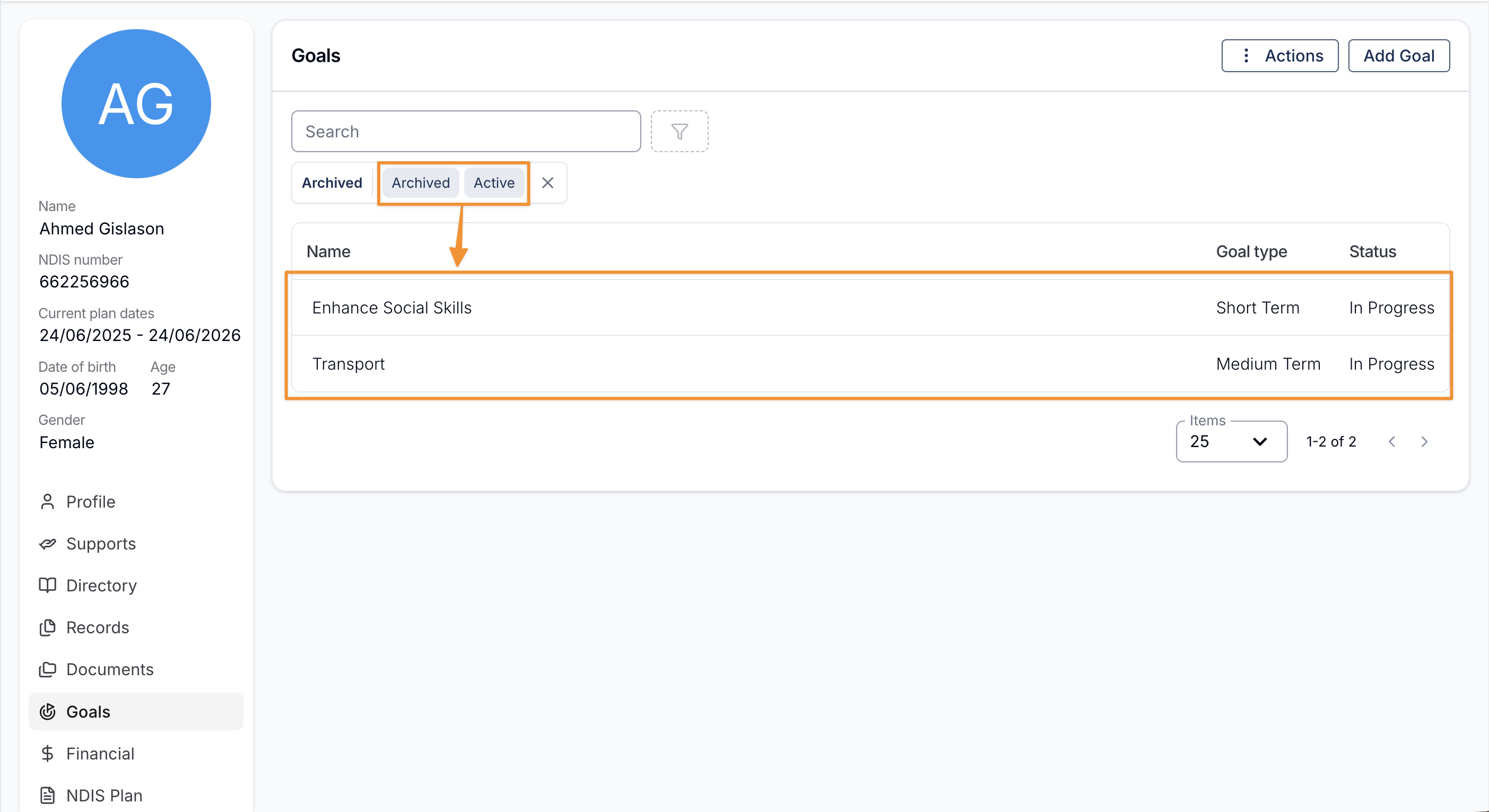
The example below shows the Archived filter showing both Active and Archived goals.
More Improvements
- Participant Export
- Tasks Export
- Bug Fixes
Archiving Goals
We’ve introduced the ability to Archive Goals to help users keep their goal lists focused and clutter-free. Many of our customers may be tracking multiple years' worth of goals per participant, which can easily lead to long lists of goals. This function can only be actioned if the goal doesn't sit within a current Associated Plan and can be accessed via the Edit Participant Goal page. Being able to archive any goal now that’s no longer active or relevant, will result in smoother workflows for anyone managing the goals and utilising them in Tasks.
Example of a Goal which is associate to a current plan - Only goals from past plans can be archived.
When viewing the Participant's goals, you can toggle between viewing Active, Archived, and all goals by using the Archived Filter.
The example below shows the Archived filter showing both Active and Archived goals.
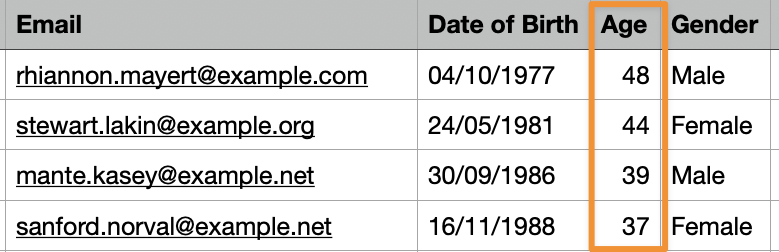
Participant Export - Age
The Participant Export has been updated to include a new Age column. This enhancement makes it easier to review and analyse participant demographics directly from exported data, reducing the need for additional calculations or manual processing.
Tasks Export - Task ID
The Tasks Export has been updated to include a new Task ID column. This addition improves traceability and data integrity by making it easier to reference, track, and integrate tasks across systems that rely on unique identifiers.

Bug Fixes
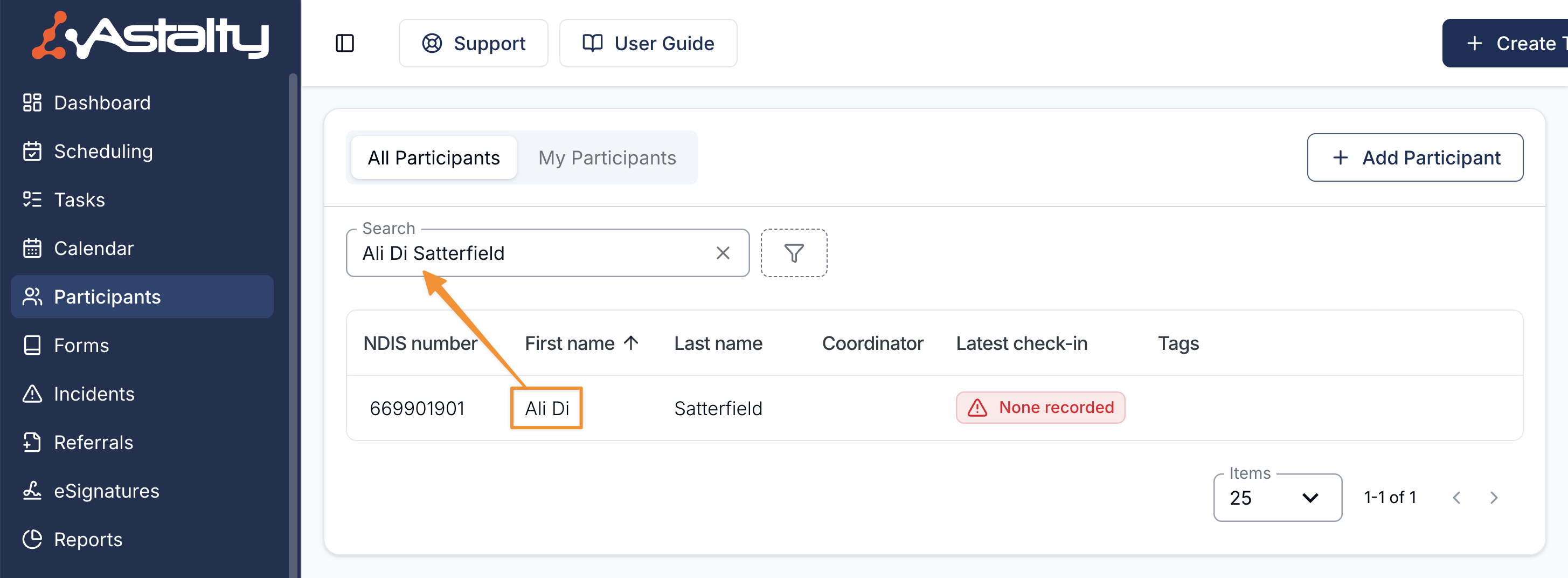
Searching Participant's with space in their name
Searching for participants has been fixed to properly handle names that contain spaces. Whether you were searching a for a participant in your Participants list or the participant selection in the Task Board - this fix resolves the issue where participants with multi-word names could not be found reliably, ensuring more accurate and consistent search results.
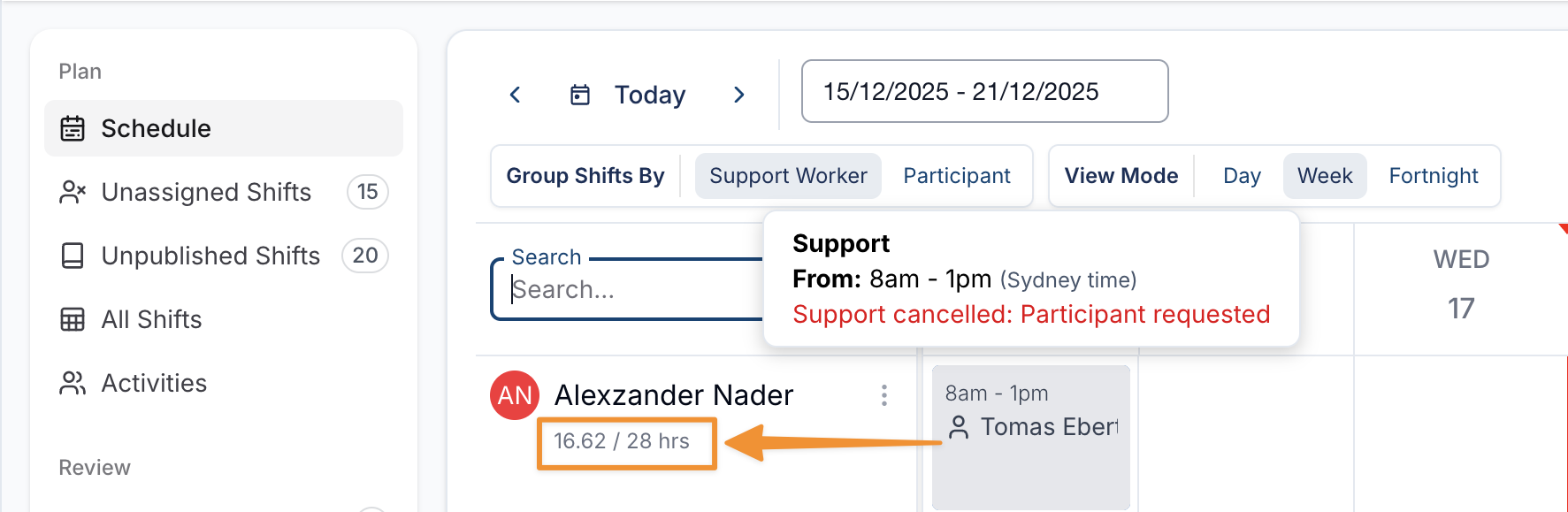
Contractor Hours Worked Excluding All Cancelled Shifts
The Hours worked vs Contracted hours calculations have been corrected to include cancelled shifts that are marked as payable to the user. Previously, all cancelled shifts were incorrectly excluded regardless of payment status, which could result in inaccurate totals. This fix ensures hours worked vs contracted hours now reflect all payable work accurately.
Plan Notifications - User and User Groups
An issue has been fixed where User and User Group notification settings were not saving when creating or editing a Plan Notification. Previously, selections for specific users or user groups would be lost after updating the notification. This has been corrected so changes are now saved properly and the selected users and groups are visible in the notification preview under Recipients as expected.
Plan Notification — Periods
An issue has been fixed where notification periods were disappearing when editing an existing Plan Notification. Though it was saved, if you tried to edit the notification, the configured period was missing during the edit, leading to incomplete or incorrect notification settings. This fix ensures the notification period is retained and remains visible when updating a Plan Notification.