- Changelog
- 5 February 2026
5 February 2026
Improved Support Note Visibility Settings
We’ve enhanced Support Note visibility settings to give organisations greater control over how historical Support Notes are shared, helping Support Workers feel more prepared and informed before heading into a shift.
By allowing appropriate access to previous Support Notes, Support Workers can better understand recent updates, preferences, and important context for their assigned Participants — reducing surprises and supporting more consistent, confident care.
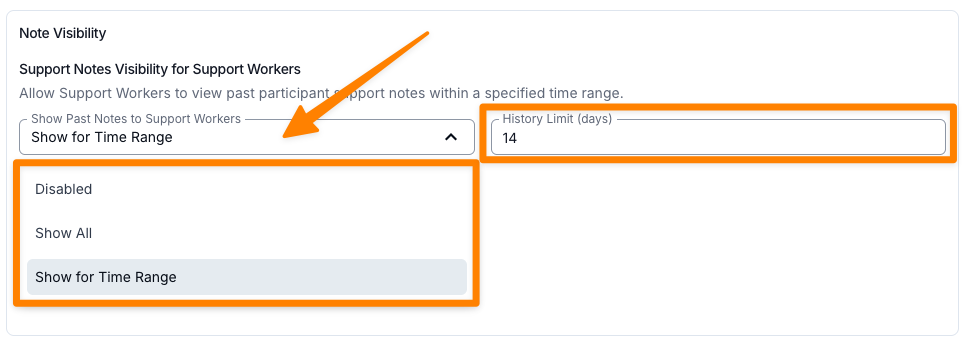
Support Worker visibility options include:
- Disabled — Support Workers will not be able to view any Support Notes for their Participants that were created by other Support Workers.
- Show All — Support Workers will be able to view all Support Notes for their Participants from all Support Workers, providing full historical context.
- Show for Time Range — Support Workers will be able to view Support Notes for their Participants from all Support Workers within the defined** History Limit **(set in days). This allows organisations to tailor how much historical information is shared, based on what best suits their operational preferences.
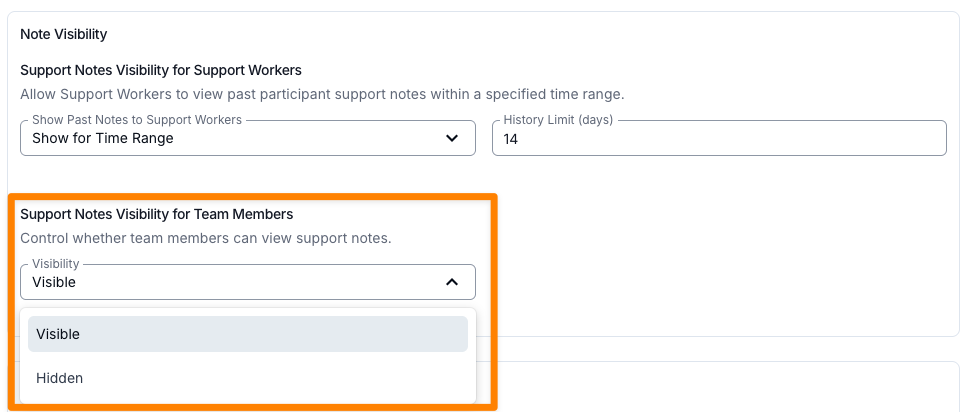
In addition, organisations can now control Note Visibility for Team Members. Team Members may include roles such as Support Coordinators or other administrative or clinical staff who may find it useful to review Support Notes for oversight, planning, or continuity purposes.
Team Member visibility options include:
- Visible
- Hidden
No history limits apply to Team Member visibility settings.
These updates are designed to support better communication, improved preparedness, and stronger continuity of care across your team.
For more information, visit the Scheduling Settings guide.
Other Improvements
- Greater Control over Risks PDF Export
- Improved Alert Management Workflow
- Enhanced Invoice Summaries for Clearer Cash Flow Insights
- Form Submissions Export - Exclude Archived Forms
- Improved Export Visibility for Participant Sign-Offs
- New Note Template Types
Improved Support Note Visibility Settings
We’ve enhanced Support Note visibility settings to give organisations greater control over how historical Support Notes are shared, helping Support Workers feel more prepared and informed before heading into a shift.
By allowing appropriate access to previous Support Notes, Support Workers can better understand recent updates, preferences, and important context for their assigned Participants — reducing surprises and supporting more consistent, confident care.
Support Worker visibility options include:
- Disabled — Support Workers will not be able to view any Support Notes for their Participants that were created by other Support Workers.
- Show All — Support Workers will be able to view all Support Notes for their Participants from all Support Workers, providing full historical context.
- Show for Time Range — Support Workers will be able to view Support Notes from all Support Workers within the defined** History Limit **(set in days). This allows organisations to tailor how much historical information is shared, based on what best suits their operational preferences.
In addition, organisations can now control Note Visibility for Team Members. Team Members may include roles such as Support Coordinators or other administrative or clinical staff who may find it useful to review Support Notes for oversight, planning, or continuity purposes.
Team Member visibility options include:
- Visible
- Hidden
No history limits apply to Team Member visibility settings.
These updates are designed to support better communication, improved preparedness, and stronger continuity of care across your team.
For more information, visit the Scheduling Settings guide.
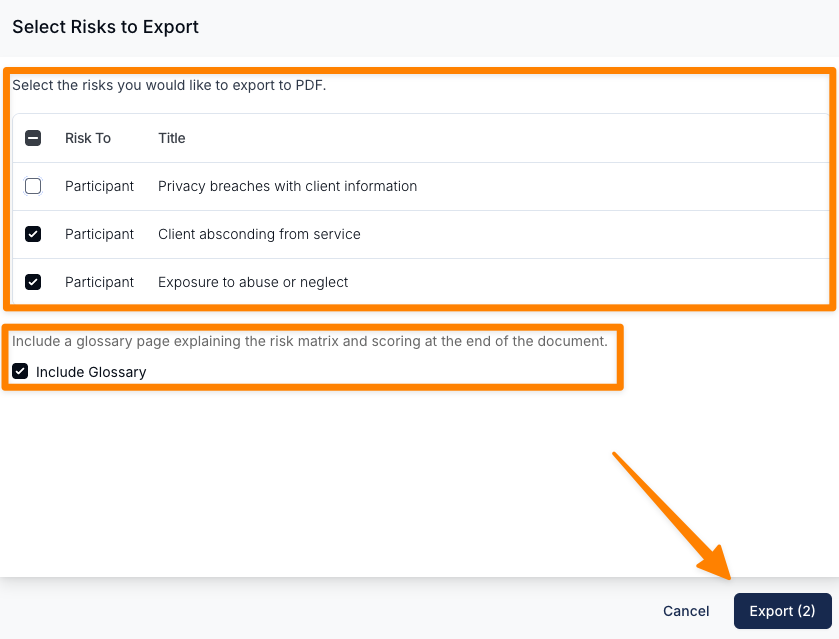
Greater Control over Risks PDF Export
In response to user feedback, we’ve added the option to exclude Risks from PDF exports. This gives you greater flexibility when sharing documents with stakeholders, helping ensure that only relevant and appropriate information is included, depending on the audience or the purpose of the export.
For more information, visit the Risks guide.
Improved Alert Management Workflow
Users can now open a Participant’s profile directly from an Alert in the Alerts Report by selecting the three dot menu. This streamlines navigation, reduces unnecessary steps, and makes it faster to review Participant details and update Alerts without interrupting your workflow.
In addition, we've also made a slight change to the language used in the filters to now show the Active/Archived Status as Alert Status.
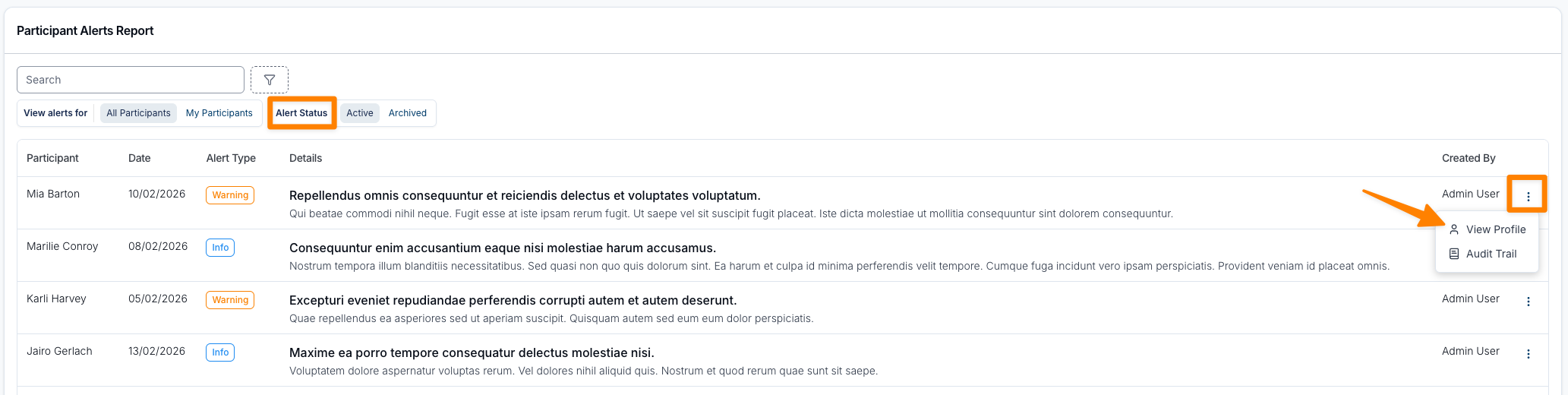
For more information, visit the Participant Alerts Report guide.
Enhanced Invoice Summaries for Clearer Cash Flow Insights
We’ve introduced summary totals on the Invoices page that display the Total Invoice Amount and Total Outstanding, dynamically updating based on the filters applied. This new addition makes it easier to quickly assess invoicing activity and track cash flow at a glance, without needing to export or manually calculate totals.
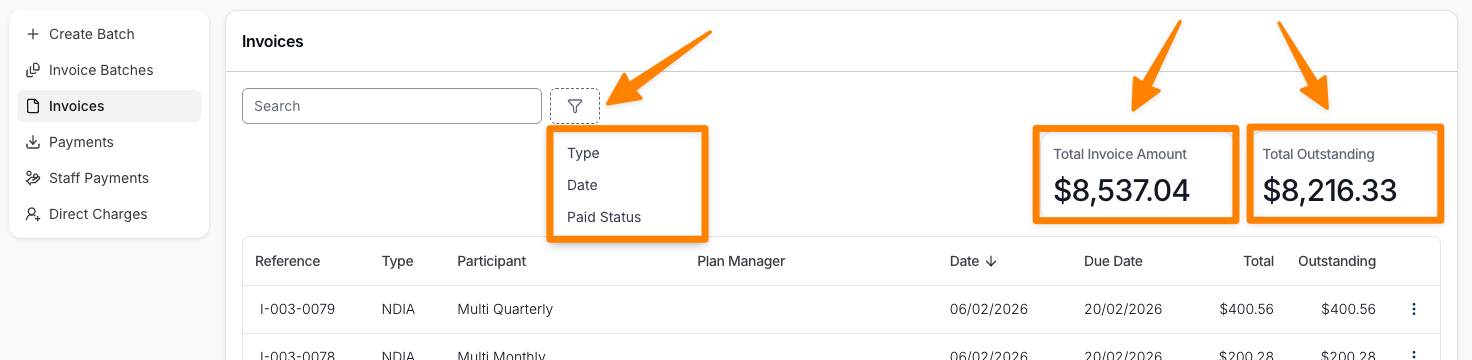
For more information, visit the Invoices guide.
Form Submissions Export - Exclude Archived Forms
We’ve added a new option to the Form Submission Export that gives you more control over what data is included. When exporting submissions for a specific Form, you can now choose to exclude archived submissions. This makes it easier to focus on active, relevant data without needing to clean up the export after downloading.
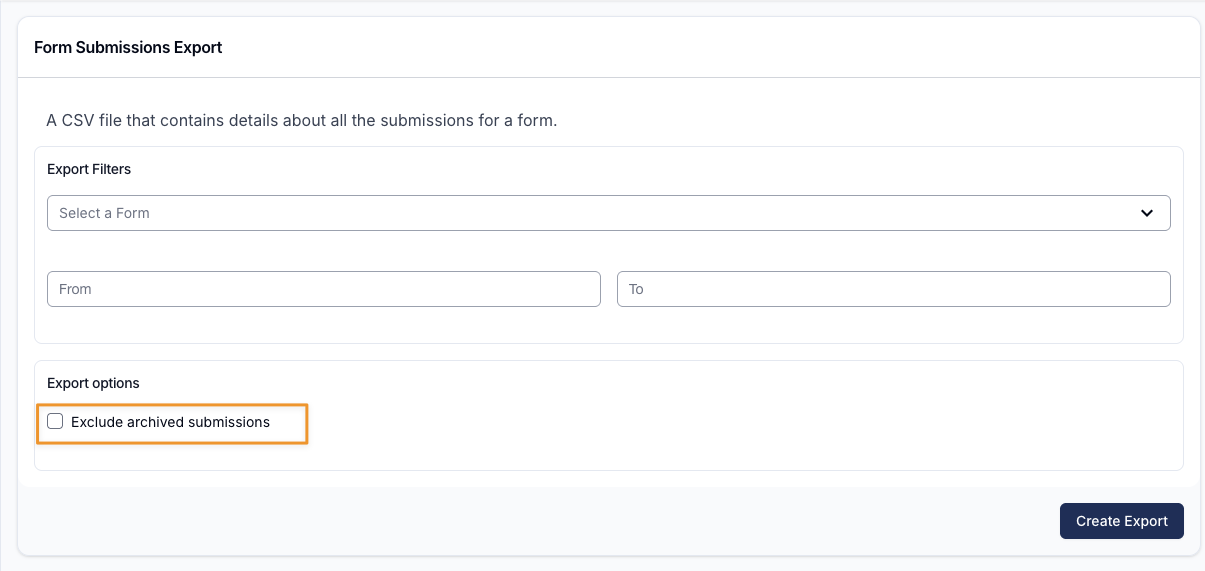
Improved Export Visibility for Participant Sign-Offs
The Shifts Export and Completed Shifts Exports now clearly capture whether a Participant has signed off on their supports, making it easier to verify approvals, support completion, and maintain accurate records.
Shifts Export

Completed Shifts Export

For more information, visit the Shifts Export and Completed Shifts Export guides.
New Note Template Types
Our engineers have been busy adding in several new Note Template Usage Types. If you would like to utilise this, please navigate to the Note Templates section within the Tasks and Notes Settings.
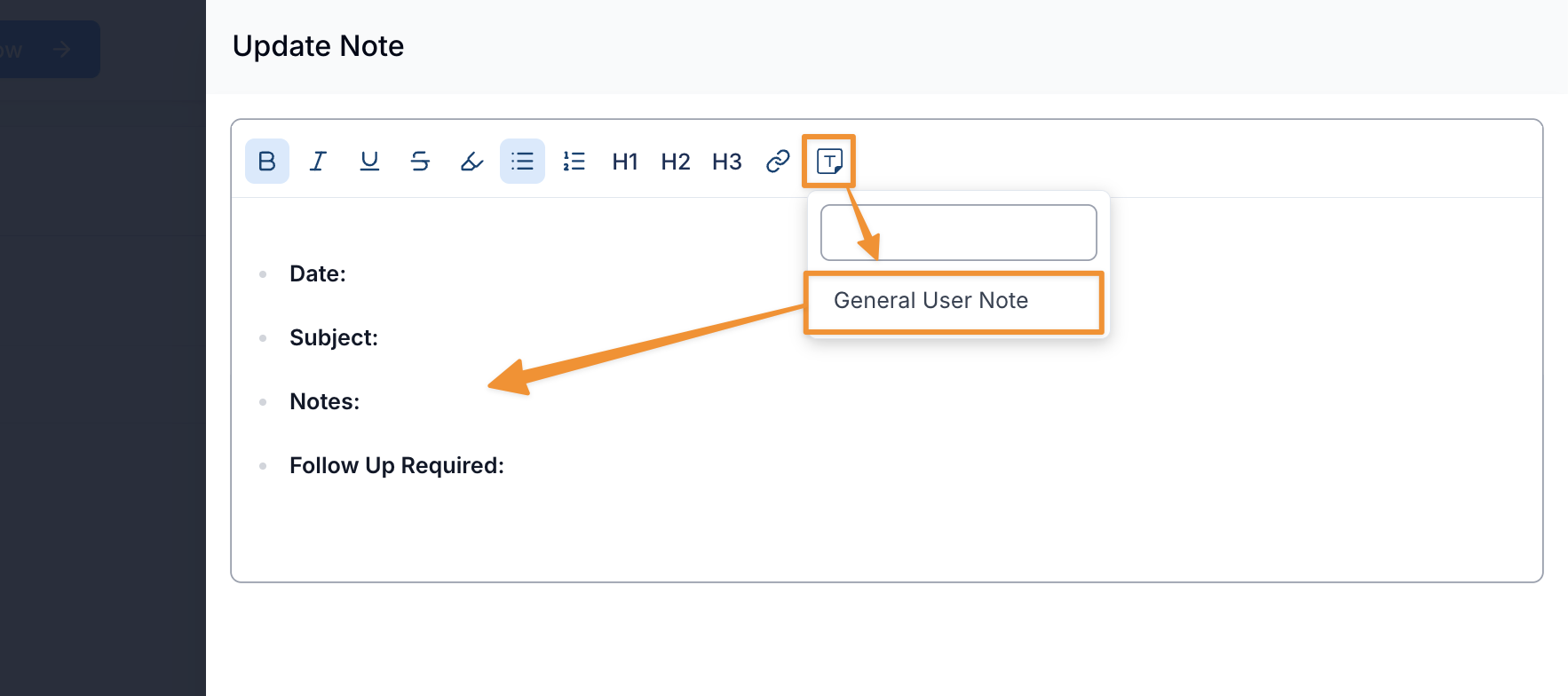
User Note Template
You can now create and use your own User Note Templates! Existing Note Template functionality has been enhanced to let you create reusable User Note Templates, making it quicker and easier to capture consistent, high-quality user notes every time.
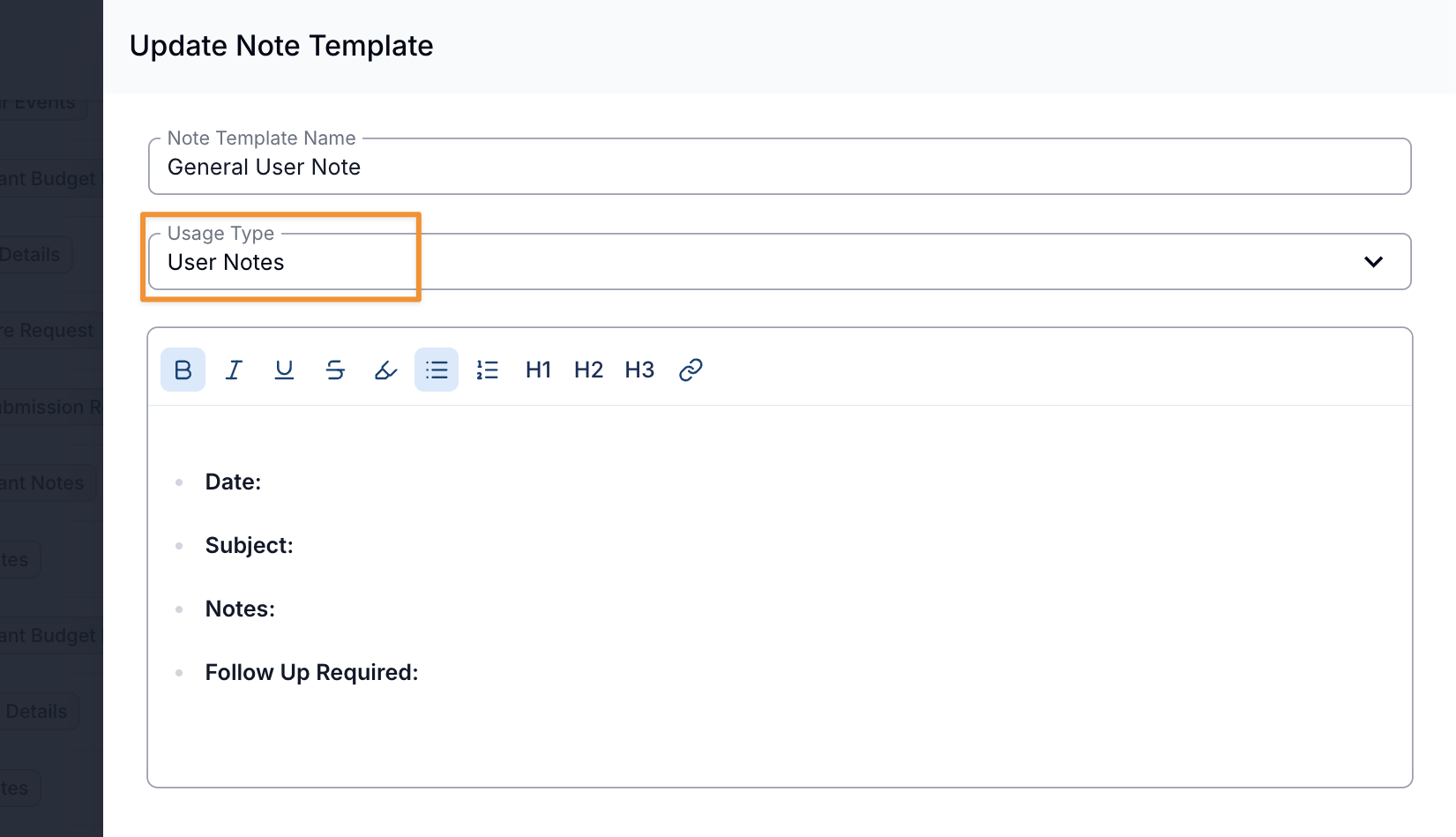
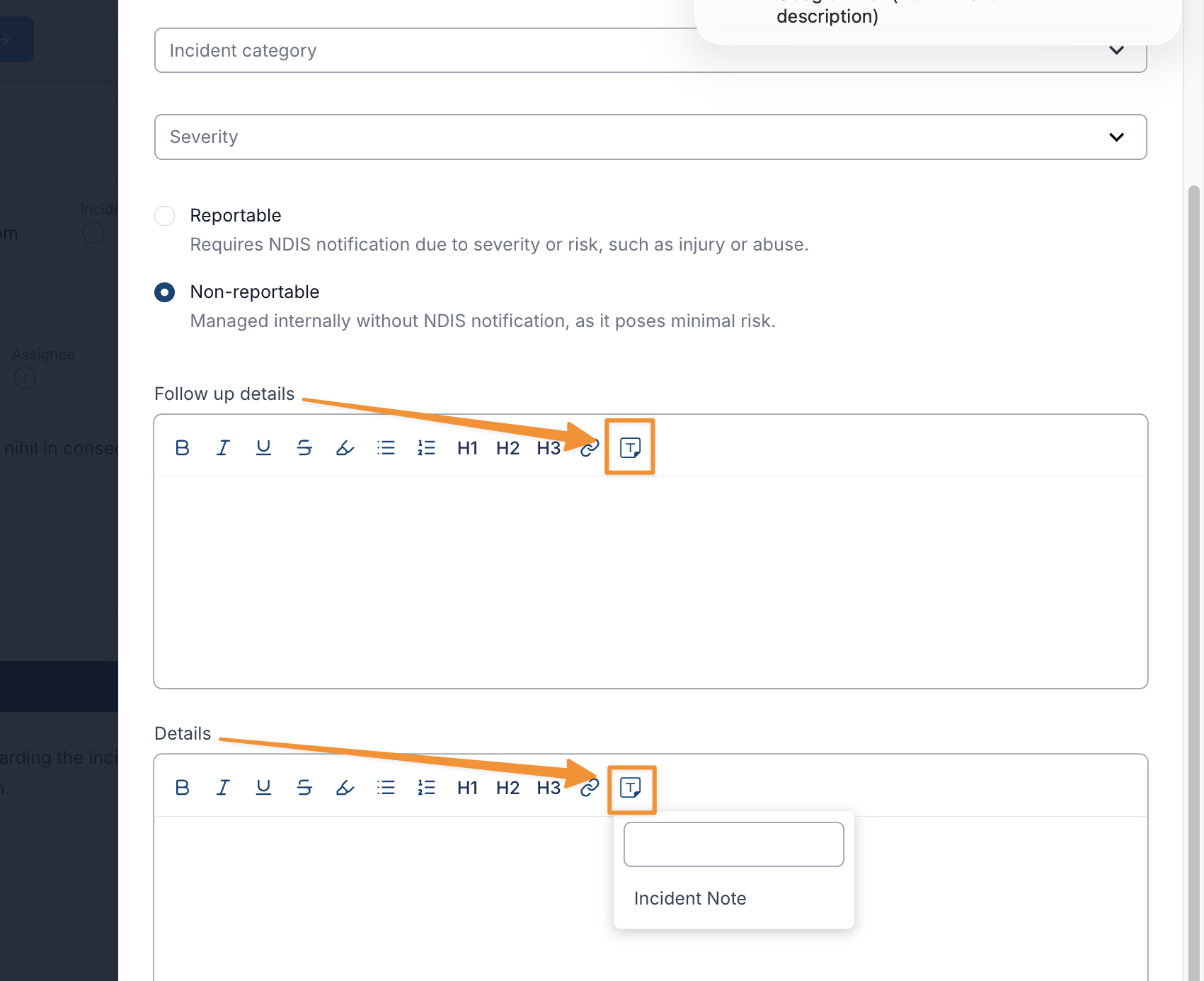
Incident Details and Incident Follow-up Note Template
You can now use Note Templates when completing Incident Forms! Templates are available for both Incident Details and Incident Follow-up sections, helping ensure consistent, complete, and compliant information is captured across all incidents.
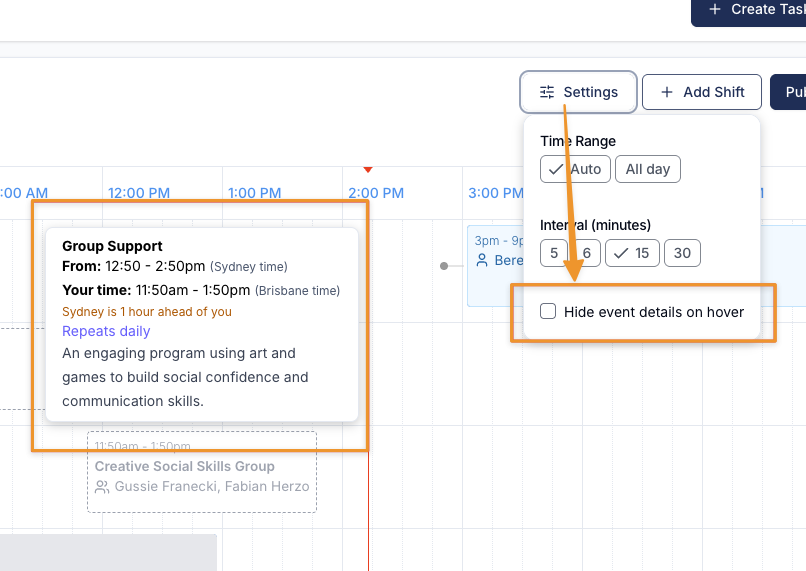
Hide Event Details on Hover
We’ve introduced a new feature in the Schedule called “Hide Event Details on Hover”, giving you greater control over how event information is displayed. You can now choose to turn off event descriptions from appearing when hovering over events in the Schedule, creating a cleaner and more streamlined viewing experience where needed.